|
User Manuals for AstrophotographyYou have selected the product series Optics - Telescopes - Accessories - Astrophotography. Now choose the brand, model or product code you are looking for. If it is not available, you can request it from customer support.Manufacturers – select a brand:
Alpine Astronomical - Bushnell - Celestron - Explore Scientific - Farpoint - iOptron - Konus - Losmandy - Lumicon - Meade - Olivon - Sky-Watcher - Slik - Starlight Xpress - Tele Vue - Vixen Optics
| Showing: 121-130 products | Total: 421 products | | 1 ... 11 | 12 | 13 | 14 | 15 ... 43 |
|
Alpine Astronomical Baader L-RGB CCD Imaging |

 Use the Alpine Astronomical Baader L-RGB CCD Imaging Filter Set during monochromatic imaging for creating stunning custom composite images of nebulae, planets, and other celestial objects.By capturing a single subject in each of the three primary colors—red, green, and blue—and stacking them in post production using specialized softwar...
|
|
Meade USB 2.0 Cable for DSI |

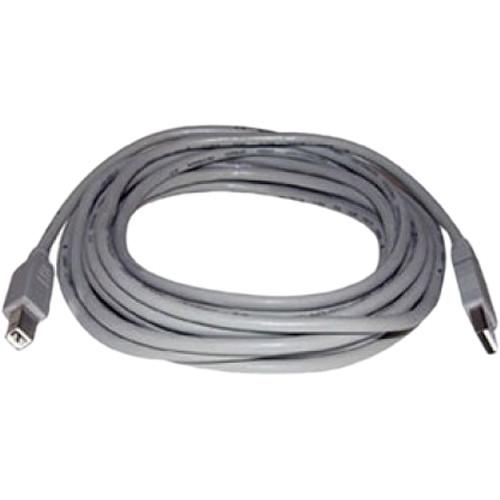 Use the Meade Instruments USB 2.0 Cable to extend the distance between your telescope and PC. Compatible with their Deep Sky Imager (DSI) and Lunar Planetary Imager (LPI) series cameras, this 15' cable is ideal for staying comfortable indoors while you control your imager that is set up outside in the cold from your computer. UPC: 709942925135 In ...
|
|
Meade Series 6000 LRGB Imaging Filter |

 Use the 2" Meade Instruments Series 6000 LRGB Imaging Filter Set during monochromatic imaging for creating stunning custom composite images of nebulae, planets, and other celestial objects.By capturing a single subject in each of the three primary colors—red, green, and blue—and stacking them in post production using specialized softwa...
|
|
Starlight Xpress Trius USB 2.0 Type |
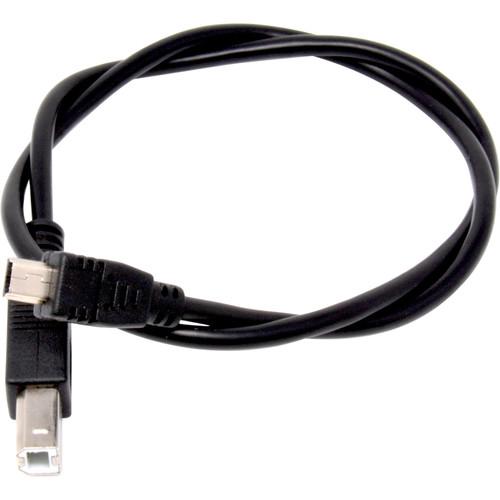 Use the 1.6' (0.5m) long Starlight Xpress Trius USB 2.0 Type A Mini to Type B Cable to connect one of their filter wheels to a Trius imaging camera to give it power with the ability to control it from your computer. You can use this cable for other applications that require a similar cable configuration. In the Box Starlight Xpress Trius USB 2.0 T...
|
|
Starlight Xpress Slimline Off-Axis Guider Assembly |
 Use the Starlight Xpress Slimline Off-Axis Guider Assembly to directly couple your guide camera to SXVR or Trius imaging cameras. Depending on your camera's back focus, you will also require an optional spacer. To attach it to your telescope, you will also need a filter wheel adapter, such as a female T-adapter, and an adapter like the male T-adap...
|
|
Starlight Xpress Mini Filter Wheel with |
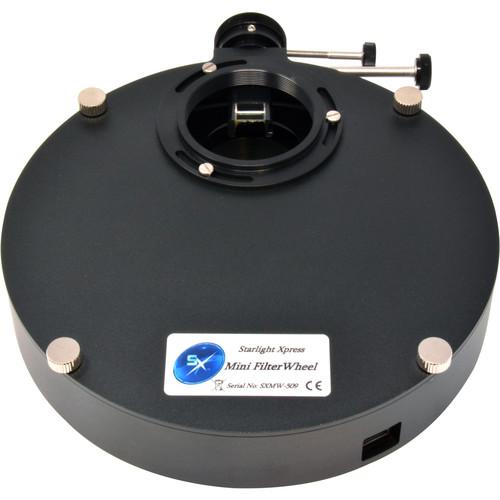 Ideal for portable rigs, the Starlight Xpress Mini Filter Wheel with 5-Position 36mm Round Carousel is an invaluable astrophotography companion for capturing views of planets, nebulae, and other celestial objects in targeted wavelengths using up to five 36mm round and unmounted filters. This is just the filter wheel assembly; user-supplied filters...
|
|
Starlight Xpress Maxi Filter Wheel with |

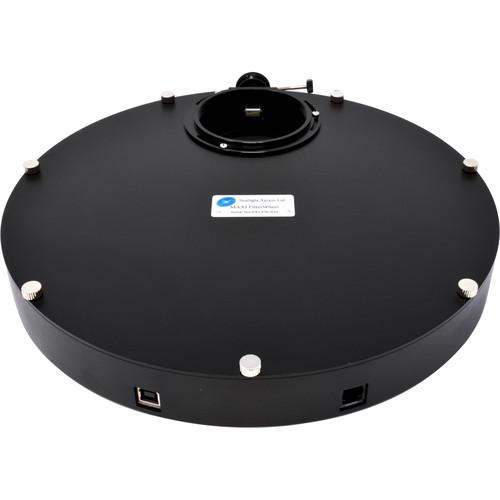 Take your astrophotography and imaging to the next level with the Starlight Xpress Maxi Filter Wheel. This model comes outfitted with a carousel that accepts up to nine unmounted 50.8mm round filters for use on cameras with large-format imaging sensors. Using this filter wheel allows you to change filters without having to touch your gear, un-moun...
|
|
Starlight Xpress Female T-Thread Adapter for |
 Use the Starlight Xpress Female T-Thread Adapter to use any standard T-mount accessories, rings, extension tubes, and camera adapters on their SXV filter wheel. Outfitted with standard female (internal) photo T-threads, it simply screws onto whatever accessory you require and attaches to your wheel using the three mounting screws that come with it...
|
|
Starlight Xpress 72mm Female Ring Adapter |
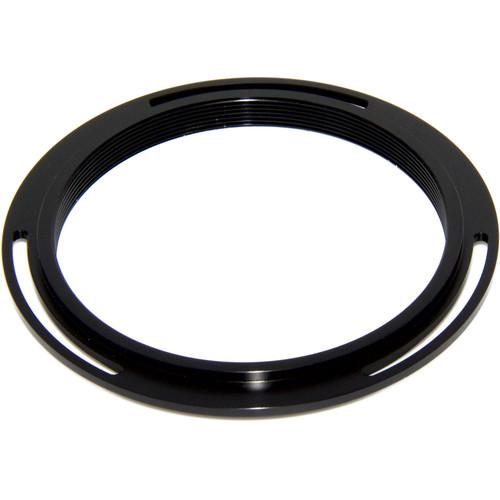 The Starlight Xpress 72mm Female Ring Adapter can be mounted to either the front or back of your Maxi filter wheel for attaching it to your telescope and imaging system. Available in multiple sizes and with both male and female threads, simply choose the correct adapter for your front telescope-side connection and another for the rear imaging syst...
|
|
Starlight Xpress 5-Position USB Filter Wheel |
 With Starlight Xpress's 5-Position USB Filter Wheel Carousel you can change the size and type of filter you use in your filter wheel, without having to get a second complete wheel system. This carousel accepts up to five 50.8mm round and unmounted filters for capturing planets, nebulae, and other celestial objects in targeted wavelengths. In the B...
|
|
| 1 ... 11 | 12 | 13 | 14 | 15 ... 43 | | Showing: 121-130 products | Total: 421 products |
|
|
| Request for user manual |
You can’t find the operation manual you are looking for? Let us know and we will try to add the missing manual:
I’m looking for a manual / Request for manual
Current requests for instruction manuals:
Call Of Duty World War Two For Xbox...
controller stratus XL...
stratus XL...
smart whatch serie S11 42mm...
Allen & Heath SQ-6 manual...
|
| Discussion |
Latest contributions to the discussion:
AEW R 4100
Name: MAURICIO ANGARITA
Audio-Technica AEW-R4100 UHF Diversity Receiver for
AEW R 4100 has the mute function blocked and does not allow audio to pass. I tried several times to turn off the mute from the transmitter but it does nothing, the mute stays on. Solution?
Thank you...
Instructions for assembling the 2015 Forecast Image Master Consoles GC3-A
Name: mike elam
Forecast Consoles GC3-A ImageMaster Editing Console
Looking for instructions for assembling this console. ...
EMPTY TONER ERROR MESSAGE AFTER REPLACING TONER
Name: LINDA BAD YELLOW EYES
Brother TN223BK Standard-Yield Toner
I HAD TO CHANGE OUT ALL THREE TONERS DUE TO LEAKS IN THE YELLOW AND CYAN. AFTER I REPLACED THEM, THE MACHINE KEEPS GIVING ME AN EMPTY TONER ERROR MESSAGE. HELP!!...
PS480D 20/24 pin Switching 480W Power Supply
Name: swkargo
Logisys 480W Power Supply
This item states in can run -5vdc .It is NOT listed on the board or I beleive is r4 is missing the resitior. Any body have thid issue. Shawn
...
Help needed
Name: Ann Carter
SanDisk 1TB Extreme Portable USB 3.1
When I click the link to download the user manual for my Sandisk Extreme external hard drive, it gives me the manual for the LG Cricket. Can you please change the link so I can download the Sandisk manual and begin using this drive? Thank you....
|
|
