User Manual for AJA 4K2HD 4K UHD to 3G HD SD-SDI and HDMI Downconverter Click to enlarge the picture
 Contents of the user manual for the AJA 4K2HD 4K UHD to 3G
- Product category: Signal Converters AJA
- Brand: AJA
- Description and content of package
- Technical information and basic settings
- Frequently asked questions – FAQ
- Troubleshooting (does not switch on, does not respond, error message, what do I do if...)
- Authorized service for AJA Signal Converters
 |
User manual for the AJA 4K2HD 4K UHD to 3G contain basic instructions
that need to be followed during installation and operation.
Before starting your appliance, the user manual should be read through carefully.
Follow all the safety instructions and warnings, and be guided by the given recommendations.
User manual is an integral part of any AJA product,
and if it is sold or transferred, they should be handed over jointly with the product.
Following the instructions for use is an essential prerequisite for protecting
health and property during use, as well as recognition of liability on the part of the manufacturer
for possible defects should you make a warranty claim. Download an official AJA user manual in which you will find instructions on how to install, use, maintain and service your product.
And do not forget – unsuitable use of a AJA product will considerably shorten its lifespan!
|
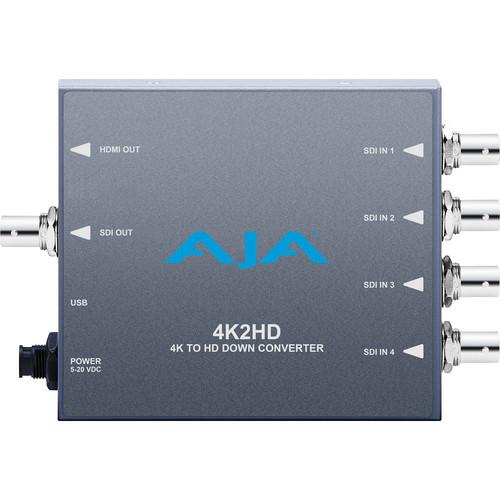
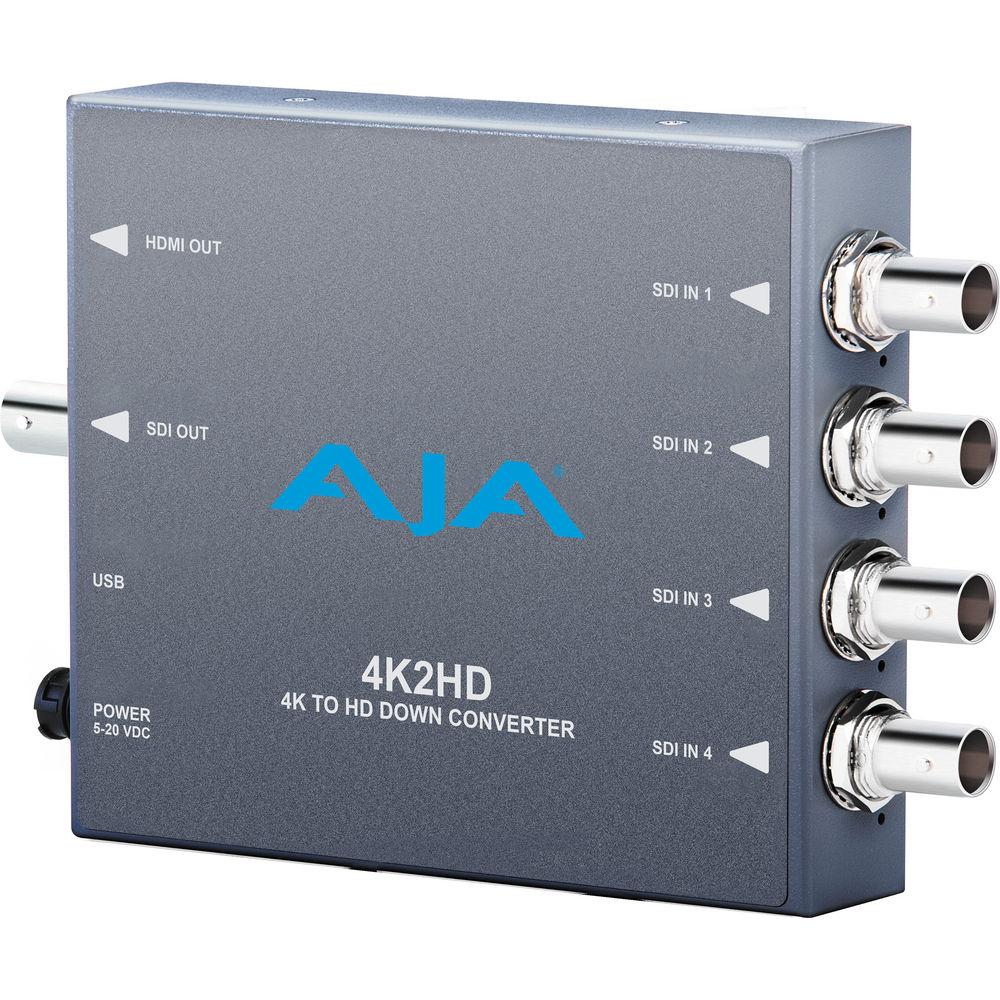
Product description The 4K2HD 4K/UHD to 3G/HD/SD-SDI and HDMI Downconverter from AJA allows you to convert professional SDI 4K and Ultra HD signals to HD or SD resolutions. It outputs simultaneously to one 3G/HD/SD-SDI output and one HDMI output, allowing you to send the downcoverted signals to SDI and HDMI devices for on set monitoring or live broadcasting.
The 4K2HD features four SDI connections for four 1.5GHz, two dual-stream 3GHz, and four 3GHz 4K (4096x2160) and UHD (3840x2160) input signals. It supports multiple frame rates up to 50 and 60 fps at full 4K resolution. The output signal will have a matching frame rate for accurate viewing of your footage. The 4K2HD also supports HD and NTSC/PAL SD input signals, allowing the device to function as a 3G/HD/SD-SDI to HDMI converter.
Configure the 4K2HD using AJA's free MiniConfig software for Mac or PC over the USB 2.0 connection. The software provides an easy-to-use graphical interface with detailed information about input and output formats as well as all configuration parameters. Additionally, external DIP switches on the device let you configure the V2Digital without computer access. A universal 5 VDC universal power supply comes included. - Additional Features
-
- Aspect ratio conversion from full 4K to HD
- One-to-one pixel center crop of original 4K frame supported for focus checks
- 24-bit, 8-channel audio embedded in SDI and HDMI outputs
In the Box AJA 4K2HD 4K/UHD to 3G/HD/SD-SDI and HDMI Downconverter DWP-U-R1 Worldwide Power Supply for AJA Mini-Converters urqadscrfwewzuueufzzcd Limited 5-Year Warranty Table of Contents
|
Upload User Manual
Have you got an user manual for the AJA 4K2HD 4K UHD to 3G HD SD-SDI and HDMI Downconverter in electronic form? Please send it to us and help us expand our library of instruction manuals.
Thank you, too, on behalf of other users.
To upload the product manual, we first need to check and make sure you are not a robot. After that, your "Submit Link" or "Upload File" will appear.
Technical parametersAJA 4K2HD Specs | Input Formats | 4K Inputs supported:
4 x 1.5GHz SDI:- 4 x 1920x1080p 4:2:2, 23.98, 24, 25, 29.97, 30
- 4 x 1920x1080psf 4:2:2, 23.98, 24, 25, 29.97, 30
- 4 x 2048x1080p 4:2:2, 23.98, 24
- 4 x 2048x1080psf 4:2:2, 23.98, 24
2 x dual-stream 3GHz SDI (level B):- 2 x 2 x 1920x1080p 4:2:2, 23.98, 24, 25, 29.97, 30
- 2 x 2 x 1920x1080psf 4:2:2, 23.98, 24, 25, 29.97, 30
- 2 x 2 x 2048x1080p 4:2:2, 23.98, 24
- 2 x 2 x 2048x1080psf 4:2:2, 23.98, 24
4 x 3GHz SDI:- 4 x 1920x1080p 4:2:2, 50, 59.94, 60 (25, 29.97, 30 output)
- 4 x 1920x1080p 4:4:4, 23.98, 24, 25, 29.97, 30
- 4 x 1920x1080psf 4:4:4, 23.98, 24, 25, 29.97, 30
- 4 x 2048x1080p 4:4:4, 23.98, 24
- 4 x 2048x1080psf 4:4:4, 23.98, 24
HD Inputs supported (4:2:2 if Single Link or 4:4:4 if Dual Link)
- 720p 50, 59.94
- 720p 23.98, 24, 25, 29.97, 30, 50, 59.94
- 1080i 25, 29.97, 30
- 1080p 23.98, 24, 25, 29.97, 50, 59.94, 60
- 1080psf 23.98, 24, 25, 29.97, 50, 59.94, 60
SD Inputs Supported:
| | Video Inputs | 4 x BNC, 3G/HD/SD-SDI (auto-selected) | | Video Outputs | 1 x BNC, 3G/HD/SD-SDI
1 x HDMI 1.4 Type A, 30/36 bits per pixel, RGB or YUV
| | Audio Input | SDI embedded audio, 24-bit, 8-channel | | Audio Output | SDI embedded audio, 24-bit, 8-channel
HDMI embedded audio, 24-bit, 8-channel | | USB Connection | 1 x USB 2.0 (for connection to Mac or PC) | | Power | +5 VDC regulated, 3 watts | | Dimensions | 5.76 x 4.02 x 0.90" (14.63 x 10.21 x 2.29 cm) | | Weight | Not specified by manufacturer | | | | Package Weight | 1.6 lb | | Box Dimensions (LxWxH) | 7.3 x 5.8 x 4.3" |
Rating90% users recommend this product to others. And what about you?

This product has already been rated by 73 owners. Add your rating and experience with the product.
Discussion
 Ask our technicians if you have a problem with your settings,
or if anything is unclear in the user manual you have downloaded.
You can make use of our moderated discussion.
The discussion is public and helps other users of our website who may be encountering similar problems.
Ask our technicians if you have a problem with your settings,
or if anything is unclear in the user manual you have downloaded.
You can make use of our moderated discussion.
The discussion is public and helps other users of our website who may be encountering similar problems.
The discussion is empty - enter the first post
Post a new topic / query / comment:
|
|


