|
User Manual for AJA Ki Pro Ultra Click to enlarge the picture
 Contents of the user manual for the AJA Ki Pro Ultra
- Product category: Recorders & Duplication AJA
- Brand: AJA
- Description and content of package
- Technical information and basic settings
- Frequently asked questions – FAQ
- Troubleshooting (does not switch on, does not respond, error message, what do I do if...)
- Authorized service for AJA Recorders & Duplication
 |
User manual for the AJA Ki Pro Ultra contain basic instructions
that need to be followed during installation and operation.
Before starting your appliance, the user manual should be read through carefully.
Follow all the safety instructions and warnings, and be guided by the given recommendations.
User manual is an integral part of any AJA product,
and if it is sold or transferred, they should be handed over jointly with the product.
Following the instructions for use is an essential prerequisite for protecting
health and property during use, as well as recognition of liability on the part of the manufacturer
for possible defects should you make a warranty claim. Download an official AJA user manual in which you will find instructions on how to install, use, maintain and service your product.
And do not forget – unsuitable use of a AJA product will considerably shorten its lifespan!
|
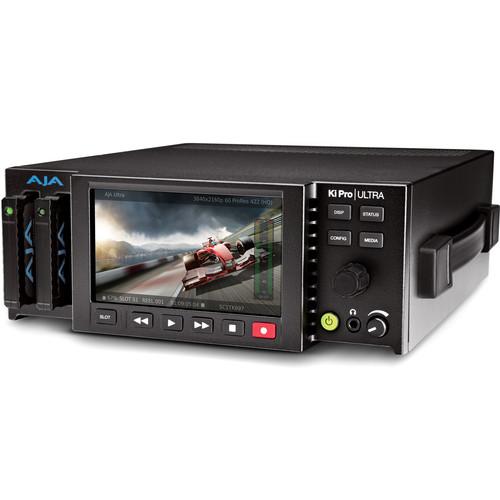
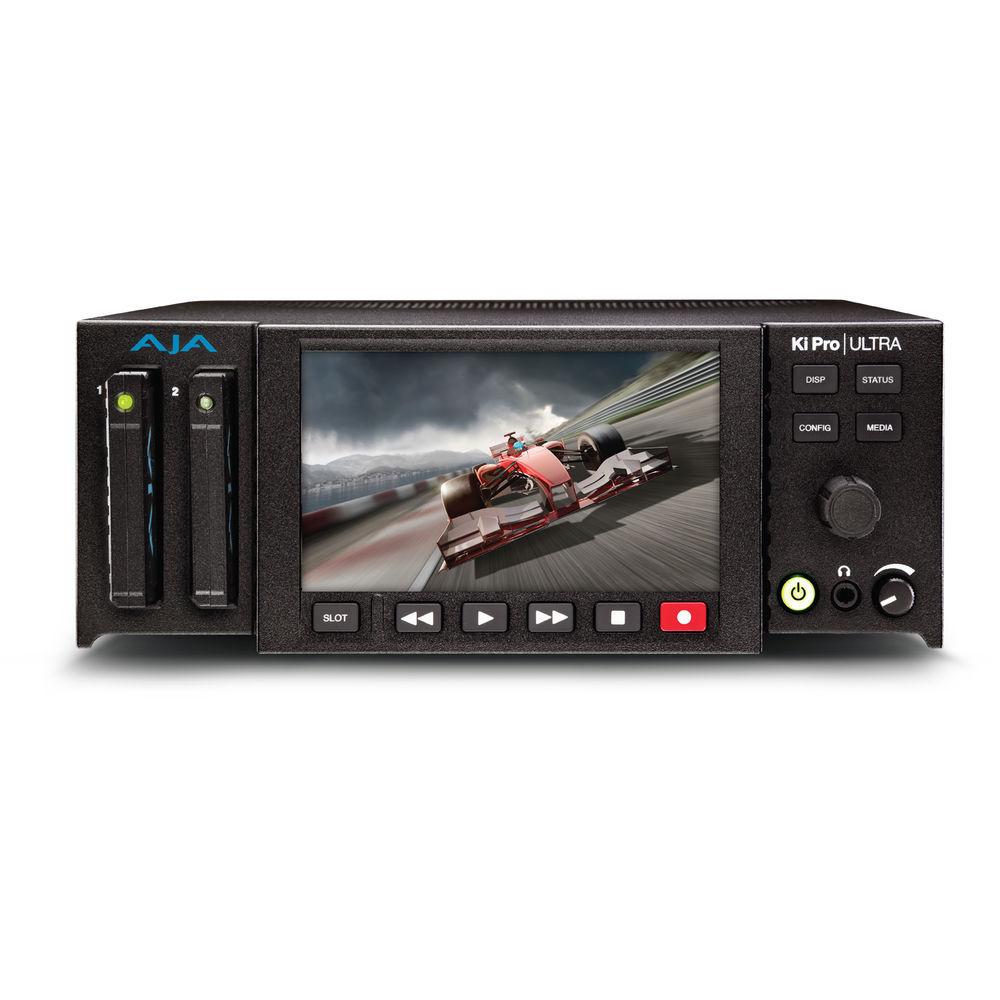
Product description Expanding on the well established Ki Pro line-up, the AJA Ki Pro Ultra provides 4K DCI/UHD recording and monitoring in a rack mountable unit. You can record 4K in DCI, UHD, and HD at up to 60p. Supporting ProRes codecs up to ProRes 4444, with familiar VTR-style front panel controls, the Ki Pro Ultra is simple to use and records your input video into a robust edit ready format. It accepts AJA Pak Media, which provides a proven recording platform. The twin media slots permit rollover recording, which allows the recording to switch from a full PAK to an empty one without dropping frames.
The integrated 4.8" screen sports HD resolution, providing a clear image when reviewing your footage. The two redundant 4-pin XLR inputs provide you with security against accidental power loss, or failure of one power input. The Ultra comes with ports for Fiber input and output, requiring optional Fiber SNFs. You can remotely control the unit using either RS-422, or an Ethernet connection, which makes the unit suitable for use rack-mounted in a machine room or as a standalone desktop unit. An included handle can be attached for carrying the Ultra as a portable unit and you can attach the included desktop feet for desktop use. An optional rack shelf allows you to mount this half-rack wide unit into a rack. - Format Support
- You can record 4K in DCI or UHD format as well as 2K and HD in various progressive frame rates including 23.98, 25, 29.97, 30, 50, 59.94, and 60p. The unit also supports select PsF frame rates.
- Recording
- The Ki Pro Ultra records to five quality levels of Apple ProRes including Apple ProRes 4444. This lets you choose the balance of image fidelity and file size that's right for each individual production as well as having the flexibility to record directly to native file formats that are understood by most major editing systems.
- Media
- You can record to AJA Pak Media. The Ki Pro Ultra will record to optional Pak 256, Pak 512, and Pak 1000 media. An optional adapter allows you to record to CFast 2.0 cards. To record 4K at ProRes 4444 requires Pak 1000 media, for frame rates above 30fps, the highest quality codec available is 422 HQ. When using the Pak 256/Pak 512 or CF to Pak media adapter, you are limited to the ProRes 422 codec as your maximum quality recording.
- Twin Media Slots
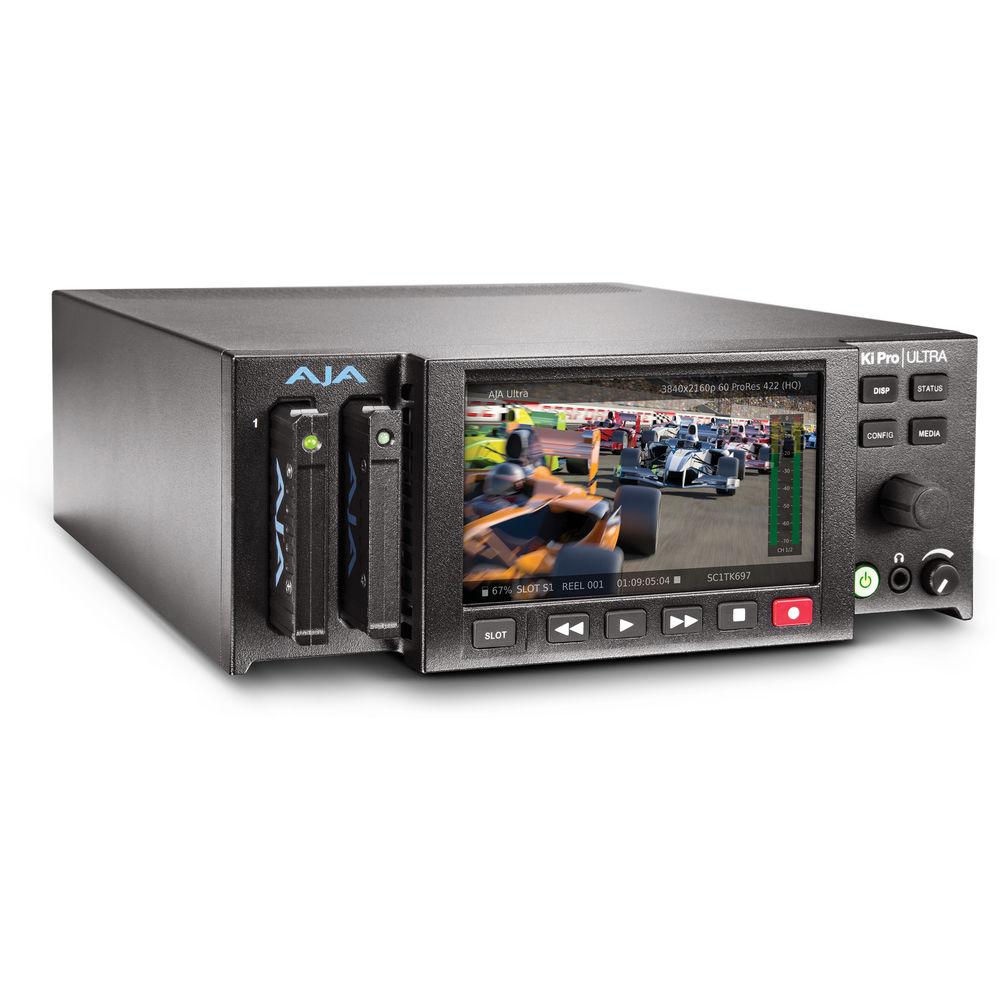
- The twin media drive bays on the Ki Pro Ultra allow extremely fast media changes and rollover recording, which allows a recording to start on one media module and seamlessly continue onto the second module once the first has reached capacity.
- Front Panel LCD
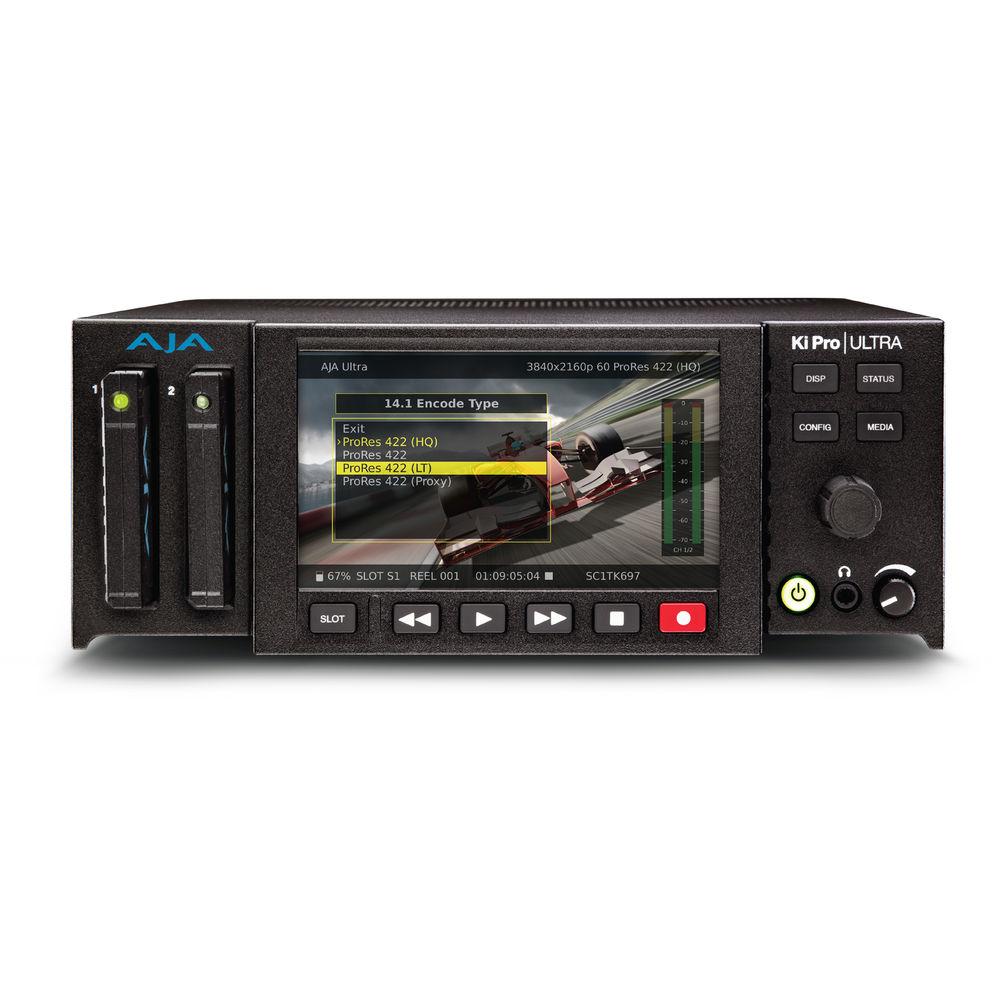
- Featuring a high-resolution HD display for pristine monitoring of your material, and serving as your interface to Ki Pro's intuitive menu system. The detailed overlay UI includes onscreen keyboard functionality and a clear view of the powerful yet simple to operate UI.
The large LCD provides detailed playback and monitoring for use on-set, the O.B truck, helicopter or studio, and its transparent menu overlays can be set at just the level the user prefers. Ki Pro Ultra offers control over brightness of the display for flexible control to suit your working environment. - VTR-Style Control
- Dedicated transport buttons - record, play, stop, rewind, fast forward - make the device easy to operate with minimal training time. The current status of the system and key configuration information is clearly displayed on the built-in high-resolution LCD screen. Additional operational information can be found in the STATUS menu, which can be accessed even when recording or playing back.
- Monitoring
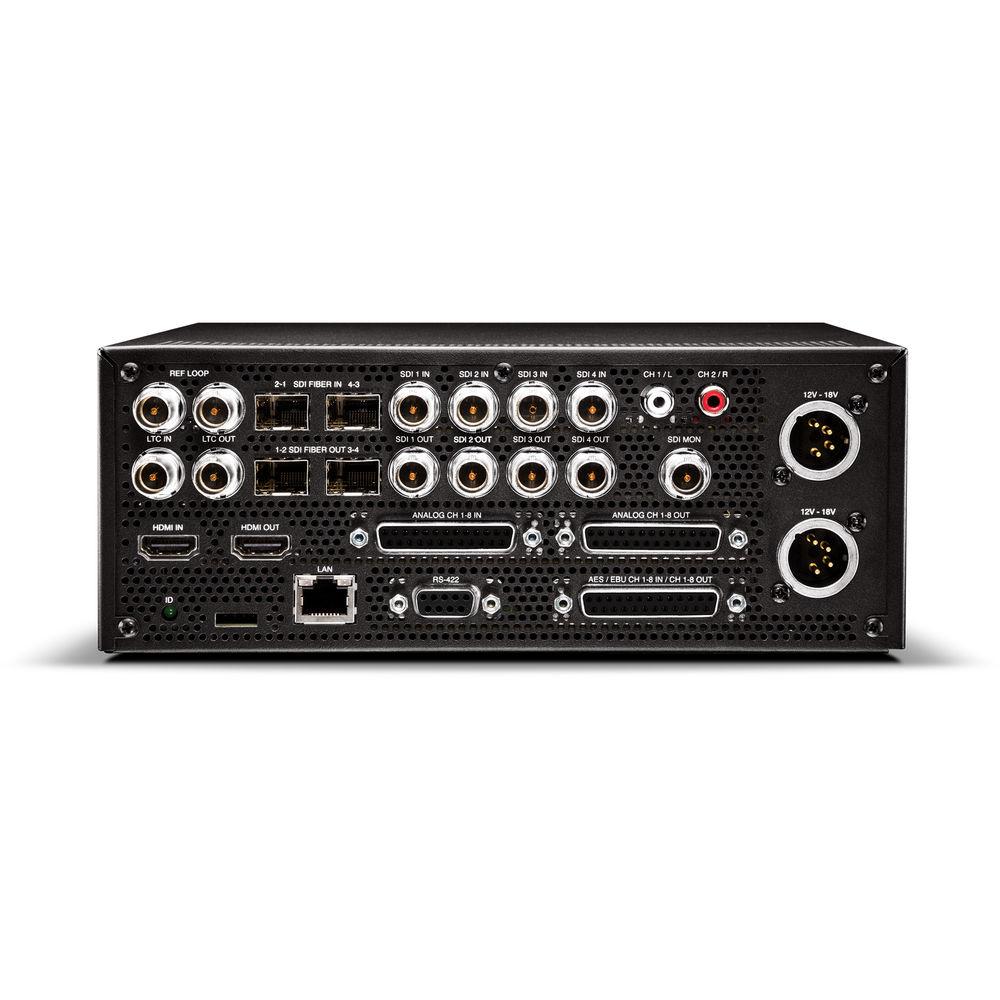
- Ki Pro Ultra provides full resolution outputs for 4K, UltraHD and HD over quad, dual, single link 3G-SDI, and HDMI in/out. Fiber support is built-in requiring only optional fiber connectors. An integrated dedicated 2K and HD-SDI monitor output can be fed to any affordable and existing HD-SDI display.
- Control
- You can remotely control the Ki Pro Ultra using the built-in RS-422 port. Additionally, you can use the integrated Ethernet port to access advanced remote control. The unit features its own web based GUI that works with virtually all web browsers to provide you control via your attached computer. Another advantage of using the Ethernet port is that multiple Ki Pro Ultra units can even be controlled from a single web interface making Ki Pro Ultra an ideal solution for multi-camera recordings.
UPC: 892448000113 In the Box AJA Ki Pro Ultra Power Supply and AC Power Cord Handle Assembly 4 x Desktop Feet Limited 3-Year Warranty Guides & Manuals Table of Contents
|
Upload User Manual
Have you got an user manual for the AJA Ki Pro Ultra in electronic form? Please send it to us and help us expand our library of instruction manuals.
Thank you, too, on behalf of other users.
To upload the product manual, we first need to check and make sure you are not a robot. After that, your "Submit Link" or "Upload File" will appear.
Download User ManualThe user manual for the AJA Ki Pro Ultra can be downloaded in PDF format at the link stated below.
Technical parametersAJA Ki Pro Ultra Specs | LCD Screen | 4.8" TFT-LCD
1280 x 720 RGB | | Supported Video Formats | 4K DCI
4096 x 2160p: 23.98/24/25/29.97/30/50/59.94/60
4096 x 2160PsF: 23.98/24/25/29.97/30
4K UHD
3840 x 2160p: 23.98/24/25/29.97/30/50/59.94/60
3840 x 2160PsF: 23.98/24/25/29.97/30
2K
2048 x 1080p: 23.98/24/25/29.97/30/50/59.94/60
2048 z 1080PsF: 23.98/24/25/29.97/30
HD
1080p: 23.98/24/25/29.97/30/50/59.94/60
720p: 50/59.94/60 | | Codec Support | Apple ProRes 4444 (supports DCI & UHD up to 30 FPS)
Apple ProRes 422 (HQ)
Apple ProRes 422
Apple ProRes 422 (LT) Apple ProRes 422 (Proxy) | | Video Inputs | HD/3G-SDI (SMPTE-292/296/424, 10-bit) (12-bit input supported processing is 10-bit)
4K DC/UHD 4:2:2 / 4:4:4 : 4 x BNC
Single Link 4:2:2 / 4:4:4 : 1 x BNC
Dual Link 4:2:2 / 4:4:4 : 2 x BNC
Fiber
Dual Channel Fiber: 2 x Ports (optional SFPs required)
HDMI
Version 2.0: 1 x HDMI 2.0 | | Video Outputs | HD/3G-SDI (SMPTE-292/296/424, 10-bit)
4K DC/UHD4:2:2 / 4:4:4 : 4 x BNC
Single Link 4:2:2 / 4:4:4 : 1 x BNC
Dual Link 4:2:2 / 4:4:4 : 2 x BNC
Monitor: 1 x BNC
Fiber
Dual Channel Fiber: 2 x Ports (optional SFPs required)
HDMI
Version 2.0: 1 x HDMI 2.0 (4K DCI/UHD 50/60 fps in 4:2:0 8-bit format only) | | Audio Input | Digital
8-channel, 24-bit SDI embedded audio, 48 kHz sample rate, synchronous
AES/EBU: 1 x DB-25 8-Channel (cable not supplied)
Analog
8-channel, 24-bit A/D analog audio, 48 kHz sample rate
Input Level: Line, Mic, Mic + Phantom 48 VDC
+24 dBu Full Scale Digital
+/- 0.2 dB 20 Hz to 20 kHz Frequency Response | | Audio Output | Digital
8-channel, 24-bit SDI embedded audio, 48 kHz sample rate, Synchronous
8-channel, 24-bit HDMI embedded audio, 48 kHz sample rate, Synchronous
AES/EBU: Shares input connector
Analog
Headphone: 1 x 3.5mm stereo mini jack
Dual Mono: 2 x RCA
8-Channel: 1 x DB-25 (Tascam pinout) 24-bit D/A analog audio, 48kHz sample rate | | Timecode | SDI RP188/SMPTE 12M
LTC Input: 1 x BNC
LTC Output: 1 x BNC | | Reference | Input: 1 x BNC
Output: 1 x BNC | | Interface | Network: 1 x RJ-45 (10/100/1000 Ethernet)
RS-422: 1 x DB9 (Sony 9-pin serial protocol) | | Power Input | 2 x 4-pin XLR (redundant inputs) | | Power | 100-240 VAC 50/60 Hz (using included power supply)
12 to 18 VDC
5.4 A max
35 to 60 W typical (65 W max) | | Environment | Operating
Temperature: 32 to 104°F / 0 to 40°C
Relative Humidity: 10-90% non-condensingAltitude: <10,000' / 3,000 m
Storage
Temperature (Power OFF): -40 to 140°F / -40 to 60°C | | Dimensions | 8.64 x 9.34 x 3.31" / 21.94 x 23.72 x 8.41 cm | | Weight | 5.6 lb / 2.5 kg | | | | Package Weight | 9.0 lb | | Box Dimensions (LxWxH) | 13.5 x 9.6 x 6.5" |
Rating90% users recommend this product to others. And what about you?

This product has already been rated by 63 owners. Add your rating and experience with the product.
Discussion
 Ask our technicians if you have a problem with your settings,
or if anything is unclear in the user manual you have downloaded.
You can make use of our moderated discussion.
The discussion is public and helps other users of our website who may be encountering similar problems.
Ask our technicians if you have a problem with your settings,
or if anything is unclear in the user manual you have downloaded.
You can make use of our moderated discussion.
The discussion is public and helps other users of our website who may be encountering similar problems.
The discussion is empty - enter the first post
Post a new topic / query / comment:
|
|
|
| Request for user manual |
You can’t find the operation manual you are looking for? Let us know and we will try to add the missing manual:
I’m looking for a manual / Request for manual
Current requests for instruction manuals:
Call Of Duty World War Two For Xbox...
controller stratus XL...
stratus XL...
smart whatch serie S11 42mm...
Allen & Heath SQ-6 manual...
|
| Discussion |
Latest contributions to the discussion:
AEW R 4100
Name: MAURICIO ANGARITA
Audio-Technica AEW-R4100 UHF Diversity Receiver for
AEW R 4100 has the mute function blocked and does not allow audio to pass. I tried several times to turn off the mute from the transmitter but it does nothing, the mute stays on. Solution?
Thank you...
Instructions for assembling the 2015 Forecast Image Master Consoles GC3-A
Name: mike elam
Forecast Consoles GC3-A ImageMaster Editing Console
Looking for instructions for assembling this console. ...
EMPTY TONER ERROR MESSAGE AFTER REPLACING TONER
Name: LINDA BAD YELLOW EYES
Brother TN223BK Standard-Yield Toner
I HAD TO CHANGE OUT ALL THREE TONERS DUE TO LEAKS IN THE YELLOW AND CYAN. AFTER I REPLACED THEM, THE MACHINE KEEPS GIVING ME AN EMPTY TONER ERROR MESSAGE. HELP!!...
PS480D 20/24 pin Switching 480W Power Supply
Name: swkargo
Logisys 480W Power Supply
This item states in can run -5vdc .It is NOT listed on the board or I beleive is r4 is missing the resitior. Any body have thid issue. Shawn
...
Help needed
Name: Ann Carter
SanDisk 1TB Extreme Portable USB 3.1
When I click the link to download the user manual for my Sandisk Extreme external hard drive, it gives me the manual for the LG Cricket. Can you please change the link so I can download the Sandisk manual and begin using this drive? Thank you....
|
|



