User Manual for AJA KONA HDMI 4-Channel HDMI Capture Card for Multi-Channel HD or Single Channel UltraHD Click to enlarge the picture
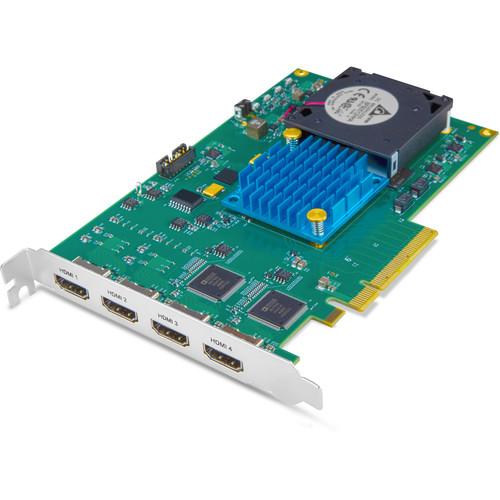 Contents of the user manual for the AJA KONA HDMI 4-Channel HDMI Capture
- Product category: Computer Hardware AJA
- Brand: AJA
- Description and content of package
- Technical information and basic settings
- Frequently asked questions – FAQ
- Troubleshooting (does not switch on, does not respond, error message, what do I do if...)
- Authorized service for AJA Computer Hardware
 |
User manual for the AJA KONA HDMI 4-Channel HDMI Capture contain basic instructions
that need to be followed during installation and operation.
Before starting your appliance, the user manual should be read through carefully.
Follow all the safety instructions and warnings, and be guided by the given recommendations.
User manual is an integral part of any AJA product,
and if it is sold or transferred, they should be handed over jointly with the product.
Following the instructions for use is an essential prerequisite for protecting
health and property during use, as well as recognition of liability on the part of the manufacturer
for possible defects should you make a warranty claim. Download an official AJA user manual in which you will find instructions on how to install, use, maintain and service your product.
And do not forget – unsuitable use of a AJA product will considerably shorten its lifespan!
|
Product description The AJA KONA HDMI 4-Channel HDMI Capture Card for Multi-Channel HD or Single Channel UltraHD is an 8-lane PCIe multi-channel HDMI capture card. Suitable for multiple workflows such as gaming, streaming, VJ-ing, live events switching, vlogging, VR, post, and broadcast, this powerful card boasts support for single channel capture up to 4K/UltraHD 60p or four-channel capture up to 2K/HD 60p.
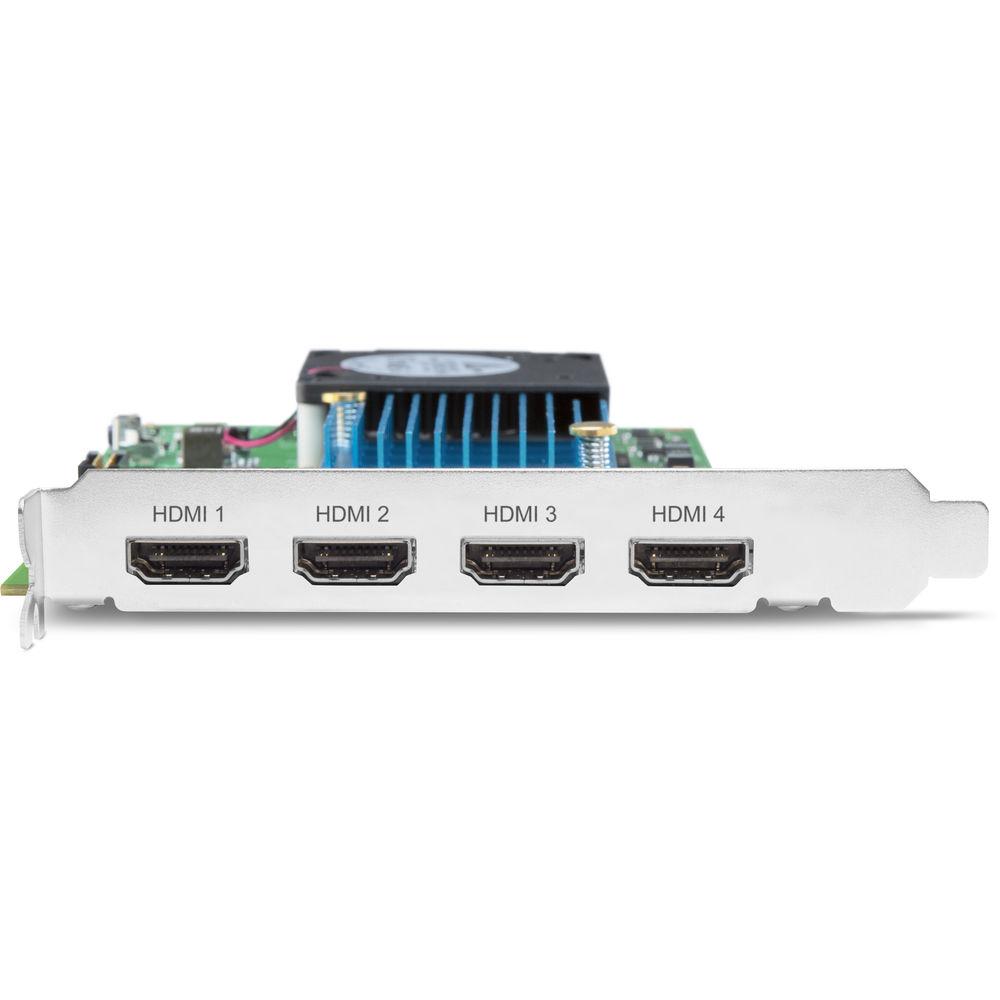
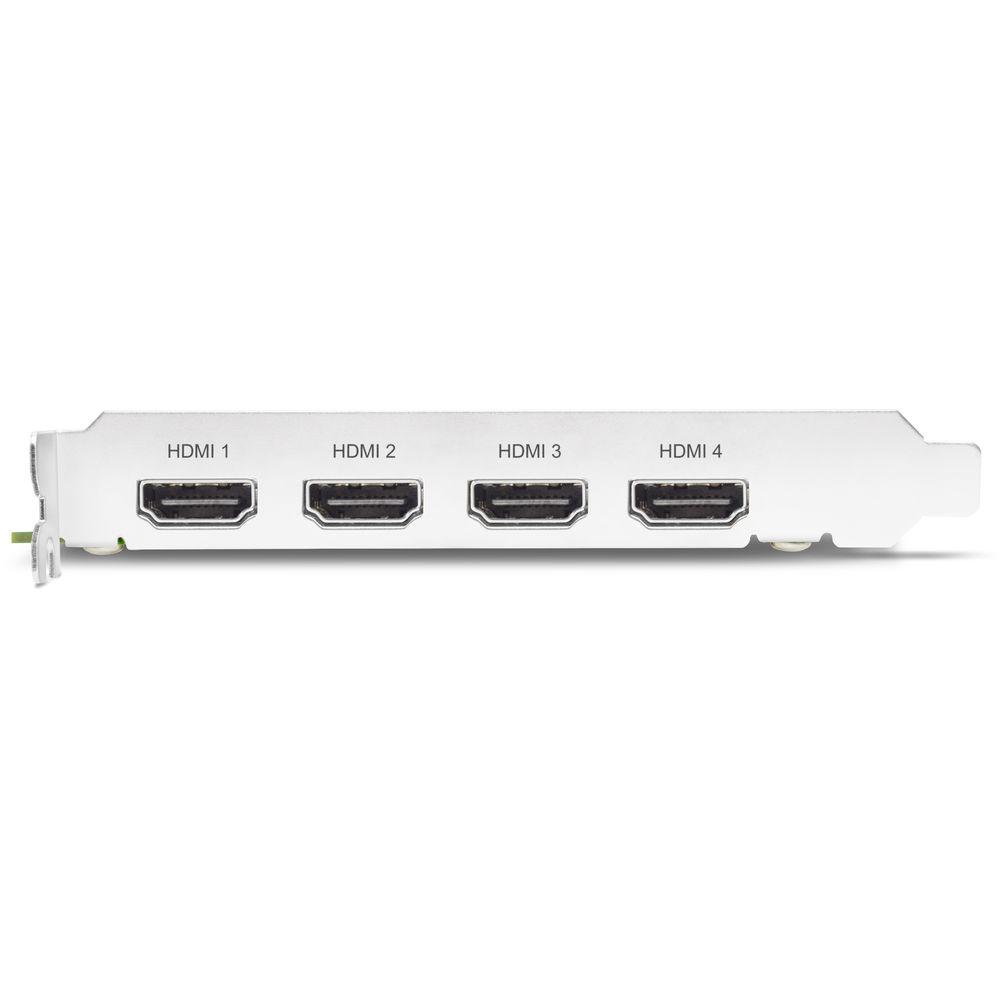
KONA HDMI provides four full-size HDMI ports that can be used to switch, stream, or capture up to four channels of 2K/HD 60p via HDMI 1.4b with appropriate 3rd party software. It supports up to 8 channels of embedded audio per input for a total of 32 channels of audio, while supporting video from SD to DCI 4K (including HD and UHD) at up to 60p 4:2:2 10-bit. Capture requires available software (not included). - Multi-Channel HD Capture and Streaming
- KONA HDMI is well-suited to live streaming and switching with up to 4-channels of 1080p HDMI video capture. Connect up to 4x HDMI outputs from a mix of cameras, game stations, presentation systems, and more and switch between them seamlessly with optional software. The KONA HDMI can be utilized for live streaming and events production via Telestream Wirecast, vMix and other third-party software. It is also supported by both the AJA SDK as well as Video for Linux (V4L2), making it an excellent choice for developers of multichannel HDMI ingest, switching, monitoring, and communication solutions.
- 4K/UltraHD Capture up to 60p
- KONA HDMI offers unique and powerful single channel 4K/UltraHD capture all the way up to 60p over HDMI 2.0. For single-channel capture, you can download for free the AJA Control Room software, which allows you to capture and create digital media for use in your editing or effects package of choice.
- HDR
- The KONA HDMI provides support for accepting HDR signals captured over HDMI from gaming stations like the PS4 Pro.
- Extensive Software Support
- AJA hardware is supported by an extensive list of professional software for editing, visual effects, graphics, streaming, and more allowing the same AJA device to be used by many different applications on the same system. In addition, AJA provides several free applications that enable you to utilize the power of your AJA hardware even without having to run a particular software package.
- OS Compatibility
- KONA HDMI is compatible with macOS, Windows, and Linux.
In the Box AJA KONA HDMI 4-Channel HDMI Capture Card for Multi-Channel HD or Single Channel UltraHD Limited 3-Year Warranty Table of Contents
|
Upload User Manual
Have you got an user manual for the AJA KONA HDMI 4-Channel HDMI Capture Card for Multi-Channel HD or Single Channel UltraHD in electronic form? Please send it to us and help us expand our library of instruction manuals.
Thank you, too, on behalf of other users.
To upload the product manual, we first need to check and make sure you are not a robot. After that, your "Submit Link" or "Upload File" will appear.
Technical parametersAJA Kona HDMI Specs | OS Compatibility | Windows
macOS
Linux | | Expansion Slot | PCIe 2.0 | | Inputs | HDMI 2.0: 1 x Type A
HDMI 1.4b: 3 x Type A | | Supported Video Formats | 4K DCI
4096 x 2160: 60, 59.94, 50, 30, 29.97, 25, 24, 23.98
UHD
3840 x 2160: 60, 59.94, 50, 30, 29.97, 25, 24, 23.98
2K
2048 x 1080p: 60, 59.94, 50, 30, 29.97, 25, 24, 23.98
2048 x 2160PsF: 25, 24, 23.98
HD
1080p: 60, 59.94, 50, 30, 29.97, 25, 24, 23.98
1080PsF: 30, 29.97, 25, 24, 23.98
1080i: 60, 59.94, 60
720: 60, 59.94, 50
SD
625i: 50
525i: 59.94 | | Video Sampling | Single Stream 4K/UltraHD with HFR Support up to 60p, 4:2:2, 10-bit
30/36 bits/pixel, RGB or YUV, 6 Gb/s per color component
Quad Stream 2K/HD/SD with HFR Support up to 60p, 4:2:2, 10-bit
30/36 bits/pixel, RGB or YUV, 2.25 Gb/s | | Audio Sampling | 8-Channel, 16- and 24-bit HDMI embedded audio, 48 kHz sample rate, synchronous per HDMI Input
Single stream input supports up to 8-Channels
Quad stream input supports up to 32-Channels | | Environment | Operating
Temperature: 32 to 104°F / 0 to 40°C
Relative Humidity: 10 to 90% (non-condensing)
Altitude: Up to 10,000' / 3000 m | | Dimensions | 0.75 x 8.25 x 5" / 1.91 x 20.96 x 12.7 cm | | Weight | 0.3 lb / 0.14 kg | | | | Package Weight | 0.7 lb | | Box Dimensions (LxWxH) | 9.7 x 6.4 x 3.2" |
Rating50% users recommend this product to others. And what about you?

This product has already been rated by 80 owners. Add your rating and experience with the product.
Discussion
 Ask our technicians if you have a problem with your settings,
or if anything is unclear in the user manual you have downloaded.
You can make use of our moderated discussion.
The discussion is public and helps other users of our website who may be encountering similar problems.
Ask our technicians if you have a problem with your settings,
or if anything is unclear in the user manual you have downloaded.
You can make use of our moderated discussion.
The discussion is public and helps other users of our website who may be encountering similar problems.
The discussion is empty - enter the first post
Post a new topic / query / comment:
|
|


