User Manual for AJA KONA LHe Plus HD-SDI Analog Video Capture & Playback PCI Card Click to enlarge the picture
 Contents of the user manual for the AJA KONA LHe Plus HD-SDI Analog
- Product category: Computer Hardware AJA
- Brand: AJA
- Description and content of package
- Technical information and basic settings
- Frequently asked questions – FAQ
- Troubleshooting (does not switch on, does not respond, error message, what do I do if...)
- Authorized service for AJA Computer Hardware
 |
User manual for the AJA KONA LHe Plus HD-SDI Analog contain basic instructions
that need to be followed during installation and operation.
Before starting your appliance, the user manual should be read through carefully.
Follow all the safety instructions and warnings, and be guided by the given recommendations.
User manual is an integral part of any AJA product,
and if it is sold or transferred, they should be handed over jointly with the product.
Following the instructions for use is an essential prerequisite for protecting
health and property during use, as well as recognition of liability on the part of the manufacturer
for possible defects should you make a warranty claim. Download an official AJA user manual in which you will find instructions on how to install, use, maintain and service your product.
And do not forget – unsuitable use of a AJA product will considerably shorten its lifespan!
|
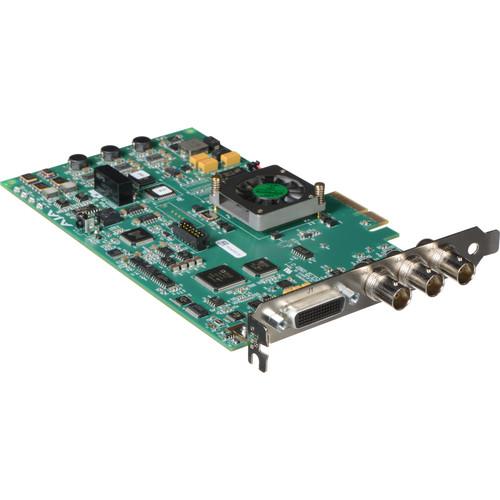
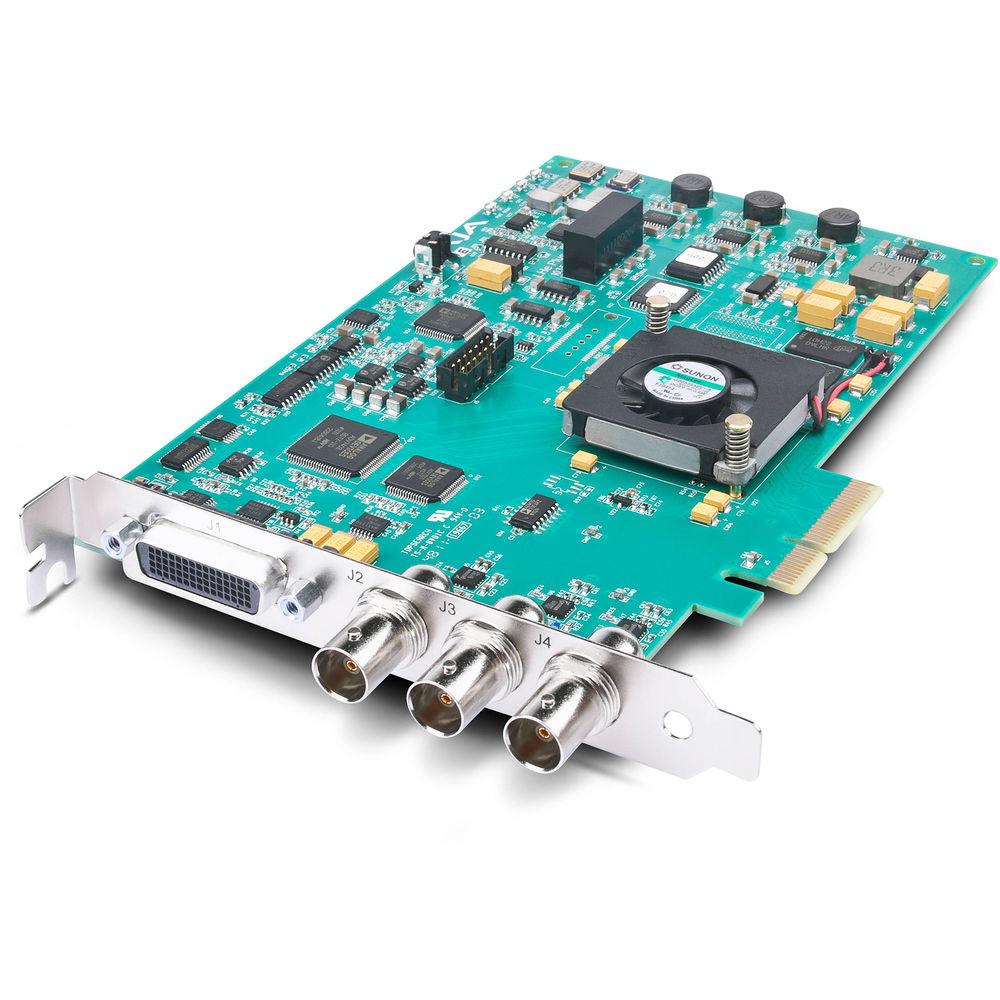
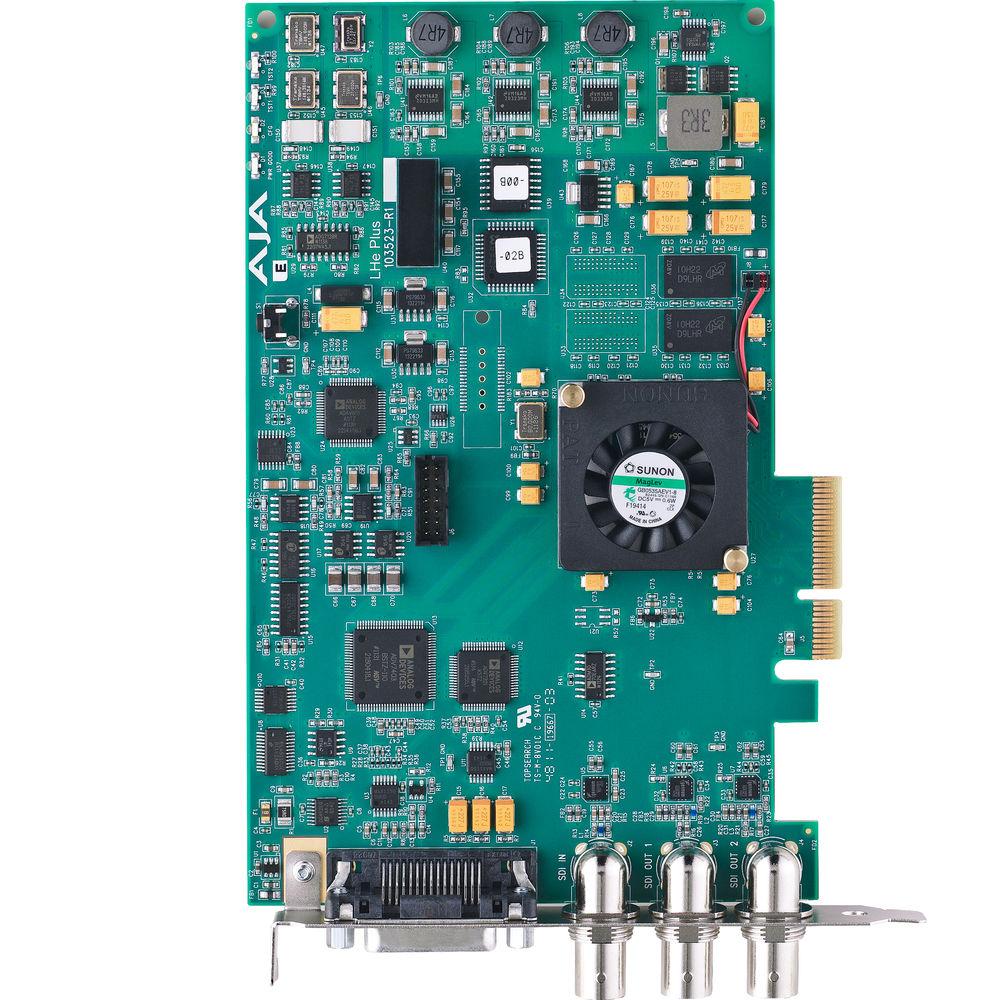
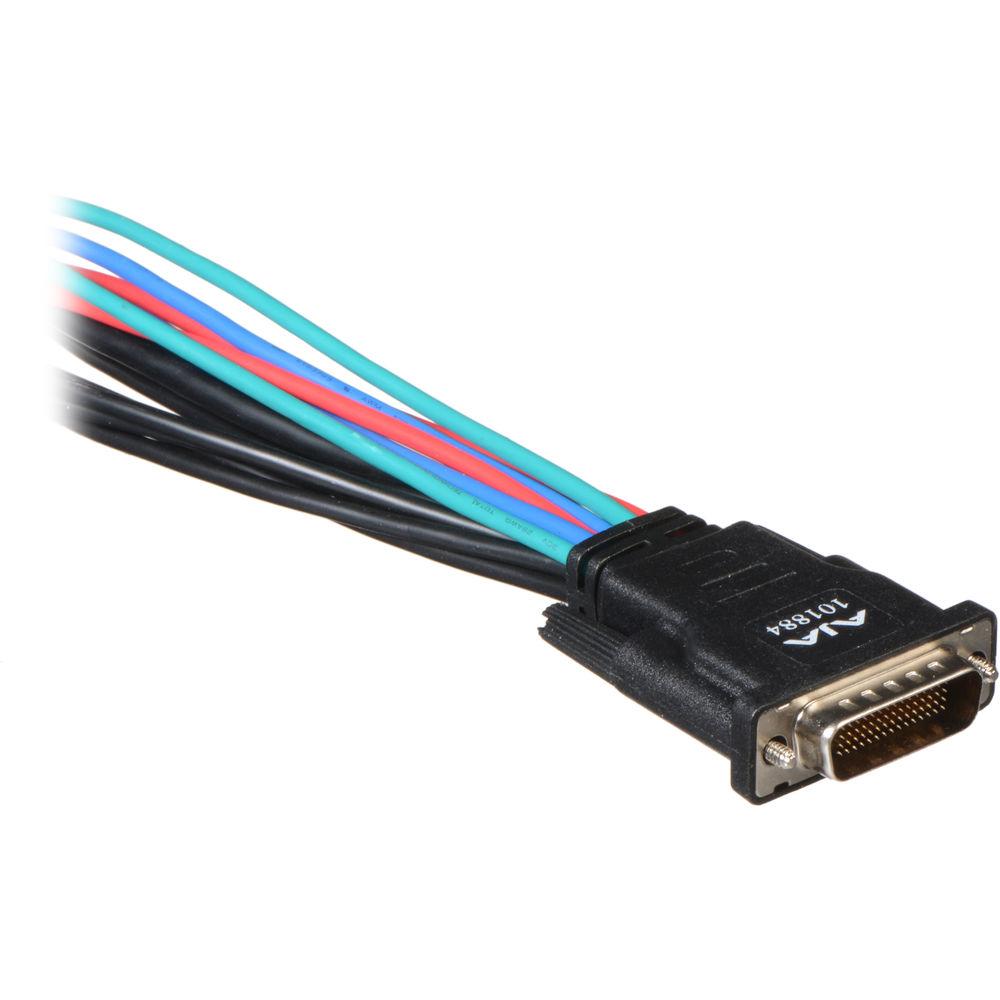
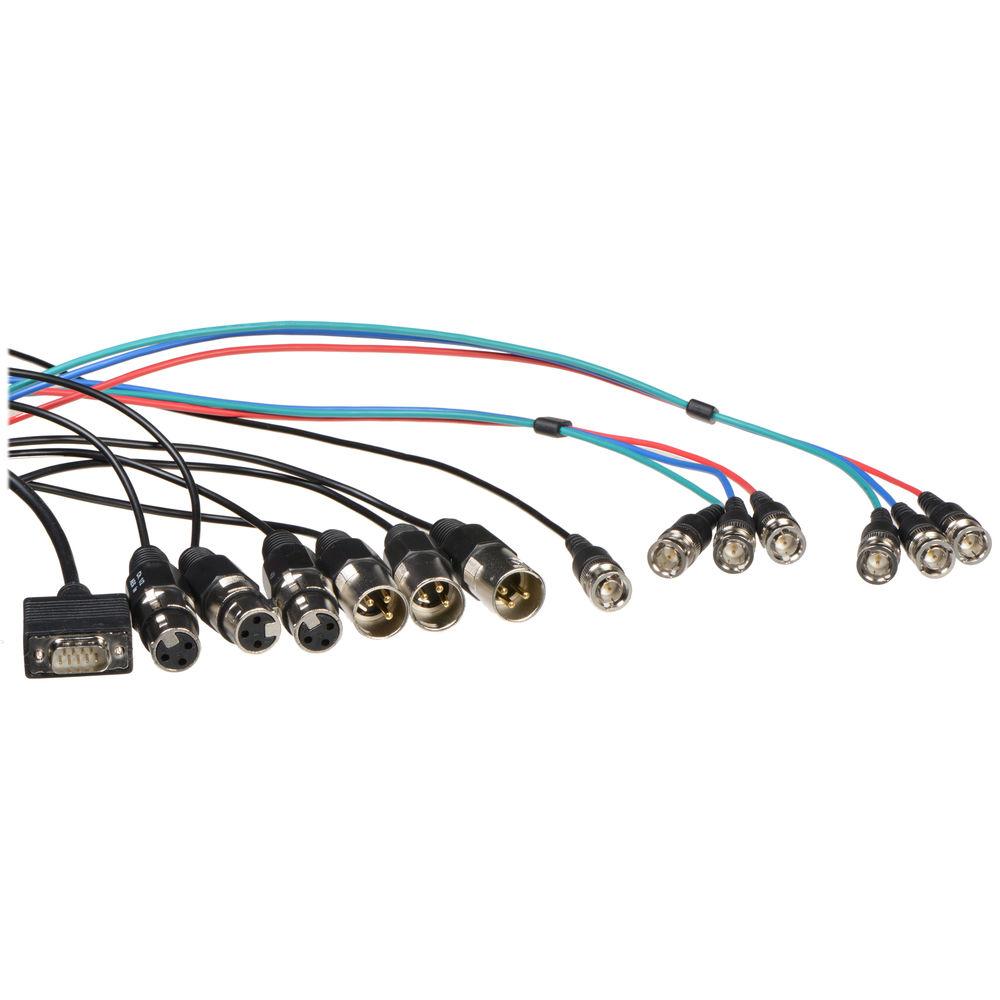
Product description KONA LHe Plus from AJA is a broadcast-quality PCI card for Mac and Windows systems that offers an HD/SD-SDI input, dual SDI outputs, and a full complement of analog video and audio input & output connections via an included breakout cable. The card features genlock input and performs 10-bit down conversion from HD to SD. Because conversion is hardware-based, it's available upon both capture and playback.Featuring BNCs for analog component, composite, and S-Video input & output, KONA LHe Plus supports an extremely wide variety of video systems. For instance, you can capture from an HDV deck or even a game console. For analog video connections, analog-to-digital conversion is 12-bit, for the highest-quality capture and playback. You can configure the dual SDI outputs independently of each other for SD or HD, so you can output to both a high-def and a standard-def monitor at once.The PCI-Express I/O card supports most professional editing software programs for Mac and Windows systems, including Apple Final Cut Pro 7, Color, and Motion; Adobe Premiere, After Effects, and Photoshop; Autodesk Combustion, The Foundry Nuke, Sony Vegas, and Eyeon Fusion. KONA for Mac drivers integrate within the native software application being used, whether Final Cut Pro, Premiere Pro, or any other supported application.Likewise for Windows systems, supplied AJA plug-ins integrated the card into a variety of applications, making KONA-driven features appear to be native to the host application's interface. Moreover, for Windows systems the included AJA Machine software includes full VTR machine control with access to any supported file format/video standard. Hardware Features - SD-SDI, HD-SDI, analog HD/SD input and output
- 12-bit HD analog component I/O
- 12-bit SD analog component or composite S-Video I/O
- 10-bit hardware HD-to-SD down conversion
- Single SD-SDI or HD-SDI input
- Dual independent SD-SDI/HD-SDI outputs
- Two-channel balanced XLR AES and two-channel balanced XLR analog audio I/O
- Eight-channel SDI-embedded audio I/O
- HD/SD genlock input and RS-422 machine control
- Support for Apple Final Cut Pro & Motion, Adobe After Effects, Autodesk Combustion, and more
Windows Software Features - KONA for PC Software
- KONA for PC software allows Windows to access the hardware power of your KONA card within major editing and graphics applications. Other software vendors have also provided integrated support for KONA in their own PC applications through direct collaboration with AJA. You can play back and master material, at a variety of frame rates, on a high-resolution wide-screen monitor or digital projector. Custom AJA software allows full control over your playback parameters, which are clearly laid out, including provisions for choosing a user-specified LUT
- Powerful Plug-Ins
- Supplied AJA plug-ins integrate your KONA card into a variety of graphics/visual-effects software applications to make operations even easier to use. Using AJA plug-ins, sophisticated features appear as if they were native to the software application user interfaces. Directly supported applications include Adobe Premiere Pro, Adobe After Effects, Adobe Photoshop, Autodesk Combustion, and Eyeon Digital Fusion
- AJA Machina Enhances All Workflows
- KONA for PC software includes a standalone powerful capture / playback application, AJA Machina, that includes full VTR machine control with access to any and all KONA supported file formats, video standards and hardware conversions, presented in a very cool and easy-to-use interface. Machina supports all KONA for PC formats, including DVCPRO HD, QuickTime, DPX, and many others. Files captured from Machina can be imported into virtually any software package that supports these file formats, such as compositing programs, 3D animation programs, audio editing programs, and much more. Exported files from your application of choice can be seamlessly played out to the video and audio equipment of your choice. Machina has great desktop preview features that allow you to preview your files full screen on your desktop display at various zoom levels, creating an alternative for frame-by-frame viewing when no additional monitor is available. In addition Machina allows you to apply 1D LUTs on output, to output video + key for monitoring or mixing, and to key in static graphics (on selected KONA cards). This huge feature set makes Machina an invaluable Windows tool for film and video professionals, making it a useful addition to virtually any PC workflow
Mac Software Features - KONA for Mac Software
- AJA KONA for Mac drivers are optimized for use on OS X, with applications and advanced AJA hardware capabilities controlled easily and at a glance in the application you're using. KONA for Mac software integrates within the native environment where used – whether Apple Final Cut Studio, Adobe Creative Suite, or several other major Mac applications
- Final Cut Pro Features
- Within Apple Final Cut Pro, KONA offers:
- Easy setups for instant configuration of your workflow in unison with KONA hardware
- Advanced hardware configuration from the AJA Control Panel can be accessed without leaving your application by simply holding down the command key and clicking into the UI. For example, play back HD media from Final Cut Pro and evaluate what an SD down conversion would look like as an anamorphic, cropped, or letterboxed output – all in real time without ever stopping playback
- HDV codec hardware acceleration. The KONA hardware allows instantaneous real-time playback for both monitoring and recording. Even KONA's conversions work in real time with HDV, allowing SD monitoring, dubs, or mastering
- DVCPro HD codec hardware acceleration. KONA's precision hardware allows capture and playback of HD-SDI video to and from the DVCPRO HD codec at a quality level virtually indistinguishable from native FireWire, while freeing up valuable RT processing power
- Dynamic RT Extreme video scaling support. Dynamic RT Extreme video scaling is offloaded in real time to KONA as the "Playback Video Quality" dynamically adjusts. This allows more playback power – and because KONA handles it seamlessly, the Dynamic RT you see on the Mac monitor is the same as that shown on your professional broadcast monitor output from the KONA card
- Adobe Creative Suite Features
- Within Adobe Creative Suite, KONA offers:
- Advanced AJA Plug-ins support, offering control of KONA using familiar controls and appearance within Adobe CS applications including Premiere, Photoshop, and After Effects
- Real-time Photoshop broadcast video output to broadcast monitors
- Real-time Capture, Display, and Mastering from within After Effects
- Saved software rendering time with hardware-based KONA Up/Cross/Down Conversion
- Native real-time support for file-per-frame formats such as DPX, Cineon, TIFF, TGA, and BMP
- KONA Desktop Enhances All Mac Applications
- The KONA Desktop feature allows broadcast design elements to be viewed with the proper aspect ratio and color depth on a broadcast monitor via the KONA card. KONA Desktop is available on the entire range of KONA cards, supporting Adobe After Effects, Photoshop, Apple Motion, Apple Shake, and more. Powerful AJA utilities, Easy Setups, and plug-ins round out the Mac environment, providing support for all popular Mac application workflows
In the Box AJA KONA LHe Plus HD-SDI / Analog Video Capture & Playback PCI Card - Breakout Cable
- AJA Software
- 3 Year Limited Warranty
Guides & Manuals Table of Contents
|
Upload User Manual
Have you got an user manual for the AJA KONA LHe Plus HD-SDI Analog Video Capture & Playback PCI Card in electronic form? Please send it to us and help us expand our library of instruction manuals.
Thank you, too, on behalf of other users.
To upload the product manual, we first need to check and make sure you are not a robot. After that, your "Submit Link" or "Upload File" will appear.
Download User ManualThe user manual for the AJA KONA LHe Plus HD-SDI Analog Video Capture & Playback PCI Card can be downloaded in PDF format at the link stated below.
Technical parametersAJA KONA LHe Plus Specs | Video Inputs | Digital
1x BNC for SD/HD-SDI (SMPTE-259/292/296, 10-bit)
Analog
3x BNC connectors for analog video
Composite/S-Video (Y/C): NTSC, NTSCJ, PAL; 12-bit A/D, 2x oversampling; 3-line adaptive comb filter decoding
SD Component: SMPTE/EBU N10, Betacam 525 line, Betacam 525J, RGB; 12-bit A/D, 2x oversampling
HD Component: YPbPr; 12-bit A/D | | Video Formats | 525i29.97, 625i25, 720p23.98*, 720p24*, 720p25*, 720p29.97*, 720p30*, 720p50, 720p59.94, 720p60, 1080i25, 1080i29.97, 1080i30, 1080PsF/23.98, 1080PsF/24, 1080p24, 1080p25, 1080p29.97, 1080p30
*Formats marked with an asterisk are non "over-the-wire" VFR formats | | Video Outputs | Digital
2x BNC for SD-SDI (SMPTE-259, 10-bit) or HD-SDI (SMPTE 292/296, 10-bit)
Analog
3x BNC connectors for analog video
Composite/S-Video (Y/C): NTSC, NTSCJ, PAL; 12-bit D/A, 8x oversampling
SD Component: SMPTE/EBU N10, Betacam 525 line, Betacam 525J, RGB; 12-bit D/A, 8x oversampling
HD Component: YPbPr, RGB; 12-bit D/A, 2x oversampling | | Audio I/O | Digital
24-bit SDI embedded audio, 8-channel, 48kHz
24-bit AES audio, 2-channel, 48kHz, 16-bit capable
Analog
24-bit A/D and D/A, 2-channel balanced XLR, 48 kHz
+24dbu Full Scale Digital
+/- 0.2 dB 20 Hz to 20kHz frequency response | | Reference Input | Analog Color Black (1V) or Composite Sync (2V or 4V)
Non-terminating, Looping, 75 ohm on optional KL-Box-LH, terminated on supplied breakout cable | | RS-422 (Sony 9-pin) | Yes | | HD Down Conversion | Hardware 10-bit output
Anamorphic: full-screen
Letterbox: image is reduced with black top & bottom added to image area with the aspect ratio preserved top & bottom
Crop: image is cropped to fit new screen size | | System Requirements | Mac or PC system with free PCI-e slot (typically 16x is required) | | Supported Graphics Cards | NVIDIA GeForce GTX285: 275.33 Graphics Driver
NVIDIA Quadro 5000*: 275.36 Graphics Driver
NVIDIA Quadro 4000: 275.36 Graphics Driver
NVIDIA Quadro FX 5800: 275.36 Graphics Driver
NVIDIA Quadro FX 4800/CX: 275.36 Graphics Driver
NVIDIA Quadro FX 3800*: 275.36 Graphics Driver
NVIDIA Quadro FX 1800: 191.78 Graphics Driver
NVIDIA Quadro FX 580: 191.78 Graphics Driver
NVIDIA Quadro FX 5600: 162.65 Graphics Driver
NVIDIA Quadro FX 4600: 176.04 Performance Driver
NVIDIA Quadro FX 5500: 162.65 Graphics Driver
NVIDIA Quadro FX 3700*: 176.04 Performance Driver
NVIDIA Quadro FX 3500: 162.65 Graphics Driver
NVIDIA Quadro FX 3450: 162.65 Graphics Driver
NVIDIA Quadro FX 3400: 162.65 Graphics Driver
NVIDIA Quadro FX 1700*: 176.04 Performance Driver
NVIDIA Quadro FX 1500: 162.65 Graphics Driver
NVIDIA Quadro FX 1400: 162.65 Graphics Driver
NVIDIA Quadro FX 570: 162.65 Graphics Driver
NVIDIA Quadro FX 560: 162.65 Graphics Driver
NVIDIA Quadro FX 550: 162.65 Graphics Driver
* Model untested by AJA. Driver version is assumed based on similar card requirements | | Compatibility | Apple Final Cut Pro 7*: Mac
Apple Color: Mac
Apple Motion: Mac
Apple Soundtrack: Mac
Apple Logic: Mac
Adobe Premiere Pro: Mac/PC
Adobe After Effects: Mac/PC
Adobe Photoshop: Mac/PC
MacCaption/Caption Maker: Mac/PC
AJA TV: Mac
AJA VTR Xchange: Mac
AJA Machina: PC
AJA Data Rate Calculator: Mac/PC
AJA System Test: Mac/PC
Autodesk Combustion: PC
Drastic Media NXS: PC
Sony Vegas: PC
Eyeon Fusion 64-bit: PC
CineForm Neo HD: Mac/PC
The Foundry Nuke: Mac/PC
Media 100: Mac
Softron: Mac
Gallery: Mac
Building4Media: Mac
Bug.tv: Mac
ToolsOnAir: Mac
*At this time Final Cut Pro X is supported by KONA beta drivers | | | | Package Weight | 2.5 lb | | Box Dimensions (LxWxH) | 13.1 x 9.9 x 3.3" |
Rating66% users recommend this product to others. And what about you?

This product has already been rated by 58 owners. Add your rating and experience with the product.
Discussion
 Ask our technicians if you have a problem with your settings,
or if anything is unclear in the user manual you have downloaded.
You can make use of our moderated discussion.
The discussion is public and helps other users of our website who may be encountering similar problems.
Ask our technicians if you have a problem with your settings,
or if anything is unclear in the user manual you have downloaded.
You can make use of our moderated discussion.
The discussion is public and helps other users of our website who may be encountering similar problems.
The discussion is empty - enter the first post
Post a new topic / query / comment:
|
|



