|
User Manual for ALVA Nanoface 12-Channel USB Audio MIDI Interface Click to enlarge the picture
 Contents of the user manual for the ALVA Nanoface 12-Channel USB Audio MIDI
- Product category: Audio Interfaces & Systems ALVA
- Brand: ALVA
- Description and content of package
- Technical information and basic settings
- Frequently asked questions – FAQ
- Troubleshooting (does not switch on, does not respond, error message, what do I do if...)
- Authorized service for ALVA Audio Interfaces & Systems
 |
User manual for the ALVA Nanoface 12-Channel USB Audio MIDI contain basic instructions
that need to be followed during installation and operation.
Before starting your appliance, the user manual should be read through carefully.
Follow all the safety instructions and warnings, and be guided by the given recommendations.
User manual is an integral part of any ALVA product,
and if it is sold or transferred, they should be handed over jointly with the product.
Following the instructions for use is an essential prerequisite for protecting
health and property during use, as well as recognition of liability on the part of the manufacturer
for possible defects should you make a warranty claim. Download an official ALVA user manual in which you will find instructions on how to install, use, maintain and service your product.
And do not forget – unsuitable use of a ALVA product will considerably shorten its lifespan!
|
Product description - ALVA Nanoface Presentation
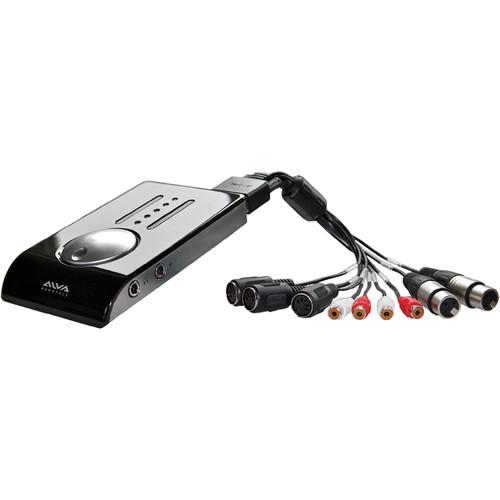
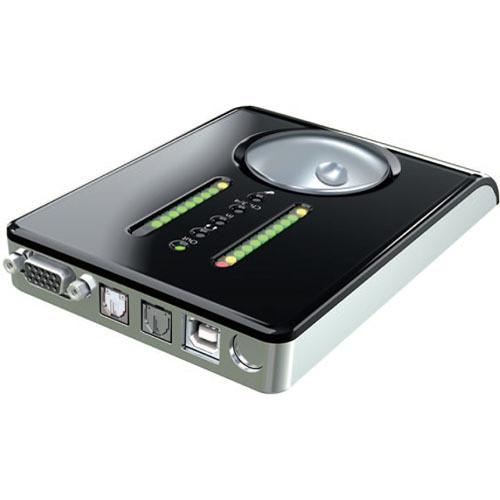
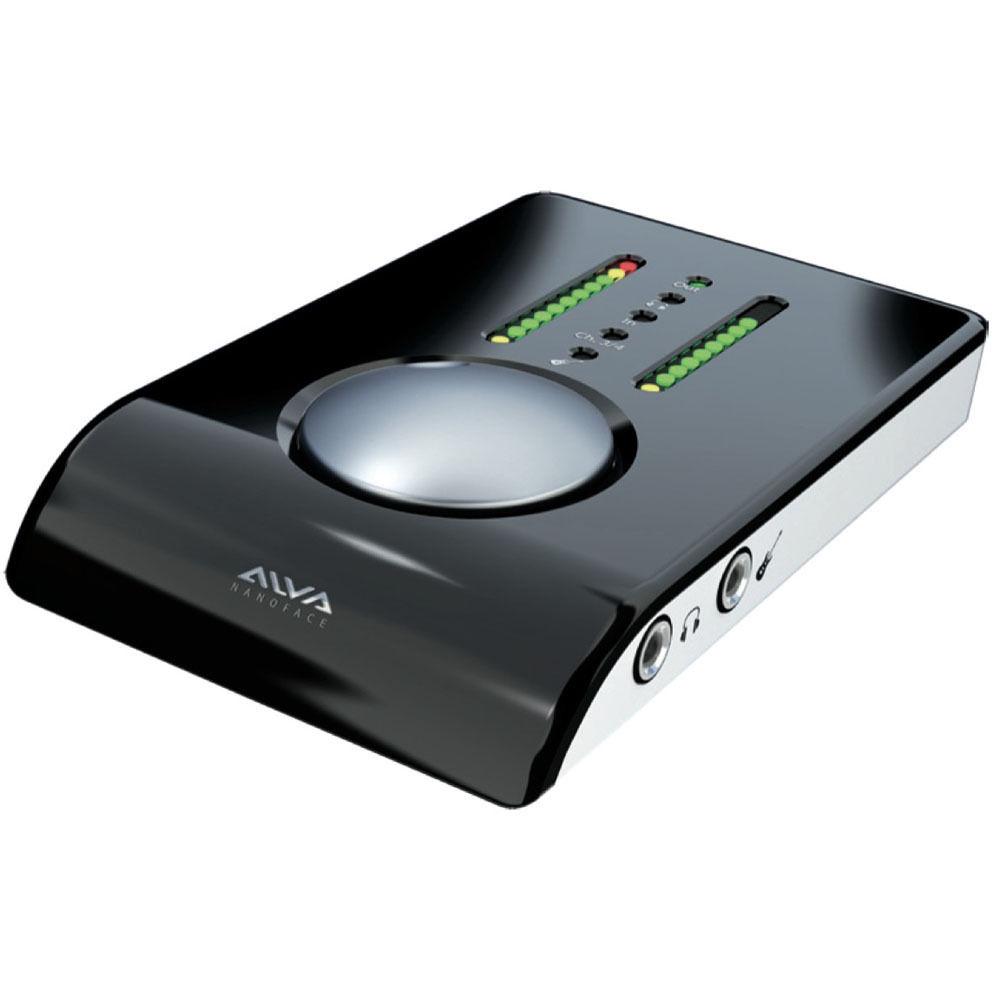
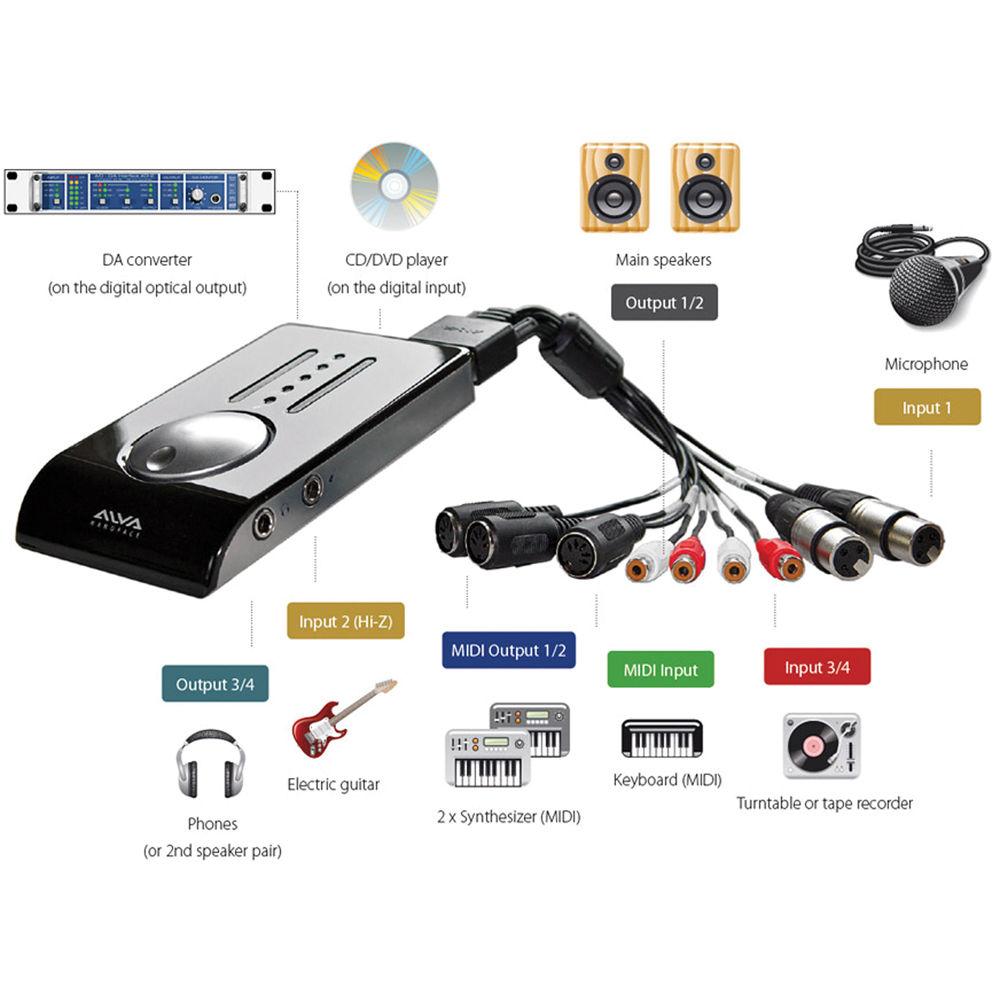
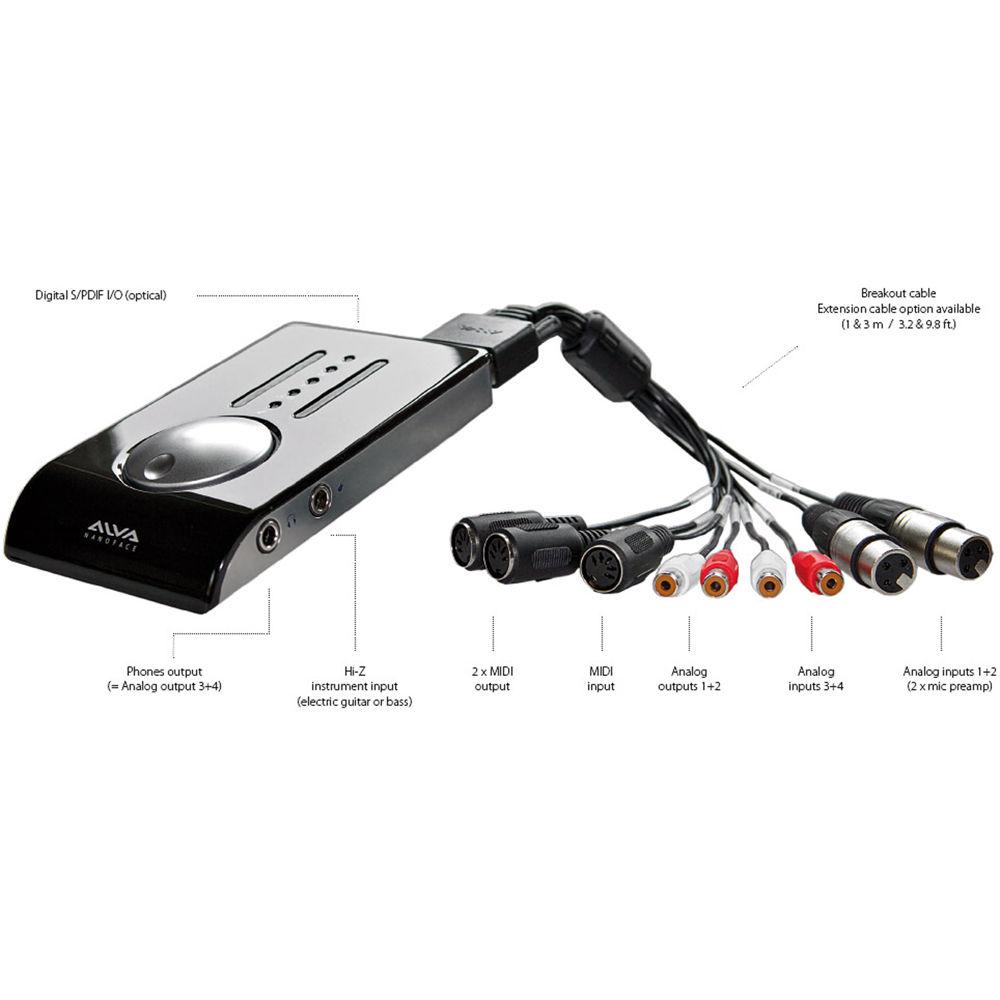
The bus-powered and breakout cable equipped Alva Nanoface 12-Channel USB Audio/MIDI Interface affords an ideal combination of analog/digital connectivity, features, flexibility and mobility. It's the perfect tool for working musicians with a home or mobile studio. It also integrates seamlessly into a DJ setup or your home theater surround sound system. The Nanoface is equipped with a total of six audio inputs and six audio outputs. Plus, it's ultra-portable, weighs next-to-nothing, and is easy to operate. It even features a large multicontroller that facilitates simple adjustments and control over I/O features including management, monitoring and phantom power for microphones.The Nanoface was designed to work seamlessly with both Windows and Mac operating systems. Plus, it supports real analog hardware monitoring, as well as low latency drivers. The Nanoface really lives up to its name by hosting a variety of analog and digital interfaces. It supports dual RCA L/R audio analog inputs and dual RCA L/R analog outputs. It also features dual XLR analog mic inputs, which both come equipped with their own mic preamps, as well as phantom power. There's even a 1/4" Hi-Z instrument input and a 1/4" stereo headphones output. In fact, the stereo RCA outputs can even be routed through the stereo headphones output.The Nanoface affords a wide variety of digital connection points as well. These include a single MIDI input and dual MIDI outputs. There's also a digital optical S/PDIF input and a digital optical S/PDIF output. For any musicians or DJs that want to record directly onto their music production software of choice, the Nanoface features a USB 3.0/2.0 interface. This lets you use the Nanoface as a link between your analog or digital recordings and your computer. You'll easily be able to transfer any audio or MIDI data in and out of your Mac or windows computer - no matter if you're sitting at your desk or in the back of a tour bus. The Nanoface is designed to handle all situations.The USB 3.0/2.0 interface also doubles as the Nanoface's bus-power source, which means you won't need to drag around an external power supply. The Nanoface is free from any extraneous mixers or software option dialogs as well. This means it functions as a high-speed driver with most modern digital audio workstations (DAWs). All modern audio programs promote a low latency engine and an integrated mixer with plug-in support. Plus, they're also equipped with monitoring features. This allows the Nanoface to be as streamlined as possible. Plus, all device features are controlled by a single multicontroller called, the Encoder. With a wide variety of digital/analog inputs and outputs, a streamlined design and a single Encoder controller - the Nanoface promotes a simple learning curve and flexible usability for home musicians, road musicians, DJs and home theater aficionados with hi-fi surround systems. - Portable & Functional
- Sound quality, extraordinary features and ease of use with real analog hardware monitoring and low latency drivers for both Windows and Mac OS X - all together in a lightweight and portable housing
- Supports Six Audio Inputs & Six Audio Outputs
- The Nanoface provides six audio inputs and six audio outputs - enough for a small home studio, a DJ setup or even a home theater surround sound setup. There's a MIDI input and two MIDI outputs, which forms a perfect combination to connect a keyboard and external synthesizers/samplers
- Analog Inputs x 4
- The two analog XLR inputs are equipped with two high-quality mic preamps, which allow the simultaneous recording of different sources at the same time - like a microphone, electric guitar and synthesizer. Plus, there are stereo analog RCA Left and Right audio inputs as well
- Analog Outputs x 4
- With stereo analog RCA Left and Right audio outputs, as well as a stereo two-channel headphone output jack, the four analog outputs provide a flexible setup for monitoring two stereo signals at the same time like main speakers and headphones. Plus, the RCA output signal can be routed to the stereo headphone output and individually adjusted
- Hi-Z Instrument Input Jack
- There's even a 1/4" Hi-Z instrument input jack, which can be used alternatively instead of the RCA analog input second channel. When Hi-Z input is great for electrical instruments like guitar or bass. Plus, it features characteristics for direct recording and is routable to any of the four analog inputs. It's ideal for spontaneous jam sessions with a laptop or as a mobile recording input without the need for more equipment - live or with band rehearsals
- Digital Optical S/PDIF Input & Output
- The digital input and output works in standard S/PDIF format, which makes the Nanoface a perfect partner for a digital signal from a CD player or an effect unit as a source for a surround sound receiver
- Analog Sound Quality
- Alva has put years of experience into their development team in order to make sure they've integrated a very sophisticated circuit design that will result in excellent specification numbers and an extraordinary audiophile sound
- Mic Preamps
- The Nanoface provides two mic preamps with very low noise specifications, low distortion specifications and switchable 48V phantom power for use with condenser mics
- Pocket Studio
- The Nanoface lives up to its name; it measures only a quarter of the size of most bigger interfaces, while affording more inputs and outputs as well. This yields one of the lightest audio interfaces around
- USB 3.0/2.0 Interface
- The Nanoface is the perfect solution for musicians and DJs that require a full recording studio not only at home, but also on the road for composing and mixing in high-quality no matter where they happen to be. The USB 3.0/2.0 interface allows you to listen with the best possible headphone quality as well. Most importantly, it affords transfer of all audio and MIDI data in and out of your Mac or Windows computer
- Bus-Powered via USB Connection
- The Nanoface requires only the power from the USB connection to operate. This means no annoying power supply and the freedom to work in a park, cafe, train, bus, airport or even an airplane
- Partner to Modern Digital Audio Workstations (DAWs)
- The Nanoface takes advantage of Alva's sensible downsizing without sacrificing total functionality. It's designed as a partner to modern DAWs. There are no software option dialogs or integrated mixers - just a high-speed driver. ASIO/WDM for Windows and Core Audio for Mac OS X. Plus, since all modern audio programs provide a low latency engine, integrated mixer with plug-in support, and monitoring features - they already emulate a complete studio workflow, which means the Nanoface can do more with less
- Simple Learning Curve & Easy Operation
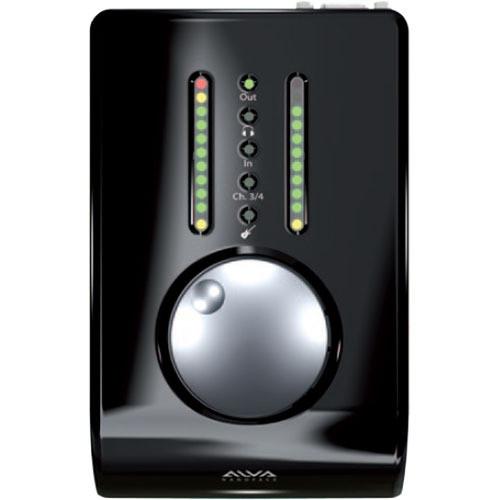
- All Nanoface features like management, monitoring and phantom power for the microphones is operated by a single multi-controller or "Encoder" located directly on the unit. The "Encoder" and an audio sequencer is all most musicians need. This results in a simple learning curve and extraordinary usability that's ideal for live situations
- Encoder Operation
- The Encoder controls all four analog output gain; route RCA output to headphone output; output RCA on headphones output (gain); RCA input gain for microphone/instrument preamps; XLR input gain; 48V phantom power for both XLR inputs; switching an RCA input to Hi-Z input; hardware monitoring for RCA inputs; reset to default values
In the Box ALVA Nanoface 12-Channel USB Audio/MIDI Interface Breakout Cable Limited 2-Year Warranty Table of Contents
|
Upload User Manual
Have you got an user manual for the ALVA Nanoface 12-Channel USB Audio MIDI Interface in electronic form? Please send it to us and help us expand our library of instruction manuals.
Thank you, too, on behalf of other users.
To upload the product manual, we first need to check and make sure you are not a robot. After that, your "Submit Link" or "Upload File" will appear.
Technical parametersALVA Nanoface Specs | | | Max Sample Rate/Resolution | 96 kHz / 24-Bit | | | | Host Connection | USB Type-B (USB 3.0) | | Analog I/O | 1 x 1/4" (6.3 mm) TS Hi-Z Input
1 x 1/4" (6.3 mm) TRS Headphone Output
2 x XLR 3-Pin Input
1 x Stereo RCA Input
1 x Stereo RCA Output XLR and Stereo RCA I/O on Included Breakout Cable | | Phantom Power | +48 V | | Digital I/O | 1 x TOSLINK / S/PDIF Input
1 x TOSLINK / S/PDIF Output | | MIDI I/O | 1 x 5-Pin MIDI In (On Breakout Cable)
2 x 5-Pin MIDI Out (On Breakout Cable) | | | | Gain Range | Inputs:
50.5 dB | | | | Sample Rates | Up to 96 kHz | | Bit Depth | 24-Bit | | | | OS Compatibility | Windows
macOS 10 | | | | Package Weight | 1.965 lb | | Box Dimensions (LxWxH) | 11.15 x 8.9 x 2.25" |
Rating64% users recommend this product to others. And what about you?

This product has already been rated by 59 owners. Add your rating and experience with the product.
Discussion
 Ask our technicians if you have a problem with your settings,
or if anything is unclear in the user manual you have downloaded.
You can make use of our moderated discussion.
The discussion is public and helps other users of our website who may be encountering similar problems.
Ask our technicians if you have a problem with your settings,
or if anything is unclear in the user manual you have downloaded.
You can make use of our moderated discussion.
The discussion is public and helps other users of our website who may be encountering similar problems.
The discussion is empty - enter the first post
Post a new topic / query / comment:
|
|
|
| Request for user manual |
You can’t find the operation manual you are looking for? Let us know and we will try to add the missing manual:
I’m looking for a manual / Request for manual
Current requests for instruction manuals:
Call Of Duty World War Two For Xbox...
controller stratus XL...
stratus XL...
smart whatch serie S11 42mm...
Allen & Heath SQ-6 manual...
|
| Discussion |
Latest contributions to the discussion:
AEW R 4100
Name: MAURICIO ANGARITA
Audio-Technica AEW-R4100 UHF Diversity Receiver for
AEW R 4100 has the mute function blocked and does not allow audio to pass. I tried several times to turn off the mute from the transmitter but it does nothing, the mute stays on. Solution?
Thank you...
Instructions for assembling the 2015 Forecast Image Master Consoles GC3-A
Name: mike elam
Forecast Consoles GC3-A ImageMaster Editing Console
Looking for instructions for assembling this console. ...
EMPTY TONER ERROR MESSAGE AFTER REPLACING TONER
Name: LINDA BAD YELLOW EYES
Brother TN223BK Standard-Yield Toner
I HAD TO CHANGE OUT ALL THREE TONERS DUE TO LEAKS IN THE YELLOW AND CYAN. AFTER I REPLACED THEM, THE MACHINE KEEPS GIVING ME AN EMPTY TONER ERROR MESSAGE. HELP!!...
PS480D 20/24 pin Switching 480W Power Supply
Name: swkargo
Logisys 480W Power Supply
This item states in can run -5vdc .It is NOT listed on the board or I beleive is r4 is missing the resitior. Any body have thid issue. Shawn
...
Help needed
Name: Ann Carter
SanDisk 1TB Extreme Portable USB 3.1
When I click the link to download the user manual for my Sandisk Extreme external hard drive, it gives me the manual for the LG Cricket. Can you please change the link so I can download the Sandisk manual and begin using this drive? Thank you....
|
|


