User Manual for American Audio VMS2 Table Top DJ USB Software Controller Click to enlarge the picture
 Contents of the user manual for the American Audio VMS2 Table Top DJ
- Product category: DJ Controllers American Audio
- Brand: American Audio
- Description and content of package
- Technical information and basic settings
- Frequently asked questions – FAQ
- Troubleshooting (does not switch on, does not respond, error message, what do I do if...)
- Authorized service for American Audio DJ Controllers
 |
User manual for the American Audio VMS2 Table Top DJ contain basic instructions
that need to be followed during installation and operation.
Before starting your appliance, the user manual should be read through carefully.
Follow all the safety instructions and warnings, and be guided by the given recommendations.
User manual is an integral part of any American Audio product,
and if it is sold or transferred, they should be handed over jointly with the product.
Following the instructions for use is an essential prerequisite for protecting
health and property during use, as well as recognition of liability on the part of the manufacturer
for possible defects should you make a warranty claim. Download an official American Audio user manual in which you will find instructions on how to install, use, maintain and service your product.
And do not forget – unsuitable use of a American Audio product will considerably shorten its lifespan!
|
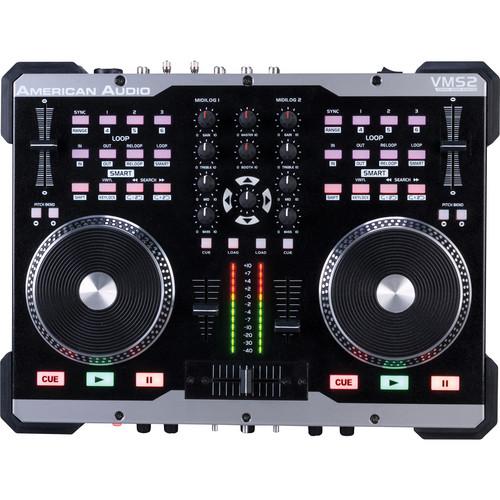
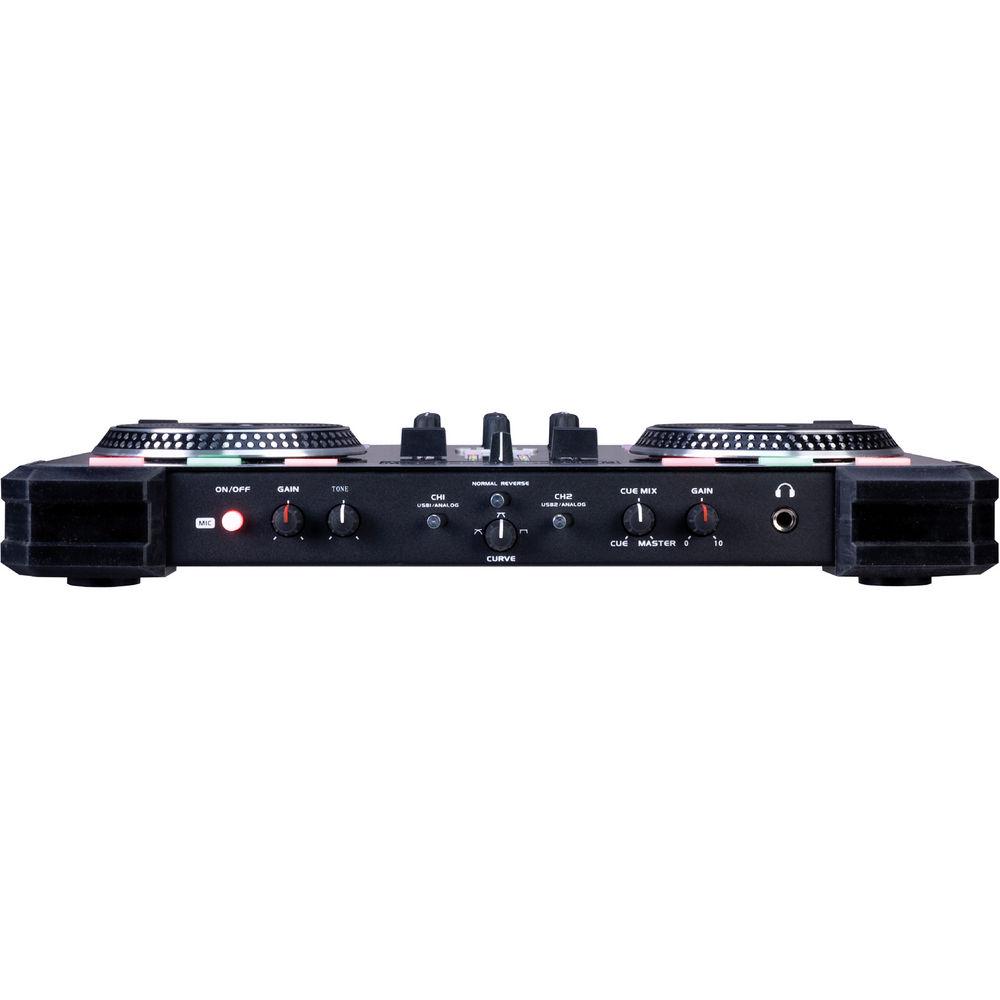
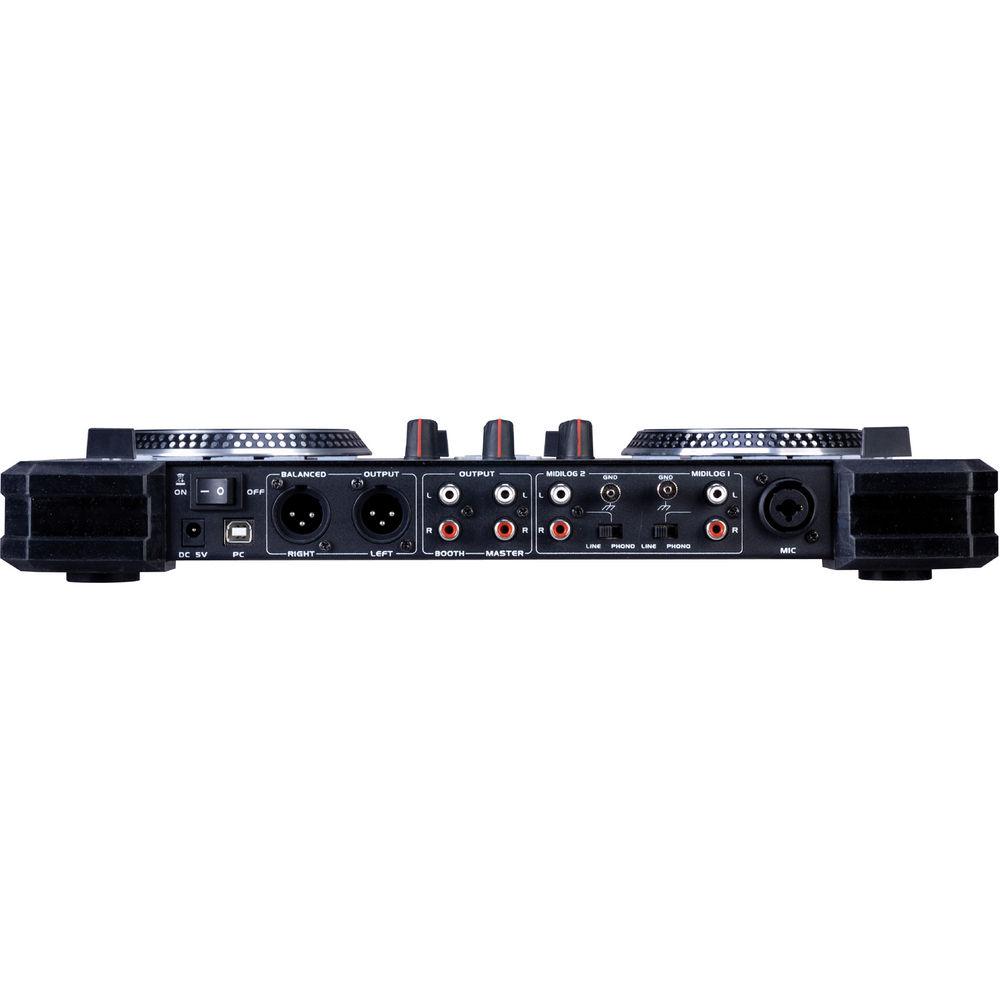
Product description The American Audio VMS2 Table Top DJ USB Software Controller is a versatile value, delivering everything necessary for the professional and aspiring digital DJ. Plug the VMS2 into a laptop and establish 2-channel control over the included VDJ LE software, or any other MIDI software (must support MIDI learn).The VMS2 USB controller is also a flexible audio interface (sound card) eliminating the need for an external audio interface. The unit features inputs for analog turntables and digital decks, as well as a headphone output, and microphone input. Some of the features unique to the VMS2 include a built-in mouse pad, MIDI assignable touch-strip controllers, 62 assignable buttons, switches and more. - 2-Channel MIDI Controller
- Bundled with Virtual DJ LE Software
- 2x MIDILOG Channels (Compatible with any MIDI Software or Analog Inputs - such as CD Players Turntables, etc.)
- 1x Mic with Gain, front Tone Control
- Crossfader Curve Adjustment (adjustable)
- 4 In / 4 Out Audio Interface
UPC: 640282002080 In the Box American Audio VMS2 Table Top DJ USB Software Controller VDJ LE Software 1 Year Warranty User Manual PDF 2.9mb Table of Contents
|
Upload User Manual
Have you got an user manual for the American Audio VMS2 Table Top DJ USB Software Controller in electronic form? Please send it to us and help us expand our library of instruction manuals.
Thank you, too, on behalf of other users.
To upload the product manual, we first need to check and make sure you are not a robot. After that, your "Submit Link" or "Upload File" will appear.
Technical parametersAmerican Audio VMS2 Specs | Output Level | Gain Max, EQ Flat:
NORMAL: 5 V +/-0.5 dB
LIMIT: 5 V +/-1 dB | | Line Output | Line & Mixed Output:
NORMAL: 5.5 V +/-0.5 dB @ 1 kHz, 0 dB
LIMIT: 5.5 V +/-1 dB @ 1 kHz, 0 dB | | Headphone Output | NORMAL: 2 V @ 1 kHz, -20 dB
LIMIT: 1.8 V @ 1 kHz, -20 dB
Maximum Output:
NORMAL: 2 V @ 1 kHz, 0 dB, THD = 1%
LIMIT: 1.8 V @ 1 kHz, 0 dB, THD = 1% | | Channel Balance | From 0 to -40 db For Mixed Out
Line:
NORMAL: within 0.5 dB @ 1 kHz, 0 dB
LIMIT: within 1 dB @ 1 kHz, 0 dB
Mixed Out:
NORMAL: within 1 dB @ 1 kHz, 0 dB
LIMIT: within 3 dB @ 1 kHz, 0 dB | | Channel Seperation | Line:
NORMAL: 97 dB @ 1 kHz, 0 dB
LIMIT: 85 dB @ 1 kHz, 0 dB
Mixed Out:
NORMAL: 95 dB @ 1 kHz, 0 dB (max out, EQ flat)
LIMIT: 85 dB @ 1 kHz, 0 dB (max out, EQ flat) | | THD + N | Line:
NORMAL: 0.025% @ 1 kHz, 0 dB
LIMIT: 0.03% @ 1 kHz, 0 dB
Mixed Out:
NORMAL: 0.025% @ 1 kHz, 0 dB (max out, EQ flat)
LIMIT: 0.03% @ 1 kHz, 0 dB (max out, EQ flat)
Phones:
NORMAL: 0.045% @ 1 kHz, 0 dB (1 V output)
LIMIT: 0.05% @ 1 kHz, 0 dB (1 V output) | | Signal to Noise Ratio | Line:
NORMAL: 97 dB @ 1 kHz 0 dB
LIMIT: 85 dB @ 1 kHz 0 dB
Mixed Out:
NORMAL: 97 dB @ 1 kHz, 0 dB (max out, EQ flat)
LIMIT: 85 dB @ 1 kHz, 0 dB (max out, EQ flat) | | Dynamic Range | Maximum Output, EQ Flat:
Line:
NORMAL: 96 dB @ 1 kHz, -60 dB
LIMIT: 85 dB @ 1 kHz, -60 dB
Mixed Out:
NORMAL: 94 dB @ 1 kHz, -60 dB
LIMIT: 85 dB @ 1 kHz, -60 dB | | Frequency Response | Line:
NORMAL: 10 Hz to 20 kHz, +/- 0.3 dB
LIMIT: 10 Hz to 20 kHz, +/- 1 dB
Mixed Out:
NORMAL: 10 Hz to 20 kHz, +/- 0.3 dB
LIMIT: 10 Hz to 20 kHz, +/- 1 dB | | Power Supplies | DC 6 V Single Voltage:
AC 100 V, 50/60 Hz (Japan)
AC 110 V, 60 Hz (Colombia)
AC 120 V, 60 Hz (U.S.A. and Canada)
AC 127 V, 60 Hz (Mexico)
AC 220 V, 50 Hz (Chile and Argentina)
AC 220 V, 60 Hz (Philippines and Korea)
AC 230 V, 50 Hz (Europe, New Zealand, South Africa, and Singapore)
AC 240 V, 50 Hz (Australia and U.K.) | | Power Consumption | 6 W | | Operational Temperature | 41° to 95°F (5° to 25°C) | | Humidity Range Operating | 25 to 85% RH (no condensation) | | Mac OS System Requirements | Mac OS X 10.5 PPC/Intel, 10.5.6 Intel, or 10.6 Intel
1.86GHz 2GB RAM | | Windows System Requirements | Windows XP Sp3 or Windows Vista (32-bit & 64-bit supported)
PIV 1.2GHz Computer (SSE2 CPU), AMD 64 or Greater 1024_768 SVGA Video
2 GIG RAM (Vista) 40MB Free on the Hard-Drive (Recommended 2000MB)
DirectX 9.0 | | Dimensions (L x W x H) | 15.7 x 12 x 1.5" (399 x 300 x 40 mm) | | Weight | 10.9 lb (4.93 kg) | | | | Package Weight | 16.05 lb | | Box Dimensions (LxWxH) | 19.9 x 16.5 x 8.3" |
Rating80% users recommend this product to others. And what about you?

This product has already been rated by 81 owners. Add your rating and experience with the product.
Discussion
 Ask our technicians if you have a problem with your settings,
or if anything is unclear in the user manual you have downloaded.
You can make use of our moderated discussion.
The discussion is public and helps other users of our website who may be encountering similar problems.
Ask our technicians if you have a problem with your settings,
or if anything is unclear in the user manual you have downloaded.
You can make use of our moderated discussion.
The discussion is public and helps other users of our website who may be encountering similar problems.
The discussion is empty - enter the first post
Post a new topic / query / comment:
|
|


