User Manual for APC Service Pack Warranty Extension Click to enlarge the picture
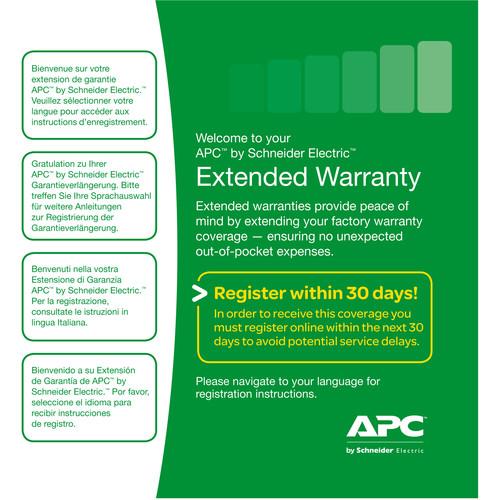 Contents of the user manual for the APC Service Pack Warranty Extension
- Product category: UPS Accessories APC
- Brand: APC
- Description and content of package
- Technical information and basic settings
- Frequently asked questions – FAQ
- Troubleshooting (does not switch on, does not respond, error message, what do I do if...)
- Authorized service for APC UPS Accessories
|
User manual for the APC Service Pack Warranty Extension contain basic instructions
that need to be followed during installation and operation.
Before starting your appliance, the user manual should be read through carefully.
Follow all the safety instructions and warnings, and be guided by the given recommendations.
User manual is an integral part of any APC product,
and if it is sold or transferred, they should be handed over jointly with the product.
Following the instructions for use is an essential prerequisite for protecting
health and property during use, as well as recognition of liability on the part of the manufacturer
for possible defects should you make a warranty claim. Download an official APC user manual in which you will find instructions on how to install, use, maintain and service your product.
And do not forget – unsuitable use of a APC product will considerably shorten its lifespan!
|
Product description Extend the factory warranty of your APC UPS by three years with the Service Pack Warranty Extension from APC. This warranty is only valid for new purchases and provides you with the repair or replacement of your product, including the battery. Depending on the original factory warranty of your item, it will be covered for a total of either four, five, or six years. This warranty can be purchased anytime during the original factory warranty coverage period and must be registered online within 30 days.
Benefits of purchasing this warranty include 24x7 APC customer service support with a dedicated toll-free number, professional priority call handling, free next business day shipping for the replacement product, and a prepaid return shipping label for the product being replaced. General Features Benefits - Three Years of Additional Product Failure Coverage
- Provides peace of mind and complete factory warranty protection for up to six years.
- Dedicated 24x7 Customer Service Support with Toll-Free Telephone Number
- Service Pack customers are provided with a dedicated toll-free number and priority call handling. Calls are handled 24 hours a day, 7 days a week by call center professionals.
- Service Warranty Certificate
- E-mail Service Entitlement Certificate provides a detailed record of the service registration, along with the service expiration date.
Details of Service - Provide Extended Warranty Service Pack
- The Extended Warranty Service Pack contains the Service Registration URL and Registration Key Number for online activation of your service entitlement.
- Create Warranty Entitlement
- Once the Service Pack is registered online, APC will create the warranty extension service entitlement and provide the customer with a Service Certificate via e-mail.
- Provide Dedicated Service Pack Customer Telephone Support
- APC will provide dedicated 24x7 Service Pack technical telephone support.
- Provide Extended Warranty Redemption
- - The Service Pack Extended Warranty provides repair or replacement of your product and even covers your battery.
- Should warranty redemption be necessary, APC will provide, at their discretion, a replacement unit, new battery, or new parts.
- APC will ship out the replacement and provide a prepaid return shipping label for the used UPS or battery. Product Distribution - Andorra, United Arab Emirates, Antigua and Barbuda, Anguilla, Albania, Netherlands Antilles, Argentina, Austria, Aruba, Bosnia and Herzegovina, Barbados, Belgium, Bahrain, Bermuda, Bolivia, Brazil, Bahamas, Belize, Canada, Switzerland, Chile, Colombia, Costa Rica, Serbia and Montenegro, Cuba, Cyprus, Czech Republic, Germany, Denmark, Dominica, Dominican Republic, Ecuador, Estonia, Egypt, Spain, Finland, Falkland Islands, France, United Kingdom, Grenada, Greece, Guatemala, Guyana, Honduras, Croatia, Haiti, Hungary, Ireland, Israel, Iraq, Iran, Iceland, Italy, Jamaica, Jordan, Kenya, Saint Kitts And Nevis, Kuwait, Cayman Islands, LAM, Lebanon, Saint Lucia, Liechtenstein, Lithuania, Luxembourg, Latvia, Macedonia, Malta, Mexico, NAM, Nicaragua, Netherlands, Norway, Oman, Panama, Peru, Pakistan, Poland, Puerto Rico, Portugal, Paraguay, Romania, Rwanda, Saudi Arabia, Sweden, Slovenia, Slovakia, Suriname, El Salvador, Turkey, Trinidad and Tobago, Tanzania, Uganda, United States, Uruguay, Saint Vincent and the Grenadines, Venezuela, U.S. Virgin Islands, and Yemen
UPC: 731304259282 Table of Contents
|
Upload User Manual
Have you got an user manual for the APC Service Pack Warranty Extension in electronic form? Please send it to us and help us expand our library of instruction manuals.
Thank you, too, on behalf of other users.
To upload the product manual, we first need to check and make sure you are not a robot. After that, your "Submit Link" or "Upload File" will appear.
Technical parametersAPC WBEXTWAR3YR-SP-04 Specs | | | Package Weight | 0.35 lb | | Box Dimensions (LxWxH) | 6.5 x 5.4 x 1.1" |
Rating50% users recommend this product to others. And what about you?

This product has already been rated by 50 owners. Add your rating and experience with the product.
Discussion
 Ask our technicians if you have a problem with your settings,
or if anything is unclear in the user manual you have downloaded.
You can make use of our moderated discussion.
The discussion is public and helps other users of our website who may be encountering similar problems.
Ask our technicians if you have a problem with your settings,
or if anything is unclear in the user manual you have downloaded.
You can make use of our moderated discussion.
The discussion is public and helps other users of our website who may be encountering similar problems.
The discussion is empty - enter the first post
Post a new topic / query / comment:
|
|


