User Manual for Apogee Electronics Ensemble 30 x 34 Thunderbolt Audio Interface Click to enlarge the picture
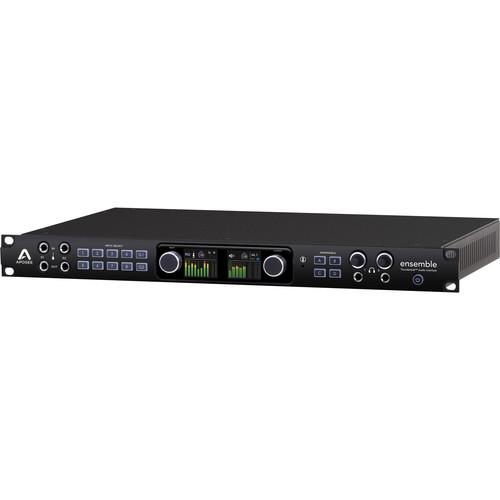 Contents of the user manual for the Apogee Electronics Ensemble 30 x 34
- Product category: Audio Interfaces & Systems Apogee Electronics
- Brand: Apogee Electronics
- Description and content of package
- Technical information and basic settings
- Frequently asked questions – FAQ
- Troubleshooting (does not switch on, does not respond, error message, what do I do if...)
- Authorized service for Apogee Electronics Audio Interfaces & Systems

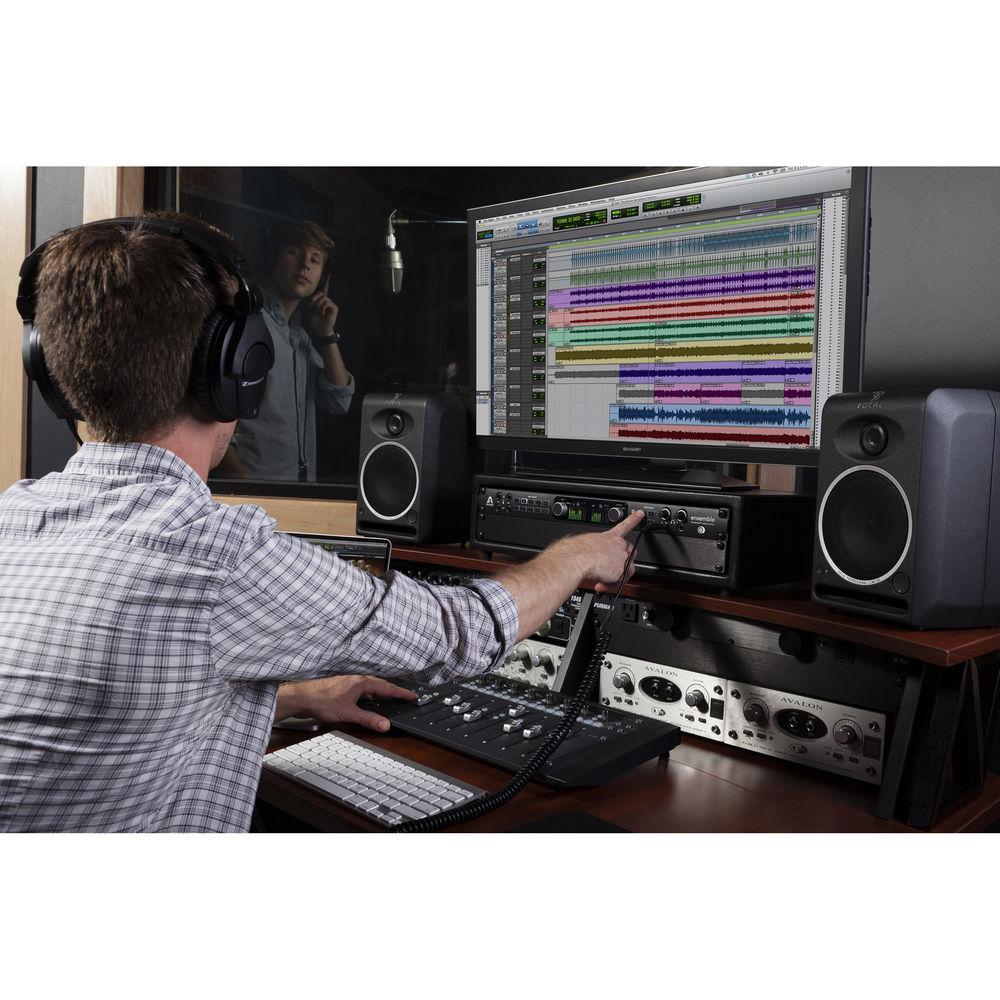
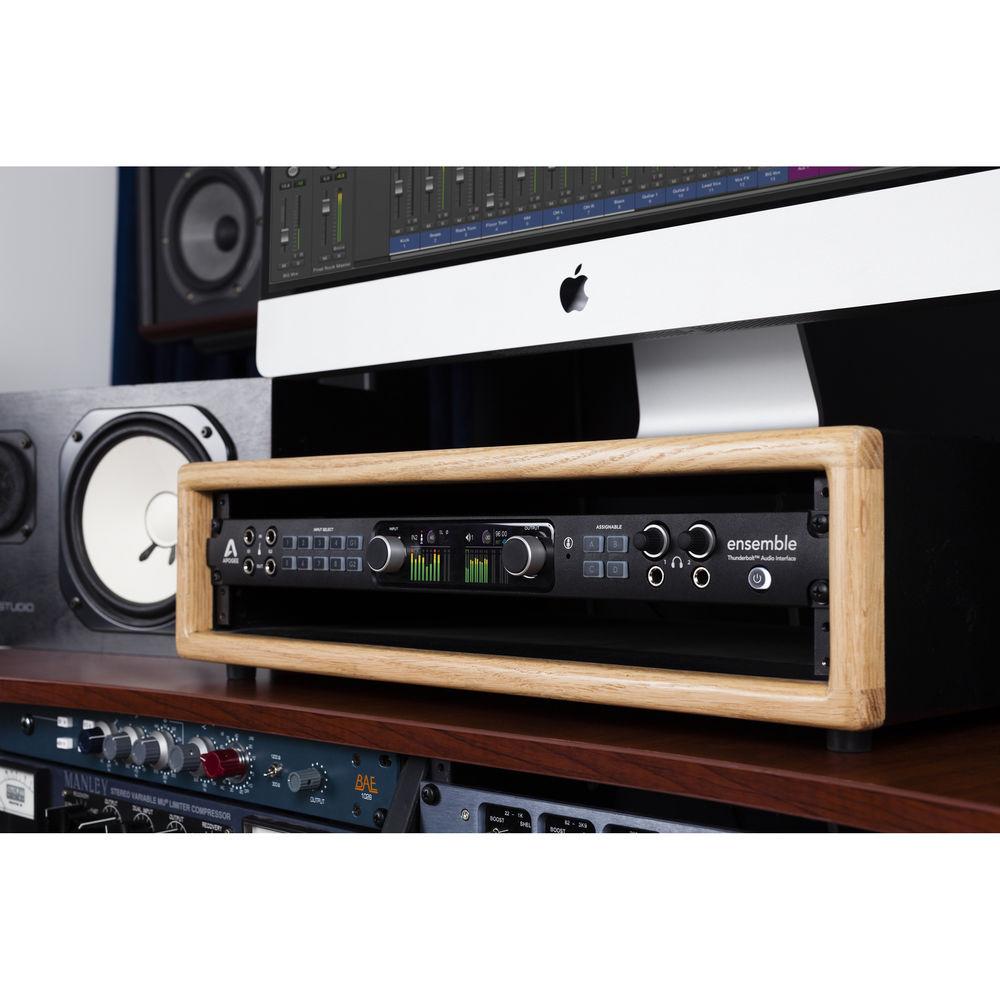
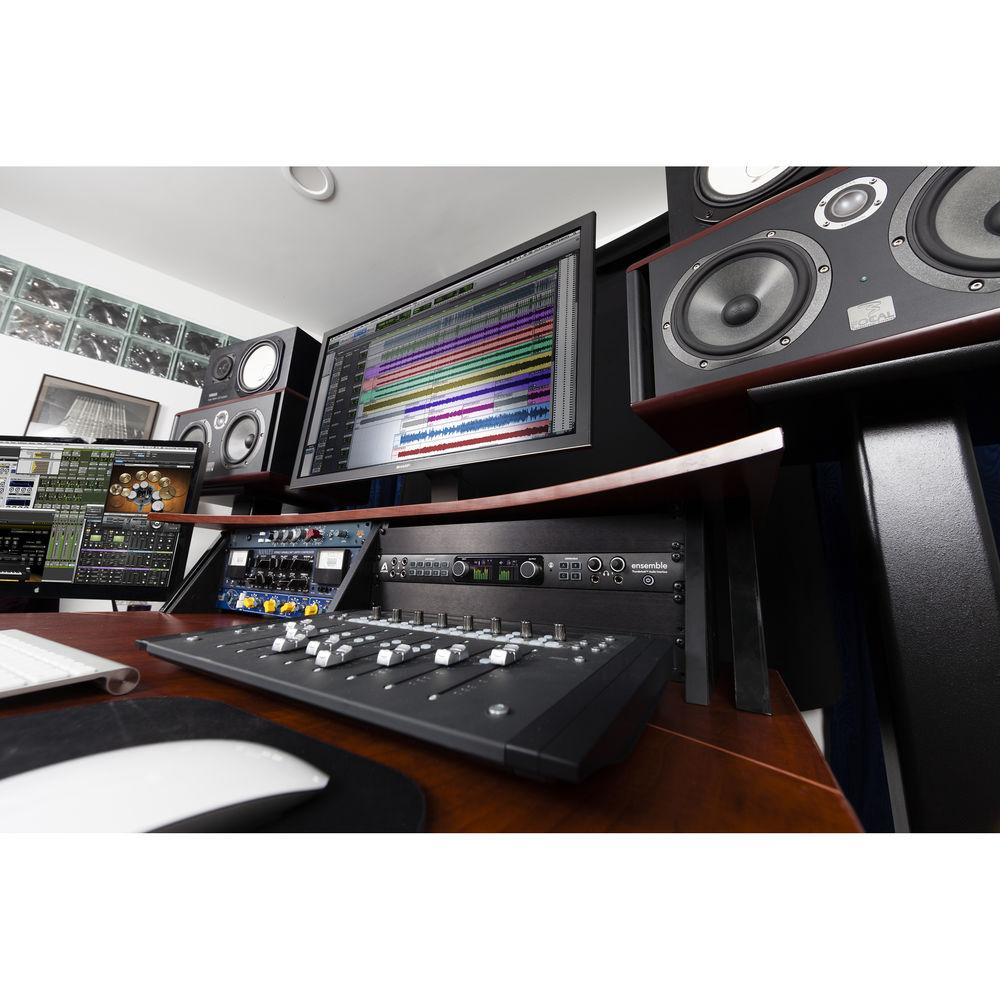 |
User manual for the Apogee Electronics Ensemble 30 x 34 contain basic instructions
that need to be followed during installation and operation.
Before starting your appliance, the user manual should be read through carefully.
Follow all the safety instructions and warnings, and be guided by the given recommendations.
User manual is an integral part of any Apogee Electronics product,
and if it is sold or transferred, they should be handed over jointly with the product.
Following the instructions for use is an essential prerequisite for protecting
health and property during use, as well as recognition of liability on the part of the manufacturer
for possible defects should you make a warranty claim. Download an official Apogee Electronics user manual in which you will find instructions on how to install, use, maintain and service your product.
And do not forget – unsuitable use of a Apogee Electronics product will considerably shorten its lifespan!
|
Product description - Quick Look: Apogee Electronics Ensemble
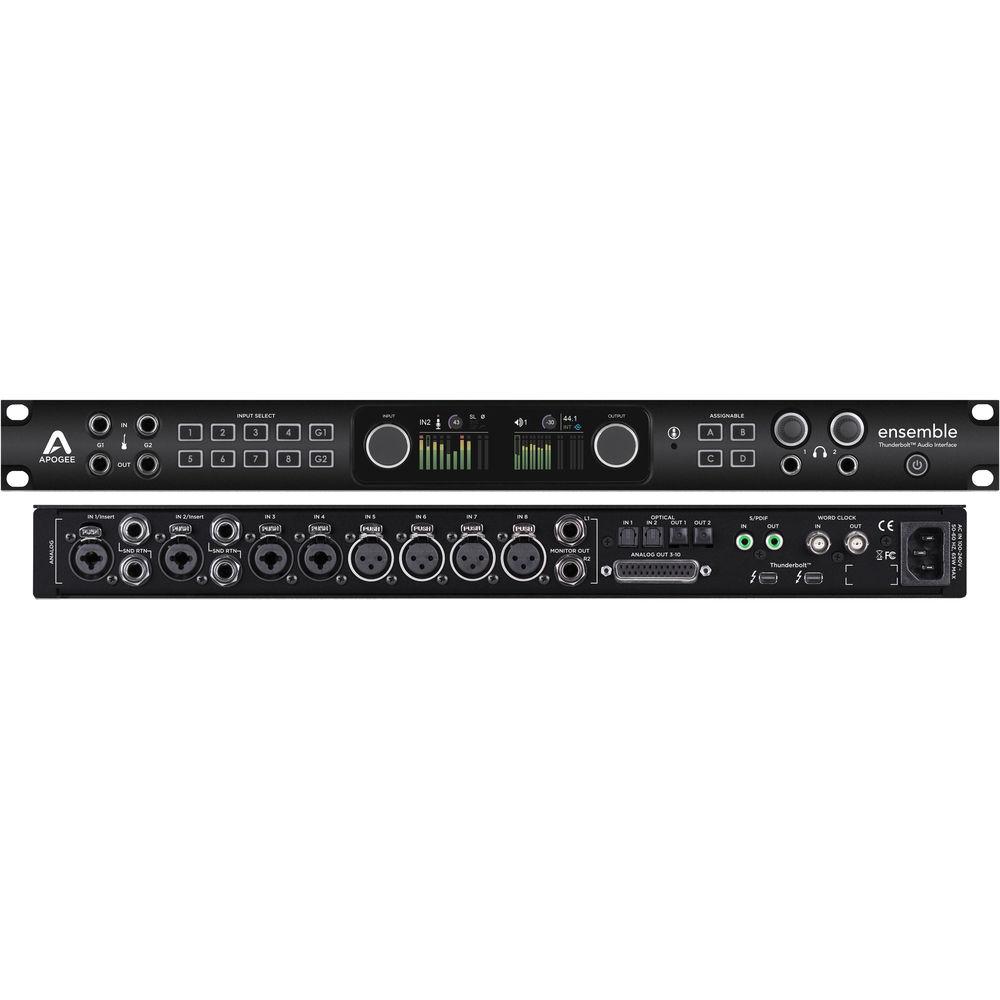
Combining design elements from the company's other products, the Ensemble Thunderbolt Audio Interface from Apogee builds upon their reputation for high-gain preamplifier design and improves upon their transparent analog-to-digital and digital-to-analog conversion with the addition of an ultra-low latency 1.1 ms (96 kHz / 32 buffer) 32-bit playback Thunderbolt signal path.
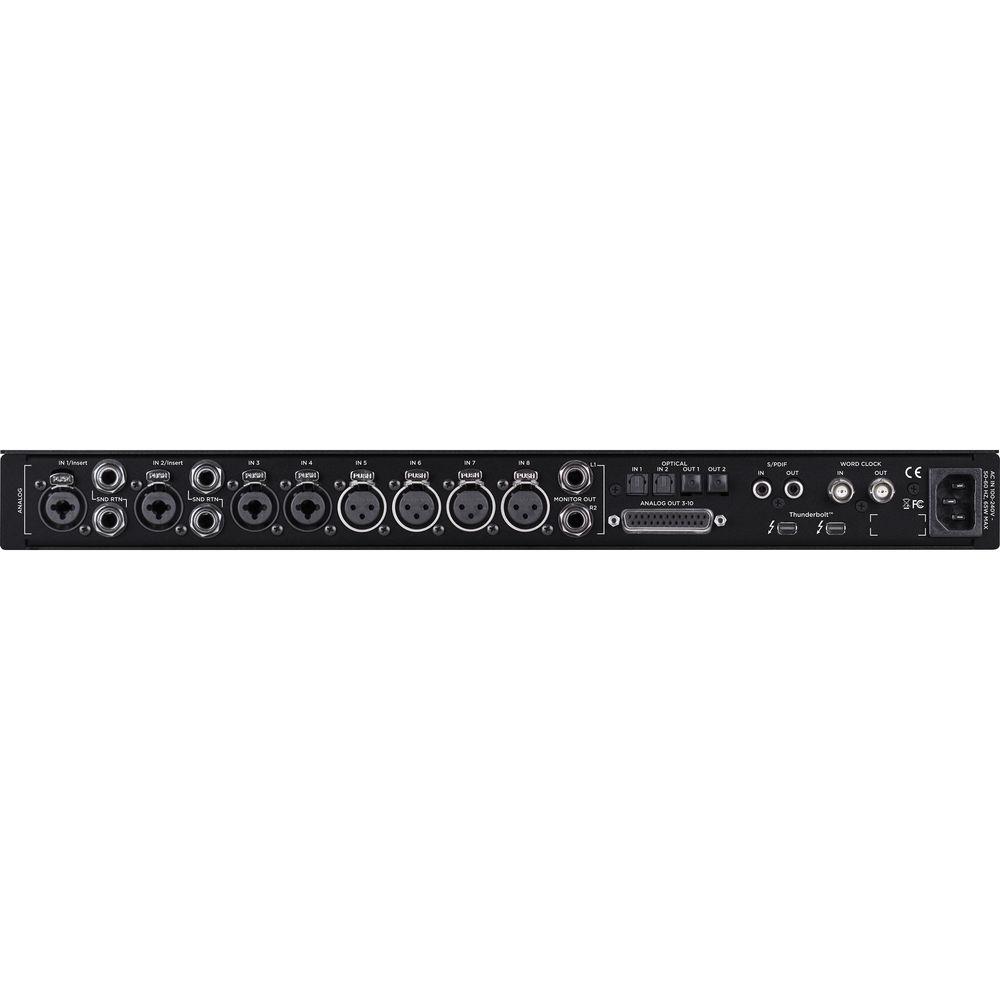
For inputs, the 1U rackmountable interface features eight microphone preamps with up to 75 dB of available gain using the company's Advanced Stepped Gain Circuitry - four rear panel XLR-3F connectors and four rear panel ¼" TRS/XLR-3F combo connectors. The preamps include line level Input channels 1 and 2 also included 1/4" send and return loops.
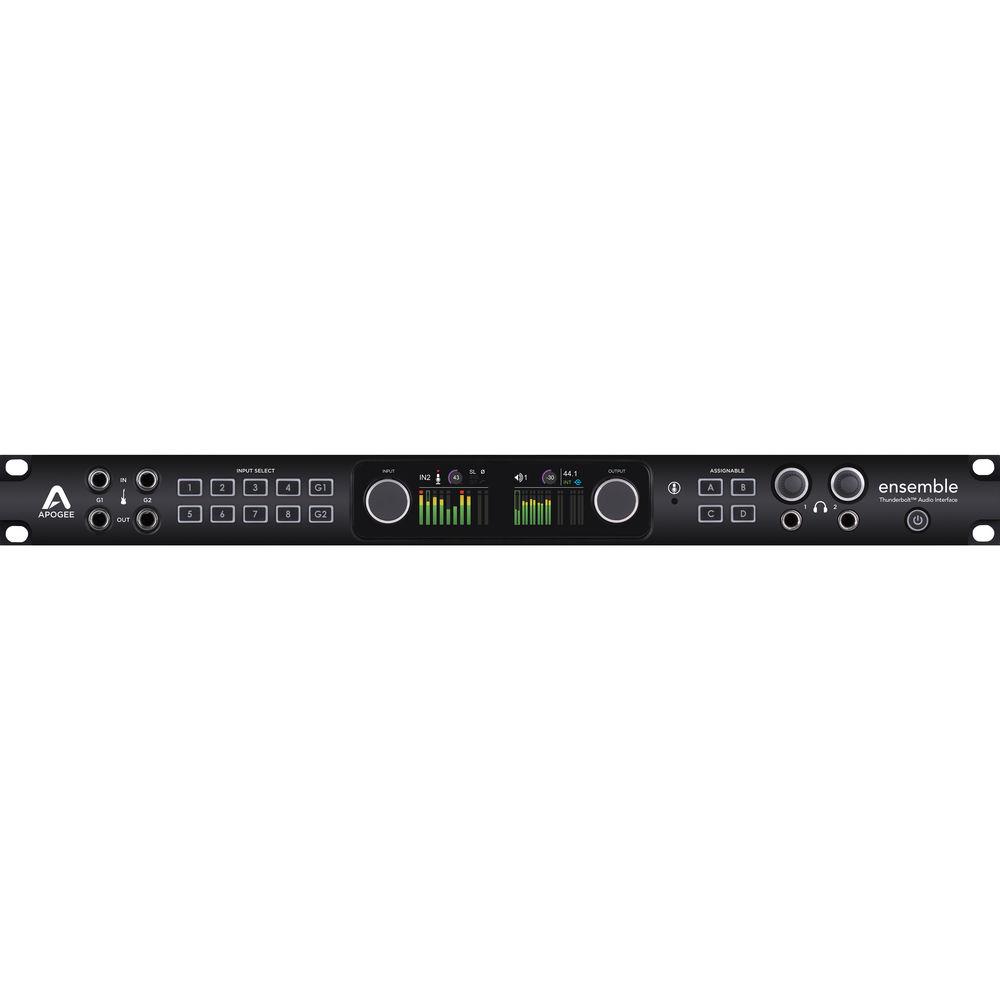
The inputs include FET-based Soft-Limiting which can be enabled in the Apogee Control software and prevent digital clipping by instantaneously rounding off transient peaks before hitting the analog-to-digital converter. This allows several more decibels of apparent level to be recorded while also subtly proving an analog-tape-like warmth to the sound. Inputs can be selected using the front panel's grid of soft LED illuminated buttons. Pressing and holding the input select buttons will adjust parameters such as input type, +48v phantom power, Soft Limit, grouping, polarity invert, and hi-pass filtering.
The front panel features two Guitar I/O channels with class-A JFET inputs in a bootstrapping circuit design to reproduce the feel of vintage tube amplifiers and preserve the tone and high frequency response of connected instruments by providing an ultra-high impedance load. Beneath the front panel guitar inputs are a pair of dual mode re-amp outputs for connecting to external effect processors such as stomp boxes or guitar amplifiers.
The dual mode switching allows you to easily record your direct guitar signal while also listening through an amplifier. You can then play the recorded guitar signal back through the amplifier to adjust tonality and microphone placement.
A built-in microphone capsule within the interface can be used for archiving your session, recording a crushed room sound when tracking drums, or for talkback when tracking musicians. Rear panel Word Clock IN and OUT connectors enable syncing other digital audio gear to the interface's high quality master clock.
For outputs the interface features 16 rear panel analog outputs in the form of two balanced 1/4" TRS monitor outputs and eight balanced line outputs on a D-Sub 25-pin connector. The front panel features two PurePower headphone outputs with separate volume controls for monitoring mixes. Monitoring can be configured between the two 1/4" outputs, one of three stereo speaker sets, or a 5.1 surround system.
The speaker and headphone levels are controlled with the dedicated knobs on the unit's front panel OLED display or with your Mac's volume controls. Four configurable buttons labeled A, B, C, and D can be assigned using a software drop-down menu to functions such as muting outputs, dimming outputs, engaging talkback, engaging a speaker set, or clearing meters.
With the addition of the unit's rear panel S/PDIF I/O and dual ADAT I/O connectors, the interface is capable of a total 30 inputs and 34 outputs. The interface also features optional direct hardware monitoring through the Apogee Control software, with only 0.6ms of latency (at 96 kHz with a 32-sample buffer).
The extraordinarily round trip latency of the converter is made possible by a proprietary Thunderbolt driver that was built from the ground up for Mac OS X Mavericks. Even in sessions that require higher buffer settings for DSP requirements, the ultra-low latency of the interface prevents the compromise between power and speed.
The driver uses a 32-bit signal path from the output of the DAW into the unit's ESS Sabre32 32-bit Hyperstream DAC with Time Domain Jitter eliminator for low distortion audio with significant headroom and dynamic range. The interface also employs a Direct Memory Access (DMA) engine to more efficiently read and write data directly to Mac memory independently of the CPU.
Directly reading and writing a 32-bit signal from memory increases the driver's efficiency, lowers latency, provides a higher resolution signal, and frees up more CPU power for plug-ins. Apogee-designed power regulators are used throughout the interface's mic pre, A/D, and D/A circuitry for ultra-low noise operation.
The Ensemble Thunderbolt features the Apogee Control software with the Essentials Control Strip window, which offers extensive flexibility to customize your workflow and adapt to your creativity. The software lets you connect two Ensemble Thunderbolt interfaces to your Mac to double your analog inputs and outputs, and connect any Apogee Element interface to expand your system with Ensemble-quality I/O.
The interface's dual rear-panel Intel Thunderbolt ports allow you to connect multiple high bandwidth peripherals to your Mac such as hard drive arrays, video capture devices, and Thunderbolt monitors with up to 4k resolution from a single port. The interface is designed in California and assembled in the U.S.A. - Custom Low Latency Driver
- Enables 1.1ms round trip latency with a 96 kHz 32 buffer setting
- 32-Bit Signal Path
- Provides improved headroom and dynamic range with reduced noise
- Direct Memory Access Engine
- Reads and writes data directly to Mac memory independent of the Mac CPU for lower latency, higher signal resolution, and more available CPU power for plug-ins
- Dual Thunderbolt Ports
- Expands system functionality by allowing multiple high bandwidth peripherals such as hard drive arrays, video capture devices, and Thunderbolt monitors up to 4 kHz in resolution
- ESS Sabre32 DAC Technology
- Uses 32-bit filter processing for significantly lower noise, distortion and artifacts
- Time Domain Jitter Elimination
- Removes clock inconsistencies from the incoming data so the converted analog outputs preserve the clarity and soundstage details of the original source
- Dynamically Optimized Mic Preamps
- Utilizes Apogee's Advanced Stepped Gain architecture to provide a gain range of 0 to 75 dB with superior bandwidth and minimal distortion
- Soft Limit Protection From Digital Overs
- Uses a FET-based analog design to prevent digital clipping by rounding off transient peaks before they hit the analog-to-digital converter and provide an analog-tape-like warmth to the sound
- Custom Power Regulation
- Uses Apogee-designed power regulators for ultra-low-noise operation
- Analog Inputs
- Features four combo (1/4" and XLR) inputs as well as four XLR inputs for connecting up to eight microphones or a combination of instruments, external mic preamps, and other analog audio devices
- Line Level Bypass Relay
- Allows the microphone preamplifier to be bypassed to preserve the purest unity gain signal path for line level sources
- Analog Outputs
- Includes two balanced monitor outputs on 1/4" TRS connectors and eight balanced line outputs on one D-Sub 25-pin connector
- Headphone Outputs
- Provides two independently controlled front panel headphone outputs for driving even high impedance headphones with ultra-low distortion throughout the level range
- Guitar I/O
- Enables direct connection of guitars and other instruments through two Class A JFET circuits to produce the feel and tone of vintage tube amps and the tone and high frequency response of connected instruments
- Dual Mode Re-Amping
- Allows you to record a direct guitar signal while listening through an amplifier, then play the recorded signal back through the amp to refine settings and microphone placement as well as connect external effect stomp boxes
- Built-In Microphone
- Allows you to capture ideas, archive sessions, record a crushed room sound, and perform talkback functions
- Analog Inserts
- Enables integration of external hardware such as compressors or EQs in mono or a stereo pair
- Digital I/O
- Provides up to 18 channels of digital I/O in ADAT, SMUX, S/PDIF optical, and S/PDIF coaxial formats to expand the system with hardware synthesizers and digital effects
- Wordclock
- Allows for syncing to other digital audio gear and using the interfaces clock as a master
- Dual High Resolution Displays
- Shows visual feedback for recording and monitoring including levels, grouping, polarity, muting, phantom power, and soft limit on all inputs and outputs
- LED-Illuminated Input Control Selection Buttons
- Selects a desired input for recording and monitoring functions such as input type, +48V phantom power, Soft Limit, grouping, polarity invert, and hi-pass filter
- Monitor/Output Controls
- Allows for choosing between two 1/4" monitor outputs, one of three stereo speaker sets, or a 5.1 surround sound system
- Assignable Buttons A, B, C, and D
- Allows assignment from a drop-down menu for functions such as engage talkback, mute outputs, dim outputs, sum to mono, clear meters, or engage speaker set
- Speaker Set Selection
- Switches between up to 3 pairs of speakers, allowing the interface to function as a monitor controller
- Apogee Control Software
- Modern, streamlined Apogee Control interface with Essentials Control Strip window – offers extensive flexibility to customize your workflow and adapt to your creativity
Real-time FX Send lets you use your DAW’s reverb and other effects with Apogee Control’s low-latency mixer
Select Ensemble built-in mic, analog input or Mac’s built-in mic for talkback – activate via software to communicate with musicians over headphones
Configure the Main output for multi-speaker systems up to 9.1 surround
Connect two Ensemble Thunderbolt interfaces to your Mac to double your analog inputs and outputs
Connect any Apogee Element interface and expand your system with Ensemble-quality I/O
Control unit with free Apogee Control Remote for iOS app (iPad, iPhone or iPod touch) – provides wireless control of the hardware settings included in the Apogee Control Essentials Window
Compatible with Apogee Control hardware remote (available separately) UPC: 805676301341 In the Box Apogee Electronics Ensemble 30 x 34 Thunderbolt Audio Interface 3-Pin IEC Power Cable 4 x Rubber Feet Limited 1-Year Warranty Quick-Start Guide PDF 4.1mbabdtrqraxzedbbdxtwbaze Table of Contents
|
Upload User Manual
Have you got an user manual for the Apogee Electronics Ensemble 30 x 34 Thunderbolt Audio Interface in electronic form? Please send it to us and help us expand our library of instruction manuals.
Thank you, too, on behalf of other users.
To upload the product manual, we first need to check and make sure you are not a robot. After that, your "Submit Link" or "Upload File" will appear.
Technical parametersApogee Electronics ENSEMBLE THUNDERBOLT Specs | | | Max Sample Rate/Resolution | 192 kHz / 24-Bit | | | | Host Connection | 2 x Thunderbolt (MDP) (Thunderbolt 2) | | Analog I/O | 4 x Combo XLR / 1/4" Mic/Line/Hi-Z Input
4 x XLR 3-Pin Mic Input
2 x 1/4" (6.3 mm) TRS Balanced Insert Input
2 x 1/4" (6.3 mm) TRS Balanced Insert Output
2 x 1/4" (6.3 mm) Line/Hi-Z Input
2 x 1/4" (6.3 mm) Line/Hi-Z Output
1 x DB25 8-Channel Output
2 x 1/4" (6.3 mm) Balanced Monitor Output
2 x 1/4" (6.3 mm) TRS Headphone Output | | Phantom Power | +48 V (Selectable on Individual Inputs) | | Digital I/O | 2 x TOSLINK / ADAT, S/MUX, S/PDIF Input
2 x TOSLINK / ADAT, S/MUX, S/PDIF Output
1 x RCA Coaxial / S/PDIF Input
1 x RCA Coaxial / S/PDIF Output
1 x BNC (Word Clock) Input
1 x BNC (Word Clock) Output | | MIDI I/O | None | | | | Frequency Response | A/D Converters:
10 Hz to 20 kHz
Rating100% users recommend this product to others. And what about you?

This product has already been rated by 45 owners. Add your rating and experience with the product.
Discussion
 Ask our technicians if you have a problem with your settings,
or if anything is unclear in the user manual you have downloaded.
You can make use of our moderated discussion.
The discussion is public and helps other users of our website who may be encountering similar problems.
Ask our technicians if you have a problem with your settings,
or if anything is unclear in the user manual you have downloaded.
You can make use of our moderated discussion.
The discussion is public and helps other users of our website who may be encountering similar problems.
The discussion is empty - enter the first post
Post a new topic / query / comment:
|
|
|
| Request for user manual |
You can’t find the operation manual you are looking for? Let us know and we will try to add the missing manual:
I’m looking for a manual / Request for manual
Current requests for instruction manuals:
Call Of Duty World War Two For Xbox...
controller stratus XL...
stratus XL...
smart whatch serie S11 42mm...
Allen & Heath SQ-6 manual...
|
| Discussion |
Latest contributions to the discussion:
AEW R 4100
Name: MAURICIO ANGARITA
Audio-Technica AEW-R4100 UHF Diversity Receiver for
AEW R 4100 has the mute function blocked and does not allow audio to pass. I tried several times to turn off the mute from the transmitter but it does nothing, the mute stays on. Solution?
Thank you...
Instructions for assembling the 2015 Forecast Image Master Consoles GC3-A
Name: mike elam
Forecast Consoles GC3-A ImageMaster Editing Console
Looking for instructions for assembling this console. ...
EMPTY TONER ERROR MESSAGE AFTER REPLACING TONER
Name: LINDA BAD YELLOW EYES
Brother TN223BK Standard-Yield Toner
I HAD TO CHANGE OUT ALL THREE TONERS DUE TO LEAKS IN THE YELLOW AND CYAN. AFTER I REPLACED THEM, THE MACHINE KEEPS GIVING ME AN EMPTY TONER ERROR MESSAGE. HELP!!...
PS480D 20/24 pin Switching 480W Power Supply
Name: swkargo
Logisys 480W Power Supply
This item states in can run -5vdc .It is NOT listed on the board or I beleive is r4 is missing the resitior. Any body have thid issue. Shawn
...
Help needed
Name: Ann Carter
SanDisk 1TB Extreme Portable USB 3.1
When I click the link to download the user manual for my Sandisk Extreme external hard drive, it gives me the manual for the LG Cricket. Can you please change the link so I can download the Sandisk manual and begin using this drive? Thank you....
|
|


