User Manual for ARRI UMC-4 LDS Universal Motor Controller Click to enlarge the picture
 Contents of the user manual for the ARRI UMC-4 LDS Universal Motor Controller
- Product category: Wireless Lens Control Accessories ARRI
- Brand: ARRI
- Description and content of package
- Technical information and basic settings
- Frequently asked questions – FAQ
- Troubleshooting (does not switch on, does not respond, error message, what do I do if...)
- Authorized service for ARRI Wireless Lens Control Accessories
 |
User manual for the ARRI UMC-4 LDS Universal Motor Controller contain basic instructions
that need to be followed during installation and operation.
Before starting your appliance, the user manual should be read through carefully.
Follow all the safety instructions and warnings, and be guided by the given recommendations.
User manual is an integral part of any ARRI product,
and if it is sold or transferred, they should be handed over jointly with the product.
Following the instructions for use is an essential prerequisite for protecting
health and property during use, as well as recognition of liability on the part of the manufacturer
for possible defects should you make a warranty claim. Download an official ARRI user manual in which you will find instructions on how to install, use, maintain and service your product.
And do not forget – unsuitable use of a ARRI product will considerably shorten its lifespan!
|
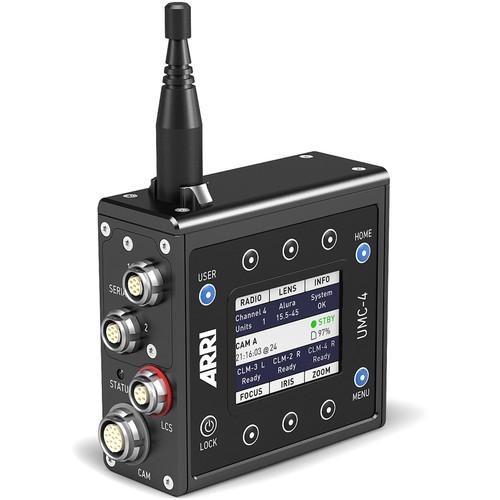
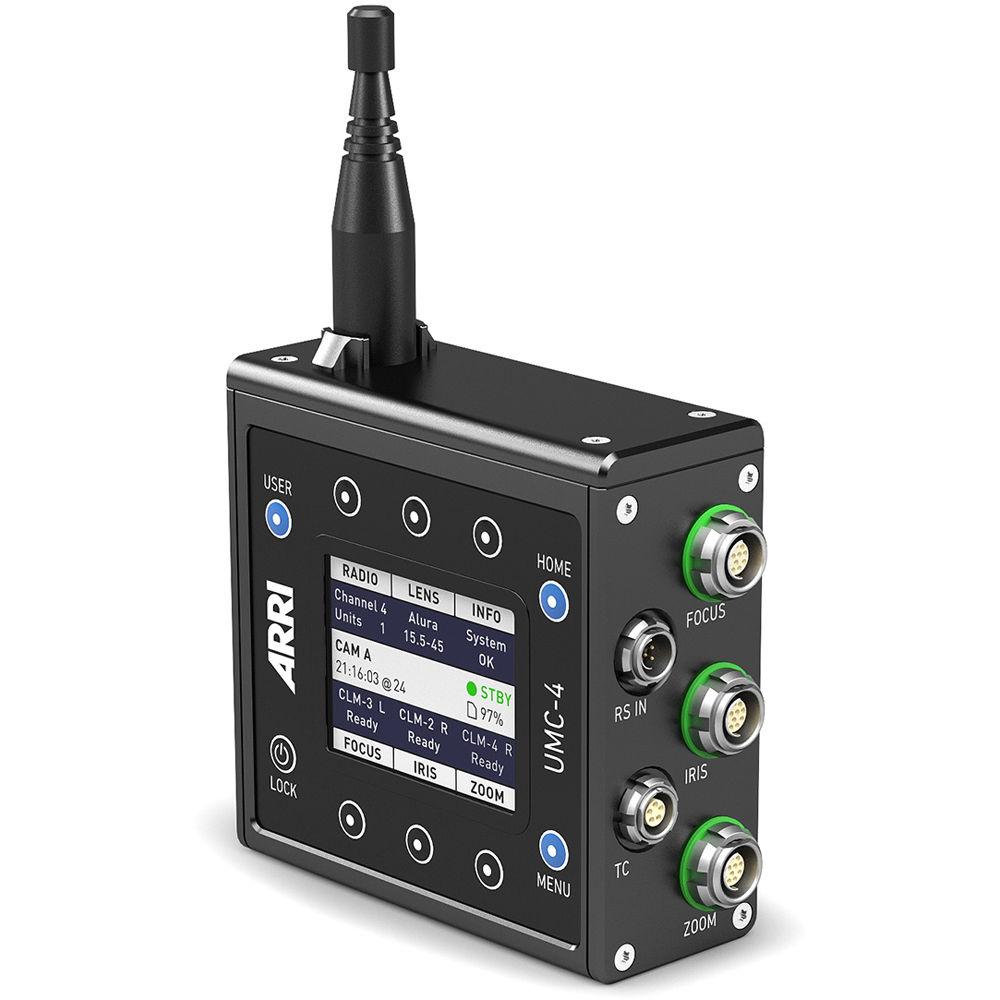
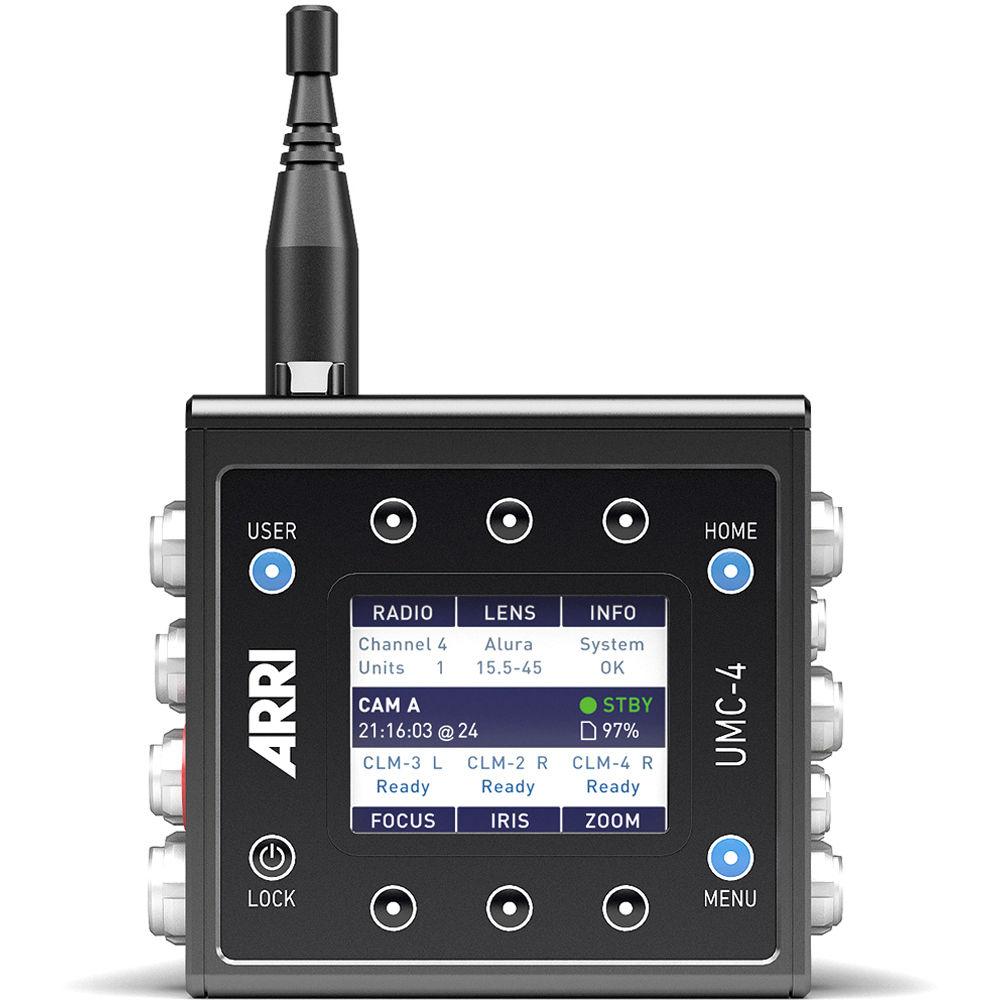
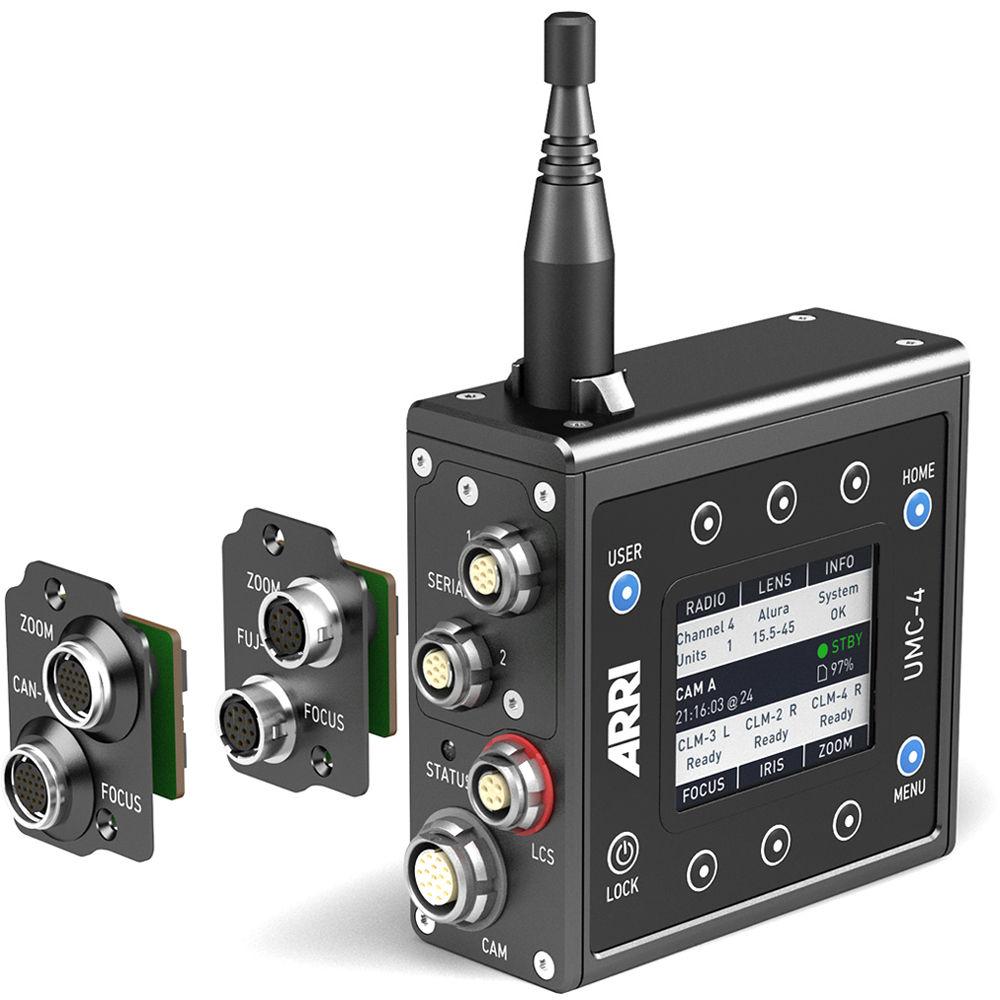
Product description Use the versatile ARRI UMC-4 LDS Universal Motor Controller to remotely control focus, iris, and/or zoom, and to record lens metadata for post and VFX use. The UMC-4 Controller can govern up to three lens motors, and is compatible with WCU-4, SXU-1, Master Grip, and ARRI zoom controls. This controller is compatible with any ARRI or third-party pro camera, and with CLM-3/4/5 lens motors. The downloadable SUP 2.0 update for the UMC-4 adds several key functions like wireless lens-file transfer, the ability to set and display your gear motor teeth-count (for correct lens data), support for the cmotion cfinder III, and improved motor characteristics. AMIRA/ALEXA Mini–specific updates include full playback control, selection of user setups, and a PLAY/ERASE status display. An updated LDA (lens data archive) is detailed below in the Features section. This standard version of the UMC-4 includes two serial ports; optional modules are available separately for linking the UMC-4 to Canon and Fuji focus/zoom controls. The UMC-4's internal timecode clock can be jam-synced, or it can be used to output LTC timecode. The included SD card can be used for recording lens data and timecode, and for updating the controller's firmware. The UMC-4 motor controller features a 2.4" LCD display, a water-resistant design, and a durable, outdoor antenna. - Features
-
- Controls up to three CLM-3/4/5 lens motors for focus, iris, and/or zoom control
- Works with ARRI and third-party cameras
- Records lens data and timecode for post/VFX use; includes SD card for recording data, and for firmware updates
- Compatible with WCU-4, SXU-1, Master Grips, and the ZMU-3A and WZE-3 zoom controls
- Includes serial interface for connecting to UDM-1 distance measure or other peripheral devices; optional Canon and Fuji interfaces available separately
- Durable, water-resistant design with 3/8"-16 mounting thread
- SUP 2.0 Features
-
- Wirelessly transmit lens files from the WCU-4 to the UMC
- Full playback control from the WCU-4 is available when connected to an AMIRA or ALEXA Mini
- Select among camera user setups when connected to an AMIRA or ALEXA Mini
- The UMC-4 screen displays a Playback and Erasing indication (AMIRA/ALEXA Mini only)
- Set/display your motor-gear teeth count using the UMC-4 GUI (for correct lens data)
- Updated LDA (lens data archive - see below)
- Supports and displays cmotion cfinder III measurements
- Improved motor smoothness, speed, acceleration, and accuracy
- Fixed the ND filter value display from AMIRA/ALEXA Mini
- Fixed the metric to imperial distance-unit change function
- Fixed an inverted focus scale on the WCU-4 screen when using pre-marked focus rings
- Interface
- 1 x antenna
2 x serial interface
1 x ARRI LCS connector
1 x CAM connector
1 x LENS connector
1 x RS in
1 x each: Focus/Iris/Zoom
1 x Ethernet
1 x SD card slot
1 x 3/8"-16 mounting thread
2 x M4 mounting points - Lens Data Files (SUP 2.0)
-
- ARRI Anamorphic Ultra Wide Zoom 19-36mm/T4.2
- ARRI Anamorphic Ultra Wide Zoom 21-40mm/T4.9
- Leica Summicron 18, 21, 25, 29, 35, 50, 75, 100, 135mm
- Leica Summilux 16, 18, 21, 25, 29, 35, 40, 50, 65, 75, 100, 135mm
- Zeiss LDS VP1 16-30mm
- Zeiss VP1 16-30mm
- Zeiss Standard T 2.1 16, 20, 24, 28, 32, 40, 50, 60, 85, 100, 135, 180mm
- Zeiss Compact Prime CP.2 Standard 15, 18, 21, 25 T2.1, 25 T2.9, 28, 35, 50, 85, 100, 135mm
- Zeiss Compact Prime CP.2 Super Speed 35, 50, 85mm
- Zeiss Cinema Zoom, 15-30, 28-80, 70-200mm
In the Box ARRI UMC-4 LDS Universal Motor Controller UMC-4 Connector Module with Two Serial Connectors L-Bracket for Select Electronic Control Systems Straight Outdoor Antenna for UMC-4 Motor Controller Limited 1-Year Warranty Table of Contents
|
Upload User Manual
Have you got an user manual for the ARRI UMC-4 LDS Universal Motor Controller in electronic form? Please send it to us and help us expand our library of instruction manuals.
Thank you, too, on behalf of other users.
To upload the product manual, we first need to check and make sure you are not a robot. After that, your "Submit Link" or "Upload File" will appear.
Technical parametersARRI K2.0002058 Specs | Connectors | 2 x 7-pin serial
1 x 5-pin LCS
1 x 12-pin CAM
3 x 12-pin motor
1 x RS input
1 x TC in/out | | Receiver Channel | 8 x Channels: 2.410 to 2.475 GHz | | Supply Voltage | 9.5 to 34 VDC | | Current Consumption | Radio On/Ready:
135 mAh at 12 V
70 mAh at 24 V | | Mounting Thread | 3/8"-16 | | Operating Temperature | -4 to 122°F (-20 to 50°C) | | Dimensions (WxDxH) | Without Antenna: 4.2 x 1.5 x 3.9" (107.7 x 38.5 x 98 mm)
With Antenna: 4.2 x 1.5 x 6.1" (107.7 x 38.5 x 153.9 mm) | | Weight | With Antenna: 15 oz (428 g) | | | | Package Weight | 1.65 lb | | Box Dimensions (LxWxH) | 9.9 x 6.5 x 2.8" |
Rating90% users recommend this product to others. And what about you?

This product has already been rated by 03 owners. Add your rating and experience with the product.
Discussion
 Ask our technicians if you have a problem with your settings,
or if anything is unclear in the user manual you have downloaded.
You can make use of our moderated discussion.
The discussion is public and helps other users of our website who may be encountering similar problems.
Ask our technicians if you have a problem with your settings,
or if anything is unclear in the user manual you have downloaded.
You can make use of our moderated discussion.
The discussion is public and helps other users of our website who may be encountering similar problems.
The discussion is empty - enter the first post
Post a new topic / query / comment:
|
|


