|
User Manual for Arturia Spark 2 - Beat Creation Software Click to enlarge the picture
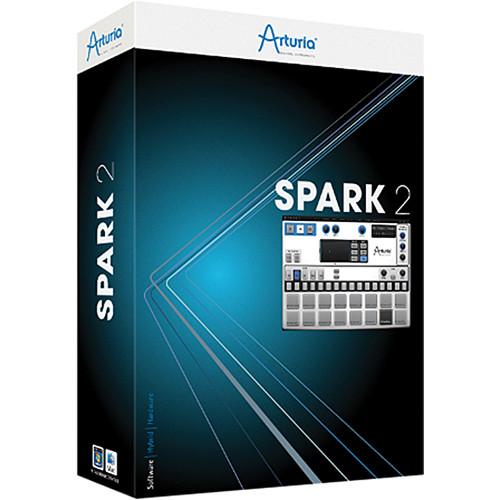 Contents of the user manual for the Arturia Spark 2 - Beat Creation
- Product category: Virtual Instruments Arturia
- Brand: Arturia
- Description and content of package
- Technical information and basic settings
- Frequently asked questions – FAQ
- Troubleshooting (does not switch on, does not respond, error message, what do I do if...)
- Authorized service for Arturia Virtual Instruments
 |
User manual for the Arturia Spark 2 - Beat Creation contain basic instructions
that need to be followed during installation and operation.
Before starting your appliance, the user manual should be read through carefully.
Follow all the safety instructions and warnings, and be guided by the given recommendations.
User manual is an integral part of any Arturia product,
and if it is sold or transferred, they should be handed over jointly with the product.
Following the instructions for use is an essential prerequisite for protecting
health and property during use, as well as recognition of liability on the part of the manufacturer
for possible defects should you make a warranty claim. Download an official Arturia user manual in which you will find instructions on how to install, use, maintain and service your product.
And do not forget – unsuitable use of a Arturia product will considerably shorten its lifespan!
|
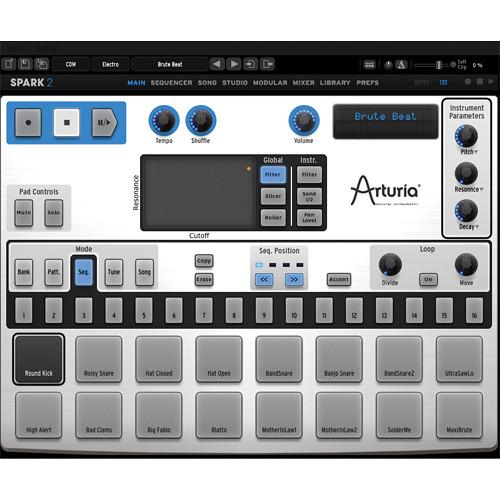
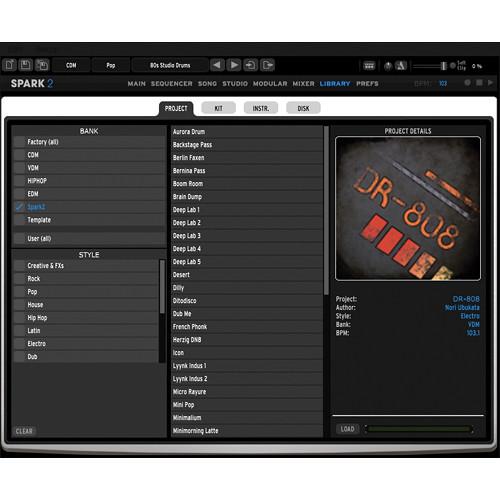
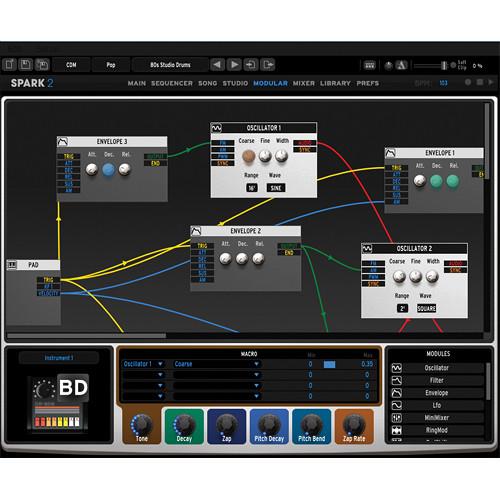
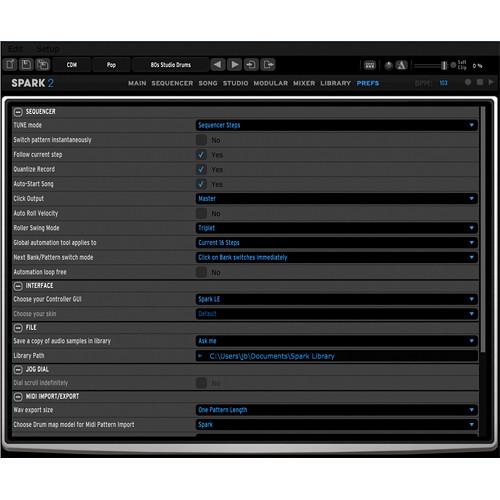
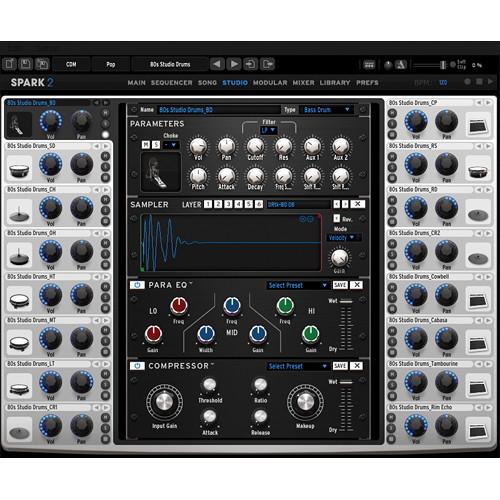
Product description Spark 2 from Arturia is a drum production solution with a sound library, multiple synthesis engines and advanced sequencing functionalities. Also included are real time performance tools and effects for use in the studio or on stage. The software functions standalone, or as an AAX Native, Audio Units and VST plug-in, for both Mac and Windows computers. - Features
-
- Beat creation software combining elements from analog drum machines, sample based beat boxes and physical modeling
- Audio engine contains multiple synthesis modes - sample engine, multiple physical models, and a modular, virtual analog drum synthesizer
- TAE (True Analog Emulation) synthesis for creating the sounds of classic analog synthesizers
- The modular synthesizer can be used to create a vast array of sounds including, kick drums, snares, hats, cymbals, as well as more traditional synthesizer sounds using:
- Up to nine variable shape VA oscillators
- Up to four 8-mode filters
- Up to six envelopes
- Up to two LFOs
- Up to four mixers
- Up to two ring modulators
- Up to two CV modulators
- Up to two Karplus Strong based filters
- Stereo filter
- Spring Mass physical modeling engine
- The modular synthesizer contains six assignable macros knobs which allow for controlling multiple aspects of the sound in real time - for each macro four parameters can be assigned from any of the modules within a patch, as well as determining the minimum and maximum values the parameter can take
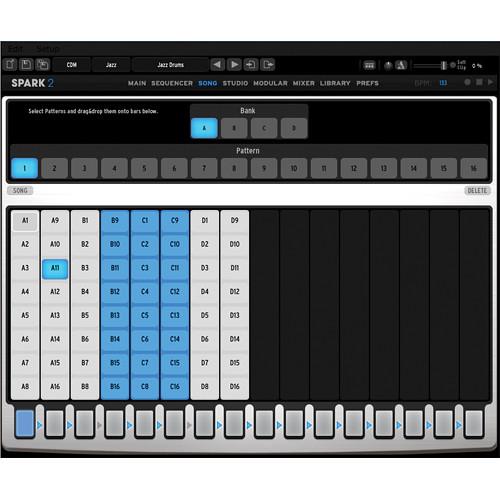
- Song mode allows for organizing patterns into up to sixteen color-coded mini songs, each up to eight patterns long Allows for simple visualizing of the various sections of a song (intro chorus, verse, breakdown) Dedicated buttons can trigger mini songs in any order for creating on-the-fly remixes
- Interface has been organized to make it as user friendly as possible by placing all the major features at the user's fingertips
- Tabbed layout drastically reduces scrolling and provides the user with faster access to all features
- Supports REX files - import a REX file and split the slices across the sixteen pads, or use single pad playback for live looping possibilities
- Samples and REX files can be used as sources for the modular synthesizer
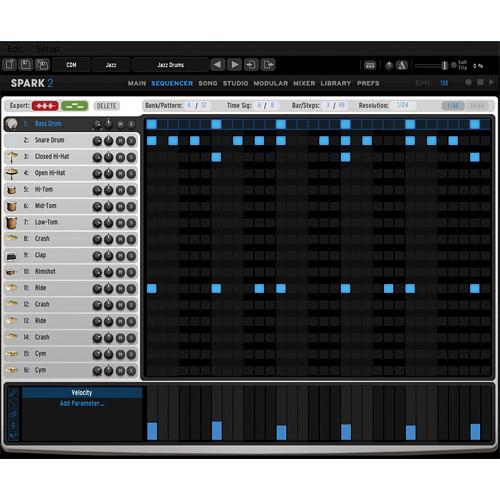
- Built-in step sequencer
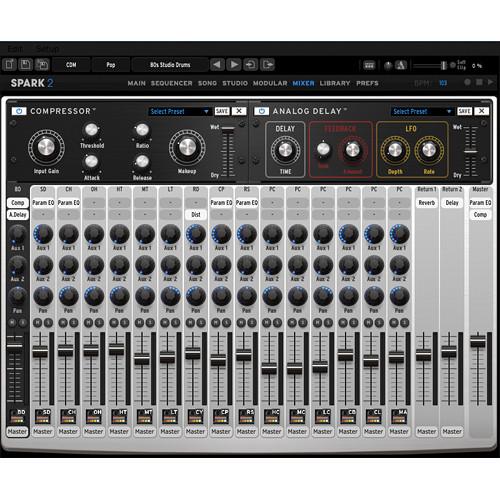
- Mixer provides a familiar interface for controlling the level, pan, insert effects and sends of instruments with each of these parameters automatable in the pattern page
- Each drum instrument can be processed through fourteen digital effects:
- Compressor
- Reverb
- Bit crusher
- Multiband EQ
- Chorus
- Delay
- Distortion
- Phaser
- Plate reverb
- Destroyer
- Flanger
- Space pan
- Limiter
- Sub generator
- Automation input is available using the XY pad or the Pencil and Line tools in the pattern/automation page
- All instrument and effect parameters from the inserts can be automated
- Each track of the step sequencer allows for fifteen different parameters to be automated per instrument plus full automation of all the insert effects parameters for that given instrument
- Functions standalone or as a plug-in within a host sequencer
- Plug-in use supports sixteen audio outputs that can be routed and assigned within the host
- Import AIFF, WAV, MIDI and REX2 files
- Simple drag and drop export of patterns in WAV format, as well as MIDI sequence formats into a DAW
- All of the parameters available on the main panel are MIDI assignable and can be controlled via any external MIDI device
- Full integration with SparkLE controller
- Vintage Drum Machine Emulations
-
- Roland TR-808
- Roland TR-909
- Roland TR-707
- Roland TR-606
- EMU Drumulator
- LinnDrum
- Oberheim DMX
- Korg KPR 77
- Sequential Circuits Drumtraks
- Simmons SDS-V
- Roland CR78 / Ace Tone Rhythm Ace
- Korg DDM-110
- Korg DDM-220
- Yamaha RX5
- Casio RZ1
- Lynn9000
- Music Styles Covered by Electronic Drum Kits
-
- EDM
- Hip Hop
- Dubstep
- Electro House
- Deep House
- Minimal Techno
- R'n'B
- Trance
- Techno
- Abstract Hip Hop
- Dancehall
- Industrial
- Tech House
- Trap
- Drum and Bass
- Acoustic Drum Kit Playing Styles
-
- Modern Rock
- Funk
- R'n'B
- Pop
- Vintage Rock
- Latin Percussion
Table of Contents
|
Upload User Manual
Have you got an user manual for the Arturia Spark 2 - Beat Creation Software in electronic form? Please send it to us and help us expand our library of instruction manuals.
Thank you, too, on behalf of other users.
To upload the product manual, we first need to check and make sure you are not a robot. After that, your "Submit Link" or "Upload File" will appear.
Technical parametersArturia 210315DOWNLOAD Specs | System Requirements | Mac
2 GHz CPU (multiple core required)
OS X 10.7 or higher
4 GB RAM
2 GB free hard disk space
PC
2 GHz CPU
Windows 7, Windows 8
4 GB RAM
2 GB free hard disk space |
Rating90% users recommend this product to others. And what about you?

This product has already been rated by 93 owners. Add your rating and experience with the product.
Discussion
 Ask our technicians if you have a problem with your settings,
or if anything is unclear in the user manual you have downloaded.
You can make use of our moderated discussion.
The discussion is public and helps other users of our website who may be encountering similar problems.
Ask our technicians if you have a problem with your settings,
or if anything is unclear in the user manual you have downloaded.
You can make use of our moderated discussion.
The discussion is public and helps other users of our website who may be encountering similar problems.
The discussion is empty - enter the first post
Post a new topic / query / comment:
|
|
|
| Request for user manual |
You can’t find the operation manual you are looking for? Let us know and we will try to add the missing manual:
I’m looking for a manual / Request for manual
Current requests for instruction manuals:
Call Of Duty World War Two For Xbox...
controller stratus XL...
stratus XL...
smart whatch serie S11 42mm...
Allen & Heath SQ-6 manual...
|
| Discussion |
Latest contributions to the discussion:
AEW R 4100
Name: MAURICIO ANGARITA
Audio-Technica AEW-R4100 UHF Diversity Receiver for
AEW R 4100 has the mute function blocked and does not allow audio to pass. I tried several times to turn off the mute from the transmitter but it does nothing, the mute stays on. Solution?
Thank you...
Instructions for assembling the 2015 Forecast Image Master Consoles GC3-A
Name: mike elam
Forecast Consoles GC3-A ImageMaster Editing Console
Looking for instructions for assembling this console. ...
EMPTY TONER ERROR MESSAGE AFTER REPLACING TONER
Name: LINDA BAD YELLOW EYES
Brother TN223BK Standard-Yield Toner
I HAD TO CHANGE OUT ALL THREE TONERS DUE TO LEAKS IN THE YELLOW AND CYAN. AFTER I REPLACED THEM, THE MACHINE KEEPS GIVING ME AN EMPTY TONER ERROR MESSAGE. HELP!!...
PS480D 20/24 pin Switching 480W Power Supply
Name: swkargo
Logisys 480W Power Supply
This item states in can run -5vdc .It is NOT listed on the board or I beleive is r4 is missing the resitior. Any body have thid issue. Shawn
...
Help needed
Name: Ann Carter
SanDisk 1TB Extreme Portable USB 3.1
When I click the link to download the user manual for my Sandisk Extreme external hard drive, it gives me the manual for the LG Cricket. Can you please change the link so I can download the Sandisk manual and begin using this drive? Thank you....
|
|


