|
User Manual for ASUS Prime H310T CSM LGA 1151 Mini-ITX Motherboard Click to enlarge the picture
 Contents of the user manual for the ASUS Prime H310T CSM LGA 1151
- Product category: Motherboards ASUS
- Brand: ASUS
- Description and content of package
- Technical information and basic settings
- Frequently asked questions – FAQ
- Troubleshooting (does not switch on, does not respond, error message, what do I do if...)
- Authorized service for ASUS Motherboards
 |
User manual for the ASUS Prime H310T CSM LGA 1151 contain basic instructions
that need to be followed during installation and operation.
Before starting your appliance, the user manual should be read through carefully.
Follow all the safety instructions and warnings, and be guided by the given recommendations.
User manual is an integral part of any ASUS product,
and if it is sold or transferred, they should be handed over jointly with the product.
Following the instructions for use is an essential prerequisite for protecting
health and property during use, as well as recognition of liability on the part of the manufacturer
for possible defects should you make a warranty claim. Download an official ASUS user manual in which you will find instructions on how to install, use, maintain and service your product.
And do not forget – unsuitable use of a ASUS product will considerably shorten its lifespan!
|
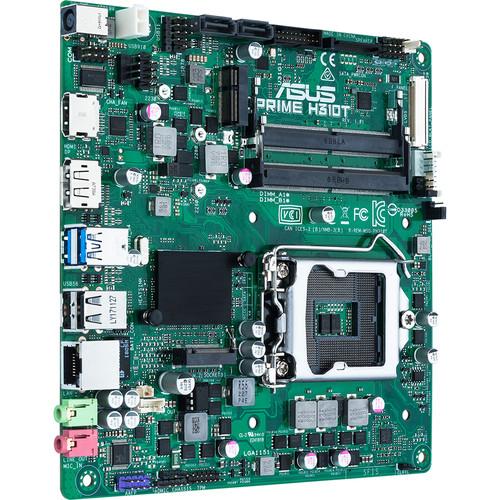
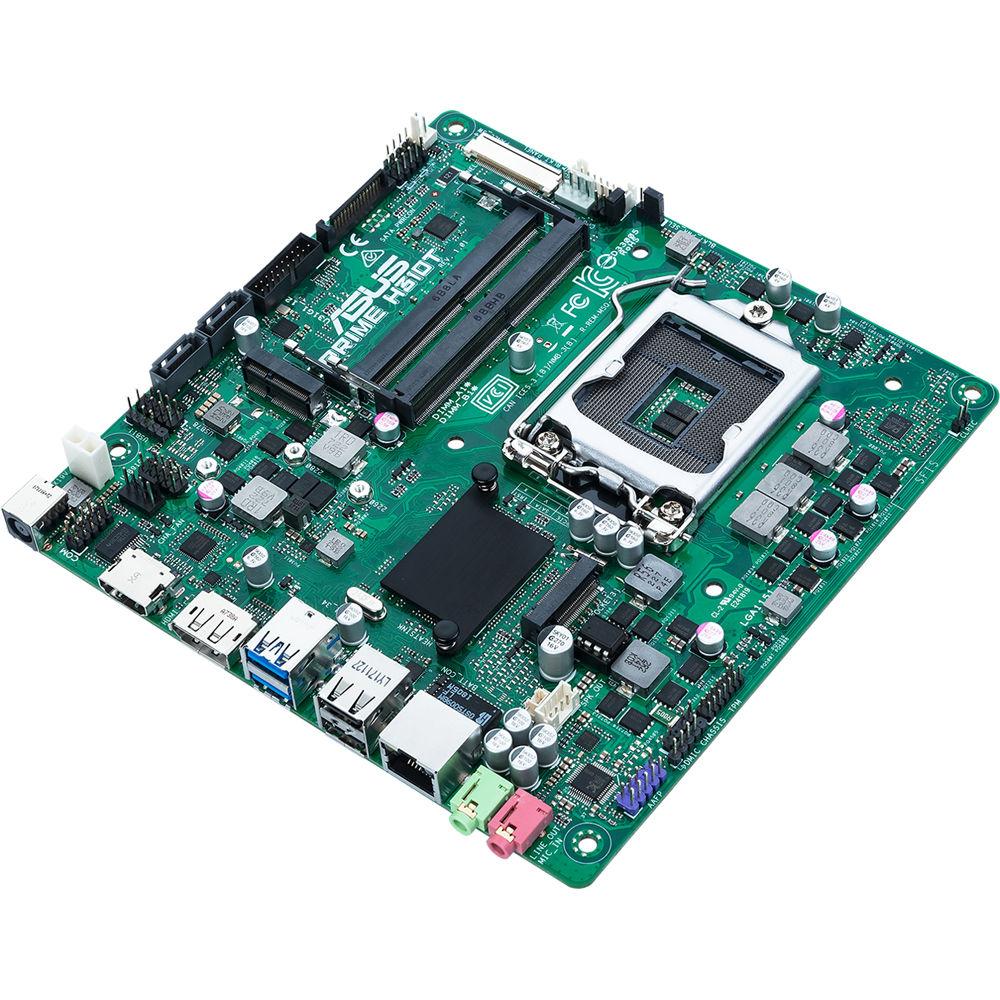
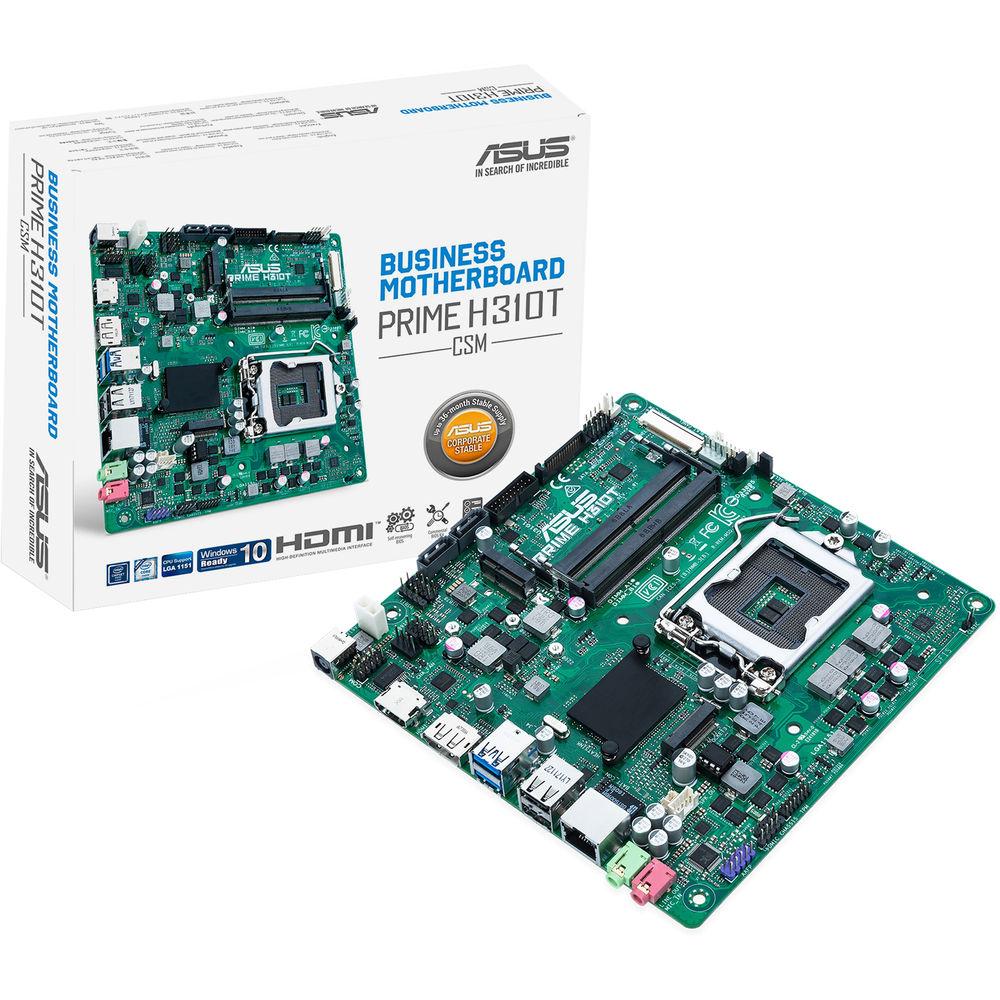
Product description Business-ready with enhanced security, reliability, and manageability features, the Prime H310T/CSM LGA 1151 Mini-ITX Motherboard from ASUS provides a high-quality, TCO-optimized solution for your business computing needs. It delivers enhanced features to smooth your IT operations, including comprehensive system protection, 24/7 stability and reliability, and an improved management suite for easier customization. It is designed to fit in mini-ITX sized cases and supports the LGA 1151 socket and the Intel H310 chipset. This motherboard is compatible with Windows 10.
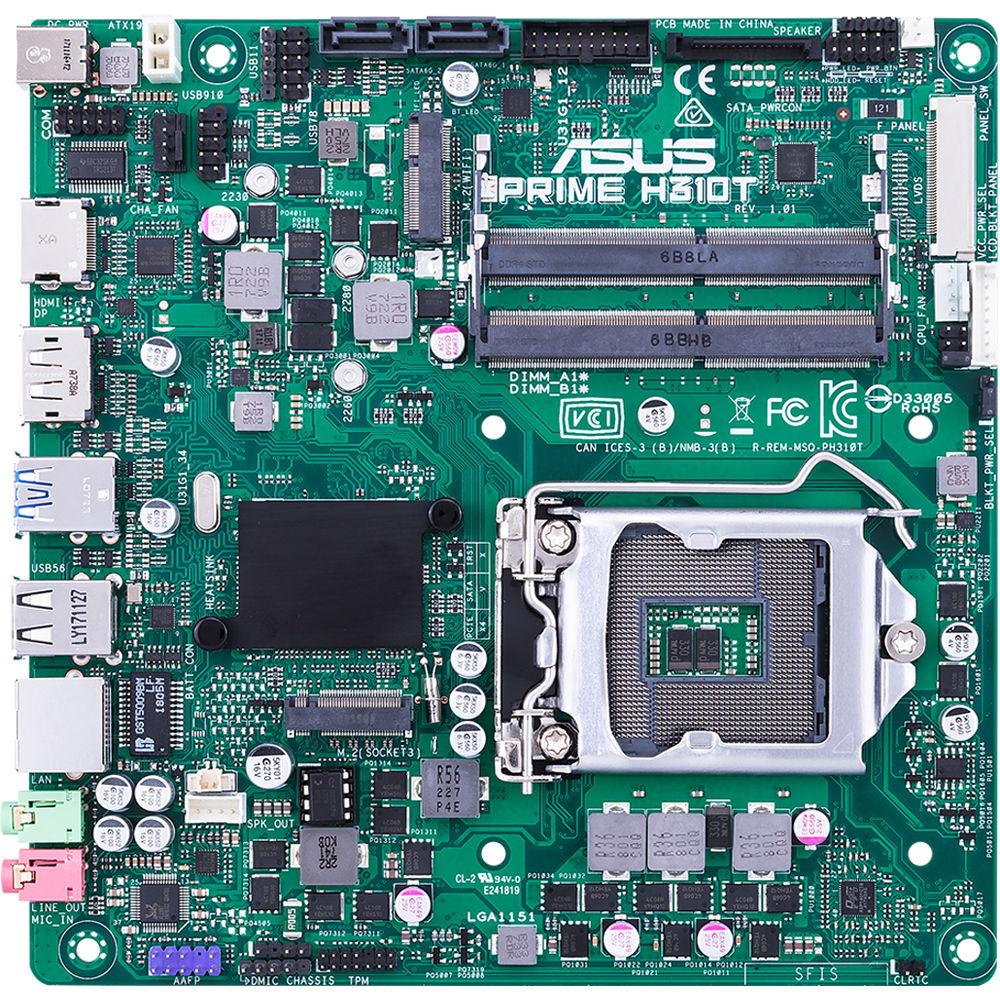
The mini-ITX form factor of the Prime H310T/CSM can support up to 32GB of DDR4 RAM over two 260-pin SO-DIMM, or 16GB per slot at memory speeds of 2666, 2400, and 2133 MHz of non-ECC unbuffered memory. There are also two SATA III 6 Gb/s ports and one M.2 Socket 3 slot for internal storage, and the M.2 slot supports 2260 and 2280 SATA and PCIe x4 SSDs.
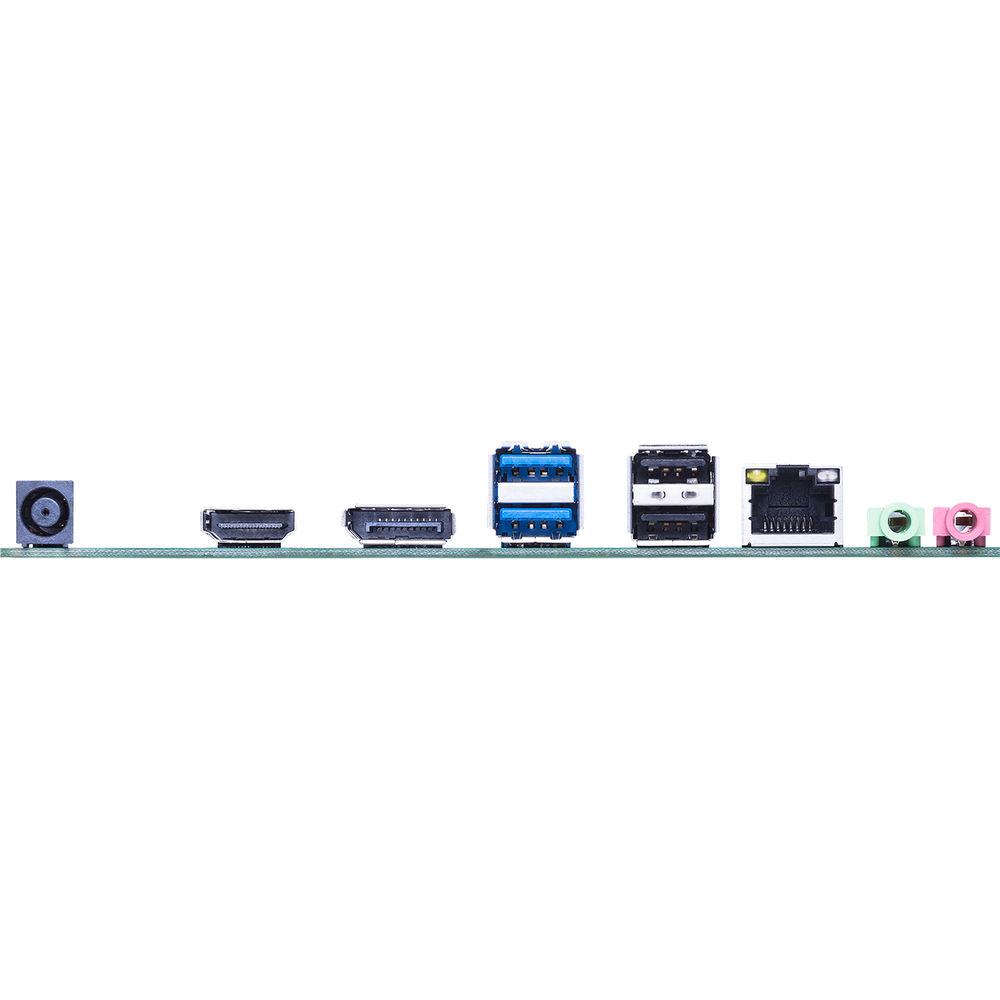
There are also a total of two USB 3.1 Gen Type-A ports (back panel), two USB 2.0 Type-A ports (back panel), one internal USB 3.1 Gen 1 connector that supports and additional two ports, one one-port USB 2.0 connector that supports one USB 2.0 port, and two USB 2.0 connectors that support an additional four USB 2.0 ports.
For delivering sharp, clear graphics, this motherboard supports integrated Intel HD Graphics with HDMI, LVDS, and DisplayPort outputs. HDMI supports a maximum resolution of 4096 x 2160 @ 24 Hz or 2560 x 1600 @ 60 Hz, DisplayPort supports a maximum resolution of 4096 x 2304 @ 60 Hz, and LVDS supports a maximum resolution of 1920 x 1200 @ 60 Hz. Integrated graphics has access to up to 1024MB of shared memory and two displays are simultaneously supported.
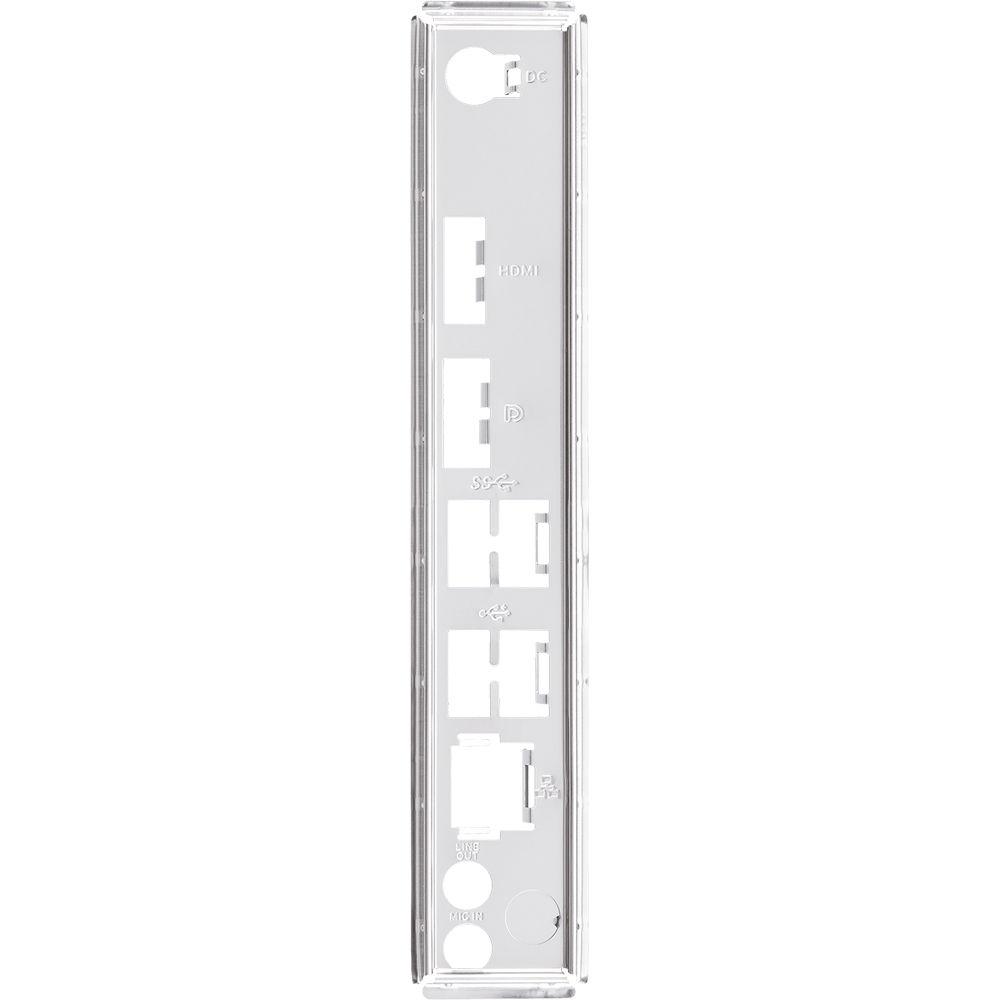
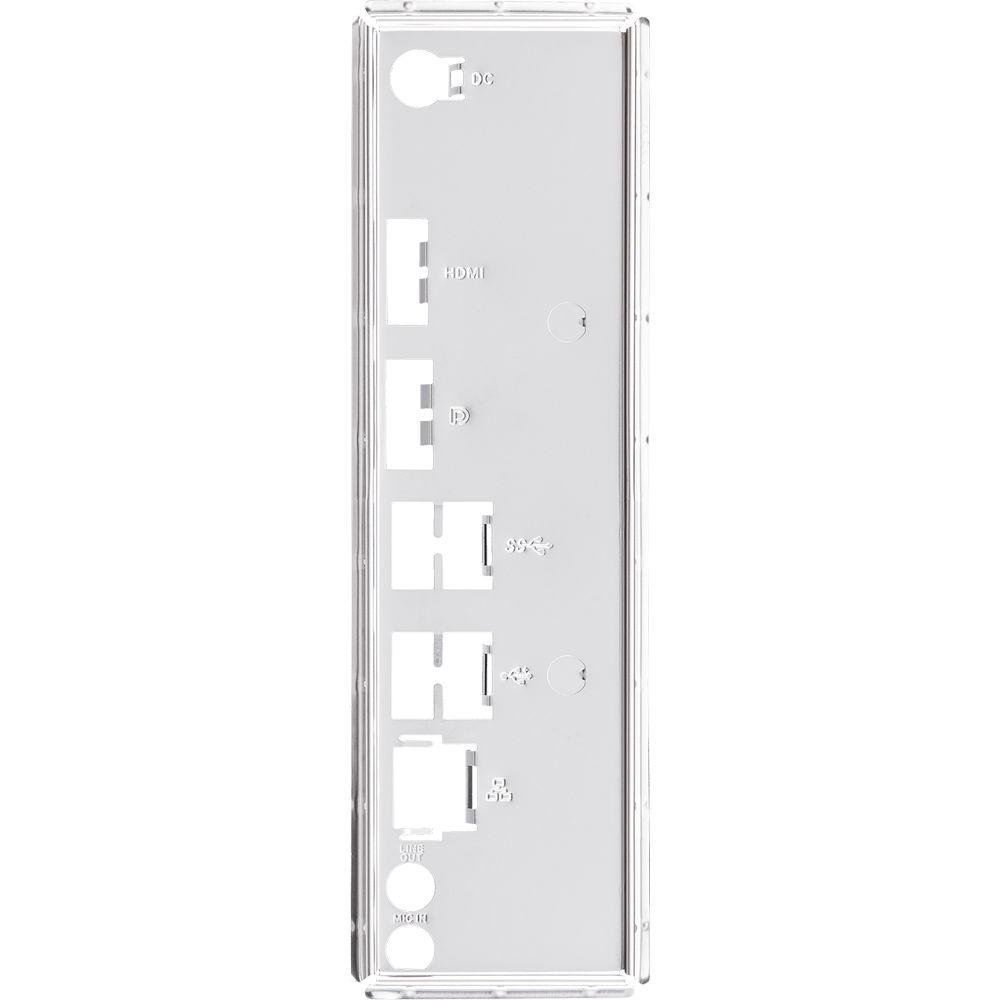
Using the 8-Channel Realtek ALC887 HD audio codec, the Prime H310T/CSM can support audio with higher fidelity than standard controllers. Audio can also be output using two integrated 3.5mm audio outputs, and network connectivity is achieved using a Realtek RTL8111H Gigabit Lan controller, while an empty M.2 Socket 1 supports Wi-Fi and Bluetooth devices. ASUS' Prime H310T/CSM LGA 1151 Mini-ITX Motherboard is supported by features that include ASUS Self Recovering BIOS, ASUS Event Log, ASUS Commercial BIOS Kit, moisture protection, DIGI+ VRM, and more. Included is an I/O shield, a mini-ITX I/O shield, two SATA III 6 Gb/s cables, one SATA power cable, two M.2 screw packages, and a supporting DVD. This motherboard is protected by a limited 3-year warranty. General Features - ASUS Corporate Stable Model
- ASUS Corporate Stable Model (CSM) is a commercial program designed to provide stable and reliable motherboards. It offers up to 36-month product lifecycle support and 6-month end-of-life notice to allow sufficient lead times for your organization to get ready for product transitions. Each purchase of an ASUS CSM motherboard comes with ASUS Control Center, which is server-grade IT management software.
- Internationally Certified Business Motherboard
- ASUS business motherboards are enterprise proven with leading quality that exceeds industry standards. Certified by multiple international safety and environmental organizations, including UL and Blue Angel, ASUS business motherboards provide a safe, secure and sustainable solution, making them the ideal choice for your business.
ASUS Shield - ASUS Self-Recovering BIOS
- ASUS-exclusive BIOS protection technology automatically recovers the system BIOS with a verified backup in the event of an update failure, preventing the need to replace or reinstall hardware.
- ASUS Secure Boot
- This ASUS Business Motherboard is set to check the firmware and signature of each piece of boot software.
- Trusted Platform Module (TPM)
- Hardware-based security offers better data protection, enhances network security, protects digital identities, and ensures platform integrity.
- Certified NIST SP 800-147
- This ASUS Business Motherboard is certified by the national computer security standards.
ASUS Reliant - ASUS Troubleshooting Solution
- The PRIME H310T has a TPM header onboard for connecting to debug cards for faster, more efficient motherboard troubleshooting. When connected to an ASUS Debug Card, administrators can view error and debugging codes on the integrated LCD display, and get better idea of initialization and recovery processes. ASUS Business Motherboards provide a complete troubleshooting solution, making mass production faster and more cost effective.
- 24/7 Reliability Test
- Optimized for 24/7 operations, the motherboard is tested under temperatures up to 113°F / 45°C and relative humidity up to 80% to ensure it can handle diverse temperatures and humidity ranges of different location.
- Anti-Moisture Coating
- A moisture-resistant coating helps protect the motherboard in humid environments, such as factories, libraries, data centers, and internet cafes. It also helps minimize internal corrosion by preventing adhesion and migration of moisture, prolonging the life of the motherboard.
- Anti-Sulfur Resistors
- Considering long-term reliability of commercial products, ASUS Business Motherboards are equipped with anti-sulfur resistors. The resistors help provide resistance to sulfuration via construction in a high-grade ceramic body (aluminum oxide). With anti-sulfur resistors, ASUS Business Motherboards can be operated under harsh environments.
- LANGuard
- ASUS LANGuard is hardware-level networking protection that employs signal-coupling technology and anti-EMI surface-mounted capacitors, helping to ensure a more reliable connection and better throughput, plus electrostatically guarded and surge-protected components for greater tolerance to static electricity and improved protection against surges.
- Overvoltage Protection
- An exclusive circuit design with built-in voltage regulators to protect your chipset, connectivity ports, and audio codecs from damage caused by unexpected high-level voltages from unstable or inferior power supplies.
- Stainless-Steel Back I/O
- Corrosion-resistant stainless steel back I/O panels bonded with chromium oxide have a lifespan that's up to three times longer than ordinary panels.
- ESD Guards
- ASUS ESD Guards help prevent damage from electrostatic discharge, up to ±10kV for air discharge and ±15kV for contact discharge, arranged in an active-protective-circuit design that prolongs the life of components.
ASUS Management Suite - Event Log
- A built-in event log enables easier troubleshooting by capturing useful system information. Read below to see what is logged.
- BIOS Updates
- Update status, latest version, and update time.
- AC Power Loss
- Abnormal power loss events.
- RTC Reset
- Time of real-time-clock (RTC) reset.
- Chassis Intrusion
- Record of when chassis is opened.
- Hardware Changes
- Modifications to CPU, memory, or HDDs.
- Hardware Status
- USB overcurrent, CPU overtemperature, and CPU overvoltage events.
ASUS Control Center - ASUS Control Center
- ASUS' Control Center is centralized IT management software designed to provide a convenient, effective, secure, and cost-saving solution for enterprises, small- and medium-sized businesses, and data centers in any type of industry. With the help of the ASUS Control Center, your organization will be equipped to achieve success in even the most challenging modern IT environments.
- Optimize IT Endpoint Management
- This is designed to assist IT staff in monitoring and controlling devices within their corporate networks, and facilitate inventory checking in multiple locations remotely.
- Automate IT Maintenance
- This allows IT staff to schedule automatic updates of the latest BIOS, software, and utilities to specific or all devices at off-peak times, enhancing system stability and IT operational flexibility.
- Securely Manage Endpoints
- Securely manage endpoint configuration, portable storage access and PC software applications by enabling them to create grouping rules on individual devices.
ASUS Commercial BIOS Kit - ASUS Commercial BIOS Kit
- ASUS understands how important a customized product impacts users' mind share. Experience the Commercial BIOS Kit for a partial BIOS update solution!
- BIOS Value Edit Tool
- Customize the BIOS options.
- BIOS Boot Logo Tool
- Brand your builds with a customized boot logo.
- OEM Activation (OA) Tools
- Add or remove the OEM Activation key.
- Desktop Management Interface (DMI)
- Easily add customer information, such as company name, to the BIOS.
- Intel Management Engine (Intel ME) Driver
- Update the Management Engine without flashing the whole BIOS.
User-Friendly - Box Headers
- The USB 3.1 Gen 1 header is box style, enabling fast connector installation and helping to preventing pin damage.
- Color-Coded Connectors
- Color-coded connectors enable easy identification and cable-matching, speeding up the production line.
Intel CPU and Chipset Features - Intel H310
- The Intel H310 chipset is a single chipset design that supports 8th Generation Intel Core LGA 1151 processors. It provides improved performance by utilizing serial point-to-point links, allowing increased bandwidth and stability. Additionally, the H310 chipset provides a maximum of four USB 3.1 Gen 1 ports, four SATA III 6 Gb/s ports, and 10 Gb/s M.2 and PCIe 2.0 lane-speed support, for faster data retrieval. Intel H310 also supports integrated-graphics, so you'll enjoy strong graphics performance.
- Ready for 8th Generation Intel LGA 1151 Core Processors
- This motherboard supports 8th Generation Intel Core processors in the LGA 1151 package, with integrated graphics, memory, and PCI Express controllers to support onboard graphics output with dedicated chipsets, dual-channel (2-DIMM) DDR4 memory, and 16 PCI Express 3.0/2.0 lanes for improved performance.
UPC: 192876038390 In the Box ASUS Prime H310T/CSM LGA 1151 Mini-ITX Motherboard I/O Shield Mini-ITX I/O Shield 1 x SATA Power Cable 2 x SATA III 6 Gb/s Cables 2 X M.2 Screw Packages Supporting DVD Limited 3-Year Warranty User Manual PDF 1.5mbetqczvbwzxtderfdttesdsdtut Table of Contents
|
Upload User Manual
Have you got an user manual for the ASUS Prime H310T CSM LGA 1151 Mini-ITX Motherboard in electronic form? Please send it to us and help us expand our library of instruction manuals.
Thank you, too, on behalf of other users.
To upload the product manual, we first need to check and make sure you are not a robot. After that, your "Submit Link" or "Upload File" will appear.
Technical parametersASUS PRIME H310T/CSM Specs | | | Chipset | Intel H310 | | CPU Socket | LGA 1151 | | | | USB | 2 x USB 3.1 Gen 1 Type-A
2 x USB 2.0 Type-A | | Display | 1 x DisplayPort
1 x HDMI | | Audio | 2 x 3.5 mm | | Ethernet / Controller | 1 x Realtek RTL8111H Gigabit | | | | Memory Slots | 2 x 260-Pin | | Memory Support | DDR4 2133, 2400, 2666 MHz | | Maximum Capacity | 32 GB | | ECC Support | Non-ECC Unbuffered | | | | SATA | 2 x SATA III | | M.2 | 1 x M Key 2260, 2280 (PCIe (Unspecified), SATA (Unspecified)) | | U.2 | None | | RAID Support | None | | | | Expansion Slots | None | | USB | 1 x USB 3.1 Gen 1 Header (Supports 2 USB Type-A Ports)
1 x USB 2.0 Header (Supports 1 USB Type-A Ports)
2 x USB 2.0 Header (Supports 4 USB Type-A Ports) | | Multi-GPU Support | None | | Security | Chassis Intrusion, TPM Module | | Audio | 1 x Speaker | | Diagnostics | Clear CMOS | | Legacy | 1 x Serial | | | | I/O Connection Headers | AAFP | | | | Audio Codec | Realtek ALC887 (8-Channel) | | | | Module Support | 1 E Key M.2 | | | | Supported Operating Systems | Windows 10 | | | | Form Factor | Mini-ITX | | Dimensions | 6.7 x 6.7" / 17.02 x 17.02 cm | | | | Package Weight | 1.45 lb | | Box Dimensions (LxWxH) | 9.0 x 7.4 x 2.5" |
Rating70% users recommend this product to others. And what about you?

This product has already been rated by 08 owners. Add your rating and experience with the product.
Discussion
 Ask our technicians if you have a problem with your settings,
or if anything is unclear in the user manual you have downloaded.
You can make use of our moderated discussion.
The discussion is public and helps other users of our website who may be encountering similar problems.
Ask our technicians if you have a problem with your settings,
or if anything is unclear in the user manual you have downloaded.
You can make use of our moderated discussion.
The discussion is public and helps other users of our website who may be encountering similar problems.
The discussion is empty - enter the first post
Post a new topic / query / comment:
|
|
|
| Request for user manual |
You can’t find the operation manual you are looking for? Let us know and we will try to add the missing manual:
I’m looking for a manual / Request for manual
Current requests for instruction manuals:
Call Of Duty World War Two For Xbox...
controller stratus XL...
stratus XL...
smart whatch serie S11 42mm...
Allen & Heath SQ-6 manual...
|
| Discussion |
Latest contributions to the discussion:
AEW R 4100
Name: MAURICIO ANGARITA
Audio-Technica AEW-R4100 UHF Diversity Receiver for
AEW R 4100 has the mute function blocked and does not allow audio to pass. I tried several times to turn off the mute from the transmitter but it does nothing, the mute stays on. Solution?
Thank you...
Instructions for assembling the 2015 Forecast Image Master Consoles GC3-A
Name: mike elam
Forecast Consoles GC3-A ImageMaster Editing Console
Looking for instructions for assembling this console. ...
EMPTY TONER ERROR MESSAGE AFTER REPLACING TONER
Name: LINDA BAD YELLOW EYES
Brother TN223BK Standard-Yield Toner
I HAD TO CHANGE OUT ALL THREE TONERS DUE TO LEAKS IN THE YELLOW AND CYAN. AFTER I REPLACED THEM, THE MACHINE KEEPS GIVING ME AN EMPTY TONER ERROR MESSAGE. HELP!!...
PS480D 20/24 pin Switching 480W Power Supply
Name: swkargo
Logisys 480W Power Supply
This item states in can run -5vdc .It is NOT listed on the board or I beleive is r4 is missing the resitior. Any body have thid issue. Shawn
...
Help needed
Name: Ann Carter
SanDisk 1TB Extreme Portable USB 3.1
When I click the link to download the user manual for my Sandisk Extreme external hard drive, it gives me the manual for the LG Cricket. Can you please change the link so I can download the Sandisk manual and begin using this drive? Thank you....
|
|


