|
User Manual for ASUS Prime Z370-P II LGA 1151 ATX Motherboard Click to enlarge the picture
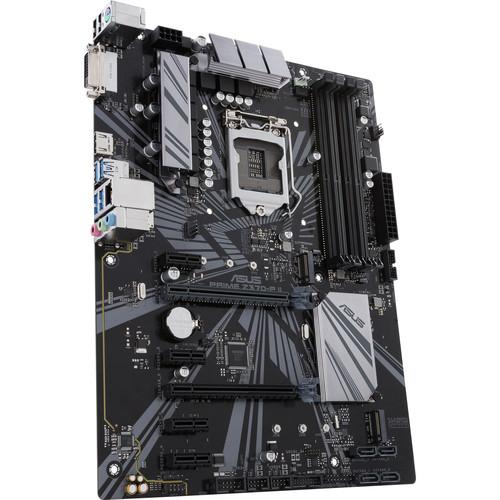 Contents of the user manual for the ASUS Prime Z370-P II LGA 1151
- Product category: Motherboards ASUS
- Brand: ASUS
- Description and content of package
- Technical information and basic settings
- Frequently asked questions – FAQ
- Troubleshooting (does not switch on, does not respond, error message, what do I do if...)
- Authorized service for ASUS Motherboards
 |
User manual for the ASUS Prime Z370-P II LGA 1151 contain basic instructions
that need to be followed during installation and operation.
Before starting your appliance, the user manual should be read through carefully.
Follow all the safety instructions and warnings, and be guided by the given recommendations.
User manual is an integral part of any ASUS product,
and if it is sold or transferred, they should be handed over jointly with the product.
Following the instructions for use is an essential prerequisite for protecting
health and property during use, as well as recognition of liability on the part of the manufacturer
for possible defects should you make a warranty claim. Download an official ASUS user manual in which you will find instructions on how to install, use, maintain and service your product.
And do not forget – unsuitable use of a ASUS product will considerably shorten its lifespan!
|
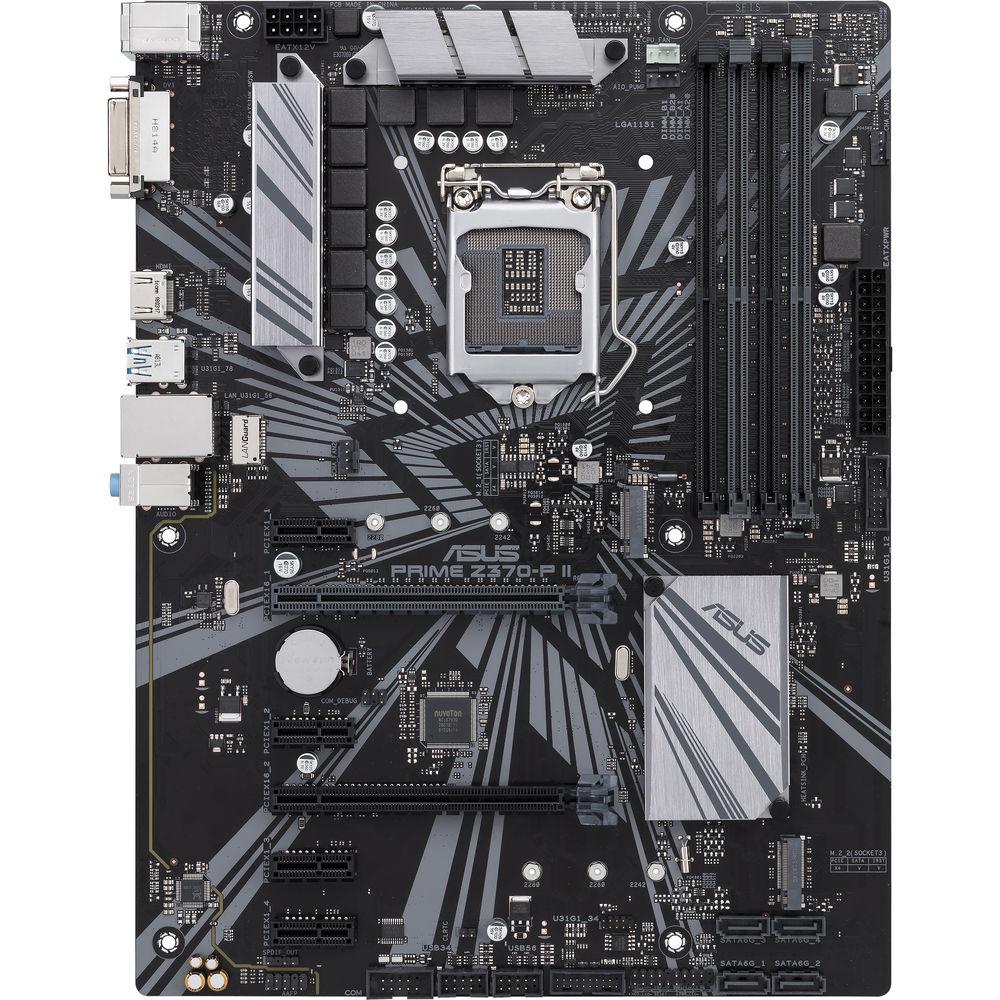
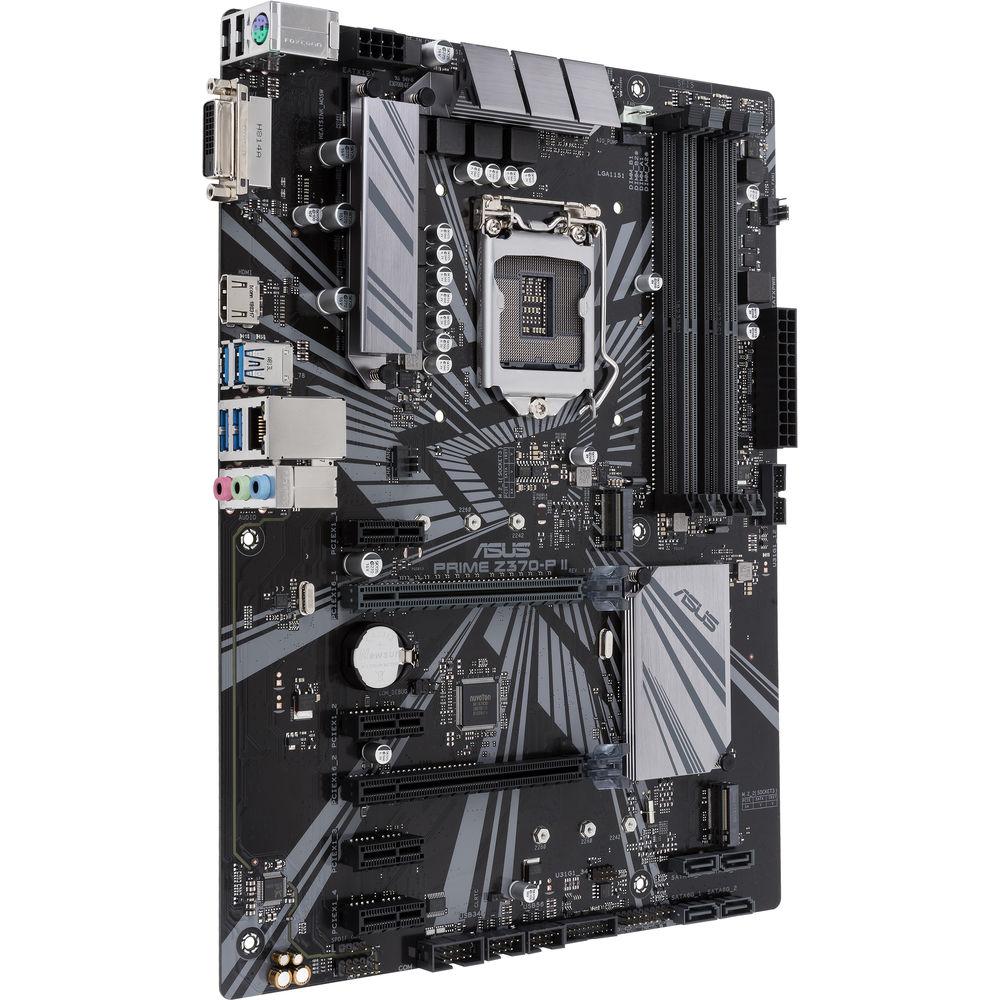
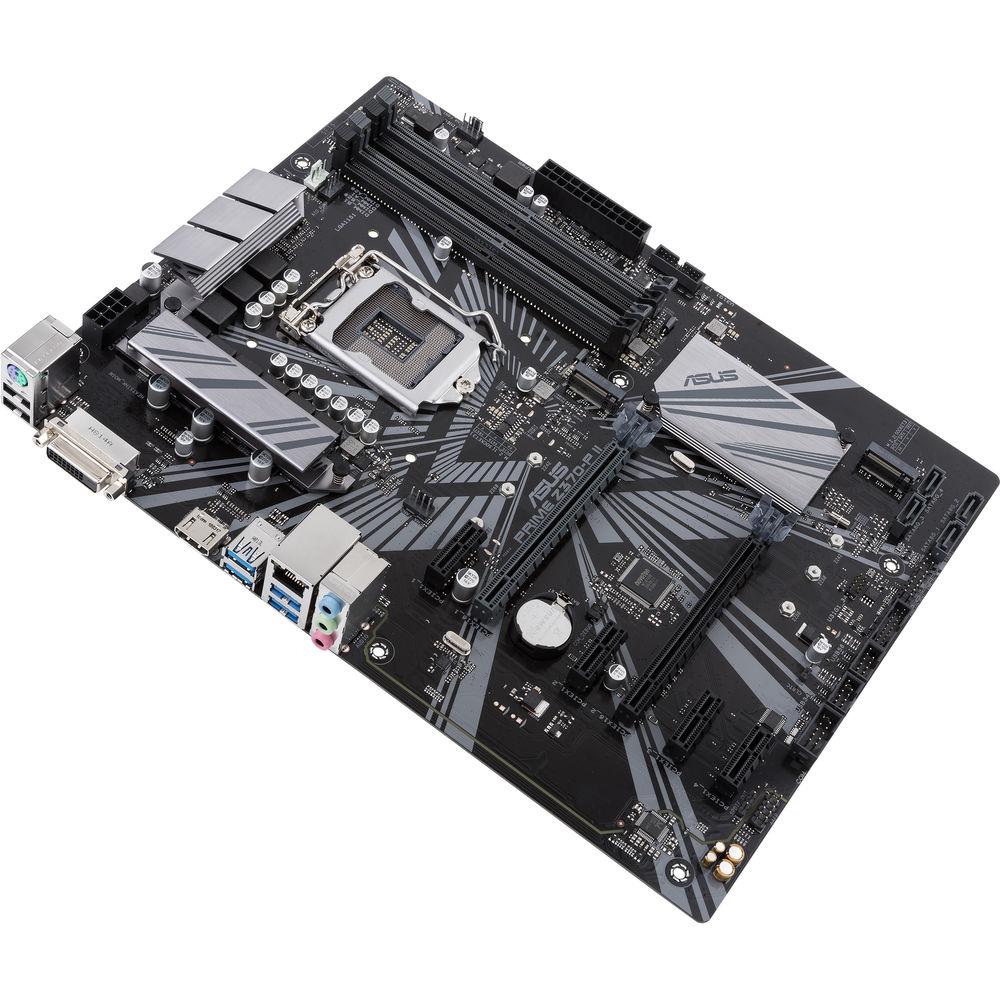
Product description Powered exclusively by 8th Generation Intel Core processors, the Prime Z370-P II LGA 1151 ATX Motherboard from ASUS maximizes connectivity and speed with dual M.2 slots, 5 Gb/s USB 3.1 Gen 1 connectivity, and Intel Optane Memory compatibility. It provides a solid foundation for your first build, plus the flexibility for growth, all of which are backed by automated system tuning, cooling controls, onboard audio, and support for the ASUS Fan Extension Card. This motherboard is designed to fit in ATX sized cases, supports the LGA 1151 socket, the Intel Z370 chipset, and is compatible with Windows 10 (64-bit).
The ATX form factor of the Prime Z370-P II can support up to 64GB of DDR4 RAM over four dual-channel slots, or 16GB per slot at speeds of 4000 (OC), 3866 (OC), 3733 (OC), 3600 (OC), 3466 (OC), 3400 (OC), 3333 (OC), 3300 (OC), 3200 (OC), 3000 (OC), 2800 (OC), 2666 (OC), 2400 (OC), and 2133 MHz non-ECC unbuffered memory. For storage, there are four SATA III 6 Gb/s ports and two M.2 Socket 3, with M key, both of which support type 2242, 2260, and 2280 SATA and PCIe x4 SSDs.
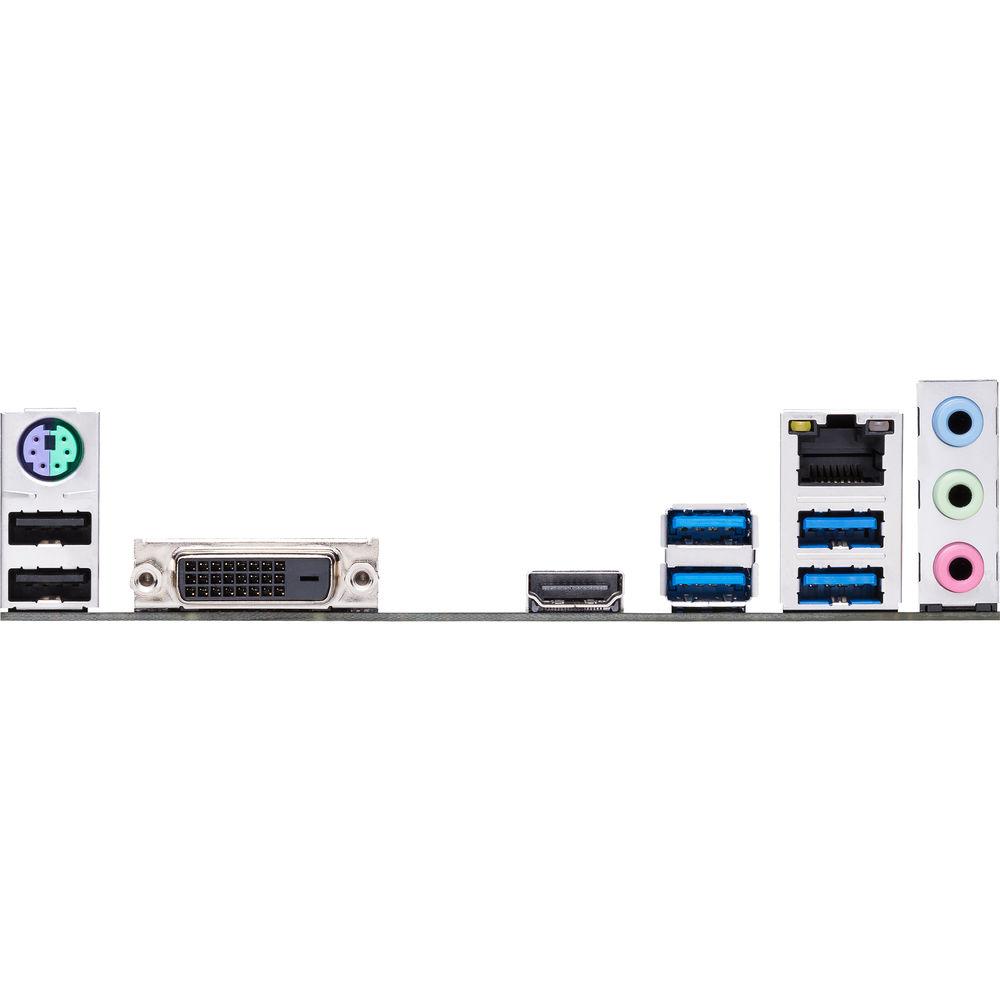
There are also four USB 3.1 Gen 1 Type-A ports (rear panel), two USB 2.0 Type-A ports (rear panel), two USB 3.1 Gen 1 connectors (mid-board) that support four additional 19-pin USB 3.1 Gen 1 ports, and two USB 2.0 connectors (mid-board) that support an additional four USB 2.0 ports. For those looking to expand their system using PCIe, there is one PCIe 3.0/2.0 x16 slot (x16, x8/x4+x4), one PCIe 3.0/2.0 x16 slot (max at x4 mode), and four PCIe 3.0/2.0 x1 slots.
For delivering sharp, clear graphics, this motherboard supports Intel HD Graphics with HDMI and DVI-D outputs. HDMI supports a maximum resolution of 4096 x 2160 at 30 Hz and the DVI-D port supports a maximum resolution of 1920 x 1200 at 60 Hz. Integrated graphics has access to up to 1024MB of shared memory.
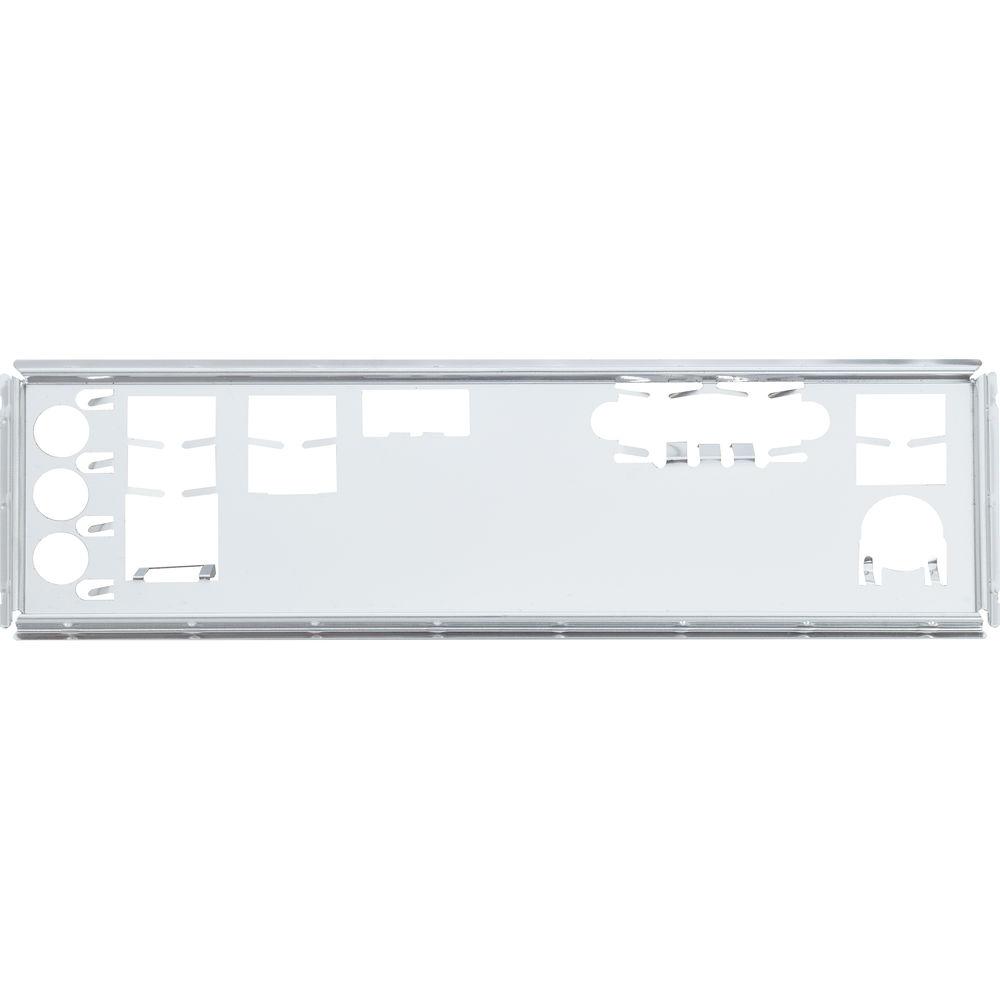
Using the 8-Channel Realtek ALC887 HD audio codec, the Prime Z370-P II can support audio with higher fidelity than standard controllers. Audio can also be output using the integrated three 3.5mm audio outputs or S/PDIF output header. This motherboard is also equipped with features such as SafeSlot, an Energy Processing Unit, Fan Xpert 4 Core, DIGI+ VRM, 5X Protection III, and more. Included is an I/O shield, two SATA III 6 Gb/s cables, and an M.2 screw package. This motherboard is protected by a limited 3-year warranty. General Features Power Delivery Enhancements - Enhanced Power Delivery
- The Prime Z370-P II adjusts power delivery based on the number of power phases, optimizing power and efficiency for Intel processors.
- ProCool Power Connector
- Compared with traditional power inputs, ProCool sockets are built to tight specifications to help ensure flush contact with the PSU power lines. This lowers impedance, which helps to prevent hotspots and connector failure.
- Make Your Memory Go Faster
- ASUS OptiMem preserves memory signal integrity by routing memory traces and vias to the optimal PCB layer, and their T-Topology layout ensures time-aligned signaling by balancing trace lengths between memory slots. These enhancements lead to more headroom for overclocking and improved stability, allowing memory speeds of DDR4-4000 and beyond with all slots populated.
Reliable Stability and Compatibility - 5X Protection III
- Prime series motherboards are engineered with 5X Protection III, employing fine components, excellent circuit design, and exacting standards to guarantee the quality and long-term durability of your motherboard. That means protection and stability for your build.
- SafeSlot Core
- SafeSlot Core is an ASUS-exclusive PCIe slot. Featuring a fortified design that's anchored to the motherboard by a special hook, SafeSlot Core provides greater retention and shearing resistance than standard expansion slots. Prime Z370 motherboards also have strengthened solder points around both the PCIe and DIMM pins.
- LAN Guard
- ASUS LANGuard is hardware-level networking protection that employs signal-coupling technology and premium anti-EMI surface-mounted capacitors to ensure a more reliable connection and better throughput.
- Overvoltage Protection
- An exclusive circuit design with built-in voltage regulators protects your motherboard from damage caused by unexpected high-level voltages from unstable or inferior power supplies.
- DIGI+ VRM
- ASUS-exclusive DIGI+ VRM intelligently delivers power to the processor based on real-time demands, reducing energy waste and improving system stability.
- Stainless-Steel Back I/O
- Corrosion-resistant stainless-steel back I/O panels bonded with chromium oxide assure a lifespan that's longer than ordinary panels.
- 1000+ Compatible Devices and Components
- The compatibility of the Prime Z370-A II is evidenced by ASUS' extensive list of supported devices—which includes thousands of compatible components—and their Qualified Vendor List (QVL) that identifies memory compatibility. It all adds up to more choices for worry-free PC-building experiences.
- 8000+ Validation Hours
- Temperature and Humidity Tests
Ensures components withstand extreme conditions.
Thermal Measurement Tests
Ensures that the system remains cool and stable under the heaviest loads.
Insertion Tests
Every post and connector is put through repeated installation cycles.
Up to 48 Hours of Aging Tests
Up to 48-hour aging test ensures reliability.
Power Consumption Tests
Checked for energy efficiency.
Temperature and DC Margin Tests
Ensures that the motherboard is capable of coping with voltage fluctuations caused by varying temperatures.
Thermal Shock Tests
Ensures the motherboard has the ability to survive temperature changes of -40 to 185°F / -40 to 85°C during transportation.
Non-Operation Shock Tests
Built to withstand jolts that may occur during shipping.
Burn-In Tests
Every component is checked to ensure functional operation.
Installation Tests
Connector placement is double-checked to ensure user-friendly installation.
Drop Tests
Drop tests from various heights help ensure durability.
Salt and Spray Tests
Tested for I/O reliability, prolonged lifespan, and rust resistance. One-Stop Controls - EPU: All-Round Efficiency
- With the Energy Processing Unit, you'll enjoy system-wide power savings. The EPU automatically optimizes power consumption and maximizes savings with Away Mode, a smart setting that creates an extreme energy-saving scenario by shutting down unused I/O controllers.
- Fan Xpert 4 Core
- With the Prime Z370-P II, you have control over fans, water pumps, and even all-in-one (AIO) coolers, all via Fan Expert 4 or the UEFI BIOS. Whether you're cooling with air or water, Auto Tuning Mode intelligently configures all parameters with a single click.
- Cooler by Design
- The Prime Z370-P II features comprehensive cooling controls, configurable via Fan Xpert 4 Core or the UEFI BIOS.
Multiple Temperature Sources
Each header can monitor and react to dedicated thermal sensors.
AIO Pump
A dedicated PWM/DC header for self-contained water-cooling setups.
4-Pin PWM/DC Fan
Each onboard header supports auto-detection of PWM or DC fans.
Smart Protection
A dedicated integrated circuit protects each fan header from over-temperature and over-current. - UEFI BIOS
- The mouse-controllable graphical BIOS has been improved to make it even more appealing. Whether you're a PC novice or a seasoned overclocker, EZ and Advanced modes will help you quickly find your way, quickly and easily.
EZ Tuning Wizard
Quickly apply a CPU overclock to improve system performance, or configure a RAID array for faster data retrieval and backups.
My Favorites
Discover tuning options and add preferred tools to the list. - EZ Mode
- Intuitive Graphical Fan Control
Fine-tune individual fans simply by dragging a curve with the mouse.
EZ XMP
Improve your DRAM performance with a click.
SATA Information
Display SATA port details that help you easily recognize drives.
Fast Clock Adjustment
Use mouse controls to change the time and date. - Advanced Mode
- Last Modified Log
Track last change and save preferred profiles onto a USB drive.
SATA Port Renaming
Rename SATA ports for easy identification. Fast Connectivity - M.2 up to 32 Gb/s
- With PCI Express 3.0/2.0 x4 bandwidth, M.2 supports data transfer speeds of up to 32 Gb/s. It's a good choice for an operating system or application drive, providing fast access to data.
- Intel Optane Memory
- Intel Optane is a non-volatile memory technology supported by Prime Z370-A II. Intel Optane memory modules accelerate attached storage to reduce boot and load times, so everything feels faster and more responsive.
- 5 Gb/s USB 3.1 Gen 1 Front Panel Connector
- ASUS put USB 3.1 Gen 1 right where you need it, with four headers for the front panel. Experience data-transfer speeds up to 10x faster than USB 2.0 with instant plug-and-play connectivity, and avoid back-breaking contortions in the hunt for hard-to-reach rear ports.
Upgraded Audio - Outstanding Audio
- Intelligent design and premium hardware create high-quality audio.
- Audio Shielding
- Separates analog/digital signal domains, significantly reducing multi-lateral interference.
- Separate Layer for Left and Right Tracks
- Helps ensure minimal crosstalk between audio paths.
- Japanese-Made Audio Capacitors
- Premium parts provide an immersive sound signature with exceptional fidelity.
Visual Beauty, Virtual Worlds - Brighten Up Your Build
- Built-in LED lighting options illuminate your build, including PCIe slots and trace paths, in a variety of eye-catching styles.
- Beyond VR Ready
- The Prime Z370-A II isn't just VR ready, it goes beyond. The ASUS Beyond VR Ready marque means that Prime Z370-A II has been tested with loads of components to ensure that your productivity, gaming, and entertainment needs are tuned for maximum performance. ASUS Beyond VR Ready opens up a new way to configure and build your dream system with total confidence.
Intel Design - Intel Z370 Chipset
- The Intel Z370 is a single-chipset design that supports 8th Generation Intel Core LGA 1151 processors. It provides improved performance by utilizing serial point-to-point links, allowing increased bandwidth and stability. Additionally, the Z370 provides a maximum of 10 USB 3.1 Gen 1 ports, six SATA III 6 Gb/s ports, and 32 Gb/s M.2 and PCIe 3.0 lane speed support, for faster data retrieval. Intel Z370 also supports integrated-graphics, so you'll enjoy the great graphics performance.
- Ready for 8th Generation Intel LGA 1151 Core Processors
- This motherboard supports 8th Generation Intel Core processors in the LGA 1151 package, with integrated graphics, memory, and PCI Express controllers to support onboard graphics output with dedicated chipsets, dual-channel (4-DIMM) DDR4 memory, and 16 PCI Express 3.0/2.0 lanes for great performance.
UPC: 192876094235 In the Box ASUS Prime Z370-P II LGA 1151 ATX Motherboard I/O Shield 2 x SATA III 6 Gb/s Cables M.2 Screw Package Limited 3-Year Warranty User Manual PDF 5.6mb More info from ASUS Table of Contents
|
Upload User Manual
Have you got an user manual for the ASUS Prime Z370-P II LGA 1151 ATX Motherboard in electronic form? Please send it to us and help us expand our library of instruction manuals.
Thank you, too, on behalf of other users.
To upload the product manual, we first need to check and make sure you are not a robot. After that, your "Submit Link" or "Upload File" will appear.
Technical parametersASUS PRIME Z370-P II Specs | | | Chipset | Intel Z370 | | CPU Socket | LGA 1151 | | | | USB | 4 x USB 3.1 Gen 1 Type-A
2 x USB 2.0 Type-A | | Display | 1 x DVI-D
1 x HDMI | | Audio | 3 x 3.5 mm | | Ethernet / Controller | 1 x Realtek RTL8111H Gigabit | | PS/2 | 1 x Combo | | Buttons | Clear CMOS | | | | Memory Slots | 4 x 288-Pin | | Memory Support | DDR4 2133, 2400, 2666, 2800, 3000, 3200, 3300, 3333, 3400, 3466, 3600, 3733, 3866, 4000 MHz | | Maximum Capacity | 64 GB | | Channel Architecture | Dual Channel | | | | SATA | 4 x SATA III | | M.2 | 2 x M Key 2242, 2260, 2280 (PCIe 3.0 x4, SATA (Unspecified)) | | U.2 | None | | Optane Memory Support | Yes | | RAID Support | RAID 0, 1, 5, 10 | | | | Expansion Slots | 1 x PCIe 3.0 x16
1 x PCIe 3.0 x16 (x4 mode)
4 x PCIe 3.0 x1 | | USB | 2 x USB 3.1 Gen 1 Header (Supports 4 USB Type-A Ports)
2 x USB 2.0 Header (Supports 4 USB Type-A Ports) | | Multi-GPU Support | AMD CrossFireX | | Air Cooling | 1 x 4-Pin CPU
2 x 4-Pin System | | Liquid Cooling | 1 x 4-Pin Pump | | Power Connectors | 1 x 24-Pin Mainboard
1 x 8-Pin CPU | | Audio | 1 x S/PDIF | | Diagnostics | Clear CMOS | | Legacy | 1 x Parallel | | | | I/O Connection Headers | AAFP | | | | Audio Codec | Realtek ALC887 (8-Channel) | | | | Supported Operating Systems | Windows 10 (64-Bit) | | | | Form Factor | ATX | | Dimensions | 12.0 x 9.1" / 30.48 x 23.11 cm | | | | Package Weight | 2.47 lb | | Box Dimensions (LxWxH) | 13.0 x 10.7 x 2.3" |
Rating100% users recommend this product to others. And what about you?

This product has already been rated by 04 owners. Add your rating and experience with the product.
Discussion
 Ask our technicians if you have a problem with your settings,
or if anything is unclear in the user manual you have downloaded.
You can make use of our moderated discussion.
The discussion is public and helps other users of our website who may be encountering similar problems.
Ask our technicians if you have a problem with your settings,
or if anything is unclear in the user manual you have downloaded.
You can make use of our moderated discussion.
The discussion is public and helps other users of our website who may be encountering similar problems.
The discussion is empty - enter the first post
Post a new topic / query / comment:
|
|
|
| Request for user manual |
You can’t find the operation manual you are looking for? Let us know and we will try to add the missing manual:
I’m looking for a manual / Request for manual
Current requests for instruction manuals:
Call Of Duty World War Two For Xbox...
controller stratus XL...
stratus XL...
smart whatch serie S11 42mm...
Allen & Heath SQ-6 manual...
|
| Discussion |
Latest contributions to the discussion:
AEW R 4100
Name: MAURICIO ANGARITA
Audio-Technica AEW-R4100 UHF Diversity Receiver for
AEW R 4100 has the mute function blocked and does not allow audio to pass. I tried several times to turn off the mute from the transmitter but it does nothing, the mute stays on. Solution?
Thank you...
Instructions for assembling the 2015 Forecast Image Master Consoles GC3-A
Name: mike elam
Forecast Consoles GC3-A ImageMaster Editing Console
Looking for instructions for assembling this console. ...
EMPTY TONER ERROR MESSAGE AFTER REPLACING TONER
Name: LINDA BAD YELLOW EYES
Brother TN223BK Standard-Yield Toner
I HAD TO CHANGE OUT ALL THREE TONERS DUE TO LEAKS IN THE YELLOW AND CYAN. AFTER I REPLACED THEM, THE MACHINE KEEPS GIVING ME AN EMPTY TONER ERROR MESSAGE. HELP!!...
PS480D 20/24 pin Switching 480W Power Supply
Name: swkargo
Logisys 480W Power Supply
This item states in can run -5vdc .It is NOT listed on the board or I beleive is r4 is missing the resitior. Any body have thid issue. Shawn
...
Help needed
Name: Ann Carter
SanDisk 1TB Extreme Portable USB 3.1
When I click the link to download the user manual for my Sandisk Extreme external hard drive, it gives me the manual for the LG Cricket. Can you please change the link so I can download the Sandisk manual and begin using this drive? Thank you....
|
|


