|
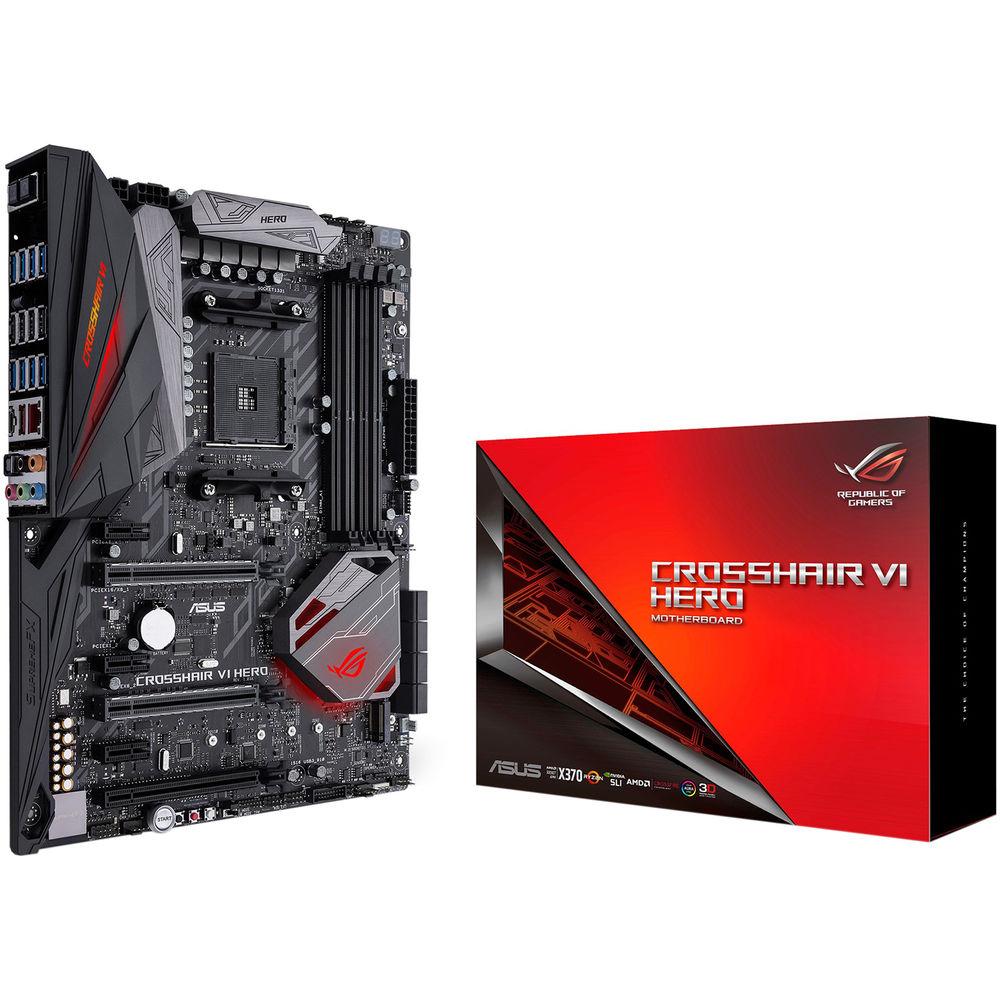
User Manual for ASUS Republic of Gamers Crosshair VI Hero AM4 ATX Motherboard Click to enlarge the picture
 Contents of the user manual for the ASUS Republic of Gamers Crosshair VI
- Product category: Motherboards ASUS
- Brand: ASUS
- Description and content of package
- Technical information and basic settings
- Frequently asked questions – FAQ
- Troubleshooting (does not switch on, does not respond, error message, what do I do if...)
- Authorized service for ASUS Motherboards
 |
User manual for the ASUS Republic of Gamers Crosshair VI contain basic instructions
that need to be followed during installation and operation.
Before starting your appliance, the user manual should be read through carefully.
Follow all the safety instructions and warnings, and be guided by the given recommendations.
User manual is an integral part of any ASUS product,
and if it is sold or transferred, they should be handed over jointly with the product.
Following the instructions for use is an essential prerequisite for protecting
health and property during use, as well as recognition of liability on the part of the manufacturer
for possible defects should you make a warranty claim. Download an official ASUS user manual in which you will find instructions on how to install, use, maintain and service your product.
And do not forget – unsuitable use of a ASUS product will considerably shorten its lifespan!
|
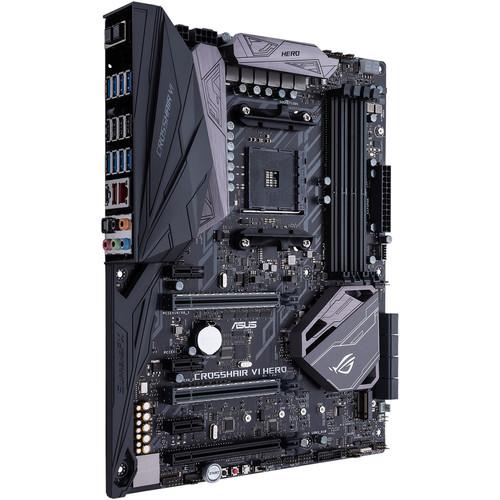
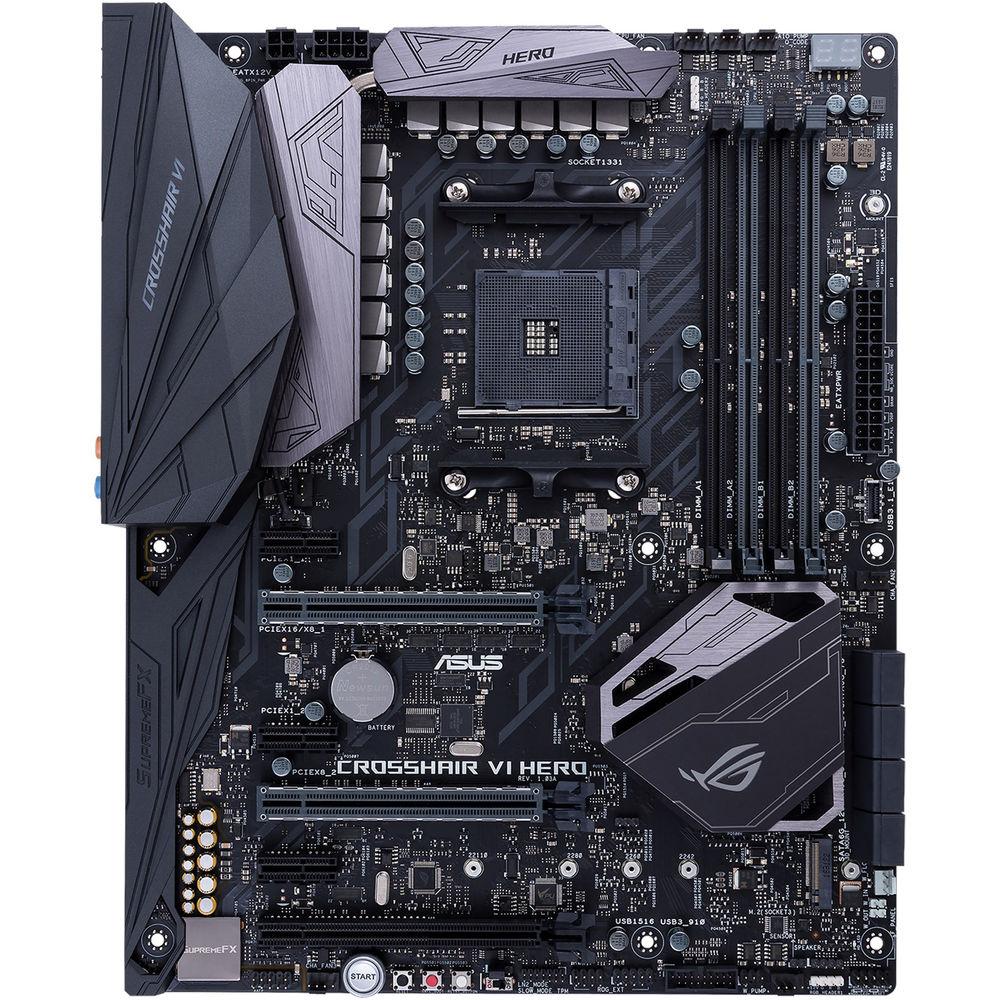
Product description Ready for AMD Ryzen, 7th Generation A-Series, and Athlon processors, the Republic of Gamers Crosshair VI Hero AM4 ATX Motherboard from ASUS provides gamers with ROG's Water-Cooling Zone, Aura Sync RGB LEDs, the SupremeFX S1220 audio codec, 5-Way Optimization, Intel Gigabit Ethernet, USB 3.1 Type-A and Type-C, M.2, and more. This motherboard is designed to fit in ATX sized cases, supports the AM4 socket and the AMD X370 chipset, and compatible with Windows 10 (64-bit). It is also ready for VR (virtual reality).
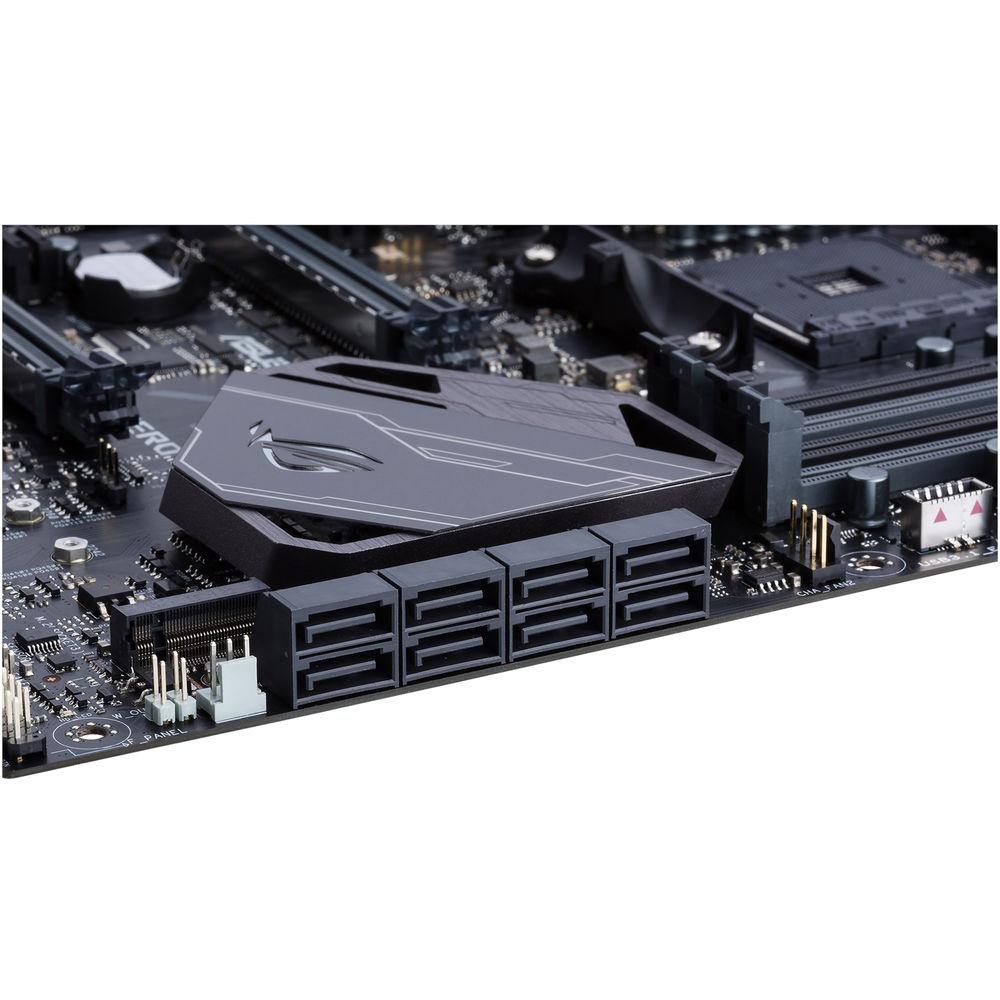
The ATX form factor of the Crosshair VI Hero can support 64GB of RAM, with Ryzen processors supporting memory speeds of 3200 (OC), 2666, 2400, and 2133 MHz, and A-Series and Athlon processors supporting speeds of 2400 and 2133 MHz. Four dual-channel DIMM slots can each hold 16GB of DDR4 non-ECC and unbuffered memory, for a total of up to 64GB. It also has a total of 8 x SATA III 6 Gb/s ports that support RAID 0, 1, and 10 and 1 x M.2 Socket 3 connector. While all compatible processors support Type 2242, 2260, 2280, and 22110 SSDs, Ryzen processors support PCIe 3.0 x4 and SATA drives, while A-Series and Athlon processors only support SATA drives.
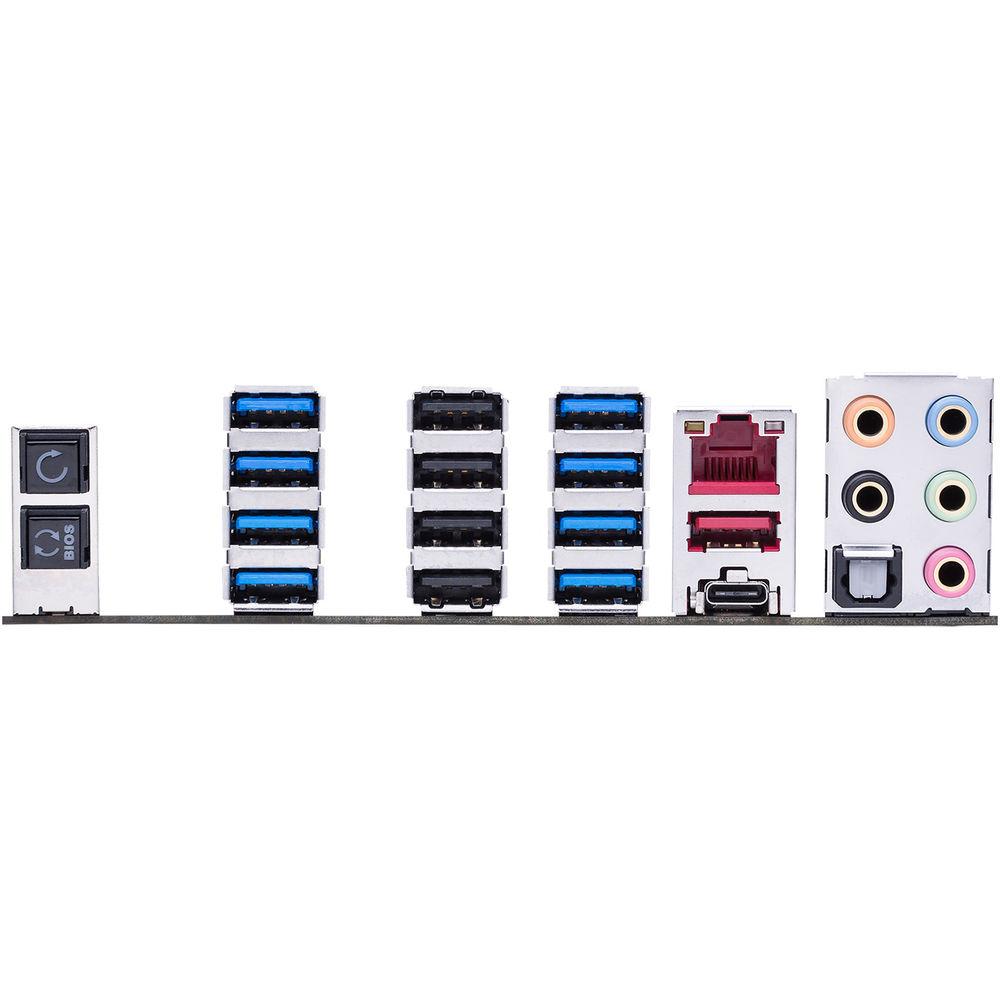
There are also a total of four USB 3.0 ports (back panel), one USB 3.1 front panel connector, six USB 3.0 ports (four at the back panel, 2 at mid-board), six USB 2.0 ports (four at the back panel, 2 at mid-board), one USB 3.1 Type-A port (back panel), and one USB 3.1 Type-C port (back panel). For those looking to expand their system using PCIe, there are three PCIe 2.0 x1 slots and one PCIe 2.0 x16 slot (max. at x4 mode). Additionally, Ryzen processors support two PCIe 3.0/2.0 x16 slots (x16 or dual x8) and A-Series/Athlon processors support one PCIe 3.0/2.0 x16 slot (x8 mode).
The Crosshair VI Hero does not contain any support for integrated graphics, meaning that users will need to purchase a dedicated GPU. Once that GPU is installed, multi-GPU output is supported, with NVIDIA 2-Way SLI technology and AMD CrossFireX technology.
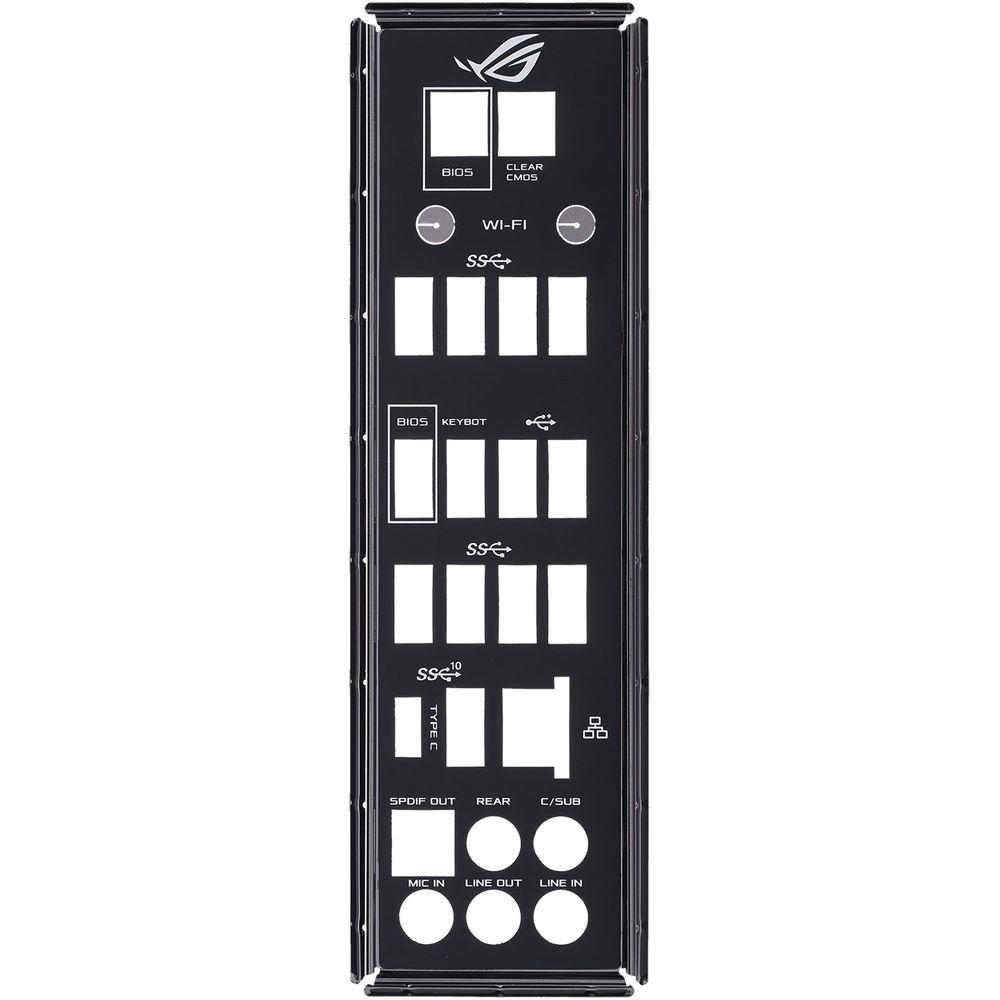
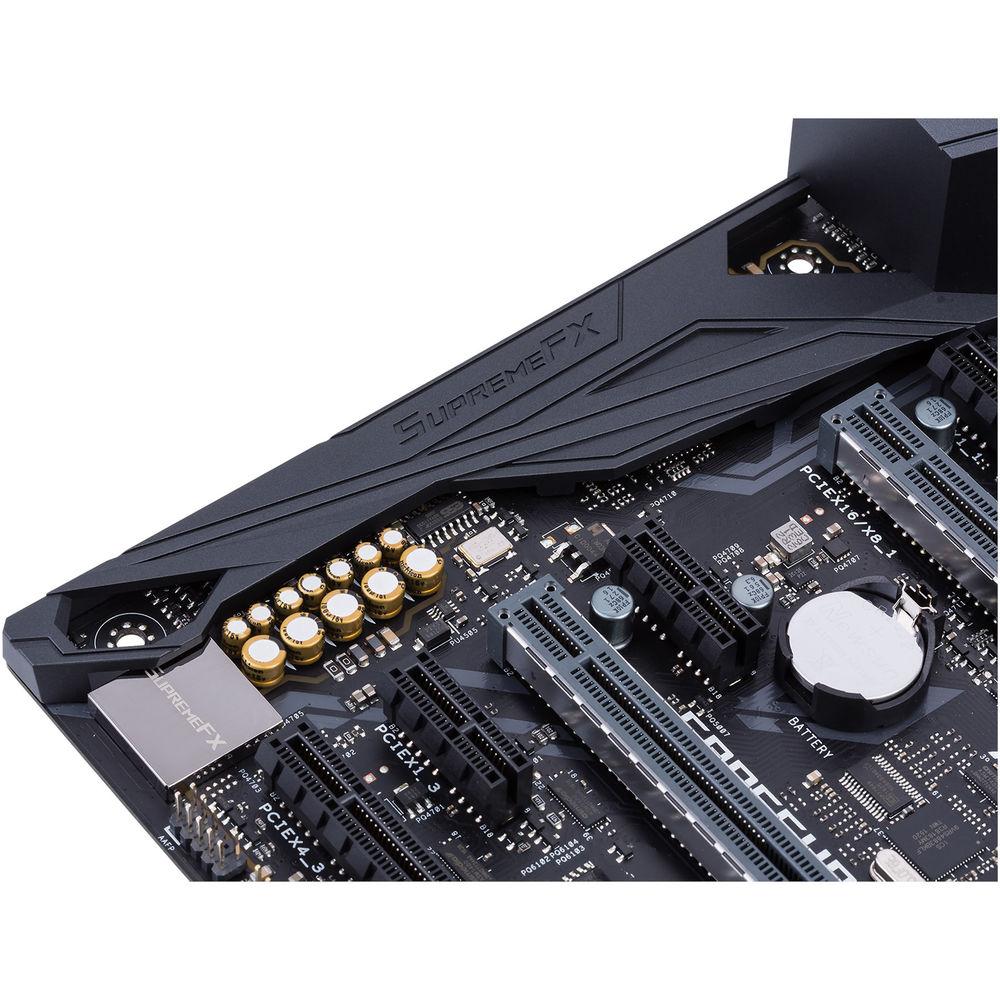
Using the ROG SupremeFX 8-Channel HD S1220 audio codec, the Crosshair VI Hero can support 120 dB SNR stereo playback output and 113 dB SNR input support. Audio can also be output using the integrated five audio jacks or one S/PDIF jack. ASUS' Republic of Gamers Crosshair VI Hero AM4 ATX Motherboard is equipped with features such as Fan Xpert 4, Sonic Studio III, Sonic Radar III, Pro Clock technology, UEFI BIOS, SafeSlot, ESD guards, DRAM overcurrent protection, and more. Included are an ASUS Q-Shield, four SATA III cables, an M.2 screw package, an SLI Bridge, an ROG big sticker, a Q-Connector, a 10-in-1 ROG cable label, an RGB extension cable, a 3D printing mount package, and an ROG coaster. This motherboard is protected by a limited 3-year warranty. General Features Crosshair VI Hero - Hollow Heatsink
- ASUS' heatsink is engineered with a perforated design for improved heat dissipation. On its top are angled facets that allow light from the platform controller hub to penetrate through.
Dominate Your Water Cooling System - ROG Water Cooling Zone
- ROG's Water Cooling Zone lets you monitor your cooling system with dual water-temperature headers and flow-rate header feed information straight into ROG's Fan Xpert 4 utility. A W_Flow Tachometer allows for constant monitoring of the flow rate for the entire loop and a W_In/Out T-Sensor allows for monitoring of temperatures at the input/output of any component.
Extended Compatibility - Ready for AM4 or AM3 Coolers
- The ROG Crosshair VI Hero has special mounting holes that are compatible with any AM4 or AM3 cooler/LN2 pot.
Gaming Lighting - Aura Lighting Control
- Customize your own favorite LED effects with Aura, the lighting-control software, to cast a multi-color glow across your build via the ROG Crosshair VI Hero's built-in RGB LEDs or attached RGB strips via the two onboard 4-pin headers.
- ASUS Aura Sync Technology
- ASUS Aura Sync technology makes ROG Crosshair VI Hero the control hub for your illumination ambitions, so it's easy to synchronize lighting effects between compatible components, including RGB LED strips, graphics cards, keyboards, and even mice. Change all LEDs in unison or employ dynamic modes to flow the illumination effects smoothly across all synchronized devices.
Gaming Audio - Supreme FX Codec
- ROG's SupremeFX audio technology has leveled up, delivering a 113 dB signal-to-noise ratio on the line-in connection and 120 dB on line-out. They've also added a low-dropout regulator for cleaner power delivery to the SupremeFX S1220 codec, an ESS Sabre Hi-Fi ES9023P digital-to-analog converter for improved front-panel output, and a Texas Instruments RC4580 op-amp for high gain with low distortion.
- Switching MOSFETs
- Its design allows the codec's impedance-sensing function to be ported with either the front or rear headphone outputs.
- Nichicon Capacitors
- Deliver high quality sound resolution and expansion for especially warm and natural audio.
- High-Precision Clock Source
- High-accuracy timing technology helps ensure low jitter, even when temperatures fluctuate.
- ESS ESS9023P Digital-to-Analog Converter
- Creates a good balance for audio clarity capable of -94 dB THD.
- RC4580 Buffer
- Provides the current and voltage for true-to-life tonality and spacious sound imaging.
- Durable Gold-Plated Audio Connectors
- Distortion-free for enhanced audio-signal input and output.
- SupremeFX S1220 Codec
- 10 DAC channels, simultaneous 7.1-channel playback, independent 2.0-channel and multiple-stream stereo to front-panel outputs.
Audio Tuning Suite - Sonic Studio III
- ROG's Sonic Studio III audio effects station has been updated with a routing feature to port streams to different outputs, as well as app-level preferences for instant audio profiles and improved noise filtering for conversations with total clarity.
- App-Specific Profiles
- Apply customized audio settings to different applications, so everything you do is tuned to the way you want to listen.
- Noise Filter
- Automatically detects and eliminates unwanted background noises, ensuring that communications are loud and clear.
Scan and Detect - Sonic Radar III
- Sonic Radar III has been improved with an evolved audio engine that processes sounds more accurately, ensuring you're aware of what's going on around you. An on-screen arrow has also been added to help you pinpoint the enemy's position.
- Improved Audio Algorithm
- The Sonic Radar III audio algorithm is now even more accurate, allowing enemies to be located with precision, regardless of the surrounding noise and chaos.
- 3D Engine
- Sonic Radar III is built around its head-up display with an in-game three-dimensional arrow for a more intuitive experience.
- Audio Boost
- The Audio Boost feature now allows enhanced audio to be heard directly.
- Audio Rader
- Redesigned radar, based on adjustable sectors (4-16), makes the enemies' position clearer and more direct.
3D Printing Friendly - Make It Your Own
- ASUS supports 3D printing, making it easy to customize your motherboard's appearance and improve system performance with a range of printable parts.
- 3D Mount for Easy Installation
- Dedicated 3D mounts on the motherboard makes fitting 3D-printed parts easy. Using the same screws as M.2 drives and standard motherboard mounting holes, you can easily add nameplates, cable covers, or an M.2 fan holder which helps keep temperatures low for improved performance and longevity.
- 3D-Printable Accessories
- As system parts are visible in custom PC builds, make yours stand out from the competition with 3D-printed accessories.
- 2-Way SLI HB Bridge Cover
- Clip the cover onto the PCB SLI HB bridge to add style to your build. Multiple form factors - eATX, ATX, and mATX - are available.
- Fan Grill
- Add a little extra style to your build.
- Cable Combs
- Keep cables organized with the multi-connector design. 3D design files are available for 24-pin, 8-pin, 8 + 6-pin, 6-pin, and 4-pin PSU connectors.
- ROG Fonts
- Use ROG font files to print letters, then fully customize your build by adding your name or any other word or phrase.
- ROG Keychain
- Print a 3D keychain.
Gaming Performance - OC Design - ASUS Pro Clock Technology
- A dedicated base-clock generator designed for AM4 processors allows overclocked base clock frequencies up to or beyond 158 MHz. This custom solution works in tandem with the ASUS TurboV Processing Unit (TPU) to enhance voltage and base-clock overclocking control.
- DDR4 Overclocking - Third-Generation ASUS T-Topology
- With support for DDR4 memory, you're able to drive memory frequencies up to 3200 MHz and beyond when overclocked. ASUS-exclusive T-Topology circuit design plus OC Socket provides memory-overclocking capabilities to unleash the full power of DDR4 by minimizing coupling noise and signal reflection. With equidistant memory channels, it delivers balanced control and powerful overclocking compatibility. ASUS works with almost every DDR4 memory vendor to ensure compatibility.
- One-Click Overclocking
- You don't need to be an expert to max out gaming performance on your ROG Crosshair VI Hero because 5-Way Optimization sorts all the complex settings with a click, for instant, highly controllable performance boosts. ROG technology dynamically optimizes essential aspects of your system, based on real-time use, so you get superb CPU performance, everyday energy savings, stable digital power, cool and quiet fans, and networking settings that are tailored for the apps that you are using.
- CPU Performance Boost
- Crank up your PC instantly with the ASUS AI Suite 3 utility. The TurboV Processing Unit offers precise voltage control and advanced monitoring for the CPU and the graphics card, enabling the freedom to adjust CPU frequencies and ratios for optimized performance.
- Energy Efficiency
- With the Energy Processing Unit (EPU), you'll enjoy real-time, system-wide power savings. The EPU automatically detects and adjusts power consumption according to your rig's needs. It will also reduce CPU wattage to a set level and deliver even more savings with Away mode, creating an energy-saving scenario that shuts down unused I/O controllers and reduces the power consumption of the graphics card.
- Fan Controls
- Play quieter and cooler with advanced fan and water-pump controls. With onboard thermal sensors and hardware-level 4-pin/3-pin PWM/DC mode detection, Fan Xpert 4 makes sure every fan achieves a balance of cooling performance and low noise.
- Precise Digital Power Control
- To go faster than fast you need accurate power control, so the ROG Crosshair VI Hero motherboard is kitted out with ASUS Digi+ Power Control for maxed-out overclocking potential, enhanced system stability, and power efficiency. Digi+ Power Control is fully compliant with Intel's IMVP8 specifications, for smoother and safer power.
- Game Faster, Rank Higher
- ASUS' Turbo App is the intuitive tuning panel to boost everything, including overclocking your CPU and prioritizing game data across your network.
- UEFI BIOS
- The mouse-controlled graphical BIOS has been improved. Whether you're a PC novice or a seasoned overclocker, the EZ and Advanced modes help you find your way, quickly and easily.
- EZ Mode
- EZ Tuning Wizard
OC and RAID. Select your hardware and apply different scenarios and tune system performance, or streamline your RAID configuration for faster data retrieval and backups.
Intuitive Graphical Fan Control
Fine-tune individual fans simply by dragging a curve with the mouse.
SATA Information
View SATA port details for easy device recognition.
Fast Clock Adjustment
Use mouse controls to change the time and date. - Advanced Mode
- My Favorites
Quickly find tuning options and add preferred tools to the list.
EZ Flash 3
Flash the BIOS via the Internet from within the BIOS.
SMART
Check up your storage devices' Self-Monitoring, Analysis, and Reporting Technology logs to gauge reliability and to identify potential failures.
GPU Post
Automatically detect selected ASUS graphics cards to view detailed information.
Secure Erase
Restore your SSD to factory-fresh conditions.
Last Modified Log
Track last changes and save preferred profiles onto a USB drive.
SATA Port Renaming
Rename SATA ports for easy identification. - USB BIOS Flashback
- Refresh your BIOS in a flash, even when the system is off.
- Digitally-Controlled Power
- ROG's digital power controller now delivers even finer power, with Texas Instruments NexFET MOSFETs, MicroFine alloy chokes, a Digi+ PWM controller, and 10K black metallic capacitors, helping to ensure Extreme Engine Digi+ delivers smooth core voltages.
Gaming Connectivity - USB 3.1 Front-Panel Connector
- USB Type-C is the future-proof reversible connector, and ROG Crosshair VI Hero lets you put the connection right where it's needed. With an onboard USB 3.1 front panel connector you can position a USB Type-C port on your system's front panel, so it's always within reach.
- USB 3.1 Type-A + Type-C
- Onboard USB 3.1 ports deliver speeds up to 10 Gb/s.
- PCIe Gen 3.0 x4 with M.2 Support
- PCIe Gen 3.0 x4 supports M.2 drives and speeds up to 32 Gb/s.
Gaming Networking - Intel Gigabit Ethernet
- The ROG Crosshair VI Hero features Intel's I211-AT Ethernet controller for faster, smoother gaming. Intel's LAN has the double advantage of reducing CPU overhead and offering high TCP and UDP throughput, so there's more power for your game and your gameplay.
- LANGuard
- LANGuard means safer and more reliable connections for your battles. Advanced signal-coupling technology and surface-mounting processes join forces to protect your ROG Crosshair VI Hero's connection, plus electrostatically guarded and surge-protected components (ESD Guards) provide greater tolerance to static electricity and surges.
- GameFirst IV
- GameFirst IV optimizes network traffic for faster, lag-free online gaming, and now they've added Multi-Gate Teaming to team up to four networks for increased bandwidth and smooth gameplay. You'll also enjoy the Intelligent mode, which automatically compiles a database by parsing new app data to ensure that every game is optimized for performance.
Gaming Protection - SafeSlot
- As a gamer, you demand stability and durability, so ROG integrates long-lasting, premium components, plus smart DIY designs across the board.
- ESD Guards
- Greater electrostatic protection covers the USB, audio, and LAN ports.
- TrueVolt USB
- Two dedicated USB power supplies provide a steady 5V to all USB ports, minimizing power fluctuations for minimal data loss.
- Q-Connector
- One piece makes it easy to sort front-panel cables.
- Q-Slot
- One clip makes it easy to swap or secure your graphics card.
- Q-DIMM
- One-sided clips provide a secure handling of memory modules.
- DRAM Overcurrent Protection
- An additional resettable fuse protects connection ports and DRAM against overcurrent and short-circuit damage.
- Black Nickel-Coated Q-Shield
- Helps protect your hands from nicks and cuts.
ROG Gives You More - Overwolf
- An unobtrusive overlay keeps you in the game and allows you to browse the web, email, IM, stream, or record while you play. The overlay is dressed in color-matched ROG skins.
- ROG Clone Drive
- The ROG Clone Drive is a smart, convenient cloning solution that quickly and efficiently replicates hard drives or SSDs. Clone Drive is so smart that it can clone one drive to two target drives at the same time, or quickly image any file from your disk.
- RAMCache II
- ROG's uniquely intelligent technology effectively caches an entire storage device so that your favorite games and apps launch quickly, going to work the moment it's activated.
- Keybot II
- Get a free keyboard upgrade from an advanced microprocessor and user interface. Record macros directly from the keyboard, switch profiles in moments, enable special functions with hotkeys from F1-F10, start and even boost your PC from shutdown (S5 mode).
- VR Ready
- The ROG Crosshair VI Hero is ready to VR, and the ASUS ROG Beyond VR Ready marque means that ROG Crosshair VI Hero has been tested to ensure that your productivity, gaming, and entertainment needs are tuned for performance after you've taken off the headset. ASUS Beyond VR Ready opens up a new way to configure and build your system.
The Power of AMD - Ready for AMD AM4 Socket Ryzen, 7th Generation A-Series APUs, and Athlon CPUs
- This motherboard supports AMD Ryzen processors, 7th Generation A-series accelerated processing units (APUs), and Athlon CPUs. The high-performance Ryzen processor supports up to eight cores, and is based on Zen core architecture. The 7th Generation A-Series APUs feature integrated AMD Radeon R-series graphics. AMD AM4-socket processors feature dual-channel DDR4 memory, native 5 Gb/s USB 3.0, and 16 PCI Express 3.0/2.0 lanes for superb performance.
- AMD X370 Chipset
- The AMD X370 chipset delivers strong overclocking capabilities for AMD AM4-socket Ryzen processors, 7th Generation A-Series APUs, and Athlon APUs. It is optimized for multiple GPU configurations including NVDIA SLI and AMD CrossFireX. It also provides two 10 Gb/s USB 3.1 ports and eight SATA III 6 Gb/s ports for faster data retrieval.
UPC: 889349660249 In the Box ASUS Republic of Gamers Crosshair VI Hero AM4 ATX Motherboard ASUS Q-Shield 4 x SATA III 6 Gb/s Cable 1 x M.2 Screw Package 1 x SLI HB Bridge (2-Way-M) 1 x ROG big sticker 1 x Q-Connector 1 x 10-in-1 ROG Cable Label 1 x Extension Cable for RGB Strips (31.5" / 80.0cm) 1 x 3D Printing Mount Package 1 x ROG Coaster Limited 3-Year Warranty User Manual PDF 7.8mbdcvtbzbqaqtesbyfbtfxdxtqut More info from ASUS Table of Contents
|
Upload User Manual
Have you got an user manual for the ASUS Republic of Gamers Crosshair VI Hero AM4 ATX Motherboard in electronic form? Please send it to us and help us expand our library of instruction manuals.
Thank you, too, on behalf of other users.
To upload the product manual, we first need to check and make sure you are not a robot. After that, your "Submit Link" or "Upload File" will appear.
Technical parametersASUS Crosshair VI Hero AM4 Specs | | | Chipset | AMD X370 | | CPU Socket | AM4 | | | | USB | 4 x USB 3.1 Gen 1 Type-A
4 x USB 2.0 Type-A
1 x USB 3.1 Gen 2 Type-A
1 x USB 3.1 Gen 2 Type-C | | Display | None | | Audio | 5 x 3.5 mm
1 x S/PDIF | | Ethernet / Controller | 1 x Intel 1211AT Gigabit | | Buttons | BIOS Flashback, Clear CMOS | | | | Memory Slots | 4 x 288-Pin | | Memory Support | DDR4 2133, 2400, 2666, 3200 MHz | | Maximum Capacity | 64 GB | | Channel Architecture | Dual Channel | | ECC Support | Non-ECC, ECC Unbuffered | | | | SATA | 8 x SATA III | | M.2 | 1 x M Key 2242, 2260, 2280, 22110 (PCIe 3.0 x4, SATA III) | | U.2 | None | | RAID Support | RAID 0, 1, 10 | | | | Expansion Slots | 2 x PCIe 3.0 x16
1 x PCIe 2.0 x16 (x4 mode)
3 x PCIe 2.0 x1 | | USB | 1 x USB 2.0 Header (Supports 2 USB Type-A Ports)
1 x USB 3.1 Gen 1 Header (Supports 2 USB Type-A Ports) | | Multi-GPU Support | 3-Way AMD CrossFireX
2-Way NVIDIA SLI | | Air Cooling | 2 x 4-Pin CPU
3 x 4-Pin System
1 x Thermal Sensor | | Liquid Cooling | 2 x 4-Pin Pump
3 x Water Temperature Sensor
1 x Water Flow-Rate Sensor | | Power Connectors | 1 x 8-Pin CPU
1 x 4-Pin CPU
1 x 24-Pin Mainboard | | Security | TPM Module | | LED Header | 2 x RGB | | Diagnostics | LN Mode, Power, Reset, ReTry, Safe Boot, Slow Mode | | Add-On | 1 x ROG Extension (ROG_EXT) Header | | | | I/O Connection Headers | AAFP, USB 3.1 | | | | Audio Codec | SupremeFX S1220A (8-Channel) | | | | Supported Operating Systems | Windows 10 (64-Bit) | | | | Form Factor | ATX | | Dimensions | 12.0 x 9.6" / 30.5 x 24.4 cm | | | | Package Weight | 5.15 lb | | Box Dimensions (LxWxH) | 14.6 x 11.6 x 3.1" |
Rating100% users recommend this product to others. And what about you?

This product has already been rated by 03 owners. Add your rating and experience with the product.
Discussion
 Ask our technicians if you have a problem with your settings,
or if anything is unclear in the user manual you have downloaded.
You can make use of our moderated discussion.
The discussion is public and helps other users of our website who may be encountering similar problems.
Ask our technicians if you have a problem with your settings,
or if anything is unclear in the user manual you have downloaded.
You can make use of our moderated discussion.
The discussion is public and helps other users of our website who may be encountering similar problems.
The discussion is empty - enter the first post
Post a new topic / query / comment:
|
|
|
| Request for user manual |
You can’t find the operation manual you are looking for? Let us know and we will try to add the missing manual:
I’m looking for a manual / Request for manual
Current requests for instruction manuals:
Call Of Duty World War Two For Xbox...
controller stratus XL...
stratus XL...
smart whatch serie S11 42mm...
Allen & Heath SQ-6 manual...
|
| Discussion |
Latest contributions to the discussion:
AEW R 4100
Name: MAURICIO ANGARITA
Audio-Technica AEW-R4100 UHF Diversity Receiver for
AEW R 4100 has the mute function blocked and does not allow audio to pass. I tried several times to turn off the mute from the transmitter but it does nothing, the mute stays on. Solution?
Thank you...
Instructions for assembling the 2015 Forecast Image Master Consoles GC3-A
Name: mike elam
Forecast Consoles GC3-A ImageMaster Editing Console
Looking for instructions for assembling this console. ...
EMPTY TONER ERROR MESSAGE AFTER REPLACING TONER
Name: LINDA BAD YELLOW EYES
Brother TN223BK Standard-Yield Toner
I HAD TO CHANGE OUT ALL THREE TONERS DUE TO LEAKS IN THE YELLOW AND CYAN. AFTER I REPLACED THEM, THE MACHINE KEEPS GIVING ME AN EMPTY TONER ERROR MESSAGE. HELP!!...
PS480D 20/24 pin Switching 480W Power Supply
Name: swkargo
Logisys 480W Power Supply
This item states in can run -5vdc .It is NOT listed on the board or I beleive is r4 is missing the resitior. Any body have thid issue. Shawn
...
Help needed
Name: Ann Carter
SanDisk 1TB Extreme Portable USB 3.1
When I click the link to download the user manual for my Sandisk Extreme external hard drive, it gives me the manual for the LG Cricket. Can you please change the link so I can download the Sandisk manual and begin using this drive? Thank you....
|
|


