|
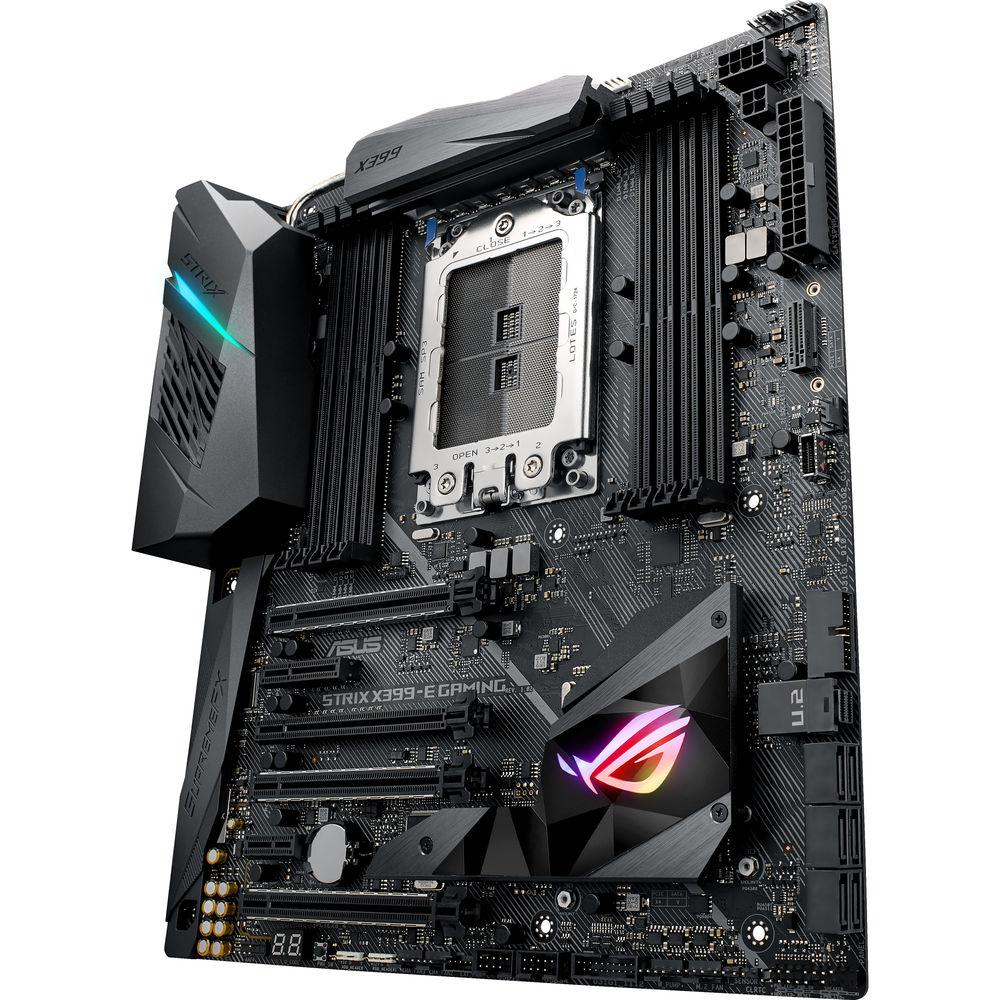
User Manual for ASUS Republic of Gamers Strix X399-E Gaming TR4 Extended ATX Motherboard Click to enlarge the picture
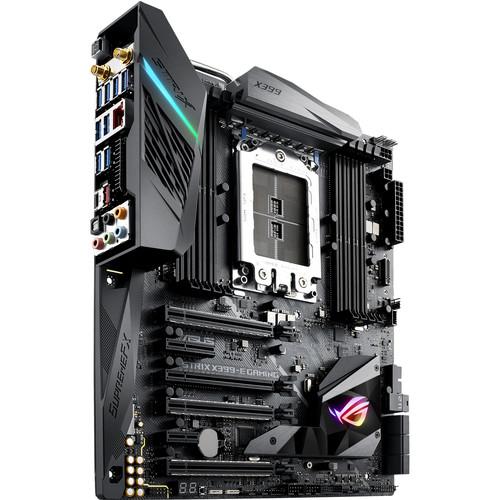 Contents of the user manual for the ASUS Republic of Gamers Strix X399-E
- Product category: Motherboards ASUS
- Brand: ASUS
- Description and content of package
- Technical information and basic settings
- Frequently asked questions – FAQ
- Troubleshooting (does not switch on, does not respond, error message, what do I do if...)
- Authorized service for ASUS Motherboards
 |
User manual for the ASUS Republic of Gamers Strix X399-E contain basic instructions
that need to be followed during installation and operation.
Before starting your appliance, the user manual should be read through carefully.
Follow all the safety instructions and warnings, and be guided by the given recommendations.
User manual is an integral part of any ASUS product,
and if it is sold or transferred, they should be handed over jointly with the product.
Following the instructions for use is an essential prerequisite for protecting
health and property during use, as well as recognition of liability on the part of the manufacturer
for possible defects should you make a warranty claim. Download an official ASUS user manual in which you will find instructions on how to install, use, maintain and service your product.
And do not forget – unsuitable use of a ASUS product will considerably shorten its lifespan!
|
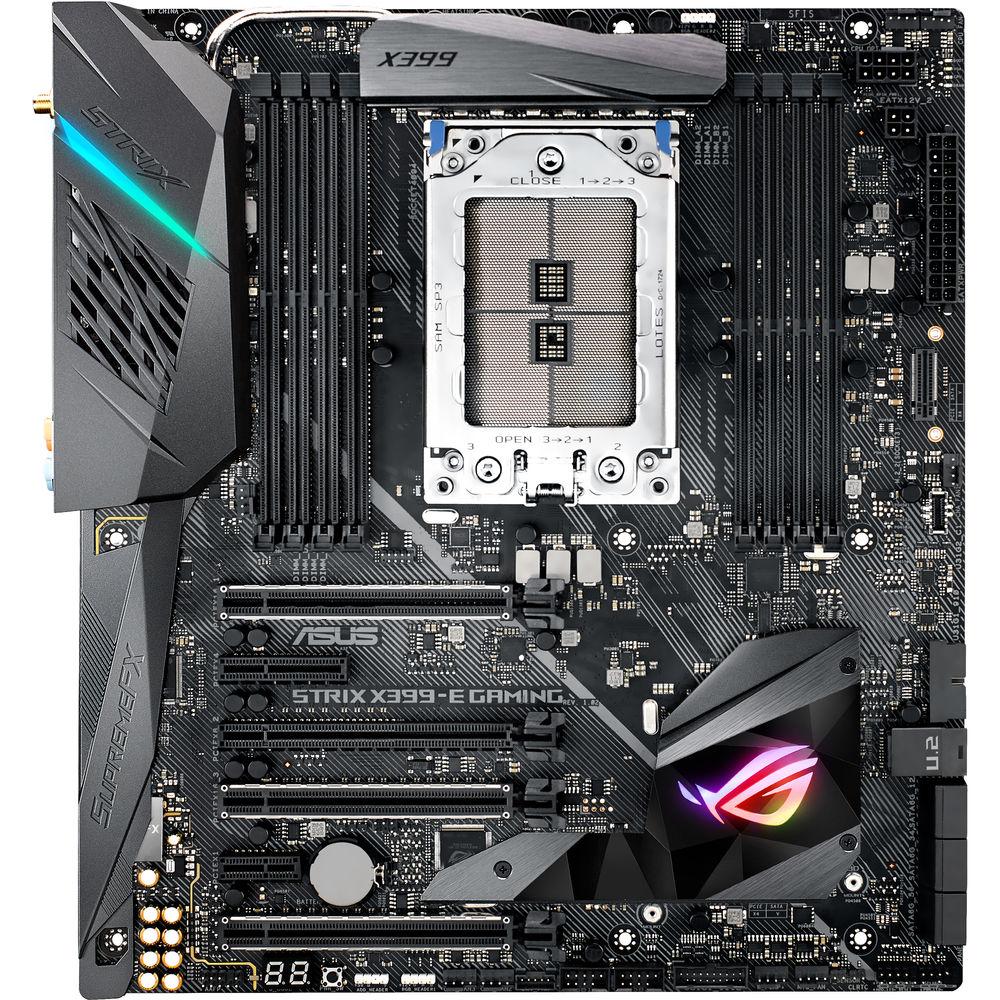
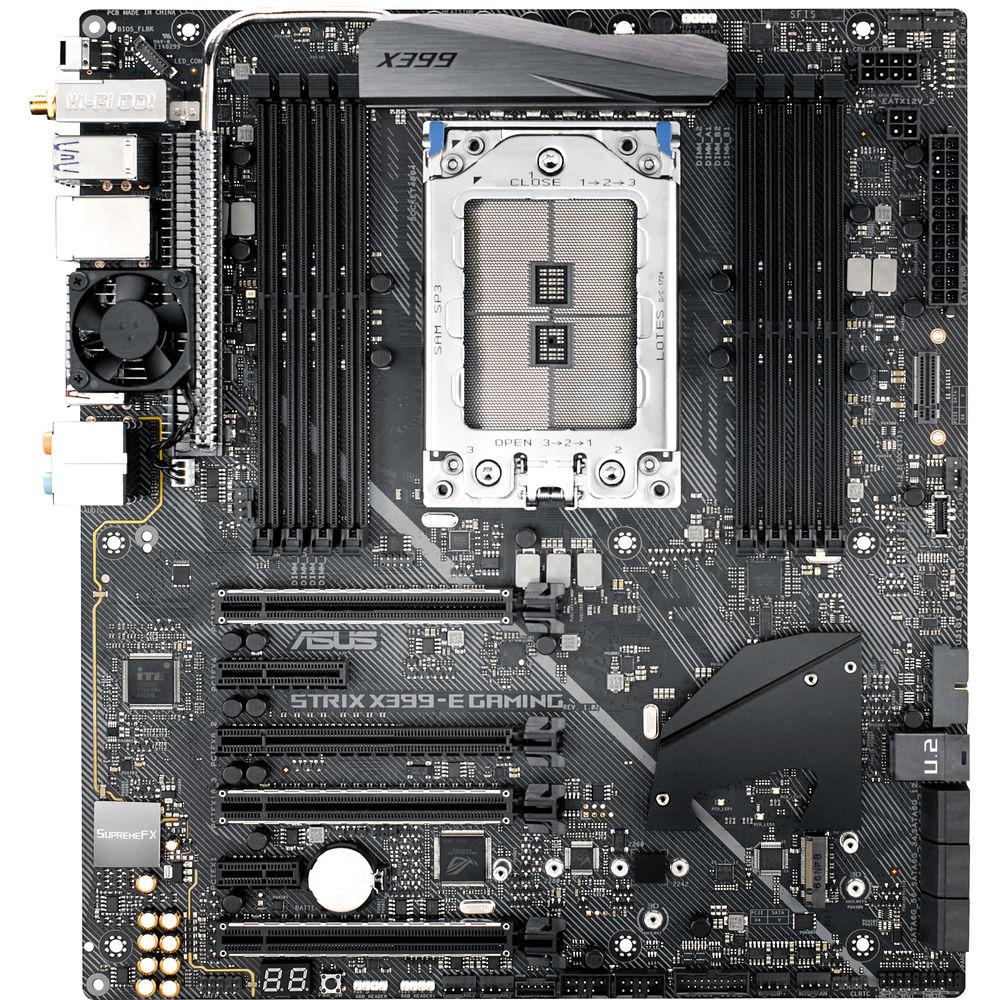
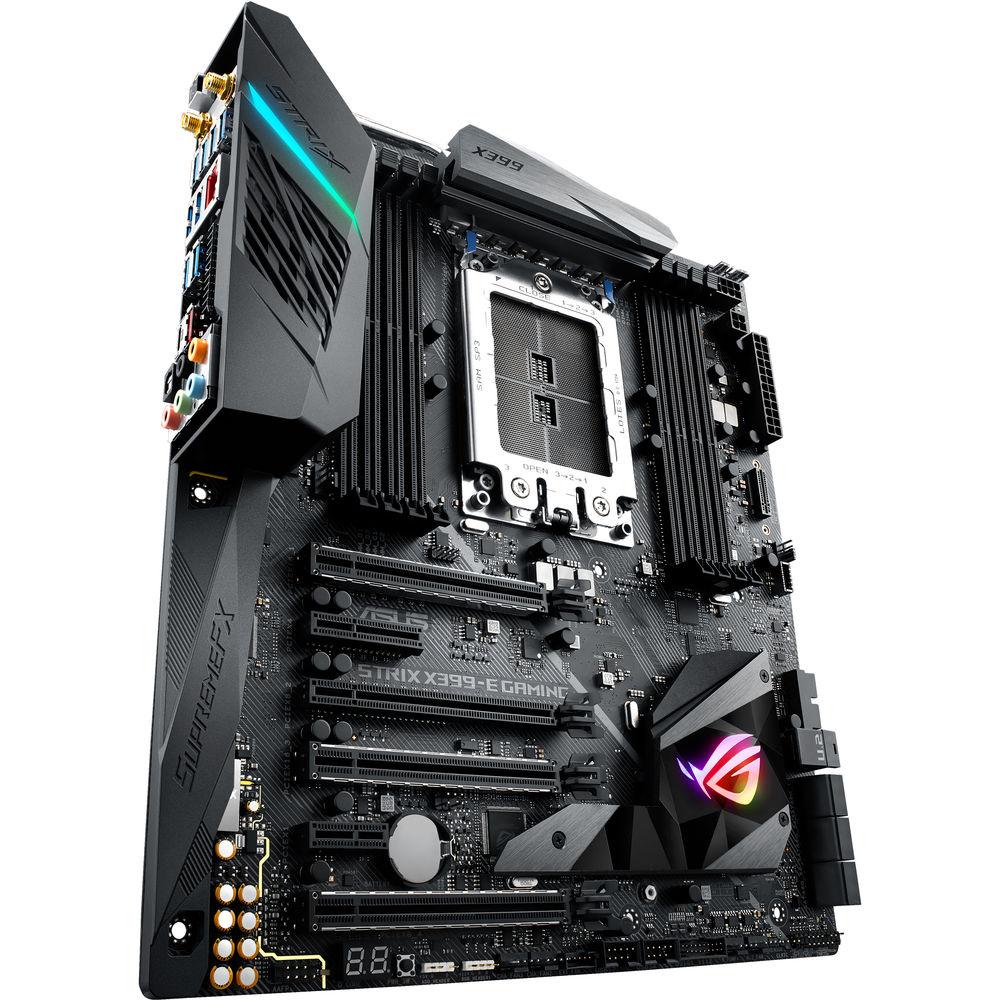
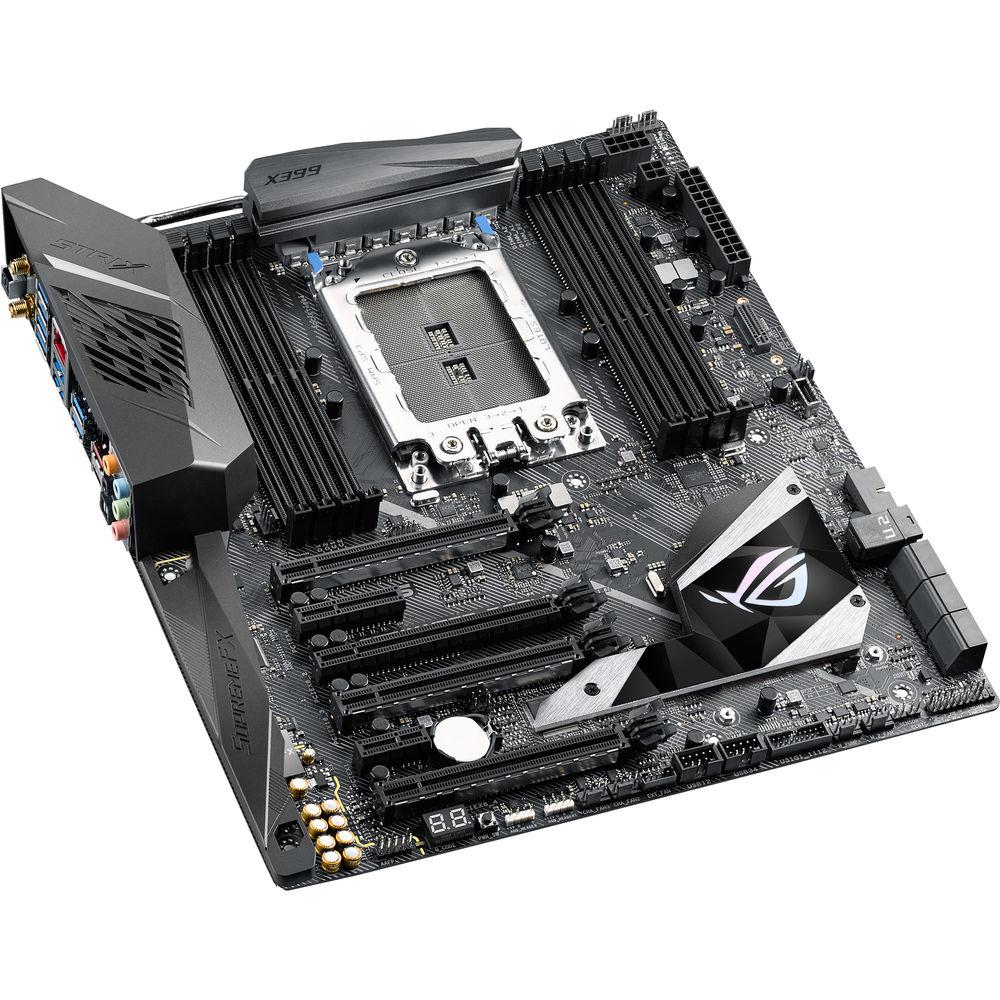
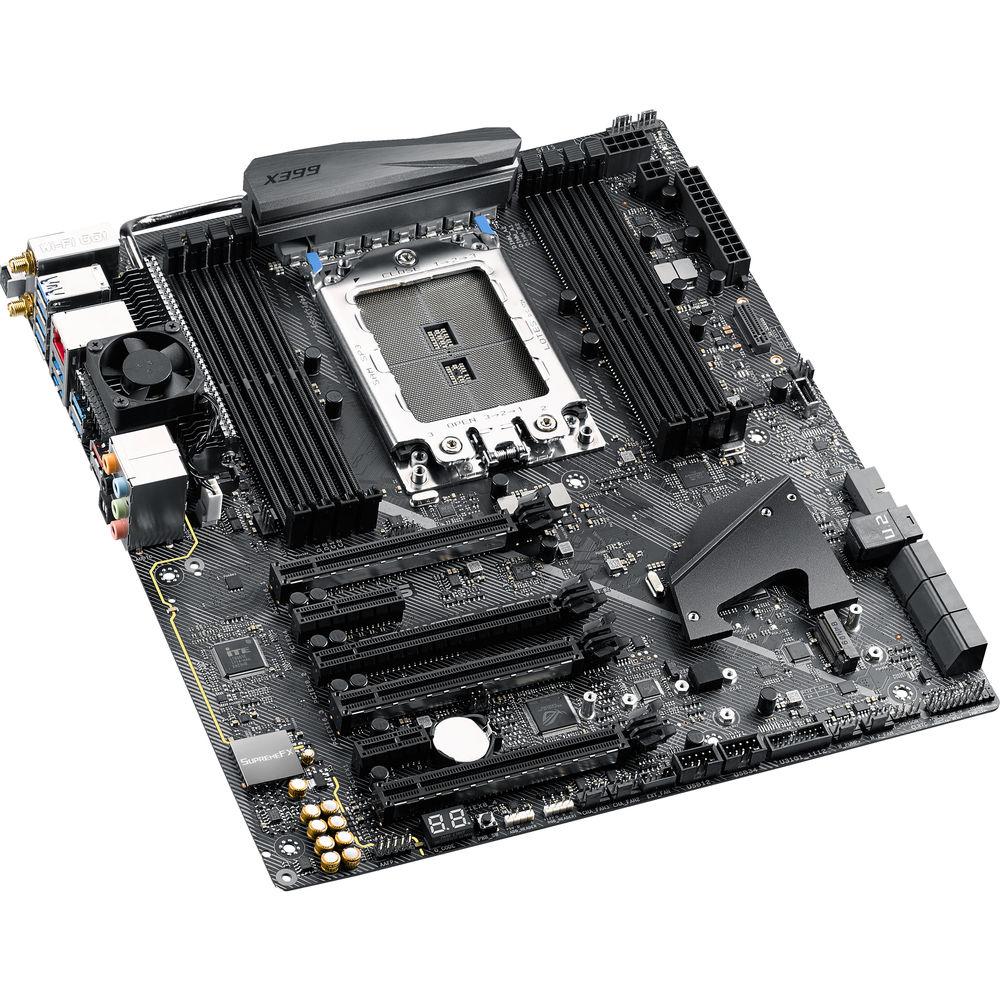
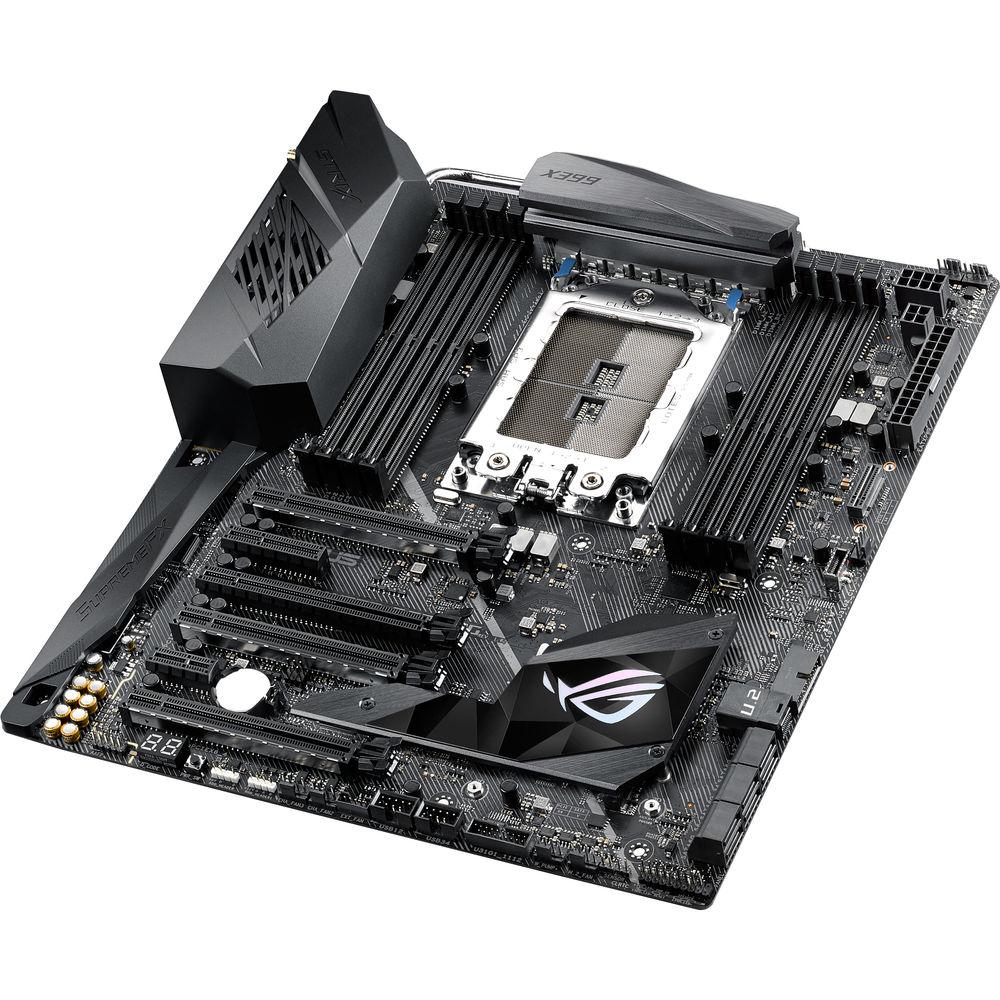
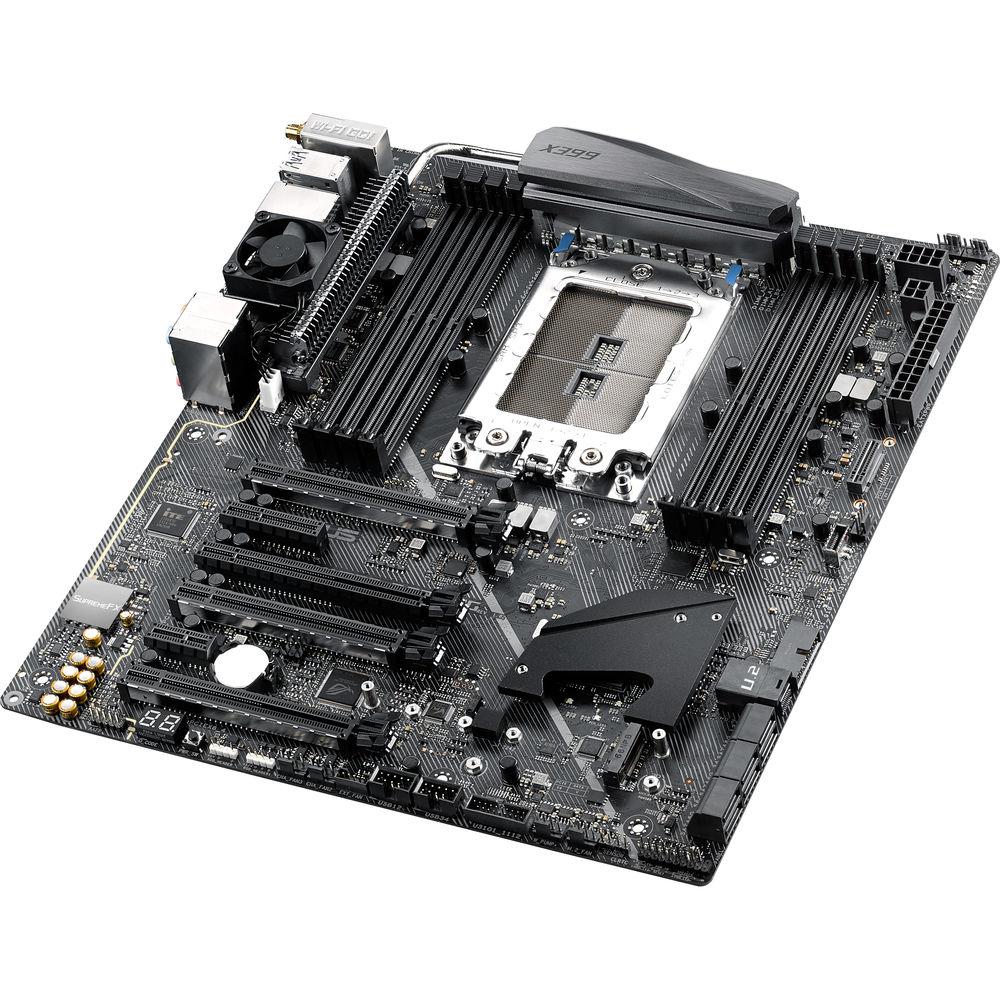
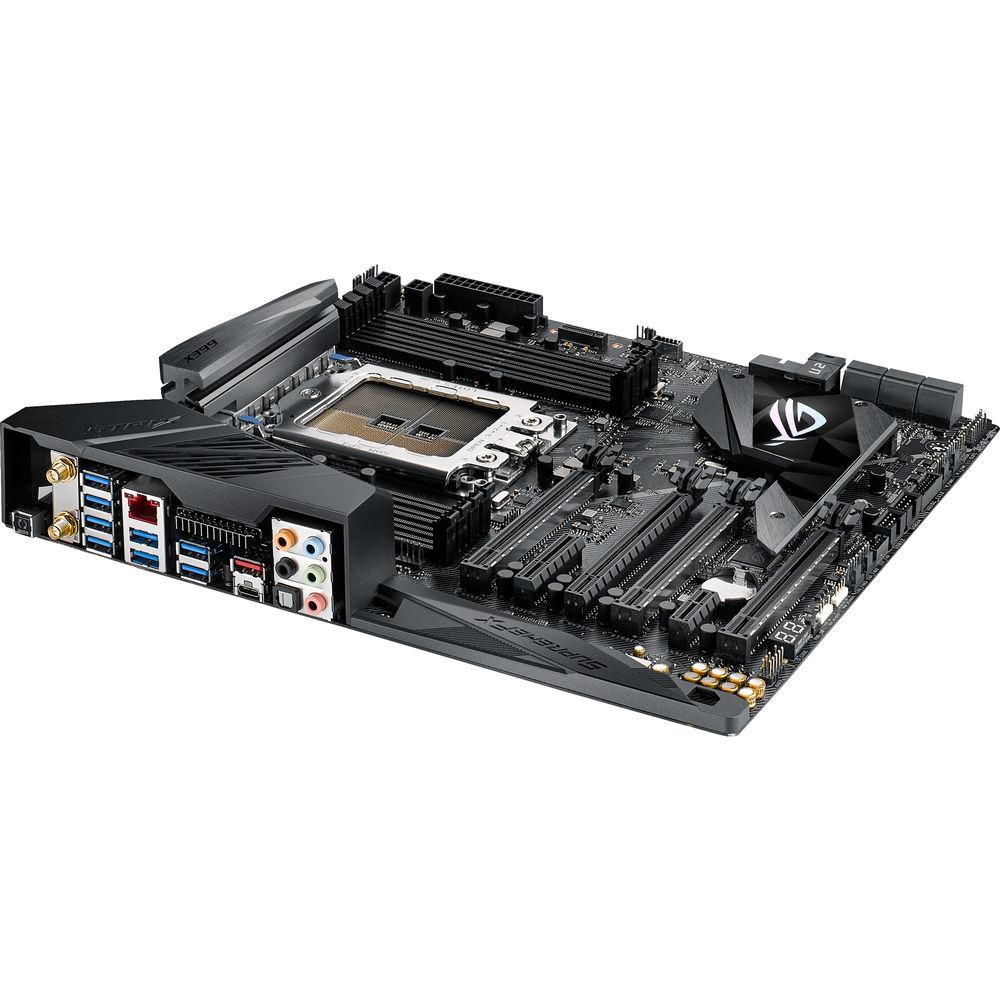
Product description Build an AMD Ryzen Threadripper desktop computer with the Republic of Gamers Strix X399-E Gaming TR4 Extended ATX Motherboard from ASUS. This Strix X399-E Gaming motherboard comes armed with a TR4 socket and an X399 chipset to support the eight DDR4 memory slots, four PCIe 3.0 x16 slots, two M.2 slots, and other major components. The four PCIe 3.0 x16 slots enable you to link your dedicated graphics cards with SLI or CrossFireX technology. In addition to the M.2 slots, six SATA connectors allow installation of typical storage and optical drives. There's also one U.2 connector for connecting ultra-fast SSDs.
ASUS has equipped the Strix X399-E Gaming motherboard with 5-Way Optimization and FanXpert 4 to help you overclock your AMD Ryzen processor as well as memory modules. Aside from enhancing performance, Aura Sync is on board to illuminate the insides of your case with RGB LEDs. Additional RGB LED strips can be installed and synced to the built-in LEDs via an Aura addressable strip header and RGB header.
To access your printers, external storage drives, and other useful USB devices, ASUS has outfitted this motherboard with eight USB 3.0 and two USB 3.1 ports. The USB 3.1 ports transfer data at up to 10 Gb/s speeds, and one of the USB 3.1 ports features a USB Type-C interface that lets you connect a USB-C cable on the first try. For wireless connectivity, 802.11ac Wi-Fi and Bluetooth 4.2 are available. Other notable connections include one Gigabit Ethernet port as well as six audio jacks, which are powered by a SupremeFX S1220A 8-Channel audio processor. Additional components may be added to your build with one PCIe 2.0 x4 slot and one PCIe 2.0 x1 slot. - Aura Lighting Control
- ASUS Aura Sync helps you combine and control all of the LEDs across your AURA-enabled products from a single application. From onboard LEDs on the motherboard, optional RGB Strips, LED-equipped graphics cards, and beyond, AURA Sync enables you set different colors and effects. The Strix X399-E Gaming motherboard includes a dedicated addressable RGB header that connects to supported lighting strips, fans, coolers, and compatible PC cases. The Strix X399-E Gaming motherboard comes with an 80cm extension cable, making it easy to position an addressable RGB strip wherever you like.
- Aura SDK
- ASUS Aura SDK allows developers to take full advantage of the vast eco-system of Aura Sync-capable PC gear. From in-system illumination to peripherals and beyond, the SDK provides an evolving toolkit of options to enhance games and software with RGB lighting. Game effects, alerts, and audio can all be portrayed via Aura-compatible hardware, creating subtle or impressive visual cues to augment the action. There's also scope to map system parameters such as temperatures to lighting, giving enthusiasts new ways to monitor vital information.
- M.2 Heatsink
- The Strix X399-E Gaming motherboard is equipped with an M.2 heatsink integrated into the PCH heatsink. With a large cooling surface, the M.2 heatsink chills an optional M.2 SSD for consistent performance and reliability. Featuring an angular design, the M.2 heatsink adds style to the build, while the T-sensor detects temperatures in the vital M.2 area for instant monitoring. Additionally, an ASUS 3D-printed M.2 fan holder keeps temperatures low for improved performance and longevity.
- Audio
- Utilizing the S1220A codec, ROG Strix's SupremeFX audio solution is engineered to provide a flat frequency response and offer a neutral, detailed sound signature. The addition of two op-amps on the front panel headphone output ensures adequate voltage and current to drive headphones to their full potential. And Sonic Studio software grants you full control over every aspect of audio, including noise reduction algorithms for communications, plus EQ adjustments to get the most from your headset or speakers.
- Audio cover: effectively shields and preserves the integrity of audio signals for improved quality
- Dual Op Amplifiers: enhance audio to your favorite headphones with a 32-600Ω headphone impedance for flexibility
- Nichicon audio capacitors: produce a warmer, natural sound with clarity and fidelity
- Audio line shielding: blocks electromagnetic interference from the motherboard or add-ons to provide cleaner audio
- Networking
- Intel's Ethernet Controller I211-AT reduces CPU overhead and offers high TCP and UDP throughputs for local and online gaming. 802.11ac Wi-Fi with 2x2 dual-band 2.4/5 GHz antennas offer up to 867 Mb/s transfer speeds, while Multi-User MIMO (MU-MIMO) technology ensures every connected user experiences fast wireless and online speeds.
- Additional Features
-
- High quality 120 dB (Line-out at rear) and 113 dB SNR recording input (Line-in)
- Dedicated audio PCB layers: Separate layers for left and right channels to guard the quality of the sensitive audio signals
- Unique de-pop circuit: Reduces start-up popping noise to audio outputs
- Sonic Radar III
- Sonic Studio III
- Full BCLK range for extreme overclocking performance
- ASUS Dual Intelligent Processors 5-Way Optimization by Dual Intelligent Processors
- 5-Way Optimization tuning key perfectly consolidates TPU, EPU, DIGI+ VRM, Fan Expert 4, and Turbo App
- USB BIOS Flashback
- AI Suite 3
- Ai Charger
- Stylish Design Heat-pipe solution
- ASUS Fan Xpert 4
- ASUS EZ Flash 3
- ASUS USB BIOS Flashback
- ASUS UEFI BIOS EZ Mode
- Multi-language BIOS
- ASUS Q-Shield
- ASUS Q-Code
- ASUS Q-LED (CPU, DRAM, VGA, Boot Device LED)
- ASUS Q-Slot
- ASUS Q-DIMM
- ASUS Q-Connector
- 3D printing friendly
UPC: 889349843468 In the Box ASUS Republic of Gamers Strix X399-E Gaming TR4 Extended ATX Motherboard Q-Shield Vertical M.2 Bracket Set 4 x SATA 6 Gb/s Cables Package of M.2 Screws Pack of Cable Ties Support DVD SLI HB Bridge (2-Way-M) Q-Connector 10-in-1 ROG Cable Label Pack Set of Thermal Sensor Cables ROG Fan Label ROG Door Hanger LED Extension Cable Limited 3-Year Warranty User Manual PDF 5.6mbceuqrbcwsuexsfxcztyztdxvttvywbef More info from ASUS Table of Contents
|
Upload User Manual
Have you got an user manual for the ASUS Republic of Gamers Strix X399-E Gaming TR4 Extended ATX Motherboard in electronic form? Please send it to us and help us expand our library of instruction manuals.
Thank you, too, on behalf of other users.
To upload the product manual, we first need to check and make sure you are not a robot. After that, your "Submit Link" or "Upload File" will appear.
Technical parametersASUS X399-E Specs | | | Chipset | AMD X399 | | CPU Socket | TR4 | | | | USB | 1 x USB 3.1 Gen 2 Type-A
1 x USB 3.1 Gen 2 Type-C
8 x USB 3.1 Gen 1 Type-A | | Display | None | | Audio | 5 x 3.5 mm
1 x S/PDIF | | Ethernet / Controller | 1 x Intel 1211AT Gigabit | | Wi-Fi Antenna | 2 x Connector | | Buttons | BIOS Flashback | | | | Memory Slots | 8 x 288-Pin | | Memory Support | DDR4 2133, 2400, 2666, 2800, 3000, 3200, 3333, 3466, 3600 MHz | | Maximum Capacity | 128 GB | | ECC Support | Non-ECC, ECC Unbuffered | | | | SATA | 6 x SATA III | | M.2 | 1 x M Key 2242, 2260, 2280 (PCIe 3.0 x4, SATA III)
1 x M Key 2242, 2260, 2280, 22110 (PCIe 3.0 x4, SATA III) | | U.2 | 1 | | RAID Support | RAID 0, 1, 10 | | | | Expansion Slots | 4 x PCIe 3.0 x16
1 x PCIe 2.0 x4
1 x PCIe 2.0 x1 | | USB | 2 x USB 3.1 Gen 1 Header (Supports 4 USB Type-A Ports)
2 x USB 2.0 Header (Supports 4 USB Type-A Ports) | | Multi-GPU Support | 2-Way
3-Way
4-Way NVIDIA SLI
4-Way AMD CrossFireX | | Air Cooling | 1 x 4-Pin M.2
2 x 4-Pin CPU
2 x 4-Pin System
1 x Thermal Sensor | | Liquid Cooling | 2 x 4-Pin Pump | | Power Connectors | 1 x 24-Pin Mainboard
1 x 8-Pin CPU
1 x 4-Pin CPU | | LED Header | 2 x RGB | | Diagnostics | 2-Digit Debug LED, Clear CMOS, Power | | | | I/O Connection Headers | AAFP, USB 3.1 | | | | Audio Codec | SupremeFX S1220A (8-Channel) | | | | Bluetooth | 4.2 | | Wi-Fi | Wi-Fi 5 (802.11ac) | | | | Form Factor | E-ATX | | Dimensions | 12.0 x 10.6" / 30.5 x 26.9 cm | | | | Package Weight | 5.65 lb | | Box Dimensions (LxWxH) | 14.4 x 12.2 x 4.3" |
Rating80% users recommend this product to others. And what about you?

This product has already been rated by 50 owners. Add your rating and experience with the product.
Discussion
 Ask our technicians if you have a problem with your settings,
or if anything is unclear in the user manual you have downloaded.
You can make use of our moderated discussion.
The discussion is public and helps other users of our website who may be encountering similar problems.
Ask our technicians if you have a problem with your settings,
or if anything is unclear in the user manual you have downloaded.
You can make use of our moderated discussion.
The discussion is public and helps other users of our website who may be encountering similar problems.
The discussion is empty - enter the first post
Post a new topic / query / comment:
|
|
|
| Request for user manual |
You can’t find the operation manual you are looking for? Let us know and we will try to add the missing manual:
I’m looking for a manual / Request for manual
Current requests for instruction manuals:
Call Of Duty World War Two For Xbox...
controller stratus XL...
stratus XL...
smart whatch serie S11 42mm...
Allen & Heath SQ-6 manual...
|
| Discussion |
Latest contributions to the discussion:
AEW R 4100
Name: MAURICIO ANGARITA
Audio-Technica AEW-R4100 UHF Diversity Receiver for
AEW R 4100 has the mute function blocked and does not allow audio to pass. I tried several times to turn off the mute from the transmitter but it does nothing, the mute stays on. Solution?
Thank you...
Instructions for assembling the 2015 Forecast Image Master Consoles GC3-A
Name: mike elam
Forecast Consoles GC3-A ImageMaster Editing Console
Looking for instructions for assembling this console. ...
EMPTY TONER ERROR MESSAGE AFTER REPLACING TONER
Name: LINDA BAD YELLOW EYES
Brother TN223BK Standard-Yield Toner
I HAD TO CHANGE OUT ALL THREE TONERS DUE TO LEAKS IN THE YELLOW AND CYAN. AFTER I REPLACED THEM, THE MACHINE KEEPS GIVING ME AN EMPTY TONER ERROR MESSAGE. HELP!!...
PS480D 20/24 pin Switching 480W Power Supply
Name: swkargo
Logisys 480W Power Supply
This item states in can run -5vdc .It is NOT listed on the board or I beleive is r4 is missing the resitior. Any body have thid issue. Shawn
...
Help needed
Name: Ann Carter
SanDisk 1TB Extreme Portable USB 3.1
When I click the link to download the user manual for my Sandisk Extreme external hard drive, it gives me the manual for the LG Cricket. Can you please change the link so I can download the Sandisk manual and begin using this drive? Thank you....
|
|


