|
User Manual for ASUS Republic of Gamers Strix Z390-H LGA 1151 ATX Gaming Motherboard Click to enlarge the picture
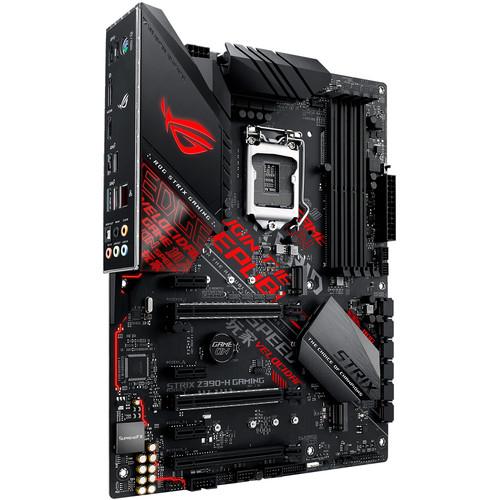 Contents of the user manual for the ASUS Republic of Gamers Strix Z390-H
- Product category: Motherboards ASUS
- Brand: ASUS
- Description and content of package
- Technical information and basic settings
- Frequently asked questions – FAQ
- Troubleshooting (does not switch on, does not respond, error message, what do I do if...)
- Authorized service for ASUS Motherboards
 |
User manual for the ASUS Republic of Gamers Strix Z390-H contain basic instructions
that need to be followed during installation and operation.
Before starting your appliance, the user manual should be read through carefully.
Follow all the safety instructions and warnings, and be guided by the given recommendations.
User manual is an integral part of any ASUS product,
and if it is sold or transferred, they should be handed over jointly with the product.
Following the instructions for use is an essential prerequisite for protecting
health and property during use, as well as recognition of liability on the part of the manufacturer
for possible defects should you make a warranty claim. Download an official ASUS user manual in which you will find instructions on how to install, use, maintain and service your product.
And do not forget – unsuitable use of a ASUS product will considerably shorten its lifespan!
|
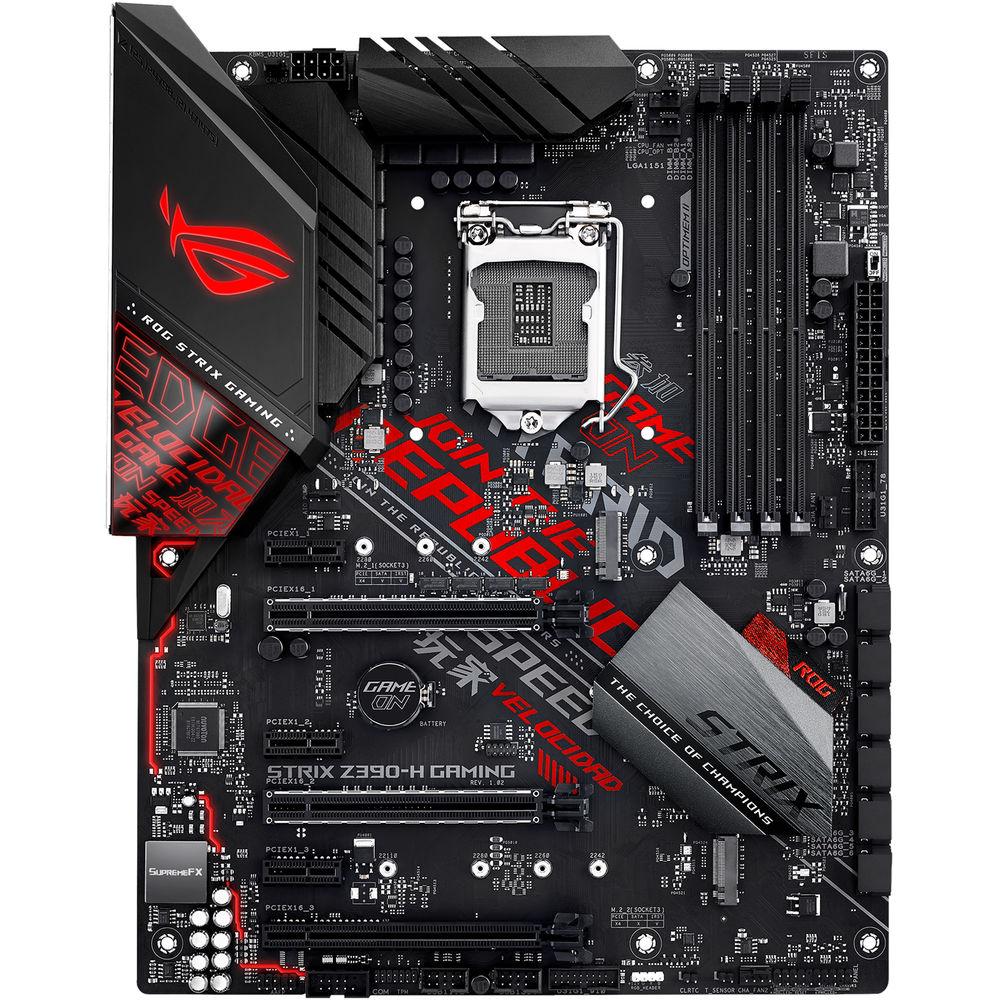
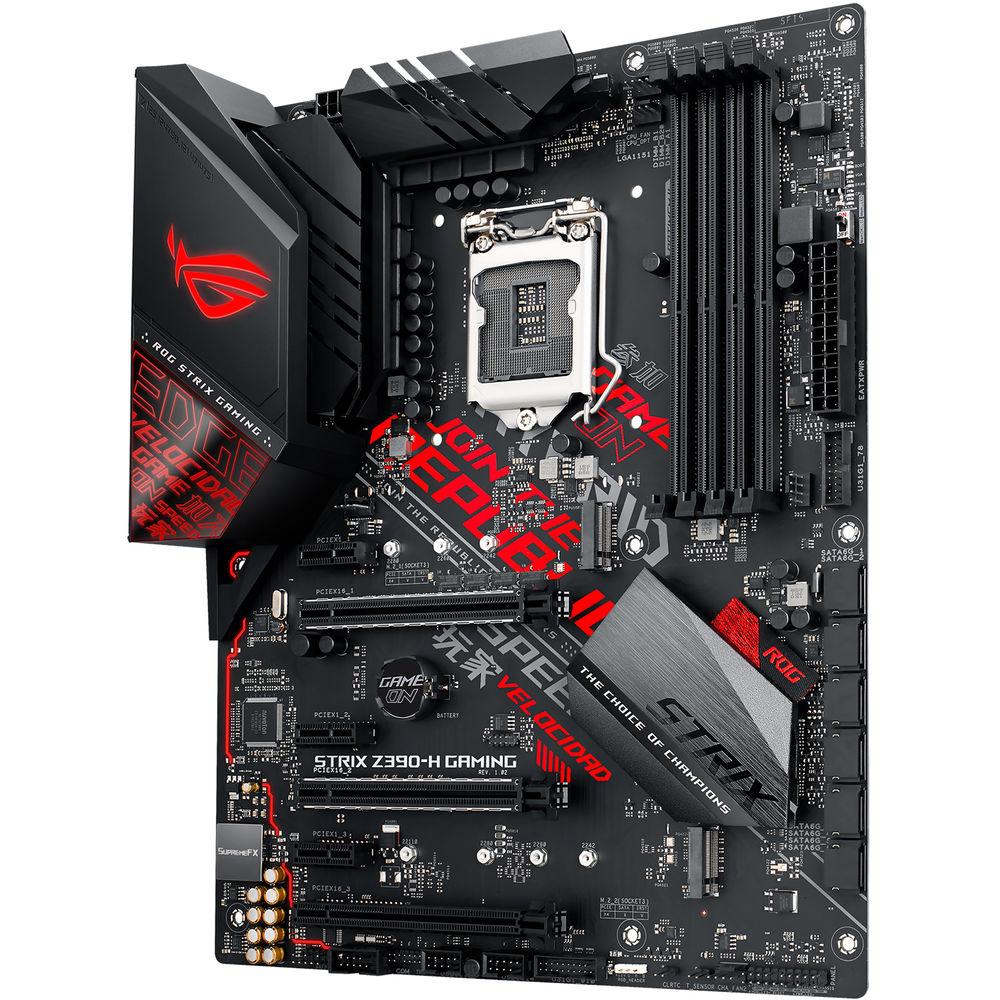
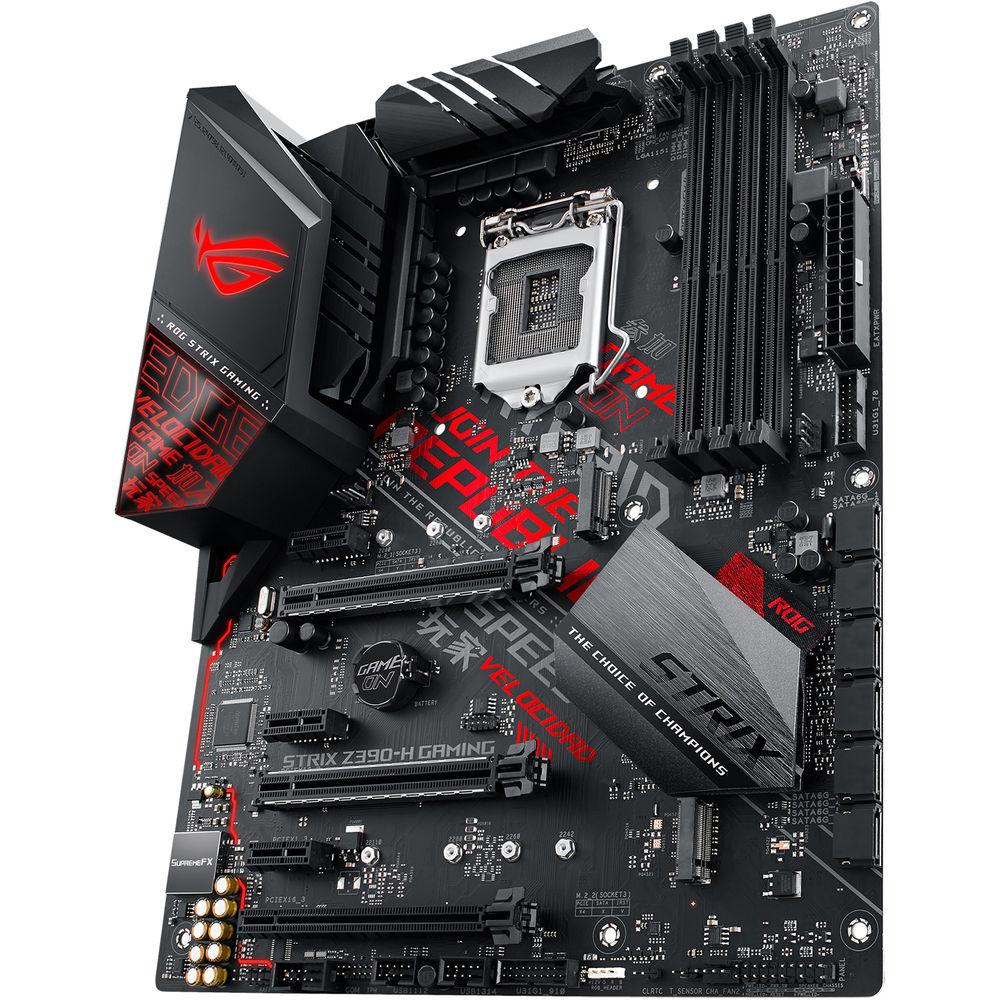
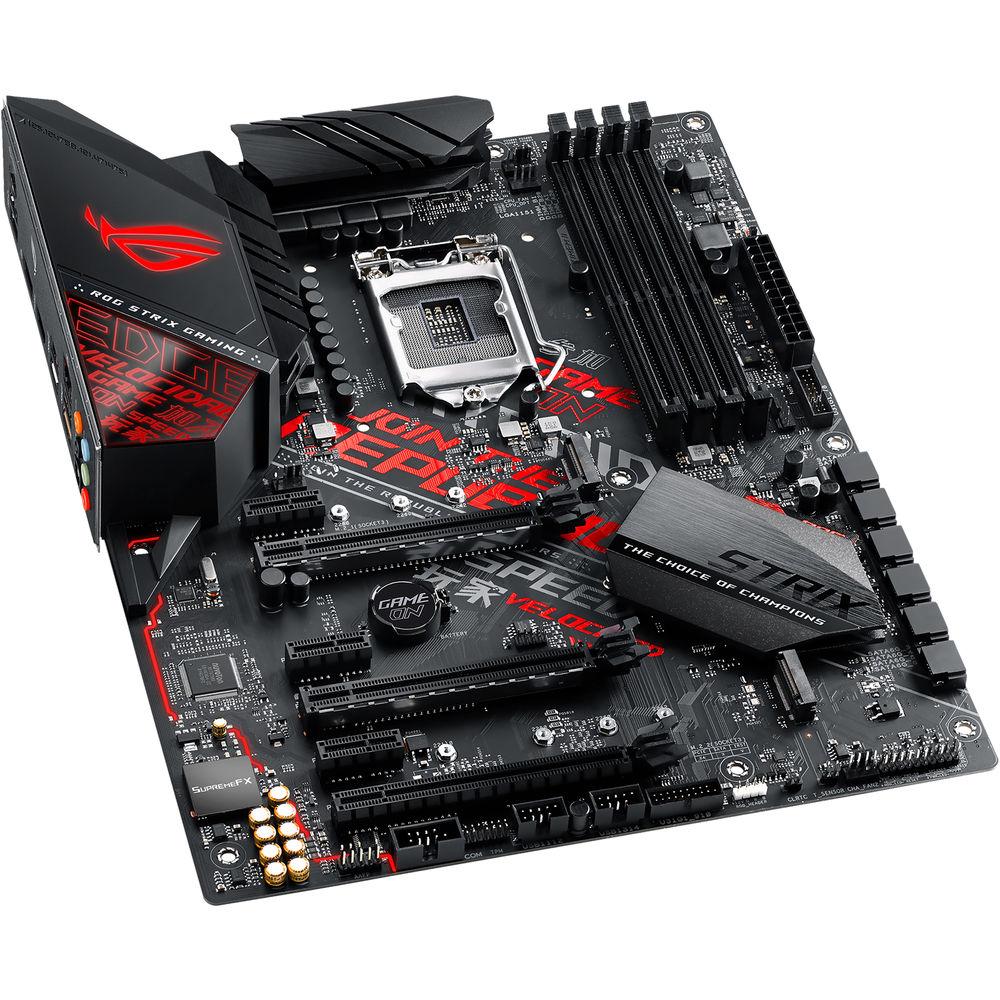
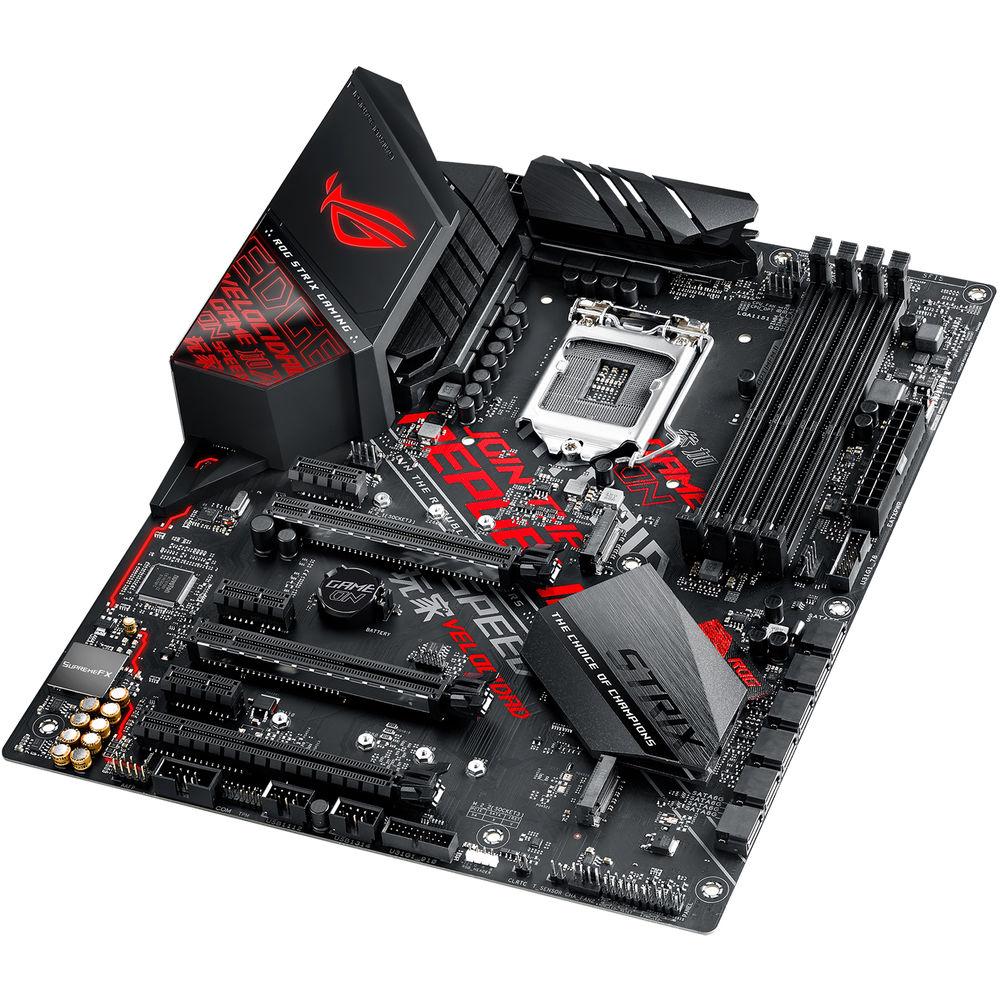
Product description Powered exclusively by 8th and 9th Generation Intel Core, Pentium Gold, and Celeron processors, the Republic of Gamers Strix Z390-H LGA 1151 ATX Gaming Motherboard from ASUS provides all the essentials you need to harness the full potential of components in your build for top-tier gaming performance, including comprehensive cooling options, upgraded power delivery to fuel CPUs with more cores, support for faster memory and storage, and more. This motherboard will fit in ATX sized cases, supports the LGA 1151 socket, the Intel Z390 chipset, and is compatible with Windows 10 (64-bit).
The ATX form factor of the ROG Strix Z390-H can support up to 64GB of DDR4 RAM over four dual-channel slots, or 16GB per slot at speeds of 4266 (OC) 4133 (OC), 4000 (OC), 3866 (OC), 3733 (OC), 3600 (OC), 3466 (OC), 3400 (OC), 3300 (OC), 3200 (OC), 3000 (OC), 2800 (OC), 2666, 2400, and 2133 MHz non-ECC unbuffered memory. For storage, there are six SATA III 6 Gb/s ports and two M.2 Socket 3 with M key, one of which supports type 2242, 2260, and 2280 PCIe 3.0 x4 and SATA SSDs, while the other supports type 2242, 2260, 2280, and 22110 PCIe 3.0 x4 SSDs. The ROG Strix Z390-H supports Intel Optane Memory and allows its storage to be configured as RAID 0, 1, 5, and 10.
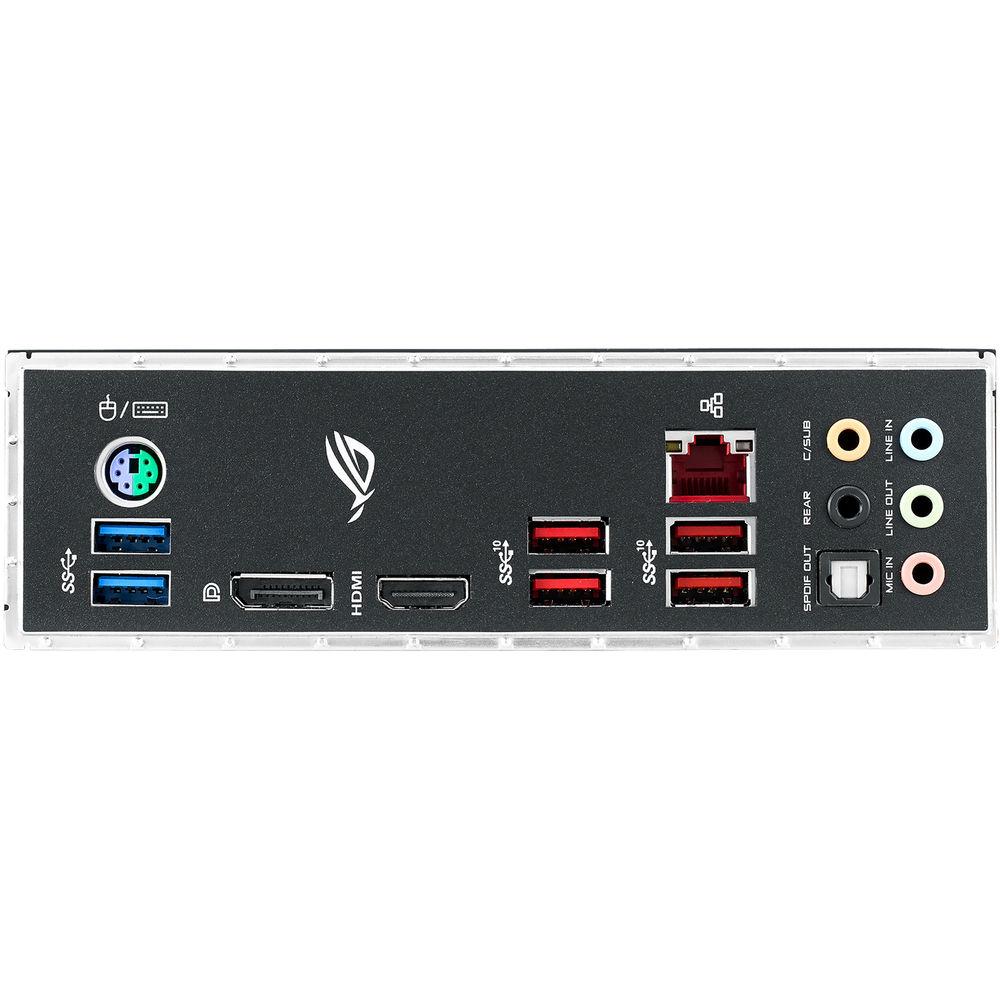
There are also four USB 3.1 Gen 2 Type-A ports (rear panel), two USB 3.1 Gen 1 Type-A ports (rear panel), and more internal USB headers that support USB 3.1 Gen 1 and USB 2.0. For those looking to expand their system using PCIe, there are two PCIe 3.0/2.0 x16 slots (x16 or dual x8), one PCIe 3.0/2.0 x16 slot (x2 mode), and three PCIe 3.0/2.0 x1 slots.
For delivering sharp, clear graphics, this motherboard supports Intel HD Graphics with one HDMI 1.4b output and one DisplayPort 1.2 output. The DisplayPort supports a maximum resolution of 4096 x 2304 @ 60 Hz, while the HDMI port supports a maximum resolution of 4096 x 2304 @ 24 Hz or 3840 x 2160 @ 30 Hz. For users looking to take advantage of multiple GPUs, the ROG Strix Z390-H supports NVIDIA 2-Way SLI and AMD 3-Way CrossFireX technologies.
Using the ROG SupremeFX S1220 8-channel HD audio codec, the ROG Strix Z390-H can support audio with higher fidelity than standard controllers. Audio can also be output using the integrated five 3.5mm audio outputs or S/PDIF output. This motherboard is also equipped with features such as OptiMem II, SupremeFX Shielding, Sonic Radar III, Sonic Studio III, RAMCache III, Fan Xpert 4, and more. This motherboard is protected by a limited 3-year warranty. General Features Hardware Specs for Gaming and More - With comprehensive cooling options and upgraded power delivery to fuel CPUs with more cores, plus support for faster memory and storage, ROG Strix Z390-H Gaming provides all the essentials you need to harness the full potential of components in your build for top-tier gaming performance.
- Power Design
- Digital power control together with an efficient thermal solution help ensure the ROG Strix Z390-H Gaming has the muscle to control Intel CPUs.
ProCool Power Connector
Compared with traditional power inputs, ProCool sockets are built to tight specifications to ensure flush contact with the PSU power lines. The lower impedance helps to prevent hotspots and connector failures.
Digi+ Power Control
The Digi+ voltage-regulator module (VRM) helps ensure smooth, clean power delivery to the CPU.
Driver, MOSFET, and Choke (Thermal Solution)
The Strix Z390-H Gaming uses high-quality thermal pads to help transfer heat from the inductor and phase array to a heatsink that has ample surface area to deal with the power demands of all Coffee Lake processors.
Choke and Caps
Chokes and durable capacitors are engineered to resist extreme temperatures and provide improved performance. - Cooling
- The ROG Strix Z390 Gaming series features the comprehensive cooling options, configurable via Fan Xpert 4 or the UEFI BIOS.
CPU Fan Header
A dedicated pair of PWM/DC fan headers for CPU coolers.
AIO Pump Fan Header
A dedicated PWM/DC header for self-contained water cooling setups.
4-Pin PWM/DC Fan Header
Every onboard header supports the automatic detection of PWM or DC fans.
VRM Heatsink & Thermal Pad
A high-quality thermal pad helps transfer heat from the inductor and phase array to the heatsink, and the heatsink's large cooling surface then chills the power phase. - Memory & Storage
- Dual PCIe 3.0 M.2
The ROG Strix Z390-H Gaming features dual M.2 slots. One slot supports both SATA and PCIe 3.0 x4 modes, and the other slot supports PCIe 3.0 x4 for NVMe. Together, they give you fast and flexible M.2.
DDR4 OC 4266 MHz+
To provide Intel CPUs access to memory bandwidth, motherboard trace routing has been reimagined with the ROG Strix Z390-H Gaming. Integrated OptiMem II technology carefully maps memory signal pathways across PCB layers to reduce vias, and it also adds shielding zones that significantly reduce crosstalk. To further enhance overclocking headroom for fully stacked memory configurations, a highly customized T-Topology layout delivers time-aligned signaling. - Networking
- Intel Gigabit Ethernet
The ROG Strix Z390-H Gaming features Intel Ethernet (I219-V), ensuring data exchanges with your network and the outside world are fast and smooth. Intel LAN reduces CPU overhead and increases TCP and UDP throughput, keeping more processing power.
LANGuard
Featuring advanced signal coupling technology and high-tolerance components, LANGuard provides consistent Ethernet performance and greater protection against static electricity and power surges. - Audio
- SupremeFX
Immerse yourself in sound with SupremeFX audio technology. Utilizing the S1220A codec, SupremeFX is the integrated audio solution that's engineered to provide a flat frequency response for a neutral, detailed sound signature. And to ensure that its signature is preserved, the front panel output is driven with dual op amps, delivering sonics with the scale and authority to create virtual worlds via your gaming headset.
Audio Cover
Effective shielding against electromagnetic interference preserves the integrity of audio signals for strong sound quality.
Audio Line Shielding
Blocks electromagnetic interference from the motherboard or add-ons to provide cleaner output.
Dual Op Amplifiers
With two op-amps onboard, you're able to pump solid audio to your favorite cans, with 32-600 Ohms headphone impedance for great flexibility.
Nichicon Audio Capacitors
Japanese-made audio components produce a warmer, more natural sound with great clarity and fidelity. Design, Customization, and Setup - A host of design touches, including a cyber-text pattern, plus customization options, comprehensive validation lists, and a diverse ecosystem of components make building and personalizing a gaming rig with the ROG Strix Z390-H Gaming very user-friendly.
- ID Design
- An illuminated ROG logo, in signature red, and onboard I/O shroud accented with a futuristic cyber-text pattern lend ROG Strix Z390-H Gaming a unique and arresting aesthetic that communicates its gaming identity. The modern outlook extends to the PCB and heatsink with subtle textures that contribute a premium look and feel.
- Aura Sync
- The ASUS Aura ecosystem is in the ascendancy, with an extensive and growing list of ASUS products now offering Aura Sync compatibility, along with loads of compatible accessories and kits available through partners. Your ROG Strix motherboard's built-in Aura RGB lighting easily syncs with PC cases, memory modules, coolers and RGB LED strips from a broad selection of well-known manufacturers. ASUS Aura software provides simple and intuitive lighting management. The Aura RGB strip header supports 5050 RGB LED strips with a max power rating of 3A (12V). For maximum brightness, strip length should not exceed 9.8'.
- DIY Friendly Design
- Pre-Mounted I/O Shield
ROG's I/O shield is finished in a matte black and comes pre-mounted to make it easy to install the motherboard.
SafeSlot
Provides greater PCIe device retention and shearing resistance.
ESD Guards
ESD Guards provide greater electrostatic protection than the industry standard. They cover the USB, audio, and LAN ports.
Q-Slot
One clip to swap or secure your graphics card.
Q-DIMM
One-sided clips for the user-friendly and secure handling of memory modules.
Q-LED
Onboard LEDs to indicate the power status, as well as problems with the CPU, memory, graphics card, or boot device for quick diagnosis.
MemOK II
MemOK II automatically fixes boot failures that arise due to memory overclocking and instability. - Certified Compatibility
- Having the freedom to pick and choose the parts that go into your machine is at the heart of PC DIY. That's why ROG Strix undergoes an extensive certification program focused on providing compatibility with a wide range of components and devices. Their extensive list of guaranteed-compatible components is an invaluable aid to building a ROG Strix gaming rig. It specifies thousands of compatible parts, and it includes a dedicated Qualified Vendor List (QVL) for memory, so you can build fuss-free.
- ROG Strix Ecosystem
- Gear up with ROG Strix components, from graphics and sound cards, to mice and keyboards, and up your game with complementary aesthetics, control, and compatibility.
Tune Your Rig the Way You Want - The ROG Strix Z390-H Gaming motherboard features firmware controls and software utilities designed for all skill levels, making setup, tuning, and system maintenance simple. With options from overclocking and cooling to managing network performance and audio characteristics, you can configure your ROG Strix gaming build to perform the way you want.
- UEFI BIOS
- The UEFI BIOS is an early waypoint on any PC-building journey.
- EZ Mode
- Designed to simplify setup, EZ Mode presents all the vital settings and stats on a single page. With guided wizards, drag-and-drop functionality, and one-click application of important settings, your rig will be up and running in no time.
EZ Tuning Wizard
Select your hardware and apply different scenarios to tune system performance, or streamline your RAID configuration for faster data retrieval and backups.
Graphical Fan Controls
Fine-tune individual fans simply by dragging a curve with the mouse.
SATA Information
View SATA port details for device recognition.
Fast and Easy Clock Adjustment
Use mouse controls to change the time and date.
Aura On/Off Mode
Enable or disable Aura RGB lighting or every onboard LED for a more subdued aesthetic. - Advanced Mode
- When you're ready for a deeper dive, delve into the UEFI's Advanced mode and take complete control. Advanced mode enables full control over every aspect of the motherboard, and a built-in search function helps you quickly find the setting you need.
My Favorites
Quickly find tuning options and add preferred tools to the list.
EZ Flash 3
Update the BIOS via the internet, without leaving the BIOS interface.
SMART
Check your storage device's Self-Monitoring, Analysis, and Reporting Technology logs to gauge reliability and identify potential failures.
GPU Post
View recommendations for multi-VGA configurations and detailed information for select ASUS graphics cards.
Secure Erase
Restore your SSDs and NVMe storage to factory settings.
Last Modified Log
Track the last change and save preferred profiles to a USB drive.
SATA Port Renaming
Rename SATA ports for easy identification.
User Profile
Save BIOS settings for migration to a new BIOS version or system.
Q-Fan Control
Configure the fan's operating speed manually or use pre-configured fan profiles to quickly select Standard, Silent, Turbo, or Full Speed modes. By default, system fans will automatically switch to full speed if the temperature reaches 167°F / 75°C. - Optimizations
- With AI Suite 3, you can control your rig's performance directly from the operating system. Its dashboard-style control panel lets you fine-tune cooling, stability, and efficiency via one simple and intuitive interface.
Fan Xpert 4
ROG Strix motherboards provide comprehensive control over fans and all-in-one (AIO) coolers. Each header can be set to monitor and react to three user-configurable thermal sensors via Fan Xpert 4 or the UEFI BIOS. Whether you're cooling with air or water, Auto-Tuning mode intelligently configures all parameters with a single click. There's also an Extreme Quiet mode which reduces all fan speeds to below the default minimum to keep your system whisper-quiet when performing light tasks.
EPU Guidance
The Energy Processing Unit leverages an onboard microcontroller (EPU) to provide system-wide power savings by automatically optimizing power consumption, and the Away Mode smart setting saves energy by shutting down unused I/O controllers.
Digital Power Controls
The Digi+ voltage regulator module (VRM) with onboard power circuitry delivers real-time control over voltage droop, switching frequency, and power-efficiency settings, allowing you to fine-tune CPU voltage regulation for stability and performance. - Personalized Sound
- Sonic Studio III
Sonic Studio supports HRTF-based (head-related transfer function) virtual surround for VR headsets, casting an aural landscape that draws you deeper into the action. The intuitive Sonic Studio interface also offers a range of EQ options and one-click presets, allowing you to tailor acoustics to suit personal preferences or the characteristics of your headset.
App-Specific Profiles
Apply customized audio settings to different applications, so everything you do is tuned to the way you want to listen.
Sonic Studio Link
Sonic Studio Link VR functionality extends its HRTF effects to headsets like the Oculus Rift and HTC Vive.
Surround Sound
Surround sound provides an immersive audio experience. In Gaming Mode, in-game sound effects and music are adjusted automatically to increase the feeling of immersion, so audio pulls you further into the game. Movie Mode has Voice Clarity and Smart Volume sliders set high to emphasize dialog, so you'll hear whispers and experience minimum distortion and high volumes. Music Mode balances Voice Clarity, Bass Boost, and Treble Boost, so your music-listening experience feels like a live performance. Communication Mode accentuates soft sounds via Smart Volume for enhanced listening, while Voice Clarity boosts speech for clear conversations. If you're engaging in virtual reality, Sonic Studio Link applies Sonic Studio III effects to your VR headset to boost immersion in the virtual world. When multitasking, user-friendly routing assigns different audio streams to different outputs, such as browser effects to headphones and game audio to speakers. - Scan and Detect to Dominate
- Sonic Radar III
Sonic Radar III has an evolved audio engine to process sounds more accurately, helping to ensure you're always aware of what's going on around you. It now also includes an onscreen arrow to help you pinpoint the enemy's position and the origin of key in-game sounds. Plus, the Audio Boost feature provides filters that let you hear faint sounds, so you can become the hunter, not the hunted.
Improved Audio Algorithm
The Sonic Radar III audio algorithm offers improved accuracy that helps you pinpoint the enemy.
3D Engine
Sonic Radar III is built around a HUD that includes an in-game 3D arrow for a more intuitive experience.
Audio Boost
Press hot keys to briefly increase bass, midrange, or treble frequencies for improved focus during different parts of your game.
Audio Radar
A visual cue to help ensure Sonic Radar III is effective, regardless of surrounding noise and chaos. Armoury Crate & More - Armoury Crate
- The Armoury Crate portal keeps you updated with the drivers and BIOS releases. Its user-friendly UI can be configured to show a variety of information, including security updates, bug patches, ROG news, gaming events, and special offers.
- RAMCache III
- RAMCache turns milliseconds into microseconds to boost game-load times. Fully compatible with NVM Express storage options, its intelligent technology effectively caches an entire storage device so that favorite games and apps launch at fast speeds.
- Overwolf
- Overwolf is an unobtrusive overlay that lets you browse the internet, email, IM, and stream or record gameplay, all while you're in the game. Color-matched ROG skins that display your status as a member of an elite pack are also available for download from the Overwolf App Store.
- Beyond VR Ready
- ROG Strix Gaming is VR Ready, and beyond. The ASUS Beyond VR Ready marque means that ROG Strix Gaming has been tested with loads of components to ensure that your productivity, gaming, and entertainment needs are tuned for performance. ASUS Beyond VR Ready provides a way to configure and build your dream system with total confidence.
The Power of Intel - Intel Z390 Chipset
- The Intel Z390 is a single-chipset design that supports Socket 1151 for 9th Gen and 8th Gen Intel Core, Pentium Gold, and Celeron processors. It provides improved performance by utilizing serial point-to-point links, allowing increased bandwidth and stability. Additionally, the chipset provides a maximum of six USB 3.1 Gen 2 ports, four USB 3.1 Gen 1 ports, and 32 Gb/s M.2 and PCIe 3.0 lane speed support for faster data retrieval. Intel Z390 also supports integrated-graphics, so you'll enjoy great graphics performance.
- Ready for Socket 1151 for 9th / 8th Gen Intel Core, Pentium, Gold, and Celeron Processors
- This motherboard supports Socket 1151 for 9th Gen and 8th Gen Intel Core, Pentium Gold, and Celeron processors, with integrated graphics, memory, and PCI Express controllers to support onboard graphics output with dedicated chipsets, dual-channel (4-DIMM) DDR4 memory, and 16 PCI Express 3.0/2.0 lanes for great performance.
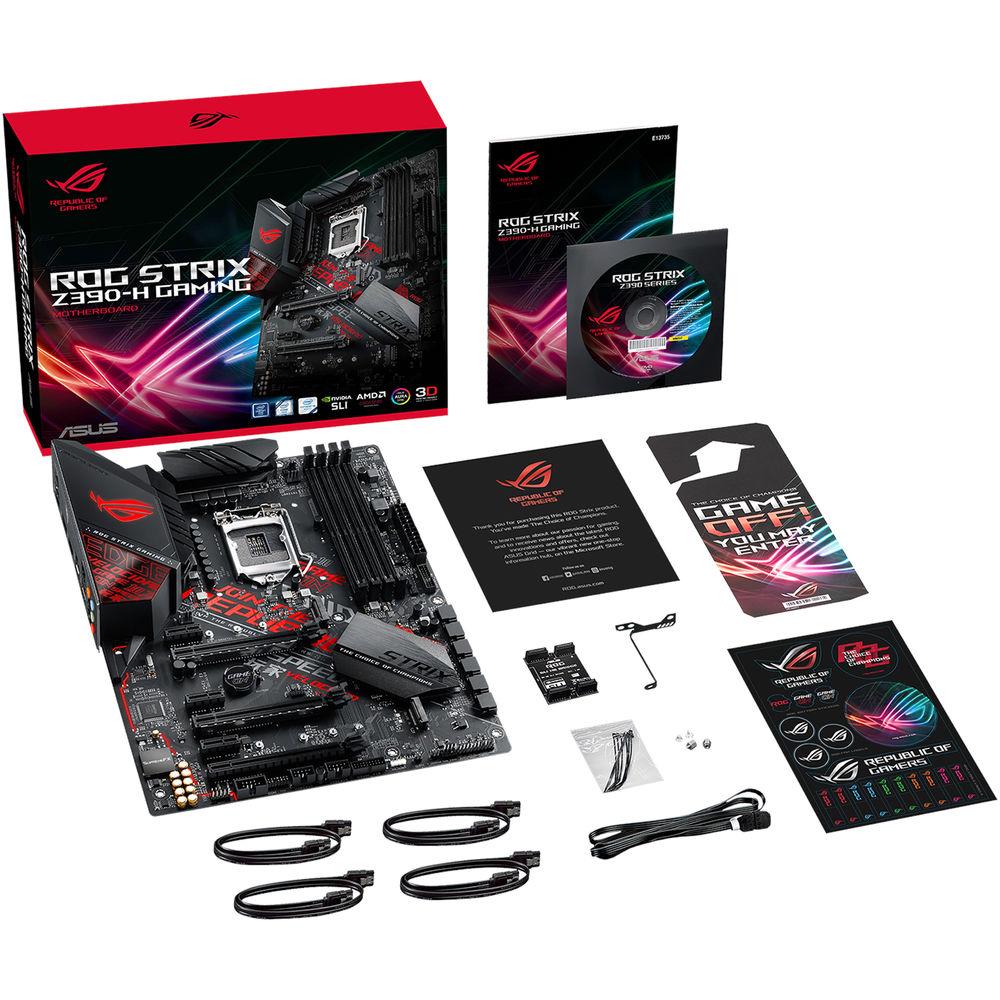
UPC: 192876122426 In the Box ASUS Republic of Gamers Strix Z390-H LGA 1151 ATX Gaming Motherboard ASUS Fan Holder 4 x SATA III 6 Gb/s Cables M.2 Screw Package SLI HB Bridge (2-Way-M) ROG Strix Stickers Limited 3-Year Warranty User Manual PDF 5.1mb More info from ASUS Table of Contents
|
Upload User Manual
Have you got an user manual for the ASUS Republic of Gamers Strix Z390-H LGA 1151 ATX Gaming Motherboard in electronic form? Please send it to us and help us expand our library of instruction manuals.
Thank you, too, on behalf of other users.
To upload the product manual, we first need to check and make sure you are not a robot. After that, your "Submit Link" or "Upload File" will appear.
Technical parametersASUS STRIX Z390-H Specs | | | Chipset | Intel Z390 | | CPU Socket | LGA 1151 | | | | USB | 4 x USB 3.1 Gen 2 Type-A
2 x USB 3.1 Gen 1 Type-A | | Thunderbolt | None | | Display | 1 x DisplayPort 1.2
1 x HDMI 1.4b | | Audio | 5 x 3.5 mm
1 x S/PDIF | | Ethernet / Controller | 1 x Intel I219V Gigabit | | PS/2 | 1 x Combo | | | | Memory Slots | 4 x 288-Pin | | Memory Support | DDR4 2133, 2400, 2666, 2800, 3000, 3200, 3300, 3400, 3466, 3600, 3733, 3866, 4000, 4133, 4266 MHz | | Maximum Capacity | 64 GB | | Channel Architecture | Dual Channel | | ECC Support | Non-ECC Unbuffered | | | | SATA | 6 x SATA III | | M.2 | 1 x M Key 2242, 2260, 2280, 22110 (PCIe 3.0 x4)
1 x M Key 2242, 2260, 2280 (PCIe 3.0 x4, SATA III) | | U.2 | None | | Optane Memory Support | Yes | | RAID Support | RAID 0, 1, 5, 10 | | | | Expansion Slots | 2 x PCIe 3.0 x16
1 x PCIe 3.0 x16 (x2 mode)
1 x PCIe 3.0 x1 | | USB | 2 x USB 3.1 Gen 1 Header (Supports 4 USB Type-A Ports)
2 x USB 2.0 Header (Supports 4 USB Type-A Ports) | | Multi-GPU Support | 2-Way NVIDIA SLI
3-Way AMD CrossFireX | | Air Cooling | 1 x 4-Pin CPU
1 x 4-Pin Assistant
2 x 4-Pin System
1 x Thermal Sensor | | Liquid Cooling | 1 x 4-Pin Pump | | Power Connectors | 1 x 24-Pin Mainboard
1 x 8-Pin CPU | | Security | TPM Module | | LED Header | 1 x RGB | | Audio | None | | Diagnostics | Clear CMOS | | Legacy | 1 x Serial | | | | I/O Connection Headers | AAFP | | | | Audio Codec | SupremeFX S1220A (8-Channel) | | | | Supported Operating Systems | Windows 10 (64-Bit) | | | | Form Factor | ATX | | Dimensions | 12 x 9.6" / 30.48 x 24.38 cm | | | | Package Weight | 3.5 lb | | Box Dimensions (LxWxH) | 13.0 x 10.5 x 3.5" |
Rating20% users recommend this product to others. And what about you?

This product has already been rated by 96 owners. Add your rating and experience with the product.
Discussion
 Ask our technicians if you have a problem with your settings,
or if anything is unclear in the user manual you have downloaded.
You can make use of our moderated discussion.
The discussion is public and helps other users of our website who may be encountering similar problems.
Ask our technicians if you have a problem with your settings,
or if anything is unclear in the user manual you have downloaded.
You can make use of our moderated discussion.
The discussion is public and helps other users of our website who may be encountering similar problems.
The discussion is empty - enter the first post
Post a new topic / query / comment:
|
|
|
| Request for user manual |
You can’t find the operation manual you are looking for? Let us know and we will try to add the missing manual:
I’m looking for a manual / Request for manual
Current requests for instruction manuals:
Call Of Duty World War Two For Xbox...
controller stratus XL...
stratus XL...
smart whatch serie S11 42mm...
Allen & Heath SQ-6 manual...
|
| Discussion |
Latest contributions to the discussion:
AEW R 4100
Name: MAURICIO ANGARITA
Audio-Technica AEW-R4100 UHF Diversity Receiver for
AEW R 4100 has the mute function blocked and does not allow audio to pass. I tried several times to turn off the mute from the transmitter but it does nothing, the mute stays on. Solution?
Thank you...
Instructions for assembling the 2015 Forecast Image Master Consoles GC3-A
Name: mike elam
Forecast Consoles GC3-A ImageMaster Editing Console
Looking for instructions for assembling this console. ...
EMPTY TONER ERROR MESSAGE AFTER REPLACING TONER
Name: LINDA BAD YELLOW EYES
Brother TN223BK Standard-Yield Toner
I HAD TO CHANGE OUT ALL THREE TONERS DUE TO LEAKS IN THE YELLOW AND CYAN. AFTER I REPLACED THEM, THE MACHINE KEEPS GIVING ME AN EMPTY TONER ERROR MESSAGE. HELP!!...
PS480D 20/24 pin Switching 480W Power Supply
Name: swkargo
Logisys 480W Power Supply
This item states in can run -5vdc .It is NOT listed on the board or I beleive is r4 is missing the resitior. Any body have thid issue. Shawn
...
Help needed
Name: Ann Carter
SanDisk 1TB Extreme Portable USB 3.1
When I click the link to download the user manual for my Sandisk Extreme external hard drive, it gives me the manual for the LG Cricket. Can you please change the link so I can download the Sandisk manual and begin using this drive? Thank you....
|
|


