|
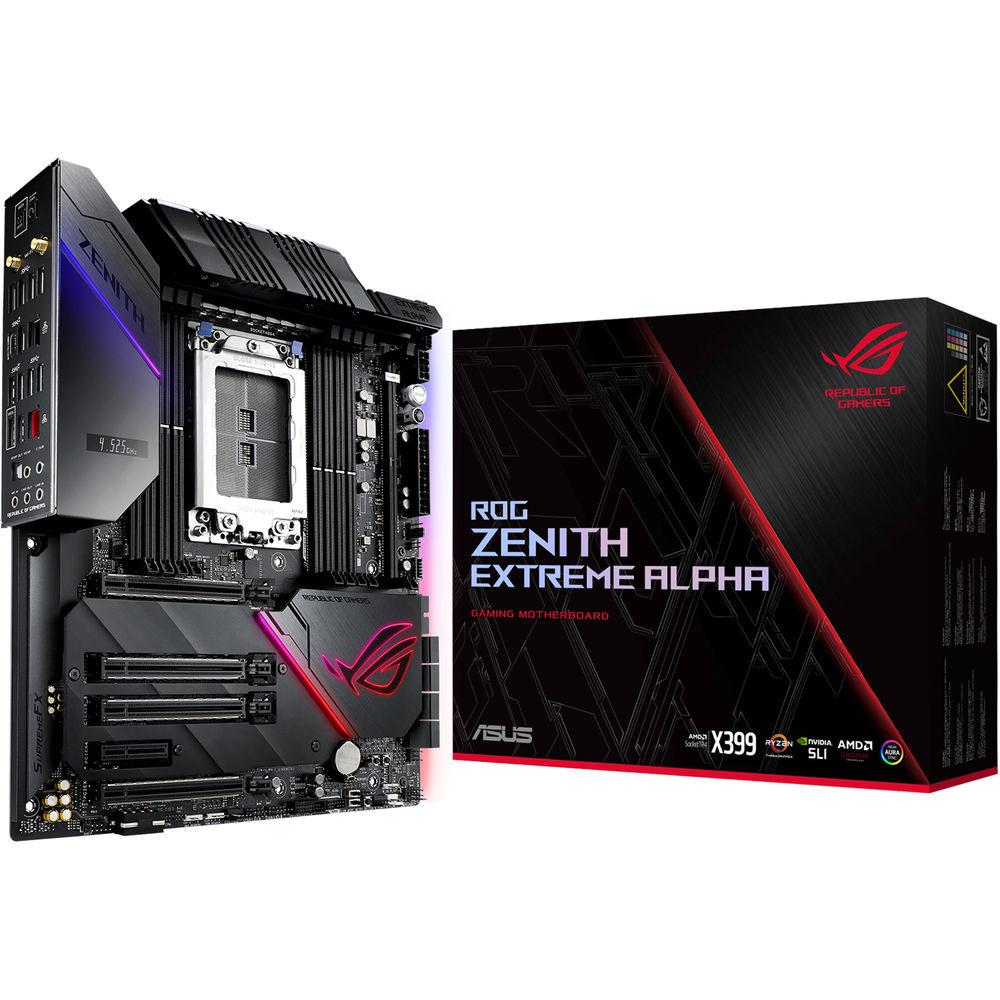
User Manual for ASUS Republic of Gamers Zenith Extreme Alpha X399 TR4 E-ATX Motherboard Click to enlarge the picture
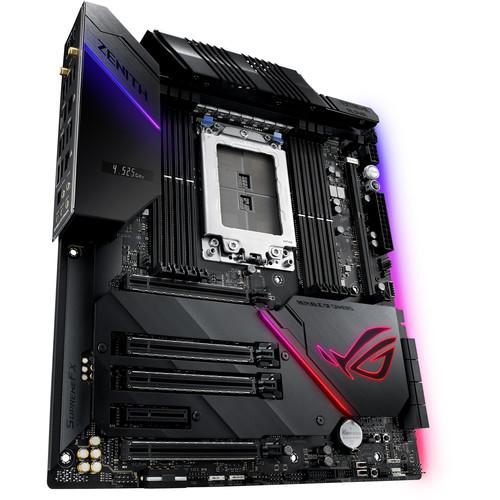 Contents of the user manual for the ASUS Republic of Gamers Zenith Extreme
- Product category: Motherboards ASUS
- Brand: ASUS
- Description and content of package
- Technical information and basic settings
- Frequently asked questions – FAQ
- Troubleshooting (does not switch on, does not respond, error message, what do I do if...)
- Authorized service for ASUS Motherboards
 |
User manual for the ASUS Republic of Gamers Zenith Extreme contain basic instructions
that need to be followed during installation and operation.
Before starting your appliance, the user manual should be read through carefully.
Follow all the safety instructions and warnings, and be guided by the given recommendations.
User manual is an integral part of any ASUS product,
and if it is sold or transferred, they should be handed over jointly with the product.
Following the instructions for use is an essential prerequisite for protecting
health and property during use, as well as recognition of liability on the part of the manufacturer
for possible defects should you make a warranty claim. Download an official ASUS user manual in which you will find instructions on how to install, use, maintain and service your product.
And do not forget – unsuitable use of a ASUS product will considerably shorten its lifespan!
|
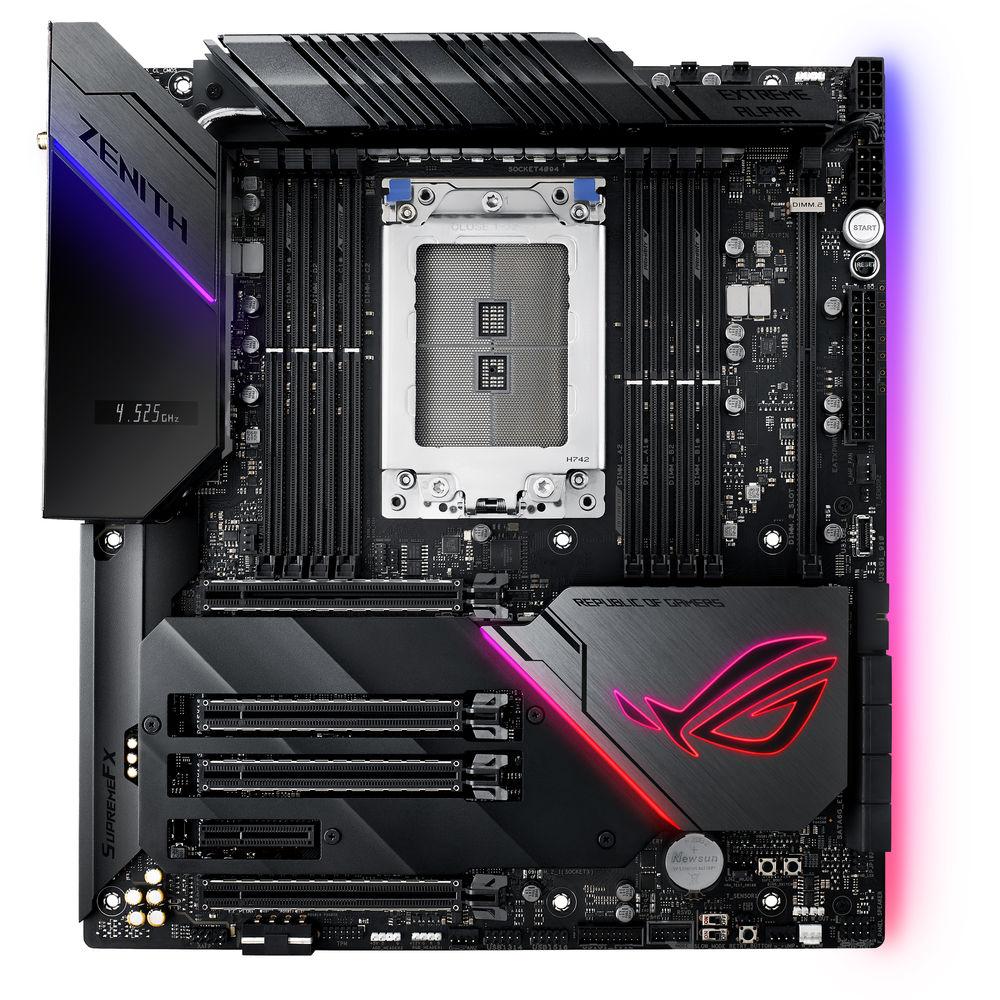
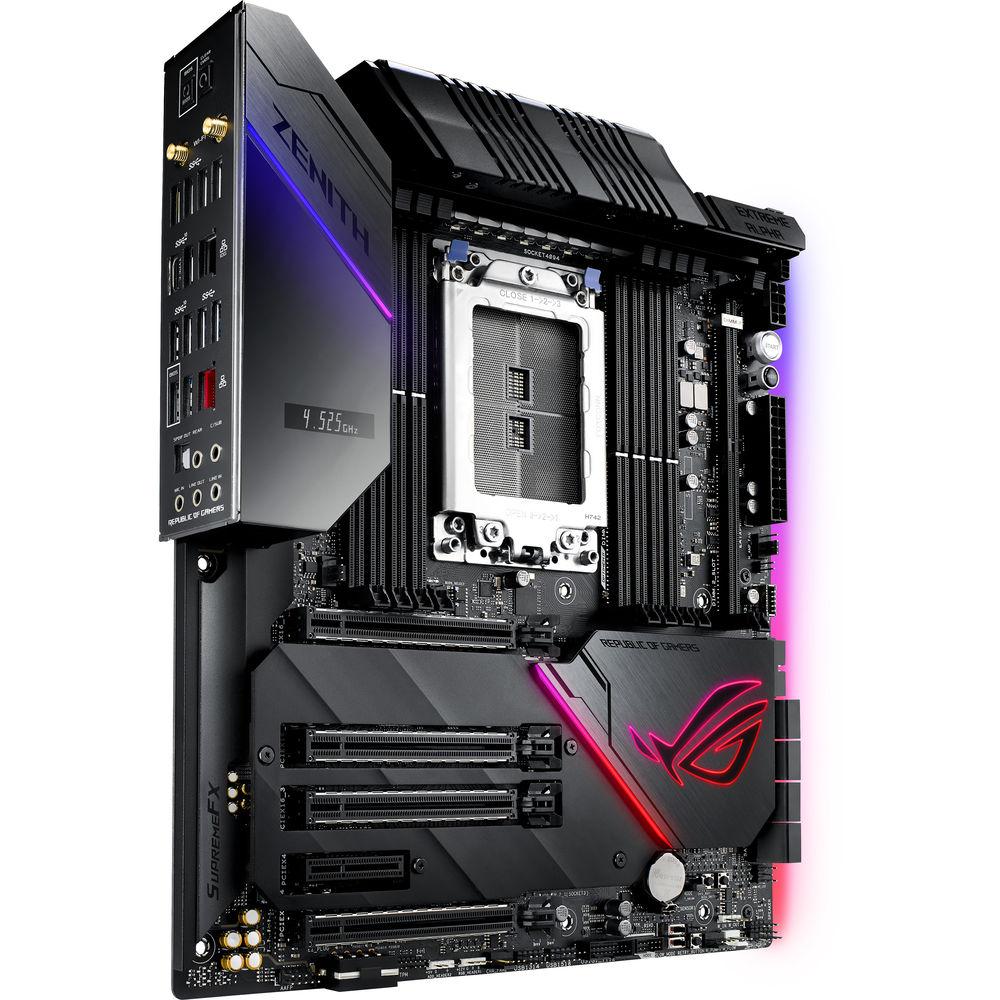
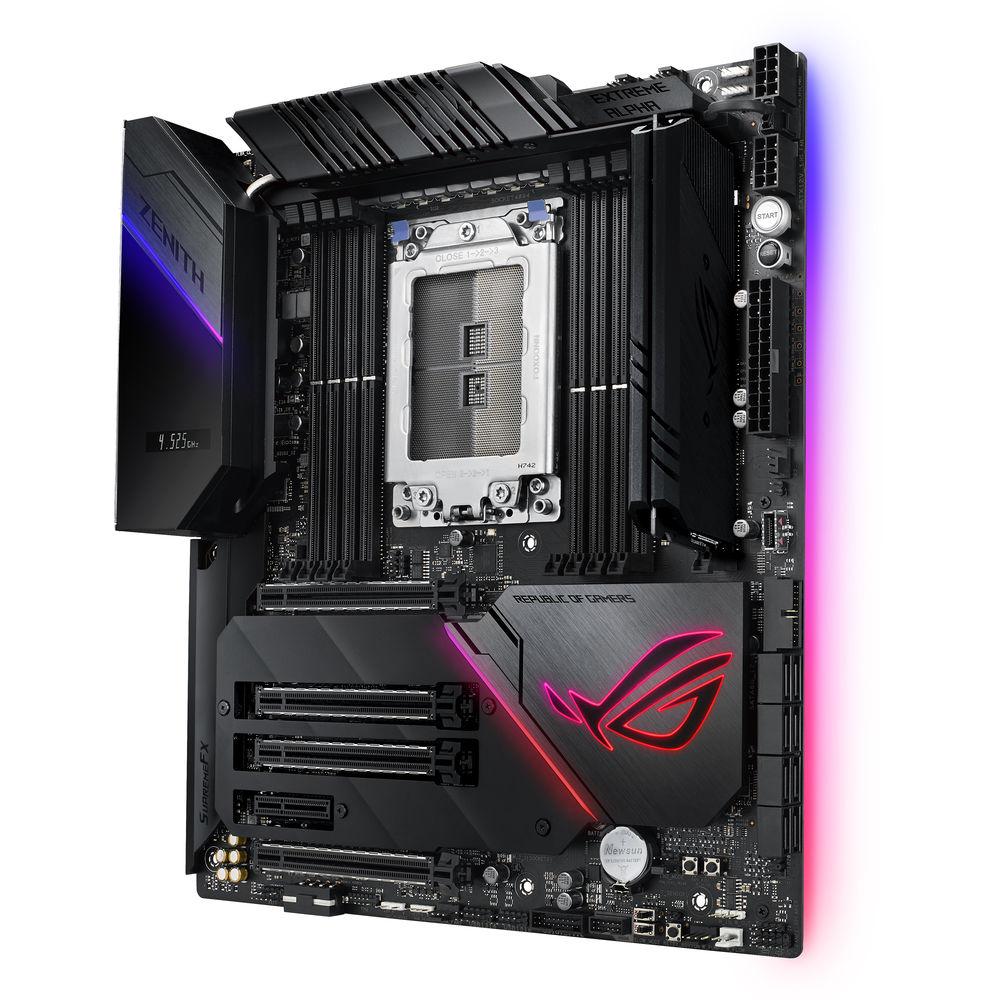
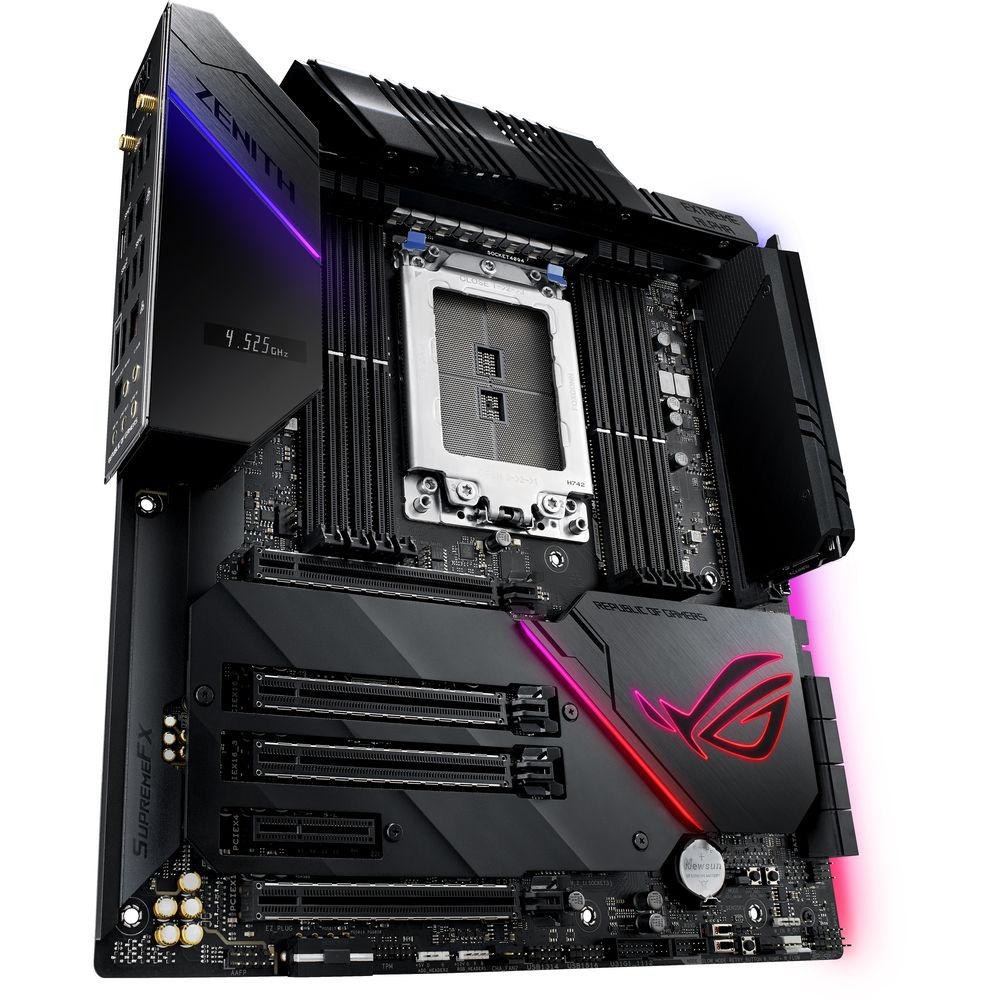
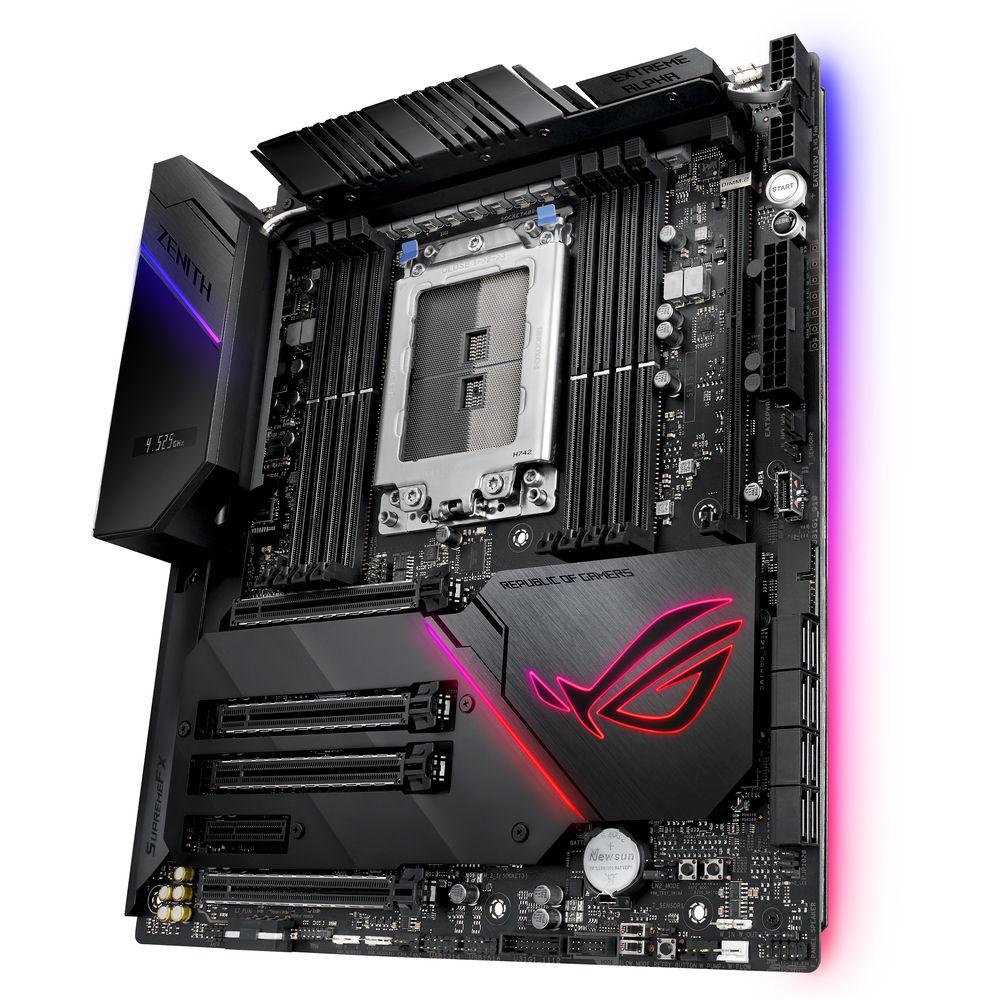
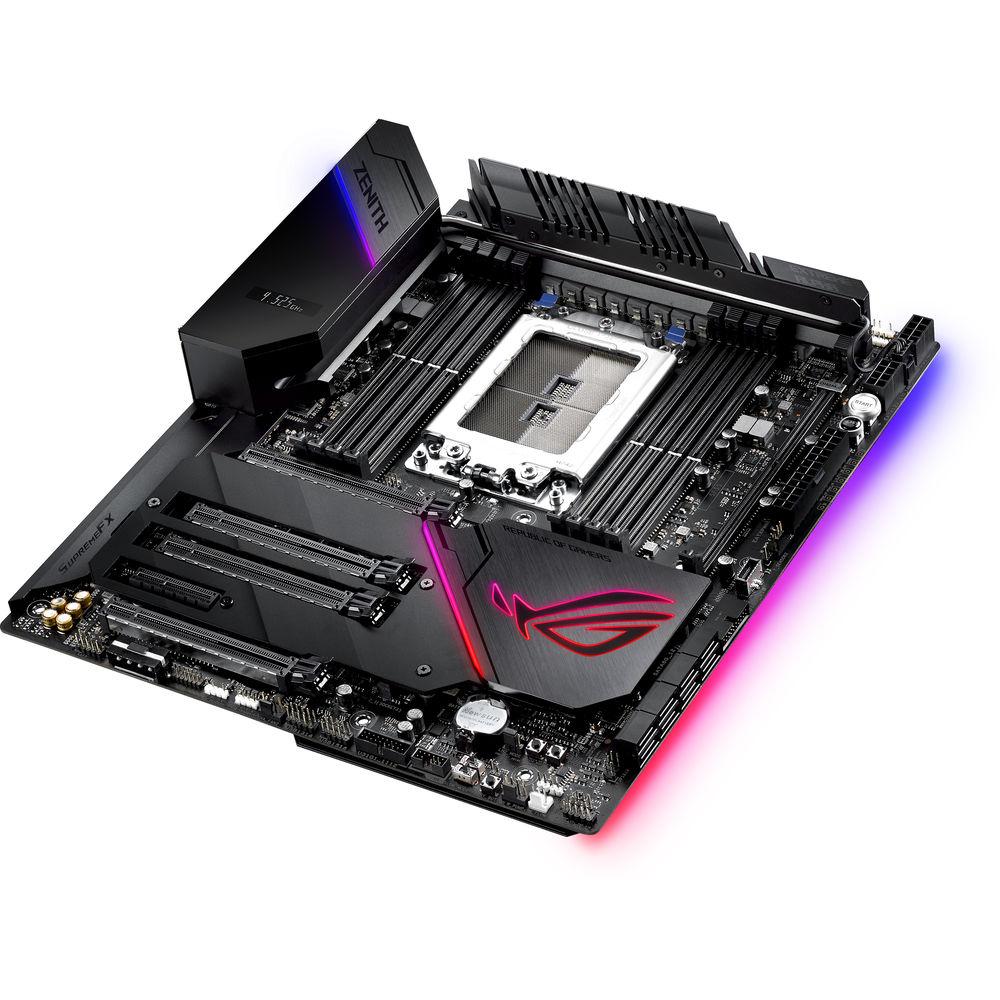
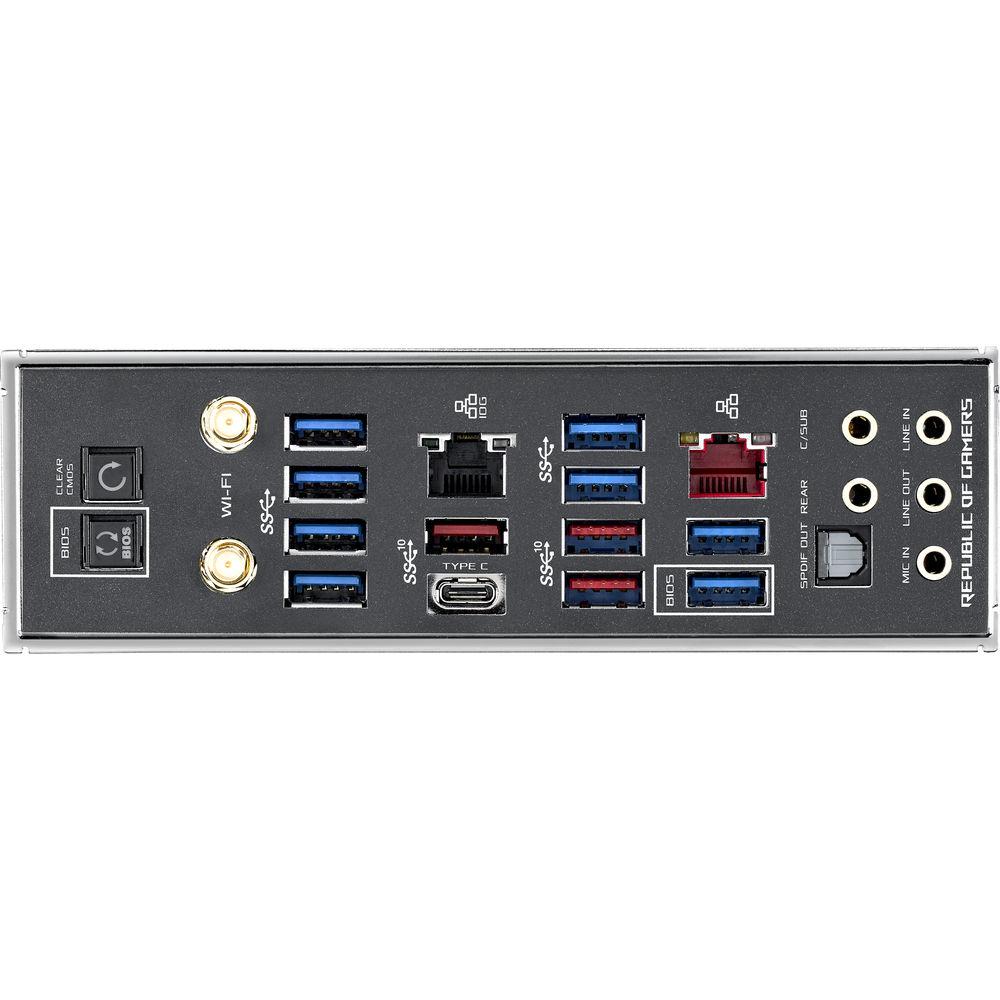
Product description The Republic of Gamers Zenith Extreme Alpha X399 TR4 E-ATX Motherboard from ASUS is a hefty board packed with a variety of features and add-ons designed for enthusiasts. Built on the AMD X399 chipset and equipped with a TR4 socket, this motherboard is compatible with first- and second-generation AMD Ryzen Threadripper processors with up to 32-cores. It also has a total of eight DDR4 memory slots for up to 128GB of 3600 MHz non-ecc, un-buffered, overclocked RAM. Storage connectivity options include eight SATA III ports and three M.2 slots with RAID support. Two of the M.2 slots are located on the included ROG DIMM.2 extension card with its own dedicated slot. There is a total of one PCIe 3.0 x4 and four PCIe 3.0 x16 slots that are spaced in a way that can only accommodate up to three dual-slot graphics cards. To connect to the internet, this motherboard has 802.11ac Wi-Fi and two Ethernet ports, one of which supports up to 10 Gb/s using a compatible Cat6 cable. Other integrated features include your standard assortment of USB and audio ports for additional peripherals and devices. - Cooling
- The ROG Zenith Extreme Alpha is equipped with plenty of cooling options including multiple heatsinks, fan headers, water-cooling support, and even comes with a fan extension card to support additional fans.
- Performance
- To keep up with high-core count processors, this motherboard is equipped with dual 8-pin power connectors, durable MOSFETS, alloy chokes, and solid-polymer capacitors.
- DDR4
- Asus has optimized the circuit design with equidistant channels, minimal coupling noise and signal reflection for balanced yet powerful overclocking to reach frequencies of up to 3600 MHz.
- Optimization
- The Asus 5-way optimization feature includes the TurboV processing unit (TPU), energy processing unit (EPU), Fan Expert 4, the Digi+ voltage-regulator module (VRM), and the Turbo Core app. These hardware and software additions provide you with intelligent, automatic overclocking while you still retain full manual control within the comprehensive UEFI BIOS.
- Storage
- The ROG Zenith Extreme Alpha supports up to three M.2 SSDs, one at the bottom located near the PCIe slots and two via the included ROG DIMM.2 dual M.2 expansion card. With these options, you can take advantage of AMD StoreMI and NVMe RAID technologies to increase system speed and responsiveness for faster booting and loading.
- Networking
- Connect to the internet using an Ethernet cable or wirelessly with built-in 802.11ac Wi-Fi. One of the Ethernet ports support up to 10 Gb/s, which is ten times that of standard gigabit Ethernet, for fast backups and transfers, 4K content streaming, and more. Please not that you will need to use a Cat6 cable for 10 Gb/s as Cat 5e cables only support up to 5 Gb/s.
- ASUS Aura Sync
- ASUS Aura Sync lights up your motherboard and provides multiple lighting customization options. You can also sync it with other compatible components and peripherals for a unified theme.
- GameFirst V
- GameFirst V is a ROG-exclusive networking optimization software that prioritizes gaming traffic for faster, lag-free gaming. You can also keep tabs on applications and make manual adjustments as needed.
- RAMCache Storage
- If you have extra RAM to spare, RAMCache can cache an entire storage device to boost loading times of your favorite games and apps.
- Sonic Studio
- Sonic Studio is an audio software for EQ adjustments, presets, and more. It also supports HRTF-based (head-related transfer function) virtual surround for VR headsets.
- LiveDash OLED
- The I/O shield features a built-in OLED panel that can display useful information as well as customizable graphics. Set which system stats you want to monitor or even have it display a personalized GIF.
UPC: 192876233160 In the Box ASUS Republic of Gamers Zenith Extreme Alpha X399 TR4 E-ATX Motherboard 6 x SATA III 6 Gb/s Cables ASUS 2T2R Dual-Band Wi-Fi Moving Antennas Fan Extension Card II Fan Extension Card II Power Cable Fan Extension Card II NODE Connector Cable Fan Extension Card II Screw Package SLI HB Bridge (2-Way-M) ROG Big Sticker Q-Connector M.2 Screw Kit (Long Screw & Mount) M.2 Screw Kit (Short Screw & Mount) DIMM.2 Extension Card ROG Logo Sticker(s) Extension Cable for RGB Strips Extension Cable for Addressable LED 3 x Thermistor Cables USB Drive with Utilities & Drivers ROG Coaster(s) ROG Weave SATA 6G Cable ROG Thank You Card Limited 3-Year Warranty More info from ASUS Table of Contents
|
Upload User Manual
Have you got an user manual for the ASUS Republic of Gamers Zenith Extreme Alpha X399 TR4 E-ATX Motherboard in electronic form? Please send it to us and help us expand our library of instruction manuals.
Thank you, too, on behalf of other users.
To upload the product manual, we first need to check and make sure you are not a robot. After that, your "Submit Link" or "Upload File" will appear.
Technical parametersASUS Zenith Extreme Alpha Specs | | | Chipset | AMD X399 | | CPU Socket | TR4 | | | | USB | 1 x USB 3.1 Gen 2 Type-C
3 x USB 3.1 Gen 2 Type-A
8 x USB 3.1 Gen 1 Type-A | | Thunderbolt | None | | Display | None | | Audio | 1 x S/PDIF
5 x 3.5 mm | | Ethernet / Controller | 1 x Aquantia AQC-107 10G 10GbE
1 x Intel I211-AT Gigabit | | Wi-Fi Antenna | 2 x Connector | | Buttons | BIOS Flashback, Clear CMOS | | | | Memory Slots | 8 x 288-Pin | | Memory Support | DDR4 2133, 2400, 2666, 2800, 2933, 3000, 3200, 3466, 3600 MHz | | Maximum Capacity | 128 GB | | Channel Architecture | Quad Channel | | ECC Support | Non-ECC, ECC Unbuffered | | | | SATA | 8 x SATA III | | M.2 | 2 x M Key 2242, 2260, 2280, 22110 (PCIe 3.0 x4, SATA III)
1 x M Key 2242, 2260, 2280 (PCIe 3.0 x4) | | U.2 | None | | DIMM.2 | 1 | | RAID Support | RAID 0, 1, 10 (SATA) | | | | Expansion Slots | 4 x PCIe 3.0 x16
1 x PCIe 3.0 x4 | | USB | 2 x USB 3.1 Gen 1 Header (Supports 4 USB Type-A Ports)
2 x USB 2.0 Header (Supports 4 USB Type-A Ports) | | Multi-GPU Support | 3-Way NVIDIA SLI
3-Way AMD CrossFireX | | Air Cooling | 2 x 4-Pin CPU
4 x 4-Pin System
2 x Thermal Sensor
1 x 2-Pin W_IN
1 x 2-Pin W_OUT
1 x 3-Pin W_FLOW | | Liquid Cooling | 1 x 9-Pin Monoblock Sensor
1 x 4-Pin Pump | | Power Connectors | 1 x 24-Pin Mainboard
2 x 8-Pin CPU
1 x 4-Pin Molex | | Security | TPM Module | | LED Header | 4 x RGB | | Audio | None | | Diagnostics | BIOS Selection, LN Mode, Measurement Points, Reset, ReTry, Safe Boot, Slow Mode, Start | | | | I/O Connection Headers | AAFP, USB 3.1 | | | | Audio Codec | SupremeFX S1220 (8-Channel) | | | | Wi-Fi | Wi-Fi 5 (802.11ac) (MU-MIMO) | | | | Supported Operating Systems | Windows 10 (64-Bit) | | | | Form Factor | E-ATX | | Dimensions | 12 x 10.9" / 304.80 x 276.86 mm | | | | Package Weight | 9.27 lb | | Box Dimensions (LxWxH) | 14.7 x 12.0 x 4.5" |
Rating90% users recommend this product to others. And what about you?

This product has already been rated by 63 owners. Add your rating and experience with the product.
Discussion
 Ask our technicians if you have a problem with your settings,
or if anything is unclear in the user manual you have downloaded.
You can make use of our moderated discussion.
The discussion is public and helps other users of our website who may be encountering similar problems.
Ask our technicians if you have a problem with your settings,
or if anything is unclear in the user manual you have downloaded.
You can make use of our moderated discussion.
The discussion is public and helps other users of our website who may be encountering similar problems.
The discussion is empty - enter the first post
Post a new topic / query / comment:
|
|
|
| Request for user manual |
You can’t find the operation manual you are looking for? Let us know and we will try to add the missing manual:
I’m looking for a manual / Request for manual
Current requests for instruction manuals:
Call Of Duty World War Two For Xbox...
controller stratus XL...
stratus XL...
smart whatch serie S11 42mm...
Allen & Heath SQ-6 manual...
|
| Discussion |
Latest contributions to the discussion:
AEW R 4100
Name: MAURICIO ANGARITA
Audio-Technica AEW-R4100 UHF Diversity Receiver for
AEW R 4100 has the mute function blocked and does not allow audio to pass. I tried several times to turn off the mute from the transmitter but it does nothing, the mute stays on. Solution?
Thank you...
Instructions for assembling the 2015 Forecast Image Master Consoles GC3-A
Name: mike elam
Forecast Consoles GC3-A ImageMaster Editing Console
Looking for instructions for assembling this console. ...
EMPTY TONER ERROR MESSAGE AFTER REPLACING TONER
Name: LINDA BAD YELLOW EYES
Brother TN223BK Standard-Yield Toner
I HAD TO CHANGE OUT ALL THREE TONERS DUE TO LEAKS IN THE YELLOW AND CYAN. AFTER I REPLACED THEM, THE MACHINE KEEPS GIVING ME AN EMPTY TONER ERROR MESSAGE. HELP!!...
PS480D 20/24 pin Switching 480W Power Supply
Name: swkargo
Logisys 480W Power Supply
This item states in can run -5vdc .It is NOT listed on the board or I beleive is r4 is missing the resitior. Any body have thid issue. Shawn
...
Help needed
Name: Ann Carter
SanDisk 1TB Extreme Portable USB 3.1
When I click the link to download the user manual for my Sandisk Extreme external hard drive, it gives me the manual for the LG Cricket. Can you please change the link so I can download the Sandisk manual and begin using this drive? Thank you....
|
|


