|
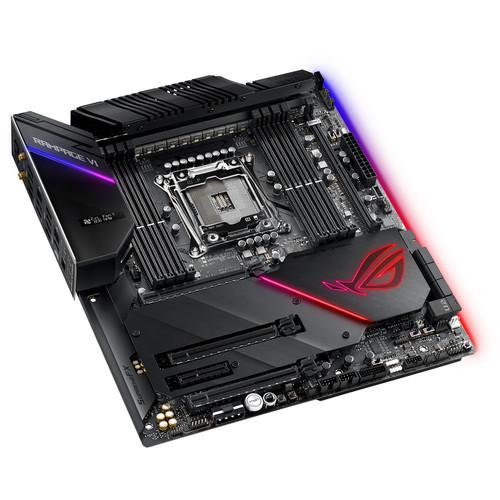
User Manual for ASUS ROG Rampage VI Extreme Omega Motherboard Click to enlarge the picture
 Contents of the user manual for the ASUS ROG Rampage VI Extreme Omega
- Product category: Motherboards ASUS
- Brand: ASUS
- Description and content of package
- Technical information and basic settings
- Frequently asked questions – FAQ
- Troubleshooting (does not switch on, does not respond, error message, what do I do if...)
- Authorized service for ASUS Motherboards

 |
User manual for the ASUS ROG Rampage VI Extreme Omega contain basic instructions
that need to be followed during installation and operation.
Before starting your appliance, the user manual should be read through carefully.
Follow all the safety instructions and warnings, and be guided by the given recommendations.
User manual is an integral part of any ASUS product,
and if it is sold or transferred, they should be handed over jointly with the product.
Following the instructions for use is an essential prerequisite for protecting
health and property during use, as well as recognition of liability on the part of the manufacturer
for possible defects should you make a warranty claim. Download an official ASUS user manual in which you will find instructions on how to install, use, maintain and service your product.
And do not forget – unsuitable use of a ASUS product will considerably shorten its lifespan!
|
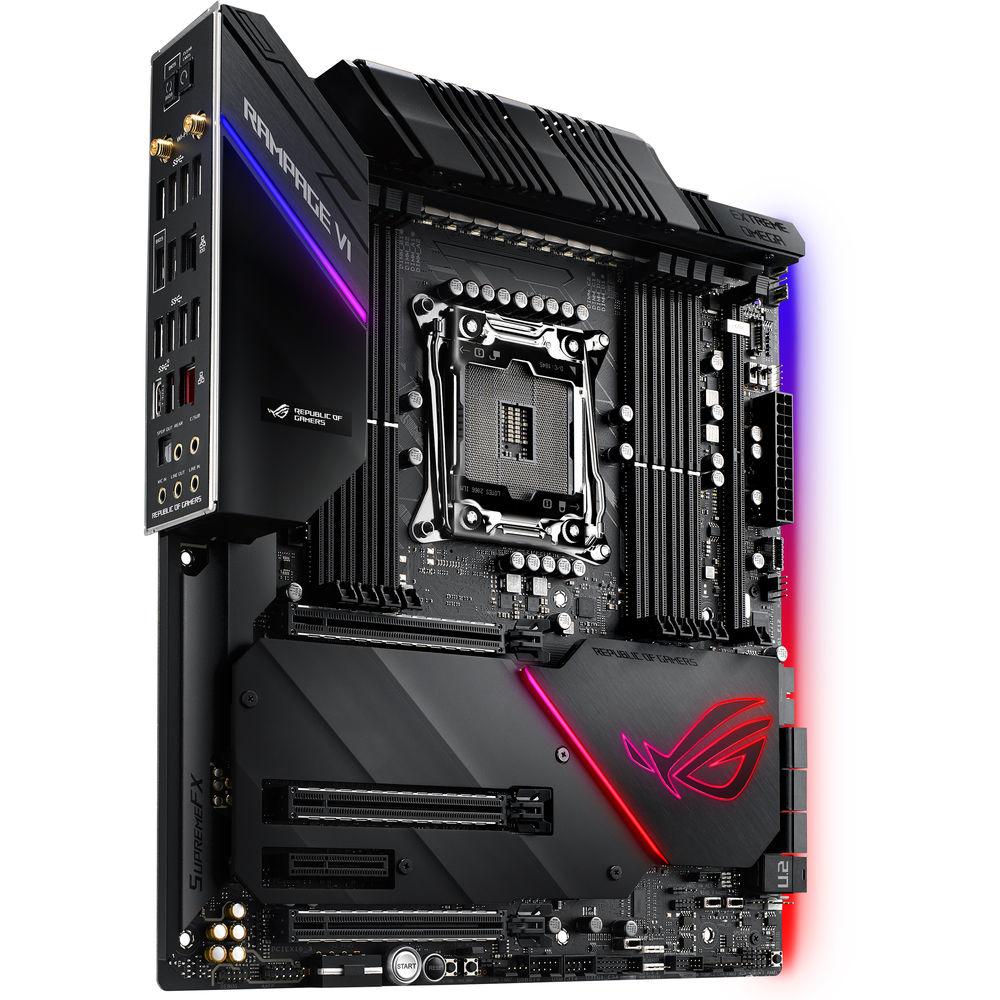
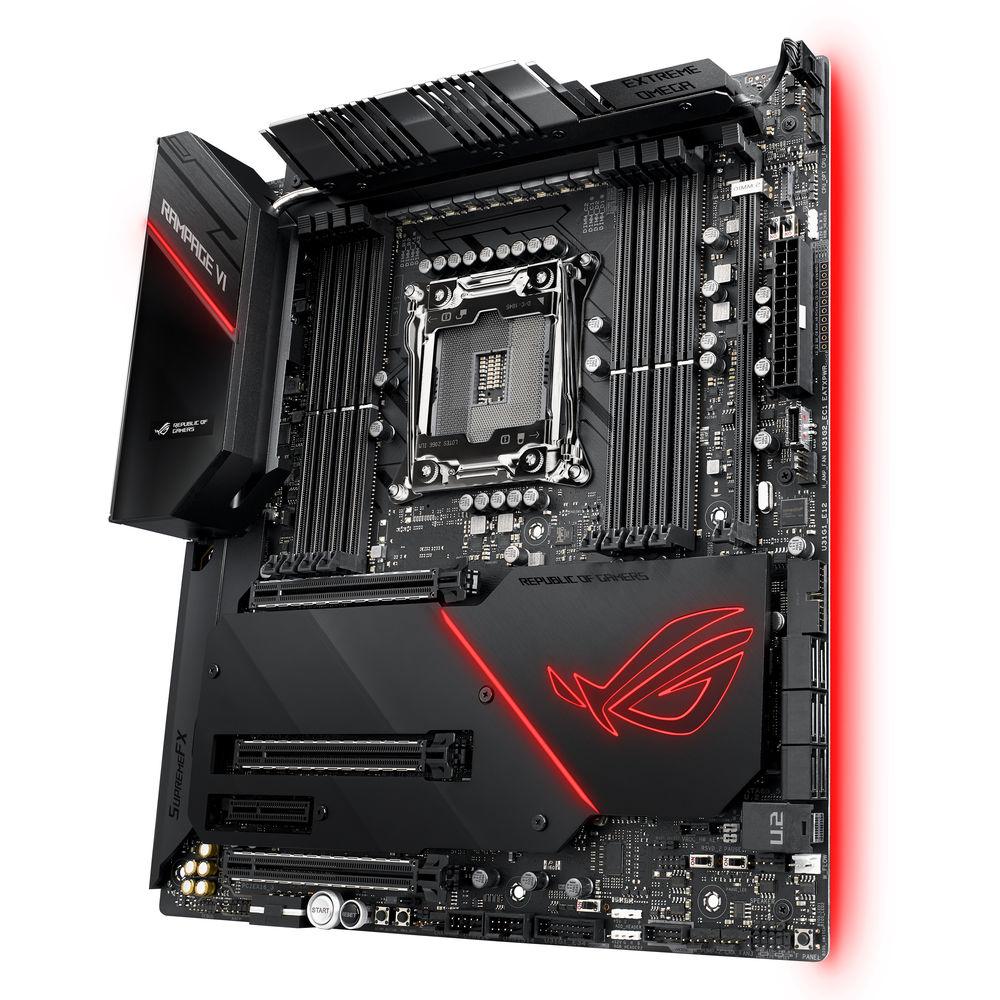
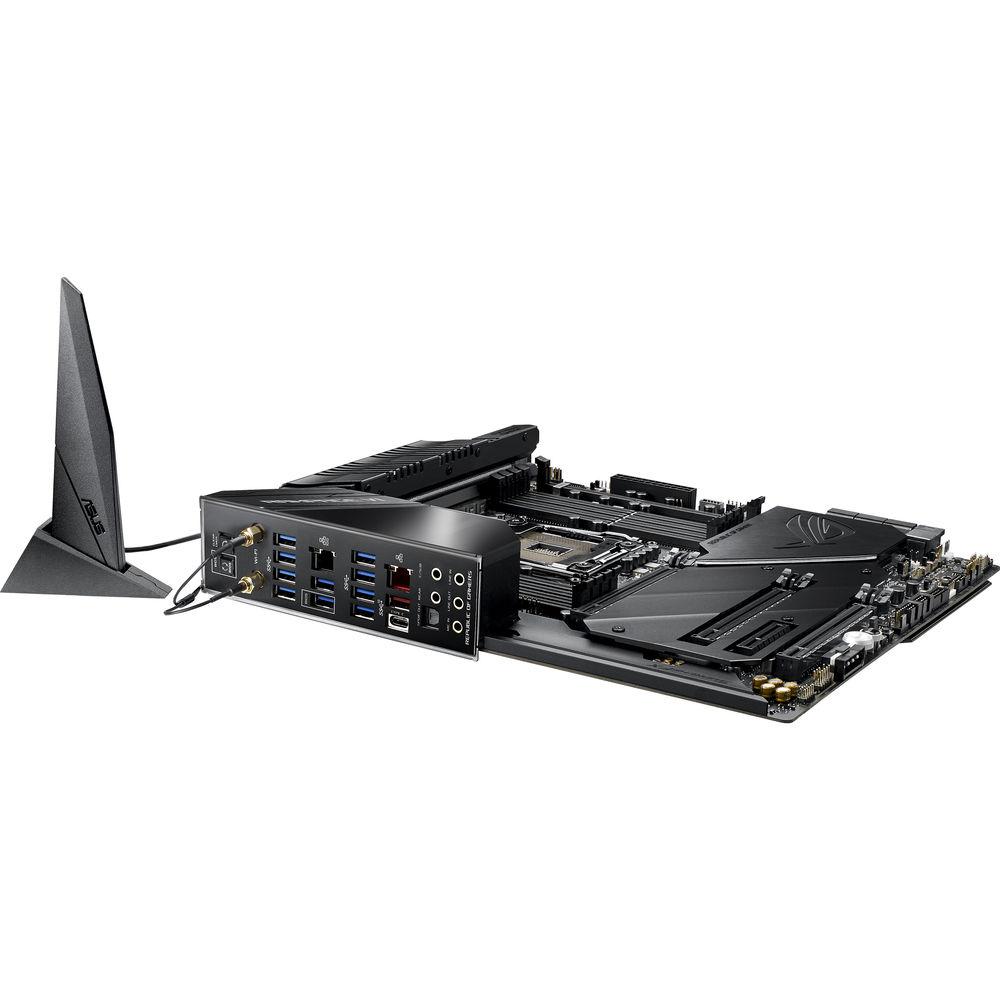
Product description Get more out of your gaming PC build with the ROG Rampage VI Extreme Omega Motherboard from ASUS. This E-ATX motherboard comes equipped with an Intel X299 chipset and an LGA 2066 socket designed for Intel Core X-series processors with six cores or more, while its quad-channel DDR4-4266 memory architecture supports up to 128GB of RAM. The Rampage VI Extreme Omega motherboard features six SATA III ports, a U.2 port, and four M.2 ports, plus three PCIe 3.0 x16 slots and one PCIe 3.0 x4 slot. The motherboard also comes with ROG SupremeFX 8-channel HD audio, integrated Wi-Fi 5 with multi-user MIMO technology, and an Aquantia AQC-107 LAN interface. Support for ASUS Aura Sync RGB allows you to light up your build, while the LiveDash OLED displays motherboard status and customizable graphics. Support for NVIDIA SLI and AMD CrossFireX technology allows for multi-GPU setups. General Features - Quad Strength Graphic Power
- 4-Way PCIe Gen3 x16 link supporting NVIDIA GeForce SLI, NVIDIA NVLink and AMD CrossFireX on demand.
- Comprehensive Thermal Design
- Active heatsink with integrated VRM fan, PCIe-zone M.2 aluminum heatsink, and dual backplates.
- High-Performance Networking
- Onboard Aquantia 10 Gb/s LAN, 802.11ac Wi-Fi with MU-MIMO support, and Intel Gigabit LAN with ASUS LANGuard and GameFirst V technologies.
- 5-Way Optimization
- Automated system-wide tuning, providing overclocking and cooling profiles that are tailor-made for your rig.
- SafeSlot Technology
- Firmly-anchored PCIe slots fortified with metal designed to support heavyweight graphics cards.
- Personalization
- LiveDash OLED and ASUS-exclusive Aura Sync RGB lighting, including two additional RGB headers and one addressable header.
- ROG Audio
- SupremeFX S1220 and ESS SABRE9018Q2C for enthusiast-grade audio performance.
- ESD Guards
- Offer electrostatic protection. ESD Guards cover the USB, audio, and LAN ports.
- TrueVolt USB
- USB power supplies 5V to all USB ports, minimizing power fluctuations for minimal data loss.
- 3 x SafeSlots
- Provide stronger PCIe device retention and greater shearing resistance.
- 8 x Q-DIMM
- One-sided clips for simple, secure handling of memory modules.
- 3 x Q-Slots
- Clip to swap or secure your graphics card.
- Q-Connector
- Sorts all front-panel cables.
Power Features - Power Design
- The compute power of high-core-count (HCC) processors necessitates a power circuit that rapidly responds to massive current swings, and those demands increase exponentially when the CPU is overclocked. Featuring an array of 16 strategically paired power stages, the Omega's VRM is geared for a variety of workloads and operating conditions.
- Dual 8-Pin ProCool Power Connectors
- Two ProCool connectors help to ensure a snug and reliable connection to the EPS 12V power lines.
- PowIRstage Mosfets
- The Omega VRM is comprised of 16 IR3555 PowIRstages, each rated to handle 60A.
- Microfine Alloy Chokes
- Each PowIRstage is accompanied by a high-permeability alloy-core choke rated to handle 45A.
- 10K Black Metallic Capacitors
- Input and output filtering is provided by solid-polymer capacitors rated to last thousands of hours at high operating temperatures.
Memory - DDR4 4266 MHz+
- HCC processors crunching multi-threaded compute workloads can demand colossal memory space and bandwidth. The Omega features Optimem II enhancements designed to maximize signal integrity and drive high-density memory configurations to speeds previously reserved for low-capacity setups.
Cooling - Active Heatsink
- Fans located within the heatsink kick on after 140°F/60°C and allow the Rampage VI Extreme Omega to handle sustained power draw of over 500W.
- Aluminum I/O Cover
- The aluminum I/O cover is connected to the primary heatsink via an embedded heatpipe, increasing mass and surface area.
- Aluminum Heatsink Cover
- The cover is crafted from pure aluminum to efficiently cool the two onboard M.2 drives.
- DIMM.2 Heatsinks
- The ROG DIMM.2 module passively cools M.2 drives with metal heatsinks that also help to keep your build looking clean.
- Dual Backplates
- Dual backplates add rigidity and additional functionality to the oversized board. One adds additional mass to siphon heat from the VRM, while the other adds additional RGB lighting effects.
- PCH Heatsink
- Blends seamlessly with the aluminum heatsink cover and features the ROG logo.
- Multiple Temperature Sources
- Each header can be set to monitor and react to three user-configurable thermal sensors for workload-based cooling. All settings can be easily managed by Fan Xpert 4 or UEFI.
- 4-Pin PWM/DC Fan
- Every onboard header supports auto-detection of PWM or DC fans.
- Heatsink Fan
- A dedicated header for an onboard heatsink fan.
- Bundled Fan Extension Card II
- Includes six additional DC or PWM fan headers, plus three thermal-probe headers.
- Water Pump+
- A dedicated header that can supply over 3A to high-performance PWM or DC water pumps.
- Water In/Out
- Enables monitoring of temperatures at the input/output of any component.
- Water Flow
- Enables constant monitoring of flow rate of the entire loop.
- Water-Block Header
- A special connector that lets water blocks designed for the ROG Rampage VI Extreme Omega provide flow, temperature, and leakage data.
- ROG Water-Cooling Zone
- ROG Water-Cooling Zone's dual water-temperature headers and flow-rate header feed information straight into the AI Suite utility, so you can keep track of coolant temperatures and the flow rate of the entire loop.
- W_FLOW Tachometer
- Enables constant monitoring of flow rate of the entire loop.
- W_IN/OUT Thermal Sensor
- Enables monitoring of temperatures at the input/output of any component.
- Fan Extension Card II
- ROG Rampage VI Extreme Omega includes the Fan Extension Card II, which adds six headers that are controllable via Fan Xpert 4. The card has three temperature-sensor headers to complement the one available onboard, and it comes with three thermistors that you can affix to different components. In addition to supplying extra headers for cooling, it has three primed for RGB LED strips. Screw holes allow you to mount the card to 2.5" bay on your chassis. The ASUS Node connector allows you to connect additional compatible PSUs or accessories.
Optimization Features - TurboV Processing Unit
- The TurboV Processing Unit (TPU) is an intelligent onboard micro-controller that provides an array of system-tuning features, including the ability to fine-tune voltages, monitor system stats, and adjust overclocking parameters.
- Energy Processing Unit
- The Energy Processing Unit (EPU) is designed to deliver system-wide power savings. The EPU automatically optimizes power consumption and maximizes savings with Away mode, a smart setting that creates an extreme energy-saving scenario by shutting down unused I/O controllers.
- Flexible Cooling Controls
- Enjoy comprehensive control over fans, water pumps, and all-in-one (AIO) coolers, via either Fan Xpert 4 or UEFI. Whether you're cooling with air or water, Auto-Tuning mode intelligently configures all parameters with a single click. There's also an Extreme Quiet mode, which reduces all fan speeds to below the default minimum, which helps to keep your system quiet when performing light tasks.
- Digi+ Voltage-Regulator Module
- The Digi+ voltage-regulator module (VRM) delivers real-time control over voltage droop, switching frequency and power-efficiency settings, allowing you to fine-tune CPU voltage regulation for stability and performance.
- Turbo Core App
- Intel's processors feature per-core tuning, and the ASUS Turbo app makes use of this feature by letting you assign applications to specific processor cores, prioritizing computing power where it's needed most.
- UEFI BIOS
- The UEFI's Advanced mode enables full control over every aspect of the motherboard, while a built-in search function helps you quickly find the setting you need, including:
- My Favorites: Quickly find tuning options and add preferred tools to the list.
- EZ Flash 3: Flash the latest BIOS via the internet from within the BIOS.
- SMART: Check your storage device Self-Monitoring, Analysis, and Reporting Technology logs to gauge reliability and identify potential failures.
- GPU POST: Automatically detect selected ASUS graphics cards to view detailed information.
- Secure Erase: Restore your SSDs and NVMe storage to factory settings.
- Last Modified Log: Track the last change and save preferred profiles to a USB drive.
- SATA Port Renaming: Rename SATA ports for easy identification.
- User Profile: Port configuration settings between different BIOS versions or share them with friends
- Q-Fan Control: Configure the fan's operating speed manually or use pre-configured fan profiles to quickly select Standard, Silent, Turbo or Full Speed modes. By default, system fans are designed to automatically switch to full speed if the temperature reaches 167°F/75°C.
Connectivity Features - VROC
- Use an onboard M.2 slot and the ROG DIMM.2 module to take advantage of Intel's Virtual RAID on CPU (VROC) feature by connecting the three M.2 drives in RAID configurations. With VROC, your RAID arrays are easily configured to be bootable, and traditional DMI bottlenecks are eliminated so your storage is not held back by other traffic. Additional purchase of Intel VROC hardware key required for RAID 1, 5, or 10.
- PCH RAID
- Wired directly to the X299 PCH, the lower onboard M.2 slot can be used in chipset-based RAID configurations to improve storage performance or provide a layer of redundancy.
- Intel Integrated Ultra Wi-Fi Support
- ROG Rampage VI Extreme Omega features Intel Wireless-AC 9260 Wi-Fi (802.11ac) with 2x2 MU-MIMO and HT160 support for wireless speeds up to 1.73 Gb/s. Intel Wireless-AC 9260 also offers Bluetooth 5.0 support.
- 10 Gb/s Onboard Ethernet
- Designed for the demanding requirements of power users and content creators who push the envelope, 10 Gb/s onboard LAN plugs offer up to 10x the bandwidth of standard Gigabit Ethernet, ideal for enjoying streaming uncompressed 4K UHD videos, as well as speedy backups and file transfers. Support for intermediate 2.5 Gb/s and 5 Gb/s connectivity is also available.
- Intel Ethernet
- ROG Rampage VI Extreme Omega features the Intel Ethernet (I219-V) for faster, smoother gaming. This Intel controller has a natural synergy with Intel processors and chipsets, which helps to reduce CPU overhead while offering optimal TCP and UDP throughput.
- SupremeFX
- The front-panel headphone output features a SABRE9018Q2C integrated DAC/amp capable of reaching -115 dB THD+N. The improved resolution derived from the ESS Hyperstream DAC architecture expands the soundstage to give a better sense of positioning. Beyond resolution, the 121 dB DNR provides a low noise-floor, further accentuating dynamics and punch. Sonic Studio software provides an array of EQ options, allowing the sound signature to be tweaked to suit your cans.
- LED-Illuminated Audio Jacks
- Backlit audio jacks are designed to save you from fumbling around in the dark.
- ESS SABRE9018Q2C DAC/AMP
- Helps to create an ideal balance for audio clarity capable of -115 dB THD.
- S1220 Codec
- Supports 10 DAC channels, simultaneous 7.1-channel playback, independent 2.0-channel, and multiple-stream stereo to front-panel outputs.
- Switching Mosfets
- Allows the codec's impedance-sensing function to be ported with either the front or rear headphone outputs.
- Nichicon Caps
- Fine-quality components designed to produce a warmer, natural sound with exceptional clarity and fidelity.
Personalization Features - Aura Sync
- Gear up with ROG components, from graphics and monitors to mice and keyboards, and up your game with complementary aesthetics, control, and compatibility. The ROG ecosystem allows for greater choice as your system expands.
- GameFirst V
- Designed to optimize network traffic for faster, lag-free online gaming. Team your gateways, keeps tabs on bandwidth-hogging apps, and make adjustments on the fly. Interface directly with a ROG router and automatically configure QoS to prioritize network bandwidth to games.
- RAMCache III
- Compatible with NVM Express storage options, RAMCache III's intelligent technology effectively caches an entire storage device, helping to ensure favorite games and apps launch quickly. Smart Mode automatically caches all your storage devices to maximize your system's resources.
- Sonic Studio
- Supports HRTF-based (head-related transfer function) virtual surround for VR headsets, casting an immersive aural landscape that draws you deeper into the action. The intuitive Sonic Studio interface offers a range of EQ options and one-click presets, allowing you to tailor acoustics to suit personal preferences or the characteristics of your headset. Sonic Studio Link allows you to apply Sonic Studio effects on all playback devices. Simply press the Sonic Studio Link button to enjoy the effect on any playback devices.
- LiveDash
- A built-in OLED panel that displays useful information and customizable graphics. Select which system stats to monitor, then choose personalized GIFs and images to display. During the power-on, self-test (POST) phase, LiveDash shows key progress stats in simple language and via traditional POST codes. During normal operation, the panel shows a choice of CPU frequency, device temperatures, fan speeds, or information from the Water Cooling Zone.
- Armoury Crate
- The Armoury Crate portal keeps you updated with the latest drivers and BIOS releases. Its easy-to-use UI can be configured to show a variety of information, including security updates, bug patches, the latest ROG news, gaming events, and special offers.
Intel Support - Intel X299 Chipset
- Supports LGA 2066-socket Intel Core X-Series processors. It provides improved performance by utilizing serial point-to-point links, allowing increased bandwidth and stability. Additionally, X299 provides a maximum 10 USB 3.1 Gen 1 ports, 8 SATA 6 Gb/s ports, and 32 Gb/s M.2 support for faster data retrieval.
- Intel Core X-Series Processors for LGA 2066 socket
- Supports Intel Core X-Series processors (6-core and above): 4-channel (8-DIMM), 44/28 PCI Express 3.0/2.0 lanes.
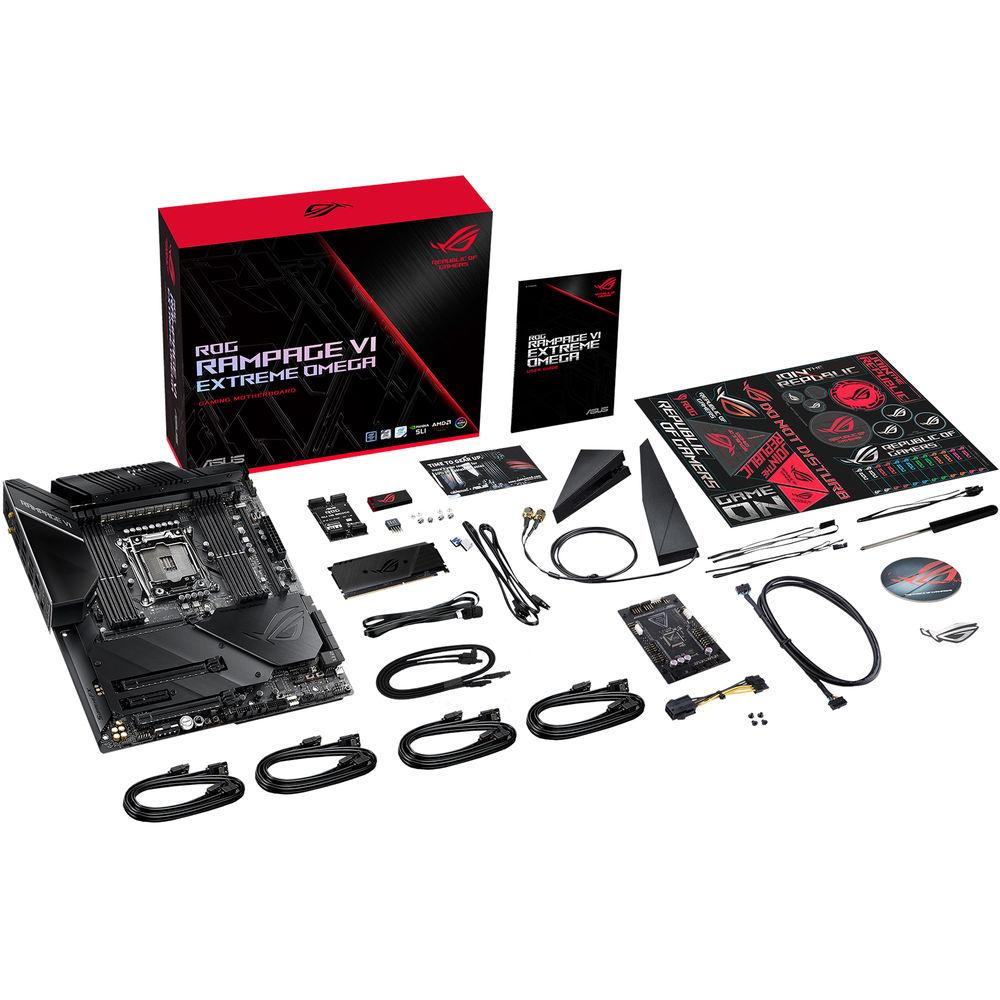
UPC: 192876225653 In the Box ASUS ROG Rampage VI Extreme Omega Motherboard ROG Logo Plate Sticker 4 x SATA 6 Gb/s Cables 3 x M.2 Screw Packages ASUS 2T2R Dual-Band Wi-Fi Moving Antennas Fan Extension Card II (6 x 4-Pin Chassis Fan Connectors, 3 x RGB Headers, 3 x 2-Pin Thermal Sensor Headers) Fan Extension Card II Power Cable Fan Extension Card II NODE Connector Cable Fan Extension Card II Screw Package SLI HB BRIDGE(2-WAY-M) Q-Connector ROG Logo Sticker Extension Cable for RGB strips (31.5") Extension Cable for Addressable LED 3 x Thermistor Cables USB Drive with Utilities and Drivers ROG Coasters ROG Weave SATA 6G Cable ROG DIMM.2 with Heatsink M.2 Pad for ROG DIMM.2 Dual-Function Screwdriver Limited 3-Year Warranty More info from ASUS Table of Contents
|
Upload User Manual
Have you got an user manual for the ASUS ROG Rampage VI Extreme Omega Motherboard in electronic form? Please send it to us and help us expand our library of instruction manuals.
Thank you, too, on behalf of other users.
To upload the product manual, we first need to check and make sure you are not a robot. After that, your "Submit Link" or "Upload File" will appear.
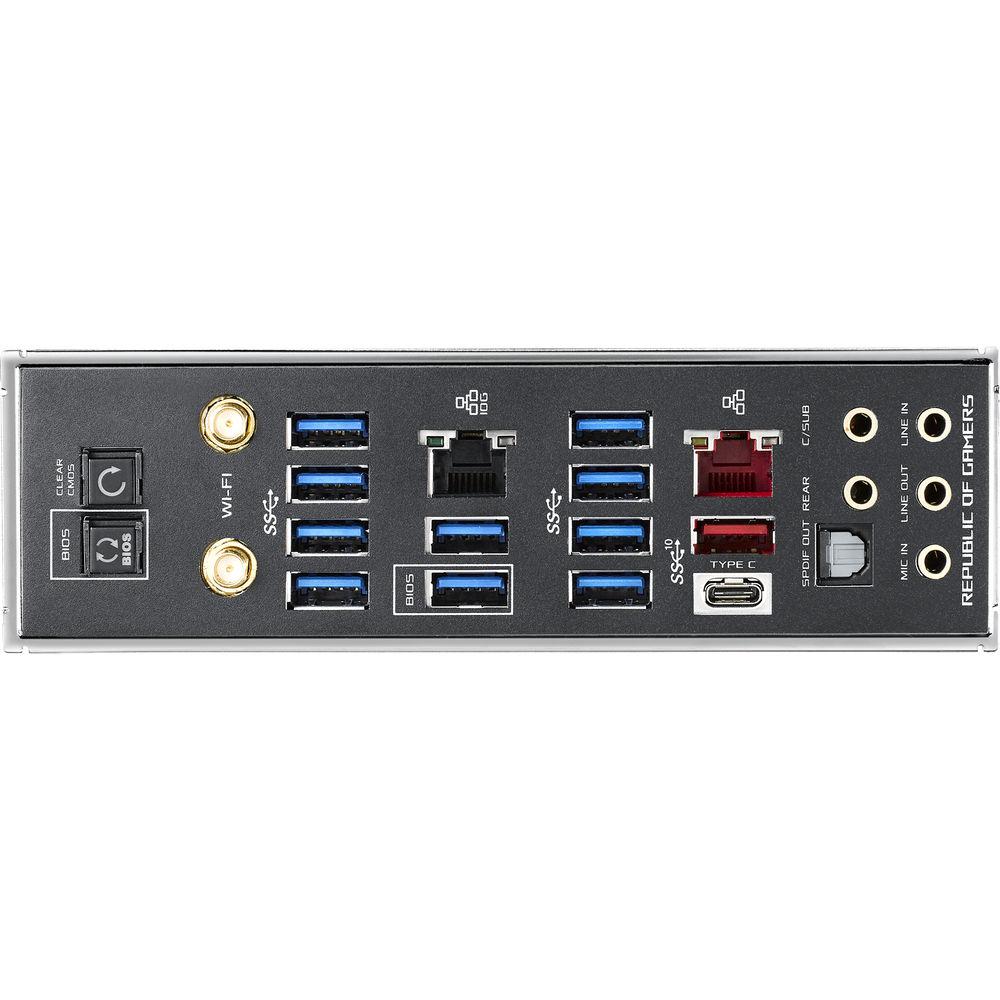
Technical parametersASUS Rampage VI Extreme Omega Specs | | | Chipset | Intel X299 | | CPU Socket | LGA 2066 | | | | USB | 1 x USB 3.1 Gen 2 Type-A
1 x USB 3.1 Gen 2 Type-C
10 x USB 3.1 Gen 1 Type-A | | Audio | 1 x S/PDIF
5 x 3.5 mm | | Ethernet / Controller | 1 x Aquantia AQC-107 10GbE
1 x Gigabit | | Wi-Fi Antenna | 2 x Connector | | Buttons | BIOS Flashback, Clear CMOS | | | | Memory Slots | 8 x 288-Pin | | Memory Support | DDR4 2133, 2400, 2666, 2800, 2933, 3000, 3200, 3300, 3333, 3400, 3466, 3600, 3733, 3800, 3866, 4000, 4133, 4266 MHz | | Maximum Capacity | 128 GB | | Channel Architecture | Quad Channel | | ECC Support | Non-ECC Unbuffered | | | | SATA | 6 x SATA III | | M.2 | 3 x M Key 2242, 2260, 2280, 22110 (PCIe 3.0 x4)
1 x M Key 2242, 2260, 2280 (PCIe (Unspecified), SATA (Unspecified)) | | U.2 | 1 | | DIMM.2 | 1 | | Optane Memory Support | Yes | | RAID Support | RAID 0, 1, 5, 10 | | | | Expansion Slots | 3 x PCIe 3.0 x16
1 x PCIe 3.0 x4 | | USB | 2 x USB 3.1 Gen 1 Header (Supports 4 USB Type-A Ports)
2 x USB 2.0 Header (Supports 4 USB Type-A Ports) | | Multi-GPU Support | 2-Way, 3-Way NVIDIA SLI
2-Way, 3-Way AMD CrossFireX | | Air Cooling | 2 x 4-Pin CPU
3 x 4-Pin System
1 x 3-Pin Cover
1 x 3-Pin W_FLOW
1 x 2-Pin W_IN
1 x 2-Pin W_OUT
1 x Thermal Sensor | | Liquid Cooling | 2 x 4-Pin Pump
1 x 9-Pin Monoblock Sensor | | Power Connectors | 1 x 24-Pin Mainboard
2 x 8-Pin CPU
1 x 4-Pin CPU | | LED Header | 2 x RGB | | Audio | 1 x Speaker | | Diagnostics | BIOS Selection, LN Mode, Measurement Points, Reset, ReTry, Safe Boot, Slow Mode, Start | | | | I/O Connection Headers | AAFP, USB 3.1 | | | | Audio Codec | SupremeFX S1220 (8-Channel) | | DAC | ESS SABRE9018Q2C DAC/AMP | | | | Bluetooth | 5.0 | | Wi-Fi | Wi-Fi 4 (802.11n), Wi-Fi 5 (802.11ac) (MU-MIMO) | | | | Supported Operating Systems | Windows 10 (64-Bit) | | | | Form Factor | E-ATX | | Dimensions | 14 x 14" / 355.60 x 355.60 mm | | | | Package Weight | 9.0 lb | | Box Dimensions (LxWxH) | 14.6 x 12.4 x 4.7" |
Rating70% users recommend this product to others. And what about you?

This product has already been rated by 81 owners. Add your rating and experience with the product.
Discussion
 Ask our technicians if you have a problem with your settings,
or if anything is unclear in the user manual you have downloaded.
You can make use of our moderated discussion.
The discussion is public and helps other users of our website who may be encountering similar problems.
Ask our technicians if you have a problem with your settings,
or if anything is unclear in the user manual you have downloaded.
You can make use of our moderated discussion.
The discussion is public and helps other users of our website who may be encountering similar problems.
The discussion is empty - enter the first post
Post a new topic / query / comment:
|
|
|
| Request for user manual |
You can’t find the operation manual you are looking for? Let us know and we will try to add the missing manual:
I’m looking for a manual / Request for manual
Current requests for instruction manuals:
Call Of Duty World War Two For Xbox...
controller stratus XL...
stratus XL...
smart whatch serie S11 42mm...
Allen & Heath SQ-6 manual...
|
| Discussion |
Latest contributions to the discussion:
AEW R 4100
Name: MAURICIO ANGARITA
Audio-Technica AEW-R4100 UHF Diversity Receiver for
AEW R 4100 has the mute function blocked and does not allow audio to pass. I tried several times to turn off the mute from the transmitter but it does nothing, the mute stays on. Solution?
Thank you...
Instructions for assembling the 2015 Forecast Image Master Consoles GC3-A
Name: mike elam
Forecast Consoles GC3-A ImageMaster Editing Console
Looking for instructions for assembling this console. ...
EMPTY TONER ERROR MESSAGE AFTER REPLACING TONER
Name: LINDA BAD YELLOW EYES
Brother TN223BK Standard-Yield Toner
I HAD TO CHANGE OUT ALL THREE TONERS DUE TO LEAKS IN THE YELLOW AND CYAN. AFTER I REPLACED THEM, THE MACHINE KEEPS GIVING ME AN EMPTY TONER ERROR MESSAGE. HELP!!...
PS480D 20/24 pin Switching 480W Power Supply
Name: swkargo
Logisys 480W Power Supply
This item states in can run -5vdc .It is NOT listed on the board or I beleive is r4 is missing the resitior. Any body have thid issue. Shawn
...
Help needed
Name: Ann Carter
SanDisk 1TB Extreme Portable USB 3.1
When I click the link to download the user manual for my Sandisk Extreme external hard drive, it gives me the manual for the LG Cricket. Can you please change the link so I can download the Sandisk manual and begin using this drive? Thank you....
|
|


