|
User Manual for ASUS RT-AC66U B1 Wireless-AC1750 Dual-Band Gigabit Router Click to enlarge the picture
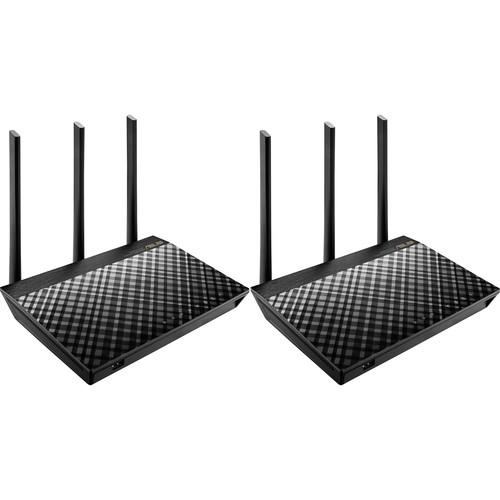 Contents of the user manual for the ASUS RT-AC66U B1 Wireless-AC1750 Dual-Band Gigabit
- Product category: Wireless Routers ASUS
- Brand: ASUS
- Description and content of package
- Technical information and basic settings
- Frequently asked questions – FAQ
- Troubleshooting (does not switch on, does not respond, error message, what do I do if...)
- Authorized service for ASUS Wireless Routers
 |
User manual for the ASUS RT-AC66U B1 Wireless-AC1750 Dual-Band Gigabit contain basic instructions
that need to be followed during installation and operation.
Before starting your appliance, the user manual should be read through carefully.
Follow all the safety instructions and warnings, and be guided by the given recommendations.
User manual is an integral part of any ASUS product,
and if it is sold or transferred, they should be handed over jointly with the product.
Following the instructions for use is an essential prerequisite for protecting
health and property during use, as well as recognition of liability on the part of the manufacturer
for possible defects should you make a warranty claim. Download an official ASUS user manual in which you will find instructions on how to install, use, maintain and service your product.
And do not forget – unsuitable use of a ASUS product will considerably shorten its lifespan!
|
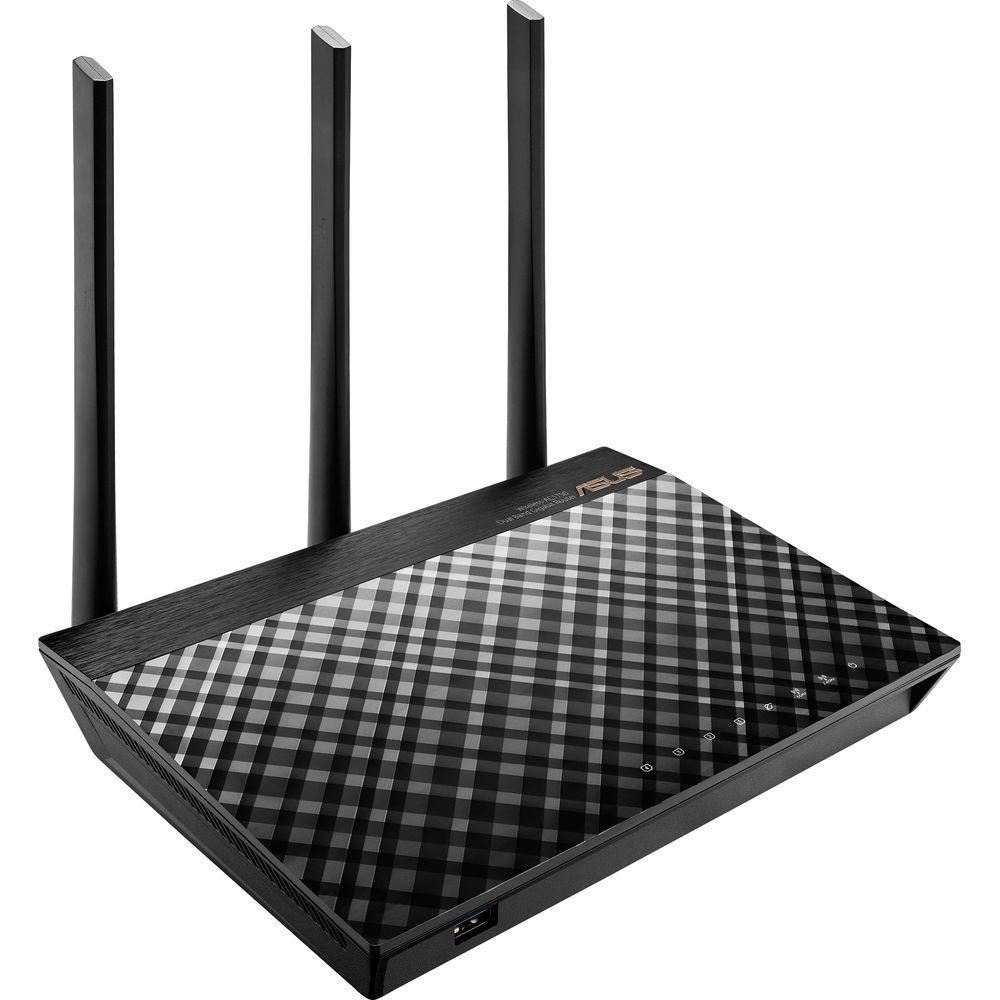
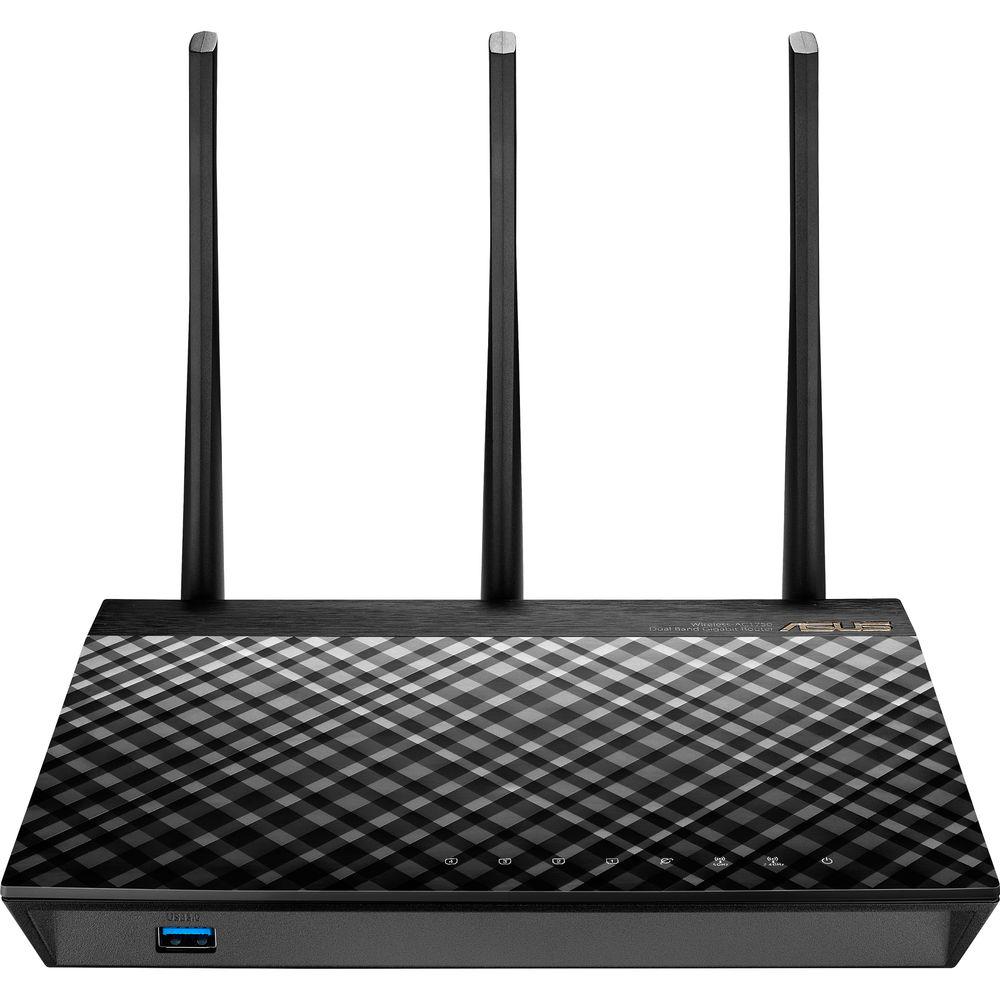
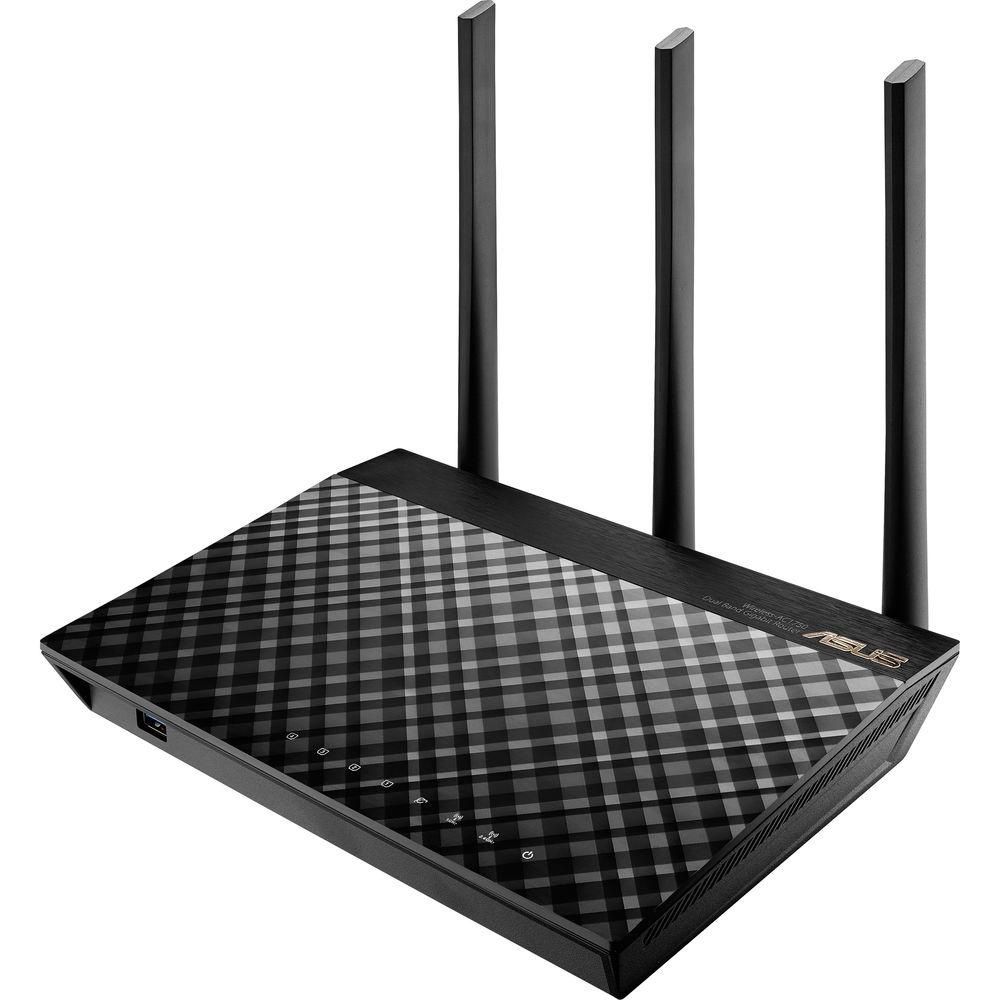
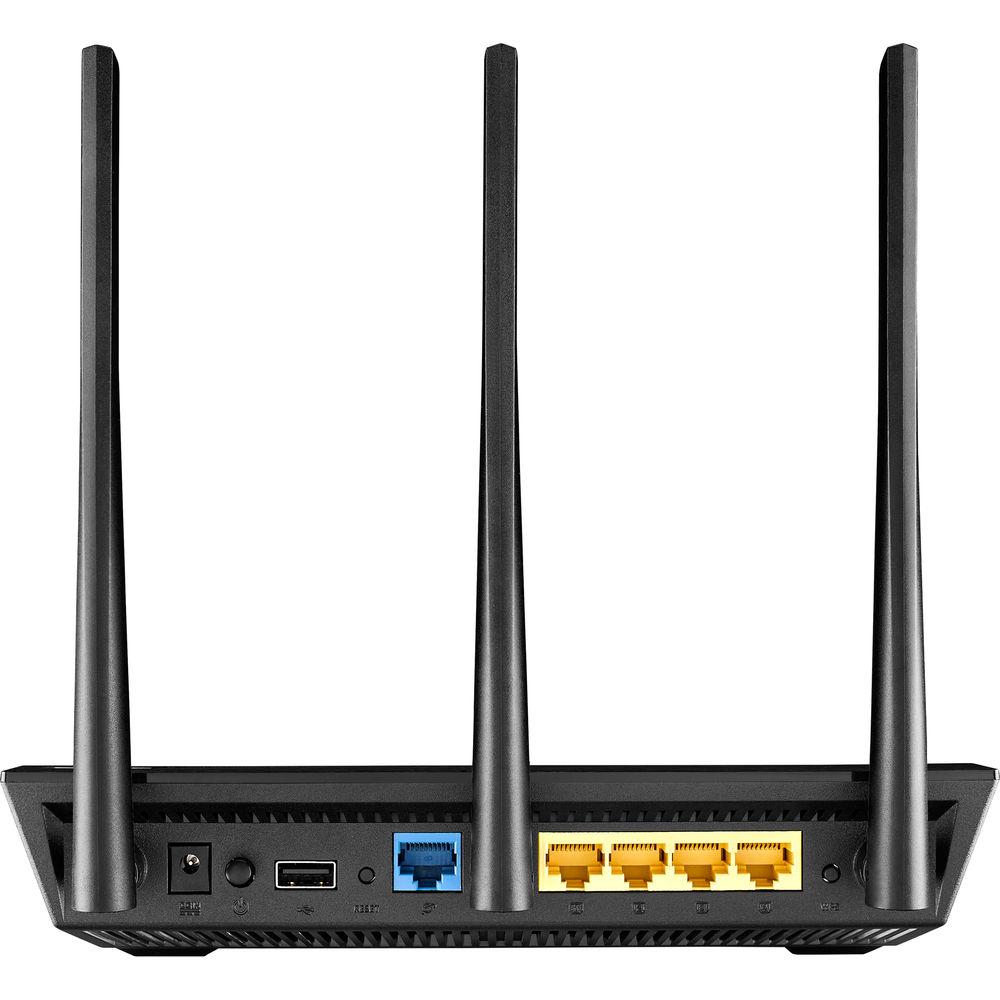
Product description Transfer large files quickly, stream multimedia content, and much more with the RT-AC66U B1 Wireless-AC1750 Dual-Band Gigabit Router two-pack from ASUS. This router operates on both the 2.4 GHz and 5 GHz frequencies allowing more data intensive tasks to be allocated to the less congested, faster 5 GHz frequency. In addition to dual-band functionality, the RT-AC66U B1 supports 802.11a/b/g/n/ac Wi-Fi network standards with data transfer rates of up to 1750 Mbps. If a wired connection is needed, this ASUS router comes equipped with four Gigabit Ethernet LAN connections as well as one USB 3.0 port and one USB 2.0 port to connect USB peripherals such as external hard drives directly to the router.
Inside the ASUS RT-AC66U B1 is a dual-core processor designed to ensure this router can handle a heavy workload such as streaming multimedia content, online gaming, VoIP devices, and more with hardly any network lag. The three external antennas ensure the wireless connection can reach long distances and with built-in MIMO and beamforming technologies users benefit from multiple connections beamed directly to connected devices. Configuring and managing your ASUS router has been greatly simplified thanks to the ASUS Router App giving a network administrator the ability to manage network traffic, diagnose connection issues, and more. - Dual-Band Connectivity
- Delivering 2.4 GHz and 5 GHz concurrent bands at up to 450 Mbps and 1300 Mbps, respectively, the RT-AC66U B1 has a total speed of up to 1750 Mbps. You can perform basic tasks like web browsing and file downloading on the 2.4 GHz band, while simultaneously allowing multiple devices to stream in HD or support online gaming and other demanding applications smoothly on the clearer 5 GHz band.
- ASUS AiMesh
- ASUS routers are designed to give you enhanced Wi-Fi coverage, and in most cases a single ASUS router will deliver smooth, reliable Wi-Fi to every part of your home. But Wi-Fi coverage can be affected by many factors: room layout, construction materials, and even furnishings. If your home has dead spots or unreliable signals, ASUS AiMesh is the answer. AiMesh is an innovative router feature that connects multiple ASUS routers to create a whole-home Wi-Fi network. It's a powerful and flexible way to solve your Wi-Fi problems that also makes the most of your existing hardware: you can mix different ASUS router models, so when you upgrade there's no need to throw away your old router - you can use it to expand your AiMesh network. AiMesh gives you time-saving central control over all the routers, and seamless roaming capability means you never need to switch networks. AiMesh is Wi-Fi you can rely on - for all your devices, all the time.
- Dual-Core Processors
- The ASUS RT-AC66U B1 features a dual-core processor that eliminates the performance drops that plague other routers. So even on the busiest home networks, HD video streaming is smooth, the latency low for online gaming and VoIP calls, and file downloads are uninterrupted.
- Entertainment Everywhere, On Every Device
- Exclusive ultra-sensitive receivers give improved mid- and long-range Wi-Fi signal, with high-powered amplifiers and AiRadar beamforming to deliver enhanced coverage that's fast, reliable and stable for all your connected devices, from PCs and mobile devices to game consoles and beyond.
- USB Speed and Versatility
- USB 3.0 features data transfers up ten times faster than USB 2.0. Two USB ports make the RT-AC66U B1 perfect for file, multimedia, and 3G/4G sharing, while ASUS AiDisk offers remote access and quick content streaming. Where other routers have their USB ports sandwiched next to one another, both RT-AC66U B1 USB ports are evenly spaced for easy access to either at all times.
- ASUS Router App
- In your increasingly mobile-enabled life, having control over your network via an app is more important than ever. The new ASUS Router App is built from the ground-up to be both intuitive and robust, allowing you to setup your router, manage network traffic, diagnose connection issues and even update firmware, all without needing to boot up a PC.
- Advanced Security Gateway
- AiProtection, incorporating state-of-the-art, three-pronged security from Trend Micro, provides advanced parental controls, blocks malicious addresses and intrusions for your PC or device, and alerts you if an infected device is connected. Potential weaknesses such as password strength and operating system vulnerabilities are also monitored at all times. Moreover, AiProtection even protects Wi-Fi devices without an installable security program such as smart TVs, game consoles, and smart home devices, giving you peace of mind.
UPC: 192876018187 In the Box ASUS RT-AC66U B1 Wireless-AC1750 Dual-Band Gigabit Router (2-Pack) RJ-45 Cable Power Adapter Limited 2-Year Warranty Table of Contents
|
Upload User Manual
Have you got an user manual for the ASUS RT-AC66U B1 Wireless-AC1750 Dual-Band Gigabit Router in electronic form? Please send it to us and help us expand our library of instruction manuals.
Thank you, too, on behalf of other users.
To upload the product manual, we first need to check and make sure you are not a robot. After that, your "Submit Link" or "Upload File" will appear.
Technical parametersASUS RT-AC66U B1 Specs | | | Wireless Frequency Bands | 2.4 GHz, 5 GHz | | Number of Antennas | 3 | | MU-MIMO Support | 3 x 3 | | WLAN Mode | Wi-Fi 5 (802.11ac) | | Supported Protocols | IPv4
IPv6 | | Antenna Placement | External | | | | Ports | 1 x Ethernet (RJ45) (Uplink)
4 x 10/100/1000 Mb/s Gigabit Ethernet (RJ45)
1 x 5 Gb/s USB Type-A
1 x 480 Mb/s USB Type-A | | | | Throughput | 2.4 GHz: 450 Mb/s
5 GHz: 1300 Mb/s | | | | Wireless Security | WEP, WPA, WPA2 | | | | AC Input Power | 110 to 240 VAC, 50 / 60 Hz | | DC Input Power | 19 VDC at 1.75 A | | | | Dimensions | 8.6 x 5.8 x 1.8" / 218 x 148 x 45 mm | | Weight | 1.5 lb / 660.0 g | | | | Package Weight | 6.1 lb | | Box Dimensions (LxWxH) | 13.0 x 8.0 x 7.0" |
Rating100% users recommend this product to others. And what about you?

This product has already been rated by 85 owners. Add your rating and experience with the product.
Discussion
 Ask our technicians if you have a problem with your settings,
or if anything is unclear in the user manual you have downloaded.
You can make use of our moderated discussion.
The discussion is public and helps other users of our website who may be encountering similar problems.
Ask our technicians if you have a problem with your settings,
or if anything is unclear in the user manual you have downloaded.
You can make use of our moderated discussion.
The discussion is public and helps other users of our website who may be encountering similar problems.
The discussion is empty - enter the first post
Post a new topic / query / comment:
|
|
|
| Request for user manual |
You can’t find the operation manual you are looking for? Let us know and we will try to add the missing manual:
I’m looking for a manual / Request for manual
Current requests for instruction manuals:
Call Of Duty World War Two For Xbox...
controller stratus XL...
stratus XL...
smart whatch serie S11 42mm...
Allen & Heath SQ-6 manual...
|
| Discussion |
Latest contributions to the discussion:
AEW R 4100
Name: MAURICIO ANGARITA
Audio-Technica AEW-R4100 UHF Diversity Receiver for
AEW R 4100 has the mute function blocked and does not allow audio to pass. I tried several times to turn off the mute from the transmitter but it does nothing, the mute stays on. Solution?
Thank you...
Instructions for assembling the 2015 Forecast Image Master Consoles GC3-A
Name: mike elam
Forecast Consoles GC3-A ImageMaster Editing Console
Looking for instructions for assembling this console. ...
EMPTY TONER ERROR MESSAGE AFTER REPLACING TONER
Name: LINDA BAD YELLOW EYES
Brother TN223BK Standard-Yield Toner
I HAD TO CHANGE OUT ALL THREE TONERS DUE TO LEAKS IN THE YELLOW AND CYAN. AFTER I REPLACED THEM, THE MACHINE KEEPS GIVING ME AN EMPTY TONER ERROR MESSAGE. HELP!!...
PS480D 20/24 pin Switching 480W Power Supply
Name: swkargo
Logisys 480W Power Supply
This item states in can run -5vdc .It is NOT listed on the board or I beleive is r4 is missing the resitior. Any body have thid issue. Shawn
...
Help needed
Name: Ann Carter
SanDisk 1TB Extreme Portable USB 3.1
When I click the link to download the user manual for my Sandisk Extreme external hard drive, it gives me the manual for the LG Cricket. Can you please change the link so I can download the Sandisk manual and begin using this drive? Thank you....
|
|


