|
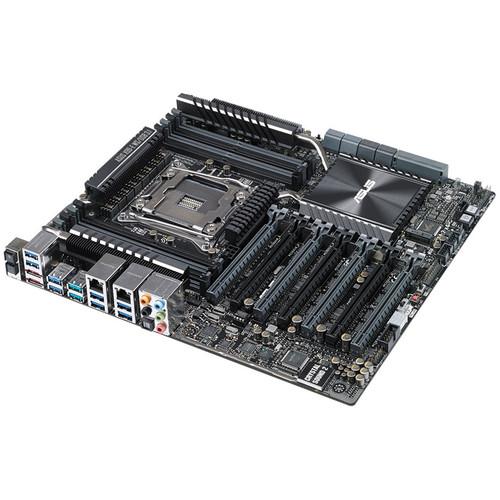
User Manual for ASUS X99-E WS USB 3.1 Gen 2 Motherboard Click to enlarge the picture
 Contents of the user manual for the ASUS X99-E WS USB 3.1 Gen
- Product category: Motherboards ASUS
- Brand: ASUS
- Description and content of package
- Technical information and basic settings
- Frequently asked questions – FAQ
- Troubleshooting (does not switch on, does not respond, error message, what do I do if...)
- Authorized service for ASUS Motherboards
 |
User manual for the ASUS X99-E WS USB 3.1 Gen contain basic instructions
that need to be followed during installation and operation.
Before starting your appliance, the user manual should be read through carefully.
Follow all the safety instructions and warnings, and be guided by the given recommendations.
User manual is an integral part of any ASUS product,
and if it is sold or transferred, they should be handed over jointly with the product.
Following the instructions for use is an essential prerequisite for protecting
health and property during use, as well as recognition of liability on the part of the manufacturer
for possible defects should you make a warranty claim. Download an official ASUS user manual in which you will find instructions on how to install, use, maintain and service your product.
And do not forget – unsuitable use of a ASUS product will considerably shorten its lifespan!
|
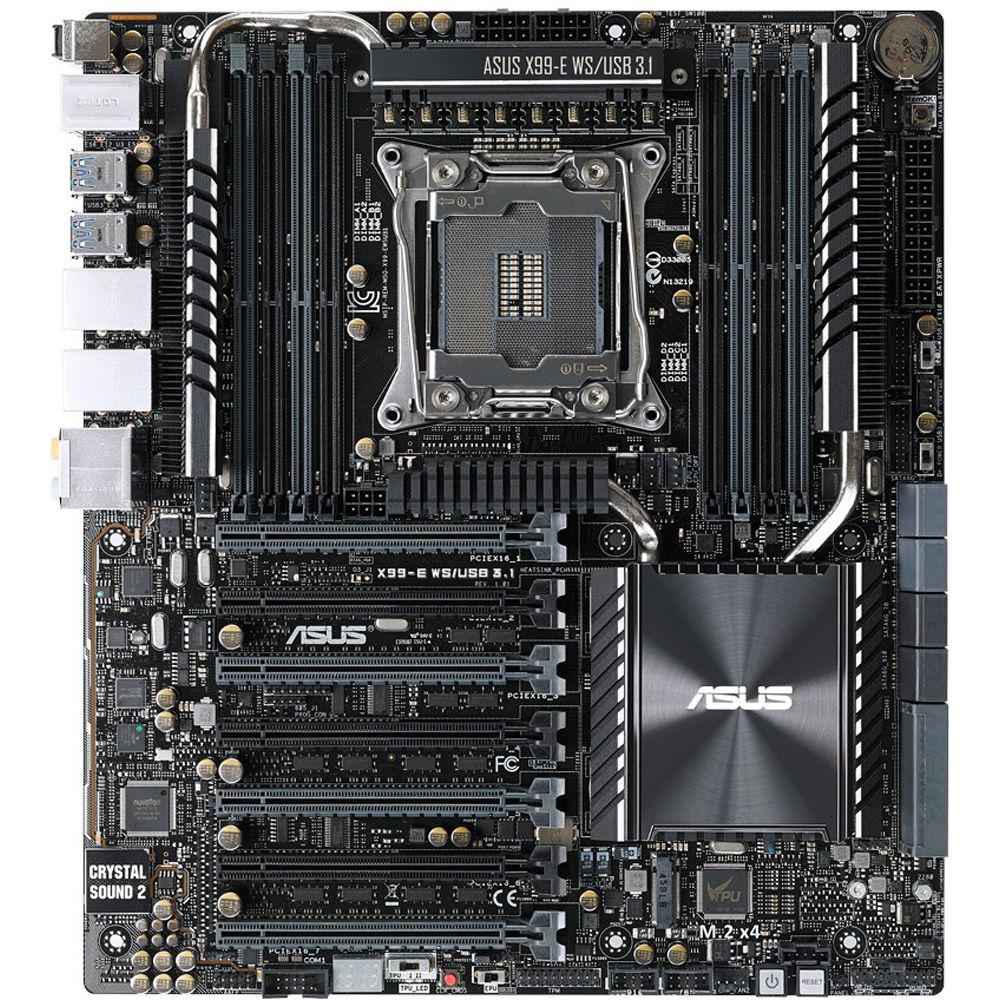
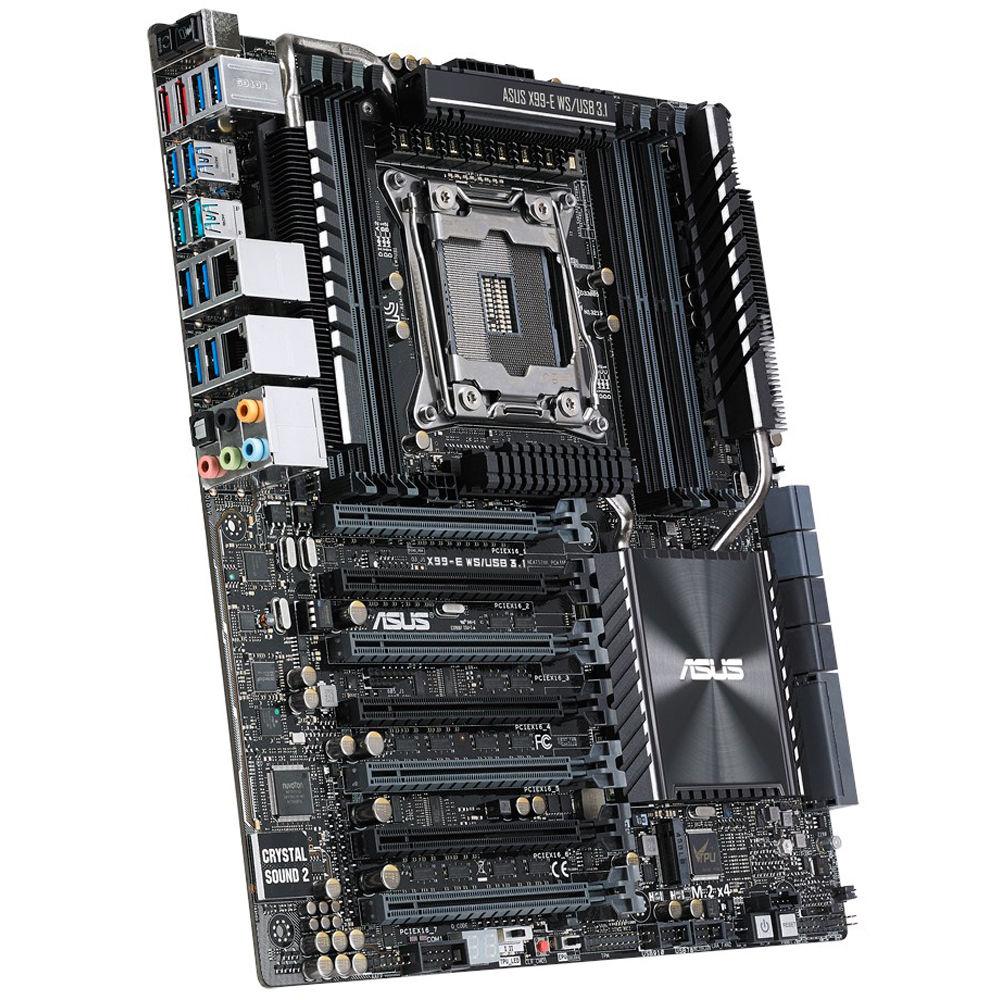
Product description The X99-E WS/USB 3.1 Motherboard from ASUS is designed to fit in cases with a CEB form factor. The 12 x 10.5" X99-E WS supports Intel Core i7, Xeon E5-1600 v3, and Xeon E5 2600 v3 processors with a LGA 2011-v3 socket, as well as the Intel X99 chipset. This motherboard is compatible with Windows 8.1, 8, and 7 operating systems. It also supports USB 3.1, which can achieve data transfer rates of up to 10 Gb/s.
The CEB form factor of the X99-E WS has 8 x DIMM slots and can support up to 128GB of non-ECC, unbuffered DDR4 RAM at the following speeds - 3200(O.C.), 3000(O.C.), 2800(O.C.), 2666(O.C.), 2400(O.C.), and 2133 MHz. However, please be aware that the maximum base memory speed is 2133 MHz and anything higher is achieved through memory overclocking (O.C.). Also, please bear in mind that when installing a Xeon E5 1600 v3 or 2600 v3 processor, the system is able to support 128GB of unbuffered ECC DDR4 RAM at 2133 or 1866 MHz, as well as 128GB of registered ECC RAM at 2133 and 1866 MHz.
The X99-E WS has a total of 8 x SATA III 6 Gb/s ports, 2 x SATA Express ports (each of which is compatible with 2 x SATA III 6 Gb/s ports), 2 x eSATA 6 Gb/s ports (compatible with 2 x SATA III 6 Gb/s ports), and 1 x M.2 x4 Socket 3 port with M Key that supports PCIe storage devices type 2260 and 2280. It also has 2 x USB 3.1 ports, 10 x USB 3.0 ports, and 2 x USB 2.0 ports. To provide increased speed and/or data redundancy, RAID 0, 1, 5, and 10 modes are supported. For PCIe expansion, there are 7 x PCIe 3.0/2.0 x16 slots. While the X99-E WS does lack an integrated GPU, it has been optimized for multiple graphics cards and has multi-GPU support for NVIDIA 4-Way SLI and AMD 4-Way CrossFireX technology.
The X99-E WS is built for endurance. To this end, it is equipped with 12K solid capacitors, making it able to endure over 12,000 hours at 221°F / 105°C and 1.2 million hours at 149°F / 65°C. The X99-E WS also features lowered equivalent series resistance (ESR) for increased efficiency and minimized heat generation.
The X99-E WS/USB 3.1 Motherboard is also equipped with the Realtek ALC1150 8-Channel High Definition Audio Codec featuring Crystal Sound 2 that includes 8 x audio jacks and 1 x Optical S/PDIF out. Wired network connectivity is achieved through dual Gigabit Ethernet controllers - 1 x Intel I210-AT controller and 1 x Intel I218LM controller. Included with this motherboard is 1 x ASUS Q-Shield, 1 x COM port cable, 12 x SATA III 6 Gb/s cables, 1 x 3-Way SLI bridge, 1 x 4-Way SLI bridge, 1 x Q-connector (2-in-1), and 1 x 2-port USB 2.0 module. Quad Strength Graphics Power - Four PCI Express 3.0 x16 slots
- The X99-E WS/USB 3.1 can carry up to four dual-slot graphics. It supports 4-Way NVIDIA Geforce SLI and AMD CrossFireX x 16 Link, making it a well-suited choice for graphics professionals who depend on powerful graphics in areas such as design and modeling, medical research, plus processing-intensive simulation and rendering applications. In addition to graphics cards, extensive X99-E WS/USB 3.1 expandability offers ample room for RAID cards, PCI Express-based solid state storage drives, video capture cards, and other components
Power Solutions - 12K Capacitors
- ASUS has equipped the X99-E WS/USB 3.1 with 12K solid capacitors. These Japanese-made capacitors are very durable, able to endure up to 12K hours at 221°F / 105°C and 1.2 million hours at 149°F / 65°C. These temperatures are far higher than those generated by everyday computing, making X99-E WS/USB 3.1 built for endurance. 12K capacitors also boast lowered equivalent series resistance (ESR) for increased efficiency and minimized heat generation
- ProCool Power Connectors
- Compared with traditional power connectors, ProCool connectors ensure a close and secure connection with the X99-E WS/USB 3.1 motherboard. The flush connection enables lower impedance and better heat dissipation, allowing a cooler operating temperature
- Beat Thermal Choke
- ASUS Beat Thermal Chokes deliver durability and up to 93% power efficiency under normal operating conditions. A special fin design results in 5.4 to 9°F / 3 to 5°C lower choke temps for added stability, which is increased exponentially by the use of highly conductive and efficient gold-treated coating. This translates into minimal-loss power delivery
- Dr. MOS MOSFET
- The X99-E WS/USB 3.1 benefits from an integrated Driver-MOSFET (Dr. MOS) that both saves space and reduces operating temperatures. Compared with traditional MOSFET designs, the Dr. MOS high-side and low-side MOSFETs and built-in driver extend component lifespan and enhance power efficiency
Maintenance - Q-Code Logger
- Q-code logger is your one-touch status checker that lets youeasily check the system's status at any time. Plug a flash drive into an adjacent USB port, press the motherboard's dedicated Q-Code logger button, and all ASUS Q-Code event logs for the current live session will be copied to the drive, even with the system off
- ASUS Dr. Power
- As the X99-E WS/USB 3.1 is meant for professional users who rely on non-stop operation, stable power delivery is critical. Real time power supply health detection helps prevent sudden system shutdown and provides hassle-free notifications should power delivery be insufficient. Additionally, LED messages on the board clearly indicate any relevant power issues in the event your system fails to boot
Performance - ASUS OC Socket
- The X99-E WS/USB 3.1's CPU socket includes extra pins that connect proprietary circuitry to extra contacts found on Haswell-E's land grid array (LGA). When combined with ASUS' customized UEFI, this feature offers improved overclocking margins, especially under extreme liquid-nitrogen (LN&sub2;) overclocking. You'll enjoy better margins for memory overclocking, better comparative memory performance under the same frequencies, and better margins for CPU overclocking with minimal voltage drop - so you're able to push processors and DDR4 memory beyond their limits. OC Socket is 100% compatible with Haswell-E LGA 2011-3 processors
- Make Your Memory Go Faster
- This platform supports DDR4 memory and is capable of overclocking memory up to DDR4 3200+ MHz with all eight DIMMs fully loaded. ASUS T-Topology circuit design plus a patent-pending OC Socket unleashes the full potential of DDR4 by minimizing crosstalk and signal reflections. Signal timing issues are also greatly reduced, resulting in improved stability and overall performance. ASUS also works with almost every DDR4 memory vendor to help ensure compatibility
5-Way Optimization - CPU Performance boost
- Unleash your PC's full performance with a simple two-phase onboard switch or the ASUS AI Suite 3 utility The Turbo Processor Unit (TPU) offers precise voltage control and advanced monitoring for the CPU and the graphics card, enabling great freedom to adjust CPU frequencies and ratios for optimized performance and to exploit the potential out of your graphics card
- Energy Efficiency
- With the Energy Processing Unit (EPU), you will enjoy from system-wide real-time power savings, controlled via a simple onboard switch or the AI Suite 3 utility. EPU detects and adjusts power consumption according to the PC's needs - automatically. It can also reduce CPU wattage to an indicated level or enjoy even more savings with Away Mode, which creates an extreme energy-saving scenario by shutting down unused extra I/O controllers and reduces the graphics cards' power level while you're away, so the PC consumes only the energy it needs
- Fan Xpert 3
- Fan Xpert 3 puts 4-pin/3-pin CPU and case fan controls in one place. It scans each fan's characteristics and delivers custom settings for each fan based on the dedicated area temperatures detected by hardware thermal sensors. It can also reduce the CPU fan speed to below the default minimum, for extra-quiet and power saving operation during light loads.
- DIGI+ Power Control
- Intelligent CPU power draw detection with ASUS DIGI+ Power Control is a technology that fully complies with Intel VRD12.5 specifications, increasing overclocking potential, enhancing system stability, and improving power efficiency with flexibility and accurate control
- Turbo App
- Gamers and professionals can benefit from app specific optimizations through the ASUS Turbo App. Its tuning panel boosts a range of hardware controls: overclock your CPU, tune your fans, prioritize network data, and optimize audio settings automatically
UEFI BIOS - UEFI BIOS is a mouse-controlled graphical BIOS that has been improved to increase its appeal. Whether you're a PC novice or a seasoned overclocker, the EZ and Advanced Modes help you find your way, quickly and easily
- EZ Mode
- Fan Profile: Detailed CPU and case fan information for instant cooling
SATA Information: Displays SATA port details for you to easily recognize devices
Clock Adjustment: Use mouse controls to change the time and date
EZ XMP: Improve DRAM performance with a click - Advanced Mode
- GPU POST: Find more info about your graphics cards and slot bandwidth allocation. Works well for 2 or 3-way SLI or CrossFireX
Shortcut: Press Enter to create shortcuts to favorite settings, or select an existing shortcut and press F4 to go straight there
Quick Notes: Make notes and capture BIOS-related ideas, quickly and conveniently
Last Modified Log: Track last change and save preferred profiles onto a USB drive
SATA Port Renaming: Rename SATA ports for easy identification - Map to MyFavorite
- Quickly find tuning options and add preferred tools to the MyFavorites list
- EZ Tuning Wizard - OC and RAID
- Select your hardware and use scenarios to tune system performance or streamline your RAID configuration for faster data retrieval and backups
- Graphical Fan Control
- Fine-tune individual fans simply by dragging a curve with the mouse
- Real-time Hardware Monitor
- Benefit from instant information from the critical parts of your system
Fast Transfer Speed - SATA Express
- SATA Express provides up to 10 Gb/s data-transfer speeds from two PCIe 2.0 lanes, resolving the higher bandwidth request in the near future. Modern SSDs consume up to 550MB/s, which is close to saturation point for SATA III 6 Gb/s connections. SATA Express is also backwards compatible with up to two SATA drives
- M.2 up to 32 Gb/s
- With four times the bandwidth of PCI Express 3.0/2.0, M.2 supports up to 32 Gb/s data-transfer speeds. It's a well-suited choice for an operating system or application drive, making your system and its professional apps work more efficiently with faster operational speeds
- 10 Gb/s USB 3.1
- With USB 3.1 connectivity built in and dual Type-A ports for fast USB data transfers, you'll experience data-transfer speeds of up to 10 Gb/s, or twice as fast USB 3.0. This standard is backwards compatible with your existing USB devices and you'll be all set for USB 3.1's speeds. Also, ASUS-exclusive USB 3.1 Boost technology helps to automatically accelerates USB 3.1 performance even further
For Gamers and Professionals - Crystal Sound 2
- Crystal Sound 2 makes short work of optimizing audio settings for the way you want to listen, be it gaming, chatting, watching movies, or relaxing to your favorite music. Audio Shielding - Helps ensure precision analog/digital separation and reduced multi-lateral interference
EMI Protection - Helps prevent electrical noise that affects audio quality
Audio Amplifier - Helps enhance sounds for high quality playback over headphones and speakers
De-Pop Circuit - Helps reduce start-up popping noises to the audio outputs
Japanese-made 12K Hours Capacitors - Provides a more durable and reliable lifespan
Dedicated Audio PCB Layers - Separate layers for left and right channels to guard the quality of sensitive audio signals - Turbo LAN
- Turbo LAN with cFosSpeed traffic-shaping technology adds lag-reducing support and an intuitive user interface. It allows you to lower lag with no expert knowledge by up to 1.45x. If you're a tweaker, use Advanced Mode for hardcore controls
- Intel Gigabit Ethernet
- Faster, smoother gaming - always. Intel Gigabit Ethernet has the double advantage of communicating directly with CPUs and offering high TCP and UDP throughput. This helps to significantly reduce the processor's workload, so there's more power for your game and your gameplay
Home Server - ASUS HomeCloud
- ASUS HomeCloud lets you access your PC remotely, stream multimedia content to virtually wherever you want, and manage all your stuff from virtually anywhere - no matter where it's stored. It even turns your hard drive into private cloud storage, removing worries about storage limits.
- Digital PC Hub
- Enjoy your PC's multimedia content virtually anywhere. Pipe music from your PC while sipping coffee in a cafe or sit back with friends and stream a favorite movie to a smart TV. With ASUS Media Streamer, your entertainment goes wherever you go
Intel CPU and Chipset Features - Intel Core i7 Processor LGA2011-v3 Ready
- This motherboard supports Intel Core i7 processors in the LGA2011-v3 package, with memory and PCI Express controllers integrated to support 4-channel (8 DIMM) DDR4 memory and 40/28 PCI Express 3.0/2.0 lanes
- Intel X99 Express Chipset
- The Intel X99 Express Chipset is a single-chipset design that supports socket LGA2011-v3 Intel Core i7 processors. It provides improved performance by utilizing serial point-to-point links, allowing increased bandwidth and stability. Additionally, X99 provides a maximum 6 x USB 3.0 ports and 10 x SATA III 6 Gb/s ports for faster data retrieval
UPC: 889349074534 In the Box ASUS X99-E WS/USB 3.1 Gen 2 Motherboard ASUS Q-Shield COM Port Cable 12 x SATA III 6 Gb/s cables 3-Way SLI Bridge 4-Way SLI Bridge Q-connector (2-in-1) 2-Port USB 2.0 Module Limited 3-Year Warranty User Manual PDF 15.1mb Table of Contents
|
Upload User Manual
Have you got an user manual for the ASUS X99-E WS USB 3.1 Gen 2 Motherboard in electronic form? Please send it to us and help us expand our library of instruction manuals.
Thank you, too, on behalf of other users.
To upload the product manual, we first need to check and make sure you are not a robot. After that, your "Submit Link" or "Upload File" will appear.
Technical parametersASUS X99-E WS Specs | CPU | Intel Socket 2011-v3 Core i7 Processors
Intel Socket 2011-v3 for the Intel Xeon processor E5-1600 v3 product family
Intel Socket 2011-v3 for the Intel Xeon processor E5-2600 v3 product family
Supports Intel 22 nm CPU
Supports Intel Turbo Boost Technology 2.0 Intel Turbo Boost Technology 2.0 support depends on the CPU type | | Chipset | Intel X99 | | Memory | 8 x DIMM, Max. 128 GB, DDR4 3200(O.C.) / 3000(O.C.) / 2800(O.C.) / 2666(O.C.) / 2400(O.C.) / 2133 MHz Non-ECC, Un-buffered Memory (when installing Intel Socket 2011-v3 Core i7 processors)
8 x DIMM, Max. 128 GB, DDR4 2133/1866 MHz ECC, Un-buffered Memory (when installing Intel Xeon E5-1600 v3/2600 v3 processors)
8 x DIMM, Max. 128 GB, DDR4 2133/1866 MHz ECC, Registered Memory (when installing Intel Xeon E5-1600 v3/2600 v3 processors)
Quad Channel Memory Architecture
Supports Intel Extreme Memory Profile (XMP)
Hyper DIMM support is subject to the physical characteristics of individual CPUs | | Multi-GPU Support | Supports NVIDIA 4-Way SLI Technology
Supports AMD 4-Way CrossFireX Technology | | Expansion Slots | 7 x PCIe 3.0/2.0 x16 (single x16, dual x16/x16, triple x16/x16/x16, quad x16/x16/x16/x16, or seven x16/x8/x8/x8/x8/x8/x8) | | Storage | Intel X99 chipset:
1 x SATA Express port, gray, compatible with 2 x SATA 6.0 Gb/s ports
1 x M.2 x4 Socket 3, gray, with M Key, type 2260/2280 storage devices support (PCIe mode)
RAID 0, 1, 5, 10 and Intel Rapid Storage Technology 13 support
8 x SATA 6Gb/s ports (4 x gray from controller 1, 4 x black from controller 2)
Intel Rapid Storage Technology supports (functions will work depending on the CPU installed)
ASMedia SATA Express controller:
1 x SATA Express port, gray, compatible with 2 x SATA III 6.0 Gb/s ports (these SATA ports are for data hard drivers only. ATAPI devices are not supported
ASMedia SATA 6Gb/s controller:
2 x eSATA 6 Gb/s ports, compatible with 2 x SATA III 6.0 Gb/s ports | | LAN | 1 x Intel I210-AT Gigabit LAN controller
1 x Intel I218LM Gigabit LAN, Dual interconnect between the Integrated Media Access Controller (MAC) and Physical Layer (PHY) | | Audio | Realtek ALC1150 8-Channel High Definition Audio Codec featuring Crystal Sound 2
- Supports: Jack-detection, Multi-streaming, Front Panel Jack-retasking, Front Panel Mic Jack-retasking
- High quality 109 dB SNR stereo playback output (Line-out at rear) and 104 dB SNR stereo playback input (Line-in)
- High-fidelity audio OP Amp
Audio Features:
- DTS Ultra PC II
- DTS Connect
- Optical S/PDIF out port(s) at back panel
- BD Audio Layer Content Protection
- Audio Shielding: Helps ensures precision analog/digital separation and reduced multi-lateral interference
- Dedicated audio PCB layers: Separate layers for left and right channels to guard the quality of the sensitive audio signals
- Audio amplifier: Provides the high-quality sound for headphone and speakers
Japanese-made 12K hours capacitors
- Absolute Pitch 192 kHz/24-bit true BD lossless sound
Separate layer for left and right track, ensuring both sound deliver equal quality | | USB Ports | Intel X99 Chipset:
4 x USB 3.0/2.0 ports (4 at the back panel, +blue)
4 x USB 2.0/1.1 ports (4 mid-board)
ASMedia USB 3.1 Controller:
2 x USB 3.0/2.0 ports (2 at the back panel, teal blue)
ASMedia USB 3.0 Controller:
8 x USB 3.0/2.0 port(s) (4 at the back panel, 4 mid-board) | | Workstation Features | 7 x PCIe x16 slots
ASUS Dr. Power
12K-hour Capacitors
ProCool Power Connector
Q-Code Logger | | Special Features | 5-Way Optimization by Dual Intelligent Processors 5
5-Way Optimization tuning key consolidates TPU, EPU, DIGI+ Power Control, Fan Xpert 3, and Turbo App together
ASUS TPU:
- Auto Tuning
- GPU Boost
- TPU switch
ASUS EPU:
- EPU
- EPU switch
ASUS Digital Power Design:
- Digital 8 Phase Power Design
- Digital 4 Phase DRAM Power Design
- CPU Power Utility
- DRAM Power Utility
ASUS Exclusive Features:
- MemOK!
- AI Suite 3
- Ai Charger+
- USB Charger+
- M.2 & SATA Express
- ASUS UEFI BIOS EZ Mode, featuring friendly graphics user interface
- USB 3.1 Boost
- Disk Unlocker
- Turbo LAN
- Crystal Sound 2
Interactive HomeCloud
- Media Streamer
ASUS EZ DIY:
- Precision Tweaker 2
- ASUS O.C. Tuner
- ASUS CrashFree BIOS
- ASUS EZ Flash
- ASUS USB BIOS Flashback
- ASUS UEFI BIOS EZ Mode
- Push Notice
ASUS Q-Design:
- ASUS Q-Shield
- ASUS Q-Code
- ASUS Q-LED (CPU, DRAM, VGA, Boot Device LED)
- ASUS Q-Slot
- ASUS Q-DIMM
- ASUS Q-Connector
Media Streamer
Special Memory O.C. Design
Turbo App
Fan Xpert 3 | | Operating System Support | Windows 8.1, 8, and 7 | | Back I/O Ports | 2 x eSATA
2 x LAN (RJ45) ports
2 x USB 3.1 (teal blue)
8 x USB 3.0 (blue)
1 x Optical S/PDIF out
8 x Audio jacks
1 x USB BIOS Flashback Button
1 x Q-Code Logger button | | Internal I/O Ports | 2 x USB 3.0 connectors support an additional 4 x USB 3.0 ports (19-pin)
2 x USB 2.0 connectors support an additional 4 x USB 2.0 ports
2 x SATA Express connectors: gray, compatible with 2 x SATA III 6.0 Gb/s ports
1 x M.2 Socket 3 for M Key, type 2260/2280 devices
1 x TPM connector
8 x SATA III 6 Gb/s connectors
1 x CPU Fan connector (1 x 4-pin)
1 x CPU OPT Fan connector (1 x 4-pin)
4 x Chassis Fan connectors (4 x -pin)
1 x S/PDIF out header
1 x Thunderbolt header
2 x 8-pin EATX 12 V Power connectors
1 x 6-pin EATX 12 V_1 Power connector
1 x 24-pin EATX Power connector
1 x 8-pin ATX 12 V Power connector
1 x EZ XMP switch
1 x Front panel connector
1 x System panel (Q-Connector)
1 x DRCT header
1 x MemOK! button
1 x Thermal sensor connector
1 x TPU switch
1 x CPU/DRAM overvoltage jumper
1 x Power-on button
1 x Reset button
1 x Clear CMOS button
1 x Dr.Power switch
1 x 3-pin CHASSIS (Chassis intrusion) connector | | BIOS | 128 Mb Flash ROM, UEFI AMI BIOS, PnP, DMI2.7, WfM2.0, SM BIOS 2.7, ACPI 5.0, Multi-language BIOS, ASUS EZ Flash 2, CrashFree BIOS 3, F11 EZ Tuning Wizard, F6 Qfan Control, F3 My Favorites, Quick Note, Last Modified log, F12 PrintScreen, F3 Shortcut functions, and ASUS DRAM SPD (Serial Presence Detect) memory information | | Manageability | WfM 2.0, DMI 2.7, WOL by PME, PXE | | Support Disc | Drivers, ASUS Utilities, EZ Update, Anti-virus software (OEM version) | | Environment | Operating Temperature: 50 to 95°F / 10 to 35°C
Non-Operating Temperature: -40 to 158°F / -40 to 70°C
Non-Operating Humidity: 20 ~ 90% (non-condensing) | | Form Factor | CEB Form Factor
12 x 10.5" (30.5 x 26.7") | | | | Package Weight | 5.95 lb | | Box Dimensions (LxWxH) | 13.2 x 11.6 x 3.3" |
Rating82% users recommend this product to others. And what about you?

This product has already been rated by 82 owners. Add your rating and experience with the product.
Discussion
 Ask our technicians if you have a problem with your settings,
or if anything is unclear in the user manual you have downloaded.
You can make use of our moderated discussion.
The discussion is public and helps other users of our website who may be encountering similar problems.
Ask our technicians if you have a problem with your settings,
or if anything is unclear in the user manual you have downloaded.
You can make use of our moderated discussion.
The discussion is public and helps other users of our website who may be encountering similar problems.
The discussion is empty - enter the first post
Post a new topic / query / comment:
|
|
|
| Request for user manual |
You can’t find the operation manual you are looking for? Let us know and we will try to add the missing manual:
I’m looking for a manual / Request for manual
Current requests for instruction manuals:
Call Of Duty World War Two For Xbox...
controller stratus XL...
stratus XL...
smart whatch serie S11 42mm...
Allen & Heath SQ-6 manual...
|
| Discussion |
Latest contributions to the discussion:
AEW R 4100
Name: MAURICIO ANGARITA
Audio-Technica AEW-R4100 UHF Diversity Receiver for
AEW R 4100 has the mute function blocked and does not allow audio to pass. I tried several times to turn off the mute from the transmitter but it does nothing, the mute stays on. Solution?
Thank you...
Instructions for assembling the 2015 Forecast Image Master Consoles GC3-A
Name: mike elam
Forecast Consoles GC3-A ImageMaster Editing Console
Looking for instructions for assembling this console. ...
EMPTY TONER ERROR MESSAGE AFTER REPLACING TONER
Name: LINDA BAD YELLOW EYES
Brother TN223BK Standard-Yield Toner
I HAD TO CHANGE OUT ALL THREE TONERS DUE TO LEAKS IN THE YELLOW AND CYAN. AFTER I REPLACED THEM, THE MACHINE KEEPS GIVING ME AN EMPTY TONER ERROR MESSAGE. HELP!!...
PS480D 20/24 pin Switching 480W Power Supply
Name: swkargo
Logisys 480W Power Supply
This item states in can run -5vdc .It is NOT listed on the board or I beleive is r4 is missing the resitior. Any body have thid issue. Shawn
...
Help needed
Name: Ann Carter
SanDisk 1TB Extreme Portable USB 3.1
When I click the link to download the user manual for my Sandisk Extreme external hard drive, it gives me the manual for the LG Cricket. Can you please change the link so I can download the Sandisk manual and begin using this drive? Thank you....
|
|


