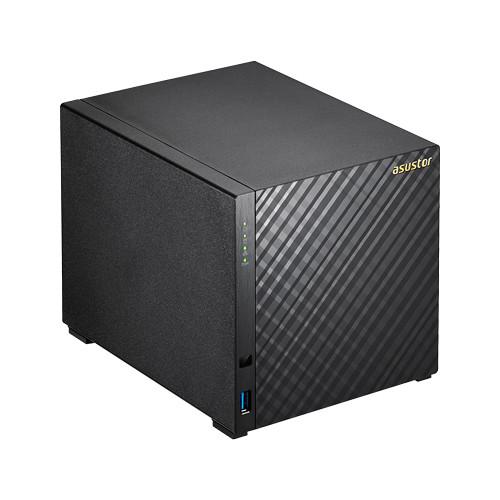
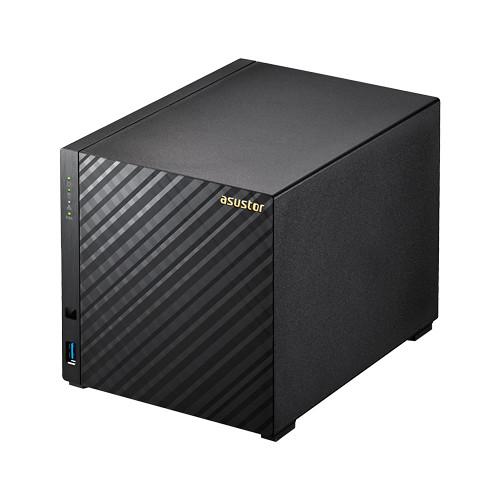
User Manual for Asustor AS3104T 4-Bay NAS Enclosure Click to enlarge the picture
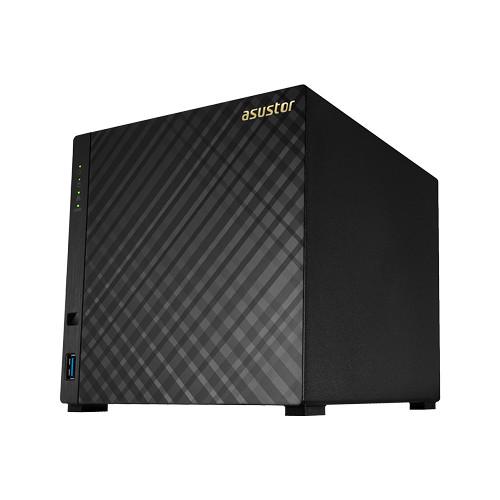 Contents of the user manual for the Asustor AS3104T 4-Bay NAS Enclosure
- Product category: NAS Enclosures Asustor
- Brand: Asustor
- Description and content of package
- Technical information and basic settings
- Frequently asked questions – FAQ
- Troubleshooting (does not switch on, does not respond, error message, what do I do if...)
- Authorized service for Asustor NAS Enclosures
 |
User manual for the Asustor AS3104T 4-Bay NAS Enclosure contain basic instructions
that need to be followed during installation and operation.
Before starting your appliance, the user manual should be read through carefully.
Follow all the safety instructions and warnings, and be guided by the given recommendations.
User manual is an integral part of any Asustor product,
and if it is sold or transferred, they should be handed over jointly with the product.
Following the instructions for use is an essential prerequisite for protecting
health and property during use, as well as recognition of liability on the part of the manufacturer
for possible defects should you make a warranty claim. Download an official Asustor user manual in which you will find instructions on how to install, use, maintain and service your product.
And do not forget – unsuitable use of a Asustor product will considerably shorten its lifespan!
|
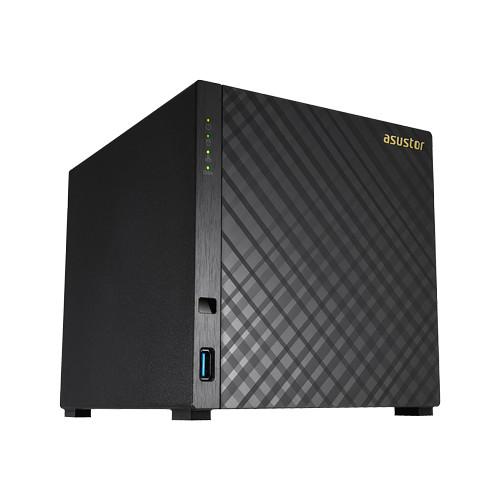
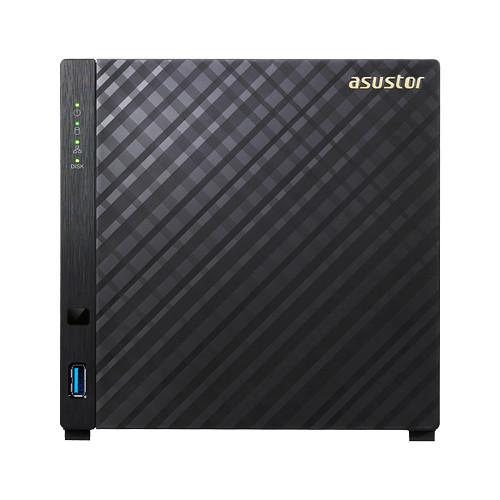
Product description The AS3104T 4-Bay NAS Enclosure from Asustor is an ideal home multimedia server. It is equipped with 2GB of DDR3L RAM and a 1.6 GHz Intel Celeron Dual Core processor that can be overclocked to 2.16 GHz for increased performance. This enclosure is capable of fitting four 2.5" or 3.5" SATA II or III drives in a variety of RAID configurations including RAID 0, 1, 5, 6, 10, JBOD, & Single Disc to suit all your storage needs. Together with Asustor's ADM operating system, this NAS can achieve read and write speeds of over 112 MB/s when configured as a RAID 5.
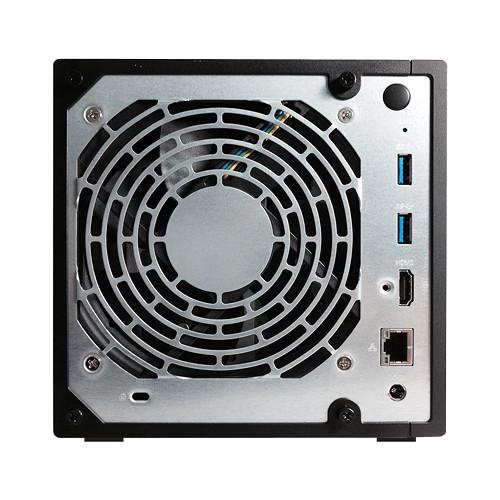
Connect to your network via its Gigabit Ethernet port, and use the three USB 3.0 Type-A ports for additional device compatibility. The Asustor NAS provides optimal data protection through RAID technology, automatic backup solutions, as well as built-in hardware encryption. When paired with mobile applications (iOS and Android), Asustor's exclusive Cloud Connect technology lets you access data on your NAS device from anywhere with an Internet connection. It also supports the use of NFS and iSCSI in the creation of shared storage for virtual environments. - Home Multimedia Center
- The built-in HDMI interface and variety of multimedia apps let you to enjoy all of your favorite multimedia from your NAS. It supports 4K output, allowing you to savor your movies, TV shows, music and photos in high-definition. Furthermore, through Asustor's App Central, you can install additional multimedia server apps such as UPnP Media Server and iTunes Server giving your NAS the ability to stream multimedia content to your computers, TVs, and mobile devices.
- Hyper-Transcoding
- You no longer need to worry about running into resolution compatibility issues when playing videos on your phone, tablet, or computer. Media Converter utilizes the Intel CPU hardware acceleration function to make video file conversions faster than normal conversions.
- Tool-Less Installation
- The sliding outer cover can be removed when needed, and the inner hard disk rails and outer cover all use hand screws for simple installation.
- Hardware Encryption Engine
- The AS31 features Intel AES-NI encryption engines, which protects data from the moment it is first stored on the NAS. This means that you won't have to worry about your data falling into the wrong hands even if your hard disks are lost or stolen.
In the Box Asustor AS3104T 4-Bay NAS Enclosure Power Adapter & Cable RJ-45 LAN Cat 5e Cable 16 x Thumb Screws for 3.5" HDD Limited 3-Year Warranty Manual PDF 8.9mbaqyrwcyvv Table of Contents
|
Upload User Manual
Have you got an user manual for the Asustor AS3104T 4-Bay NAS Enclosure in electronic form? Please send it to us and help us expand our library of instruction manuals.
Thank you, too, on behalf of other users.
To upload the product manual, we first need to check and make sure you are not a robot. After that, your "Submit Link" or "Upload File" will appear.
Technical parametersAsustor AS3104T Specs | | | Drive Bays | 4 x 2.5"/3.5" SATA III Drive Bays | | Processor | Intel Celeron 1.6 GHz Dual-Core (burst up to 2.16 GHz) Processor | | Memory | 2 GB DDR3L (not expandable) | | Network Protocol | CIFS / SMB, SMB 2.0, AFP, NFS, FTP (Unicode Supported), TFTP, WebDAV, Rsync, SSH, SFTP, iSCSI, HTTP, HTTPS, Proxy, SNMP, Syslog | | File System Format | Internal Disk: EXT4
External Disk: FAT32, NTFS, EXT3, EXT4, HFS+ | | Storage Management | Support Multiple Volumes with Spare Disks
Volume Type: Single disk, JBOD, RAID 0, RAID 1, RAID 5, RAID 6, RAID 10
Support for Online RAID Level Migration
Support for Online RAID Capacity Expansion | | iSCSI | Maximum Targets: 256
Maximum LUNs: 256
Maximum Snapshot Versions of a Single LUN: 256
Target Masking
LUN Mapping
ISO File Mounting
Supports MPIO
Persistent (SCSI-3) Reservations | | Disk Management | Scheduled Bad Block Scans
Scheduled S.M.A.R.T Scans | | Network | TCP/IP (IPv4 & IPv6)
Jumbo Frame (MTU)
VLAN
Cloud Connect
Wireless Network
DDNS and EZ-Router
Supports Wake-on-LAN (WOL) | | Backup Solutions | Rsync (Remote Sync) Backup
Cloud Backup
FTP Backup
External Backup
One Touch Backup | | System Administration | Log Type: System Log, Connection Log, File Access Log
Real-time Online User Monitor
Real-time System Monitor
User Quota
Virtual Drive (ISO Mounting, Maximum 16)
UPS Support | | Access Control | Maximum Number of Users: 4096
Maximum Number of Groups: 512
Maximum Number of Shared Folders: 512
Maximum Number of Concurrent Connections: 512
Supports Windows Active Directory | | Security | AES 256-Bit Folder Encryption
Firewall: Prevent Unauthorized Access
Alert Notifications: E-mail, SMS
Encrypted Connections: HTTPS, FTP over SSL/TLS, SSH, SFTP, Rsync over SSH
Built-in Hardware Encryption Engine: AS70/61/62/10 Series | | | | Interface Ports | SATA II/III
1 x Gigabit Ethernet
3 x USB 3.0
1 x HDMI 1.4b | | External Device Support | Supports USB External Storage Devices
USB Wi-Fi Dongle Support
Bluetooth Dongle/Speaker Support
USB Printer Support
USB DAC/IR Receiver/Keyboard/Mouse Support
CD ROM Drive/DVD ROM Drive/Blu-Ray ROM | | | | Mac | OS X 1.6 and higher | | Windows | XP, Vista, 7, 8, Server 2003, Server 2008, Server 2012 | | OS Compatibility | UNIX, Linux, and BSD | | Browser Compatibility | Internet Explorer 9 and higher
FireFox
Chrome
Safari | | | | Cooling | 1 x 120 mm system fan | | Certifications | FCC, CE, VCCI, BSMI, C-TICK | | Supported Languages | German, English, French, Italian, Dutch, Russian, Japanese, Hangul, Simplified Chinese, Traditional Chinese, Czech, Polish, Swedish, Danish, Norwegian, Finnish, Portuguese, Spanish, Turkish, Hungarian | | Noise Level | 32.1 dB (Operation) | | Power Requirements | 100 - 240 VAC | | Power Consumption | Operation: W
Disk hibernation: W
Sleep mode: W | | Operation Temperature | 40 to 95°F / 5 to 35°C | | Humidity | 5% to 95% RH | | Dimensions (H x W x D) | 6.5 x 6.5 x 8.6" / 165 x 164 x 218 mm | | Weight | 3.53 lbs / 1.6 kg | | | | Package Weight | 6.5 lb | | Box Dimensions (LxWxH) | 12.7 x 9.6 x 8.3" |
Rating80% users recommend this product to others. And what about you?

This product has already been rated by 92 owners. Add your rating and experience with the product.
Discussion
 Ask our technicians if you have a problem with your settings,
or if anything is unclear in the user manual you have downloaded.
You can make use of our moderated discussion.
The discussion is public and helps other users of our website who may be encountering similar problems.
Ask our technicians if you have a problem with your settings,
or if anything is unclear in the user manual you have downloaded.
You can make use of our moderated discussion.
The discussion is public and helps other users of our website who may be encountering similar problems.
The discussion is empty - enter the first post
Post a new topic / query / comment:
|
|


