|
User Manual for ATEN KM0032 32-Port Matrix Expansion KVM Switch Click to enlarge the picture
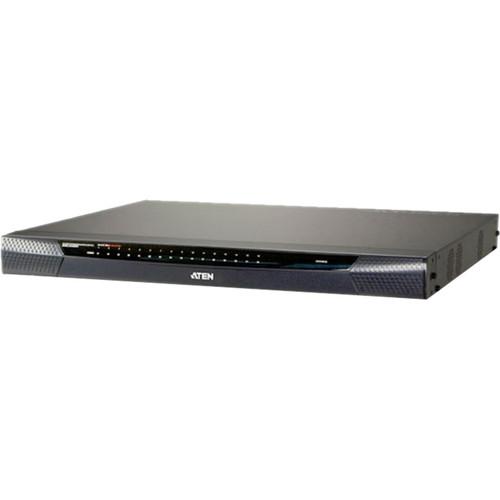 Contents of the user manual for the ATEN KM0032 32-Port Matrix Expansion KVM
- Product category: KVM Switches ATEN
- Brand: ATEN
- Description and content of package
- Technical information and basic settings
- Frequently asked questions – FAQ
- Troubleshooting (does not switch on, does not respond, error message, what do I do if...)
- Authorized service for ATEN KVM Switches
 |
User manual for the ATEN KM0032 32-Port Matrix Expansion KVM contain basic instructions
that need to be followed during installation and operation.
Before starting your appliance, the user manual should be read through carefully.
Follow all the safety instructions and warnings, and be guided by the given recommendations.
User manual is an integral part of any ATEN product,
and if it is sold or transferred, they should be handed over jointly with the product.
Following the instructions for use is an essential prerequisite for protecting
health and property during use, as well as recognition of liability on the part of the manufacturer
for possible defects should you make a warranty claim. Download an official ATEN user manual in which you will find instructions on how to install, use, maintain and service your product.
And do not forget – unsuitable use of a ATEN product will considerably shorten its lifespan!
|
Product description Multi-Monitors: Maximizing Multitasking Read More The ATEN 16-Port KVM over IP Switch was designed for modern data centers that require reliable, high security access and control of multiple servers. With non-blocked access and flexible expansion support, this Matrix KVM switch offers high quality video sessions for secure, real-time control of all your data center devices. With automatic skew compensation and Auto Signal Compensation (ASC) techniques, Matrix KVM switches provide enhanced video quality via Cat 5e/6 cabling - 1280 x 1024 @ 60 Hz for up to 330 yards (300 m). The full-screen Graphical User Interface offers a tree view list of installed devices, providing smooth navigation and convenient access and control, saving on training time, costs, and increasing user efficiency. - Hardware
-
- Up to 7 Matrix Expansion KVM switches can be daisy chained from a master switch (KM0932/KM0532)
- Audio support for multimedia-capable devices
- Redundant power supply for 24 x 7 reliability
- Multiplatform support: PC, Mac, Sun, and Serial Console access - any type of console can control any type of computer; mixed combinations (PS/2 & USB) supported on both the console and computer sides
- Compact design rack mounts in 1U of rack space
- Easy-to-Use Interface
-
- Full screen graphical user interface - saves on training time and costs - increases user efficiency
- Embedded web interface for easy system configuration and management
- Composite tree view - all connected devices are integrated in a single device tree for convenient management access and control
- The port list automatically expands when stations are added - port names are automatically reconfigured when the station sequence changes
- Multilingual user interface support - English, German, Japanese, Korean, Traditional Chinese, Simplified Chinese, Russian
- Simplified OSD Mode sets limited functionality for all user type accounts
- Convenient Port Operation
-
- Computer selection via GUI or intuitive hotkey combinations
Port level access control - users can only access the ports they have been authorized for - whether in a single-station or multi-stage installation - Console Selector allows setup of forced console to port connections for easy viewing and operation of computers
- Push Video Hotkey allows a user to push their console's port connection to another console for viewing or operating
- Users can access features on multiple computers simultaneously - a user can be working and listening to music on computer 1 while utilizing virtual media on computer 2 at the same time
- MultiView supports grouping for single port access to a computer connected to multiple ports utilizing multiple video cards
- Multicast Audio gives multiple console access to the same KVM port - allowing both to listen to the audio being broadcast by that port
- Versatile port operation modes for flexible server management:
- Scan - provides automatic monitoring of user-selected computers
- Exclusive - allows the first user to access a port to gain exclusive viewing rights and control over it for as long as he accesses it
- Occupy - allows the first user to access a port to control that port while others can only view it
- Share - allows multiple users to access and control a port at the same time on a cooperative basis
- Broadcast support enables executing the same command on multiple servers at the same time
- Disable Toolbar function - disables Toolbar from showing on the screen when the toolbar hotkey is used, instantly returning user to the GUI instead
- Management
-
- Supports up to 1024 user and 255 group accounts
- Three level password security: Super Administrator, Administrator, User
- Stringent password policy features that include password expiration; required password changes, account disabling, and account expiration
- Disable OSD Mode allows non-authenticated logins
- Disable RS-232 Login Mode allows non-authenticated serial terminal logins
- Intelligent Path Assignment - a master station can allocate the best available path for the user under multi-path cascading and daisy-chaining
- Power Over the NET integration for power control
- Power Association enables the switch's KVM ports to be associated with a PDU´s power outlets for remote power management of the servers from the switch's interface
- RS-232 port login support permits an administrator to control KVM port access for all consoles connected to the switch - any console can be assigned to access any KVM port from a single interface point
- Session Management - a Kill Session function provides administrators with the ability to force user logouts
- Backup and restore of configuration settings and user account information
- Firmware upgrades can be performed simultaneously on all daisy chained and cascaded slave switches as well as connected adapter cables
- Adapter ID - adapter cable's configuration information is stored with the adapter - no need to reconfigure the adapter when moving a server to a new port
- Remote authentication supports; RADIUS, LDAP, TACACS, LDAPS, and MS Active Director
- Supports ATEN Log Server and Syslog Server
- Virtual Media
-
- Virtual Media support lets you map storage media to servers that are connected to the switch allowing operators to conduct file transfers, install applications and OS patches, and perform diagnostics from a single console
- Works with USB enabled servers at the operating system and BIOS levels
- Supports DVD/CD drives, USB mass storage devices
- Supports mounting Smart Card Readers and Virtual Media at the same time, on computers connected with KA7177 Adapter Cables
- Video
-
- User's display automatically adjusts to resolution differences on the remote servers
- Superior video quality - 1280 x 1024 @ 60 Hz for up to 1000' (300) m
- Get and store EDID monitor information for updates on KVM adapters for optimum display resolutions
- Auto Signal Compensation (ASC) assures optimum video resolution for distances up to 300 m between computers and consoles - no DIP switch setting required
- Enhanced video quality via automatic skew compensation support for the KA7240 console module, and the newer KVM adapter cable series*
1 Please Note: *With KVM Adapter Cable KA7xxx series close UPC: 672792400223 In the Box ATEN KM0032 32-Port Matrix Expansion KVM Switch Power Cord Table of Contents
|
Upload User Manual
Have you got an user manual for the ATEN KM0032 32-Port Matrix Expansion KVM Switch in electronic form? Please send it to us and help us expand our library of instruction manuals.
Thank you, too, on behalf of other users.
To upload the product manual, we first need to check and make sure you are not a robot. After that, your "Submit Link" or "Upload File" will appear.
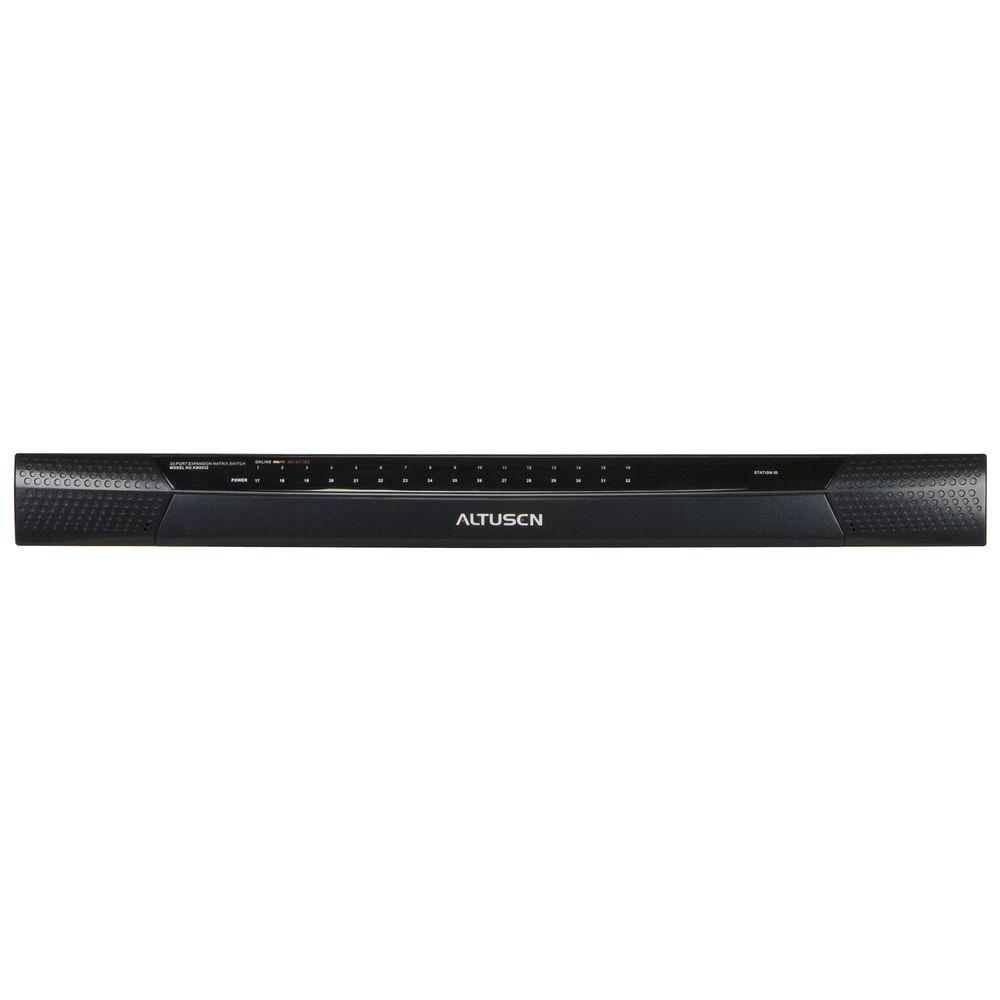
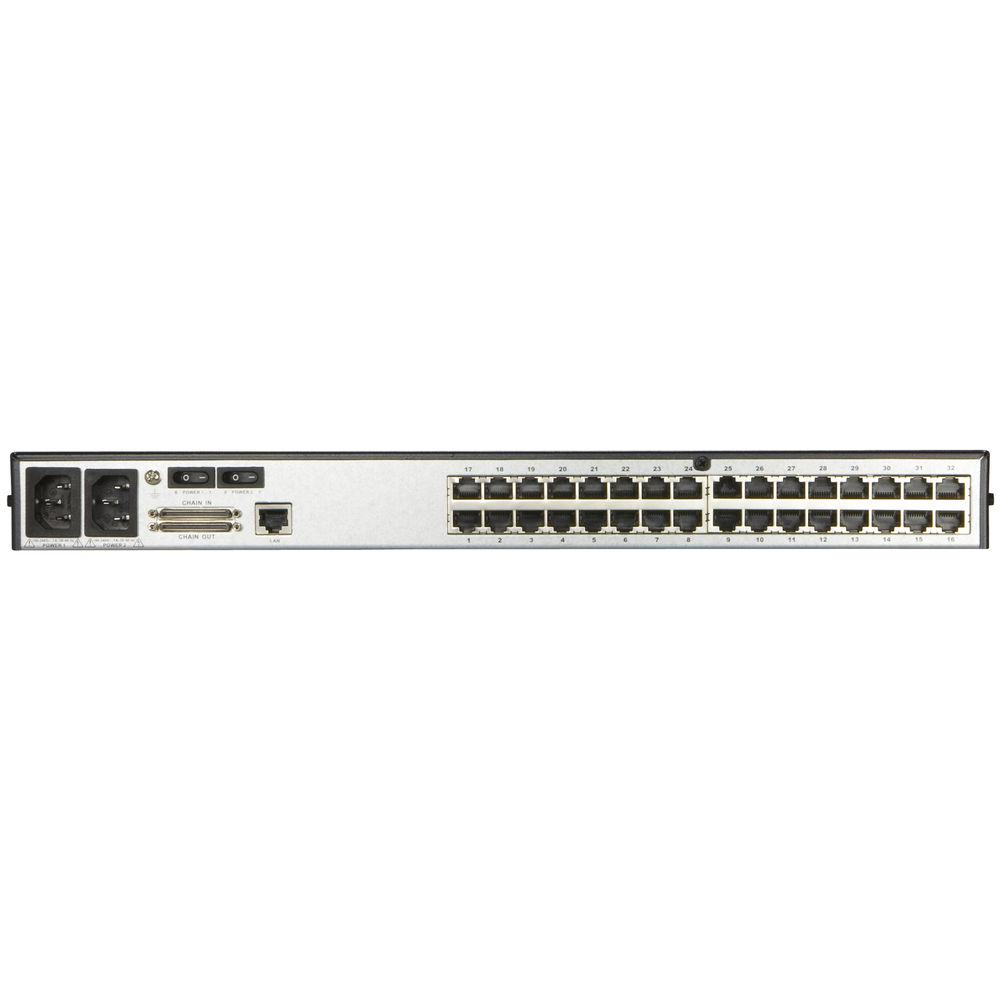
Technical parametersATEN KM0032 Specs | Computer Connections | Direct: 32 | | Port Selection | GUI, Hotkeys | | Connectors | KVM Port: 32x RJ-45 female
Daisy chain: 2x VHDCI 68 female (black)
F/W Upgrade: 1x RJ-45 female
PON: 1x RJ-45 female
| | Switches | Reset: 1x semi-recessed pushbutton
Power: 2x rocker
F/W upgrade: 1x slide
| | LEDs | KVM port: 32x dual-color (green/orange or red)
Station ID: 2x 7-segment orange LED
Power: 1x blue
| | Power | Input: 100 to 240 V AC, 50/60 Hz; 1A
Consumption: 120 V AC / 50 W; 240 V AC / 51 W
| | Emulation | Keyboard/Mouse: PS/2; USB (PC, Mac, Sun); Serial
| | Scan Interval | 1 to 240 Seconds | | Video Resolution | 1280 x 1024 @ 60 Hz - max 1000' / 300 m | | Environment | Operation Temperature: 32 to 122°F (0 to 50°C)
Storage Temperature: -4 to 140°F (-20 to 60°C)
Humidity: 0 to 80% RH, Non-condensing
| | Material | Metal housing | | Dimensions (WxHxD) | 17.3 x 16.1 x 1.8" / 43.84 x 41.09 x 4.4 cm | | Weight | 13.4 lb / 6.06 kg |
Rating80% users recommend this product to others. And what about you?

This product has already been rated by 12 owners. Add your rating and experience with the product.
Discussion
 Ask our technicians if you have a problem with your settings,
or if anything is unclear in the user manual you have downloaded.
You can make use of our moderated discussion.
The discussion is public and helps other users of our website who may be encountering similar problems.
Ask our technicians if you have a problem with your settings,
or if anything is unclear in the user manual you have downloaded.
You can make use of our moderated discussion.
The discussion is public and helps other users of our website who may be encountering similar problems.
The discussion is empty - enter the first post
Post a new topic / query / comment:
|
|
|
| Request for user manual |
You can’t find the operation manual you are looking for? Let us know and we will try to add the missing manual:
I’m looking for a manual / Request for manual
Current requests for instruction manuals:
Call Of Duty World War Two For Xbox...
controller stratus XL...
stratus XL...
smart whatch serie S11 42mm...
Allen & Heath SQ-6 manual...
|
| Discussion |
Latest contributions to the discussion:
AEW R 4100
Name: MAURICIO ANGARITA
Audio-Technica AEW-R4100 UHF Diversity Receiver for
AEW R 4100 has the mute function blocked and does not allow audio to pass. I tried several times to turn off the mute from the transmitter but it does nothing, the mute stays on. Solution?
Thank you...
Instructions for assembling the 2015 Forecast Image Master Consoles GC3-A
Name: mike elam
Forecast Consoles GC3-A ImageMaster Editing Console
Looking for instructions for assembling this console. ...
EMPTY TONER ERROR MESSAGE AFTER REPLACING TONER
Name: LINDA BAD YELLOW EYES
Brother TN223BK Standard-Yield Toner
I HAD TO CHANGE OUT ALL THREE TONERS DUE TO LEAKS IN THE YELLOW AND CYAN. AFTER I REPLACED THEM, THE MACHINE KEEPS GIVING ME AN EMPTY TONER ERROR MESSAGE. HELP!!...
PS480D 20/24 pin Switching 480W Power Supply
Name: swkargo
Logisys 480W Power Supply
This item states in can run -5vdc .It is NOT listed on the board or I beleive is r4 is missing the resitior. Any body have thid issue. Shawn
...
Help needed
Name: Ann Carter
SanDisk 1TB Extreme Portable USB 3.1
When I click the link to download the user manual for my Sandisk Extreme external hard drive, it gives me the manual for the LG Cricket. Can you please change the link so I can download the Sandisk manual and begin using this drive? Thank you....
|
|


