User Manual for Avid Media Composer 8 Click to enlarge the picture
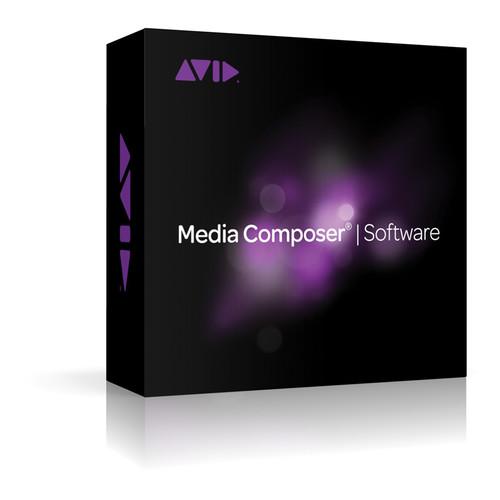 Contents of the user manual for the Avid Media Composer 8
- Product category: Video Editing Avid
- Brand: Avid
- Description and content of package
- Technical information and basic settings
- Frequently asked questions – FAQ
- Troubleshooting (does not switch on, does not respond, error message, what do I do if...)
- Authorized service for Avid Video Editing
|
User manual for the Avid Media Composer 8 contain basic instructions
that need to be followed during installation and operation.
Before starting your appliance, the user manual should be read through carefully.
Follow all the safety instructions and warnings, and be guided by the given recommendations.
User manual is an integral part of any Avid product,
and if it is sold or transferred, they should be handed over jointly with the product.
Following the instructions for use is an essential prerequisite for protecting
health and property during use, as well as recognition of liability on the part of the manufacturer
for possible defects should you make a warranty claim. Download an official Avid user manual in which you will find instructions on how to install, use, maintain and service your product.
And do not forget – unsuitable use of a Avid product will considerably shorten its lifespan!
|
Product description This license for Media Composer 8 is a pack of 50 for qualifying student, teacher, and educational institutional users who deploy over a network that has an Avid Floating License Server. If you are purchasing additional licenses for a pre-existing Floating License Server you must provide the System ID of current Floating License Server. A Floating License Server can be essentially any Windows computer on you network that distributes licenses on an as-needed basis to client users in your post facility. With a 50 pack as many as 50 editors on the common network can be using Media Composer at the same time. Once a user quits Media Composer the license goes back into the pool. Although the license server is Windows-based, both Mac and Windows computers can be used on the network to run Media Composer.
Media Composer 8 allows you to work - without transcoding - with most file formats and resolutions, including SD, HD, stereoscopic (3D), 4K and beyond. It also features built-in effects, transitions, and titling tools. With Media Composer 8, you can mix and match different formats, frame rates, and resolutions in the same timeline without rendering. Media Composer 8 features Full 4:4:4 HD RGB support, color correction tools, and ProRes encoding (Mac version only.)
Featuring built-in support for stereoscopic/3D footage, it is a full-fledged stereoscopic editing system. It is also compatible with a wide range of effects plug-ins. It features a multicam editing mode for cutting between 9 cameras simultaneously, with added support in version 8 for multicam in 3D. For audio support, Media Composer 8 features built-in 7.1 surround sound support and audio mixing of up to 64 audio voices. It also features improved audio keyframing on the timeline and supports Pro Tools RTAS plug-ins. It supports available Avid and non-Avid hardware I/O cards and devices, and comes bundled with NewBlue Titler Pro v1, Sorenson Squeeze, EDL Manager, and FilmScribe. Plus, you will be entitled to one-year of standard Avid Support, which features complimentary software updates and can be renewable annually. What's New for Version 8 - New Application Manager
Lets you see what Avid software, AMA plug-ins, and related third-party applications you have installed on your system. Get notified when new updates, upgrades, and renewals are available. Activate and download new software, updates, and upgrades from the interface. And if you're interested in a new product or upgrade, you can even see if a software trial is available to try it out first. It will even alert you about special offers, upcoming webinars, and events.
Workflow Acceleration with FrameFlex Tools
Allows you can immediately start working in HD directly from high-res sources, such as 4K, and maintain full creative control of the image reframing and keyframing, from beginning to end. In addition, 1D/3D Look Up Tables (LUTs) and Color Decision Lists (CDLs) make it simpler to perform real-time RAW and LogC to Rec. 709 color space conversions.
Automated Media Management
Gain more time for creativity with new features that accelerate and simplify file-based workflows. With Dynamic Media Folders, non-creative media tasks such as transcoding, copying, and consolidating can be automated in the background, without disrupting your editorial flow.
Edit and Collaborate Remotely in Real Time
Edit, share, tag, track, and sync media and projects with everyone on your editing team. No matter where you are in the world, Media Composer enables you to connect to Interplay Production systems through Media Composer Cloud. What's more, you can edit just as efficiently as you would if you were all at the home facility, using the same familiar tools and workflows.
Master Audio Fader
You can insert RTAS plug-ins to tweak tones and optimize the overall program loudness, making broadcast regulation adherence quick and easy. You can also now make audio adjustments to any clip directly in the timeline-independently of any track-based automation with the Clip Gain control.
Improved Pro Tools Interoperability
Video Satellite is now included with Media Composer, enabling audio editors and mixers to play Avid HD and SD video sequences directly in sync with their Pro Tools session, while maintaining full system power.
Additional New Features
- Create cut lists and EDLs from within Media Composer
- Do multicam editing in stereoscopic 3D
- Get 9-way real-time multicam support for Long GOP (XDCAM) media
- Select multiple clips in the timeline without the filler
- Edit without interruption with new audio waveform caching
- View location sound metadata from Broadcast Wave files with support for iXML
- Deliver finished sequences to a standardized AS-11 (AMWA) MXF OP1a file
- Work with Alpha channel media using the new AMA QuickTime with Alpha plug-in
Editing - Full 64-Bit Power
The 64-bit architecture of Media Composer provides more processing power, larger editing bins, and a smoother editing experience with less waiting than with a 32-bit system.
Work With Virtually Any Media
File-based media, 2K, 4K, and 5K footage, analog and digital tape, stereoscopic 3D material, film - Media Composer supports it all. With diverse editing tools and a wide range of features, workflows, and options you can work with nearly everything, from old-school media to the latest camera technologies. Plus, you can work in HD from a high-res source without having to transcode or resize files.
No Transcoding with AMA
With AMA (Avid Media Access), you can instantly access and edit file-based media, including ARRI ALEXA MXF, RED (EPIC, SCARLET-X, and ONE) files, AVCHD, ProRes, QuickTime (including footage from HDSLR cameras), XDCAM, P2, Canon XF, and other formats.
Editor-Focused Tools
Trim and manipulate on the fly using the Smart Tool, or perform ultra-precise edits using traditional tools. Mix and match media formats, frame rates, resolutions, and more in the same timeline without rendering. And edit HD material in real time using Avid DNxHD or DNxHD 444.
Edit 3D
Edit stereoscopic 3D material as quickly and easily as you do with standard 2D footage. Capture, edit, and manage the complete 3D end-to-end workflow. In addition, you can mix and match 2D and stereoscopic 3D clips on the same track, and it features full-fledged editing tools and video effects for stereoscopic post production. Workflow - Accelerate Performance with Avid Hardware
Pair Media Composer with a Nitris DX or Mojo DX video interface - both separately available - for the fastest possible workflow when ingesting and editing certain formats. You can even customize Nitris DX with up to two Avid DNxHD or AVC-Intra chips to fully support stereoscopic 3D and HD RGB 4:4:4 workflows.
Third-Party I/O Support
Media Composer also supports many third-party video capture and outputs cards, including those from AJA, Blackmagic Design, Bluefish444, Matrox, and MOTU.
Avid Marketplace
Browse for stock footage, plug-ins, hardware, and more - right from within Media Composer. Audio, Color Correction, and Finishing - Audio
With built-in audio recording, editing, and mixing tools you can:- Record and monitor voiceovers, overdubs, and more using select, separately available Avid audio interfaces
- Edit and mix in up to 7.1 surround sound
- Polish sounds with 20 included AIR effects - the same plug-ins that come with Pro Tools
- Expand your sound with compressors, reverbs, and other sound processing plug-ins, many of which can be purchased within Media Composer from the Avid Marketplace
Color Correction and Grading
A fully integrated 10-bit color correction toolset lets you:- Quickly and accurately match colors from shot to shot using NaturalMatch
- Gain better color precision with support for full-quality 4:4:4 HD-RGB color space processing
- Get fine control over shots with animatable color correction
- Speed up your color work with Artist Color
Transcode and Export
With Sorenson Squeeze Lite included, you can optimize media for the playback-online or on disc. Prepare and optimize content in a variety of formats, including HD, DVD, MPEG-2, MPEG-4/H.264, Flash, and 3GPP.
Broadcast AS-02/AS-11 File-based Output
Support for AS-02/AS-11 MXF formats through AMA means you can manage multiple versions of the same sequence easily, as the AS-02/AS-11 container packs everything into a single bundle without duplicating assets, saving storage space. Seamlessly move content between Avid and other systems that support the formats. Use JPEG 2000, DNxHD, IMX, AVC-Intra, and uncompressed media in your versioning/archive workflow. And because the formats are open industry standards, you'll eliminate time wasted on repackaging content. Bundled Software - Sorenson Squeeze Lite, FilmScribe, NewBlue Titler Pro v1, EDL Manager
FilmScribe
Helps manage the complex metadata associated with film and digital cinema workflows, beyond what a simple CMX EDL (edit decision list) can offer.
EDL Manager Allows you to export timecode metadata for use in third party applications.
NewBlue Titler Pro v1
Allows you to create dynamic 2D and 3D titles to add visual value to your projects. UPC: 724643118228 In the Box Avid Media Composer 8 (Educational, Floating License: 50 Pack) Activation Card 1-Year Standard Avid Support Table of Contents
|
Upload User Manual
Have you got an user manual for the Avid Media Composer 8 in electronic form? Please send it to us and help us expand our library of instruction manuals.
Thank you, too, on behalf of other users.
To upload the product manual, we first need to check and make sure you are not a robot. After that, your "Submit Link" or "Upload File" will appear.
Technical parametersAvid 9935-65710-00 Specs | | | Native Codec Support | Avid DNxHD 444
All DNxHD 444 Formats
Avid DNxHD
All DNxHD formats
Avid Compressed SD Resolutions
AVR (playback only)
15:1s, 4:1s, 2:1s
20:1, 10:1, 3:1, 2:1
35:1p, 28:1p, 14:1p, 3:1p, 2:1p
4:1m, 10:1m, 3:1m(p), 8:1m(p)
Avid Proxy Formats
Interplay MPEG-2 proxy, MPEG-4 proxy, 720p H.264 proxy (transcode service only)
Canon XF
50 Mb/s, 4:2:2
DV
DV25 / DVCAM (25 Mb/s): 4:1:1 NTSC, 4:1:1 PAL, 4:2:0 PAL, 24p
DV50 (50 Mb/s)
HDV
JVC HDV (19 Mb/s) 720p
Sony HDV (25 Mb/s) 1080 @ 24p/25/50i/59.94i
Canon HDV 1080 at 24p/50i/59.94i
Native project formats: 1080i/59.94, 1080i/50, 720p/23.976 (with support for 24p material), 720p/25, 720p/29.97, 720p/50, 720/59.94
Capture over IEEE-1394, edit, playback, export to file without timecode
Ikegami GFCAM
GFCAM 50 Mb/s
GFCAM 100 Mb/s
JVC ProHD
Microsoft VC-1: VC-1 (edit/playback on Intel Macs only)
Panasonic AVC-Intra
Panasonic DVCPRO (SD)
DVCPRO 25 Mb/s
DVCPRO50 50 Mb/s
Panasonic DVCPRO HD
DVCPRO HD 100 Mb/s
AVC-Intra (baseband capture over HD-SDI requires AVC-Intra encoding module with Avid Nitris DX-sold separately)
Native project formats: 1080i/59.94, 1080i/50, 720p/59.94, 720p/50, 720p/25, 720p/23.976
ProRes
ProRes encode (Mac only) and decode
Full metadata support
Sony XDCAM (SD)
DV 25 Mb/s
IMX30 30 Mb/s
IMX40 40 Mb/s
IMX50 50 Mb/s
Full ancillary data support through AMA
Sony XDCAM EX
MPEG 25 Mb/s CBR
MPEG 35 Mb/s VBR
Full ancillary data support through AMA
Sony XDCAM HD
MPEG 18 Mb/s VBR
MPEG 25 Mb/s VBR
MPEG 25 Mb/s CBR
MPEG 35 Mb/s VBR
MPEG 50 Mb/s CBR
MPEG-4 Proxies
Full ancillary data support through AMA | | Supported A/V Plug-In Formats | Audio
RTAS (Real-Time AudioSuite)
AudioSuite
Video
AMA (Avid Media Access)
AVX 2 (Avid Video Extension) | | Uncompressed SD and HD Video | SD
1:1 interlaced 8/10-bit
1:1 progressive 8/10-bit
HD
1:1 8/10-bit
YUV 4:2:2
RGB 4:4:4 (via dual link HDSDI) | | File-Based Support | ARRI ALEXA MXF
AVCHD
Full native direct access to AVCHD media and metadata
Native editing of all listed formats
Canon XF
Full native direct access to Canon XF media and metadata
Native editing of all listed formats (see "Native Codec Support")
Ikegami GFCAM
Supports MXFand OP-Atom Wrapper
Full native direct access to GFCAM material and metadata
Native GFCAM editing of all listed formats (see "Native Codec Support")
Direct edit of GFCAM media from GFPAK cards or disk drive
JVC ProHD
MXF
Full native direct access to MXF media and metadata
Native editing of all formats
Panasonic P2
Supports MXF and OP-Atom Wrapper Full native direct access to P2 media and metadata
Native DVCPRO HD and AVC-Intra editing of all listed HD formats
Direct edit of P2 media from cards or disk drive
Support for P2 Store
Write-back of finished program to P2 media (Windows only)
QuickTime
Full native direct access to QuickTime media and metadata (including Canon 5D and 7D media)
Full native ProRes encode (Mac only) and decode support
Native editing of all listed formats (see "Native Codec Support")
Direct edit of QuickTime movie files
RED
Full native direct access to RED (.R3D) media and metadata (frame size scaled to HD)
Full native direct access to RED ONE, EPIC, SCARLET-X (5K/4.5K/3K2K RAW, 1080p RGB, and 720p RGB) material
Native editing of all listed formats
Direct edit of RED (.R3D) files from a RED-FLASH card or RED-DRIVE
Sony HDCAM SR / HDCAM SR Lite / HDCAM SR-SQ
Full native direct access to HDCAM SR Lite media and metadata
Native editing of all listed HD data rates (see "Native Codec Support")
Sony XDCAM / XDCAM EX / XDCAM HD / HD420
Supports MXF and OP-1A Wrappers for all but XDCAM EX; XDCAM EX supports MP4 wrapper
Full native direct access to XDCAM media and metadata
Support for optical media and SxS cards
Native editing of all listed SD and HD data rates (see "Native Codec Support")
Full ancillary data support
Import via File Access Mode (FAM) over IEEE-1394
Ingest via FTP client over Ethernet
Play-out and Write-back of finished program to XDCAM media | | | | Software | Requires that you supply 50 client licenses to retire when purchasing | | Computer | Avid Floating License Server system | | Operating System | Windows 7 Professional SP1 (64-bit), Windows 8 Professional or Enterprise (64-bit)
Mac OS X Lion and Mountain Lion (64-bit).
Note: Avid does not supply support for non-Avid-qualified systems. | | Processor | Intel Quad Core i7 or Quad Core Xeon processor | | Memory | 4 GB RAM minimum (6+ GB recommended)
8 GB RAM minimum required to support Interplay Sphere, background transcoding, and Dynamic Media Folders
16+ GB RAM recommended to support full-frame stereoscopic 3D, simultaneous background transcoding, Dynamic Media Folders, FrameFlex 4 K workflows, Raw format AMA plug-ins, Long GOP media editing, and other high-performance workflows | | Graphics Card | Mac
Nvidia GeForce family (recommended), Intel HD4000, or ATI Radeon family (as supported by Apple)
Windows
NVIDIA Quadro FX family3 (Q600 or higher recommended), Intel HD4000 NVIDIA cards are recommended; full-screen playback requires a minimum of 128 MB of graphics memory. | | Internal Hard Drive | Minimum 250 GB, 7,200 rpm SATA drive or 128 GB SSD | | Compatibility | QuickTime: Avid has tested and qualified Apple QuickTime X for Mac users and QuickTime 7.6.9 for Windows users
Windows Media Player: Microsoft Windows Media Player 11 is required to export certain formats and to work with VC-1 material | | | | Package Weight | 0.15 lb | | Box Dimensions (LxWxH) | 5.1 x 5.1 x 0.4" |
Rating60% users recommend this product to others. And what about you?

This product has already been rated by 79 owners. Add your rating and experience with the product.
Discussion
 Ask our technicians if you have a problem with your settings,
or if anything is unclear in the user manual you have downloaded.
You can make use of our moderated discussion.
The discussion is public and helps other users of our website who may be encountering similar problems.
Ask our technicians if you have a problem with your settings,
or if anything is unclear in the user manual you have downloaded.
You can make use of our moderated discussion.
The discussion is public and helps other users of our website who may be encountering similar problems.
The discussion is empty - enter the first post
Post a new topic / query / comment:
|
|


