|
User Manual for Avid Pro Tools Duet - Personal Music Studio with 1 Year Pro Tools Subscription Click to enlarge the picture
 Contents of the user manual for the Avid Pro Tools Duet - Personal
- Product category: Audio Interfaces & Systems Avid
- Brand: Avid
- Description and content of package
- Technical information and basic settings
- Frequently asked questions – FAQ
- Troubleshooting (does not switch on, does not respond, error message, what do I do if...)
- Authorized service for Avid Audio Interfaces & Systems
 |
User manual for the Avid Pro Tools Duet - Personal contain basic instructions
that need to be followed during installation and operation.
Before starting your appliance, the user manual should be read through carefully.
Follow all the safety instructions and warnings, and be guided by the given recommendations.
User manual is an integral part of any Avid product,
and if it is sold or transferred, they should be handed over jointly with the product.
Following the instructions for use is an essential prerequisite for protecting
health and property during use, as well as recognition of liability on the part of the manufacturer
for possible defects should you make a warranty claim. Download an official Avid user manual in which you will find instructions on how to install, use, maintain and service your product.
And do not forget – unsuitable use of a Avid product will considerably shorten its lifespan!
|
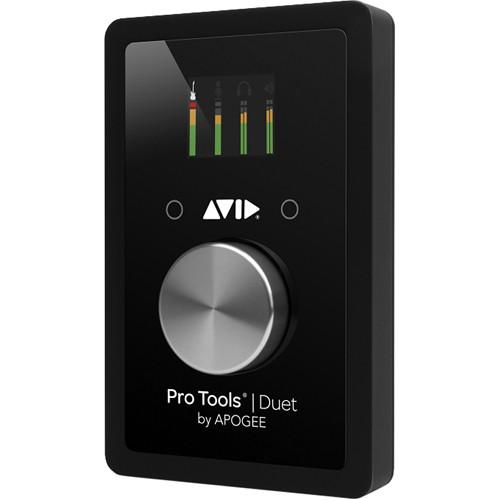
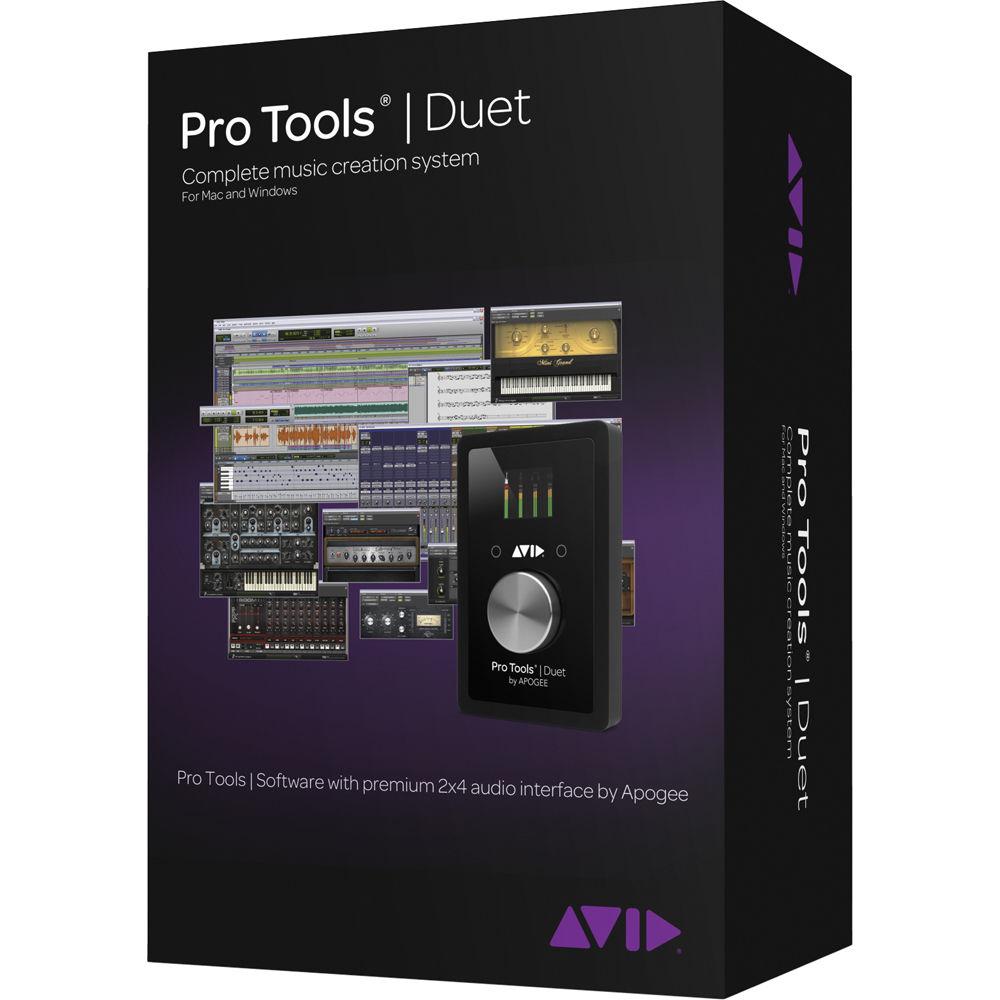
Product description Pro Tools / Duet from Avid is a powerful yet portable music creation and audio recording studio designed for singer/songwriters and loop-based musicians. By combining a one year subscription to the industry-standard Pro Tools software with the two input/four output Duet audio interface from Apogee, the bundle provides everything needed to create professional-level productions. The Avid branded USB audio interface features state-of-the-art A/D and D/A conversion and world-class microphone preamps, delivering the legendary Apogee sound quality.
Aside from functioning as an audio interface, the Duet is also an efficient interface controller. Using the included EUCON-enabled Pro Tools IO Control software allows for taking direct control of the recording and monitoring functions through the software control panel. Solidly built with die-cast aluminum, steel, and a scratch-resistant display panel the interface provides a robust chassis with added protection against daily abuse and the unpredictability of travel. Plus, its compact size makes it an easy fit in any desktop studio environment, or placed into a bag or backpack, for on-the-go creation.
Pro Tools from Avid, an industry standard software, is now based on a 64-bit architecture. While there are several important enhancements, the software is now able to access as much RAM as is present on a computer system over the previous 4 GB limit. What this means is that virtual instruments that contain large sample file bases can now be fully loaded, while the number of instruments that can be simultaneously available in a session is also increased.
Another major feature that many have clamored for is offline bouncing. Now preparing intermediary or final mixes is much faster. Sound quality is maintained throughout due to the time-stamped automation while multiple files in different file formats can be created simultaneously. Record input monitoring has been enhanced with ultra-low latency even when routing through plug-ins. And those working with audio for picture will appreciate the ability to play Avid DNxHD files and other HD formats directly within the timeline without transcoding.
This bundle provides a one year license for the latest version of Pro Tools software, with all upgrades included for the duration. At the end of the period, the license will need to be renewed if continued use of the software is required. Note: Pro Tools IO Control EUCON-enabled software and the AAX plug-in bundle are available for download on product registration.
The bundle also comes with a choice of two free Avid plug-ins, one from the company's Tier 2 plug-ins, and one from the Tier 3 plug-ins. Duet - 24-bit/192 kHz analog-to-digital and digital-to-analog conversion
- Two microphone preamps deliver up to 75dB of gain
- Two combo Line/Microphone/Instrument analog inputs
- Two balanced line outputs with +20 dBu maximum output level
- Independent 1/4" stereo headphone output
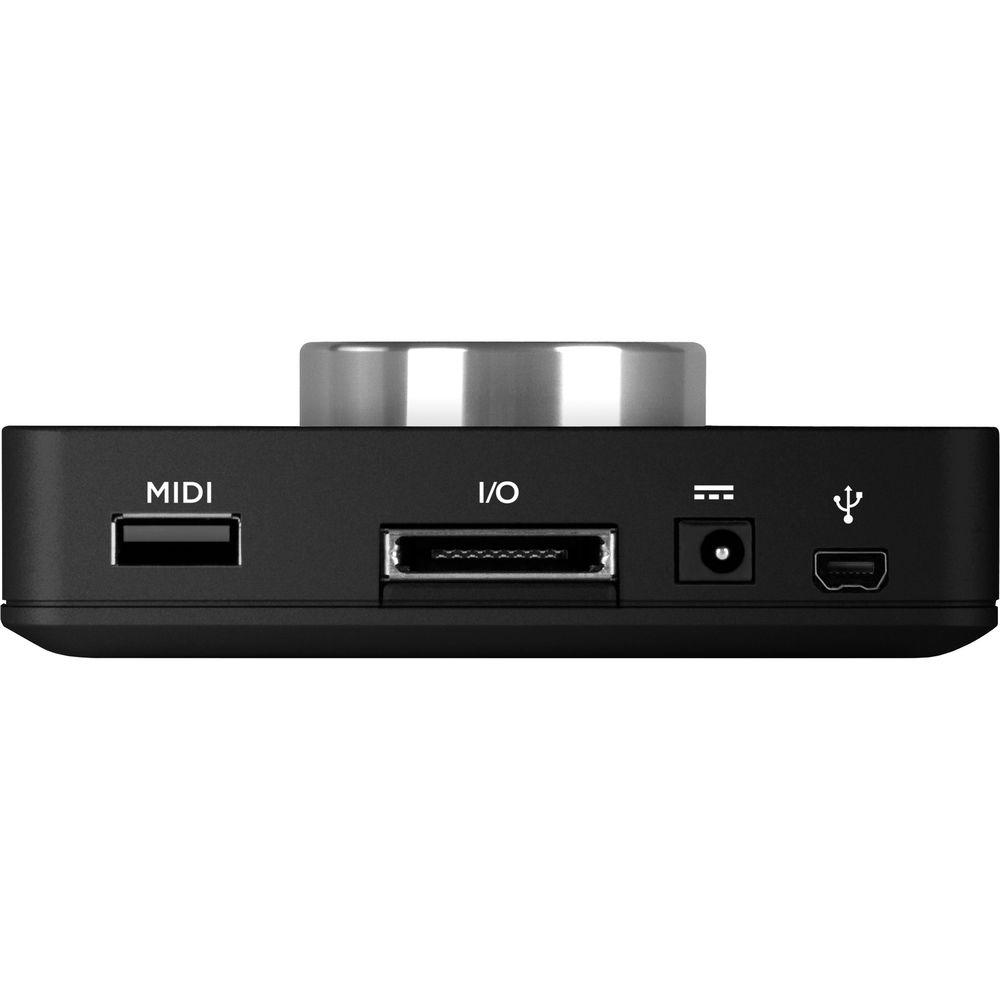
- USB MIDI connection for CoreMIDI compatible keyboards, synthesizers or DJ controllers
- Selectable 48v phantom power, Soft Limit and phase invert
- Top panel, high-resolution OLED display
- Multi-function controller knob
Pro Tools Software - Fully optimized Avid Audio Engine
- 64-bit performance for access to larger RAM configurations, which in particular, benefits virtual instrument usage
- Speed up mix delivery with faster-than-realtime off-line bouncing with time-stamped automation
- Create mixes with up to 96 audio tracks (sample rate dependent)
- Compose with virtual instruments and MIDI and Score Editors
- Loop recording/track comping workflows
- Elastic Time and Elastic Pitch processing
- Automatic delay compensation
- Multi-track Beat Detective
- Play HD video directly in the Pro Tools timeline using the Avid Video Engine
- Automate tracks while recording
- AAF/OMF/MXF file interchange
- Over sixty AAX effects plug-ins and virtual instruments (download)
UPC: 724643119836 In the Box Avid Pro Tools / Duet - Personal Music Studio with 1 Year Pro Tools Subscription USB Cable External Power Supply I/O Breakout Cable Pro Tools Software Activation Card iLok 2 USB Key One (1) Year Warranty Guides & Manuals Table of Contents
|
Upload User Manual
Have you got an user manual for the Avid Pro Tools Duet - Personal Music Studio with 1 Year Pro Tools Subscription in electronic form? Please send it to us and help us expand our library of instruction manuals.
Thank you, too, on behalf of other users.
To upload the product manual, we first need to check and make sure you are not a robot. After that, your "Submit Link" or "Upload File" will appear.
Download User ManualThe user manual for the Avid Pro Tools Duet - Personal Music Studio with 1 Year Pro Tools Subscription can be downloaded in PDF format at the link stated below.
Technical parametersAvid 99356593600 Specs | | | Interface | USB 2.0 | | Converter | 24-bit/192 kHz | | A/D Conversion | Maximum Input Level: +20 dBu, referenced +4 dBu
Maximum Input Level: +6 dBV, referenced -10 dBV
Input Impedance: 5kΩ
Frequency Response: 20 Hz to 20 kHz, > +/-0.2 dB @ 44.1 kHz
Relative THD+N: -106 dB @ 96 kHz
Dynamic Range: 114 dB, A-weighted | | D/A Conversion | Maximum Output Level: +20 dBu, referenced +4 dBu
Maximum Output Level: +6 dBV, referenced -10 dBV
Line Output Impedance: 90Ω
Maximum Headphone Output Level : 19 dBu
HPH Output Impedance: 30Ω
Frequency response: 20 Hz to 20 kHz, > +/- 0.05 dB @ 44.1 kHz
Relative THD+N: -113 dB @ 96 kHz
Dynamic Range: 123 dB, A-weighted | | Analog Inputs | 2 x XLR/TRS combo connectors via breakout cable | | Mic Preamps | Gain: Up to 75 dB
EIN: 128 dB (unweighted) @ 60 dB, 150Ω input
Max Input Level: +20 dBu
Input Impedance: 3kΩ | | Hi-Z Input | Max Input Level: 14 dBu
Input Impedance: >2MΩ | | MIDI | 1 x USB-A type MIDI I/O for connecting CoreMIDI-compatible keyboard, synthesizer, or DJ controller | | Other | 48V phantom power selectable on analog inputs
Soft Limit selectable on analog inputs
Low-latency monitoring
Control knob
Two configurable top-panel touchpads | | Display | Full color, high-resolution OLED display for viewing input and output levels and settings | | Power Requirements | USB bus-powered on Mac
DC power supply included for PC use | | Dimensions (WxDxH) | 4.0 x 6.3 x 1.5" (102 x 160 x 38 mm) | | Weight | 1.1 lb (0.5 kg) | | System Requirements | For Pro Tools Software
Mac
Avid-qualified Mac
OS X Mountain Lion 10.8, 10.9 Mavericks
4 GB RAM minimum (8 GB for video playback)
15 GB free hard drive space for installation
USB port for iLok (plus Internet connection for software download)
iLok 2 (original iLok not supported)
PC
Avid-qualified PC
Windows 7 or 8 Home Premium, Professional, or Ultimate (64-bit)
4 GB RAM minimum (8 GB for video playback)
15 GB free hard drive space for installation
USB port for iLok (plus Internet connection for software download)
iLok 2 (original iLok not supported) | | | | Package Weight | 2.95 lb | | Box Dimensions (LxWxH) | 9.0 x 6.7 x 4.2" |
Rating80% users recommend this product to others. And what about you?

This product has already been rated by 92 owners. Add your rating and experience with the product.
Discussion
 Ask our technicians if you have a problem with your settings,
or if anything is unclear in the user manual you have downloaded.
You can make use of our moderated discussion.
The discussion is public and helps other users of our website who may be encountering similar problems.
Ask our technicians if you have a problem with your settings,
or if anything is unclear in the user manual you have downloaded.
You can make use of our moderated discussion.
The discussion is public and helps other users of our website who may be encountering similar problems.
The discussion is empty - enter the first post
Post a new topic / query / comment:
|
|
|
| Request for user manual |
You can’t find the operation manual you are looking for? Let us know and we will try to add the missing manual:
I’m looking for a manual / Request for manual
Current requests for instruction manuals:
Call Of Duty World War Two For Xbox...
controller stratus XL...
stratus XL...
smart whatch serie S11 42mm...
Allen & Heath SQ-6 manual...
|
| Discussion |
Latest contributions to the discussion:
AEW R 4100
Name: MAURICIO ANGARITA
Audio-Technica AEW-R4100 UHF Diversity Receiver for
AEW R 4100 has the mute function blocked and does not allow audio to pass. I tried several times to turn off the mute from the transmitter but it does nothing, the mute stays on. Solution?
Thank you...
Instructions for assembling the 2015 Forecast Image Master Consoles GC3-A
Name: mike elam
Forecast Consoles GC3-A ImageMaster Editing Console
Looking for instructions for assembling this console. ...
EMPTY TONER ERROR MESSAGE AFTER REPLACING TONER
Name: LINDA BAD YELLOW EYES
Brother TN223BK Standard-Yield Toner
I HAD TO CHANGE OUT ALL THREE TONERS DUE TO LEAKS IN THE YELLOW AND CYAN. AFTER I REPLACED THEM, THE MACHINE KEEPS GIVING ME AN EMPTY TONER ERROR MESSAGE. HELP!!...
PS480D 20/24 pin Switching 480W Power Supply
Name: swkargo
Logisys 480W Power Supply
This item states in can run -5vdc .It is NOT listed on the board or I beleive is r4 is missing the resitior. Any body have thid issue. Shawn
...
Help needed
Name: Ann Carter
SanDisk 1TB Extreme Portable USB 3.1
When I click the link to download the user manual for my Sandisk Extreme external hard drive, it gives me the manual for the LG Cricket. Can you please change the link so I can download the Sandisk manual and begin using this drive? Thank you....
|
|



