|
User Manual for Avid SCT12206 Add-on Media Composer Dongle Click to enlarge the picture
 Contents of the user manual for the Avid SCT12206 Add-on Media Composer Dongle
- Product category: Video Editing Avid
- Brand: Avid
- Description and content of package
- Technical information and basic settings
- Frequently asked questions – FAQ
- Troubleshooting (does not switch on, does not respond, error message, what do I do if...)
- Authorized service for Avid Video Editing
 |
User manual for the Avid SCT12206 Add-on Media Composer Dongle contain basic instructions
that need to be followed during installation and operation.
Before starting your appliance, the user manual should be read through carefully.
Follow all the safety instructions and warnings, and be guided by the given recommendations.
User manual is an integral part of any Avid product,
and if it is sold or transferred, they should be handed over jointly with the product.
Following the instructions for use is an essential prerequisite for protecting
health and property during use, as well as recognition of liability on the part of the manufacturer
for possible defects should you make a warranty claim. Download an official Avid user manual in which you will find instructions on how to install, use, maintain and service your product.
And do not forget – unsuitable use of a Avid product will considerably shorten its lifespan!
|
Product description The SCT12206 Add-on Media Composer Dongle from Avid can be used, in lieu of an activation code, to enable Media Composer | Software and the Symphony and Newscutter options. Media Composer | Software - Edit with Higher Efficiently
-
- Save time with project-level mask margins
- Experience faster and more fluid effects and color correction performance when working with high-res media and other processing-intensive formats
- Work with RED footage 4x faster with the new plug-in update
- Quickly create a sequence based on a clip selection in the timeline
- Stutter-Free Performance
-
- Smoother, stutter-free performance when scrubbing or playing back a complex sequence multiple times
- All played frames, and all effects applied to those clips, cached in RAM
- High core count systems for performance boost when playing back and rendering effects
- Preview Clips
-
- Source Browser window enables you to look at and listen to footage quickly and then decide whether you want to import or link to the media—right from the window
- Work with 8K and Other High-res Media Natively
-
- With native support for 2K, 4K, Ultra HD, and 8K media, you can acquire, manage, edit, and deliver content quickly and easily
- Get support for various camera codecs, including Panasonic AVC-LongG
- View 2K/4K media in its native resolution on a client monitor, in real-time, using Avid Artist | DNxIO or any third-party Open I/O-compatible hardware (available separately)
- New Audio Tools
-
- Create bigger, richer soundtracks with over 250% more audio tracks than previously available
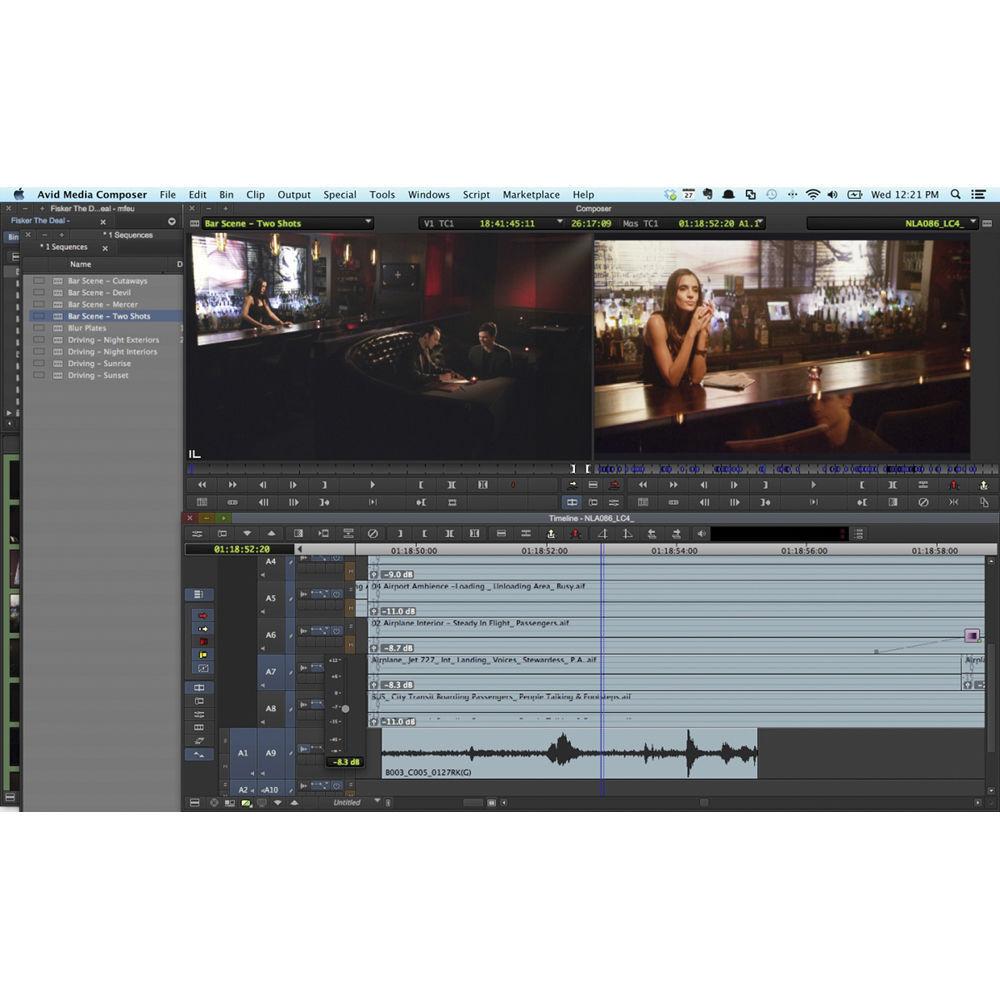
- Work on sequences with up to 64 audio tracks
- Create groups for easier handling and discrete mixing of dialog, production sound, music, ADR, Foley, and sound effects
- Automatically lower the music bed volume whenever a voiceover kicks in with the audio ducking feature
- Nest multiple AudioSuite effects on a single clip for greater flexibility and more creative freedom
- Work Without Size Limitations
-
- With Avid Resolution Independence, you can work with practically any media in any resolution
- Link to, consolidate, and transcode media to any raster size, from 8K to custom rasters
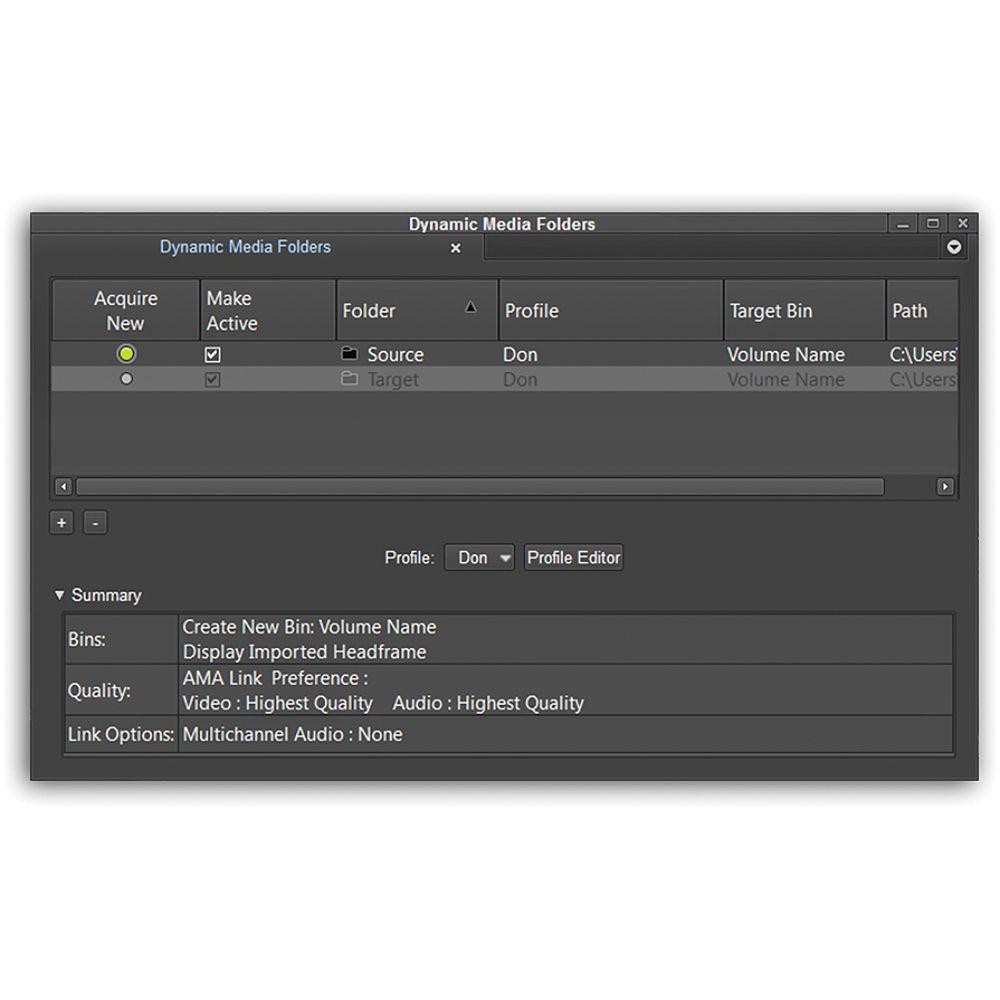
- Automate duplicating and parking high-res media into nearline storage using Dynamic Media Folders
- Automatically transcode media to working editorial formats
- Deliver high-res masters right from Media Composer, eliminating the need for a finishing tool
- Better Visual Feedback When Editing
-
- Edit with better precision with high-visibility feedback displayed as you edit in the timeline
- View clips in real-time as you drag them around
- See the impact your edits have on all affected clips and tracks with the new live trim update
- Drag clip directly onto the timeline to add a new track
- Eliminate High-res Challenges
-
- Accelerate your high-res workflow, without blowing your storage budget, with Avid DNxHR
- Work with a wider range of resolutions, from lightweight proxies for high-performance editorial, to more mastering resolutions for delivery, including 2K, Ultra HD, and 4K
- Enable remote 4K collaboration
- DNxHR is backwards compatible with DNxHD, as it's built on the same extensible, standards-based media codec
- Take on Dynamic HDR Projects
-
- Media Composer supports high dynamic range (HDR) workflows, enabling you to edit and grade projects using new color specs that display a wide dynamic range than standard video
- Enhance color and contrast to achieve more realistic, dramatic imagery, with high detail in the shadows and highlights
- Get support for Dolby Vision, Sony S-Log3, BBC/NHK, and ACES profiles
- Edit Faster with Sleeker Interface
-
- Streamlined yet still robust user interface
- Access key tools and features faster, thanks to several updates that make your software interaction more intuitive
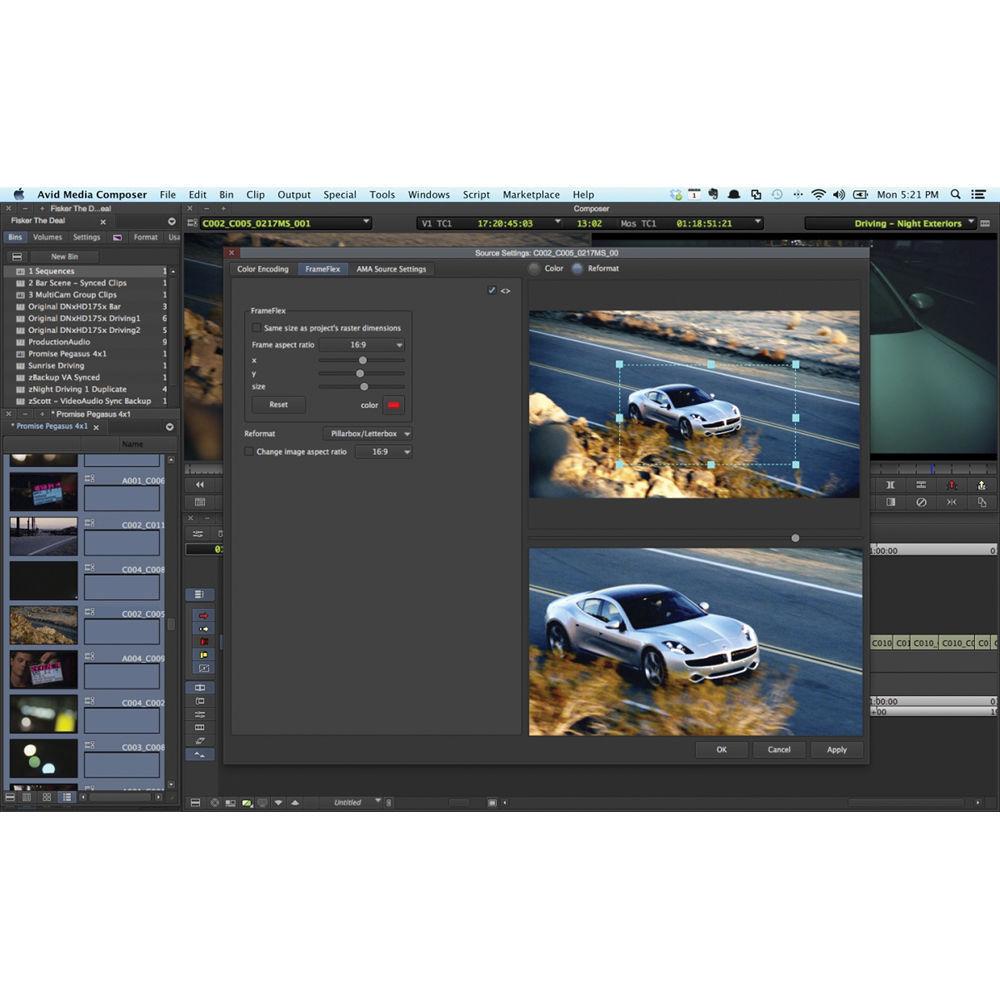
- Rotate Images Quickly with FrameFlex Rotation
-
- Quickly rotate images a little or a lot by rotating the framing box in FrameFlex
- Horizontally straighten multiple sources at once
- Reset the view for footage shot while the camera was upside down or on its side
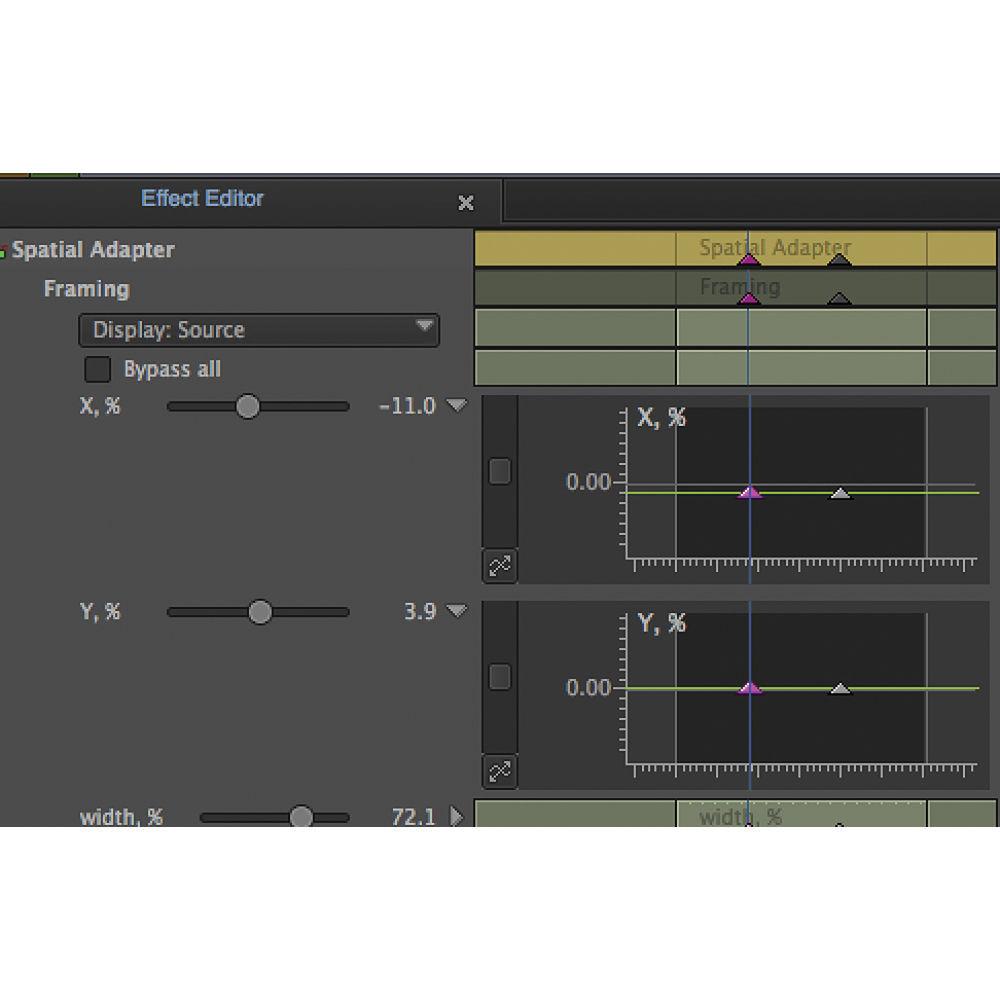
- You can even animate the rotation parameters in the effects editor
- Get Powerful Performance and Speed
-
- Instantly access and edit file-based media without transcoding or copying media
- Edit multicam projects with ease
- Get smooth playback and responsive bin handling
- Render effects and transcode in the background
- Playback High-res Camera Media Natively
-
- No need to copy or transcode media
- Mix and match Avid DNxHR, Apple ProRes, Canon XF-AVC, Panasonic AVC-I, and Sony XAVC-I high-res media directly from the cameras immediately in the same Media Composer timeline
- Access, play, and edit footage with smooth real-time playback
- Even create XAVC-I masters at UHD and 4K resolution
- Edit 3D
-
- Full-featured 3D tools and workflows
- Edit stereoscopic 3D material as quickly and easily as you do with standard 2D footage
- Capture, edit, and manage the complete 3D end-to-end workflow
- Mix and match 2D and stereoscopic 3D clips on the same track
- Work with full frame and frame-compatible sources, dedicated 3D editing tools, video effects, and more
- Collaborate with Everyone, Everywhere
-
- Share media, projects, and bins to complete projects on time
- Share assets using Avid shared storage
- Collaborate with Final Cut, Premiere, and other editors
- Share sound mixes with Pro Tools editors
- Integrate directly with iNEWS and ENPS systems with the Media Composer | NewsCutter Option
- Extend real-time production everywhere with Media Composer | Cloud
1 Please Note: Media Composer | Cloud available separately. close - Flexibility
-
- No need to switch out your existing interface
- Media Composer is Avid Open I/O-enabled, so you can work with a wide variety of third-party hardware
- Choose video I/O interfaces and cards from AJA, Blackmagic Design, Bluefish444, Matrox, and MOTU
- Design with Visual Effects
-
- Add visual drama and depth with the built-in effects, title tools, transitions, keying, and motion effects
- Track and stabilize motion
- Design 2D/3D composites, animation, and more with Boris Continuum Complete Lite, included with Media Composer subscriptions and the Symphony Option
- Create high-resolution titles with the included NewBlue Titler Pro
- Expand your visual palette with products from Avid's third-party partners
- Deliver Rich Imagery
-
- With support for higher frame rates, including 48p and 60p, you can preserve more image information and natural motion, delivering clarity in even the most chaotic action scenes
- Produce vivid and realistic color detail with access to the full range of new color standards that high-res projects demand, including HDR
- Gain more time to focus on your story with background effects rendering and transcoding
- Create Studio-Quality Soundtracks
-
- Make your projects sound as good as they look using the built-in multichannel audio tools
- Record voiceovers, ADR, Foley, and more
- Edit and mix in up to 7.1 surround sound
- Polish sounds with high-quality AAX audio effects, the same plug-ins that come with Pro Tools
- Expand your sound with various sound processing plug-ins, many of which can be purchased directly within Media Composer
- Correct Color with Precision
-
- Fix color or set the tone and mood with built-in color tools
- Quickly match colors from shot to shot using NaturalMatch
- Correct color with precision, thanks to advanced color space processing
- Get fine control with animatable color correction
- Speed up your color work with hands-on Artist Color control
- Integrate Stock Footage
-
- Browse for stock footage, plug-ins, and more right from within Media Composer in the in-app Avid Marketplace
- Search for, preview, and purchase stock footage in context with your project
- Shop for plug-ins, software options, and compatible hardware to extend your capabilities
- Even find training material and other media that'll help perfect your skills
- No Tape Archives Required
-
- Media Composer supports AS-02/AS-11 MXF formats and is AS-11 DPP compliant, making archiving and distribution easy and space efficient
- Manage multiple versions of a sequence in a single bundle, without duplicating assets
- Move content between Avid and other AS02/AS-11-compatible systems, without repackaging content
- Use JPEG 2000, DNxHD, IMX, AVC-Intra, and uncompressed media in your versioning/archive workflow
- Work with Multiple Tools
-
- Work with ACE-certified editing tools
- Trim and manipulate on the fly using the Smart Tool
- Mix and match media formats, frame-rates, resolutions, and more in the same timeline without rendering
- Manage and organize media in bins
- Edit high-res and HD material in real time using Avid DNxHR and DNxHD
- Other Improvements
-
- Experience better performance in full screen playback mode
- Easily sync Broadcast Wave audio files with video clips with subframe accuracy
- Add one or more custom columns to a bin easily through a contextual menu
- Group and sync clips by audio waveform analysis
- Find and filter effects faster and easier with the updated Effects palette
- Rename, edit, and delete custom project presets with the Preset Manager
Media Composer | Symphony Option - Mastering
-
- Take your offline online and directly export high-resolution masters
- Precision Control
-
- Support for 4:4:4 HD-RGB processing
- Professional VFX
-
- Create everything from lens flares to motion tracker effects with Boris Continuum Complete Lite (included)
Media Composer | NewsCutter Option - Deep Integration
-
- Open an iNEWS or ENPS session in Media Composer
- View the media to be fulfilled, edit, then send to playout
- Quick Turnarounds
-
- Drop pre-selected text, based on iNEWS locaters, directly on the Media Composer timeline to speed story creation
- ENPS Playlist Support
-
- View Running Orders and dynamically build and control a playlist within an ENPS media server
In the Box Avid SCT12206 Add-on Media Composer Dongle Limited 90-Day Warranty Table of Contents
|
Upload User Manual
Have you got an user manual for the Avid SCT12206 Add-on Media Composer Dongle in electronic form? Please send it to us and help us expand our library of instruction manuals.
Thank you, too, on behalf of other users.
To upload the product manual, we first need to check and make sure you are not a robot. After that, your "Submit Link" or "Upload File" will appear.
Technical parametersAvid 7060-03016-15 Specs | Compatibility | Avid NewsCutter Products v7.1 and above
Avid Media Composer v3.1 and above
Avid Symphony v3.1 and above |
Rating100% users recommend this product to others. And what about you?

This product has already been rated by 85 owners. Add your rating and experience with the product.
Discussion
 Ask our technicians if you have a problem with your settings,
or if anything is unclear in the user manual you have downloaded.
You can make use of our moderated discussion.
The discussion is public and helps other users of our website who may be encountering similar problems.
Ask our technicians if you have a problem with your settings,
or if anything is unclear in the user manual you have downloaded.
You can make use of our moderated discussion.
The discussion is public and helps other users of our website who may be encountering similar problems.
The discussion is empty - enter the first post
Post a new topic / query / comment:
|
|
|
| Request for user manual |
You can’t find the operation manual you are looking for? Let us know and we will try to add the missing manual:
I’m looking for a manual / Request for manual
Current requests for instruction manuals:
Call Of Duty World War Two For Xbox...
controller stratus XL...
stratus XL...
smart whatch serie S11 42mm...
Allen & Heath SQ-6 manual...
|
| Discussion |
Latest contributions to the discussion:
AEW R 4100
Name: MAURICIO ANGARITA
Audio-Technica AEW-R4100 UHF Diversity Receiver for
AEW R 4100 has the mute function blocked and does not allow audio to pass. I tried several times to turn off the mute from the transmitter but it does nothing, the mute stays on. Solution?
Thank you...
Instructions for assembling the 2015 Forecast Image Master Consoles GC3-A
Name: mike elam
Forecast Consoles GC3-A ImageMaster Editing Console
Looking for instructions for assembling this console. ...
EMPTY TONER ERROR MESSAGE AFTER REPLACING TONER
Name: LINDA BAD YELLOW EYES
Brother TN223BK Standard-Yield Toner
I HAD TO CHANGE OUT ALL THREE TONERS DUE TO LEAKS IN THE YELLOW AND CYAN. AFTER I REPLACED THEM, THE MACHINE KEEPS GIVING ME AN EMPTY TONER ERROR MESSAGE. HELP!!...
PS480D 20/24 pin Switching 480W Power Supply
Name: swkargo
Logisys 480W Power Supply
This item states in can run -5vdc .It is NOT listed on the board or I beleive is r4 is missing the resitior. Any body have thid issue. Shawn
...
Help needed
Name: Ann Carter
SanDisk 1TB Extreme Portable USB 3.1
When I click the link to download the user manual for my Sandisk Extreme external hard drive, it gives me the manual for the LG Cricket. Can you please change the link so I can download the Sandisk manual and begin using this drive? Thank you....
|
|


