|
User Manual for Avid Symphony 6.5 Upgrade to MC 7 Interplay Edition with Symphony Option Click to enlarge the picture
 Contents of the user manual for the Avid Symphony 6.5 Upgrade to MC
- Product category: Video Editing Plug-Ins Avid
- Brand: Avid
- Description and content of package
- Technical information and basic settings
- Frequently asked questions – FAQ
- Troubleshooting (does not switch on, does not respond, error message, what do I do if...)
- Authorized service for Avid Video Editing Plug-Ins
 |
User manual for the Avid Symphony 6.5 Upgrade to MC contain basic instructions
that need to be followed during installation and operation.
Before starting your appliance, the user manual should be read through carefully.
Follow all the safety instructions and warnings, and be guided by the given recommendations.
User manual is an integral part of any Avid product,
and if it is sold or transferred, they should be handed over jointly with the product.
Following the instructions for use is an essential prerequisite for protecting
health and property during use, as well as recognition of liability on the part of the manufacturer
for possible defects should you make a warranty claim. Download an official Avid user manual in which you will find instructions on how to install, use, maintain and service your product.
And do not forget – unsuitable use of a Avid product will considerably shorten its lifespan!
|
Product description Avid Symphony 6.5 to MC 7 with Symphony Option is an Upgrade of the 64-bit non-linear editing system for Mac or Windows computers via electronic download. This upgrade is available only for owners of Avid Symphony version 6.5 and provides you with a single license of MC 7 Interplay Edition with the Symphony option. It is compatible with available Avid Interplay solutions, allowing it to interface with your existing Interplay system. You receive two activation cards, one for MC 7 and one for Symphony. The software must be registered with Avid before use, and it can only be registered on one computer at a time. Media Composer 7 allows you to work with most file formats and resolutions, including SD, HD, stereoscopic (3D), and resolutions above HD, using ACE certified editing tools. It also features built-in effects, transitions, and titling tools. With Media Composer 7, you can mix and match different formats, frame rates, and resolutions in the same timeline without rendering. Media Composer 7 features Full 4:4:4 HD RGB support, color correction tools, and ProRes encoding (Mac version only.)
Featuring built-in support for stereoscopic/3D footage, it is a full-fledged stereoscopic editing system. It is also compatible with a wide range of effects plug-ins. It features a multicam editing mode for cutting between 9 cameras simultaneously. For audio support, Media Composer 7 features built-in 7.1 surround sound support and audio mixing of up to 64 audio voices. It also features improved audio keyframing on the timeline and supports Pro Tools RTAS plug-ins. It supports available Avid and non-Avid hardware I/O cards and devices and comes bundled with Avid FX (Boris RED), Sorenson Squeeze, and AVID DVD, which allows you to author DVDs.
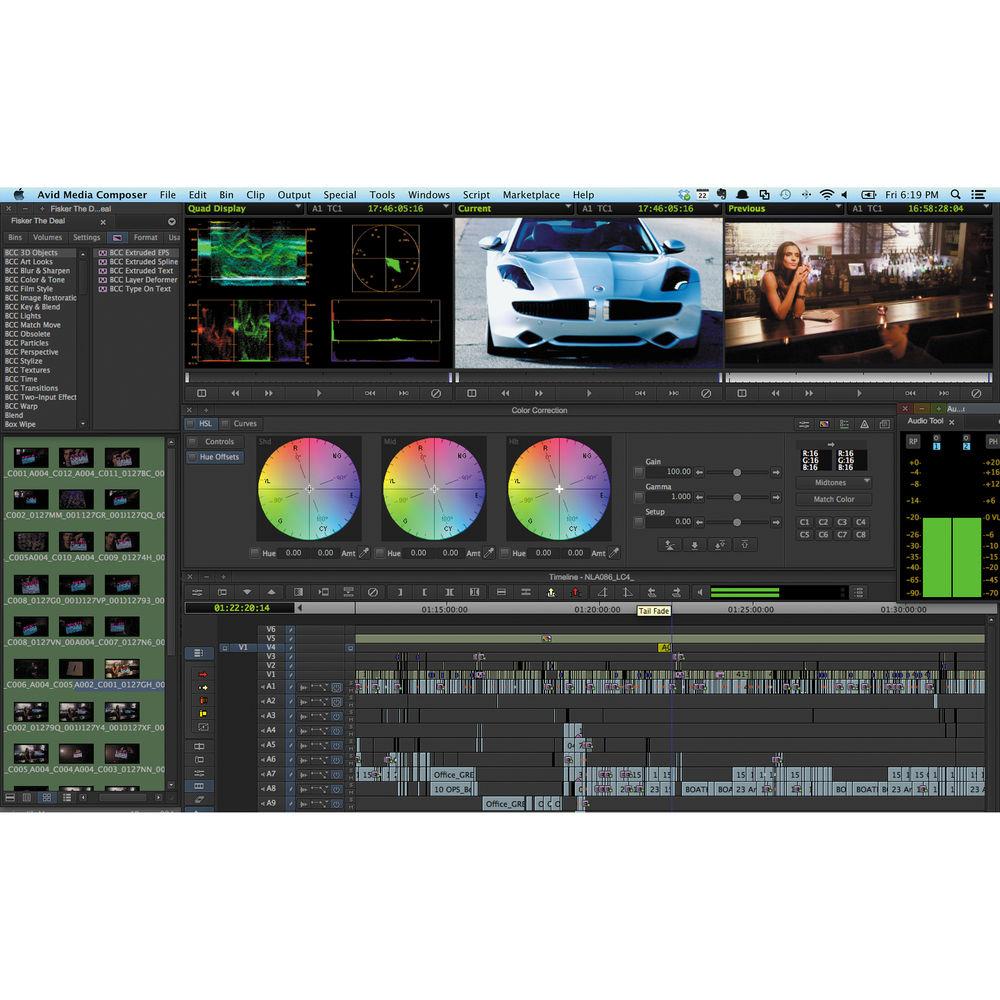
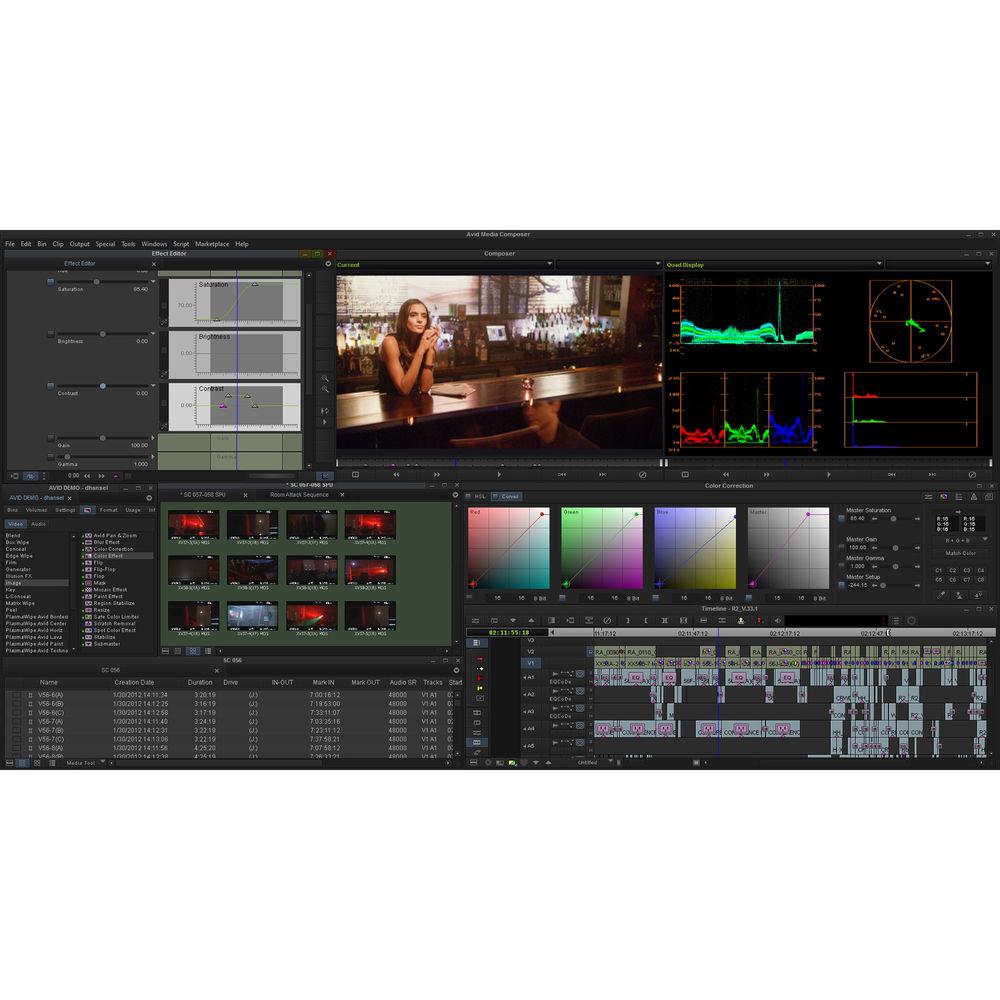
The Symphony option adds advanced color correction tools to Media Composer 7. These tools allow you greater control over your image and more flexibility and speed in completing the color correction process. It also includes Boris Continuum Complete for more advanced visual effects work. - Upgrade
- With the introduction of Media Composer 7, Avid has changed Symphony from a standalone application to an add-on option for Media Composer 7. This upgrade is available for owners of Avid's Symphony version 6.5 and includes both Media Composer 7 and the Symphony option.
- Compatible with Avid Interplay
- This version is compatible with available Avid Interplay solutions, which provide enhanced access to media, ingest automation, distribution, analytics, and rights management.
What's New in Version 7 - Media Composer 7
- Dynamic Media Folders
Runs as a separate service on your system, working in the background so it doesn't interfere with your editing and it can run even when the Media Composer application is not running. You can automatically execute actions that you assign to the folder's profile. These actions include:- Transcode files placed in the folder to a specified resolution.
- Copy files to a specific location.
- Consolidate files.
Managed AMA Media
AMA Media is now tracked and can be loaded into Bins and the Media Tool, and in Avid interplay (if installed).
Background Services
Background services such as AMA Media and Dynamic Folders run in the background and can now be started and stopped from both outside and inside the edit system interface.
LUT Support
Media Composer 7 supports non-destructive addition of 1D and 3D LUTs (Look Up Tables) for making quick adjustments to you image. This is extremely useful when working with RAW footage, which tends to appear washed out, and allows you to work with your footage in a familiar color space, such as REC 709, and still make final color corrections later.
Audio
Audio gain can now be adjusted on a clip-by-clip basis in the timeline.
Clip Color
You can now highlight AMA clips used in the timeline in red, so you can tell which clips on your timeline are not playing back in Avid's native file format.
Mouse Scrolling
You no longer need to use a modifier key to use the mouse scroll wheel to navigate. - Editing
- Full 64-Bit Power
The 64-bit architecture of Media Composer provides more processing power, larger editing bins, and a smoother editing experience with less waiting than with a 32-bit system.
Hardware Integration
Media Composer works as a standalone software editor, but it will also interface with available Avid I/O devices and control surfaces to expand the capabilities of your system. Additionally, using Avid's Open I/O, select third party I/O devices from AJA, Blackmagic Design, Bluefish444, Matrox, MOTU, and Mbox can be used with Media Composer.
Image Quality
With support for 4:4:4 HD-RGB color and DNxHD 444, you can work with virtually any media, from analog to the latest formats and codecs, while preserving the full-quality color detail from beginning to end.
American Cinema Editors Certified
Media Composer 7 offers ACE-certified editing tools and a wide range of features, workflows, and options.
Flexible and Powerful
Media Composer enables you to work the way you want. Trim and manipulate on the fly using the Smart Tool or perform ultra-precise edits using traditional tools. Mix and match media formats, frame rates, resolutions, and more in the same timeline without rendering. You can edit HD material in real time -- in mastering picture quality -- using Avid DNxHD or DNxHD 444.
Edit 3D
Edit stereoscopic 3D material as quickly and easily as you do with standard 2D footage. Capture, edit, and manage the complete 3D end-to-end workflow. In addition, you can mix and match 2D and stereoscopic 3D clips on the same track, and it features full-fledged editing tools and video effects for stereoscopic post production.
Multicam
It features a multicam mode, allowing you to edit with footage from up to 9 camera positions at the same time. Multicam now supports long GOP codecs such as XDCAM.
Color Correction
Media Composer 7 features an advanced 10-bit color corrector that allows you to accurately match colors from shot to shot using NaturalMatch. It supports 4:4:4 HD-RGB color space processing with keyframable color correction.
Relink Clips Using Common Metadata
With advanced relink support, you can dynamically reconnect clips to the original or new media using a wide variety of common metadata fields.
Hardware Release
With the new hardware release control, which works with Avid and third-party I/O hardware, you can activate/deactivate your hardware -- without disconnecting it -- to access software-only features, such as full screen playback mode and audio project settings options. You can also share your third-party hardware and monitor between Media Composer 6.5 and other applications without quitting or rebooting the software.
Advanced Audio Keyframing
With audio keyframe enhancements, you can now copy, paste, cut, move, and adjust audio keyframes -- including groups -- anywhere on the timeline. You can even delete hidden audio keyframes that can occur as you trim a clip.
Mix Up to 64 Audio Voices
Monitor more complex soundtracks with support for up to 64 audio voices. Combined with robust audio tools, 7.1 surround sound and RTAS plug-in support, and unmatched integration with Pro Tools. - Avid Media Access
- Codec Support
Avid Media Access (AMA) allows you start editing immediately, without transcoding media to the DNxHD, the native Avid file format. This allows you to mix and match different formats, resolutions and framerates on the same timeline and edit as if all the files had the same resolution, file format and frame rate. AMA files behave the same as AVID DNxHD files, allowing you the flexibility to work with almost any file type with minimal performance sacrifices. You can also select edited clips in the timeline, and have them rendered to Avid's native file format. MC 7 will automatically update the clips when the background transcode is complete.
Supported Resolutions
Avid Media composer allows you to work with SD, HD, 2K, 4K, and 5K resolution.
Supported File Types
Arri Alexa MXF, RED (Epic, Scarlet-X, Red One), AVCHD, ProRes Quicktime, XDCAM, P2, Canon XF
AMA Writeback
You can use AMA to export files back to the media's original source format for archiving or final delivery.
AMA Volume Export
You can create AS-02, JPEG 2000, DNxHD, AVC-I, and other file-based media volumes for roundtrip workflows, sharing, or archiving.
Auto Relink
Edit titles directly from the timeline and automatically relink to all AMA QuickTime files. - Mastering
- Version and Archive Finished Sequences
Media Composer 7 supports AS-02/AS-11 MXF formats, which allows you to manage multiple versions of the same sequence without duplicating assets, saving storage space. You can also move content between Avid and other systems that support AS-02/AS-11. Use JPEG 2000, DNxHD, IMX, AVC-Intra, and uncompressed media in your AS-02/AS-11 workflow.
Master-Quality Archives with JPEG 2000
Encode and decode sequences -- in mastering quality -- using the JPEG 2000 codec, which helps preserve the quality of archival content.
Set and Output AFD Sequences
Active Format Description allows you to select image settings that carry display information in the output file. This information can be used to protect the way your project is displayed, even if down converted or displayed on a device with a different aspect ratio. - Bundled Software
- Media Composer 7 includes Avid FX (Boris RED), Sorenson Squeeze, and Avid DVD.
Avid FX (Boris RED)
Add visual drama and depth with the built-in 2D and 3D effects, title tools, transitions, keying, and motion effects. Track and stabilize motion.
Avid DVD and Sorenson Squeeze
You can author DVDs and optimize media for high quality playback -- online or on disc. Author professional DVDs using Avid DVD, which works with Windows-based systems and Windows emulation on the Mac. With Sorenson Squeeze, you can optimize content in a variety of formats, including HD, DVD, MPEG-2, MPEG-4/H.264, Flash, and 3GPP. - Avid Extras
- Avid Marketplace Integration
Media Composer 7 integrates with Avid Marketplace so you can browse for stock footage, plug-ins, hardware, and training videos without opening another program.
Collaboration
Media Composer 7 allows you to share audio mixes with Pro Tools editors and vice-versa using AAF. Symphony - Color Correction
- Symphony expands the color correction capabilities of Media Composer 7 with more advanced tools. some of the expanded capabilities include:
- HSL Tools - allow you to define the luma ranges of highlights, shadows, and midtones within an image.
- Level Group - are Histogram based controls that provide precise control over the entire image, or over individual color channels.
- Level Group - can redefine each output color channel by blending input color components in various proportions. You can also use this to view each channel in monochrome, allowing you to identify color deficiencies in each channel.
- Secondary Color Correction Tools - allow you to isolate vectors and remap different hue and satuaration levels.
- Relational Color Correction - allows you to color correct one clip, and automatically apply the same changes to every use of that same clip in the timeline.
- Merge Color Corrections - color corrections made in one version of a sequence can also automatically be applied to clips in other versions.
- Boris Continuum Complete
- Included with the Symphony option is Boris Continuum Complete, which features advanced visual effects plug-ins, including tools for 3D objects, distortion and perspective effects, and optical stabilization. It also includes effect generators for creating the look of Snow, Rain, and Fire, and light effects such as Glint, Glare, and Glitter. The included Matte tools provide wipe transitions, automated foreground object removal, along with colors and blurs, and film, glow, and cartoon effects.
In the Box Avid Symphony 6.5 Upgrade to MC 7 Interplay Edition with Symphony Option 2 x Activation Cards Table of Contents
|
Upload User Manual
Have you got an user manual for the Avid Symphony 6.5 Upgrade to MC 7 Interplay Edition with Symphony Option in electronic form? Please send it to us and help us expand our library of instruction manuals.
Thank you, too, on behalf of other users.
To upload the product manual, we first need to check and make sure you are not a robot. After that, your "Submit Link" or "Upload File" will appear.
Technical parametersAvid 9920-65215-00 Specs | | | Delivery Method | Card with Activation Code | | Version | Upgrade | | Number of Users Supported | 1 | | | | Supported Operating Systems | Windows 7
Windows 8
macOS X 10.7
macOS X 10.8 | | Memory Requirement | 4 GB (16 GB Recommended) | | Storage Requirement | 250 GB | | CPU Requirement | Intel Core i7 Quad-Core and Faster | | VRAM Requirement | 128 MB (Minimum) | | GPU Requirement | Intel HD Graphics 4000 |
Rating70% users recommend this product to others. And what about you?

This product has already been rated by 38 owners. Add your rating and experience with the product.
Discussion
 Ask our technicians if you have a problem with your settings,
or if anything is unclear in the user manual you have downloaded.
You can make use of our moderated discussion.
The discussion is public and helps other users of our website who may be encountering similar problems.
Ask our technicians if you have a problem with your settings,
or if anything is unclear in the user manual you have downloaded.
You can make use of our moderated discussion.
The discussion is public and helps other users of our website who may be encountering similar problems.
The discussion is empty - enter the first post
Post a new topic / query / comment:
|
|
|
| Request for user manual |
You can’t find the operation manual you are looking for? Let us know and we will try to add the missing manual:
I’m looking for a manual / Request for manual
Current requests for instruction manuals:
Call Of Duty World War Two For Xbox...
controller stratus XL...
stratus XL...
smart whatch serie S11 42mm...
Allen & Heath SQ-6 manual...
|
| Discussion |
Latest contributions to the discussion:
AEW R 4100
Name: MAURICIO ANGARITA
Audio-Technica AEW-R4100 UHF Diversity Receiver for
AEW R 4100 has the mute function blocked and does not allow audio to pass. I tried several times to turn off the mute from the transmitter but it does nothing, the mute stays on. Solution?
Thank you...
Instructions for assembling the 2015 Forecast Image Master Consoles GC3-A
Name: mike elam
Forecast Consoles GC3-A ImageMaster Editing Console
Looking for instructions for assembling this console. ...
EMPTY TONER ERROR MESSAGE AFTER REPLACING TONER
Name: LINDA BAD YELLOW EYES
Brother TN223BK Standard-Yield Toner
I HAD TO CHANGE OUT ALL THREE TONERS DUE TO LEAKS IN THE YELLOW AND CYAN. AFTER I REPLACED THEM, THE MACHINE KEEPS GIVING ME AN EMPTY TONER ERROR MESSAGE. HELP!!...
PS480D 20/24 pin Switching 480W Power Supply
Name: swkargo
Logisys 480W Power Supply
This item states in can run -5vdc .It is NOT listed on the board or I beleive is r4 is missing the resitior. Any body have thid issue. Shawn
...
Help needed
Name: Ann Carter
SanDisk 1TB Extreme Portable USB 3.1
When I click the link to download the user manual for my Sandisk Extreme external hard drive, it gives me the manual for the LG Cricket. Can you please change the link so I can download the Sandisk manual and begin using this drive? Thank you....
|
|


