|
User Manual for Behringer VIRTUALIZER 3D FX2000 - 3D Multi-Engine Effects Processor Click to enlarge the picture
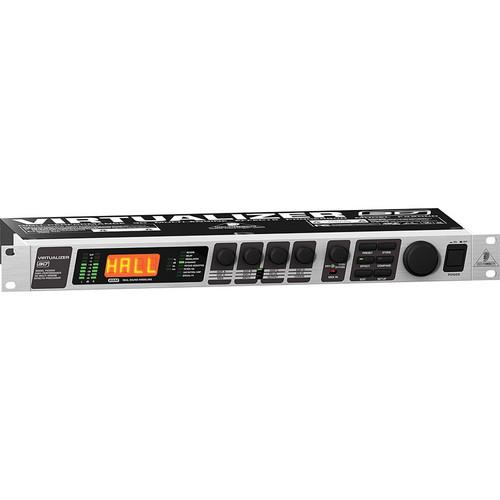 Contents of the user manual for the Behringer VIRTUALIZER 3D FX2000 - 3D
- Product category: Effects Processors Behringer
- Brand: Behringer
- Description and content of package
- Technical information and basic settings
- Frequently asked questions – FAQ
- Troubleshooting (does not switch on, does not respond, error message, what do I do if...)
- Authorized service for Behringer Effects Processors
 |
User manual for the Behringer VIRTUALIZER 3D FX2000 - 3D contain basic instructions
that need to be followed during installation and operation.
Before starting your appliance, the user manual should be read through carefully.
Follow all the safety instructions and warnings, and be guided by the given recommendations.
User manual is an integral part of any Behringer product,
and if it is sold or transferred, they should be handed over jointly with the product.
Following the instructions for use is an essential prerequisite for protecting
health and property during use, as well as recognition of liability on the part of the manufacturer
for possible defects should you make a warranty claim. Download an official Behringer user manual in which you will find instructions on how to install, use, maintain and service your product.
And do not forget – unsuitable use of a Behringer product will considerably shorten its lifespan!
|
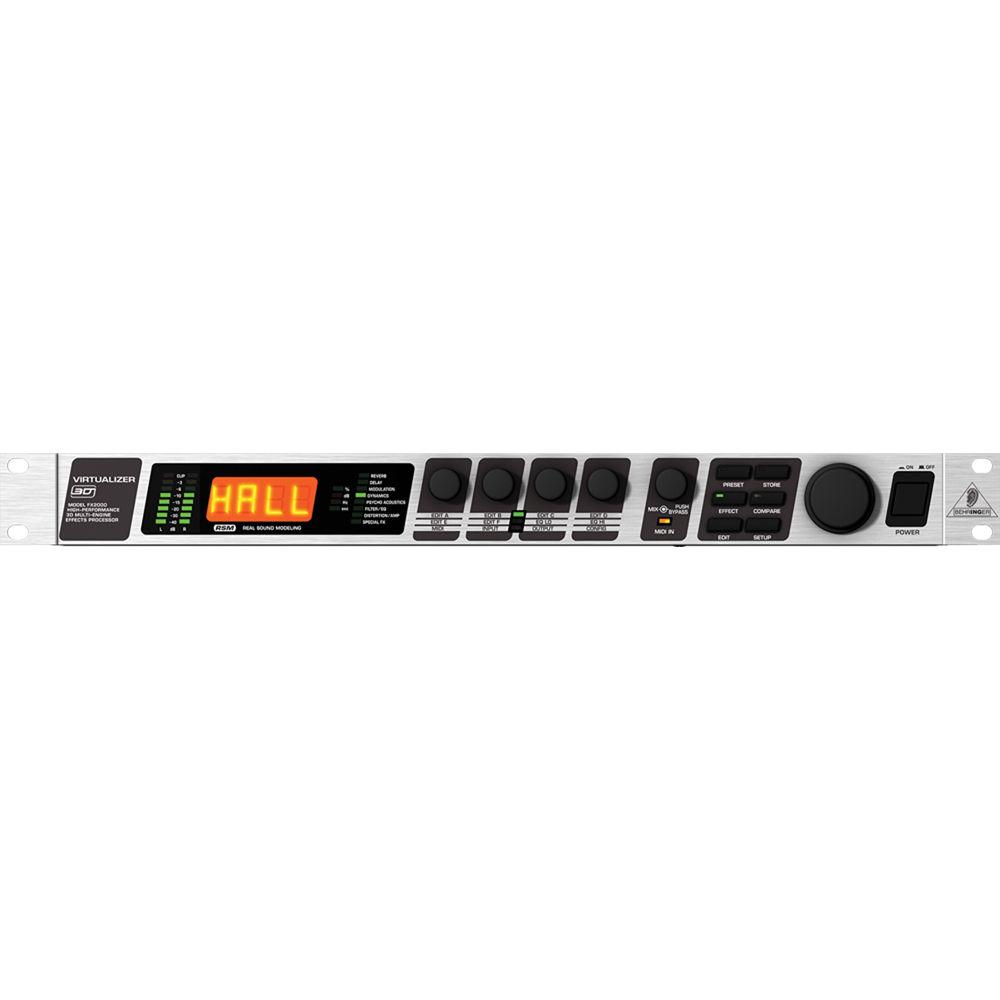
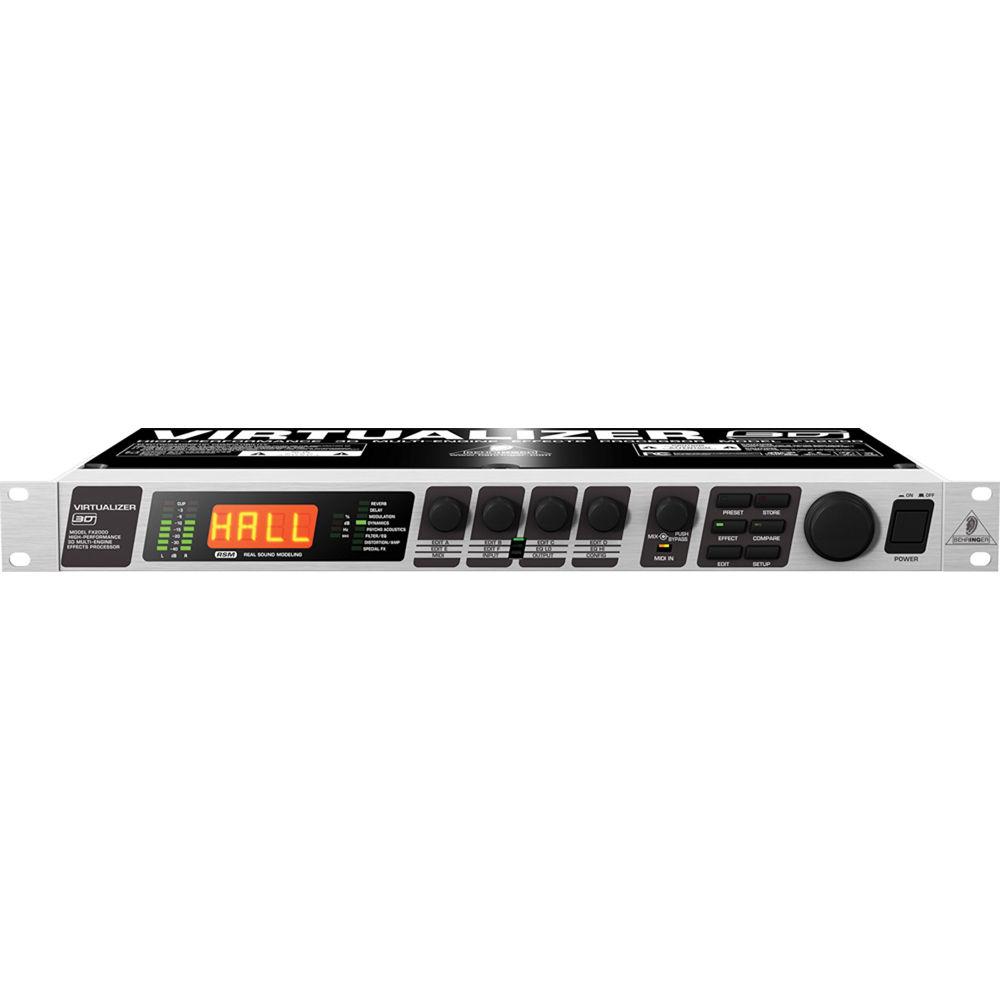
Product description - VIRTUALIZER 3D FX2000 High-Performance 3D Multi-Engine Effects Processor
The VIRTUALIZER 3D FX2000 from Behringer is multi-engine, multi-effects processor, suitable for using with keyboards, bass, guitars or vocals. The single space rack unit features 71 algorithms, including true studio-grade stereo and 3D effects, and employs the company's RSM (Real Sound Modeling) technology to simulate acoustic environments with stunning accuracy. Effects options include modulation, amplifier simulation, distortion and special effects, as well as effective dynamic and psychoacoustics processing. Performance is further enhanced through user-addressable high and low EQ and wave-adaptive Virtual Room reverb algorithms. General -
- 71 new algorithms with true RSM (Real Sound Modeling) stereo and 3D effects
- Wave-adaptive virtual room reverb algorithms for natural reverb and delay
- Multiple modulation, dynamic, psychoacoustic, and EQ algorithms
- Authentic amplifier simulation, distortion and special effects
- 11 effect-combinations with selectable serial / parallel configuration
- Up to 7 adjustable parameters, plus 2-band EQ, per effect
- 24-bit A/D and D/A converters with 64/128x oversampling
- True stereo processing for realistic channel separation in stereo image
- 100 factory presets plus 100 user memory locations
- Extensive MIDI implementation
- Accurate LED level meters for perfect level setting and optimum performance
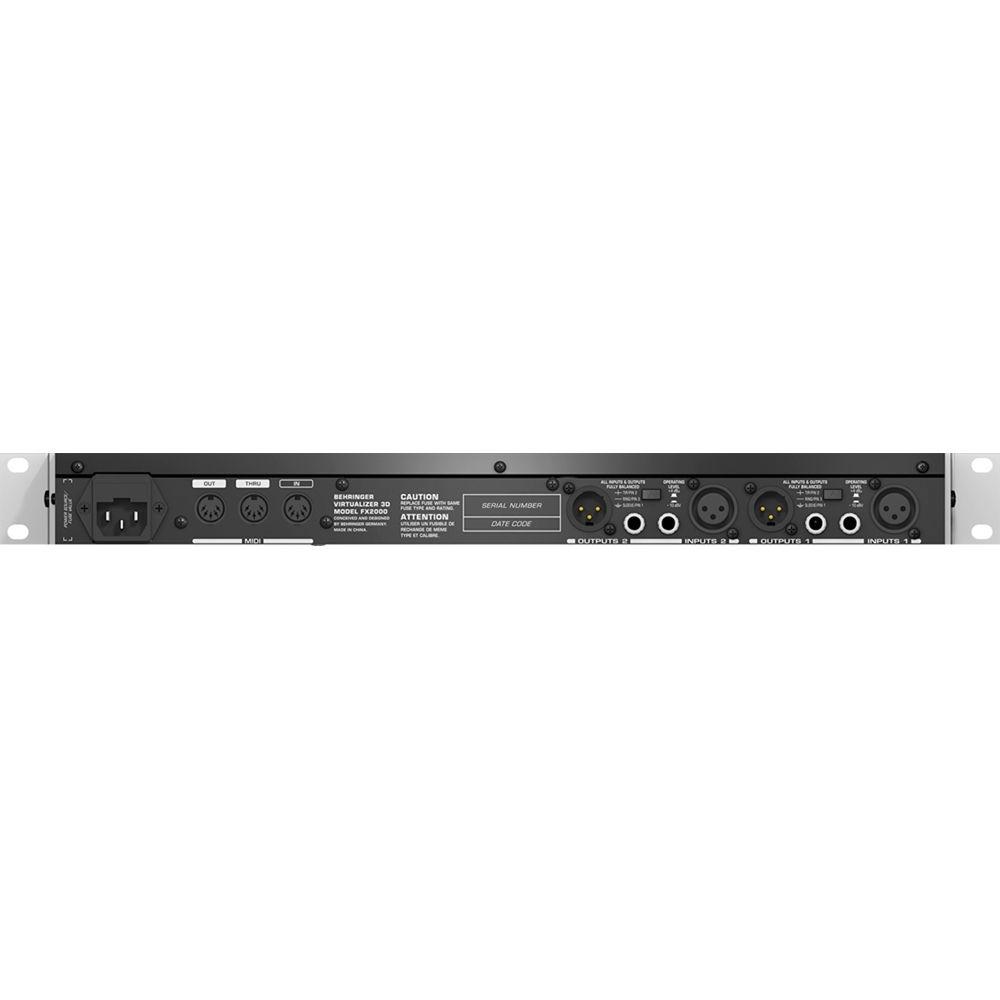
- Servo-balanced XLR and 1/4" TRS inputs and outputs
Effects - Reverbs and Delays
-
- Reverb
- Cathedral
- Gold Plate
- Small Hall
- Room
- Studio
- Concert
- Studio
- Stage
- Spring reverb
- Ambience
- Early reflections
- Reverb - reverb is synthetically turned off after a predetermined amount of time
- Reverse Reverb - reverb envelope is reversed and gets slowly louder
- Delays
- Stereo Delay - delay is processed across the entire stereo image
- Tape Echo - simulates classic tape echo devices, pre-dating the advent of digital delays
- Ping Pong - delay signal is "bounced" from left to right at an adjustable tempo
- Modulation and Dynamics
-
- Modulation and Pitch Shifter FX
- Stereo Flanger - originally generated by playing back two synchronized "reel to reel" tape recorders with a finger rubbing on the flange of one of the take-up reels
- Vintage Flanger - simulates a guitar fl anger stomp box
- Jet Stream Flanger - sounds like a classic analog flanger
- Stereo Chorus - combines a slightly detuned signal with the original
- Analog Chorus - simulates a guitar chorus stomp box
- Vintage Chorus - imitates a classic analog studio chorus
- Ultra Chorus - creates the sound of an 8-person chorus
- Stereo Phaser - combines a second, phase shifted signal to the original
- Vintage Phaser - simulates a guitar phaser stomp box
- Dual Phaser - processes the left and right channels separately
- Rotary - simulation of the rotating speakers typically used on an organ - slow or fast
- Pitch Shifter - changes the pitch of the original signal. Can be used to create harmonies with the original signal or replace it entirely with the altered pitch. Choices include stereo, two and three vocal pitch shifter
- Vibrato - the peak frequency of the tone is periodically and uniformly changed, quickly or slowly
- Tremolo -f ast or slow periodic variation in volume, a common vintage guitar amplifier effect
- Auto Panning - signal is automatically sent from one side of the stereo image to the other, either once or multiple times
- Dynamic and Psychoacoustic FX
- Compressor - reduces the dynamic range of the signal, maintains consistent signal level and thus avoids distortion associated with excessive input levels
- Expander- effectively broadens the dynamic range of source signals while reducing background noise
- Gated Reverb - helps reduce background clutter by turning reverb off below a predetermined threshold level - particularly effective on drum microphones and vocals
- Ana. Kompr/Lim. - similar to COMPRESSOR but with Limiting functionality
- Ultramizer - analyses incoming signal and automatically applies compression across two independent frequency bands
- Denoiser - eliminates or reduces noise and other interference
- De-Esser - reduces or removes sibilance from signal
- Wave Designer - allows you to influence the envelope by adjusting Attack and Release of the signal
- Exciter - adds artificially generated overtones to the original signal, increasing presence and perceived loudness without significant increase in signal level
- Enhancer - functions much like a dynamic pitch equalizer
- Ultra Bass - sub-harmonic processor combined with bass exciter and limiter
- Stereo Imager - divides the signal into middle and side signals, allowing individual signals to be amplified when desired and placed on the stereo image
- Ultra Wide - creates a broader stereo image
- Binauralizer - also creates a broader stereo image and compensates for crosstalk between both speakers
- Filter/EQ FX
- Auto Filter - Low- and high- pass filters influence the frequency response of a signal
- LFO Filter - controls the rate of oscillation effects
- Parametric EQ - allows you to control the bandwidth, frequency and amplitude of a signal
- Graphic EQ - the sound spectrum is divided into 8 adjacent frequency bands, which can be cut or boosted, with predetermined bandwidth
- Distorion, Amp Simulation and Special FX
-
- Distortion and Amplifier Simulation
- Vocal Distortion
- Tube Distortion
- Guitar Amp
- Tri Fuzz
- Speaker Simulation
- Ring Modulator
- Lo-Fi
- Special FX
- Vinylizer - adds clicks and/or noise to the signal, reminiscent of old vinyl records and tape machines
- Sampler - allows you to record and playback up to 5 seconds of program material
- Vocoder - allows the input signal to modulate another signal (usually a synthesizer sound), creating the familiar "talking synthesizer" effect
- Voice Canceler - removes mono vocal parts from stereo recordings for instant Karaoke
- Resonator - simulates and oscillating system that amplifies a specific frequency
- Combinations
-
- FX Combinations
- Chorus and Reverb
- Flanger and Reverb
- Leslie and Reverb
- Pitch and Reverb
- Delay and Reverb
- Tremolo and Reverb
- Phaser and Reverb
- Chorus and Delay
- Flanger and Delay
- Pitch and Delay
- Tremolo and Delay
UPC: 713757157414 In the Box Behringer VIRTUALIZER 3D FX2000 - 3D Multi-Engine Effects Processor AC Power Cable Limited 10-Year Warranty User Manual PDF 2.3mb Table of Contents
|
Upload User Manual
Have you got an user manual for the Behringer VIRTUALIZER 3D FX2000 - 3D Multi-Engine Effects Processor in electronic form? Please send it to us and help us expand our library of instruction manuals.
Thank you, too, on behalf of other users.
To upload the product manual, we first need to check and make sure you are not a robot. After that, your "Submit Link" or "Upload File" will appear.
Technical parametersBehringer FX2000 Specs | Effects Type | Multi-Engine Effects | | Channels | 2 | | Effect Variations | 71 algorithms | | Presets | 100 | | User Memory | 100 | | Inputs | 2 x XLR
2 x 1/4" TRS phone | | Output | 2 x XLR
2 x 1/4" TRS phone | | AD/DA Conversion | 24-bit Sigma Delta, 64/128x oversampling
46.875kHz | | MIDI | 1 x 5-pin DIN In
1 x 5-pin DIN Out
1 x 5-pin DIN Thru | | External Storage | Sys-Ex | | Display | 4-digit, 14-segment alpha-numeric LED | | Frequency Response | 20Hz to 20kHz, +/-3.0dB | | Dynamic Range | Not specified bu manufacturer | | Noise | SNR: 91dB, unweighted 20Hz to 20kHz | | Power Requirements | 120VAC, 60Hz | | Dimensions (WxDxH) | 19 x 8 x 1.75" (483 x 204 x 45mm) | | Weight | 4.5 lbs (2kg) | | Specialties | Hardware "Edit" and "Mix" knobs on front panel | | | | Package Weight | 6.6 lb | | Box Dimensions (LxWxH) | 20.6 x 12.1 x 4.3" |
Rating66% users recommend this product to others. And what about you?

This product has already been rated by 01 owners. Add your rating and experience with the product.
Discussion
 Ask our technicians if you have a problem with your settings,
or if anything is unclear in the user manual you have downloaded.
You can make use of our moderated discussion.
The discussion is public and helps other users of our website who may be encountering similar problems.
Ask our technicians if you have a problem with your settings,
or if anything is unclear in the user manual you have downloaded.
You can make use of our moderated discussion.
The discussion is public and helps other users of our website who may be encountering similar problems.
The discussion is empty - enter the first post
Post a new topic / query / comment:
|
|
|
| Request for user manual |
You can’t find the operation manual you are looking for? Let us know and we will try to add the missing manual:
I’m looking for a manual / Request for manual
Current requests for instruction manuals:
Call Of Duty World War Two For Xbox...
controller stratus XL...
stratus XL...
smart whatch serie S11 42mm...
Allen & Heath SQ-6 manual...
|
| Discussion |
Latest contributions to the discussion:
AEW R 4100
Name: MAURICIO ANGARITA
Audio-Technica AEW-R4100 UHF Diversity Receiver for
AEW R 4100 has the mute function blocked and does not allow audio to pass. I tried several times to turn off the mute from the transmitter but it does nothing, the mute stays on. Solution?
Thank you...
Instructions for assembling the 2015 Forecast Image Master Consoles GC3-A
Name: mike elam
Forecast Consoles GC3-A ImageMaster Editing Console
Looking for instructions for assembling this console. ...
EMPTY TONER ERROR MESSAGE AFTER REPLACING TONER
Name: LINDA BAD YELLOW EYES
Brother TN223BK Standard-Yield Toner
I HAD TO CHANGE OUT ALL THREE TONERS DUE TO LEAKS IN THE YELLOW AND CYAN. AFTER I REPLACED THEM, THE MACHINE KEEPS GIVING ME AN EMPTY TONER ERROR MESSAGE. HELP!!...
PS480D 20/24 pin Switching 480W Power Supply
Name: swkargo
Logisys 480W Power Supply
This item states in can run -5vdc .It is NOT listed on the board or I beleive is r4 is missing the resitior. Any body have thid issue. Shawn
...
Help needed
Name: Ann Carter
SanDisk 1TB Extreme Portable USB 3.1
When I click the link to download the user manual for my Sandisk Extreme external hard drive, it gives me the manual for the LG Cricket. Can you please change the link so I can download the Sandisk manual and begin using this drive? Thank you....
|
|


