User Manual for Behringer Vocoder VC340 - Analog Vocoder for Human Voice and Strings Sounds Click to enlarge the picture
 Contents of the user manual for the Behringer Vocoder VC340 - Analog Vocoder
- Product category: Synthesizer Keyboards Behringer
- Brand: Behringer
- Description and content of package
- Technical information and basic settings
- Frequently asked questions – FAQ
- Troubleshooting (does not switch on, does not respond, error message, what do I do if...)
- Authorized service for Behringer Synthesizer Keyboards
 |
User manual for the Behringer Vocoder VC340 - Analog Vocoder contain basic instructions
that need to be followed during installation and operation.
Before starting your appliance, the user manual should be read through carefully.
Follow all the safety instructions and warnings, and be guided by the given recommendations.
User manual is an integral part of any Behringer product,
and if it is sold or transferred, they should be handed over jointly with the product.
Following the instructions for use is an essential prerequisite for protecting
health and property during use, as well as recognition of liability on the part of the manufacturer
for possible defects should you make a warranty claim. Download an official Behringer user manual in which you will find instructions on how to install, use, maintain and service your product.
And do not forget – unsuitable use of a Behringer product will considerably shorten its lifespan!
|
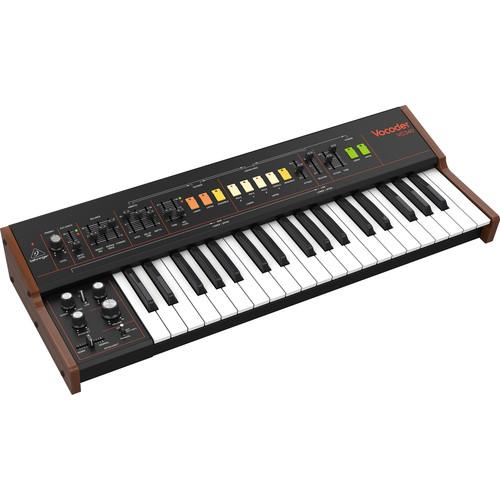
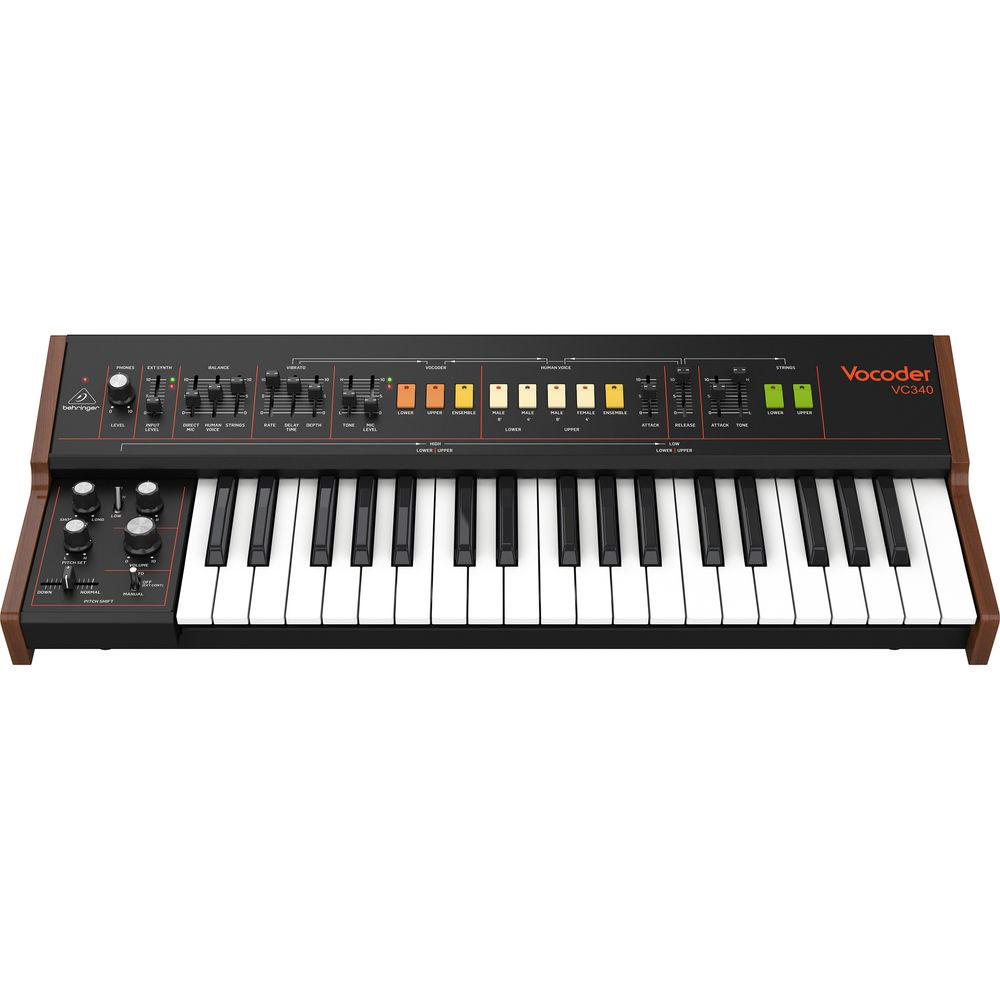
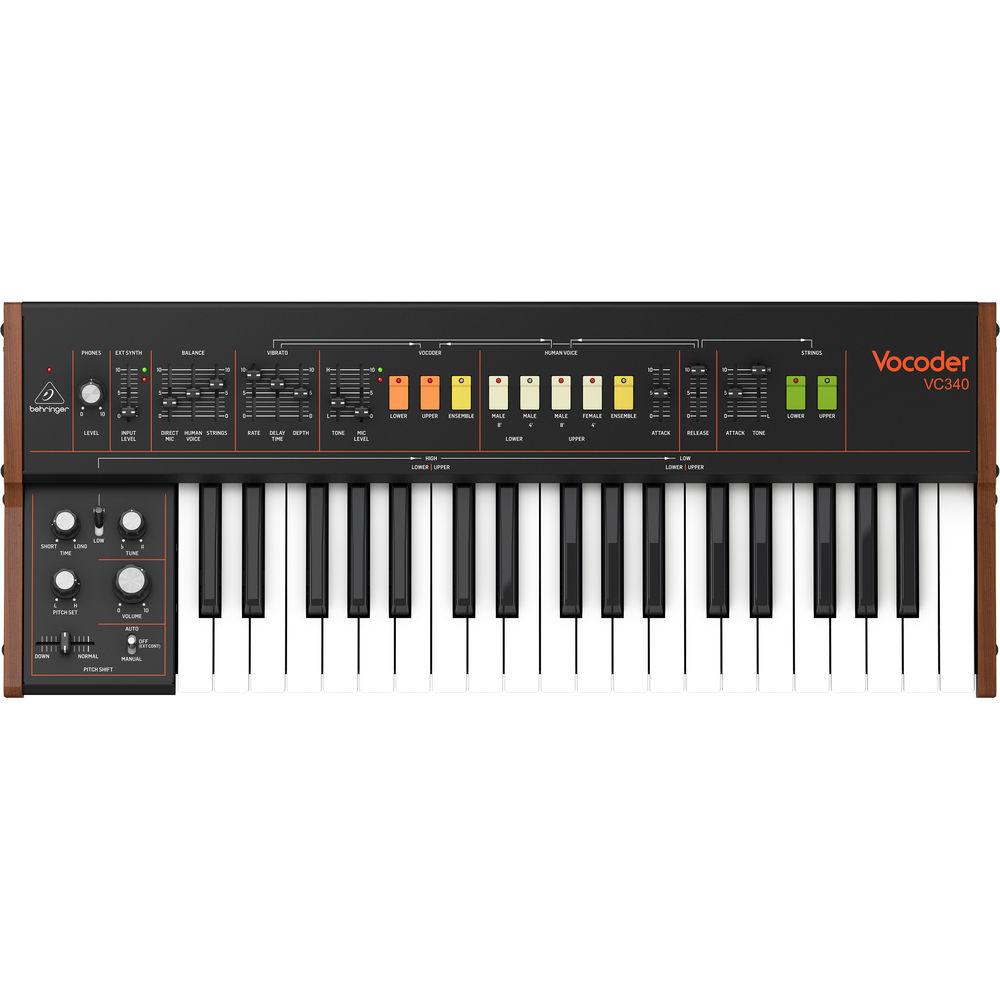
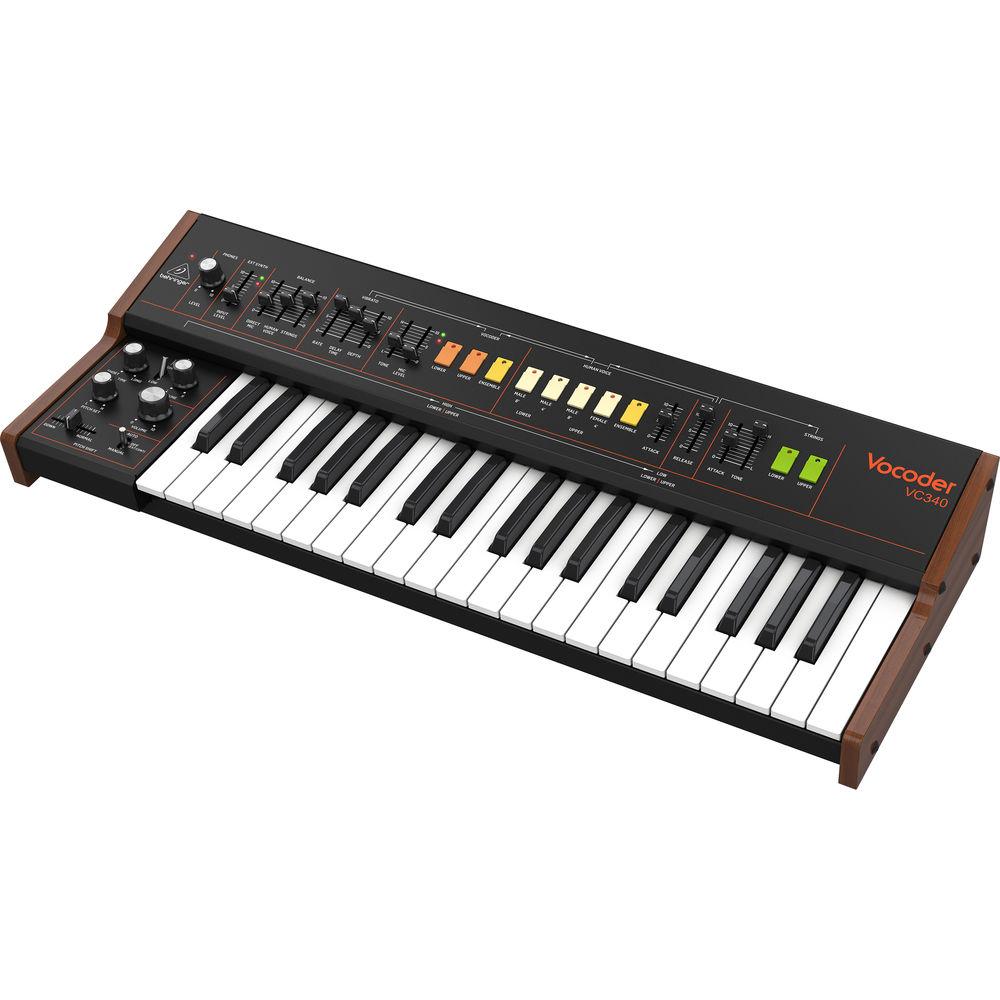
Product description Based on the highly regarded VP330+, the Behringer Vocoder VC340 is an authentic recreation of the classic and can create awe-inspiring talking-synth sounds or huge string sections and multi-chorus pads. Multi-platinum artists have credited the vocoder for it unusual timbre and texture including Kraftwerk, Michael Jackson, Daft Punk, Stevie Wonder, and more. The sound of the vocoder became a staple in major motion pictures and video games for its ability to create robot voices, special audio effects, and much more.
The Vocoder VC340 doesn't include a microphone, but instead allows you to use your favorite XLR or 1/4" microphone for the modulator input, while the carrier signal is implemented from the front panel of the keyboard. You can mix a variety of signals with various human voices (male, female, and ensemble) as well as mix in a dedicated string section. The ensemble features a super-extensive chorus, which uses an analog BBD delay circuit. Other notable features include vibrato, pitchshifting, keyboard splits, and more.
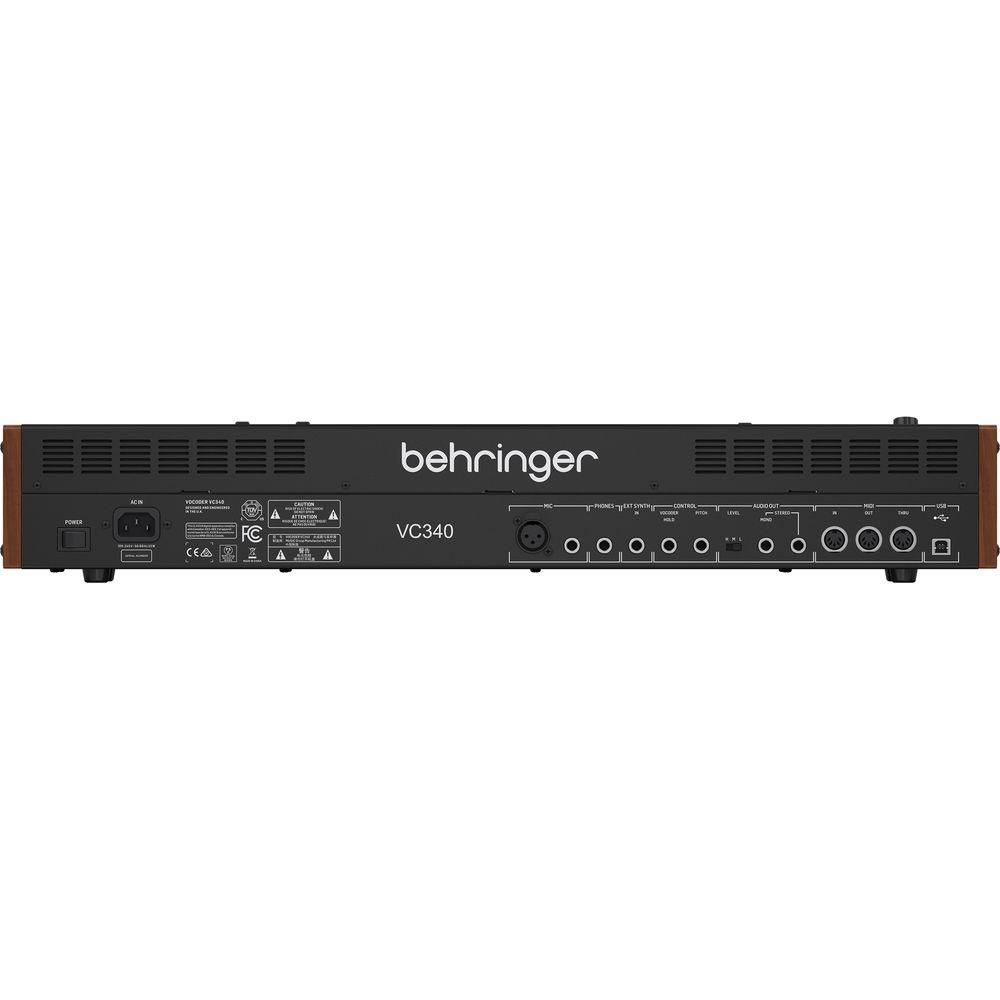
The rear panel hosts several connectors including microphone inputs and a 1/4" external synth input, as well as mono and stereo 1/4" outputs. Other control inputs include a Vocoder Hold footswitch and a Pitch footswitch, which allow for hands-free operation. Freely explore unusual routing and timbres using non-vocal modulators. For instance, use a bass synthesizer through the Ext Synth In input, while routing a drum-loop through the Mic input to create a wildly synthetic bassline. The Behringer Vocoder VC340 utilizes an integrated auto-switching power supply and ships with a standard IEC power cord. -
- Authentic analog vocoder, human voice, and strings sounds from the ‘80s
- Vocoder sounds that wrote musical history and inspired some of the most famous artists and bands
- Microphone input (XLR or 1/4") to modulate any audio signal
- Multiple-stage chorus based on legendary BBD (bucket brigade device / delay) technology
- 37 semi-weighted full-size keys featuring velocity sensitivity
- 32 sliders and switches to give you direct and real-time access to all important parameters
- Comprehensive USB/MIDI implementation for connection to keyboard/sequencers
In the Box Behringer Vocoder VC340 - Analog Vocoder for Human Voice and Strings Sounds Power Cord Limited 90-Day Warranty, Extended to 3 Years with Registration Table of Contents
|
Upload User Manual
Have you got an user manual for the Behringer Vocoder VC340 - Analog Vocoder for Human Voice and Strings Sounds in electronic form? Please send it to us and help us expand our library of instruction manuals.
Thank you, too, on behalf of other users.
To upload the product manual, we first need to check and make sure you are not a robot. After that, your "Submit Link" or "Upload File" will appear.
Technical parametersBehringer VC340 Specs | Synthesizer Type | Analog | | Keyboard | Keys: 37 x Semi-Weighted, Full-Size Keys
Keyboard Sensing: Note On/Off, Velocity | | Upper Section | Faders: External Synthesizer Input Level
Rotary knobs: Headphones Level
LED: Power, External Signal Present, Clip (Red) | | Lower Section | Faders: Pitchshift (Down-Normal)
Rotary Knobs: Volume, Tune, Pitch Set, Pitch Time
Switches:
Keyboard Split Selection: Low/High
Pitch Shift: Auto/Off (External Control)/Manual | | Balance | Faders: Direct Mic Level, Human Voice Level, Strings Level | | Vibrato | Faders: Rate, Delay Time, Depth | | Vocoder | Faders: Tone, Mic Input Level
Switches: Lower, Upper, Ensemble
LEDs: Mic Signal Present, Mic Clip (Red), Lower, Upper, Ensemble | | Human Voice | Fader: Attack
Switches: Male 8’ Lower, Male 4’ Lower, male 8’ Upper, Female 4' Upper, Ensemble
LEDs: Male 8’ Lower, Male 4’ Lower, male 8’ Upper, Female 4' Upper, Ensemble
| | Release | Fader: Release (For Strings, Human Voice, Vocoder) | | Strings | Faders: Attack, Tone
Switches: Lower, Upper
LEDs: Lower, Upper | | Rear Panel | Switches:
Power: On/Off
Output Level: Low/Medium/High | | Connectivity | MIDI In/Out/Thru: 3 x 5-Pin DIN (16 Channels)
USB: USB 2.0, Type-B
Pitch Control: 1/4" / 6.35 mm TS
Vocoder Hold: 1/4" / 6.35 mm TS
External Synth Input: 1/4" / 6.35 mm TS, Unbalanced, Maximum +12 dBu
Output L/R: 1/4" / 6.35 mm TS, Stereo or Mono, Unbalanced, Maximum +14 dBu (High), +0 dBu (Mid), -13 dBu (Low)
Headphones: 1/4" / 6.35 mm TRS, Unbalanced, Maximum +12 dBu at 32 Ohms Load
Microphone Input: 1/4" / 6.35 mm TRS, and XLR Female, Maximum -3 dBu | | USB | Type: Class Compliant USB 2.0, Type-B
Supported Operating Systems:
Windows 7 or Later
Mac OS X 10.6.8 or Later | | Power | Mains Connector: Standard IEC Receptacle
Power Consumption: 15 W Maximum
Internal Switch-Mode PSU: Autorange 100 to 240 VAC, 50/60 Hz | | Environmental | Operating Temperature Range: 41 to 104°F / 5 to 40°C | | Dimensions (H x W x D) | 4.1 x 25.6 x 10.1" / 103.0 x 649.0 x 257.0 mm | | Weight | 14.5 lb / 6.6 kg |
Rating100% users recommend this product to others. And what about you?

This product has already been rated by 65 owners. Add your rating and experience with the product.
Discussion
 Ask our technicians if you have a problem with your settings,
or if anything is unclear in the user manual you have downloaded.
You can make use of our moderated discussion.
The discussion is public and helps other users of our website who may be encountering similar problems.
Ask our technicians if you have a problem with your settings,
or if anything is unclear in the user manual you have downloaded.
You can make use of our moderated discussion.
The discussion is public and helps other users of our website who may be encountering similar problems.
The discussion is empty - enter the first post
Post a new topic / query / comment:
|
|


