User Manual for Best Service Complete Orchestral Collection - Virtual Instrument Click to enlarge the picture
 Contents of the user manual for the Best Service Complete Orchestral Collection -
- Product category: Virtual Instruments Best Service
- Brand: Best Service
- Description and content of package
- Technical information and basic settings
- Frequently asked questions – FAQ
- Troubleshooting (does not switch on, does not respond, error message, what do I do if...)
- Authorized service for Best Service Virtual Instruments
|
User manual for the Best Service Complete Orchestral Collection - contain basic instructions
that need to be followed during installation and operation.
Before starting your appliance, the user manual should be read through carefully.
Follow all the safety instructions and warnings, and be guided by the given recommendations.
User manual is an integral part of any Best Service product,
and if it is sold or transferred, they should be handed over jointly with the product.
Following the instructions for use is an essential prerequisite for protecting
health and property during use, as well as recognition of liability on the part of the manufacturer
for possible defects should you make a warranty claim. Download an official Best Service user manual in which you will find instructions on how to install, use, maintain and service your product.
And do not forget – unsuitable use of a Best Service product will considerably shorten its lifespan!
|
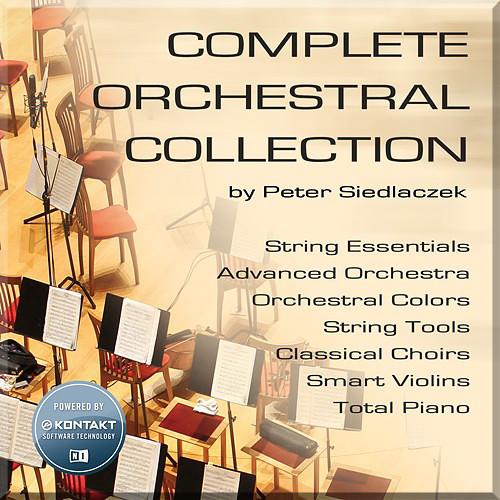
Product description Powered by the Native Instruments Kontakt engine, this electronic download of the Complete Orchestral Collection from Best Service gives you a virtual instrument containing a compilation of Peter Siedlaczek libraries, including String Essentials (2nd Edition), Complete Classical Collection (2nd Edition), and String Tools. Included with this download is the most recent version of Native Instruments Kontakt Player. Designed for composers, arrangers, producers, and sound designers, this virtual instrument offers a comprehensive collection of fine classical sounds including choirs, strings, woodwinds, brass, percussion, harp, mallets, piano, prepared piano, ready-to-use orchestral excerpts, performances, and effects. The capabilities of Kontakt Player allow you extensive controls over many of the software's features. The String Essentials collection offers carefully programmed patches featuring a unified key switch system with instant access to all important articulations. The quintuple alternation switch offers precise control of the dynamic response of samples using various MIDI parameters. Orchestral samples in five different lengths, three or four dynamic levels, runs, and natural release samples have been carefully recorded in three distinct microphone placements: close (for a dry sound), normal, and ambient.Furthermore, the Complete Classical Collection utilizes the Kontakt engine to drastically manipulate sounds with synthesis functions such as filters, LFO, and effects. The script-based user interface allows for important parameters to be controlled with the automation-user interface. Tempo, length, and pitch of parts and loops can be varied with the Time Machine, while the dual-harmonizer allows you to create any desired interval combination. Used together with the microtune function, you can create Arabic, oriental, and other exotic tunings. A humanize function creates subtle tonal changes with every new note played. Another notable function is the attack function, which creates smoother transitions from staccato to sustained notes and allows accents to be blended seamlessly to create varied sounds. Notable Features at a Glance - 14 violins, 10 violas, 8 cellos, and 6 double basses
- Material recorded with three different microphone setups, providing ambient, normal, and dry samples
- Kontakt Player sample player software included
- Works as a plug-in in any standard application or as a standalone application
- 12GB of samples in five lengths and three or four dynamic layers
- Immediate access to nearly all the playing techniques via key switches
- Fast and convenient sample-character shaping using MIDI controllers (Accent, Expression, Crescendo Time, Portamento Depth/Time, Tempo, Run Shift, Release Time, Release Off, etc.)
- Run and ornamentation tools
- Multiple alternation switching
Complete Classical Collection - Advanced Orchestra
- Featuring extensive use of key-switching and direct-from-disk technology, the Advanced Orchestra offers programs with multiple layers and instantaneous access to dozens of instruments and playing techniques. This library contains Solo & Ensemble Strings, Solo & Ensemble Brass, Solo & Ensemble Woodwinds, and Harp with comfortable access to different articulations and performances, as well as a large percussion section with many additional instruments.
- Classical Choir
- This section contains over 100 singers, sampled at each semitone from aaa to zzz, men, women, mixed choir, bass, tenor, alto, and soprano. Also included are falls, swells, and choir voice effects. Whether you want a realistic choral sound or you are creating new timbres, these samples provide you with perfect material with which to work.
- Orchestral Colours
- Orchestral Colours uses pre-prepared orchestral building blocks. The result is a colorful mixture of hits, finales, passages, layers, and atmospheres, providing a collection of "mini-works" that are playable in any key. The tonal richness of this symphony orchestra creates a versatile body of sound.
- Smart Violins
- A comprehensive collection of runs, licks, and other patterns, as well as long notes and legato steps played at different intervals, performed by a large violin ensemble. These professional construction tools for creating realistic runs and melodic lines are playable in all keys.
- Total Piano
- This section offers a classical Boesendorfer grand piano, as well as a prepared piano with unconventional playing techniques including thumb tack piano, honky-tonk piano, and piano effects.
- String Tools
- Created during the String Essential recording sessions, this previously unreleased library of musical phrases features a set of easy to use motions, movements, and cadences.
Table of Contents
|
Upload User Manual
Have you got an user manual for the Best Service Complete Orchestral Collection - Virtual Instrument in electronic form? Please send it to us and help us expand our library of instruction manuals.
Thank you, too, on behalf of other users.
To upload the product manual, we first need to check and make sure you are not a robot. After that, your "Submit Link" or "Upload File" will appear.
Technical parametersBest Service 72243 Specs | General Requirements | 1 GB free disc space for player installation
Additional 26 GB hard disk space for full installation
Internet connection for product download and activation (on any computer) | | Mac System Requirements | OS X 10.9 to 10.11
Intel Core 2 Duo
4 GB RAM (6 GB recommended) | | Windows System Requirements | Windows 7, 8.1, or 10 (latest SP, 32-/64-bit)
Intel Core 2 Duo or AMD Athlon 64 X2
4 GB RAM (6 GB recommended) | | Compatibility | Kontakt 5 / Kontakt 5 Player (version 5.1.0 required) | | Format Compatibility | Standalone, VST, Audio Units, AAX Native (Pro Tools 10 or later)
ASIO, Core Audio, WASAPI
|
Rating100% users recommend this product to others. And what about you?

This product has already been rated by 09 owners. Add your rating and experience with the product.
Discussion
 Ask our technicians if you have a problem with your settings,
or if anything is unclear in the user manual you have downloaded.
You can make use of our moderated discussion.
The discussion is public and helps other users of our website who may be encountering similar problems.
Ask our technicians if you have a problem with your settings,
or if anything is unclear in the user manual you have downloaded.
You can make use of our moderated discussion.
The discussion is public and helps other users of our website who may be encountering similar problems.
The discussion is empty - enter the first post
Post a new topic / query / comment:
|
|


