User Manual for Big Fish Audio DVD: Looptool Click to enlarge the picture
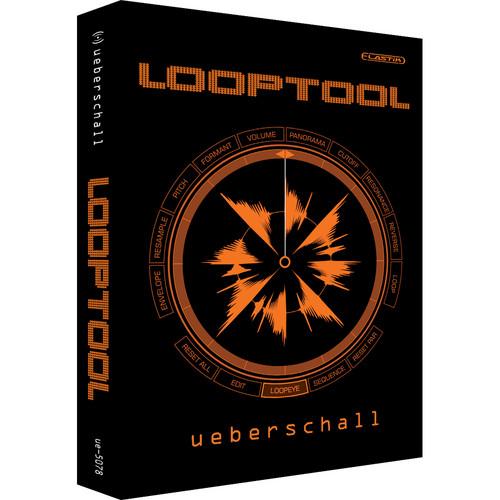 Contents of the user manual for the Big Fish Audio DVD: Looptool
- Product category: Virtual Instruments Big Fish Audio
- Brand: Big Fish Audio
- Description and content of package
- Technical information and basic settings
- Frequently asked questions – FAQ
- Troubleshooting (does not switch on, does not respond, error message, what do I do if...)
- Authorized service for Big Fish Audio Virtual Instruments
|
User manual for the Big Fish Audio DVD: Looptool contain basic instructions
that need to be followed during installation and operation.
Before starting your appliance, the user manual should be read through carefully.
Follow all the safety instructions and warnings, and be guided by the given recommendations.
User manual is an integral part of any Big Fish Audio product,
and if it is sold or transferred, they should be handed over jointly with the product.
Following the instructions for use is an essential prerequisite for protecting
health and property during use, as well as recognition of liability on the part of the manufacturer
for possible defects should you make a warranty claim. Download an official Big Fish Audio user manual in which you will find instructions on how to install, use, maintain and service your product.
And do not forget – unsuitable use of a Big Fish Audio product will considerably shorten its lifespan!
|
Product description Big Fish Audio's DVD: Looptool contains 50 construction kits and 2,446 loops and samples.
With the release of the new Elastik 2 Sample player we present the Looptool sound library. 4 GB of the best of Ueberschall material.
In order to take the Elastik player to the next level, Ueberschall has teamed up with zplane.development (zplane.de). Together they have come up with Elastik 2, freshly designed to match all future needs for working with loops and samples.
Apart from its new graphic interface, Elastik 2 offers a whole new range of desirable features: The self-explanatory browser, designed for fast access to any loaded sound libraries. Browser features: The multiple filter search function allows you to quickly find sounds. Pre-listen to the whole library content in-sync to host tempo and tag favorite samples.
The central Loopeye surface focuses all attention on the loop. All editing is now done inside the Loopeye. Within Loopeye you can record all cursor movements for automation purposes. Above that, Elastik 2 features a sequence mode. Slice up your loop and access an unmatched multitude of editing features for each part - on the fly.
Due to the advanced architecture of the élastique pro algorithm by zplane.development, realtime sync-to-host is an integral part of Elastik 2.
It also provides highest sound quality and CPU-friendly processing. A random replacement function is a groundbreaking feature to create new loops and sounds. Elastik 2 now offers a completely dynamic zoom function to resize its window format.
Elastik 2 comes for Mac and PC, both 32 and 64 bit, as VST, Audio Units, RTAS and StandAlone versions.
Looptool keeps Samples from following libraries: 60s a GoGo, 80s Punk & New Wave, Ambient Lines, Analog Attack, Analog FX, AntiGravity Maneuvers, Art of Sounds, Astral Electro Flux, Balkan Lines, C.R.U.N.K., Caribbean Flavors, Chillers Joint, Club Electro, Club RnB, Club Toolz, Comfort Zone, Crunkzilla, Dancehall Madness, Dancehall Madness 2, Deep House, Electro ID, Electro Producer Pack, Electro Producer Pack II, Essentials Of The Order, Finest RnB, Glam Rock, Groove Shadow Elastik, Hardtechno vs. Schranz, Hip Hop Underground, Indie Rock, Jazz Colors, LoungeOramA, Minimal Electro Vibes, Minimal House, Minimal Techno, Nightshift, Oriental RnB, Planet Trance, Pop Ballads, Pop Charts, Pop Music, Pure Fire, Reggae Fundamentals, Score Elements, Sensory Disruption, Soulful Pop, Sounds of Berlin, Soundscapes, Studio Works, Supreme Styles, The Resource, Trance ID, Trance ID 2, Urban Jointz, Urbanic Guitars, Urbanic, Urbanic 2, Urbanic Producer Pack, Urbanic Producer Pack 2. - 4GB of the best of Ueberschall
- Get a free download of Elastik 2, including the demo soundbank now on www.ueberschall.com
Table of Contents
|
Upload User Manual
Have you got an user manual for the Big Fish Audio DVD: Looptool in electronic form? Please send it to us and help us expand our library of instruction manuals.
Thank you, too, on behalf of other users.
To upload the product manual, we first need to check and make sure you are not a robot. After that, your "Submit Link" or "Upload File" will appear.
Technical parametersBig Fish Audio LPTL1-PW Specs | Compatibility | Compatible with AU, Cubase, Digital Performer, GarageBand, Logic, Mac, Nuendo, PC, ProTools, RTAS, VSTi |
Rating70% users recommend this product to others. And what about you?

This product has already been rated by 11 owners. Add your rating and experience with the product.
Discussion
 Ask our technicians if you have a problem with your settings,
or if anything is unclear in the user manual you have downloaded.
You can make use of our moderated discussion.
The discussion is public and helps other users of our website who may be encountering similar problems.
Ask our technicians if you have a problem with your settings,
or if anything is unclear in the user manual you have downloaded.
You can make use of our moderated discussion.
The discussion is public and helps other users of our website who may be encountering similar problems.
The discussion is empty - enter the first post
Post a new topic / query / comment:
|
|


