|
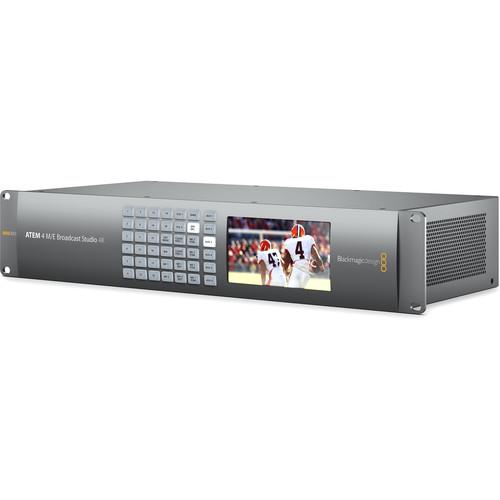
User Manual for Blackmagic Design ATEM 4 M E Broadcast Studio 4K Click to enlarge the picture
 Contents of the user manual for the Blackmagic Design ATEM 4 M E
- Product category: Production Switchers Blackmagic Design
- Brand: Blackmagic Design
- Description and content of package
- Technical information and basic settings
- Frequently asked questions – FAQ
- Troubleshooting (does not switch on, does not respond, error message, what do I do if...)
- Authorized service for Blackmagic Design Production Switchers
 |
User manual for the Blackmagic Design ATEM 4 M E contain basic instructions
that need to be followed during installation and operation.
Before starting your appliance, the user manual should be read through carefully.
Follow all the safety instructions and warnings, and be guided by the given recommendations.
User manual is an integral part of any Blackmagic Design product,
and if it is sold or transferred, they should be handed over jointly with the product.
Following the instructions for use is an essential prerequisite for protecting
health and property during use, as well as recognition of liability on the part of the manufacturer
for possible defects should you make a warranty claim. Download an official Blackmagic Design user manual in which you will find instructions on how to install, use, maintain and service your product.
And do not forget – unsuitable use of a Blackmagic Design product will considerably shorten its lifespan!
|
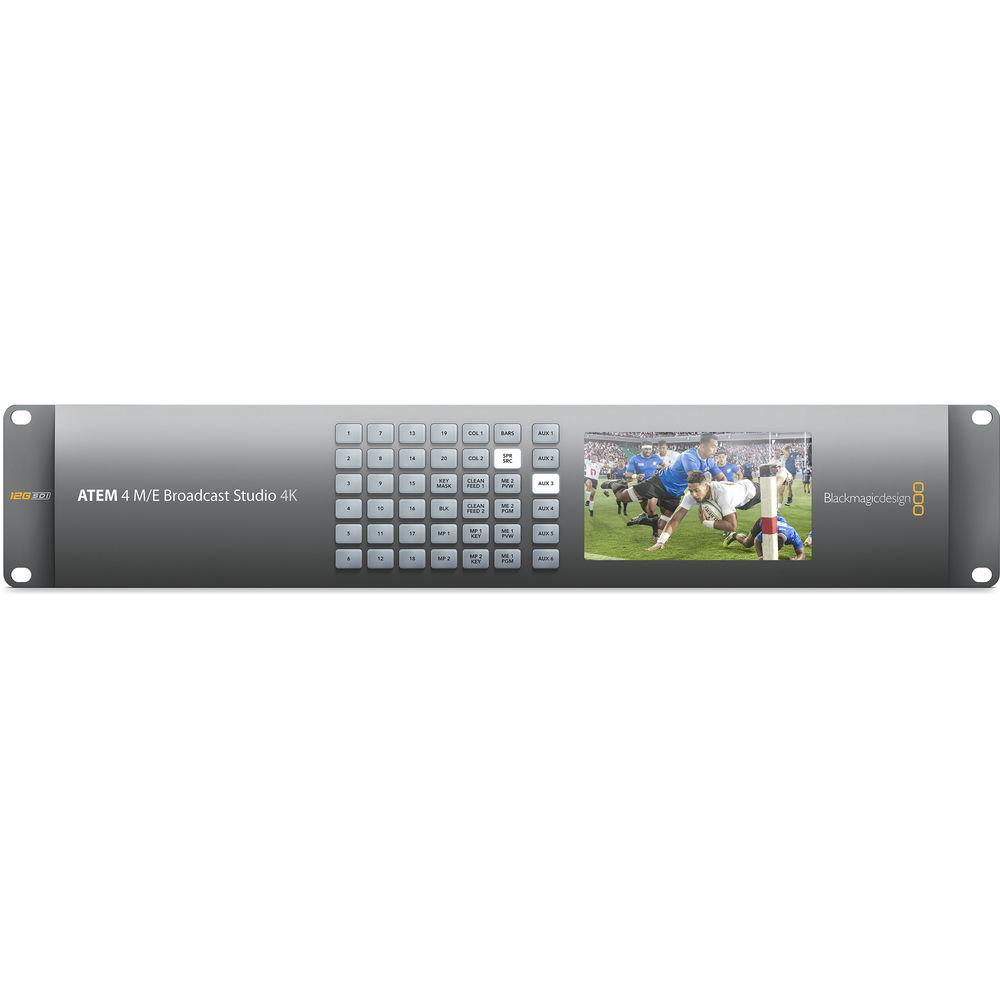
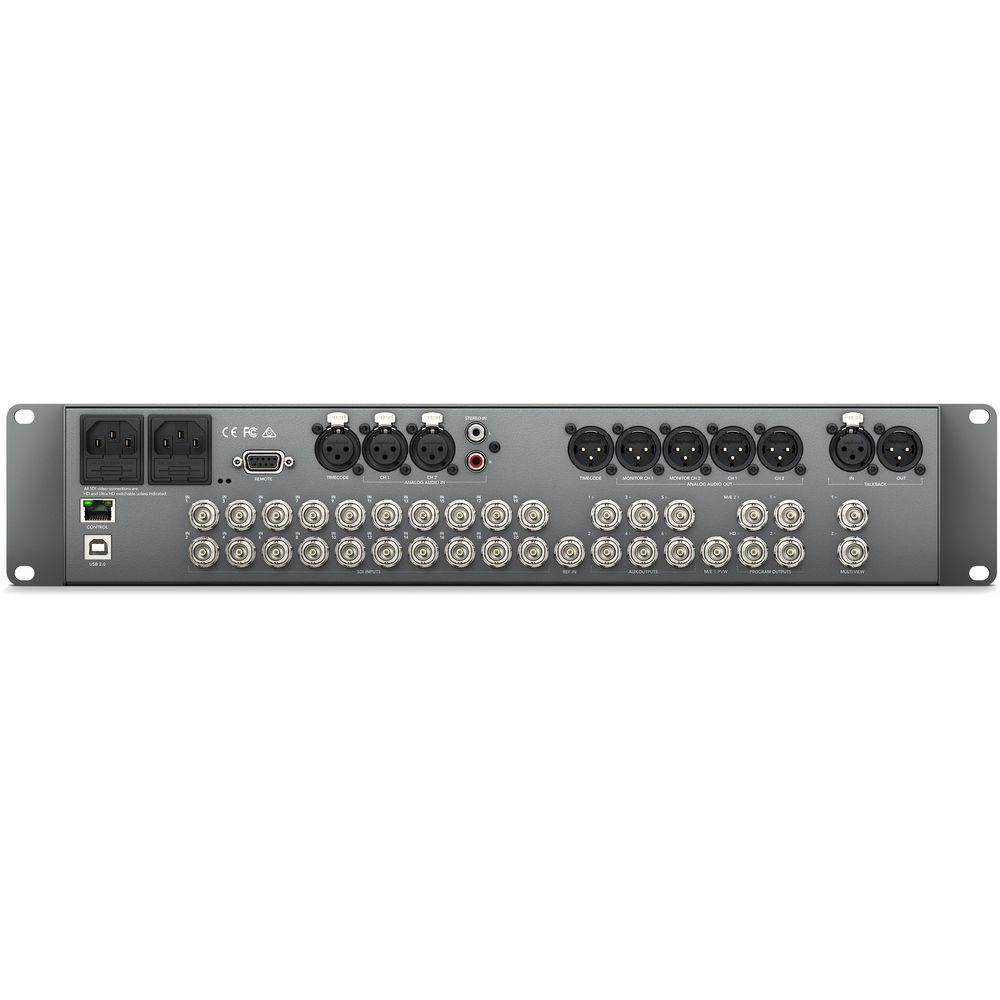
Product description The Blackmagic Design ATEM 4 M/E Broadcast Studio 4K is a live switcher designed for HD and UHD 4K broadcast productions. Twenty 12G-SDI inputs support UHD 4K video up to 59.94 fps, and are backward compatible with 1080p, 1080i, or 720p sources as well (inputs do not feature scaling, so all sources must be of the same resolution). All inputs are frame synchronized, so non-genlocked sources can be used. Audio is supported via all SDI inputs plus 2 sets of dedicated analog stereo inputs via XLR and RCA. For in-the-box mixing, connect a computer running ATEM software control, and have immediate control of all audio channel inputs. Connections for timecode, reference, and control are also available. SDI outputs are available for program and preview, and they can operate at either HD or UHD resolutions, just like the inputs. Two preview outputs allow you to spread your multi-view over two displays. Like its namesake, the ATEM 4 M/E Broadcast Studio 4K features four mix-effects buses for creating advanced effects to boost production value. Within each mix-effects bus, there are 4 built-in upstream keyers, for a total of 16 keyers, enabling your production to take advantage of many video and graphics layers simultaneously. Two downstream keyers for bugs, logos, and global lower-thirds are also available. The built-in DVE processing lets you adjust video streams with control over size and rotation, plus, 3D borders, drop shadows, and lighting effects are also available. Other connectivity includes Ethernet for adding control surfaces, or for remote control over a network. USB connectivity allows for the ATEM switcher's firmware to be updated in the future, and for internal settings. The entire chassis of the ATEM 4 M/E Broadcast Studio 4K fits inside a standard 19" equipment rack, only requiring 2 RU of space. Internal redundant power supplies require separately available standard IEC cables for power. - Creative Transitions
- ATEM live production switchers have a choice of transitions including Cut, Mix, Dip and Wipe patterns. Key frame based DVE moves, flying graphics and animated stingers are also integrated. Every transition is instantly available and you get full control of the transition type, pattern, length and more.
- Upstream Keyers
- ATEM live production switchers include powerful upstream keying for broadcast effects. Layer live video, titles, graphics and animation over live video or graphic backgrounds with incredible quality using chroma, luma, linear and pattern keying. The ATEM 4 M/E Broadcast Studio 4K features 16 total upstream keyers for advanced layering.
- Downstream Keyers
- ATEM switchers feature two downstream keyers so you can insert high quality graphics like logos, bugs and titles over the live 'on air' program output. Downstream keyers are the last layers of keying so they overlay all video switched to the main program. You can also easily bypass the downstream keyers by using the clean feed aux outputs. This means you can record the clean feed as your master and use the downstream keyers for overlays that you only want on air.
- DVE
- Digital video effects, or DVE, lets you control size, position, rotation of an incoming video stream and features 3D borders, drop shadows and lighting. You can save customized DVE positions and automatically trigger the picture to animate full screen or zoom.
- Audio Mixer
- Open the audio mixer control tab on your Mac or Windows device and you get complete multi track mixing control with level meters You can precisely direct camera and external audio with level and balance adjustments, enable and disable channels or activate audio follow video mode instantly. You can also connect to Mackie standard USB audio mixer panels, giving you hardware feedback and the feel of flying faders and meter displays.
- SuperSource
- In addition to the mix-effects buses, keyers, and video effects, SuperSource layering provides an additional 4 independent DVE channels so you can resize and position live cameras, video replays, broadcast graphics and more. SuperSource is like having an additional multi-layer VFX switcher built in. For example, you would be able to take four video feeds and incorporate them picture-in-picture for live interviews during your broadcast.
- Multiview Flexibility
- Multi view makes it easy to see your cameras, graphics, preview and program outputs on single screen. That means you don't need lots of monitors to see all your individual cameras. Use the two multiview outputs to spread up to 16 inputs across two screens.
- Switchable TV Standards
- With the ATEM 4 M/E Broadcast Studio 4K you have the flexibility to work in different standards at any time. If your other equipment only supports HD, the ATEM 4 M/E Broadcast Studio 4K has the processing capabilities for switching to 4K when you're ready.
- Internal Media Players
- You can store broadcast quality RGBA graphics in the media pool ready for instant playback via the ATEM media players. The two media players appear as input sources to your switcher. You can transition to graphics as full frame video or feed them to the keyers for overlaying video. Popular image formats such as PNG, TGA, BMP, GIF, JPEG and TIFF are supported.
- Photoshop CC Plugin
- With the included Photoshop CC plug-in, you can create graphics live and then instantly download them into the ATEM media pool. Designers can create professional broadcast graphics such as logos, lower thirds, scorecards and other real-time graphics that can be downloaded directly to instantly change live graphics as they come in.
In the Box Blackmagic Design ATEM 4 M/E Broadcast Studio 4K Limited 1-Year Warranty Table of Contents
|
Upload User Manual
Have you got an user manual for the Blackmagic Design ATEM 4 M E Broadcast Studio 4K in electronic form? Please send it to us and help us expand our library of instruction manuals.
Thank you, too, on behalf of other users.
To upload the product manual, we first need to check and make sure you are not a robot. After that, your "Submit Link" or "Upload File" will appear.
Technical parametersBlackmagic Design ATEM 4 Specs | | | Format Support | 3840 x 2160: 59.94/50/29.97/25/24/23.98
1080p 59.94/50/29.97/25/24/23.98
1080i 59.94/50
720p 59.94/50 | | SDI Compliance | SMPTE 292M, SMPTE 424M, SMPTE 2082 | | | | Inputs | 12G/6G/3G/HD-SDI: 20 x BNC
Stereo Analog Audio: 1 x 2XLR, 1 x 2RCA
Talkback: 1 x XLR
Timecode: 1 x XLR
Reference: 1 x BNC | | Outputs | SDI Monitor: 2 x BNC
SDI Program: 3 x BNC
SDI Aux: 6 x BNC
SDI M/E 1 Preview: 1 x BNC
SDI M/E 2 Program: 1 x BNC
Analog Audio: 4 x XLR
Timecode: 1 x XLR
Talkback: 1 x XLR | | Other I/O | Network: 1 x RJ45
Computer: 1 x USB 2.0 Type-B
RS-422: 1 x DE-9 | | | | Processing Delay | <7 lines | | Video Sampling | 4:2:2 | | Color Space | REC 601
REC 709
REC 2020 | | Color Precision | 10-bit | | Audio Mixer | 24-input mixer (2 channels per input) | | | | Quantity | 4 | | Clip Capacity | Quantity
2 with fill and key
Maximum Clip Length
UHD: 360 frames
1080p/i: 1440 frames
720p: 3200 frames | | Still Image Capacity | 64 with fill and key | | Image File Formats | Still
PNG, TGA, BMP, GIF, JPEG, and TIFF
Video
TGA sequence
Audio
WAV, MP3, AIFF | | | | Display | Minimum monitor resolution: 1366 x 768 | | Number of Windows | 2 x Multi-view displays with 10 x windows for Preview/Program
16 x assignable displays | | Tally | Red for program and green for preview indication
Note: Requires optional Blackmagic Design GPI and Tally interface product | | | | Layers | 29 Total | | Keyers | 16 x Upstream
2 x Downstream
19 x Linear/Luma
1 x Stinger
16 x Chroma
1 x DVE | | Generators | 7 x Pattern
2 x Color | | | | Power Supply | 2 x built-in power supply
110/240 VAC, 50/60 Hz
Note: IEC power cord required, not included | | Power Consumption | 300 W | | | | Operating Temperature | 32 to 104°F / 0 to 40°C | | Storage Temperature | -4 to 140°F / -20 to 60°C | | Relative Humidity | 0 to 90% non-condensing | | Rack Size | 2 RU | | Dimensions (W x H x D) | 19 x 3.5 x 9.25" / 48.3 x 9 x 23.5 cm | | Weight | 6 lb / 2.72 kg | | | | Package Weight | 12.75 lb | | Box Dimensions (LxWxH) | 19.4 x 10.8 x 5.2" |
Rating90% users recommend this product to others. And what about you?

This product has already been rated by 36 owners. Add your rating and experience with the product.
Discussion
 Ask our technicians if you have a problem with your settings,
or if anything is unclear in the user manual you have downloaded.
You can make use of our moderated discussion.
The discussion is public and helps other users of our website who may be encountering similar problems.
Ask our technicians if you have a problem with your settings,
or if anything is unclear in the user manual you have downloaded.
You can make use of our moderated discussion.
The discussion is public and helps other users of our website who may be encountering similar problems.
The discussion is empty - enter the first post
Post a new topic / query / comment:
|
|
|
| Request for user manual |
You can’t find the operation manual you are looking for? Let us know and we will try to add the missing manual:
I’m looking for a manual / Request for manual
Current requests for instruction manuals:
Call Of Duty World War Two For Xbox...
controller stratus XL...
stratus XL...
smart whatch serie S11 42mm...
Allen & Heath SQ-6 manual...
|
| Discussion |
Latest contributions to the discussion:
AEW R 4100
Name: MAURICIO ANGARITA
Audio-Technica AEW-R4100 UHF Diversity Receiver for
AEW R 4100 has the mute function blocked and does not allow audio to pass. I tried several times to turn off the mute from the transmitter but it does nothing, the mute stays on. Solution?
Thank you...
Instructions for assembling the 2015 Forecast Image Master Consoles GC3-A
Name: mike elam
Forecast Consoles GC3-A ImageMaster Editing Console
Looking for instructions for assembling this console. ...
EMPTY TONER ERROR MESSAGE AFTER REPLACING TONER
Name: LINDA BAD YELLOW EYES
Brother TN223BK Standard-Yield Toner
I HAD TO CHANGE OUT ALL THREE TONERS DUE TO LEAKS IN THE YELLOW AND CYAN. AFTER I REPLACED THEM, THE MACHINE KEEPS GIVING ME AN EMPTY TONER ERROR MESSAGE. HELP!!...
PS480D 20/24 pin Switching 480W Power Supply
Name: swkargo
Logisys 480W Power Supply
This item states in can run -5vdc .It is NOT listed on the board or I beleive is r4 is missing the resitior. Any body have thid issue. Shawn
...
Help needed
Name: Ann Carter
SanDisk 1TB Extreme Portable USB 3.1
When I click the link to download the user manual for my Sandisk Extreme external hard drive, it gives me the manual for the LG Cricket. Can you please change the link so I can download the Sandisk manual and begin using this drive? Thank you....
|
|


