User Manual for Blackmagic Design ATEM Talkback Converter 4K Click to enlarge the picture
 Contents of the user manual for the Blackmagic Design ATEM Talkback Converter 4K
- Product category: Studio & EFP Camera Accessories Blackmagic Design
- Brand: Blackmagic Design
- Description and content of package
- Technical information and basic settings
- Frequently asked questions – FAQ
- Troubleshooting (does not switch on, does not respond, error message, what do I do if...)
- Authorized service for Blackmagic Design Studio & EFP Camera Accessories
 |
User manual for the Blackmagic Design ATEM Talkback Converter 4K contain basic instructions
that need to be followed during installation and operation.
Before starting your appliance, the user manual should be read through carefully.
Follow all the safety instructions and warnings, and be guided by the given recommendations.
User manual is an integral part of any Blackmagic Design product,
and if it is sold or transferred, they should be handed over jointly with the product.
Following the instructions for use is an essential prerequisite for protecting
health and property during use, as well as recognition of liability on the part of the manufacturer
for possible defects should you make a warranty claim. Download an official Blackmagic Design user manual in which you will find instructions on how to install, use, maintain and service your product.
And do not forget – unsuitable use of a Blackmagic Design product will considerably shorten its lifespan!
|
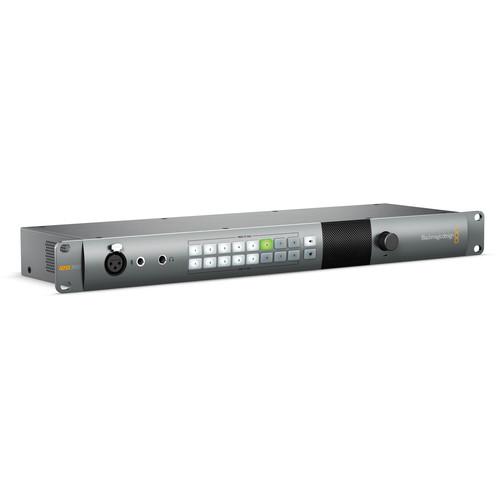
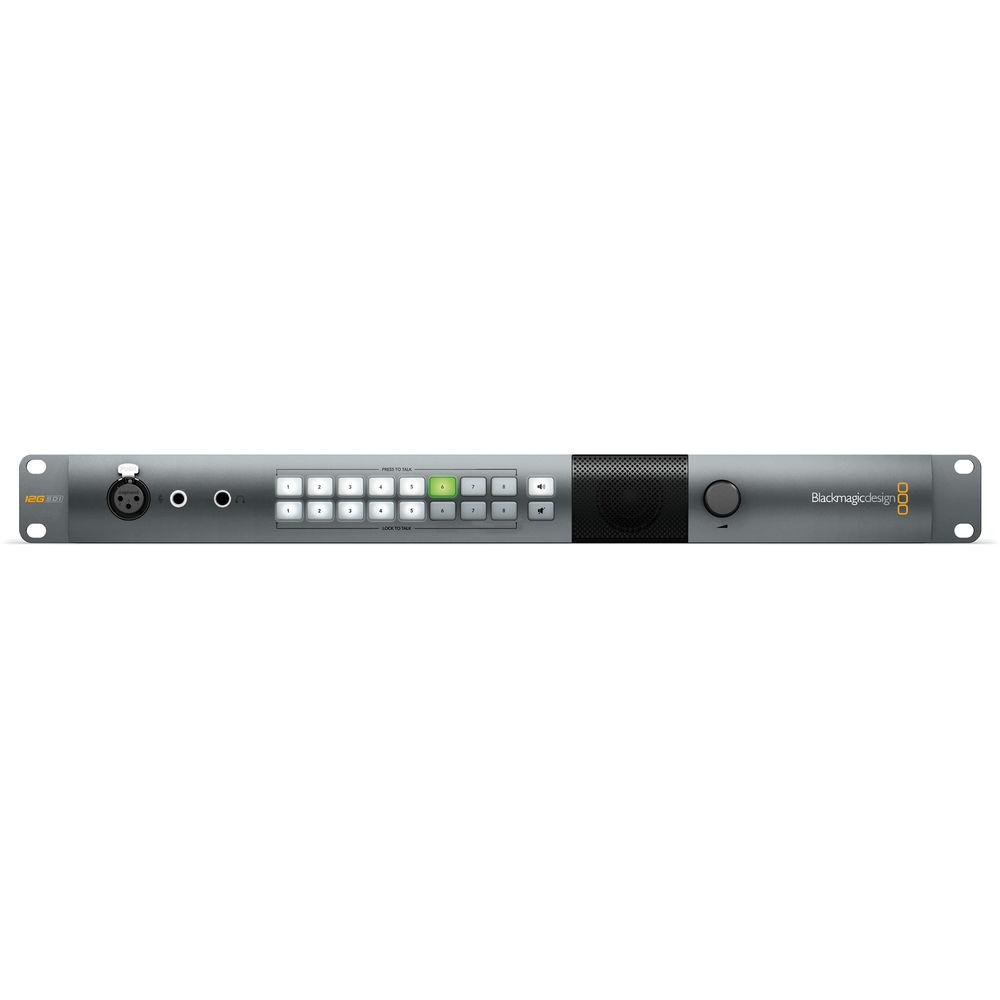
Product description With 12G-SDI, Blackmagic Design's ATEM Talkback Converter 4K accepts high-resolution video from up to eight studio cameras or ATEM Camera Converters and allows the control room to interact with the camera operators. The 12G-SDI connections can support video with resolutions up to 4096 x 2160 at 60 fps and rout those individual signals to a switcher via SDI outputs, to a program monitor via its own SDI output, and back to the camera operator while carrying talkback audio over a single cable. Talkback audio can be captured via a microphone plugged into the XLR jack on the front, or a headset mic plugged into the appropriate jack, also on the front panel. This unit can be upgraded to accept fiber optic connections, which carry, bi-directional 4K video, audio, and talkback for up to 28 miles without signal degradation. And because of its 1 RU size, it can easily fit into industry standard rack-mount equipment and furniture. - Optional Optical Fiber Connectors
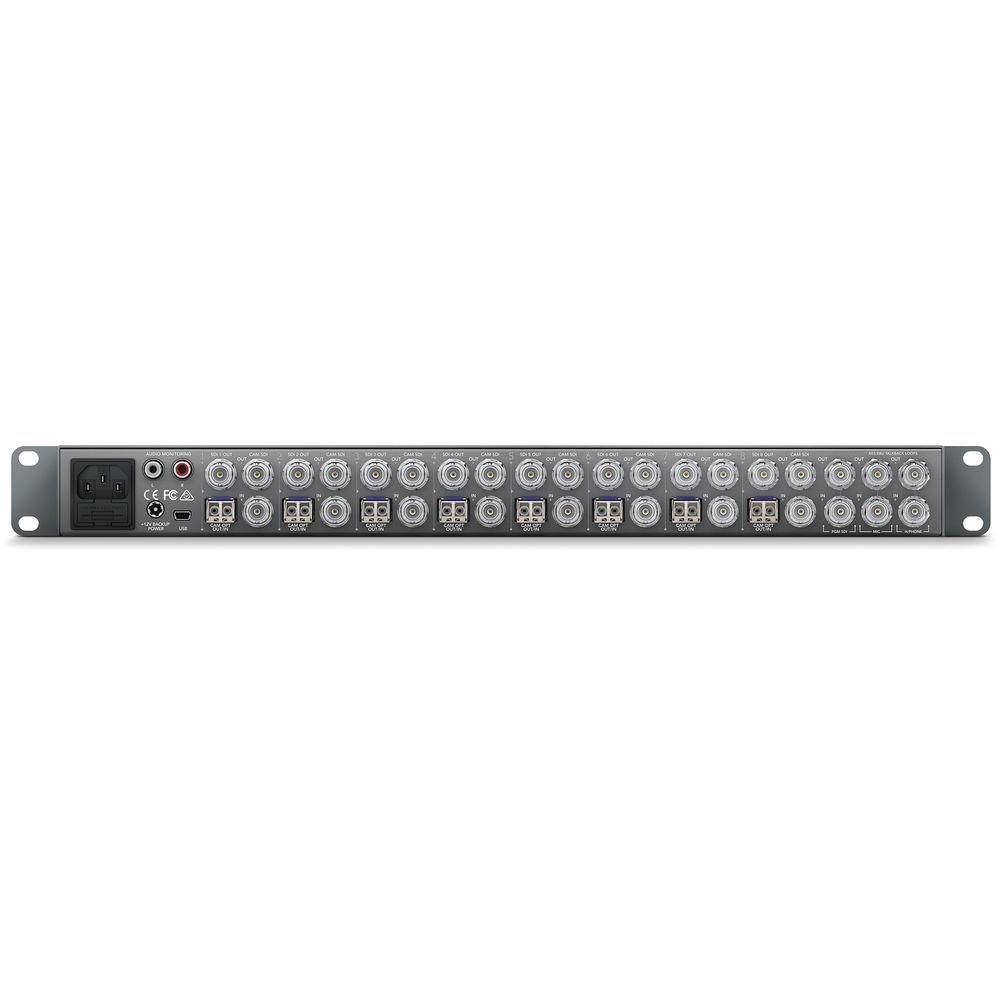
- The ATEM Talkback Converter 4K can be upgraded to use standard single mode optical fiber cable with standard LC connectors to allow you to transmit SD and HD video signals up to 28 miles away. Standard copper wire SDI cables have a limit of several hundred feet before the signal breaks up, converting the SDI signal to optical, and sending it along optical cable greatly increases the distance of your cable runs.
- Talkback and Tally
- The unit features a built-in speaker and mic inputs, as well as a headphone jack for when you need privacy, or the area is too loud. When connected to the ATEM Camera Converter without needing to worry about walkie talkies. Using the talkback feature, the unit uses audio channels 15 and 16 of the SDI stream for talkback communication.
Camera operators can be selected individually if desired, and communication can be controlled by a push button, or locked open. Mute and un-mute buttons on the front of the unit allow you to control who hears what.
The unit passes SDI Tally signal information back to the cameras along with any SDI Program signal from available switchers. - Precision Signal Processing
- The unit features chips that use 10-bit processing, and are switchable between SD and HD, for a clean signal.
The unit features eight independent simultaneous SDI to optical and optical to SDI converters (with the optional fiber terminals), when used in conjunction with the ATEM Camera Converter the unit can also be used as four independent SDI or Fiber to HDMI converters. In the Box Blackmagic Design ATEM Talkback Converter 4K SD Card with Software Limited 3-Year Warranty Table of Contents
|
Upload User Manual
Have you got an user manual for the Blackmagic Design ATEM Talkback Converter 4K in electronic form? Please send it to us and help us expand our library of instruction manuals.
Thank you, too, on behalf of other users.
To upload the product manual, we first need to check and make sure you are not a robot. After that, your "Submit Link" or "Upload File" will appear.
Technical parametersBlackmagic Design SWRCONVRCKT4K8 Specs | | | I/O | 1 x SDI Program Input
1 x SDI Program Output
1 x XLR for talkback microphone
1 x 0.25" TRS headset connector
1 x 0.206" TRS microphone connector
1 x Stereo RCA monitoring output
8 x 10-bit SD/HD/Ultra HD 4K camera input
8 x 10-bit SD/HD/Ultra HD 4K camera output
8 x 10-bit SD/HD/Ultra HD 4K output
With optional connectors
8 x LC fiber SD/HD/Ultra HD I/O with audio | | Computer Interface | 1 x USB mini-B connector (for firmware updates) | | | | SD Format Support | 525/29.97 NTSC
625/25 PAL | | HD Format Support | 1280 x 720p50, 59.94, 60
1920 x 1080i50, 59.94, 60
1920 x 1080PsF23.98, 24, 25, 29.97, 30
1920 x 1080p23.98, 24, 25, 29.97, 30, 50, 59.94, 60 | | 2K Format Support | 2048 x 1080PsF23.98, 24, 25
2048 x 1080p23.98, 24, 25 | | 4K Format Support | 3840 x 2160p23.98, 24, 25, 29.97, 30, 50, 60
4096 x 2160p23.98, 24, 25, 29.97, 30, 50, 60 | | SDI Compliance | SMPTE 259M, 292M, 296M, 372M, 424M Level B, 425M | | Video Processing | Sampling: 4:4:4, 4:2:2
Color Precision: 10-bit
Color Space: REC 601, REC 709
Rate Support: SDI automatically switches between SD, HD, and UHD 4K | | Audio Sampling | 24-bit, 48 KHz A/D Conversion | | | | Compatible Operating Systems | Mac OS X 10.9 and newer
Windows 7 and 8 | | Environmental | Operating Temperature: 41 to 104&decF / 5 to 40°C
Storage Temperature: -4 to 113°F / -20 to 45°C Relative Humidity: 0 to 90% non-condensing | | Certifications | EMC, UL, FCC, CE, C-Tick, KCC | | Power Supply | 110 to 240 VAC input with redundant 12 to 31 VDC input | | Power Usage | 60 W | | Dimensions | 19 x 6.3 x 1.75" / 483 x 160 x 44 mm
Form Factor: 1 RU | | Weight | 5 lb / 2.3 kg | | | | Package Weight | 6.05 lb | | Box Dimensions (LxWxH) | 19.0 x 7.5 x 3.4" |
Rating74% users recommend this product to others. And what about you?

This product has already been rated by 95 owners. Add your rating and experience with the product.
Discussion
 Ask our technicians if you have a problem with your settings,
or if anything is unclear in the user manual you have downloaded.
You can make use of our moderated discussion.
The discussion is public and helps other users of our website who may be encountering similar problems.
Ask our technicians if you have a problem with your settings,
or if anything is unclear in the user manual you have downloaded.
You can make use of our moderated discussion.
The discussion is public and helps other users of our website who may be encountering similar problems.
The discussion is empty - enter the first post
Post a new topic / query / comment:
|
|


