|
User Manual for Blackmagic Design ATEM Television Studio HD Click to enlarge the picture
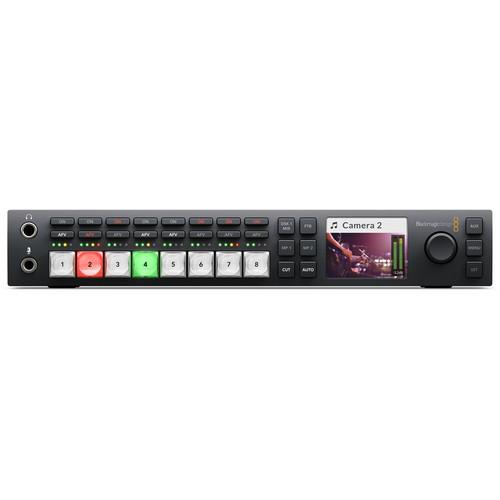 Contents of the user manual for the Blackmagic Design ATEM Television Studio HD
- Product category: Production Switchers Blackmagic Design
- Brand: Blackmagic Design
- Description and content of package
- Technical information and basic settings
- Frequently asked questions – FAQ
- Troubleshooting (does not switch on, does not respond, error message, what do I do if...)
- Authorized service for Blackmagic Design Production Switchers
 |
User manual for the Blackmagic Design ATEM Television Studio HD contain basic instructions
that need to be followed during installation and operation.
Before starting your appliance, the user manual should be read through carefully.
Follow all the safety instructions and warnings, and be guided by the given recommendations.
User manual is an integral part of any Blackmagic Design product,
and if it is sold or transferred, they should be handed over jointly with the product.
Following the instructions for use is an essential prerequisite for protecting
health and property during use, as well as recognition of liability on the part of the manufacturer
for possible defects should you make a warranty claim. Download an official Blackmagic Design user manual in which you will find instructions on how to install, use, maintain and service your product.
And do not forget – unsuitable use of a Blackmagic Design product will considerably shorten its lifespan!
|
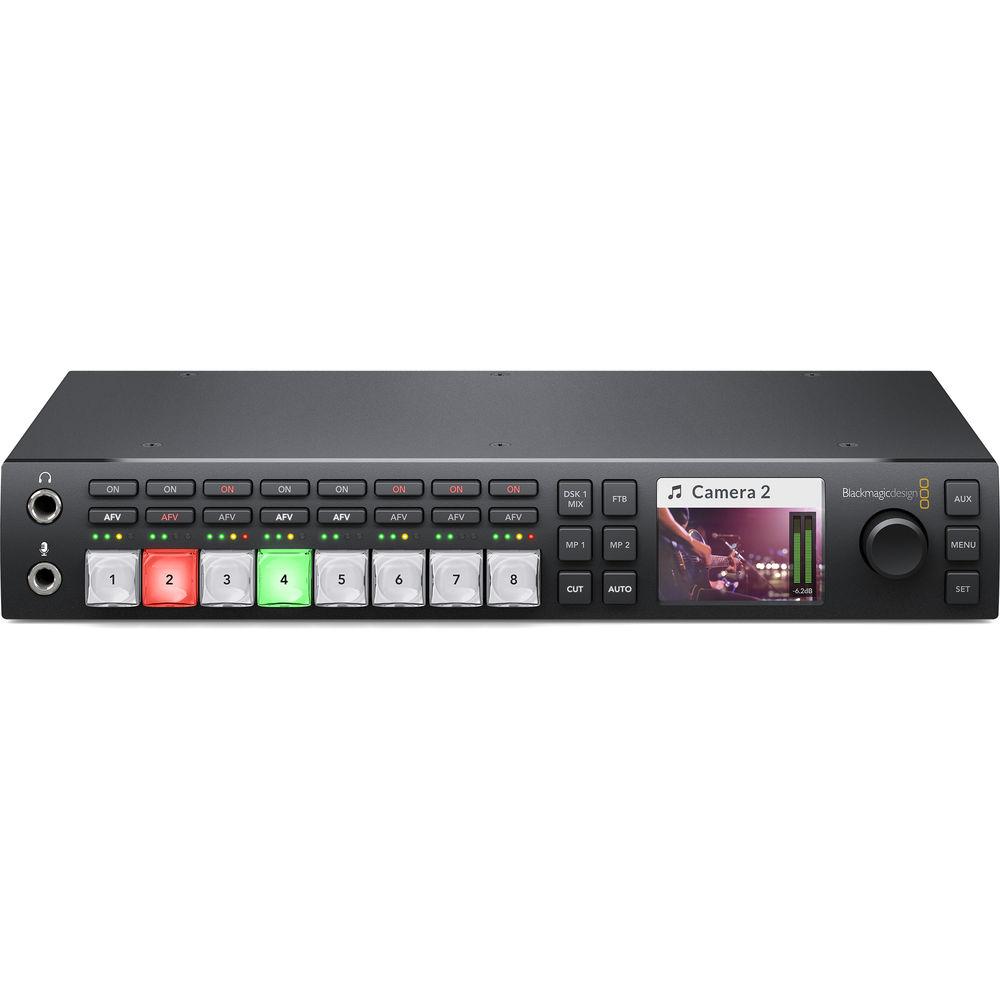
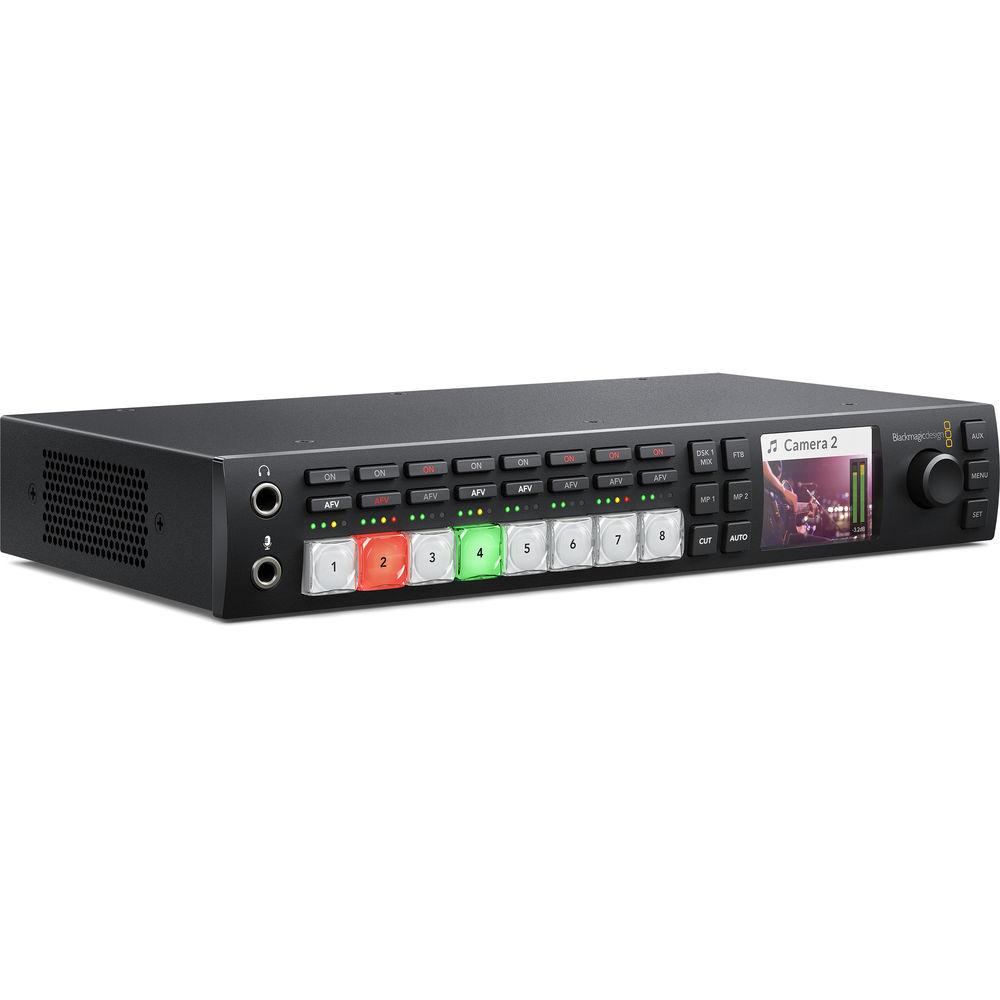
Product description Designed for broadcasters and A/V professionals, Blackmagic Design's ATEM Television Studio HD is a compact yet powerful and easy-to-operate solution. Four of each HDMI and SDI inputs are available on the rear of the chassis, and both sets of inputs support SD and HD resolution signals. The relatively small chassis can fit on a standard equipment rack with the separately available Teranex Mini Rack Shelf, so it can be brought on location for streaming video, or installed semi-permanently for recording or broadcasting from a studio.The front panel keeps essential controls at arm's reach, while more advanced controls and settings, such as upstream and downstream keyers, graphics, media, and precise mixing for the 10 channels of available audio can be accessed through the USB interface or with an ATEM control surface. Move to the rear to reveal the BNC and HDMI connections for input and output. Multiview can be transmitted over SDI or HDMI to align with your equipment setup, and an AUX output lets you send video to an external display, which is great for live events with a projection setup. Four of the SDI outputs have embedded talkback audio for studio setups. Blackmagic Design Studio Cameras can also be controlled from the switcher for consistent looks across the board. - Transitions
- Choose from a wide range of transitions including cut, mix, dip, and wipe patterns. ATEM Television Studio HD makes every transition instantly available and gives you full control over type, pattern, length, and more.
Available transitions include:- Cut: When you press the cut button, ATEM instantly changes from your current program source to the preview source. Cuts can be performed by directly selecting sources or by pressing the cut button to switch to the next source on the preview bus.
- Mix: The mix, or dissolve transition, gradually transitions from one source to the next by creating a smooth blend. You can set custom timings to manually blend the transition.
- Dip: Just like mix transitions, a dip transition is a gradual blend that includes either a solid color, graphic, or another clip between the two video sources. Dips to black or white between sources are the most popular, or you can use logos or sponsor graphics.
- Wipe: ATEM Television Studio HD has 18 built-in wipe patterns. Choose from circles, diamonds, squares, and more. Shapes and patterns can be inverted, softened, or even have customized colored borders. You can even insert live video into the borders for further customization.
- DVE: The ATEM Television Studio HD has a powerful built-in Digital Video Effects processor, or DVE. You can push, spin, squeeze and swoosh your live video from one camera to the next with incredible built-in DVE transitions. DVE transitions can be flip-flopped and reversed, giving you even more transition options. With 35 built-in pre-programmed moves, you can get started with advanced transitions. Graphic wipes can also be created by combining a DVE transition with a logo created in Photoshop.
- Upstream Keyer
- Layer live video over other video sources or graphics with the Upstream Keyer. You can use luma key, linear key, pattern key, or shoot against a green screen and use chroma key to instantly composite the video over virtual sets.
- Luma key: Luma keys are sometimes known as a self key because the same video source is used for cutting the key and overlaying the video image. Luma keys work best with high contrast images, like white elements on a black background, so you can use the contrast to cut the black background and replace it with live video or graphics.
- Linear key: Get clean, high-quality results with linear keying by using two separate sources for the fill and the key to create one video image. The fill signal contains the video to be stacked over the background, while the key signal contains a grayscale mask to cut out, or mask, the area to be filled.
- Chroma key: Used every day for TV weather forecasts, chroma keys are a powerful way of combining live images together in real time. The presenter typically stands in front of a green or blue background and the chroma keyer will remove only that color and combine it with another image, such as a video or graphic.
- Pattern key: Combine live images with any of the 18 built-in wipe patterns to combine live images or graphics with geometric shapes. You get full control over softness, symmetry, size, and position to create unique picture-in-picture effects that can be transitioned to as easily as any live source.
- Downstream Keyers
- The ATEM Television Studio HD includes two downstream keyers so you can add high-quality graphics like logos, bugs, and titles from the built-in media players over the live 'on air' program output. Downstream keyers are the last layers of keying, so they overlay all video switched to the main program output.
- Power Macros
- To automate complex sequences of precisely timed actions on your ATEM switcher, you can now create powerful shortcuts called macros. Record a sequence of transitions between video sources, including key effects, audio mixer adjustments, camera control settings, and more using the ATEM software or hardware control panel. Macros are saved as XML files that can be edited with a standard text editor, so you can combine them together to build sophisticated sequences that would be impossible to execute manually during a live production. That means you can create unique looks or your programs that can be recalled instantly, copied between switchers, and used repeatedly when you require them.
- Mix Minus
- The four SDI talkback outputs on the ATEM Television Studio HD support mix minus, which is important when you are working with remote interviewees. For example, you could remove input 5 from the program audio on output 5, so the remote interviewee hears everything in the program except themselves talking and won't be distracted by any audio delay.
- Audio Mixer
- The built-in audio mixer lets you control camera and external audio with precision level and balance adjustments on all 10 available channels. You can enable or disable channels, or activate audio-follow-video (AFV) mode instantly. Adjust the mixer via the ATEM Control Software or plug in an external Mackie standard USB fader panel.
- Multiview
- Multiview allows you to see your sources, graphics, preview, and program outputs on a single screen so you don't need separate monitors for your individual cameras. You get HDMI and SDI multiview outputs so you can connect professional broadcast SDI monitors, computer monitors, or even consumer HDTV sets.
- Media Players
- Eliminate external character generators by storing up to 20 broadcast quality RGBA graphic files in the media pool. The two media players appear as input sources to your switcher. You can transition to graphics as full frame video or feed them to the keyers for overlaying video. Popular image formats such as PNG, TGA, BMP, GIF, JPEG, and TIFF are supported.
- ATEM Photoshop Plugin
- Use the included Photoshop plugin to create still broadcast graphics and instantly add them to the ATEM Television Studio HD's media pool. Add professional looking logos, lower thirds, scorecards, or other real-time graphics and get them on air in no time.
In the Box Blackmagic Design ATEM Television Studio HD Limited 1-Year Warranty Table of Contents
|
Upload User Manual
Have you got an user manual for the Blackmagic Design ATEM Television Studio HD in electronic form? Please send it to us and help us expand our library of instruction manuals.
Thank you, too, on behalf of other users.
To upload the product manual, we first need to check and make sure you are not a robot. After that, your "Submit Link" or "Upload File" will appear.
Technical parametersBlackmagic Design ATEM Specs | | | Inputs | 4 x BNC, 3G/HD/SD-SDI
4 x HDMI Type A
2 x XLR analog audio
1 x BNC, reference
1 x 1/4" microphone input | | Outputs | 4 x BNC, 3G/HD/SD-SDI, talkback program
1 x BNC, 3G/HD/SD-SDI, program
1 x BNC, 3G/HD/SD-SDI, multiview
1 x BNC, 3G/HD/SD-SDI, auxiliary
1 x HDMI Type A, multiview
1 x 1/4" stereo headphone | | Other | 1 x D-Sub, RS-422
1 x RJ-45, Ethernet
1 x USB 2.0 Type B | | | | Format Support | SDI:
1080p 23.98/24/25/29.97/50/59.94
1080i 50/59.94
720p 50/59.94
NTSC
PAL
HDMI:
1080p 23.98/24/25/29.97/30/50/59.94
1080i 50/59.94/60
720p 50/59.94
NTSC
PAL | | SDI Compliance | SMPTE 259M, SMPTE 292M, SMPTE 424M | | Video Sampling | 10-bit, 4:2:2 | | Color Precision | 10-bit, 4:2:2 | | Color Space | 4:2:2 YUV | | Color Space Conversion | Hardware-based real time | | | | Keyers | Upstream: 1
Downstream: 2
Chroma: 1
Linear/Luma: 3
Transition, Stinger: 0
Transition, DVE: 1 | | Layers | Up to 5 | | Generators | Pattern: 2
Color: 2 | | Interface | Requires monitor resolution of 1366 x 768 or greater | | Number of Windows | 1 x 10 | | Routable Windows | 8 | | Tally | Red for program, green for preview (tally output supported via Ethernet connection to separately available GPI and Tally Interface products) | | Processing Delay | 6 lines | | Operating System Support | Apple MacOS 10.10 or newer
Windows 8.1 or newer (64-bit only) | | Power Supply | 110-240 VAC (internal) | | Power Draw | 40 W | | Dimensions | 11 x 6.9 x 1.75" / 28 x 17.5 x 4.4 cm | | Weight | 3.2 lb / 1.4 kg | | | | Package Weight | 4.0 lb | | Box Dimensions (LxWxH) | 13.6 x 8.4 x 3.6" |
Rating90% users recommend this product to others. And what about you?

This product has already been rated by 92 owners. Add your rating and experience with the product.
Discussion
 Ask our technicians if you have a problem with your settings,
or if anything is unclear in the user manual you have downloaded.
You can make use of our moderated discussion.
The discussion is public and helps other users of our website who may be encountering similar problems.
Ask our technicians if you have a problem with your settings,
or if anything is unclear in the user manual you have downloaded.
You can make use of our moderated discussion.
The discussion is public and helps other users of our website who may be encountering similar problems.
Post new comment to Blackmagic Design ATEM Television Studio HD
| Subject: PIP | | Date: 25.07.2021 05:30:39 | Name: Patrick | | We just received the Blackmagic ATEM Television Studio HD and would like to know if there's a tutorial on the capability of doing a picture in a picture with any 2 camera inputs. | | Post reply |
Post a new topic / query / comment:
|
|
|
| Request for user manual |
You can’t find the operation manual you are looking for? Let us know and we will try to add the missing manual:
I’m looking for a manual / Request for manual
Current requests for instruction manuals:
Call Of Duty World War Two For Xbox...
controller stratus XL...
stratus XL...
smart whatch serie S11 42mm...
Allen & Heath SQ-6 manual...
|
| Discussion |
Latest contributions to the discussion:
AEW R 4100
Name: MAURICIO ANGARITA
Audio-Technica AEW-R4100 UHF Diversity Receiver for
AEW R 4100 has the mute function blocked and does not allow audio to pass. I tried several times to turn off the mute from the transmitter but it does nothing, the mute stays on. Solution?
Thank you...
Instructions for assembling the 2015 Forecast Image Master Consoles GC3-A
Name: mike elam
Forecast Consoles GC3-A ImageMaster Editing Console
Looking for instructions for assembling this console. ...
EMPTY TONER ERROR MESSAGE AFTER REPLACING TONER
Name: LINDA BAD YELLOW EYES
Brother TN223BK Standard-Yield Toner
I HAD TO CHANGE OUT ALL THREE TONERS DUE TO LEAKS IN THE YELLOW AND CYAN. AFTER I REPLACED THEM, THE MACHINE KEEPS GIVING ME AN EMPTY TONER ERROR MESSAGE. HELP!!...
PS480D 20/24 pin Switching 480W Power Supply
Name: swkargo
Logisys 480W Power Supply
This item states in can run -5vdc .It is NOT listed on the board or I beleive is r4 is missing the resitior. Any body have thid issue. Shawn
...
Help needed
Name: Ann Carter
SanDisk 1TB Extreme Portable USB 3.1
When I click the link to download the user manual for my Sandisk Extreme external hard drive, it gives me the manual for the LG Cricket. Can you please change the link so I can download the Sandisk manual and begin using this drive? Thank you....
|
|


