|
User Manual for Boris FX Continuum Complete 10 Legacy Renewal for Apple Click to enlarge the picture
 Contents of the user manual for the Boris FX Continuum Complete 10 Legacy
- Product category: Video Editing Plug-Ins Boris FX
- Brand: Boris FX
- Description and content of package
- Technical information and basic settings
- Frequently asked questions – FAQ
- Troubleshooting (does not switch on, does not respond, error message, what do I do if...)
- Authorized service for Boris FX Video Editing Plug-Ins

 |
User manual for the Boris FX Continuum Complete 10 Legacy contain basic instructions
that need to be followed during installation and operation.
Before starting your appliance, the user manual should be read through carefully.
Follow all the safety instructions and warnings, and be guided by the given recommendations.
User manual is an integral part of any Boris FX product,
and if it is sold or transferred, they should be handed over jointly with the product.
Following the instructions for use is an essential prerequisite for protecting
health and property during use, as well as recognition of liability on the part of the manufacturer
for possible defects should you make a warranty claim. Download an official Boris FX user manual in which you will find instructions on how to install, use, maintain and service your product.
And do not forget – unsuitable use of a Boris FX product will considerably shorten its lifespan!
|
Product description Boris FX Continuum Complete 10 Legacy Renewal is an upgrade to BCC 10 for owners of BCC 8 or earlier (host-specific). Boris Continuum Complete 10 consists of all 16 individual Continuum Units and features 240+ visual effects filters and 2,500+ presets, all professionally designed and customizable. You can also build your own presets.
Continuum Complete 10 adds an integrated Mocha planar tracking and masking tool, BCC Beauty Studio skin retouching tool, Boris Continuum Complete 10 Title Studio 2D/3D titling plug-in, image restoration tools, new effects and transitions, and a new FX Browser for more efficiently searching through the entire effects presets library. New Features - Integrated Mocha Planar Tracking & Masking
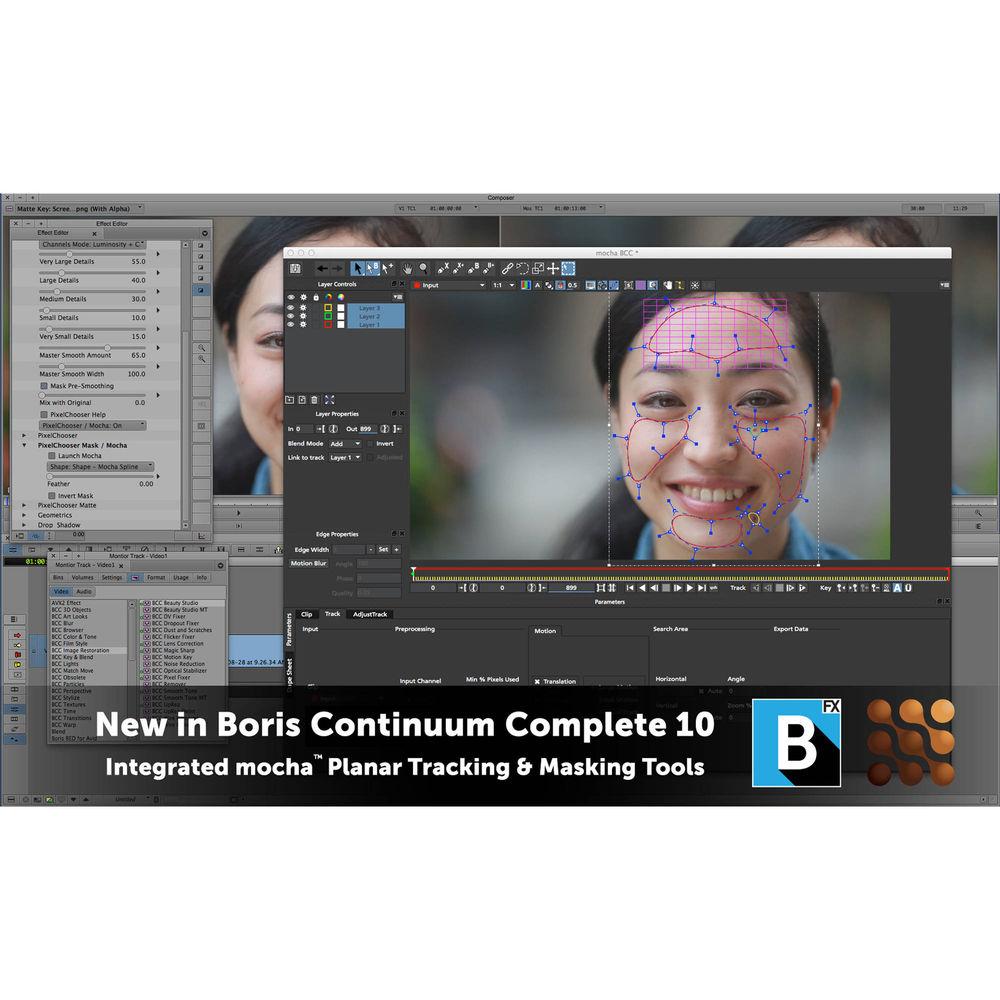
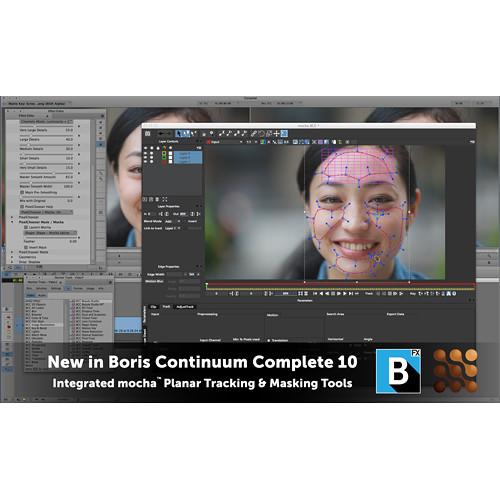
- Imagineer's Academy Award-winning Mocha planar tracking and masking engine is now integrated into the BCC 10 PixelChooser, allowing editors to do more advanced finishing work without leaving the timeline.
- Drastically reduce time-consuming masking and manual keyframing
- Simplifies tasks such as blurring faces, isolating filters, and correcting footage
- Unlimited mask layers for simple effect isolation to full blown rotoscoping
- Track lens flares, corner pins, titles, and graphics with Mocha tracking data
- BCC Beauty Studio
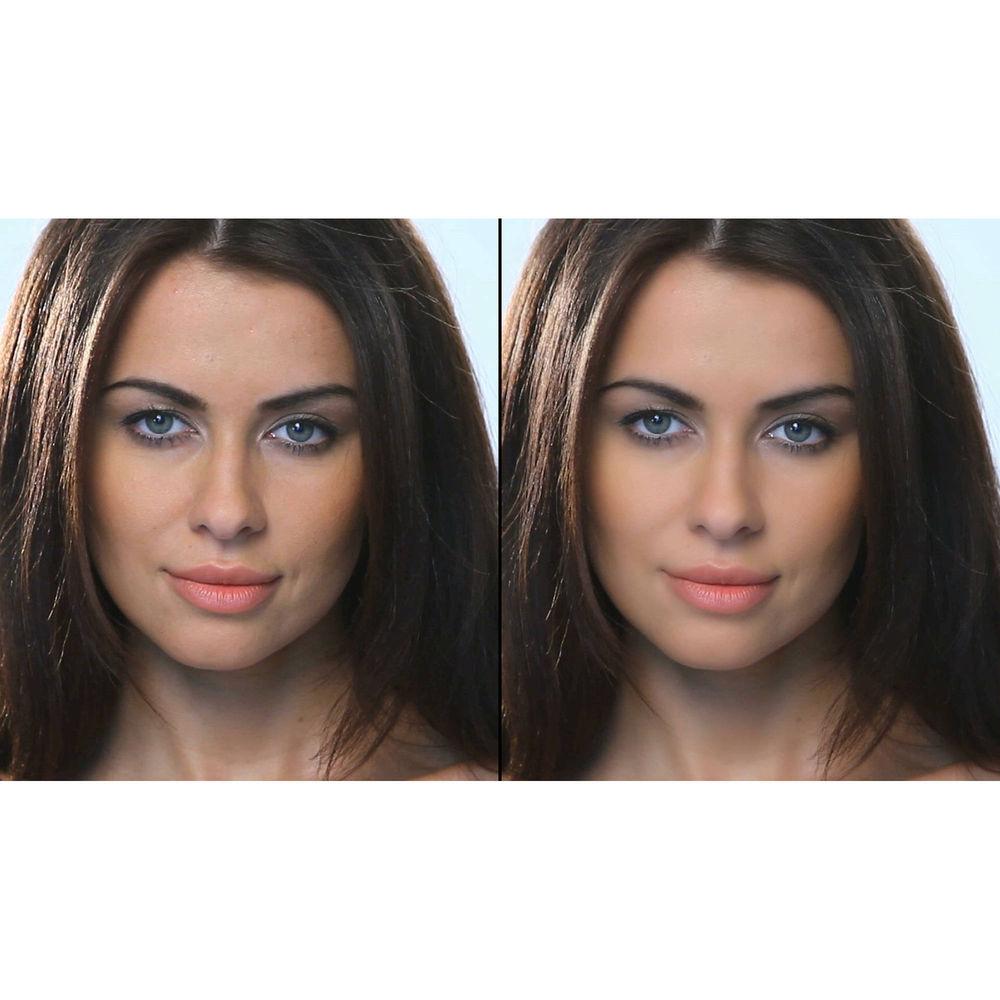
- BCC Beauty Studio is a new skin retouching tool that gives editors the ability to smooth skin and reduce blemishes making their talent look better.
- Advanced skin smoothing produces professional and realistic results for a digital makeover
- State-of-the-art keying algorithm isolates skin tones, while retaining natural sharpness and contrast
- Integrated Mocha planar track masking reduces manual keyframe labor
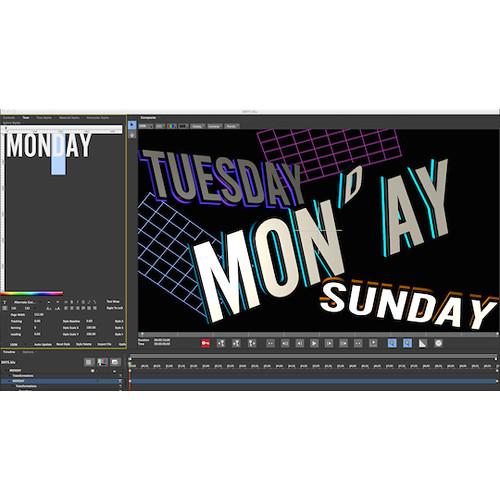
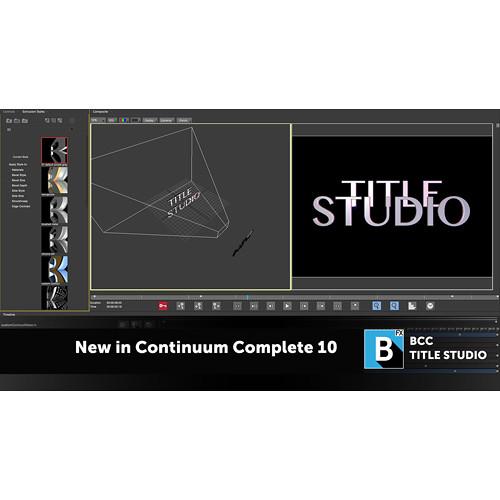
- BCC Title Studio
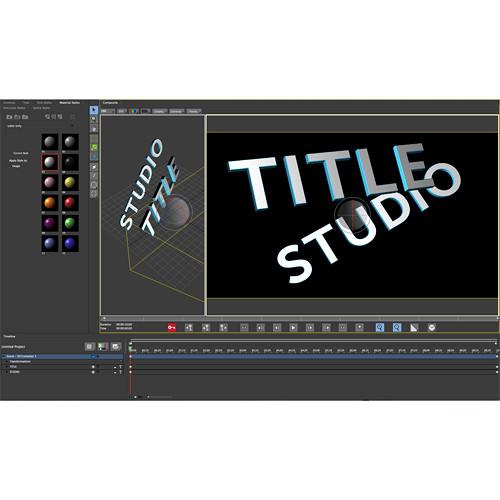
- Create professional 2D/3D broadcast titles and high quality motion graphics at any resolution with the BCC Title Studio plug-in.
- Create stylized 2D or 3D titles with custom bevels, fills, and styles
- OpenGL-accelerated features include 3D extrusions, materials, cameras, lights, and deformers
- Import 3D models from Maxon C4D or Adobe Illustrator EPS files
- Includes a custom interface plug-in and stand-alone application
- New Image Restoration Tools
- Three new filters are added to the already highly useful set of tools that fix, repair, and restore footage.
- BCC Remover fills in missing pixels and removes objects with clone and auto-fill options
- BCC Dropout Fixer easily restores tape based damaged footage with field or frame dropouts
- BCC Reframe reformats and stylizes vertical cell phone video footage into a standard 16x9 aspect ratio for broadcast
- Includes options to stylize the foreground and background with blur, stretch, and mirroring
- New Effects in BCC 10
-
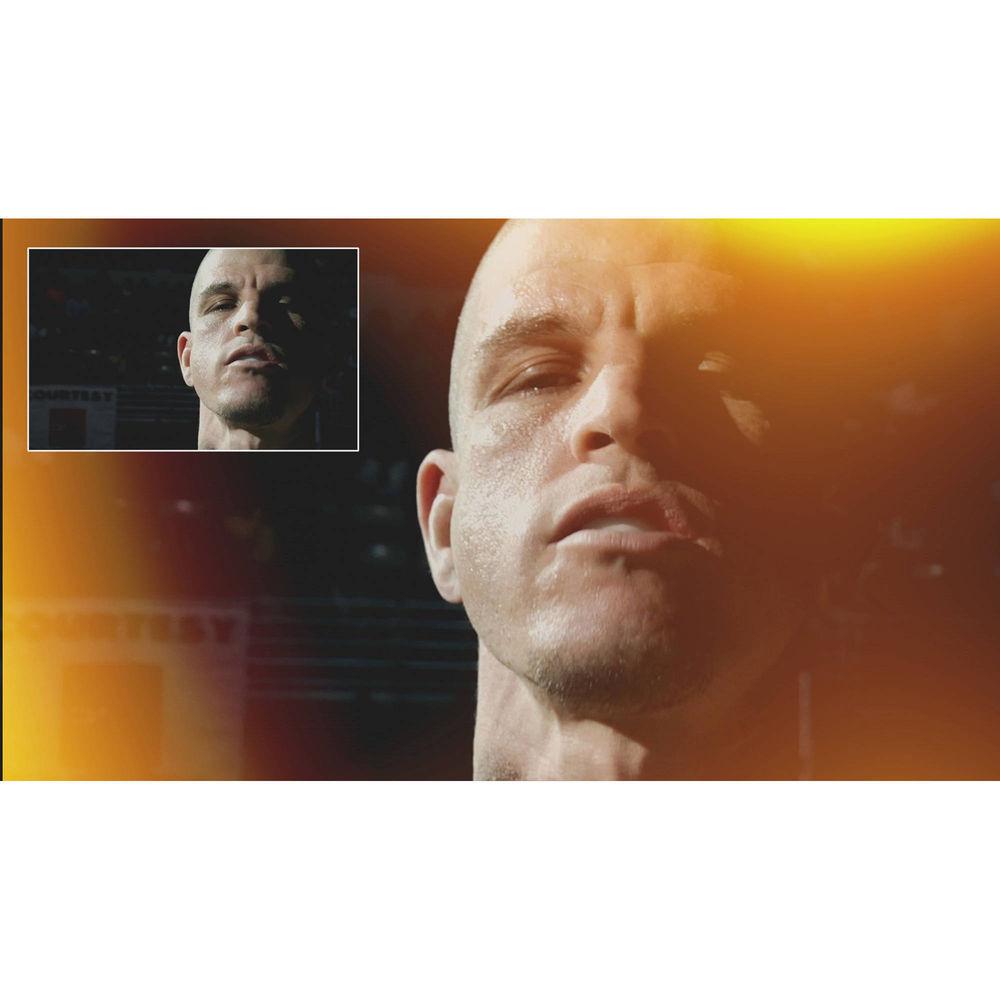
- BCC Light Leaks adds organic and naturalistic "in-camera" light and exposure effects to stylize and enhance footage
- BCC Video Glitch recreates the distressed look of compression artifacts, signal loss, and corrupt digital video
- The embedded Beat Reactor in BCC Video Glitch can sync glitch effects to audio
- New Transitions in BCC 10
- Each transition comes with many pre-built presets for an easy starting point. Customize, save, and share your transition effects.
- BCC Light Leaks Dissolve creates a light exposure-based transition
- BCC Cross Glitch mimics abrupt digital signal transitions
- BCC Cross Melt conveys a new organic look and feel
- BCC Cross Zoom combines zoom, glow, and dissolve into one simple transition
- FX Browser
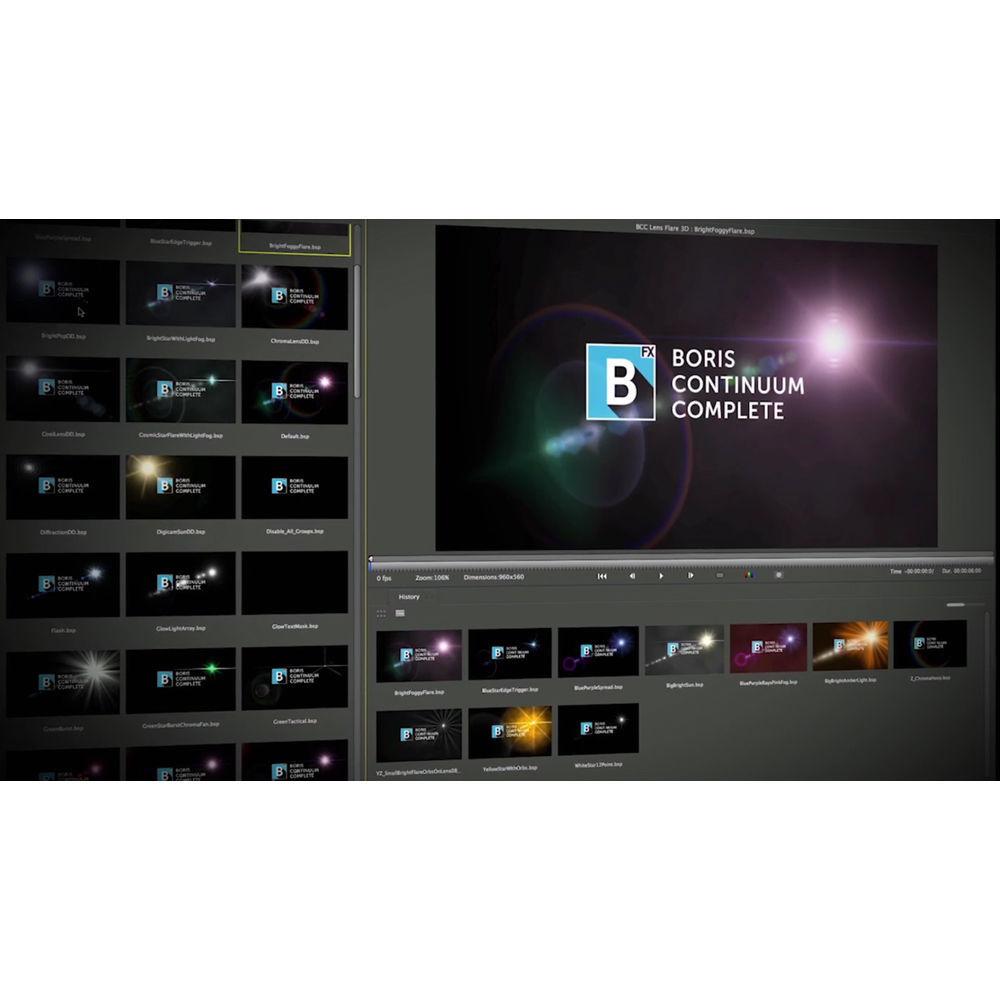
- Quickly and easily find your perfect look. The FX Browser can be accessed both in each individual filter and standalone to browse the entire BCC effects presets library. The built-in browsing history lets you keep track of your most recent searches. All effects play back over video in your timeline, not just a poster frame. The FX Browser supports BCC 3D Objects units.
All Filters - 3D Objects
-
- Title Studio
- Extruded .EPS
- Type-On Text
- Layer Deformer
- Extruded Text
- Extruded Spline
- Blur and Sharpen
-
- Z-Blur
- Unsharp Mask
- Spiral Blur
- Radial Blur
- Pyramid Blur
- Motion Blur
- Lens Shape
- Lens Blur
- Gaussian Blur
- Directional Blur
- Film Style
-
- Vignette
- Match Grain
- Fast Film Glow
- Fast Film Process
- Film Grain
- Film Damage
- DeInterlace
- Two Strip Color
- Key and Blend
-
- RGB Blend
- Premult
- Pixel Chooser
- Matte Cleanup
- Matte Choker
- Make Alpha Key
- Linear Luma Key
- Linear Color Key
- Light Wrap
- Light Matte
- Glow Matte
- Composite Choker
- Composite
- Chroma Key Studio
- Chroma Key
- Boost Blend
- Alpha Process
- Match Move
-
- Witness Protection
- Match Move
- Corner Pin
- Perspective
-
- Sphere
- Pan and Zoom
- Page Turn
- Fast Flipper
- DVE Basic
- DVE
- Cylinder
- Cube
- 3D Image Shatter
- 3D Extruded Image Shatter
- Textures
-
- Wooden Planks
- Wood Grain
- Weave
- Veined Marble
- Steel Plate
- Stars
- Rock
- Reptilian
- Rays
- Noise Map 2
- Mixed Colors
- Granite
- Fractal Noise
- Clouds
- Cloth
- Caustics
- Brick
- Transitions
-
- Water Waves Dissolve
- Light Leaks Dissolve
- Vignette Wipe
- Vector Blur Dissolve
- Twister
- Tritone Dissolve
- Tile Wipe
- Textured Wipe
- Swish Pan
- Ripple Dissolve
- Rings Wipe
- Ribbon Wipe
- Rectangular Wipe
- Rays Dissolve
- Radial Wipe
- Multi Stripe Wipe
- Linear Wipe
- Multi Stretch Wipe
- Light Wipe
- Lens Flash
- Lens Flare Spiked
- Lens Flare Round
- Lens Flare Dissolve
- Lens Distortion Wipe
- Grid Wipe
- Flutter Cut
- Film Glow Dissolve
- Damaged TV Dissolve
- Composite Dissolve
- Checker Wipe
- Criss-Cross Wipe
- Burnt Film
- Blur Dissolve
- Blobs Wipe
- Art Looks
-
- Water Color
- Tile Mosaic
- Spray Paint Noise
- Posterize
- Pencil Sketch
- Median
- Halftone
- Charcoal Sketch
- Cartooner
- Cartoon Look
- Bump Map
- Artist's Poster
- Color and Tone
-
- Videoscope
- Tritone
- Safe Colors
- MultiTone Mix
- Levels Gamma
- Invert Solarize
- Hue-Sat-Lightness
- Correct Selected Color
- Colorize
- Color Palette
- Brightness and Contrast
- Color Match
- Color Correction
- Color Balance
- 3 Way Color Grade
- Image Restoration
-
- Wire Remover
- Uprez
- Smooth Tone
- Remover
- Reframer
- Pixel Fixer
- Optical Stabilizer
- Noise Reduction
- Motion Key
- Magic Sharp
- Lens Correction
- Flicker Fixer
- DV Fixer
- Dust and Scratches
- Dropout Fixer
- Beauty Studio
- Lights
-
- Lens Flare 3D
- Stage Light
- Reverse Spotlight
- Rays Wedge
- Rays Textured
- Rays Streaky
- Rays Ripply
- Rays Ring
- Rays Radiant Spotlight
- Rays Radiant Edges
- Rays Puffy
- Rays Cartoon
- Light Sweep
- Lightning
- Laser Beam
- Glitter
- Glint
- Glare
- Edge Lighting
- Particles
-
- Wild Cards
- Sparks
- Snow
- Rain
- Pin Art 3D
- Particle Emitter 3D
- Particle Array 3D
- Organic Strands
- Comet
- 2D Particles
- Stylize
-
- Scatterize
- Scanline
- RGB Pixel Noise
- RGB Edges
- Prism
- Multi Shadow
- Mosaic
- Misalignment
- LED
- Grunge
- Glow Alpha Edges
- Emboss
- Edge Grunge
- Drop Shadow
- Damaged TV
- Colorize Glow
- Color Choker
- Video Glitch
- Time
-
- Velocity Remap
- Trails Basic
- Trails
- Time Displacement
- Temporal Blur
- Posterize Time
- Optical Flow
- Looper
- Jitter Basic
- Jitter
- Beat Reactor
- Warp
-
- Wave
- Warp
- Video Morph
- Morph
- Vector Displacement
- Twirl
- Turbulence
- Ripple
- Polar Displacement
- Displacement Map
- Bulge
Table of Contents
|
Upload User Manual
Have you got an user manual for the Boris FX Continuum Complete 10 Legacy Renewal for Apple in electronic form? Please send it to us and help us expand our library of instruction manuals.
Thank you, too, on behalf of other users.
To upload the product manual, we first need to check and make sure you are not a robot. After that, your "Submit Link" or "Upload File" will appear.
Technical parametersBoris FX BCCFXPUGL Specs | | | Delivery Method | Download | | License Type | 1-Year Subscription | | Number of Users Supported | 1 | | | | VRAM Requirement | 512 MB (Minimum)
1 GB (Recommended) |
Rating50% users recommend this product to others. And what about you?

This product has already been rated by 50 owners. Add your rating and experience with the product.
Discussion
 Ask our technicians if you have a problem with your settings,
or if anything is unclear in the user manual you have downloaded.
You can make use of our moderated discussion.
The discussion is public and helps other users of our website who may be encountering similar problems.
Ask our technicians if you have a problem with your settings,
or if anything is unclear in the user manual you have downloaded.
You can make use of our moderated discussion.
The discussion is public and helps other users of our website who may be encountering similar problems.
The discussion is empty - enter the first post
Post a new topic / query / comment:
|
|
|
| Request for user manual |
You can’t find the operation manual you are looking for? Let us know and we will try to add the missing manual:
I’m looking for a manual / Request for manual
Current requests for instruction manuals:
Call Of Duty World War Two For Xbox...
controller stratus XL...
stratus XL...
smart whatch serie S11 42mm...
Allen & Heath SQ-6 manual...
|
| Discussion |
Latest contributions to the discussion:
AEW R 4100
Name: MAURICIO ANGARITA
Audio-Technica AEW-R4100 UHF Diversity Receiver for
AEW R 4100 has the mute function blocked and does not allow audio to pass. I tried several times to turn off the mute from the transmitter but it does nothing, the mute stays on. Solution?
Thank you...
Instructions for assembling the 2015 Forecast Image Master Consoles GC3-A
Name: mike elam
Forecast Consoles GC3-A ImageMaster Editing Console
Looking for instructions for assembling this console. ...
EMPTY TONER ERROR MESSAGE AFTER REPLACING TONER
Name: LINDA BAD YELLOW EYES
Brother TN223BK Standard-Yield Toner
I HAD TO CHANGE OUT ALL THREE TONERS DUE TO LEAKS IN THE YELLOW AND CYAN. AFTER I REPLACED THEM, THE MACHINE KEEPS GIVING ME AN EMPTY TONER ERROR MESSAGE. HELP!!...
PS480D 20/24 pin Switching 480W Power Supply
Name: swkargo
Logisys 480W Power Supply
This item states in can run -5vdc .It is NOT listed on the board or I beleive is r4 is missing the resitior. Any body have thid issue. Shawn
...
Help needed
Name: Ann Carter
SanDisk 1TB Extreme Portable USB 3.1
When I click the link to download the user manual for my Sandisk Extreme external hard drive, it gives me the manual for the LG Cricket. Can you please change the link so I can download the Sandisk manual and begin using this drive? Thank you....
|
|


