|
User Manual for BOSS DD-500 Digital Delay Pedal Click to enlarge the picture
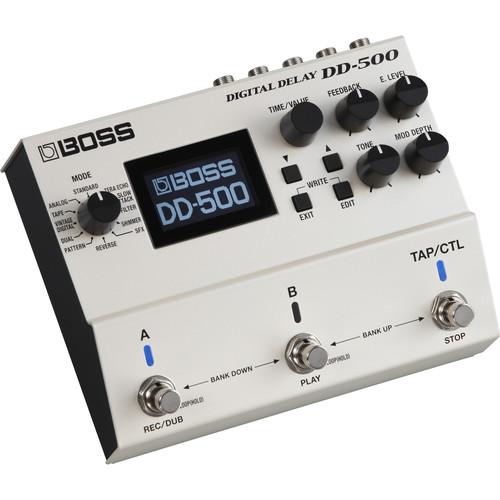 Contents of the user manual for the BOSS DD-500 Digital Delay Pedal
- Product category: Effects Pedals BOSS
- Brand: BOSS
- Description and content of package
- Technical information and basic settings
- Frequently asked questions – FAQ
- Troubleshooting (does not switch on, does not respond, error message, what do I do if...)
- Authorized service for BOSS Effects Pedals
 |
User manual for the BOSS DD-500 Digital Delay Pedal contain basic instructions
that need to be followed during installation and operation.
Before starting your appliance, the user manual should be read through carefully.
Follow all the safety instructions and warnings, and be guided by the given recommendations.
User manual is an integral part of any BOSS product,
and if it is sold or transferred, they should be handed over jointly with the product.
Following the instructions for use is an essential prerequisite for protecting
health and property during use, as well as recognition of liability on the part of the manufacturer
for possible defects should you make a warranty claim. Download an official BOSS user manual in which you will find instructions on how to install, use, maintain and service your product.
And do not forget – unsuitable use of a BOSS product will considerably shorten its lifespan!
|
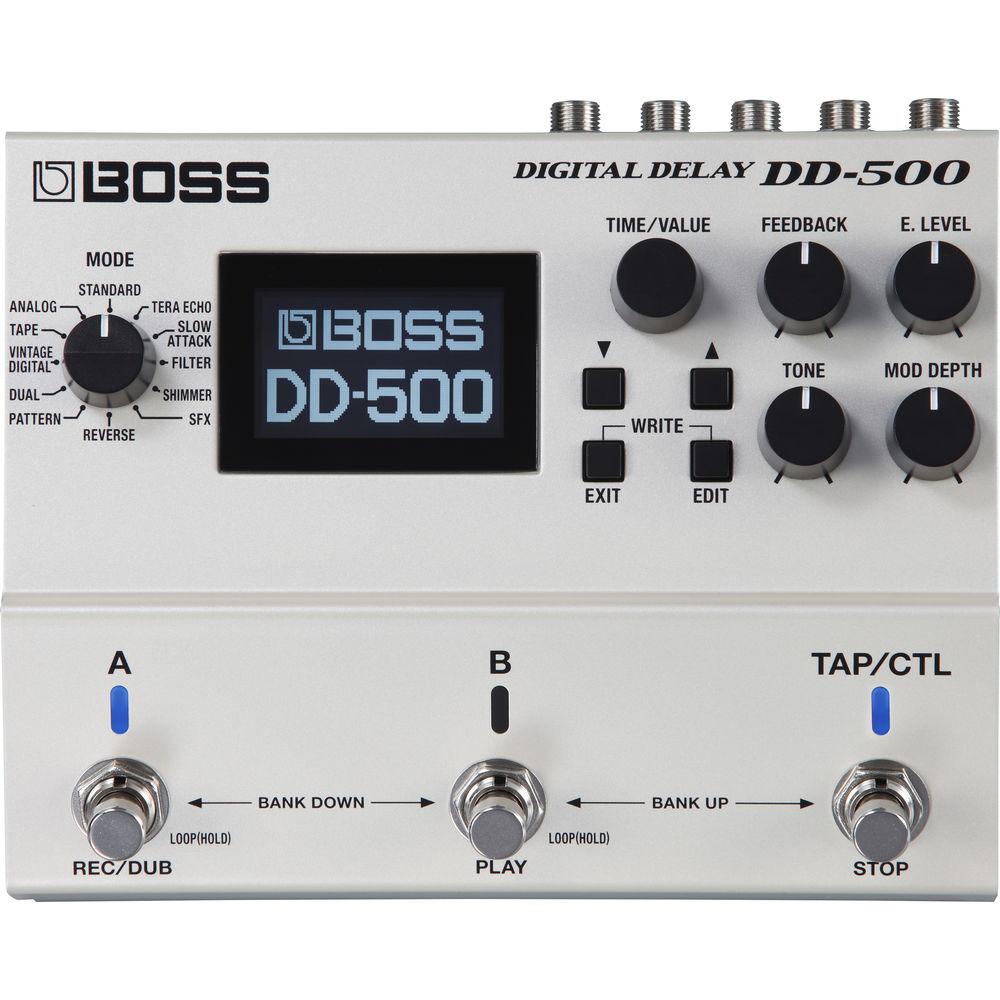
Product description Featuring high-fidelity audio processing at 32-bit/96 kHz, the BOSS DD-500 Digital Delay Pedal has 12 delay modes that can evoke modeled analog ambience, clean digital repeats, and other delay types in between. While the delay processing is digital, it leaves your fundamental tone untouched as it passes through to the output, either as a true bypassed or buffered signal. Once your patches are set, they can be edited and manipulated in real time using the front-panel controls and footswitches, as well as separately available footswitches and expression pedals. With its built-in memory, the DD-500 can even function as a looper pedal. - Twelve Versatile Delay Modes and Deep Editing Options
- With the DD-500's 12 delay modes, you can create any delay sound from warm, gritty vintage delays and tape echo to complex modern delay lines that employ pitch shifting, filtering, and other unique processing. With the hands-on knobs, it's easy to shape essential parameters and create great sounds immediately. Each delay type also includes a semi-parametric four-band EQ, modulation, ducking, and many other parameters, allowing you to dive deep and refine tones with great precision
- High-Quality Sound Processing
- In the DD-500, every delay mode has been carefully crafted for a unique sonic personality and highly musical tones realized by 32-bit/96 kHz processing throughout. And while the DD-500's delay effects are digital, your straight guitar tone remains 100-percent analog at all times, with your choice of buffered or true bypass operation. In addition to strengthening the analog dry signal, buffered bypass has the added benefit of enabling carryover, so delay trails are not cut off unnaturally when the effect is disengaged
- Advanced Features for Stage and Studio Use
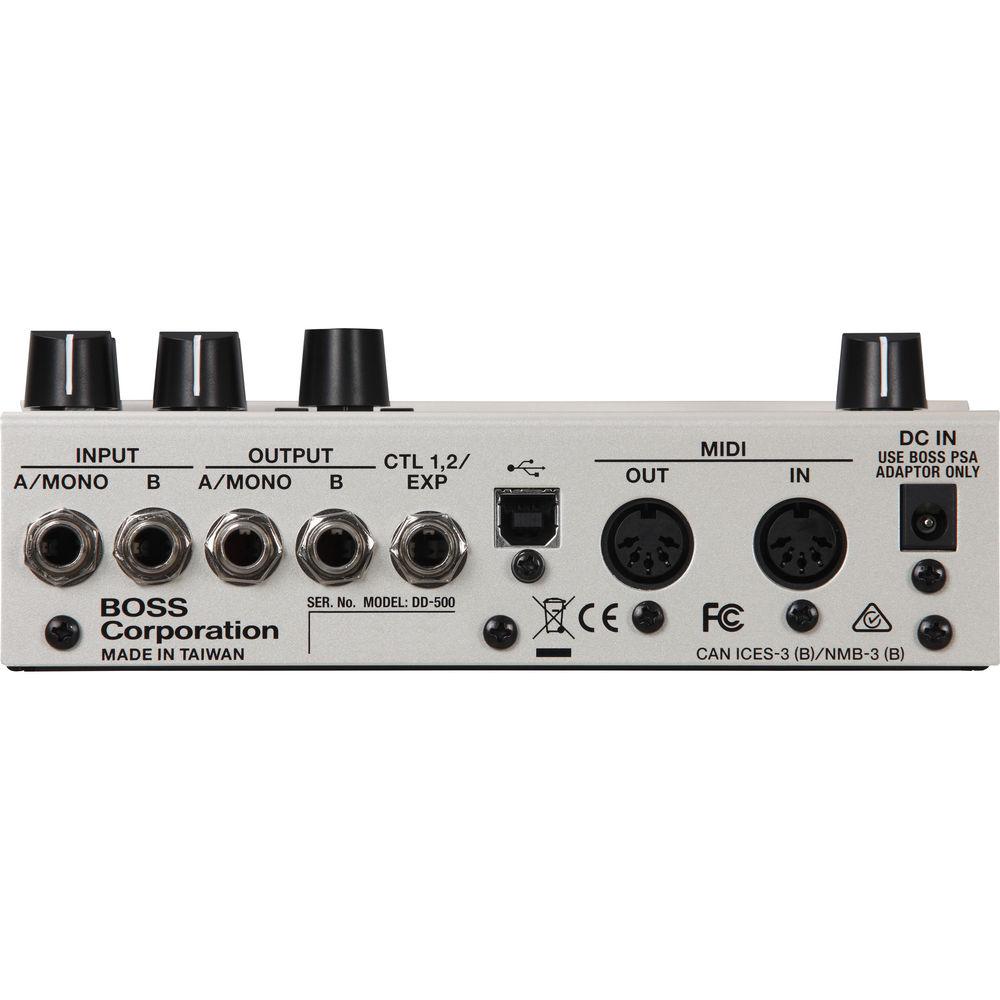
- The DD-500 has a large, integrated LCD which fully supports the pedal's immense capabilities, giving you clear visibility of delay time, patch ID, and more on one screen, plus navigation for detailed parameter tweaks, naming, and system management. Via USB, it's simple to connect to your computer for patch backup and MIDI I/O opens up many additional control options with advanced setups such as a pedal board incorporating complex switchers like the BOSS ES-8 Effect Switching System
- Deep Real-Time Control
- With its freely assignable controls, the DD-500 delivers creative expression and performance flexibility. By default, the A, B, and TAP/CTL switches offer intuitive control for two patches, bypass, bank selection, tap tempo, and more. However, they can be customized to operate in alternate ways, such as providing top-level access to three different delay patches, or allowing you to use two patches at once for layered delay sounds. Instead of tap tempo, you're able to assign the TAP/CTL switch to various real-time functions like Warp or Twist for a wide range of expressive effects. Even more parameters can be manipulated via an optional expression pedal or external switches, and MIDI I/O opens up many additional control options with advanced setups
- DD-500 Delay Modes
-
- Standard: Clear digital delay
- Analog: Emulates classic analog "BBD" delays like the BOSS DM series
- Tape: Emulates the warm sound of tape-based delay units, including the Maestro Echoplex and legendary Roland RE: 201 Space Echo
- Vintage Digital: Emulations of early digital delays from the 1980s, including Roland's famous SDE-2000 and SDE-3000 rack units, and the BOSS DD-2
- Dual: Two different delay lines that can be connected in series or parallel
- Pattern: Sixteen different delay lines that can be set independently for all types of unique rhythmic effects
- Reverse: Backwards delay for cool psychedelic effects and other unique tones
- SFX: "Special effects" delay with a highly unique sound character
- Shimmer: Pitch-shifted delays for lush, heavenly textures
- Filter: Delay with a sweeping filter
- Slow Attack: Ethereal delays that fade in with playing dynamics
- Tera Echo: Spacious, animated ambience effect derived from the innovative BOSS TE-2 pedal
- DD-500 Assignable Control Functions
- The following functions can be assigned to the DD-500's onboard TAP/CTL switch and/or optional external footswitches. These assignments are stored as part of a patch.
- Tap: Set the delay in time with a song's tempo
- Hold: The delay's feedback is held continuously while the switch is pressed
- Warp: Increases the delay's feedback and level simultaneously for powerful expressive effects
- Twist: Adjusts multiple delay parameters with a single press, creating wild sounds similar to twisting the panel knobs in real time
- Moment: Outputs the delay sound only when you hold down the switch
- Roll ½ / ¼ / ⅛: Cuts the delay time to a fractional subdivision of the current setting when you hold down the switch
- Fade In: Fades in the delay sound
- Fade Out: Fades out the delay sound
- Assign 1-8: Allows you to assign and control up to eight different delay parameters at once
UPC: 761294507278 In the Box BOSS DD-500 Digital Delay Pedal 4 x AA Batteries Limited 1-Year Warranty Table of Contents
|
Upload User Manual
Have you got an user manual for the BOSS DD-500 Digital Delay Pedal in electronic form? Please send it to us and help us expand our library of instruction manuals.
Thank you, too, on behalf of other users.
To upload the product manual, we first need to check and make sure you are not a robot. After that, your "Submit Link" or "Upload File" will appear.
Technical parametersBOSS DD-500 Specs | Inputs | 2 x unbalanced 1/4" instrument TS
Nominal Input Level: -10 dBu
Max Input Level: +8 dBu
Input Impedance: 1 MOhm
1 x 1/4" tempo/expression pedal TRS | | Outputs | 2 x unbalanced 1/4" instrument TS
Nominal Output Level: -10 dBu
Max Output Level: +8 dBu
Output Impedance: 1 kOhm | | Recommended Load Impedance | 20 kOhms or greater | | Digital I/O | 1 x USB 2.0 (hi-speed mass storage)
MIDI (in/out) | | Sampling Frequency | 96 kHz | | AD/DA Conversion | 32 bits | | Processing | 32-bit floating point | | Modes | 12 Delay Modes:
STANDARD
ANALOG
TAPE
VINTAGE DIGITAL
DUAL
PATTERN
REVERSE
TERA ECHO
SLOW ATTACK
FILTER
SHIMMER
SFX | | Delay Time | Max: 10 sec (Values may vary according to the mode and connections) | | Phrase Looper | 60 sec (96 kHz mono, 48 kHz stereo)
120 sec (48 kHz mono)
Delay can be applied | | Patches | 198 (99 banks x 2 [A] [B]), 297 (99 banks x 3 [A] [B] [C]) | | Pedals | 3 x Footswitch [A][B][TAP/CTL] | | Controls | MODE
TIME/VALUE
FEEDBACK
E.LEVEL
TONE
MOD DEPTH | | Display | 1 x Graphic LCD (128 x 62 dots, backlit LCD) | | Power Supply | Alkaline batteries: AA, LR6 type x 4
Optional AC Adapter (PSA series) | | Battery Life | Alkaline: 7 hours (approximate)
(These figures will vary depending on the actual conditions of use) | | Current Draw | 200 mA | | Dimensions | 6.75 x 5.4 x 2.5" / 170 x 138 x 62 mm | | Weight | 2.25 lb / 1 kg | | | | Package Weight | 3.7 lb | | Box Dimensions (LxWxH) | 9.921 x 7.874 x 4.488" |
Rating90% users recommend this product to others. And what about you?

This product has already been rated by 93 owners. Add your rating and experience with the product.
Discussion
 Ask our technicians if you have a problem with your settings,
or if anything is unclear in the user manual you have downloaded.
You can make use of our moderated discussion.
The discussion is public and helps other users of our website who may be encountering similar problems.
Ask our technicians if you have a problem with your settings,
or if anything is unclear in the user manual you have downloaded.
You can make use of our moderated discussion.
The discussion is public and helps other users of our website who may be encountering similar problems.
The discussion is empty - enter the first post
Post a new topic / query / comment:
|
|
|
| Request for user manual |
You can’t find the operation manual you are looking for? Let us know and we will try to add the missing manual:
I’m looking for a manual / Request for manual
Current requests for instruction manuals:
Call Of Duty World War Two For Xbox...
controller stratus XL...
stratus XL...
smart whatch serie S11 42mm...
Allen & Heath SQ-6 manual...
|
| Discussion |
Latest contributions to the discussion:
AEW R 4100
Name: MAURICIO ANGARITA
Audio-Technica AEW-R4100 UHF Diversity Receiver for
AEW R 4100 has the mute function blocked and does not allow audio to pass. I tried several times to turn off the mute from the transmitter but it does nothing, the mute stays on. Solution?
Thank you...
Instructions for assembling the 2015 Forecast Image Master Consoles GC3-A
Name: mike elam
Forecast Consoles GC3-A ImageMaster Editing Console
Looking for instructions for assembling this console. ...
EMPTY TONER ERROR MESSAGE AFTER REPLACING TONER
Name: LINDA BAD YELLOW EYES
Brother TN223BK Standard-Yield Toner
I HAD TO CHANGE OUT ALL THREE TONERS DUE TO LEAKS IN THE YELLOW AND CYAN. AFTER I REPLACED THEM, THE MACHINE KEEPS GIVING ME AN EMPTY TONER ERROR MESSAGE. HELP!!...
PS480D 20/24 pin Switching 480W Power Supply
Name: swkargo
Logisys 480W Power Supply
This item states in can run -5vdc .It is NOT listed on the board or I beleive is r4 is missing the resitior. Any body have thid issue. Shawn
...
Help needed
Name: Ann Carter
SanDisk 1TB Extreme Portable USB 3.1
When I click the link to download the user manual for my Sandisk Extreme external hard drive, it gives me the manual for the LG Cricket. Can you please change the link so I can download the Sandisk manual and begin using this drive? Thank you....
|
|


