|
User Manual for BOSS GT-1000 Guitar Effects Processor Click to enlarge the picture
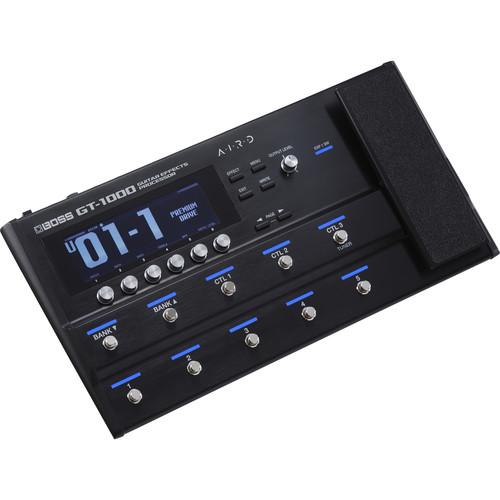 Contents of the user manual for the BOSS GT-1000 Guitar Effects Processor
- Product category: Effects Pedals BOSS
- Brand: BOSS
- Description and content of package
- Technical information and basic settings
- Frequently asked questions – FAQ
- Troubleshooting (does not switch on, does not respond, error message, what do I do if...)
- Authorized service for BOSS Effects Pedals
 |
User manual for the BOSS GT-1000 Guitar Effects Processor contain basic instructions
that need to be followed during installation and operation.
Before starting your appliance, the user manual should be read through carefully.
Follow all the safety instructions and warnings, and be guided by the given recommendations.
User manual is an integral part of any BOSS product,
and if it is sold or transferred, they should be handed over jointly with the product.
Following the instructions for use is an essential prerequisite for protecting
health and property during use, as well as recognition of liability on the part of the manufacturer
for possible defects should you make a warranty claim. Download an official BOSS user manual in which you will find instructions on how to install, use, maintain and service your product.
And do not forget – unsuitable use of a BOSS product will considerably shorten its lifespan!
|
Product description - BOSS GT-1000 Preset Sound Examples (No Talking)
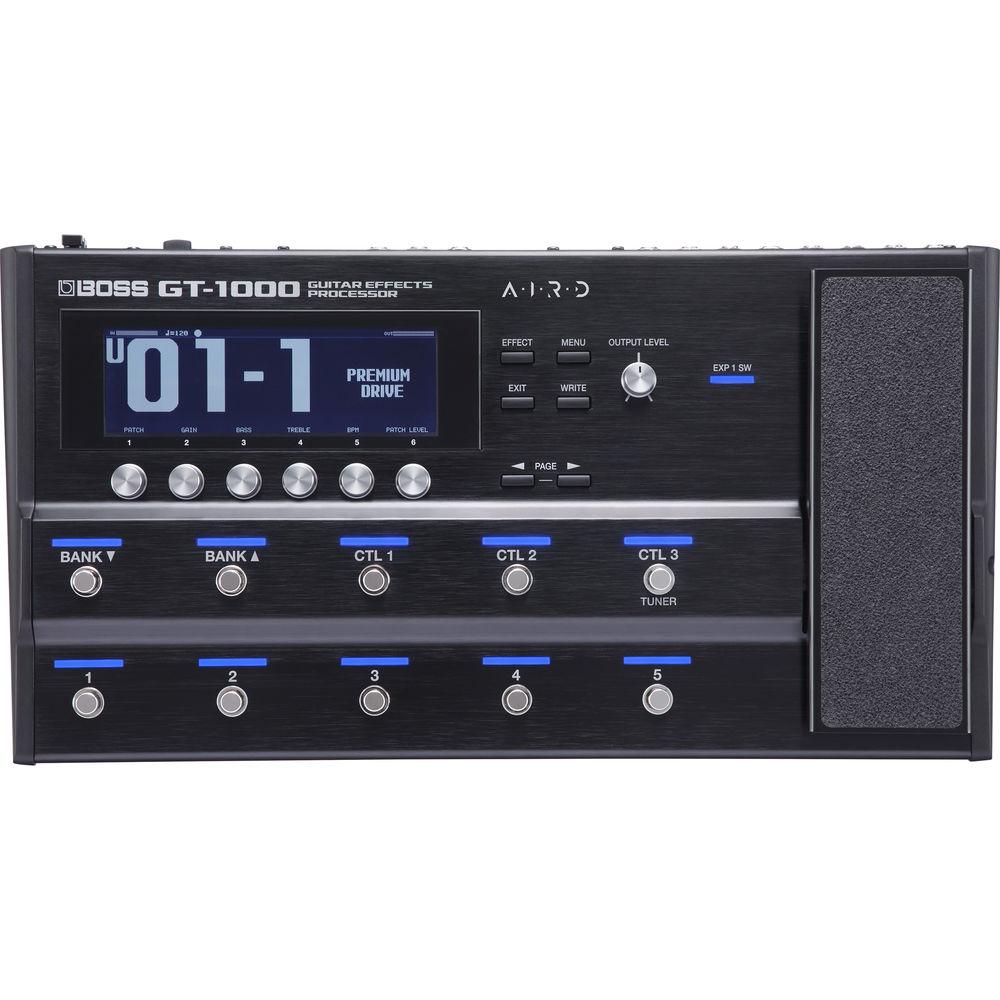
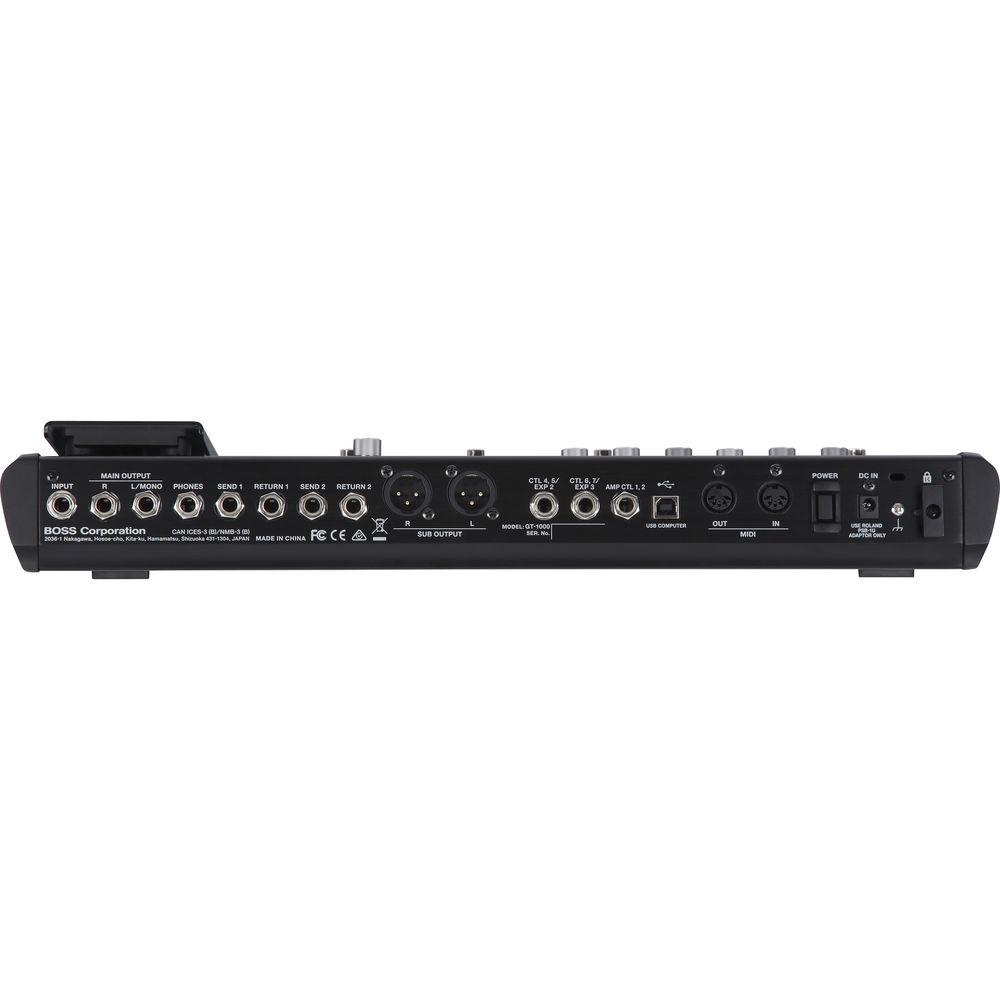
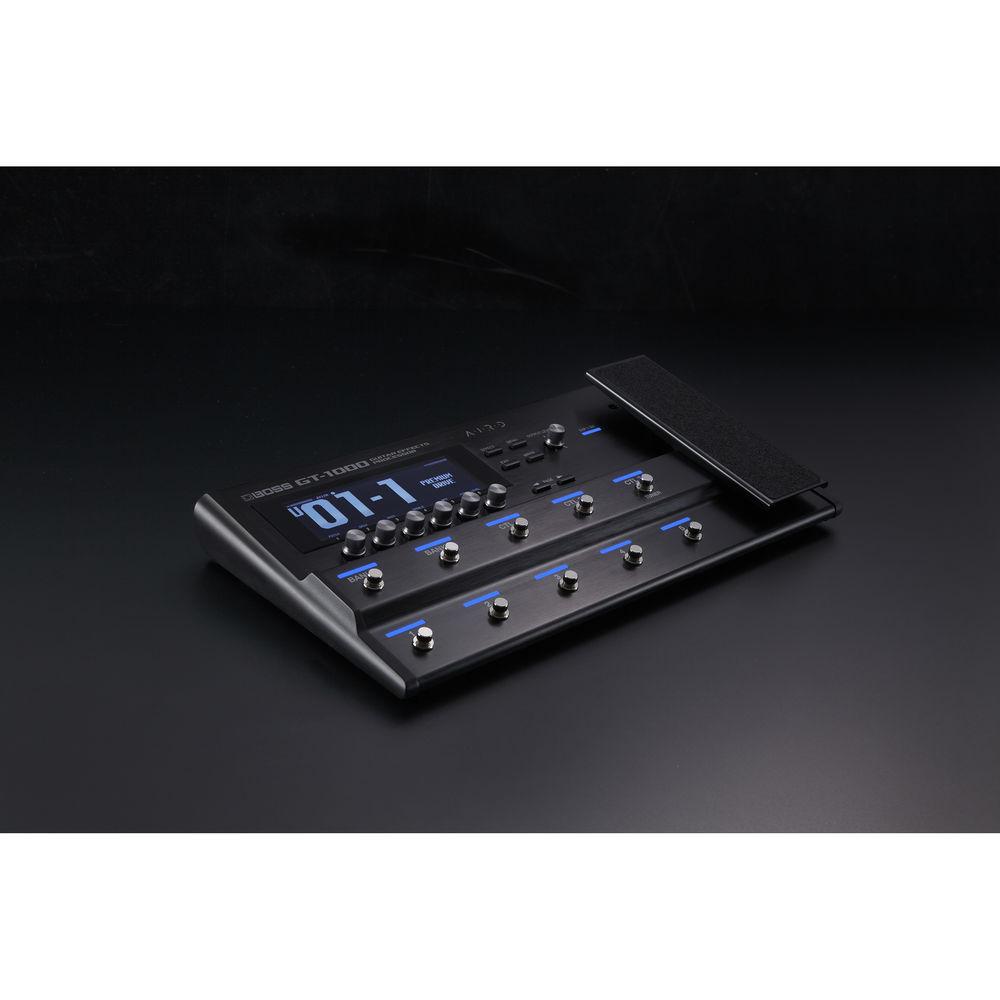
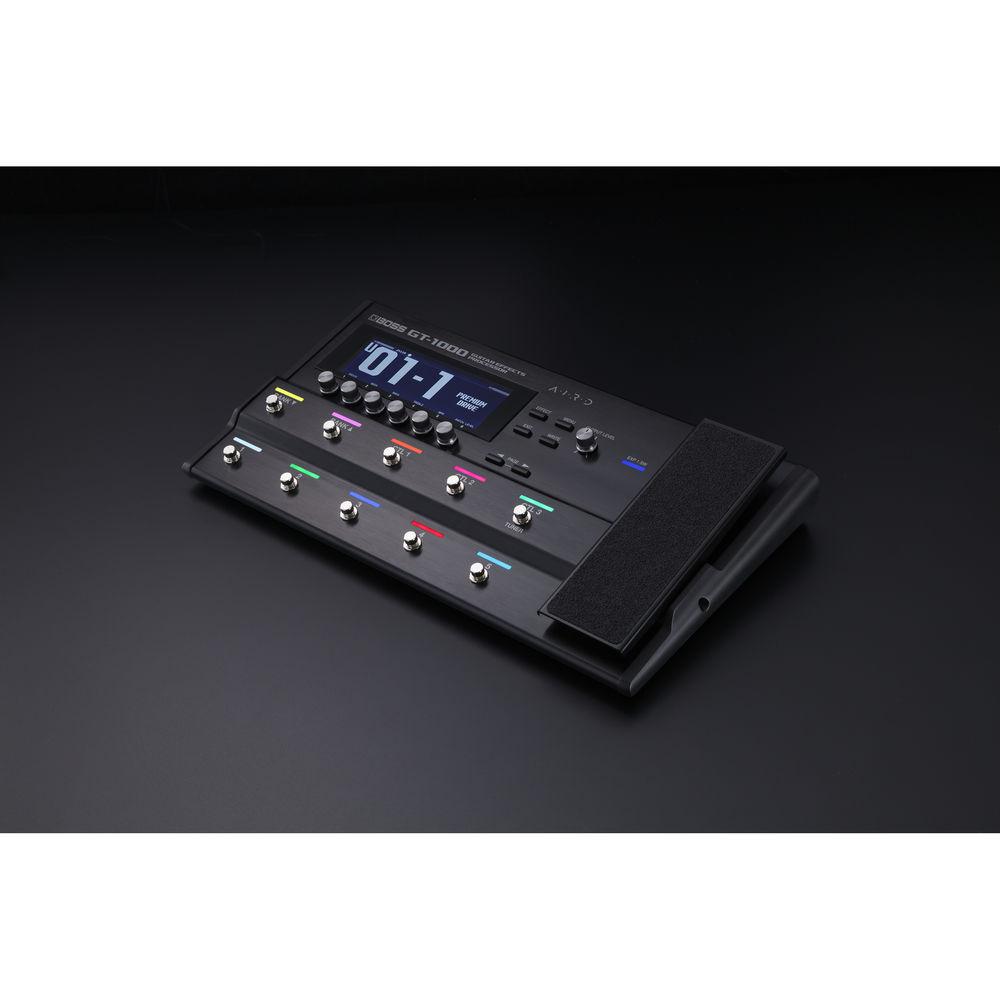
The BOSS GT-1000 is a multi-effects processor for electric guitarists. The unit employs AIRD processing, which stands for Augmented Impulse Response Dynamics. Operating at 32-bit floating point, and at sample rates of 96 kHz, the GT-1000 uses this AIRD processing to bring you musically responsive and dynamic amplifier emulations, all of which interact with whatever system comes next in your chain, be it an amplifier, a DAW, a house PA, or various combinations thereof.The GT-1000 also brings 116 BOSS effects to the table—and if you find yourself missing any BOSS sound provided, chances are you can beam it into the GT-1000 via Bluetooth, using the BOSS Tone Studio app on an iOS/Android device. A streamlined, yet powerful control interface is provided by ten backlit footswitches, a variety of knobs, a large LCD display, and an expression pedal built right into the board.1/4" connections are on hand for your instrument, your main outputs, two effects loops, and more. XLR sub outputs can feed the house PA or your recording interface, while a USB connection can interface directly with your DAW. With MIDI I/O, you can implement the device with a variety of MIDI switches. The unit comes with an AC adapter. - Key Features at a Glance
-
- 32-bit AD/DA
- 32-bit floating-point processing and 96 kHz sampling rate throughout
- Next-generation BOSS DSP engine, custom-designed for music applications
- AIRD (Augmented Impulse Response Dynamics) technology implements BOSS’s Tube Logic concept in a digital guitar processor, delivering natural feel and optimized integration with all types of external devices
- A selection of expressive, dynamic amplifiers
- A plethora of onboard effects, including BOSS MDP effects and algorithms directly ported from the DD-500, MD-500, and RV-500 pedals
- Amps and effects can be routed in numerous series and parallel combinations
- Fast patch-switching and delay/reverb carryover
- Stompbox feature simplifies using common effects settings in many different patches
- Intuitive operation with large display and six user-assignable switching knobs
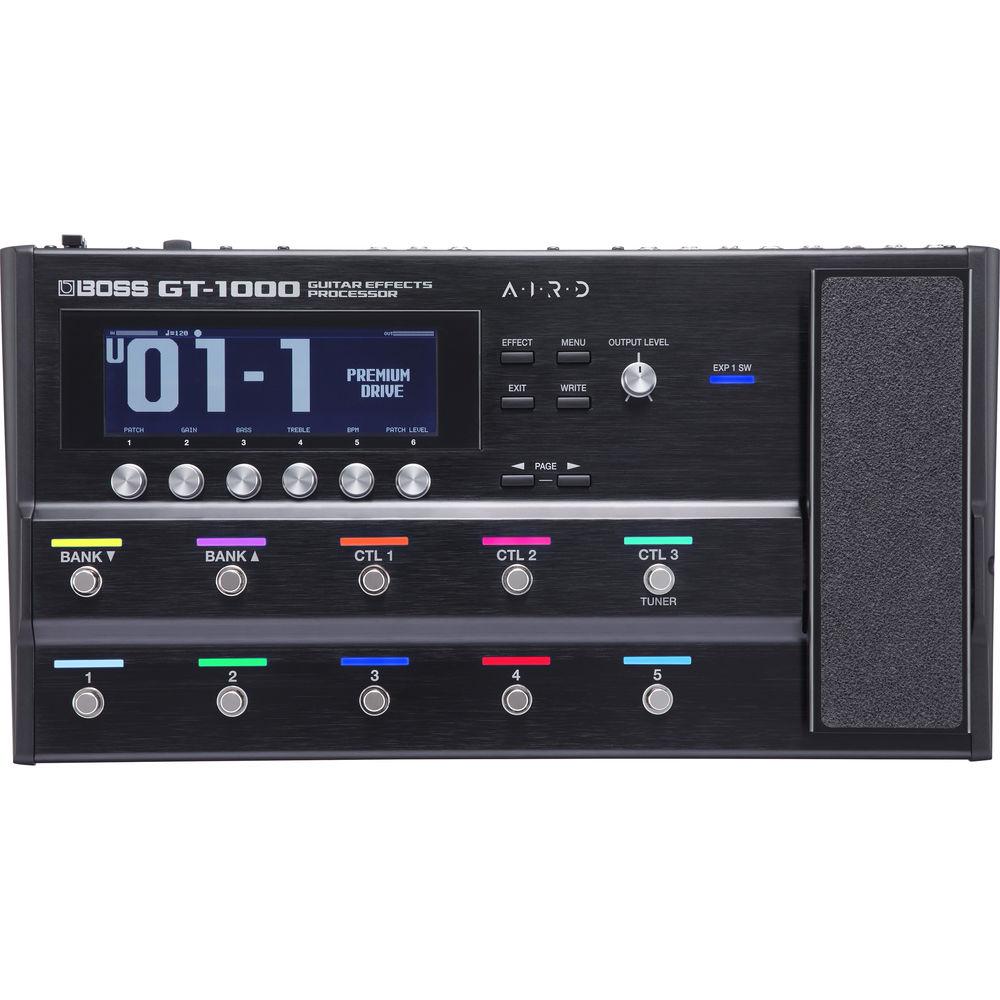
- 10 footswitches and integrated expression pedal with user-configurable assignments and LED colors
- High-resolution tuner with two display modes and mono or polyphonic operation
- 1/4” main outputs and XLR sub outputs, independent AIRD Output Select settings, and loop for external stereo or mono effects
- Support for external control via footswitches, expression pedals, MIDI, and USB
- Built-in Bluetooth for wireless editing from iOS and Android mobile devices
- USB audio/MIDI interface for computer-based recording and editing
- AIRD Processing
- At its core, the GT-1000 harnesses AIRD technology, based on the Tube Logic concept behind the Katana, Waza, and Blues Cube amplifiers. These tube amplifiers are essentially interactive, and Tube Logic design philosophy emulates this interactive experience in the digital realm. With AIRD, these design concepts are now available in pedal form-factor, particularly difficult to achieve as players often integrate pedalboards with a variety of external amplification systems that add their own characteristics to the sound. AIRD employs sophisticated techniques to ensure that the GT-1000's musical response can be consistently applied to all of these extrinsic elements.
- Highly Musical Guitar Amplifiers
- The GT-1000 is loaded with expressive guitar amplifiers, all modeled with AIRD technology. A key focus of AIRD is the reactive amp/speaker relationship, which is essential to the dynamic feel and musical responsiveness of tube amplifiers. This relationship is brought to life with the GT-1000's amps, producing guitar tones that dynamically interact with whatever is downstream in the chain. Furthermore, A wide range of BOSS original amplifiers are on hand, from super-clean to ultra-heavy, and several amp types employ Multi-Dimensional Processing (MDP) technology for an even more dynamic, nuanced tone. Two amps can be used at once in a single patch, so you're able to switch between two sounds, blend amps for complex tones, or achieve big, expansive sound in stereo setups.
- Optimized Output for Most Playing Applications
- AIRD enables the GT-1000 to integrate with all manners of creative setups, allowing you to enjoy great tone and response with minimal adjustments. By choosing from a large selection of AIRD Output Select types, you can tailor the GT-1000 for any destination, whether it's a guitar amp input, an amp effects return, a power amp driving guitar speakers, a computer DAW, or a full-range monitoring system. Whatever system you choose, you'll feel the dynamic interplay with your sound that has previously only been associated with true, corporeal amplifiers. You can also apply different AIRD Output Select settings to the main and sub outputs, so can you optimize the sound for two destinations at once such as a guitar amp and a house PA in tandem.
- Onboard BOSS Effects
- As you’d expect from a flagship BOSS processor, the GT-1000 is loaded with a multitude of effects, from overdrives and distortions to specialty effects like Slicer, Slow Gear, and a host of others. Many selections harness BOSS’s MDP tech, which intelligently adapts to your dynamics and playing register to achieve the right sound. Advanced algorithms from the renowned DD-500 Digital Delay, MD-500 Modulation, and RV-500 Reverb pedals are included as well, along with sophisticated Acoustic Resonance processing inherited from the AD-10 pedal for acoustic/electric guitar. Amps and effects can be configured with various series and parallel routing options, and signal paths can be divided and mixed at multiple points. Patch switching is accelerated by the GT-1000’s DSP. delay/reverb carryover is also possible. There are two effects loops onboard, allowing you to connect your favorite external effects and preamps.
- Intuitive Operation
- With the GT-1000’s large display and six switching knobs, the process of creating and adjusting sounds is smooth and efficient. Four different Play screen layouts provide alternate viewing options for various patch functions, and you can customize the knobs for quick access to specific parameters. While editing, the signal chain is clearly displayed, and it’s simple to select effects blocks, adjust parameters, and change the order. The available parameters for selected effects can be displayed in layers, letting you see everything at once on screen.You can also save any effect as a Stompbox. Parameter adjustments to a Stompbox are reflected in all patches where they are used, mimicking the way you’d implement physical pedals. This is ideal for effects where you use the same settings most of the time, but just need to make small adjustments occasionally. Now, you can make those changes quickly across multiple patches, eliminating the hassle of tweaking and saving each patch separately.
- Extensive Performance Control
- With its ten footswitches and expression pedal, the GT-1000 gives you comprehensive creative control on stage and in the studio. And if you're a power user, there's support for additional control via external switches, pedals, MIDI, and USB. By default, the main footswitches are assigned to select patches, patch banks, and three control assignments. If you like, you can reassign the switches to control nearly any function, including effects on/off, tap tempo, parameter adjustment, system settings, and more.
Using the GT-1000's switching knobs and powerful Assign Matrix, control assignments can be configured quickly and intuitively. It's also possible to assign different colors to the status LEDs above the switches, and easily view the current switch assignments with a Play screen option. - USB Audio/MIDI and Wireless Editing via Bluetooth
- The GT-1000's interface is easy to navigate, but smartphone/tablet integration provides an even simpler experience. The GT-1000 is equipped with on-board Bluetooth, allowing you to manage sounds from a dedicated BOSS Tone Studio app for iOS and Android. Whether at home, in rehearsal, or on stage, you can comfortably tweak the GT-1000 from your device without having to bend over and edit via the hardware. It's even possible to record a riff with the GT-1000's built-in looper, and then roam the venue and adjust tones from the audience position.
The GT-1000 includes a USB audio/MIDI interface as well, with multi-channel audio operation for flexible computer recording and efficient reamping. USB can also be used to edit and organize sounds with the desktop version of the BOSS Tone Studio editor for Mac and Windows. - Travel Ready
- In today's music world, players need to travel as light as possible, so BOSS designed the GT-1000 for maximum control in a minimum amount of space. Thus, it offers a streamlined design that's easy to carry and set up. The metal chassis is both strong and light, and features an array of freely assignable footswitches and an integrated expression pedal. Newly developed specifically for the GT-1000, the low-profile footswitches reduce size and weight while maintaining the rugged durability for which all BOSS gear is famous.
UPC: 761294512500 In the Box BOSS GT-1000 Guitar Effects Processor AC Adapter Limited 1-Year Warranty on Parts Limited 90-Day Warranty Footswitches Limited 90-Day Warranty on Labor Table of Contents
|
Upload User Manual
Have you got an user manual for the BOSS GT-1000 Guitar Effects Processor in electronic form? Please send it to us and help us expand our library of instruction manuals.
Thank you, too, on behalf of other users.
To upload the product manual, we first need to check and make sure you are not a robot. After that, your "Submit Link" or "Upload File" will appear.
Technical parametersBOSS GT-1000 Specs | Sampling Frequency | 96 kHz | | AD Conversion | 32 bits + Roland/BOSS proprietary AF method | | DA Conversion | 32-bit | | Effects | 116 types | | Patches | User: 250
Preset: 250 | | Phrase Looper | Mono: 38 seconds
Stereo: 19 seconds | | Tuner Accuracy | ±1 cent | | Nominal Input Level | Input, Returns 1 and 2: -10 dBu | | Maximum Input Level | Input: 18 dBu
Returns 1 and 2: 8 dBu | | Input Impedance | Input, returns 1 and 2: 1 MOhm | | Nominal Output Level | Main Output (L/Mono, R): -10 dBu
Sub Output: (L, R): +4 dBu
Phones, Sends 1 and 2: -10 dBu | | Output Impedance | Main Output (L/Mono, R): 1 kOhm
Sub Output: (L, R): 600 Ohms
Phones: 20 Ohms
Sends 1 and 2: 1 kOhm | | Recommended Load Impedance | Main Output (L/Mono, R): 10 kOhms
Sub Output: (L, R): 600 Ohms or greater
Phones: 44 Ohms or greater
Sends 1 and 2: 10 kOhms or greater | | Controls | EFFECT button
MENU button
EXIT button
WRITE button
PAGE button
6 multifunction knobs
OUTPUT LEVEL knob
Expression pedal
DOWN footswitches
UP footswitches
3 control footswitches
5 multifunction footswitches
POWER switch | | Display | Graphic LCD (512 x 160 dots, backlit LCD) | | Connectors | 1/4" input jack, phone type
2 x 1/4" return jacks, phone type
2 x 1/4" send jacks, phone type
2 x 1/4" output jacks, phone type
1 x 1/4" stereo headphone jack, phone type
2 x 1/4" TRS expression inputs, phone type
1/4" TRS control input
USB computer output, type-B
5-Pin DIN MIDI input jack
5-Pin DIN MIDI output jack | | Power Supply | AC adapter | | Current Draw | 1.2 A | | Dimensions (W x D x H) | 18.2 x 9.8 x 2.8" / 462.0 x 248.0 x 70.0 mm | | Weight | 7.9 lb / 3.6 kg | | | | Package Weight | 11.3 lb | | Box Dimensions (LxWxH) | 23.6 x 12.8 x 4.9" |
Rating50% users recommend this product to others. And what about you?

This product has already been rated by 10 owners. Add your rating and experience with the product.
Discussion
 Ask our technicians if you have a problem with your settings,
or if anything is unclear in the user manual you have downloaded.
You can make use of our moderated discussion.
The discussion is public and helps other users of our website who may be encountering similar problems.
Ask our technicians if you have a problem with your settings,
or if anything is unclear in the user manual you have downloaded.
You can make use of our moderated discussion.
The discussion is public and helps other users of our website who may be encountering similar problems.
The discussion is empty - enter the first post
Post a new topic / query / comment:
|
|
|
| Request for user manual |
You can’t find the operation manual you are looking for? Let us know and we will try to add the missing manual:
I’m looking for a manual / Request for manual
Current requests for instruction manuals:
Call Of Duty World War Two For Xbox...
controller stratus XL...
stratus XL...
smart whatch serie S11 42mm...
Allen & Heath SQ-6 manual...
|
| Discussion |
Latest contributions to the discussion:
AEW R 4100
Name: MAURICIO ANGARITA
Audio-Technica AEW-R4100 UHF Diversity Receiver for
AEW R 4100 has the mute function blocked and does not allow audio to pass. I tried several times to turn off the mute from the transmitter but it does nothing, the mute stays on. Solution?
Thank you...
Instructions for assembling the 2015 Forecast Image Master Consoles GC3-A
Name: mike elam
Forecast Consoles GC3-A ImageMaster Editing Console
Looking for instructions for assembling this console. ...
EMPTY TONER ERROR MESSAGE AFTER REPLACING TONER
Name: LINDA BAD YELLOW EYES
Brother TN223BK Standard-Yield Toner
I HAD TO CHANGE OUT ALL THREE TONERS DUE TO LEAKS IN THE YELLOW AND CYAN. AFTER I REPLACED THEM, THE MACHINE KEEPS GIVING ME AN EMPTY TONER ERROR MESSAGE. HELP!!...
PS480D 20/24 pin Switching 480W Power Supply
Name: swkargo
Logisys 480W Power Supply
This item states in can run -5vdc .It is NOT listed on the board or I beleive is r4 is missing the resitior. Any body have thid issue. Shawn
...
Help needed
Name: Ann Carter
SanDisk 1TB Extreme Portable USB 3.1
When I click the link to download the user manual for my Sandisk Extreme external hard drive, it gives me the manual for the LG Cricket. Can you please change the link so I can download the Sandisk manual and begin using this drive? Thank you....
|
|


