User Manual for BOSS MD-500 Modulation Multi-Effects Pedal for Electric Guitars Click to enlarge the picture
 Contents of the user manual for the BOSS MD-500 Modulation Multi-Effects Pedal for
- Product category: Effects Pedals BOSS
- Brand: BOSS
- Description and content of package
- Technical information and basic settings
- Frequently asked questions – FAQ
- Troubleshooting (does not switch on, does not respond, error message, what do I do if...)
- Authorized service for BOSS Effects Pedals
 |
User manual for the BOSS MD-500 Modulation Multi-Effects Pedal for contain basic instructions
that need to be followed during installation and operation.
Before starting your appliance, the user manual should be read through carefully.
Follow all the safety instructions and warnings, and be guided by the given recommendations.
User manual is an integral part of any BOSS product,
and if it is sold or transferred, they should be handed over jointly with the product.
Following the instructions for use is an essential prerequisite for protecting
health and property during use, as well as recognition of liability on the part of the manufacturer
for possible defects should you make a warranty claim. Download an official BOSS user manual in which you will find instructions on how to install, use, maintain and service your product.
And do not forget – unsuitable use of a BOSS product will considerably shorten its lifespan!
|
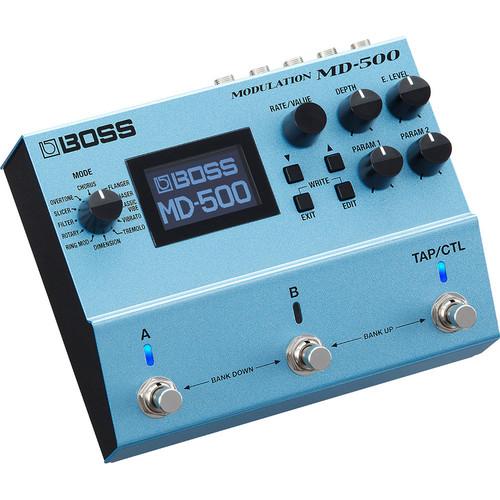
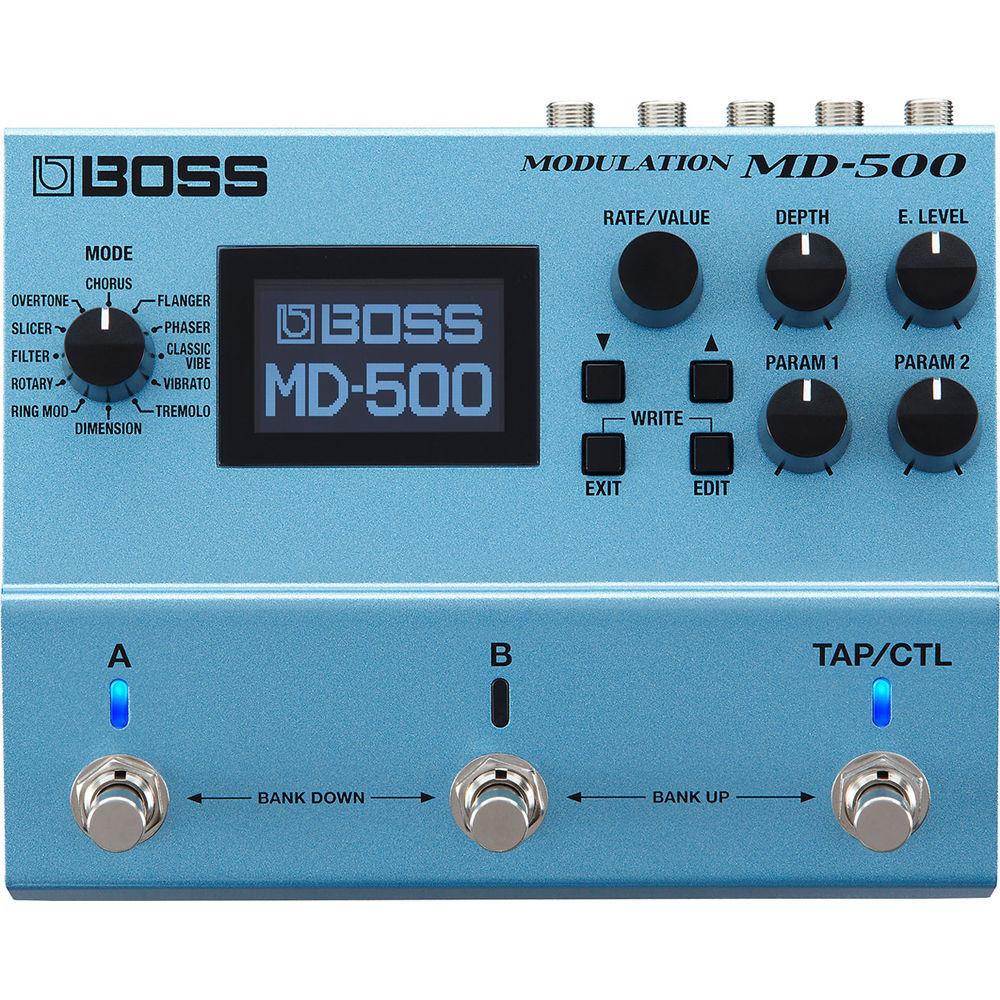
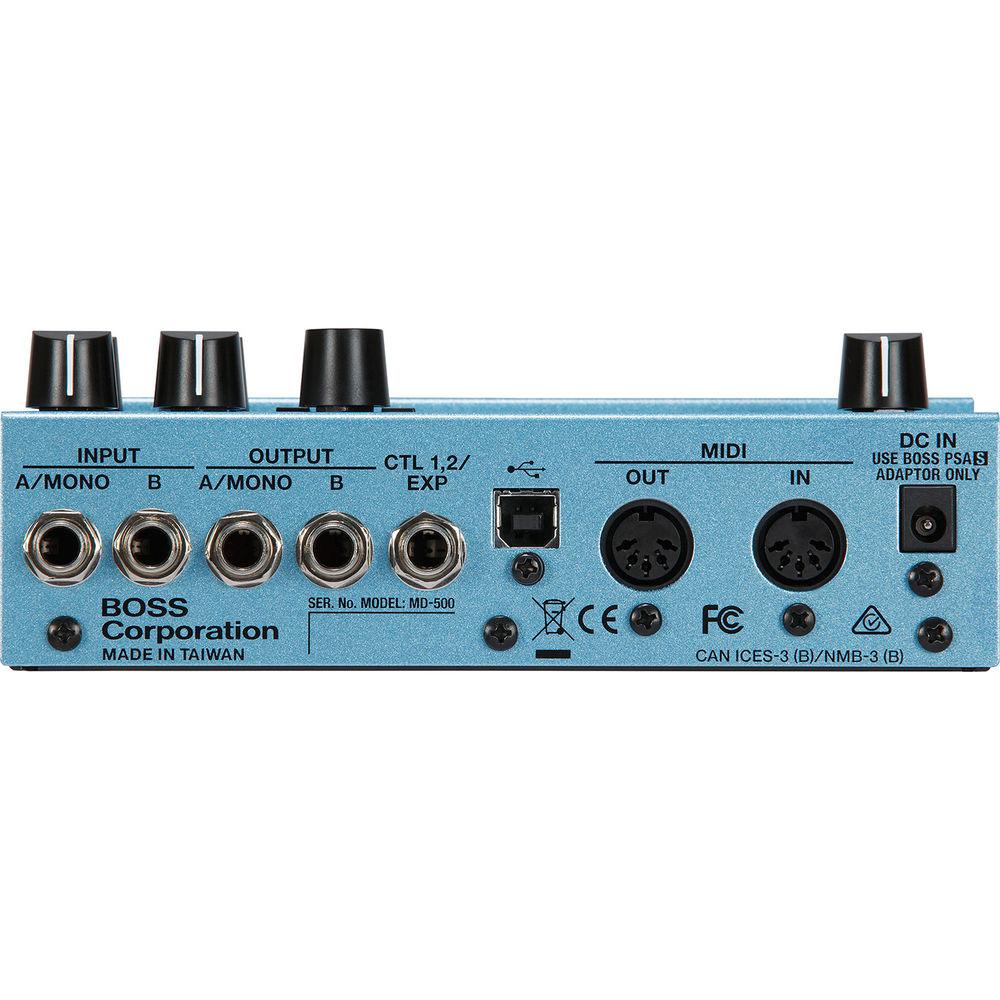
Product description New Products from Roland and BOSS for Music Producers and Musicians Read More zcuqftzbywtxrq Put 28 different modulation effects under your feet with the BOSS MD-500 pedal for electric guitar and bass. Both standard effects and previously unavailable original processes are available in this stompbox, making it suitable for lovers of classic chorus, trusty tremolo, and reliable rotaries, as well as aficionados of more esoteric effects, like Slicer (based on the BOSS SL-20) and Overtone (based on the BOSS MO-20).The MD-500 provides its sound using 32-bit AD/DA conversion, 32-bit floating-point processing, and sampling rates of 96 kHz, in order to achieve a large and precise range of expression while maintaining utter transparency, free of unwanted digital artifacts. With a panoply of parameters in every effects type, you’ll find more than enough control for shaping your tone. In addition to dedicated panel knobs for effect depth and level, you’ll also be able to perform extensive editing via the LCD screen and quadrumvirate of push-buttons. A tap tempo/control footswitch offers more in the way of on-the-fly manipulation, while the A and B footswitches provide bank selection tools, as well as multiple instantiation options, such as A/B Simul (two effects patches at once in either series or parallel), or parallel to do different destinations via the stereo outputs on the real panel.Speaking of I/O, the MD-500 gives you a bevy of possibilities, what with its dual inputs for stereo instruments, dual outputs, expression/control jack, and MIDI I/O. All in all, you’ll find 297 built-in patch memories in the unit itself, though you can also interface via USB with Editor/Librarian software on your computer for remote editing, storing your custom patches, and more. This pedal runs on four AA batteries, or by means of a power adapter, available separately. - A/B Simul Mode and Insert Loop Function Explained
- A/B Simul lets you run two patches at once. A selectable series or parallel connection enables all sorts of tone-shaping possibilities, and you can even send each effect to its own separate output if you like. The MD-500 also features an external loop that lets you insert gain and drive pedals, and set the ideal effect order on a per-patch basis. For example, you can place a phaser or classic vibe before a drive pedal in one patch, while putting a flanger after the drive in the next. When you're in A/B Simul mode, it's even possible to position the loop between two different mod effects.
- Control Possibilities
- The MD-500 offers freely assignable switches and extensive real-time controls. By default, the A, B, and TAP/CTL switches offer control for patch/bank selection and bypass, plus tap tempo or real-time adjustment of one or more parameters. However, the switches can be customized to access three different mod patches, A/B Simul mode, and other functions. Via the rear-panel CTL 1,2/EXP jack, you can plug in up to two footswitches for further control, or an expression pedal to adjust wah, effect rate, and other parameters. MIDI I/O is also included, enabling further creative possibilities with advanced setups.
- Key Features at a Glance
-
- Effects delivered with 32-bit AD/DA, 32-bit floating point processing, and 96 kHz sample rate
- 12 modes and 28 modulation types, all with extensive editing parameters
- Classic, though updated, BOSS modulation effects
- A/B Simul mode for using two patches at once, with your choice of series/parallel connection, mixed, or split A/B output
- Insert Loop function allows you to use mod effects before, after, or around drive pedals
- Graphic LCD and intensive real-time control options
- 297 onboard patch memories and hands-on controls
- Selectable buffered-bypass or true-bypass operation
- MIDI I/O for interfacing with MIDI control devices
- USB-MIDI for connecting to the MD-500 Editor/Librarian or a DAW
- Runs on four AA-size batteries or PSA-series AC adapter (available separately)
- Effect Types
-
- Chorus: Prime, CE-1 Chorus, CE-1 Vibrato, and TRI-CHO
- Flanger: Prime G (for guitar) and Prime B (for bass)
- Phaser: Prime G (for guitar), Prime B (for bass), and Script
- Classic Vibe: Chorus (mixed output) and Vibrato (effect-only output)
- Vibrato: Prime and Scanner (a tonewheel organ-style vibrato)
- Tremolo: Prime T and Prime P, plus Twin and Deluxe amp-style tremolo
- Dimension: Models Roland SDD-320 Dimension D rack unit; includes the original four sound modes and a fifth mode new to the lineup, plus a user setting for saving any combination of modes
- Ring Mod: Classic ring modulation effects, plus Intelligent mode for enhanced clarity when playing scales
- Rotary: Vintage rotating speaker effect with slow and fast speeds
- Filter: Auto wah and touch wah (with independent types optimized for guitar and bass), plus pattern filter type
- Slicer: Original BOSS effect derived from the popular SL-20 Slicer, with programmable options not available in the SL-20 pedal
- Overtone: Original BOSS effect based on the MO-2 Multi Overtone pedal; uses MDP tech to alter the input signal’s pitch and harmonic characteristics, allowing you to create interesting sound textures
UPC: 761294511275 In the Box BOSS MD-500 Modulation Multi-Effects Pedal for Electric Guitars 4 x AA Batteries Limited 1-Year Warranty on Parts Limited 90-Day Warranty on Switches Limited 90-Day Warranty on Labor Table of Contents
|
Upload User Manual
Have you got an user manual for the BOSS MD-500 Modulation Multi-Effects Pedal for Electric Guitars in electronic form? Please send it to us and help us expand our library of instruction manuals.
Thank you, too, on behalf of other users.
To upload the product manual, we first need to check and make sure you are not a robot. After that, your "Submit Link" or "Upload File" will appear.
Technical parametersBOSS MD-500 Specs | Sampling Frequency | 96 kHz | | AD/DA Conversion | 32-bit | | Processing | 32-bit floating point | | Modes | 12x (chorus, flanger, phaser, classic vibe, vibrato, tremolo, dimension, ring mod, rotary, filter, slicer, overtone) | | Memory | 198 (2 x 99 banks, segmented into A and B categories)
297 (3 x 99 banks, segmented into A, B, and C categories) | | Nominal Input Level | -10 dBu | | Maximum Input Level | 8 dBu | | Nominal Output Level | -10 dBu | | Maximum Output Level | 8 dBu | | Impedance | Inputs: 1 MOhm
Outputs: 2 kOhm
| | Recommended Load Impedance | Outputs: 20 kOhms or greater | | Controls | A Switch
B Switch
TAP/CTL Switch
DOWN Button
UP Button
EXIT Button
EDIT Button
MODE Knob
RATE/VALUE Knob
DEPTH Knob
E.LEVEL Knob
PARAM 1 Knob
PARAM 2 Knob | | Bypass | Buffered or true (with relays) | | Display | Graphic LCD (128 x 64 dots, backlit LCD) | | I/O | 2 x 1/4" Input jack, phone type
2 x 1/4" Output jacks, phone type
1 x 1/4" TRS CTL1, 2/EXP2 jack, phone type
1 x USB Type-B computer port
1 x 5-Pin DIN MIDI Input
1 x 5-Pin DIN MIDI Output
1 x DC input jack for power | | Power Supply | 4 x AA batteries (LR6), AC adapter (available separately) | | Current Draw | 225 mA | | Expected Battery Life | Alkaline: approximately 4.5 hours, depending on condition of use | | Dimensions (W x D x H) | 6.7 x 5.4 x 2.4" / 17.0 x 13.8 x 6.2 cm | | Weight | 2.2 lb / 1.0 kg (including battery) |
Rating100% users recommend this product to others. And what about you?

This product has already been rated by 45 owners. Add your rating and experience with the product.
Discussion
 Ask our technicians if you have a problem with your settings,
or if anything is unclear in the user manual you have downloaded.
You can make use of our moderated discussion.
The discussion is public and helps other users of our website who may be encountering similar problems.
Ask our technicians if you have a problem with your settings,
or if anything is unclear in the user manual you have downloaded.
You can make use of our moderated discussion.
The discussion is public and helps other users of our website who may be encountering similar problems.
The discussion is empty - enter the first post
Post a new topic / query / comment:
|
|


