|
User Manual for BOSS ME-80 Guitar Multi-Effects Processor Click to enlarge the picture
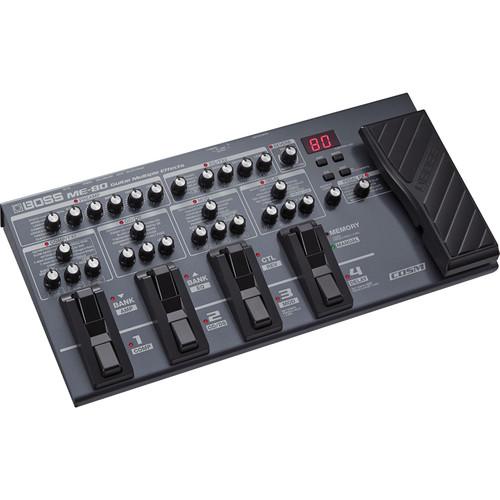 Contents of the user manual for the BOSS ME-80 Guitar Multi-Effects Processor
- Product category: Effects Pedals BOSS
- Brand: BOSS
- Description and content of package
- Technical information and basic settings
- Frequently asked questions – FAQ
- Troubleshooting (does not switch on, does not respond, error message, what do I do if...)
- Authorized service for BOSS Effects Pedals
 |
User manual for the BOSS ME-80 Guitar Multi-Effects Processor contain basic instructions
that need to be followed during installation and operation.
Before starting your appliance, the user manual should be read through carefully.
Follow all the safety instructions and warnings, and be guided by the given recommendations.
User manual is an integral part of any BOSS product,
and if it is sold or transferred, they should be handed over jointly with the product.
Following the instructions for use is an essential prerequisite for protecting
health and property during use, as well as recognition of liability on the part of the manufacturer
for possible defects should you make a warranty claim. Download an official BOSS user manual in which you will find instructions on how to install, use, maintain and service your product.
And do not forget – unsuitable use of a BOSS product will considerably shorten its lifespan!
|
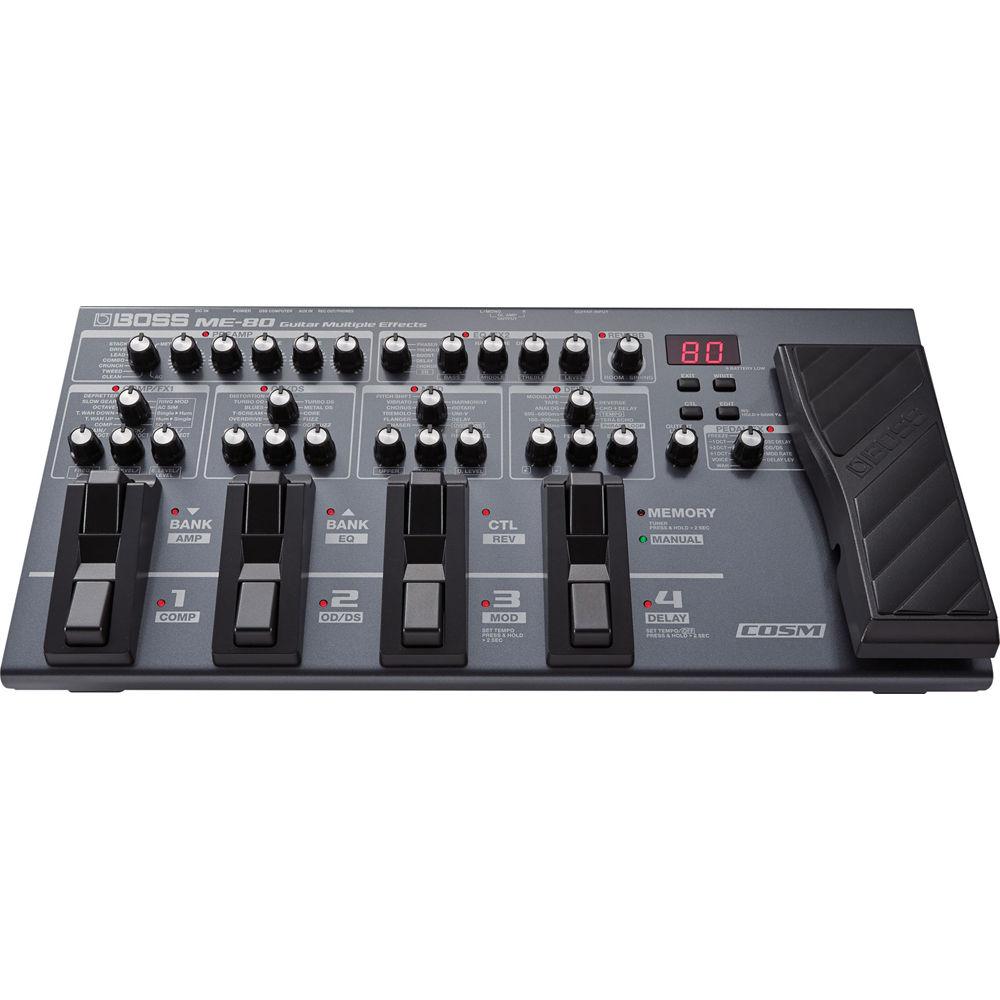
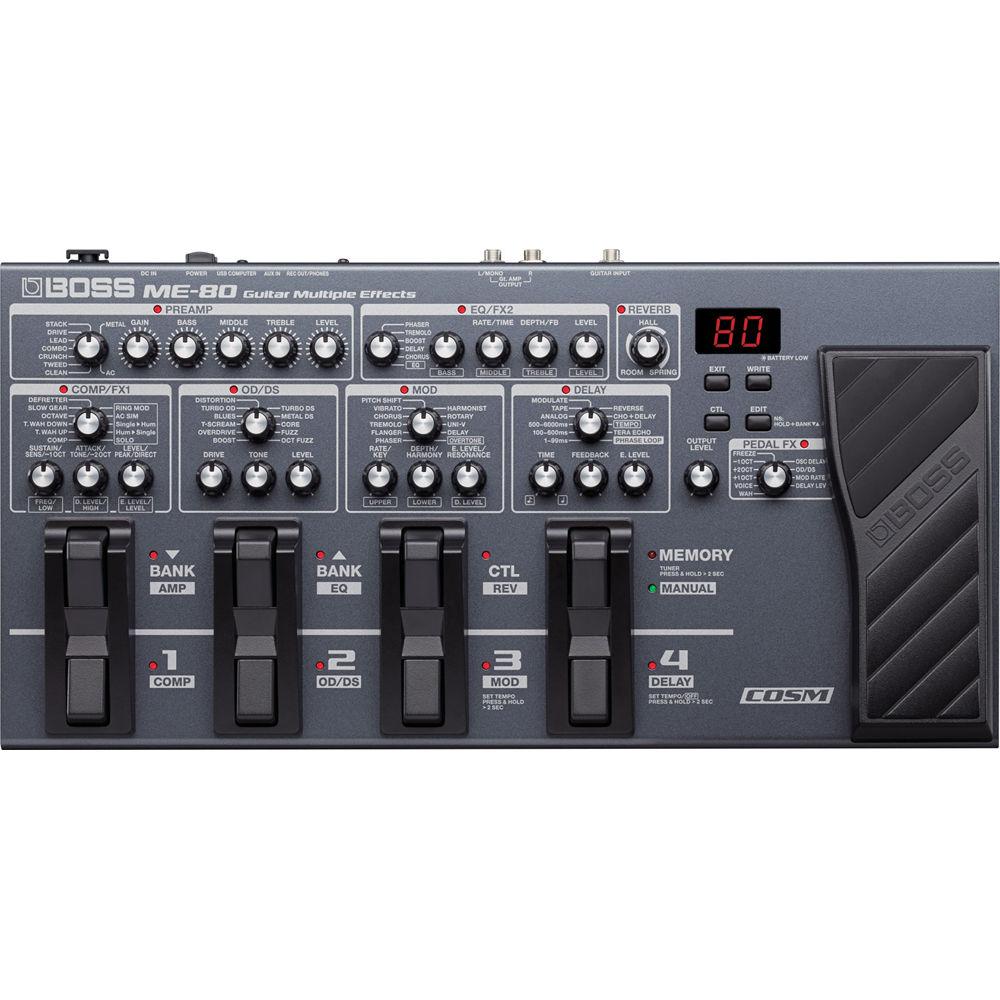
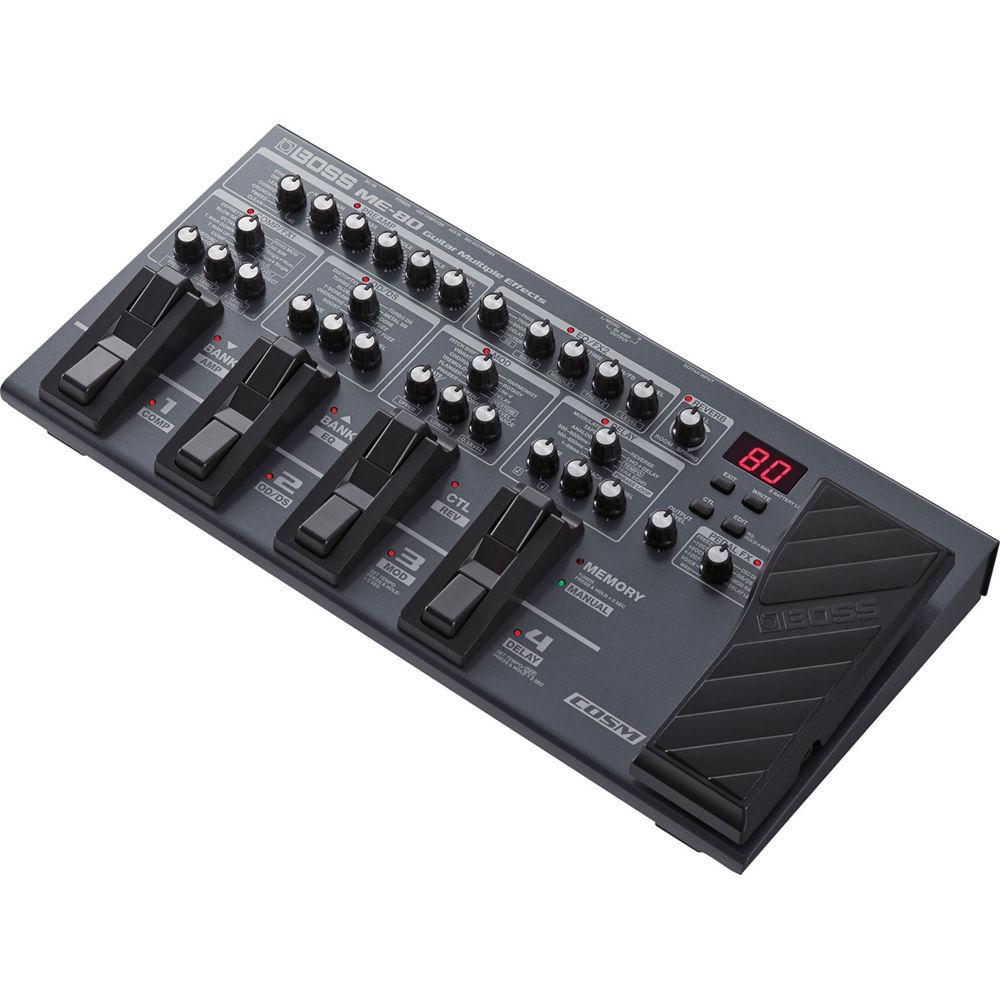
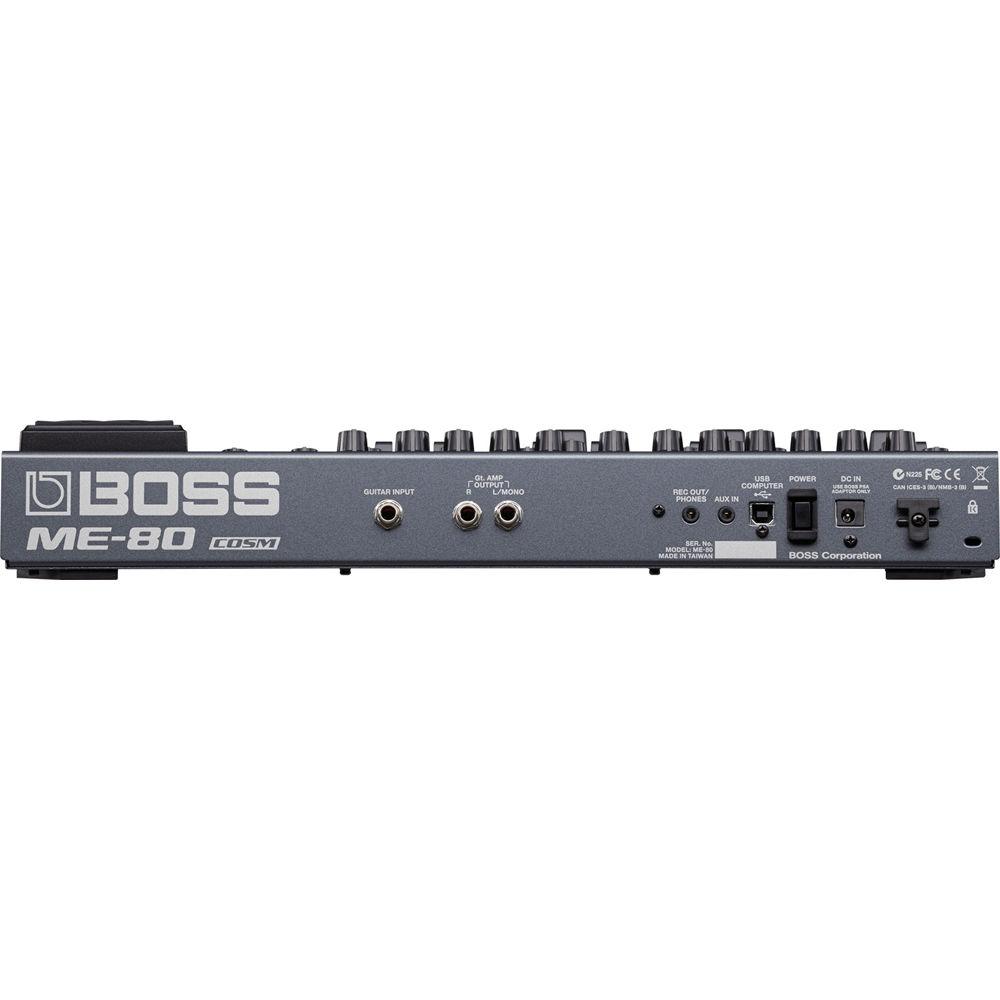
Product description Plug your guitar into BOSS's ME-80 Multi-Effects Processor for access to a diverse selection of guitar amps and effects while maintaining a practical control layout and battery-powered portability. Advanced COSM (Composite Object Sound Modeling) amps model vintage, classic, and modern amps that deliver well-known and never-before-heard tones. The effects selection includes overdrives, distortions, mods, delays, reverbs, and more modeled from BOSS and other famous manufacturers. Tying it all together is the control layout. Every knob has a single function and the effects on the ME-80 can be controlled like a pedalboard with traditional stompboxes where each pedal turns an effect on or off. In this configuration, you can get rocking right out of the box with the 6 included AA batteries. - Wide Effects Selection
- With the ME-80's wide range of built-in effects, you can create a personal sound to fit your style of play. A library of BOSS tones is at your command, from multiple overdrives and distortions to wahs, modulation effects, pitch shifters, delays, and more. BOSS's Multi Dimensional Processing (MDP) technology is represented with the spacious ambience of the Tera Echo effect and the distinctive tone-shaping possibilities of the Overtone effect. COSM preamps include new additions such as Crunch and Metal, plus an AC preamp designed for acoustic/electric guitar. The onboard expression pedal can be used for foot volume and pedal effects like wah, octave shift, and Freeze, and it's also possible to control effects parameters such as mod rate, delay oscillation, and more for expressive real-time sound shaping.
- Dedicated Knob Driven Interface
- Menu-driven multi-effects processors can be complicated and unintuitive, but using the ME-80's practical knob driven interface is similar to using a stompbox. Effects are organized into eight logical categories that can all be active at the same time. Seven categories contain multiple effects types to choose from, plus dedicated knobs for selecting a type and adjusting it with a set of parameters you'd find in the pedal version of the effect. The Pedal FX category has its own knob for quickly assigning a particular effects type or function to be controlled by foot with the expression pedal. With this familiar interface, you can dial up and play great tones instantly, just like using a large pedalboard filled with your favorite stomps. But a major advantage over that pedalboard is the ability to save all the current knob settings to one of the ME-80's 36 user patch locations, allowing you to recall custom effects configurations at the touch of a pedal.
- Multi-Effects Operation
- The hands-on experience that stompbox-style control provides is perfect for tweaking tones as you go. However, there are times when switching among an entire group of preset effects is more efficient, such as when you've set up complex tones for different songs. The ME-80 supports either approach. In Manual mode, the categories function like individual stomp effects, with instant adjustment via the panel knobs and on/off control with dedicated footswitches. By entering Memory mode, seven footswitches are automatically reconfigured to select user or preset patches and patch banks, letting you recall complete multi-effects setups directly. One footswitch on the ME-80 is dedicated just for mode switching, so you can toggle between Manual and Memory modes any time you want, even in the middle of a song.
- Footswitch Layout and Design
- The ME-80 offers easy usability while performing, with eight multi-function footswitches for direct control of effects on/off, bank/patch selection, and mode switching, plus convenient access to alternate functions such as tap tempo, tuner, looper control, and more. A special control (CTL) function is also assignable in each patch, letting you toggle grouped effects on/off or adjust a specified parameter in real time. The layered footswitch design provides two switches in the space occupied by one in previous layouts, allowing BOSS to equip the ME-80 with a generous array of foot-operated controls while keeping the unit extremely compact and mobile. In addition to the eight main footswitches, the expression pedal is equipped with an integrated toe switch that toggles between volume control and the current Pedal FX setting.
- Digital Connectivity
- Over USB, you can connect to your computer and capture the output of the ME-80 directly into your favorite DAW (Digital Audio Workstation) to record using the built-in COSM preamps and effects. It's also possible to monitor the ME-80's effects sound while recording an unprocessed signal into a DAW track for re-amping later. MIDI transfer over USB is also supported, allowing you to select ME-80 patches from your computer, send expression and control pedal data into your software, and swap patches via BOSS Tone Studio.
- BOSS Tone Studio
- Available as a free download, the BOSS Tone Studio application provides an inviting graphical interface for tweaking the ME-80's effects from your Mac or Windows computer through USB. The software makes it easy to save, edit, and organize your patches, and to load them into the ME-80 as needed for different gigs and other applications. If your computer has Internet access, BOSS Tone Studio also provides an integrated connection to the BOSS Tone Central website, allowing you to preview and download gig-ready patches created by guitar pros directly into your ME-80. In addition to expanding your palette of tones, these free patches provide solid foundations for creating your own patches with the ME-80's array of effects.
UPC: 761294504659 In the Box BOSS ME-80 Guitar Multi-Effects Processor 6 x AA Batteries Limited 1-Year Warranty on Parts Limited 90-Day Warranty on Labor Table of Contents
|
Upload User Manual
Have you got an user manual for the BOSS ME-80 Guitar Multi-Effects Processor in electronic form? Please send it to us and help us expand our library of instruction manuals.
Thank you, too, on behalf of other users.
To upload the product manual, we first need to check and make sure you are not a robot. After that, your "Submit Link" or "Upload File" will appear.
Technical parametersBOSS ME-80 Specs | Inputs | 1 x 1/4" TS instrument
1 x 3.5 mm TRS stereo aux jack | | Nominal Input Level | Input: -10 dBu
AUX in: -20 dBu | | Input Impedance | Input: 1 MOhm
AUX in: 27 kOhm | | Outputs | 2 x 1/4" TS instrument/line (L/MONO, R)
1 x 3.5 mm TRS headphone | | Nominal Output Level | -10 dBu | | Output Impedance | Amp Output: 2 kOhm
Headphone Output: 44 Ohm | | Recommended Load Impedance | Gt. Amp Out: 10 kOhms or greater
Rec Out/Headphones: 16 kOhms or greater | | AD/DA Conversion | 24-bit, 44.1 kHz | | Digital I/O | USB 2.0 port | | Program Memory | 64 banks (36 preset + 36 user) | | Power Supply | 6 x Alkaline (AA, LR6) / Carbon-zinc (AA, R6) batteries
AC adaptor (available separately) | | Battery Capacity | Alkaline: Approximately 7 hours
Carbon: Approximately 2 hours
*These figures will vary depending on the actual conditions of use. | | Current Draw | 200 mA | | Display | 7 segments, 2 digits LED | | Kensington Security Slot | Yes | | Dimensions | 17.6 x 9.1 x 2.8" / 447 x 231 x 70 mm | | Weight | 7.9 lb / 3.6 kg | | | | Package Weight | 10.0 lb | | Box Dimensions (LxWxH) | 20.5 x 12.8 x 5.5" |
Rating80% users recommend this product to others. And what about you?

This product has already been rated by 22 owners. Add your rating and experience with the product.
Discussion
 Ask our technicians if you have a problem with your settings,
or if anything is unclear in the user manual you have downloaded.
You can make use of our moderated discussion.
The discussion is public and helps other users of our website who may be encountering similar problems.
Ask our technicians if you have a problem with your settings,
or if anything is unclear in the user manual you have downloaded.
You can make use of our moderated discussion.
The discussion is public and helps other users of our website who may be encountering similar problems.
The discussion is empty - enter the first post
Post a new topic / query / comment:
|
|
|
| Request for user manual |
You can’t find the operation manual you are looking for? Let us know and we will try to add the missing manual:
I’m looking for a manual / Request for manual
Current requests for instruction manuals:
Call Of Duty World War Two For Xbox...
controller stratus XL...
stratus XL...
smart whatch serie S11 42mm...
Allen & Heath SQ-6 manual...
|
| Discussion |
Latest contributions to the discussion:
AEW R 4100
Name: MAURICIO ANGARITA
Audio-Technica AEW-R4100 UHF Diversity Receiver for
AEW R 4100 has the mute function blocked and does not allow audio to pass. I tried several times to turn off the mute from the transmitter but it does nothing, the mute stays on. Solution?
Thank you...
Instructions for assembling the 2015 Forecast Image Master Consoles GC3-A
Name: mike elam
Forecast Consoles GC3-A ImageMaster Editing Console
Looking for instructions for assembling this console. ...
EMPTY TONER ERROR MESSAGE AFTER REPLACING TONER
Name: LINDA BAD YELLOW EYES
Brother TN223BK Standard-Yield Toner
I HAD TO CHANGE OUT ALL THREE TONERS DUE TO LEAKS IN THE YELLOW AND CYAN. AFTER I REPLACED THEM, THE MACHINE KEEPS GIVING ME AN EMPTY TONER ERROR MESSAGE. HELP!!...
PS480D 20/24 pin Switching 480W Power Supply
Name: swkargo
Logisys 480W Power Supply
This item states in can run -5vdc .It is NOT listed on the board or I beleive is r4 is missing the resitior. Any body have thid issue. Shawn
...
Help needed
Name: Ann Carter
SanDisk 1TB Extreme Portable USB 3.1
When I click the link to download the user manual for my Sandisk Extreme external hard drive, it gives me the manual for the LG Cricket. Can you please change the link so I can download the Sandisk manual and begin using this drive? Thank you....
|
|


