User Manual for Bracket 1 mini2 Wireless Receiver Camera Bracket Click to enlarge the picture
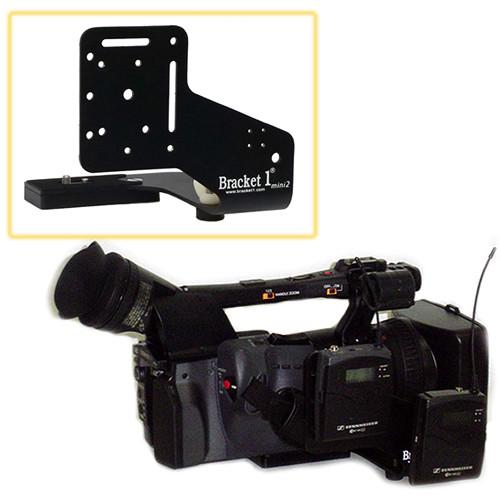 Contents of the user manual for the Bracket 1 mini2 Wireless Receiver Camera
- Product category: Receiver Camera Mounts Bracket 1
- Brand: Bracket 1
- Description and content of package
- Technical information and basic settings
- Frequently asked questions – FAQ
- Troubleshooting (does not switch on, does not respond, error message, what do I do if...)
- Authorized service for Bracket 1 Receiver Camera Mounts
 |
User manual for the Bracket 1 mini2 Wireless Receiver Camera contain basic instructions
that need to be followed during installation and operation.
Before starting your appliance, the user manual should be read through carefully.
Follow all the safety instructions and warnings, and be guided by the given recommendations.
User manual is an integral part of any Bracket 1 product,
and if it is sold or transferred, they should be handed over jointly with the product.
Following the instructions for use is an essential prerequisite for protecting
health and property during use, as well as recognition of liability on the part of the manufacturer
for possible defects should you make a warranty claim. Download an official Bracket 1 user manual in which you will find instructions on how to install, use, maintain and service your product.
And do not forget – unsuitable use of a Bracket 1 product will considerably shorten its lifespan!
|
Product description - Bracket 1 Overview
- The Original Bracket 1 System
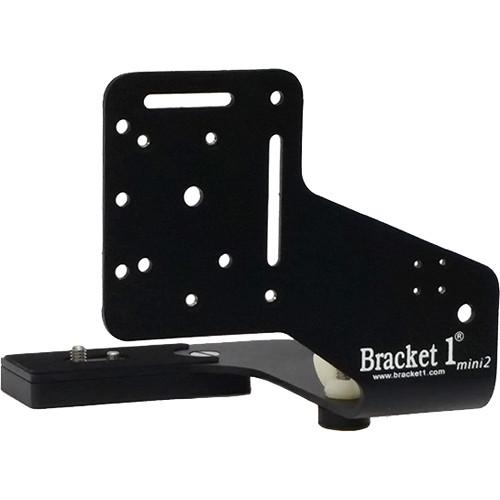
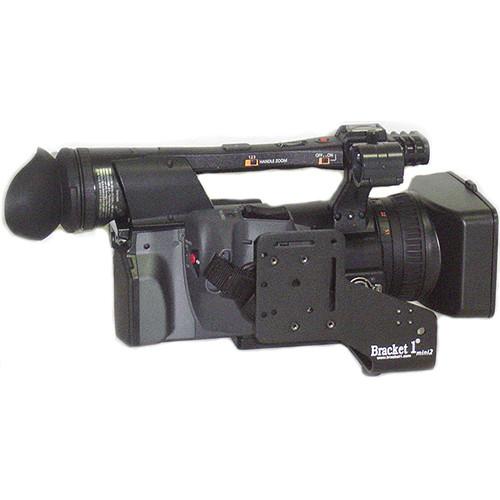
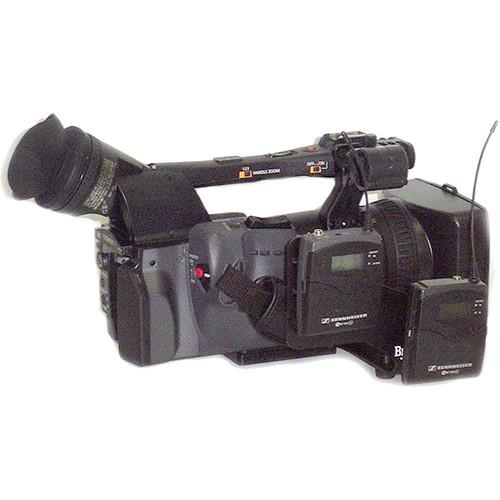
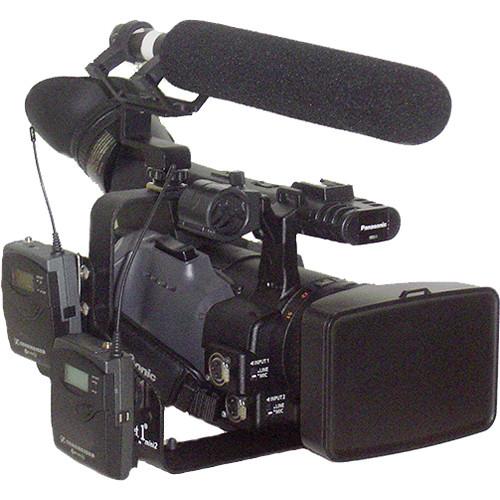
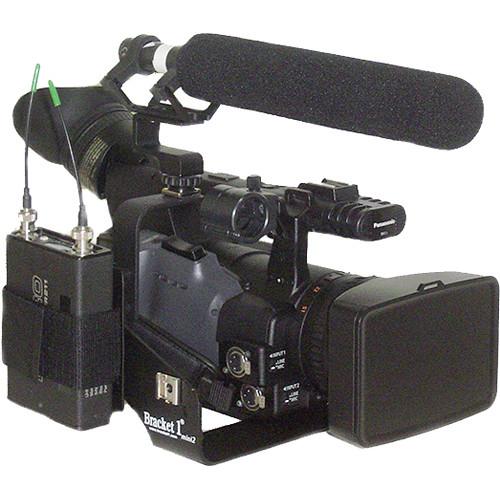
The mini2 Wireless Receiver Camera Bracket from Bracket 1 is designed to be used in conjunction with various accessory adapters (sold separately) for mounting wireless receivers and hard disk recorders to your professional mini camera. The bracket is designed for use with many popular camcorder models by Canon, Sony, JVC, Panasonic, and others. It attaches to your camera using the existing tripod receiver holes without sacrificing tripod-mounting capability. Whether your camera is tripod mounted or handheld, this bracket is designed to keep your wireless receivers and accessories securely attached to it while avoiding flex caused by heavy load. - Fits the Following Cameras
-
- Sony: FDR-AX700, HDR-HC7, HDR-SR1, HDR-TD10, HVR-A1U, HXR-MC50, HXR-NX30, HXR-NX70, HXR-NX80 HXR-NX100, NEX-EA50, NEX-VG10, NEX-VG20, NEX-VG30, NEX-VG900, PDX-10, PXW-X70, PXW-Z90
- Canon: XA10, XA20, XA25, XA30, XA35, XC10, XC15, XF100, XF105, XF200, XF205, XF-305, XF400, XF405, HV20, HV30, HV40, and all VIXIA series
- Panasonic: AG-HMC40, AG-HSC1, AG-DVC30, HC-X1000
- JVC: GY-HM100, GY-HM150, GY-HM170, GY-HM180, GY-HM200, GY-HM250, GZ-HD5, GZ-HD6, GZ-HD7, GY-HMQ10
- Blackmagic: Cinema Camera, Production Camera
- All mini camcorders
- To be used with separately sold accessory adapters for mounting wireless receivers and hard disk recorders to your professional video camera.
In the Box Bracket 1 mini2 Wireless Receiver Camera Bracket Limited Lifetime Warranty Table of Contents
|
Upload User Manual
Have you got an user manual for the Bracket 1 mini2 Wireless Receiver Camera Bracket in electronic form? Please send it to us and help us expand our library of instruction manuals.
Thank you, too, on behalf of other users.
To upload the product manual, we first need to check and make sure you are not a robot. After that, your "Submit Link" or "Upload File" will appear.
Technical parametersBracket 1 VISLBRMIN2 Specs | Material of Construction | Aluminum with stainless steel threaded inserts | | Dimensions (L x W x H) | 5.75 x 6.25 x 5.3" / 14.6 x 15.9 x 13.5 cm | | Weight | 10 oz / 283.5 g | | | | Package Weight | 0.7 lb | | Box Dimensions (LxWxH) | 5.1 x 2.4 x 2.2" |
Rating90% users recommend this product to others. And what about you?

This product has already been rated by 98 owners. Add your rating and experience with the product.
Discussion
 Ask our technicians if you have a problem with your settings,
or if anything is unclear in the user manual you have downloaded.
You can make use of our moderated discussion.
The discussion is public and helps other users of our website who may be encountering similar problems.
Ask our technicians if you have a problem with your settings,
or if anything is unclear in the user manual you have downloaded.
You can make use of our moderated discussion.
The discussion is public and helps other users of our website who may be encountering similar problems.
The discussion is empty - enter the first post
Post a new topic / query / comment:
|
|


