User Manual for Cactus Wireless Flash Transceiver V5 Duo Click to enlarge the picture
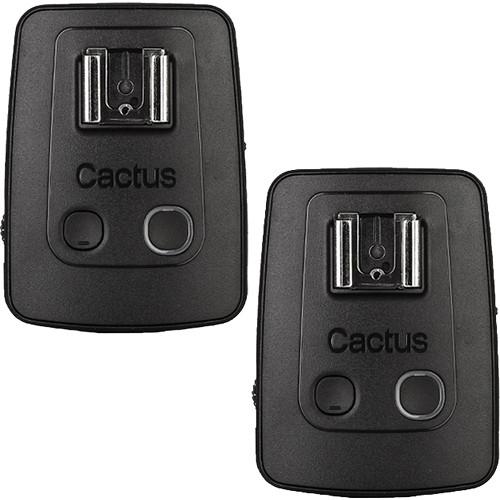 Contents of the user manual for the Cactus Wireless Flash Transceiver V5 Duo
- Product category: Radio & Infrared Transmitters Cactus
- Brand: Cactus
- Description and content of package
- Technical information and basic settings
- Frequently asked questions – FAQ
- Troubleshooting (does not switch on, does not respond, error message, what do I do if...)
- Authorized service for Cactus Radio & Infrared Transmitters
 |
User manual for the Cactus Wireless Flash Transceiver V5 Duo contain basic instructions
that need to be followed during installation and operation.
Before starting your appliance, the user manual should be read through carefully.
Follow all the safety instructions and warnings, and be guided by the given recommendations.
User manual is an integral part of any Cactus product,
and if it is sold or transferred, they should be handed over jointly with the product.
Following the instructions for use is an essential prerequisite for protecting
health and property during use, as well as recognition of liability on the part of the manufacturer
for possible defects should you make a warranty claim. Download an official Cactus user manual in which you will find instructions on how to install, use, maintain and service your product.
And do not forget – unsuitable use of a Cactus product will considerably shorten its lifespan!
|
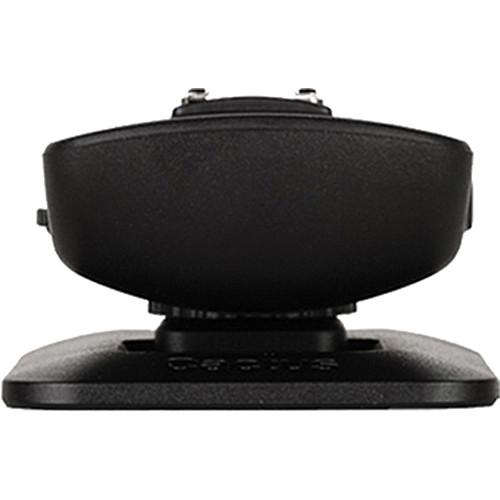
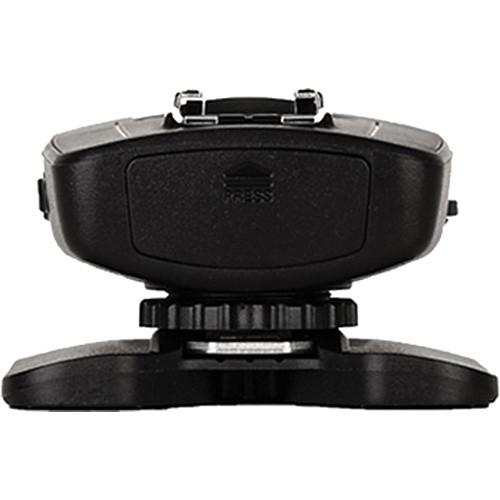
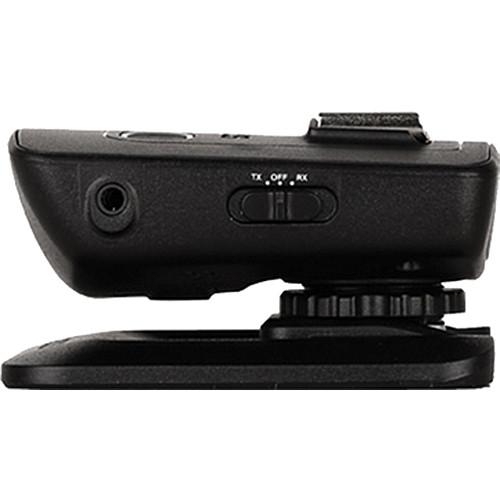
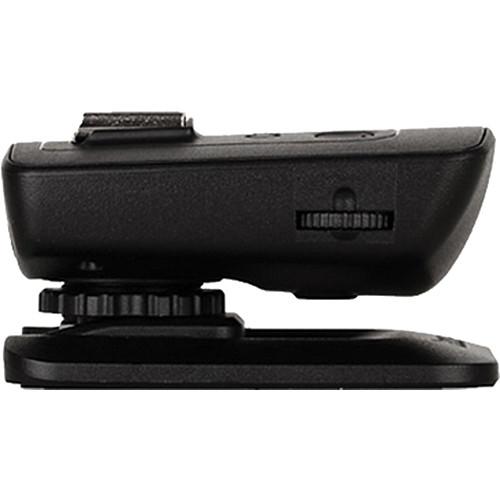
Product description The Wireless Flash Transceiver V5 Duo from Cactus is a 16 channel, 2-transceiver set that will trigger your flash or camera wirelessly at distances up to 328'. Each unit features a hot shoe foot and a female hot shoe for on- camera use with or without a flash mounted on it. A 1/4"-20 female thread on the underside of the transceiver allows mounting to a stand, clamp or other accessory, while the included mini-pin cable and phono plug adapters facilitate connection to remote devices. Sync speeds up to 1/1,000 sec. are possible with capable cameras. The simplified intuitive design offers simple push button functions and easy dial selection of channels. The V5 Multi-Channel Triggering function allows firing of up to 4 sets of flashes separately or simultaneously. Frequency Self-Tune (FST) technology insures reliable performance in even the harshest operating conditions. The system is compatible with a wide range of flashes that includes Nikon, Canon, Pentax, Metz, Sigma and more. Select cameras within these brands that accept trigger release cords can also be fired remotely. - Benefits
-
- Frequency Self-Tune finds working frequency in extreme weather conditions
- Multi-channel triggering
- Sync speeds up to 1/1,000 sec.
- 16 Channel rotary dial selection
- Low battery indicator
- Compatible with flashes with trigger voltages up to 300V
- Compatibility
- Cactus: AF50, AF45, KF36
Canon: 600EX-RT, 580EX II, 580EX, 550EX, 540EZ, 520EZ, 430EX II, 430EX, 430EZ, 420EX, 420EZ, 380EX, 200E
Metz: 58AF, 48AF
Nikon SB-910, SB-900, SB-800, SB-700, SB-600, SB-80DX, SB-28 SB-26, and SB-25
Nissin: Di866 MK I, Di866 MK II, models for 4/3 Olympus and Panasonic: Di622 MK II, Di466,
Olympus: FL-50R, FL-50, FL-36R, FL-36
Pentax: AF-540 FGZ, AF-360 FGZ, AF-400 FT, AF-240 FT
Sigma: EF-430, models made for Nikon: EF-530 DG Super, EF-530 DG ST, EF-500 DG Super, EF-500 DG ST
Sunpak: Auto 2000DZ, 622 Pro, 433AF, 433D, 383, 355AF, 344D, 333D
Vivitar: 285HV, 285, 283, DF-400MZ, DF-340MZ
Yongnuo: YN560-II, YN560, YN462, YN460-II
Godox: TT560, TT520, CF-18 In the Box Cactus Wireless Flash Transceiver V5 Duo 2 x V5 Transceiver 2 x Flash Stand FS-2 Cable (1/8"/3.5mm) Plug Adapter (1/4"/6.35mm) 4 x AAA Battery When Light Dances 2 Album User Manual Limited 1-Year Warranty User Manual PDF 3.7mbcstevvwcaezfbqdtzbwqtyetravssxbads Table of Contents
|
Upload User Manual
Have you got an user manual for the Cactus Wireless Flash Transceiver V5 Duo in electronic form? Please send it to us and help us expand our library of instruction manuals.
Thank you, too, on behalf of other users.
To upload the product manual, we first need to check and make sure you are not a robot. After that, your "Submit Link" or "Upload File" will appear.
Technical parametersCactus V5 Specs | | | Channels | 16 | | Groups | 1 | | Wireless Range | 1 to 328' / 0.3 to 100 m | | Radio Frequency | 2.4 GHz | | | | Operating Temperature | -4 to 122°F / -20 to 50°C | | | | Dimensions | 3.22 x 2.75 x 1.45" / 82 x 70 x 37 mm (Transmitter) | | Weight | 2 oz / 57 g | | | | Package Weight | 0.85 lb | | Box Dimensions (LxWxH) | 8.4 x 4.5 x 2.5" |
Rating88% users recommend this product to others. And what about you?

This product has already been rated by 18 owners. Add your rating and experience with the product.
Discussion
 Ask our technicians if you have a problem with your settings,
or if anything is unclear in the user manual you have downloaded.
You can make use of our moderated discussion.
The discussion is public and helps other users of our website who may be encountering similar problems.
Ask our technicians if you have a problem with your settings,
or if anything is unclear in the user manual you have downloaded.
You can make use of our moderated discussion.
The discussion is public and helps other users of our website who may be encountering similar problems.
The discussion is empty - enter the first post
Post a new topic / query / comment:
|
|


