|
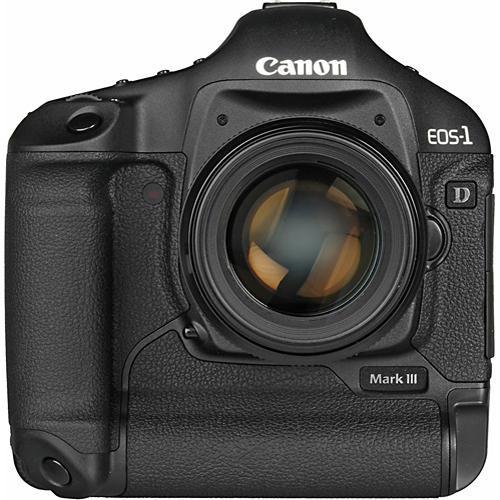
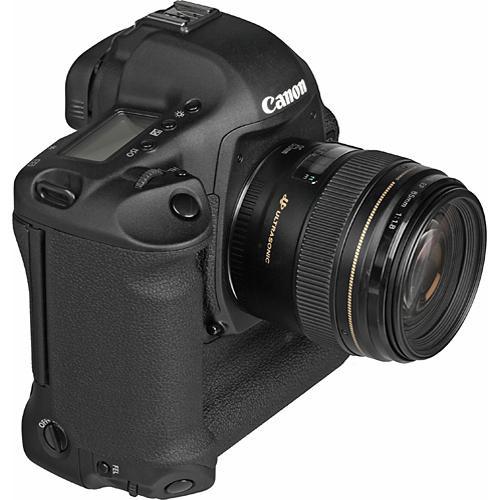
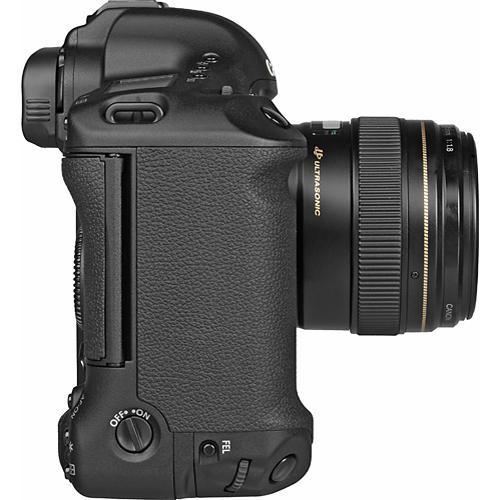
User Manual for Canon EOS-1D Mark III 10.1 Megapixel Digital SLR Camera - Refurbished Click to enlarge the picture
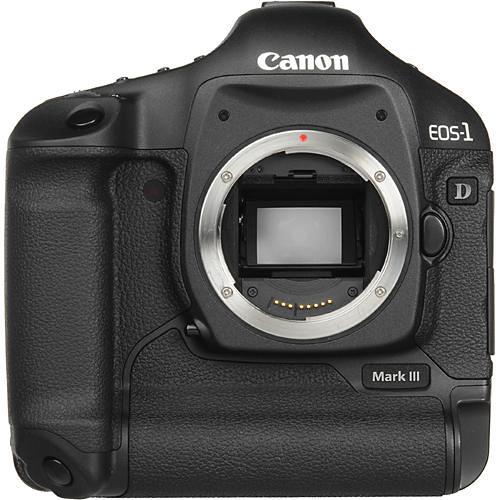 Contents of the user manual for the Canon EOS-1D Mark III 10.1 Megapixel
- Product category: Uncategorized Canon
- Brand: Canon
- Description and content of package
- Technical information and basic settings
- Frequently asked questions – FAQ
- Troubleshooting (does not switch on, does not respond, error message, what do I do if...)
- Authorized service for Canon Uncategorized
 |
User manual for the Canon EOS-1D Mark III 10.1 Megapixel contain basic instructions
that need to be followed during installation and operation.
Before starting your appliance, the user manual should be read through carefully.
Follow all the safety instructions and warnings, and be guided by the given recommendations.
User manual is an integral part of any Canon product,
and if it is sold or transferred, they should be handed over jointly with the product.
Following the instructions for use is an essential prerequisite for protecting
health and property during use, as well as recognition of liability on the part of the manufacturer
for possible defects should you make a warranty claim. Download an official Canon user manual in which you will find instructions on how to install, use, maintain and service your product.
And do not forget – unsuitable use of a Canon product will considerably shorten its lifespan!
|
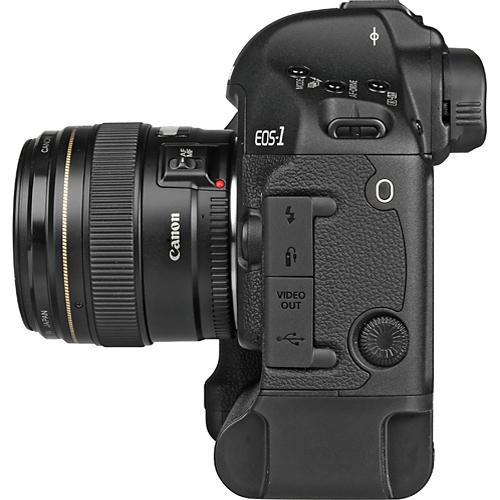
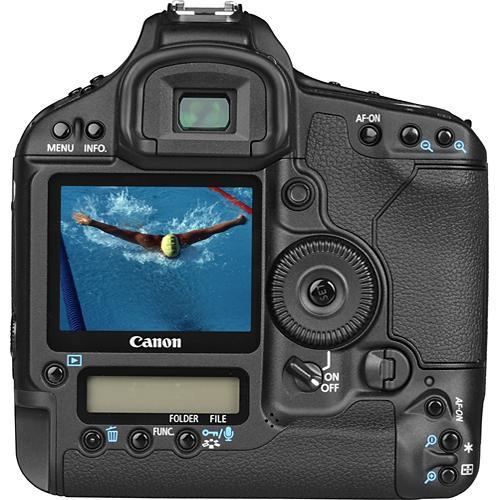
Product description The Canon EOS-1D Mark III SLR Digital Camera is a robust and durable professional digital SLR camera that uses a unique 10.1 effective megapixel CMOS sensor (APS-H size) with an integrated cleaning system to produce images of stunning quality. The 45-point AF system provides fast and accurate focus, while the dual DIGIC III Image Processors work in tandem to speed up every process and refine image quality even further. The EOS-1D Mark III provides an amazing burst shooting capability of up to 10 fps continuously with a maximum of 110 shots in JPEG or 30 RAW images. The Mark III version of the EOS-1D also delivers a lighter body with improved weather sealing and shutter durability as compared to previous models, and adds a very large 3.0" LCD monitor that incorporates Canon's Live View technology. - 10.1 Megapixel (APS-H) CMOS Image Sensor
- The EOS-1D Mark III features a 10.1 megapixel APS-H size CMOS sensor with a broad sensitivity range (ISO 50-6400), and 14-bit A/D conversion for fine gradation and low image noise. The addition of extensive noise reduction further ensures an extremely high signal-to-noise ratio.
- Self-Cleaning Sensor Unit and Dust Delete Data Detection
- The EOS-1D Mark III features a Self-Cleaning Sensor Unit. It functions by inducing ultrasonic vibrations in the IR-cut filter to literally shake the dust off of the image sensor. Any dust that has been missed by the integrated Self-Cleaning Sensor Unit can be erased with the included Digital Photo Professional (DPP) software. The imaging sensor is able to single out the dust particles on its surface, and then plot out their location within the image for either manual or automatic removal in Canon's DPP software.
- High-precision AF System
- The EOS-1D Mark III uses an extraordinary 45-point high-density area AF system that provides not only a large continuous AF coverage area, but also extensive control over focusing point selection. The focusing point can be selected automatically by the camera or you can manually select any of 19 high-precision, cross-type AF points. The selectable AF points are further complemented by 26 additional Assist Points for instantaneous pinpoint accuracy. Furthermore, the camera uses advanced algorithms that ensure the fastest, most accurate AF performance under the widest variety of conditions, and the "intelligent" predictive focusing algorithm precisely tracks subject movement, (even erratic or rapid subject movement), so you can shoot continuously, concentrating solely on image composition.
- Incredibly Fast Burst Shooting Capability
- The EOS-1D Mark III can maintain maximum continuous shooting speed of approximately 10 fps for up to 110 shots in JPEG mode. This impressive shooting speed is achieved by a combination of innovative technologies including a large and efficient buffer memory, a lightning-fast 45-point AF system, sophisticated tracking, and predictive AF technology - all combined with precise, instant metering.
- Light-weight Body with Enhanced Weather Resistance
- The EOS-1D Mark III is more rugged than its predecessor; clad in a magnesium-alloy shell, chassis, and top panel, the camera exhibits impressive strength while keeping its' weight to a minimum. All of the controls and external cover seams are sealed from water and dust. The camera also features improved shutter durability that has been tested to 300,000 exposures.
- Dual DIGIC III Image Processor
- The EOS-1D Mark III uses Dual DIGIC III chips working in parallel to dramatically enhance image quality and deliver impressive speed and power. The DIGIC III Image Processors work in concert with Canon's CMOS sensor to achieve the highest levels of performance, giving the camera its incredible combination of speed and image quality, while minimizing digital noise.
- Highlight Tone Priority
- The EOS-1D Mark III provides a Highlight Tone Priority setting that expands the cameras exposure range to the maximum allowable highlight level, resulting in smoother highlights and a minimization of loss in highlight detail. This Function maximizes detail in bright highlights, even in high-contrast lighting conditions. Furthermore, this impressive custom mode has no impact on the camera's shooting speed or burst capability.
- Picture Style Settings
- Picture Style settings recreate the characteristics of your favorite films by making automatic adjustments to color, saturation, sharpness, and contrast settings to generate noticeable variation in the captured images. In addition to six preset Picture Styles (Standard, Portrait, Landscape, Neutral, Faithful and Monochrome), users can create three additional settings for their particular photographic style.
- Large 3.0-inch LCD Monitor, Featuring Live View
- Not only does the 3.0-inch LCD monitor on the EOS-1D Mark III provide the ability to review your images on a bright and large display and make access to the camera setting easier, the camera also has a Live View option, so you can compose and shoot directly from the LCD monitor. Live View also enables you to zoom in and navigate the composition at 5x or 10x normal size, thereby enabling critical manual focus and allowing more attention to detail. You can even choose a grid overlay to aid in framing your shot.
- Compatible with Canon's Full Line of EOS Lenses and Accessories
- The EOS-1D Mark III is compatible with Canon's world-renowned lineup of professional EF Lenses, including over 50 models ranging from 14mm ultra-wide-angle to 1,200mm super-telephoto, and supports Canon's universally acclaimed L Series lenses and Image Stabilizer technology. The camera also supports full TTL control with Canon EX series Speedlite flash units and wireless data transfer with the WFT-E2A Wireless File Transmitter.
- Powerful Bundled Software
- The EOS-1D Mark III comes with the latest incarnation of the Canon EOS Digital Solution Disc (Version 14.0) so you can get the most out of your camera. It includes Canon's ZoomBrowser EX (for Windows), ImageBrower (for Macintosh), Digital Photo Professional, Canon's EOS Utility, RAW Image Task, PhotoStitch, and PTP TWAIN Driver. Each application is designed to maximize image quality and streamline the digital workflow.
- Digital Photo Professional 3.0
This is an extremely sophisticated image processing application that enables RAW image processing, and supports sRGB, Adobe RGB and Wide Gamut RGB color spaces. It also features the Dust Delete Data Detection tool for cleaner images, and provides real-time image adjustment for intuitive image adjustment. - EOS Utility 2.0
The utility software provides data transfer support and remote-controlled shooting from the computer when the camera is tethered to it by the USB connection. It also provides linking to either Canon's ZoomBrowser/ImageBrowser or Digital Photo Professional software once images have been copied to the hard drive, and supports upload capability back into the camera - ZoomBrowser EX/ImageBrowser 5.8
This user-friendly software allows for viewing and elementary editing of JPEG and RAW image files, as well as TIFF and BMP files. The software provides a variety of search options, permits renaming of either single images or batches, and offers a variety of options for printing without using a separate image-editing program.
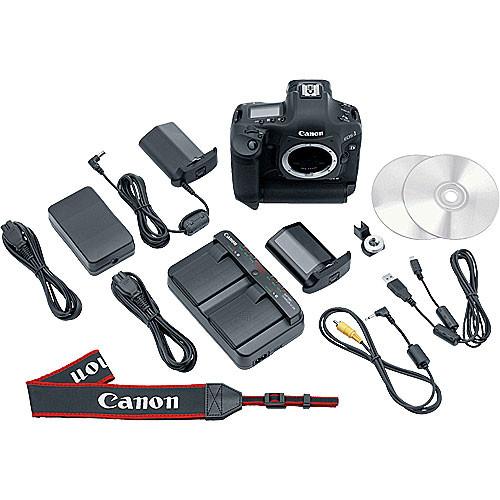
In the Box Canon EOS-1D Mark III 10.1 Megapixel Digital SLR Camera LP-E4 Rechargeable Lithium-Ion Battery LC-E4 Compact Battery Charger ACK-E4 AC Adapter Kit (100-240V) Eyecup Eg Wide Shoulder Strap L6 USB Cable CR2025 Lithium Battery (backup battery) Video Cable EOS Digital Solutions Software CD-ROM Instruction Manual on CD-ROM 90-Day Refurbished Warranty Guides & Manuals Table of Contents
|
Upload User Manual
Have you got an user manual for the Canon EOS-1D Mark III 10.1 Megapixel Digital SLR Camera - Refurbished in electronic form? Please send it to us and help us expand our library of instruction manuals.
Thank you, too, on behalf of other users.
To upload the product manual, we first need to check and make sure you are not a robot. After that, your "Submit Link" or "Upload File" will appear.
Download User ManualThe user manual for the Canon EOS-1D Mark III 10.1 Megapixel Digital SLR Camera - Refurbished can be downloaded in PDF format at the link stated below.
Technical parametersCanon 1888B021AA Specs | Camera Type | SLR Digital Camera | | | | Resolution | Effective: 10.7MP, Recorded: 10.1MP | | Sensor | 28.1 x 18.7mm CMOS | | Bit Depth | 14-bit | | File Formats | RAW, sRAW, JPEG, WAV | | File Size | Not Specified By Manufacturer | | Color Spaces | sRGB, Adobe RGB | | Image Stabilization | Body: No | | Crop Factor | 1.3 | | | | Lens | N/A | | Zoom | N/A | | Lens Mount | Canon EF mount | | Focus Type | Auto and Manual Focus | | Focus Range | N/A | | Accessory Lens/Filter Mount | N/A | | | | Sensitivity | ISO: 100-3200 (expandable to 50 and 6400) | | Shutter Speeds | 1/8000 - 30 sec, bulb | | Metering | Evaluative, Partial, Spot, Center-weighted Average | | Exposure Modes | Manual, Shutter-priority, Aperture-priority, Program | | White Balance | Auto, Day Light, Shade, Cloudy, Tungsten, Fluorescent, Flash, Custom, Kelvin | | Mirror Lock-Up | Yes | | Burst Capability | High-speed continuous: 10fps, Low-speed continuous: 3fps | | Self Timer | 10 seconds or 2 seconds | | Interval Recording | No Possible with optional TC-80N3 Timer Remote | | Remote Control | Yes, N3-type remote | | | | Built-in Flash | No | | Effective Flash Range | N/A | | External Flash Connection | Hotshoe, PC terminal | | Dedicated Flash System | Canon Speedlite EX-series | | Max Sync Speed | 1/300 sec. with Canon EX Speedlites, 1/250 sec. with other shoe-mounted flashes | | | | Built-in Memory | No | | Memory Card Type | CompactFlash I/II and SD/SDHC | | Still Images per GB | RAW: 78
sRAW: 134
JPEG: High Res:292 - Low Res:853 | | | | Video Recording | No | | Video Resolution | No | | Video Clip Length | No | | Audio Recording | WAV format
Up to 30 seconds with image | | | | Viewfinder Type | Eye-level Pentaprism | | Viewfinder Coverage | 100% | | Display | 3" LCD | | | | Connectivity | USB 2.0, A/V Out, Dedicated port for optional wireless WFT-E2/E2A | | System & Software Requirements | Windows 2000, XP, Vista
Macintosh OS X (10.3-10.4.x) | | | | Operating/Storage Temperature | Operating Temperature: 32-113°F/0-45°C
Humidity: 85% | | Weatherproofing | Not Specified By Manufacturer | | Durability | Not Specified By Manufacturer | | | | Battery Type | LP-E4 Lithium-ion Battery | | Power Adapter | ACK-E4 AC Adapter Kit (included) | | | | Dimensions | 6.1 x 6.2 x 3.1" (156 x 156.6 x 79.9mm) | | Weight | 40.7 oz (1155g) body only | | | | Package Weight | 7.4 lb | | Box Dimensions (LxWxH) | 10.6 x 9.3 x 6.0" |
Rating92% users recommend this product to others. And what about you?

This product has already been rated by 42 owners. Add your rating and experience with the product.
Discussion
 Ask our technicians if you have a problem with your settings,
or if anything is unclear in the user manual you have downloaded.
You can make use of our moderated discussion.
The discussion is public and helps other users of our website who may be encountering similar problems.
Ask our technicians if you have a problem with your settings,
or if anything is unclear in the user manual you have downloaded.
You can make use of our moderated discussion.
The discussion is public and helps other users of our website who may be encountering similar problems.
The discussion is empty - enter the first post
Post a new topic / query / comment:
|
|
|
| Request for user manual |
You can’t find the operation manual you are looking for? Let us know and we will try to add the missing manual:
I’m looking for a manual / Request for manual
Current requests for instruction manuals:
Call Of Duty World War Two For Xbox...
controller stratus XL...
stratus XL...
smart whatch serie S11 42mm...
Allen & Heath SQ-6 manual...
|
| Discussion |
Latest contributions to the discussion:
AEW R 4100
Name: MAURICIO ANGARITA
Audio-Technica AEW-R4100 UHF Diversity Receiver for
AEW R 4100 has the mute function blocked and does not allow audio to pass. I tried several times to turn off the mute from the transmitter but it does nothing, the mute stays on. Solution?
Thank you...
Instructions for assembling the 2015 Forecast Image Master Consoles GC3-A
Name: mike elam
Forecast Consoles GC3-A ImageMaster Editing Console
Looking for instructions for assembling this console. ...
EMPTY TONER ERROR MESSAGE AFTER REPLACING TONER
Name: LINDA BAD YELLOW EYES
Brother TN223BK Standard-Yield Toner
I HAD TO CHANGE OUT ALL THREE TONERS DUE TO LEAKS IN THE YELLOW AND CYAN. AFTER I REPLACED THEM, THE MACHINE KEEPS GIVING ME AN EMPTY TONER ERROR MESSAGE. HELP!!...
PS480D 20/24 pin Switching 480W Power Supply
Name: swkargo
Logisys 480W Power Supply
This item states in can run -5vdc .It is NOT listed on the board or I beleive is r4 is missing the resitior. Any body have thid issue. Shawn
...
Help needed
Name: Ann Carter
SanDisk 1TB Extreme Portable USB 3.1
When I click the link to download the user manual for my Sandisk Extreme external hard drive, it gives me the manual for the LG Cricket. Can you please change the link so I can download the Sandisk manual and begin using this drive? Thank you....
|
|



