|
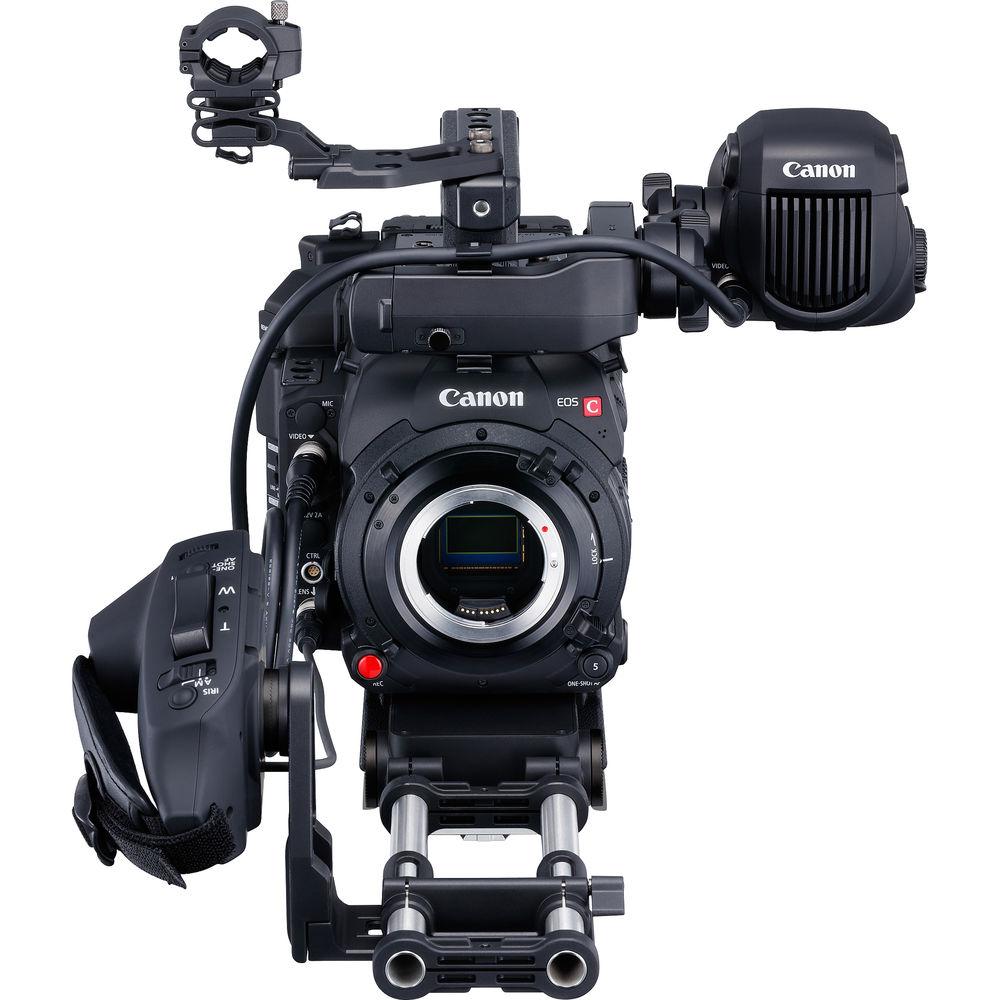
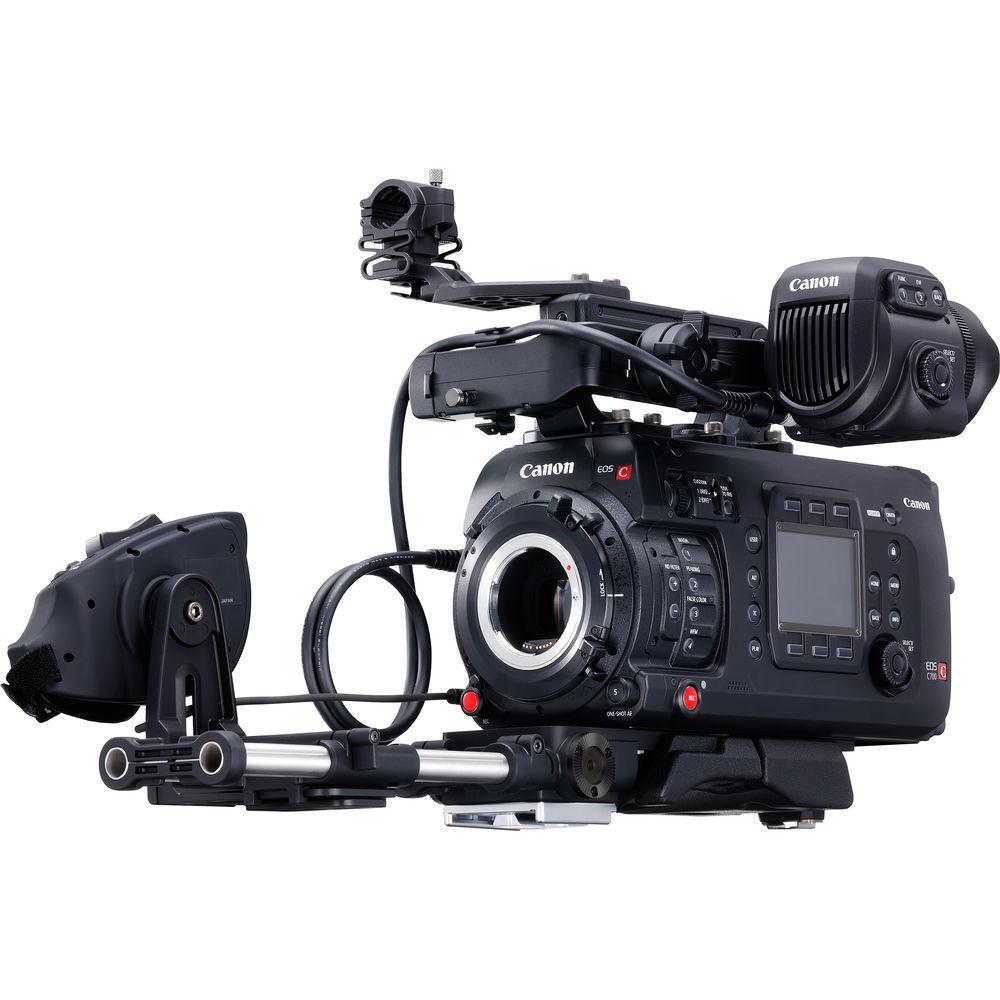
User Manual for Canon EOS C700 Cinema Camera Click to enlarge the picture
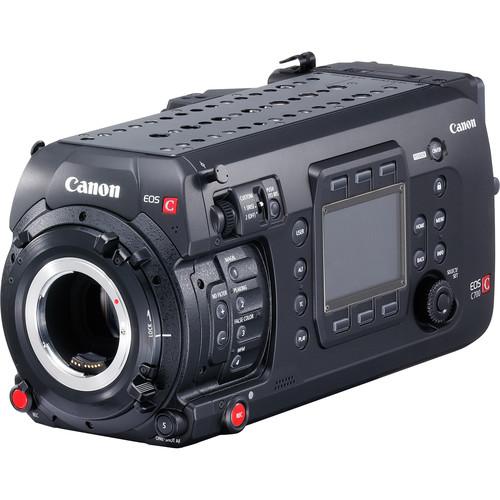 Contents of the user manual for the Canon EOS C700 Cinema Camera
- Product category: Digital Cine Cameras Canon
- Brand: Canon
- Description and content of package
- Technical information and basic settings
- Frequently asked questions – FAQ
- Troubleshooting (does not switch on, does not respond, error message, what do I do if...)
- Authorized service for Canon Digital Cine Cameras
 |
User manual for the Canon EOS C700 Cinema Camera contain basic instructions
that need to be followed during installation and operation.
Before starting your appliance, the user manual should be read through carefully.
Follow all the safety instructions and warnings, and be guided by the given recommendations.
User manual is an integral part of any Canon product,
and if it is sold or transferred, they should be handed over jointly with the product.
Following the instructions for use is an essential prerequisite for protecting
health and property during use, as well as recognition of liability on the part of the manufacturer
for possible defects should you make a warranty claim. Download an official Canon user manual in which you will find instructions on how to install, use, maintain and service your product.
And do not forget – unsuitable use of a Canon product will considerably shorten its lifespan!
|
Product description NAB 2017: Using Canon C700 for Giant Screen and Cross Platform Productions Read More - First Look: Canon EOS C700
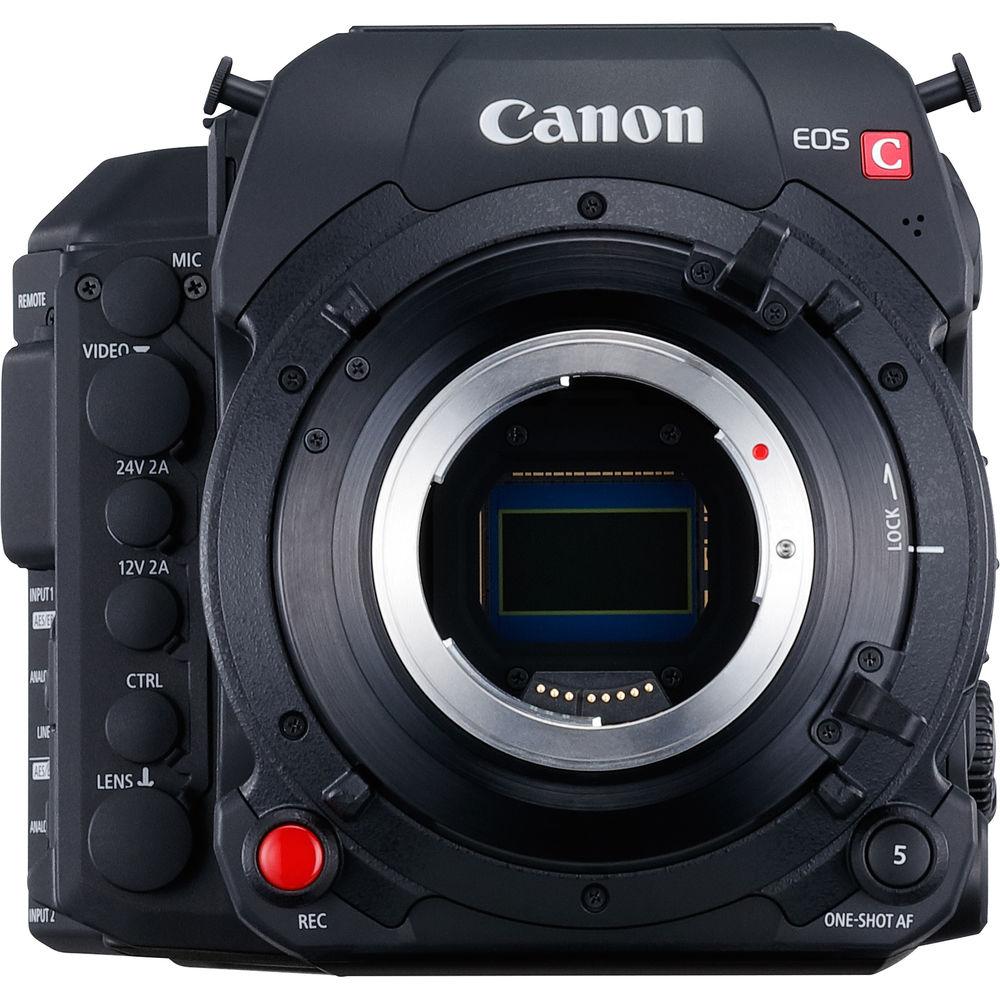
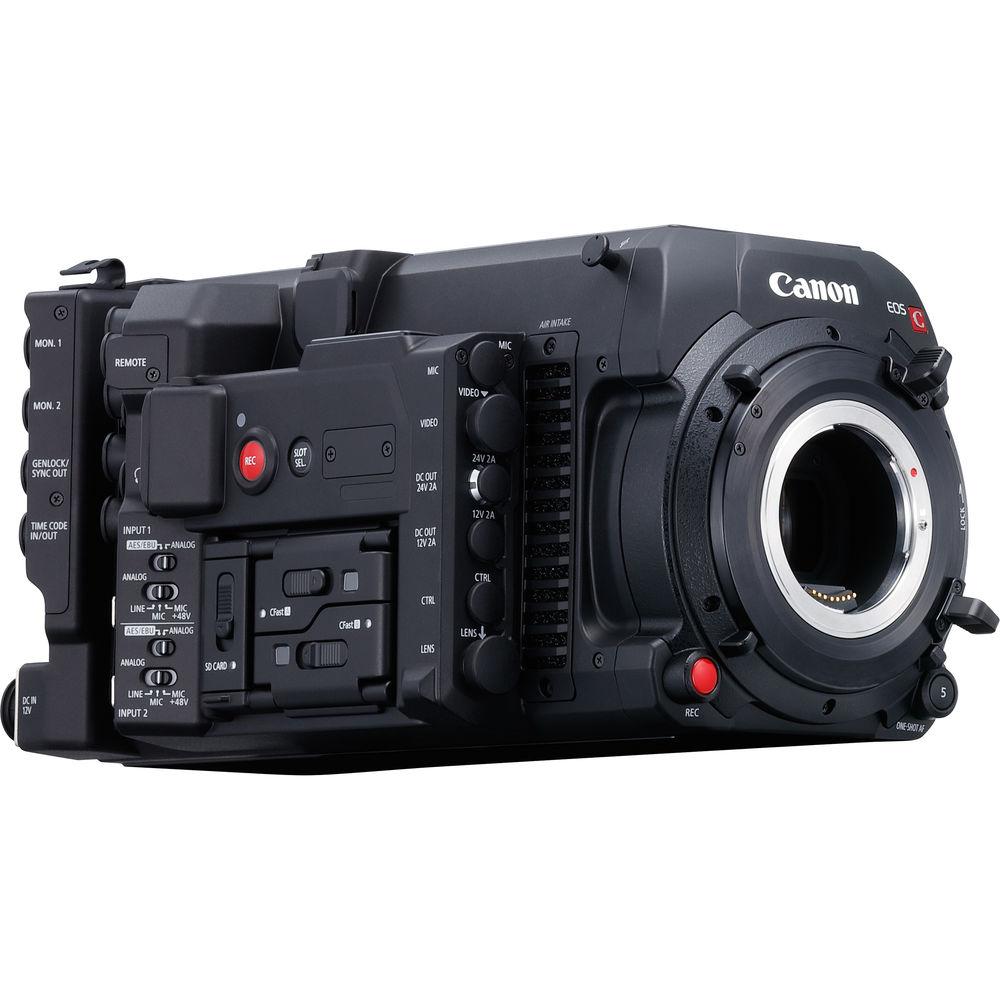
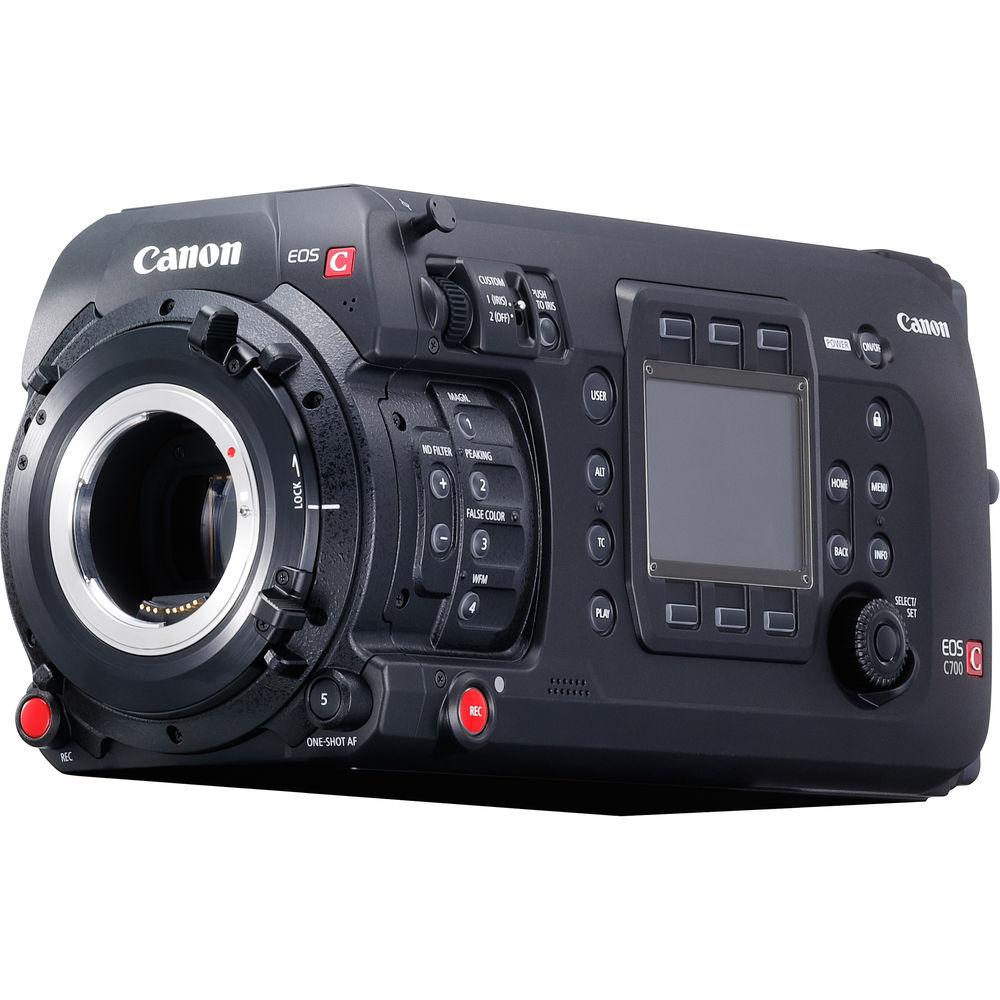
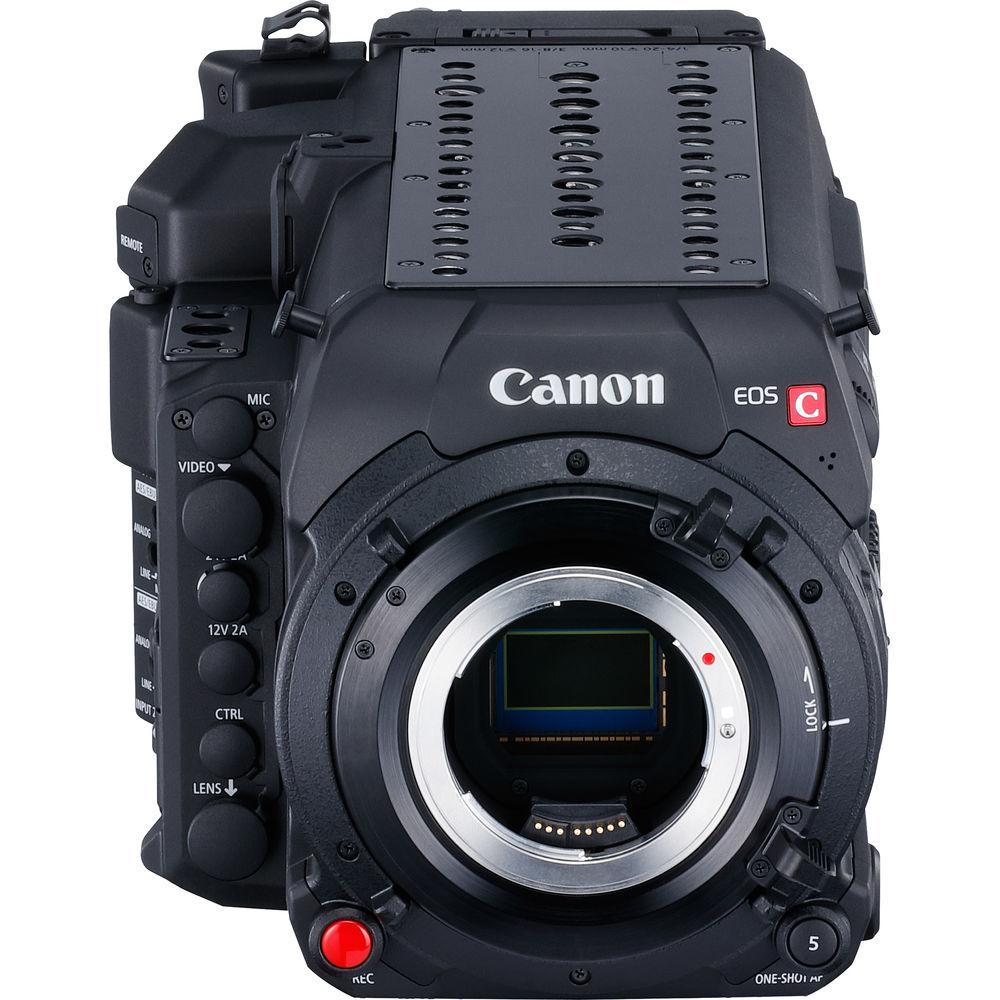
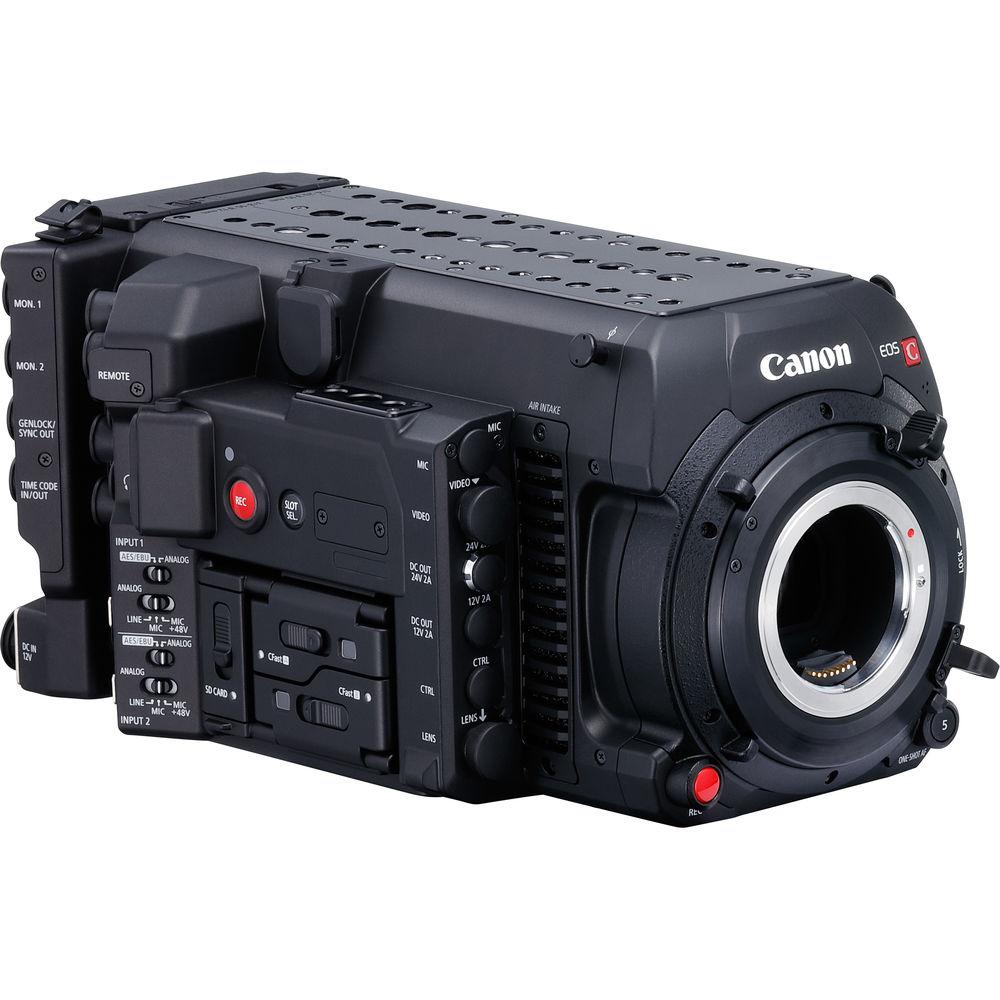
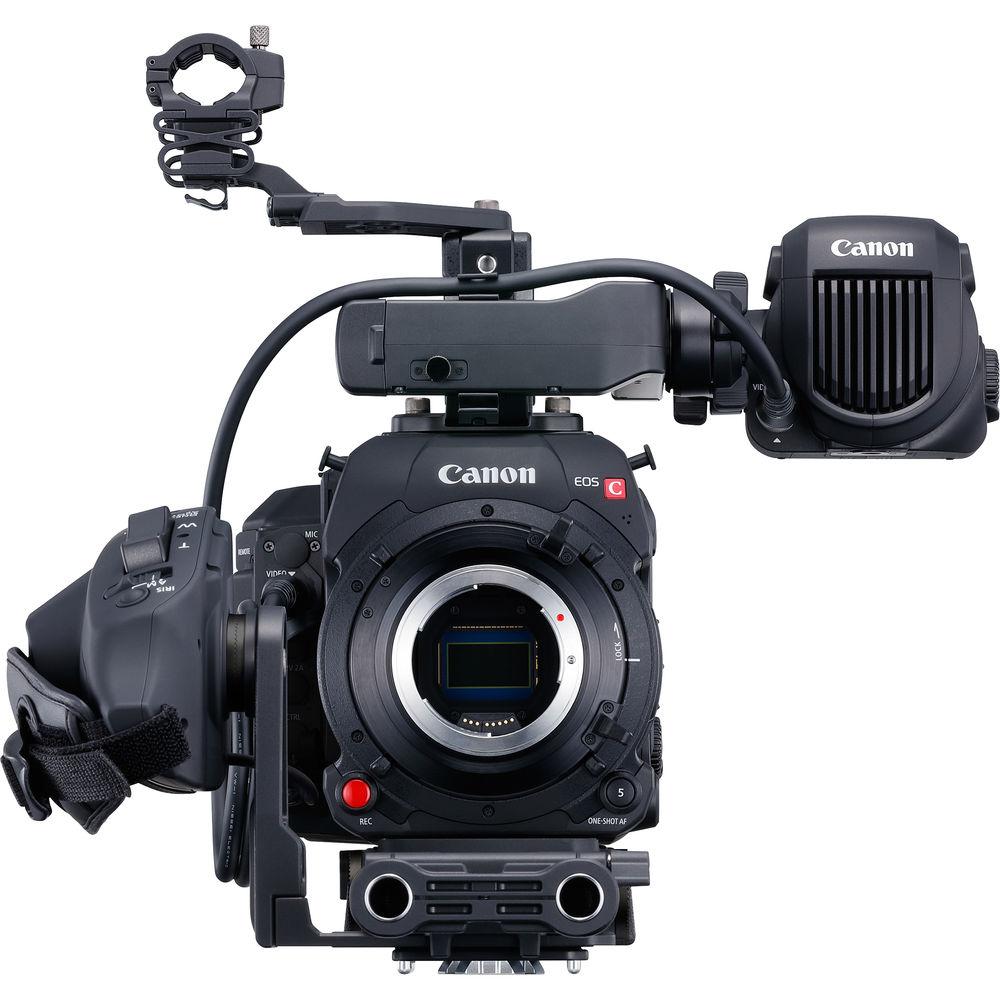
Put Canon's mastery of image processing into a cinema-grade production-ready form factor and you get the EOS C700 Cinema Camera. This version of the C700 comes stocked with Canon's EF lens mount with a positive-locking mechanism, minimizing play found in traditional spring-loaded bayonet-style mounts. Beyond the lens mount is the first stop in the C700's imaging pipeline, the 4.5K CMOS image sensor. With a physical resolution exceeding that of DCI 4K and a dynamic range of approximately 15 stops, the C700 is ready for today's 4K and HDR productions. What good is a sensor without the processing technology to back it up? The C700 is capable of 4K recording at 60p to CFast 2.0 cards using the XF-AVC format. Also available are Apple's well-regarded ProRes formats for direct-to-edit workflows. Raw recording is another possibility through Canon's separately available Codex Digital Recorder which simply clips onto the rear of the C700's modular design. While the C700 is a fairly advanced piece of equipment, Canon has implemented a familiar user interface. Most basic functions can be accessed through the six buttons surrounding the screen. More advanced settings can be found using the simple selection dial and set buttons. I/O options for nearly any application can be found on the C700's side panel. Video, audio, control, and power inputs and outputs are available for implementations ranging from ENG-style run-and-gun to high-budget cinema productions. While the C700 is a production powerhouse all on its own, its modular design lets the user customize the form factor to fit their use case. The rectangular body has enough real-estate to be shoulder-mounted for handheld shooting or secured to a dovetail on professional grip equipment with ease. And for the first time on a Cinema EOS camera, native V-mount battery support is available via an installed IDX battery plate. Recording Features - High Frame-Rate Support
- Slow down the action with high frame rates. Crop in on the sensor for 2K frame rates up to 240 fps. With the separately available Codex Digital raw recorder, frame rates of up to 120 fps can be captured using the entire sensor.
- Internal ProRes Recording
- The inclusion of Apple's ProRes codec inside the C700 enables shooters who require a quick turn-around to go direct-to-edit on many NLEs without any transcoding necessary. In 4K the 422 HQ flavor is implemented, and is supported up to 30 fps. In 2K mode, 10-bit 422, 10-bit 422HQ, and 12-bit 4444 can be used. High frame-rate recording is supported up to 180 fps using the 10-bit 422 flavor combined with the 2K center crop. All formats are conveniently recorded directly to the CFast 2.0 cards.
- Multi-Format Recording
- Using the SD card slot, low-data-rate proxy files can be recorded simultaneously with XF-AVC or ProRes on the CFast 2.0 cards. Proxy files are useful for easy editing, either on-the-go, or with a less powerful computer to be linked up with the master files later on. Alternatively, the proxy files can be given to a client for review.
- Raw Recording
- By removing the battery mount on the rear of the camera, and using the included bracket, a Codex Digital raw recorder can be installed using the included bracket. 12-bit DCI 4K raw files will be recorded onto separately available Codex Digital Capture Drives and will be instantly compatible with the robust Codex Digital workflow.
Monitoring Features - HDR
- If using monitors compatible with the SMPTE ST 2084 standard, you can connect to the monitor via SDI or HDMI outputs for vibrant images with enhanced dynamic range visibility over standard monitoring solutions. The separately available EVF-V70 OLED viewfinder has HDR simulation via a LUT that resembles the SMPTE ST 2084 standard for HDR preview monitoring in-camera.
- Surrounding Area
- The viewfinder and monitoring outputs will display a translucent area around the image that is being recorded. Having that area lets the operator see what's happening outside the recorded frame.
- ACES Support
- The C700 supports ACESproxy version 1.0. Connect it to an input device that supports ACESproxy to deliver a standardized color space in images at the shooting and editing locations, which improves workflow efficiency.
- Anamorphic De-Squeeze
- Anamorphic lenses enable one-of-a-kind visual expression and are supported on the C700. When outputted to EVF or monitor outputs, the image is stretched to 2.39:1 after de-squeezing. Magnification factor can be set to OFF/2x/1.33x to match the anamorphic optics in use.
General Features - Canon Log
- Following in the tradition of the EOS C series cameras, the C700 offers Canon Log, Canon Log 2, and Canon Log 3 curves for recording.
Canon Log 2 emphasizes post-production grading, and maintains higher tonality in dark areas compared to the original Canon Log. With this curve, up to 15 stops of dynamic range can be realized in a single frame.
Canon Log 3 uses a gamma designed to simplify grading by tightening dark areas and adjusting gradation, making it a gamma that makes noise less noticeable and widens dynamic range while retaining Canon Log's ease of use. - Dual Pixel CMOS AF
- With phase-detection pixels covering 80% of the sensor area, quickly achieving accurate focus with compatible EF lenses is as simple as selecting an area and have the camera automatically focus on it. Face detection will lock the focus on a face inside the frame and track it as it moves through the frame. Different faces inside the frame are selectable. To ensure that focus is smooth, sensitivity can be adjusted in the menu.
Another function of Dual Pixel AF is Dual Pixel Focus Guide, especially for manual focus confirmation. Select an area inside the frame and the UI will show if the lens is front or back focused from that point. Once critical focus is achieved the area will confirm immediately. - Lens Control
- A 12-pin lens connection enables remote control of a compatible lens's focus, zoom, and iris functions, similar to that of a broadcast lens.
- B4 Lens Support
- With the separately available B4 lens mount adapter, traditional 2/3" ENG lenses can be used in run-and-gun situations as they cover a large zoom range while remaining relatively compact.
- Intuitive Operation
- In addition to several assignable buttons, six soft keys surround the control screen on the operator-side of the camera. Each of the six buttons can be set to adjust a different camera setting easily and intuitively. This menu system can be driven independently of the EVF menu. Deeper settings can be accessed using the dial, set key, as well as familiar home and back buttons.
- ND Filters
- Dual motorized filter wheels hold 2, 4, and 6-stop ND filters. Using both wheels together in the extension mode enables even stronger 8 and 10-stop settings.
- Upgradability
- The camera can grow with your productions as you require. If your workflow moves from EF-mount lenses a Canon service center can switch your mount. Additionally, the sensor block is factory-upgradable if you wish to switch to the global shutter sensor block.
- IP Streaming Support
- IP streaming support lets users stream video online in real-time as they shoot. The C700 can connect with compatible IP decoders, IP streaming software and other devices, either through the on-board Ethernet connection or with a separately available Wi-Fi adapter, to enable live streaming to video websites or news programs within an existing video production and editing workflow, such as at a broadcast station.
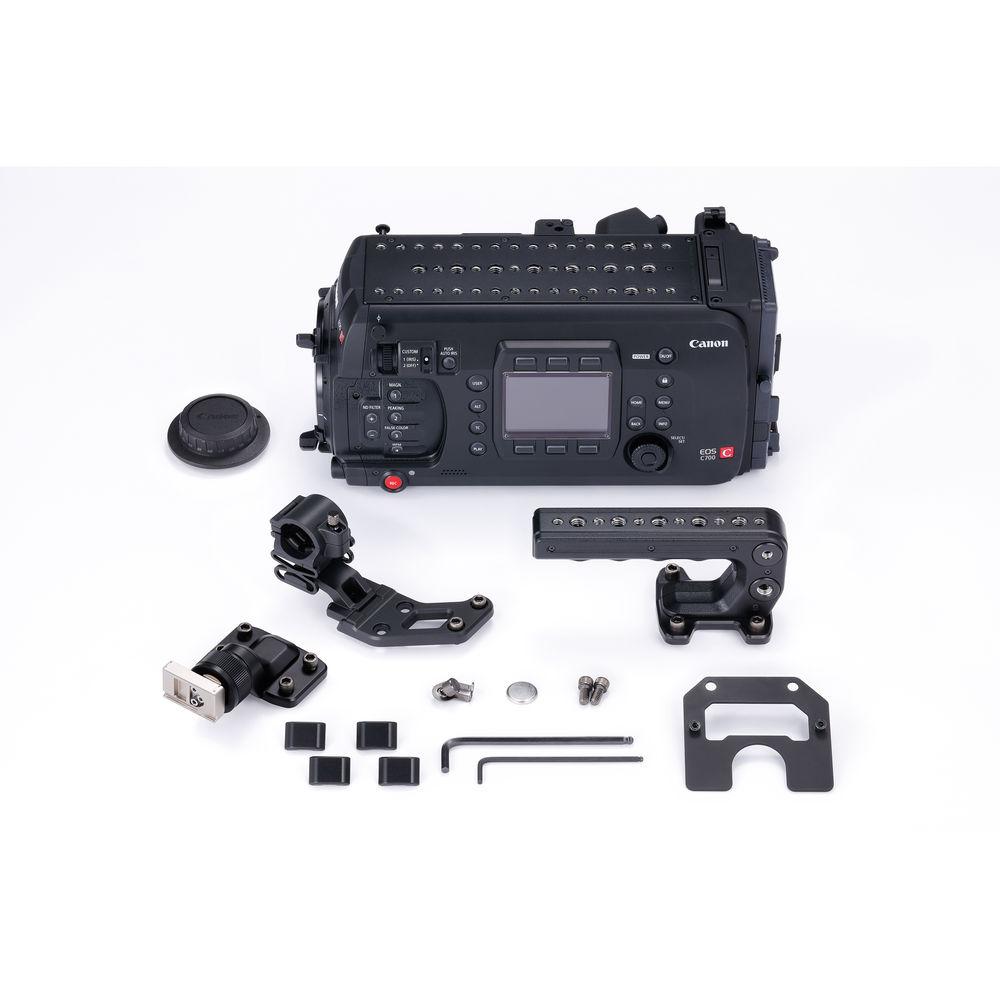
UPC: 013803275827 In the Box Canon EOS C700 Cinema Camera Handle Unit Body Cap Tripod Adapter Base 4 x Base Feet WFT Attachment Mic Holder 2 x Measuring Hooks Reinforcing Plate for Codex Recorder Cable Clamp Base Allen Wrench Button Battery Limited 1-Year Warranty Guides & Manuals aqrzeqracyzyxccbuw Table of Contents
|
Upload User Manual
Have you got an user manual for the Canon EOS C700 Cinema Camera in electronic form? Please send it to us and help us expand our library of instruction manuals.
Thank you, too, on behalf of other users.
To upload the product manual, we first need to check and make sure you are not a robot. After that, your "Submit Link" or "Upload File" will appear.
Download User ManualThe user manual for the Canon EOS C700 Cinema Camera can be downloaded in PDF format at the link stated below.
Technical parametersCanon C700 Specs | | | Image Sensor Size | Super35 | | Sensor Type | CMOS | | Sensor Resolution | 4622 x 2496 (11.54 MP) | | Effective Sensor Resolution | 4096 x 2160 (8.85 MP) | | Shutter Type | Rolling Shutter | | ISO | 160 to 25,600 (Native)
100 to 102,400 (Expanded) | | Gain | -2 to 42 dB (Native)
-6 to 54 dB (Expanded) | | | | Lens Mount | EF Cinema | | Lens Communication | Yes, with Autofocus Support | | Built-In ND Filter | Mechanical Filter Wheel with 2 Stop (1/4), 4 Stop (1/16), 6 Stop (1/64) ND Filters | | Recording Media | 2 x CFast 2.0 Card Slots
1 x SDXC Card Slot | | | | Raw Recording | Raw 12-Bit:
4096 x 2160
Raw 10-Bit:
4096 x 2160 | | Recording Modes | ProRes 4:4:4 12-Bit:
2048 x 1080
1920 x 1080
XF-AVC 4:4:4 12-Bit:
2048 x 1080
1920 x 1080
XF-AVC 4:2:2 10-Bit:
4096 x 2160
3840 x 2160
ProRes 4:2:2 10-Bit:
4096 x 2160
3840 x 2160 | | Gamma Curve | Canon Log, Canon Log 2, Canon Log 3, DCI-P3, Rec2020, Rec709, ST2084, Wide DR | | | | IP Streaming | RTP, RTSP, UDP: 720 x 480 to 1920 x 1080 at 25p, 29.97p, 50i, 59.94i (1.5 to 9.0 Mb/s) | | | | Video Connectors | 2 x BNC (3G-SDI) Monitor Output
4 x BNC (3G-SDI) Output
1 x HDMI Output | | Audio Connectors | 2 x 3-Pin XLR Mic Level Input
1 x 1/8" (3.5 mm) Stereo Headphone Output | | Other I/O | 1 x 12-Pin Lens Control
1 x BNC Timecode Input/Output
1 x BNC Genlock Output
1 x RJ45 | | Wireless Interfaces | 2.4 GHz, 5 GHz Wi-Fi Control | | | | Display Type | LCD | | Screen Size | 3" | | Screen Resolution | 1,036,000 Dots | | | | Battery Type | V-Mount | | Power Connectors | 1 x 4-Pin XLR (12 VDC) Input
1 x D-Tap (12 to 24 VDC at2 A) Output | | | | Accessory Mount | 1 x 1/4"-20 Female
1 x 3/8"-16 Female | | Dimensions | 6.6 x 6.1 x 12.9" / 16.7 x 15.4 x 32.7 cm | | Weight | 7.6 lb / 3.4 kg | | | | Package Weight | 14.7 lb | | Box Dimensions (LxWxH) | 18.4 x 13.7 x 13.5" |
Rating86% users recommend this product to others. And what about you?

This product has already been rated by 54 owners. Add your rating and experience with the product.
Discussion
 Ask our technicians if you have a problem with your settings,
or if anything is unclear in the user manual you have downloaded.
You can make use of our moderated discussion.
The discussion is public and helps other users of our website who may be encountering similar problems.
Ask our technicians if you have a problem with your settings,
or if anything is unclear in the user manual you have downloaded.
You can make use of our moderated discussion.
The discussion is public and helps other users of our website who may be encountering similar problems.
The discussion is empty - enter the first post
Post a new topic / query / comment:
|
|
|
| Request for user manual |
You can’t find the operation manual you are looking for? Let us know and we will try to add the missing manual:
I’m looking for a manual / Request for manual
Current requests for instruction manuals:
Call Of Duty World War Two For Xbox...
controller stratus XL...
stratus XL...
smart whatch serie S11 42mm...
Allen & Heath SQ-6 manual...
|
| Discussion |
Latest contributions to the discussion:
AEW R 4100
Name: MAURICIO ANGARITA
Audio-Technica AEW-R4100 UHF Diversity Receiver for
AEW R 4100 has the mute function blocked and does not allow audio to pass. I tried several times to turn off the mute from the transmitter but it does nothing, the mute stays on. Solution?
Thank you...
Instructions for assembling the 2015 Forecast Image Master Consoles GC3-A
Name: mike elam
Forecast Consoles GC3-A ImageMaster Editing Console
Looking for instructions for assembling this console. ...
EMPTY TONER ERROR MESSAGE AFTER REPLACING TONER
Name: LINDA BAD YELLOW EYES
Brother TN223BK Standard-Yield Toner
I HAD TO CHANGE OUT ALL THREE TONERS DUE TO LEAKS IN THE YELLOW AND CYAN. AFTER I REPLACED THEM, THE MACHINE KEEPS GIVING ME AN EMPTY TONER ERROR MESSAGE. HELP!!...
PS480D 20/24 pin Switching 480W Power Supply
Name: swkargo
Logisys 480W Power Supply
This item states in can run -5vdc .It is NOT listed on the board or I beleive is r4 is missing the resitior. Any body have thid issue. Shawn
...
Help needed
Name: Ann Carter
SanDisk 1TB Extreme Portable USB 3.1
When I click the link to download the user manual for my Sandisk Extreme external hard drive, it gives me the manual for the LG Cricket. Can you please change the link so I can download the Sandisk manual and begin using this drive? Thank you....
|
|



