|
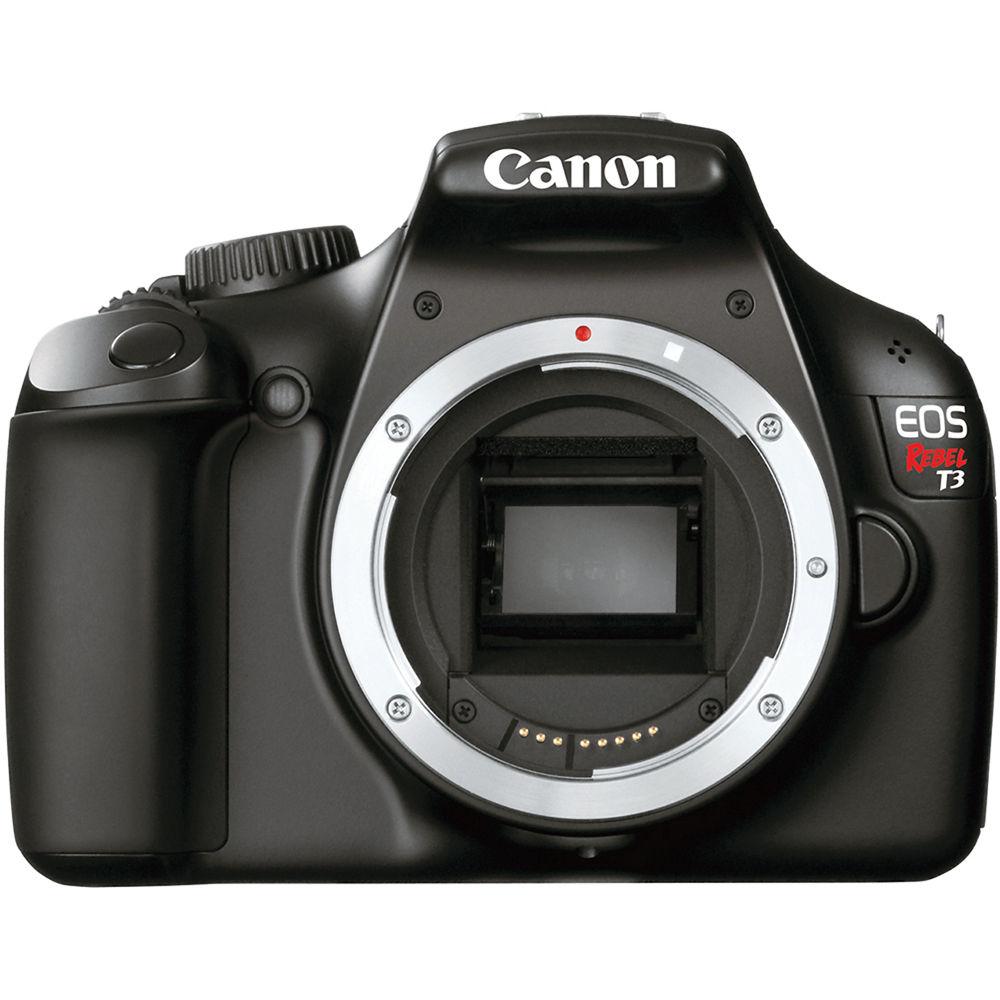
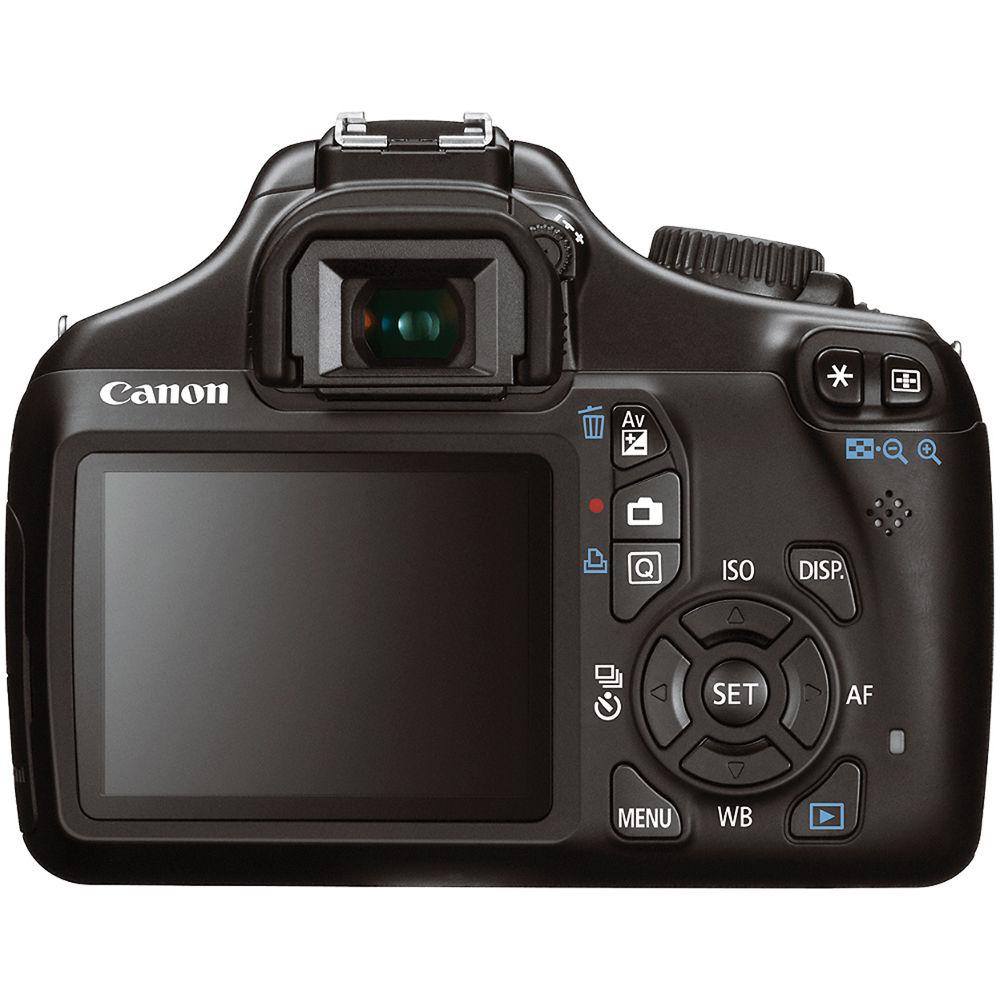
User Manual for Canon EOS Rebel T3 DSLR Camera and 18-55mm IS II Lens Kit - Refurbished Click to enlarge the picture
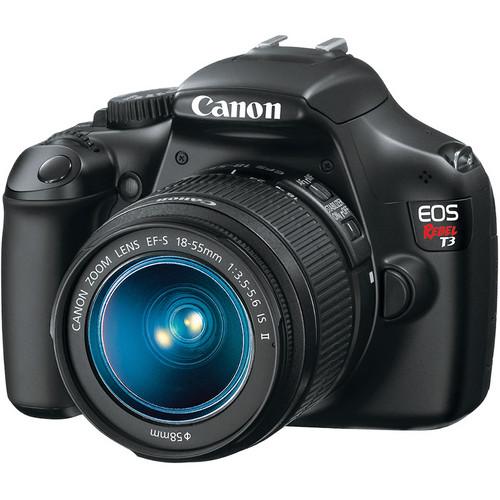 Contents of the user manual for the Canon EOS Rebel T3 DSLR Camera
- Product category: Uncategorized Canon
- Brand: Canon
- Description and content of package
- Technical information and basic settings
- Frequently asked questions – FAQ
- Troubleshooting (does not switch on, does not respond, error message, what do I do if...)
- Authorized service for Canon Uncategorized
 |
User manual for the Canon EOS Rebel T3 DSLR Camera contain basic instructions
that need to be followed during installation and operation.
Before starting your appliance, the user manual should be read through carefully.
Follow all the safety instructions and warnings, and be guided by the given recommendations.
User manual is an integral part of any Canon product,
and if it is sold or transferred, they should be handed over jointly with the product.
Following the instructions for use is an essential prerequisite for protecting
health and property during use, as well as recognition of liability on the part of the manufacturer
for possible defects should you make a warranty claim. Download an official Canon user manual in which you will find instructions on how to install, use, maintain and service your product.
And do not forget – unsuitable use of a Canon product will considerably shorten its lifespan!
|
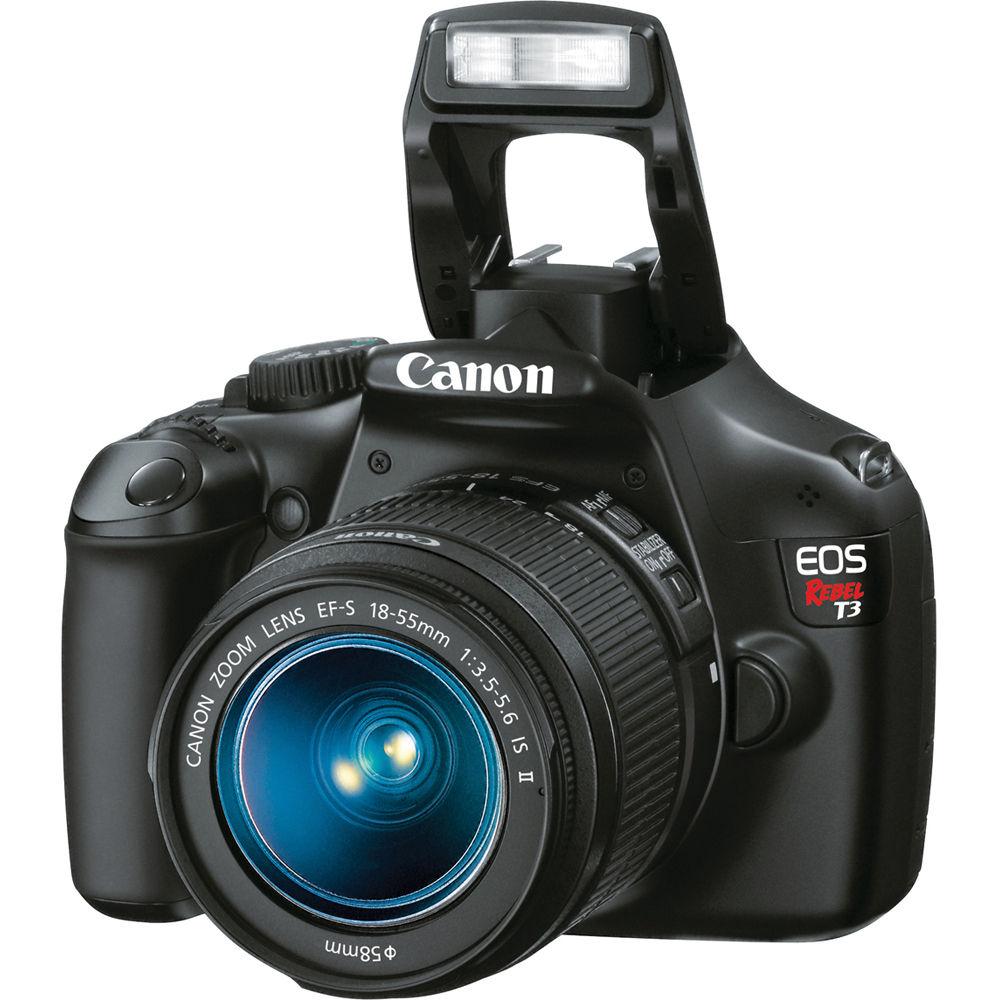
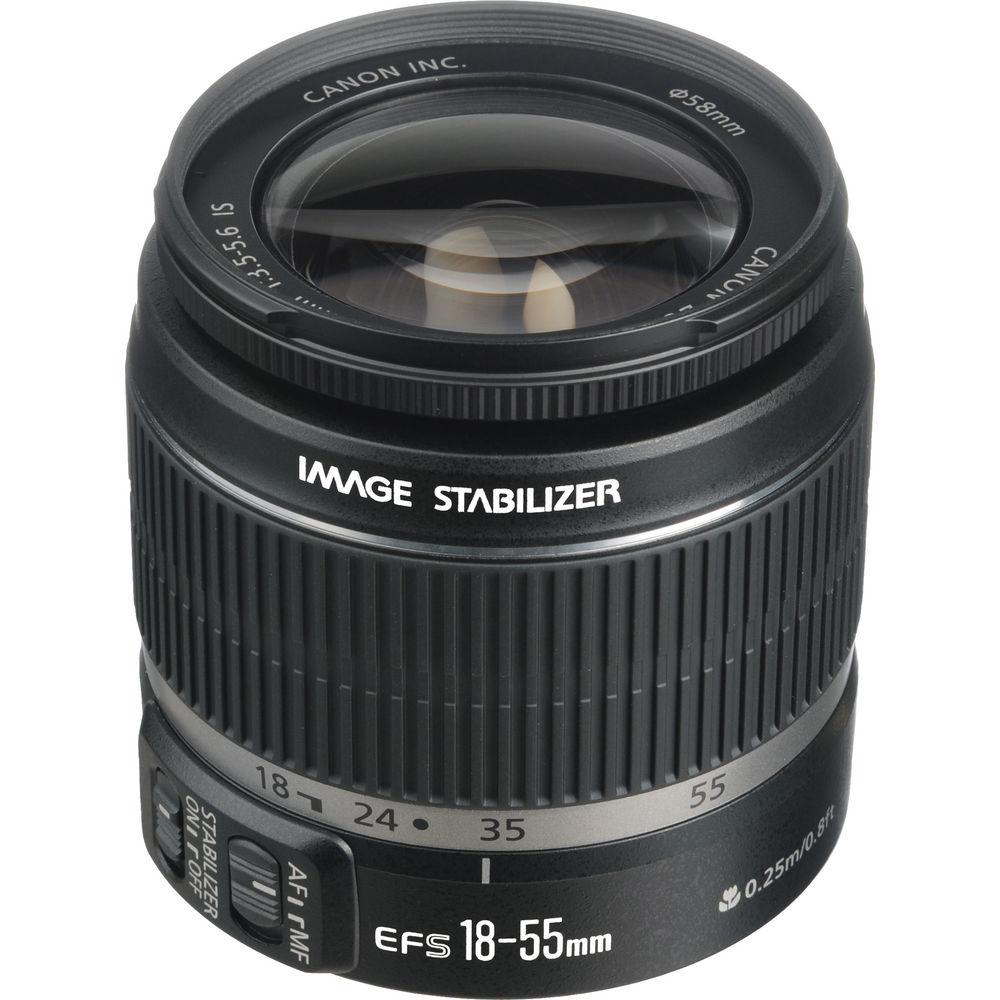
Product description The Canon EOS Rebel T3 DSLR Camera with 18-55mm IS II Lens Kit puts the popular Rebel, along with an 18-55mm EF-S lens, in your hands. You'll be shooting from day one with this value-minded kit - going beyond what your point-and-shoot allows, making your creative ideas a reality. Just remember to first charge the included lithium-ion battery and pop in an SD/SDHC/SDXC memory card and you'll be ready to roll. What's more, the T3 can be used with all Canon EF and EF-S lenses - expanding your options throughout the line-up. The T3 has a 12.2MP CMOS (APS-C) sensor and Canon's DIGIC 4 image processor - providing you with high quality JPEG and RAW images. Features like 100-6400 ISO, the 9 point AF system, and the 63 zone dual layer metering system help to capture detailed and lush images in any situation. Of course the 2.7" LCD doesn't hurt either - in fact, the LCD provides a brilliant display on which to compose and relive your shots. The camera also has a viewfinder for more precise image making. In addition to taking great photographs the T3 also records great movies! The camera captures 1280 x 720/30p/25p video. Add videos to your Facebook or work on your HD DSLR video short, whatever your goal, this is definitely one tool that's expected on most DSLR cameras these days. The T3 also features a number of shooting controls designed to make using the camera hassle-free. Functions like Basic+, Quick Setting, and Creative Auto all work to take the guesswork out of photography. Additionally, Quick Control and the feature guide make operation of the camera and its function a no-brainer. - The Beauty of Simplicity
- Perfect for photographers ready to make the move to digital SLR photography, the new EOS Rebel T3 delivers beautiful photos and video, speed, simplicity and fun. It features a 12.2 Megapixel CMOS Image Sensor and Canon DIGIC 4 Image Processor for richly detailed images and quick camera response. It has Canon's amazing 63 zone, dual-layer metering for accurate exposures and features Canon's Basic+ function, HD video recording and live view shooting, plus a convenient in-camera feature guide. Available in a number of gorgeous colors, the EOS Rebel T3 is as beautiful as the pictures it takes
- New Technology for Outstanding Images
- Canon's CMOS (Complementary Metal Oxide Semiconductor) sensor captures images with exceptional clarity and tonal range, and offers the most pixels in its class. It offers many of the same new technologies to maximize each pixel's light gathering efficiency that were first seen with the professional EOS-1D Mark III model. It's an APS-C size sensor (22.2 x 14.8mm), and there's an effective 1.6x increase in the lens's marked focal length when attached
- DIGIC 4 Image Processor
- The improved DIGIC 4 Image Processor ensures that images are captured, processed and saved with remarkable speed. The EOS Rebel T3 DSLR's new 3:2 multiple aspect ratio, in-camera RAW image processing, creative filters, image resizing and provided S2 and S3 image-recording quality are all possible thanks to the DIGIC 4 Image Processor. With dazzling results, the new DIGIC 4 Image Processor also works to capture and process data of images shot at 12.2 Megapixels at 3.0 fps, as well as 14-bit signal processing for excellent image gradation, enhanced Face Detection live mode, HD video recording, Auto Lighting Optimizer and Lens Peripheral Optimization
- Excellence from Dawn to Dusk
- With a broad range of ISO settings, the EOS Rebel T3 enables shooting from sunrise to sunset and helps ensure capture of the finest detail. With enhanced high-sensitivity optimization, subjects can be captured clearly and easily at high shutter speeds without flash, with minimized blur and noise. In bright scenes, especially long exposures in daylight, optimal exposure can be achieved with a fully open wide-diameter lens, no dark filter needed
- High Definition Made Easy
- The EOS Rebel T3 DSLR's expanded repertoire of technologies includes shooting video in brilliantly clear, exactingly sharp high definition for playback on your HDTV! Shooting at 1280 x 720 at 30 (29.97) or 25 frames per second, HD video can be taken immediately through the EOS Rebel T3 camera's intuitive operation and layout. Parameters for white balance and picture style are already set - just grab and go!
- Incredible AutoFocus
- The EOS Rebel T3 has a high-precision, 9 point AF system utilizing a high-precision, f/5.6 cross-type center point. The 9 point AF system uses both normal and high-precision focus depending on the aperture and available light. The 9 focus points can be chosen automatically or manually selected
- Accurate Metering for Perfect Exposure
- The EOS Rebel T3 features Canon's newest dual-layer sensor, with 63 zones. By measuring not only the amount of light, but also taking into account color and luminosity, this new system delivers a very high level of accuracy for better results every time. Since the metering sensor has a color measurement function, exposure errors and focus errors caused by different light sources are minimized; the EOS Rebel T3 gives stable exposure from shot to shot in situations where light changes, such as sports on a cloudy day, or indoor holiday scenes
- Speedy, Precise Operation
- The EOS Rebel T3 operates with such effortless speed that operation is nothing short of intuitive. With instant startup times, speedy autofocus and minimal shutter lag, the EOS Rebel T3 is one of the fastest cameras available today. It can shoot up to 3.0 fps (frames per second), in bursts of up to approximately 3 JPEGs or 2 RAW files, so you won't miss a shot
- See the Image on a Large LCD with Live View Function
- The EOS Rebel T3 has a huge, bright 2.7" TFT (thin film transistor) LCD monitor with 230,000 pixels and a viewing angle of 170°. It's perfect for Live View composition or viewing camera settings like AF, ISO, Metering, AF Point selection and flash options. And the maximum brightness of the EOS Rebel T3 DSLR's LCD monitor is about 30% greater than its predecessor, which is a big benefit when you're using the camera in bright sunlight Live View Function Live View Function enables you to view your subjects directly on the huge 2.7" LCD monitor. It's easy to magnify any part of the scene 5x or 10x for precise manual focus. And now, there are two ways to use Autofocus along with Live View Function in the EOS Rebel T3. You can even choose a grid overlay, perfect for keeping straight lines in your subject straight in your pictures. In the studio, Live View Function can be used remotely via a computer through the EOS Rebel T3 DSLR's USB connection
- Make Your Images As You See Them
- Basic+ is a new creative imaging feature that makes it easy to create the image effects you want. It can be set with the Quick Control screen in Basic Zone modes. Basic+ provides two options: Shoot by ambience selection: Based on the picture style and its parameters (sharpness, contrast, saturation, and color tone), the exposure compensation and white balance correction are adjusted to attain the selected ambience. You can also select the strength of the ambience effect Shoot by lighting or scene type: Although the actual parameter set is the white balance, the settings are expressed in more understandable terms The EOS Rebel T3 DSLR's Quick Control screen gives you instant access to the most common settings, all in one place! It's a great way to quickly confirm or change settings while you're shooting. The Quick Control screen is particularly useful when you're shooting from a tripod or monopod, with the camera at eye level, because it eliminates the need to view the LCD data panel on top of the camera while changing settings For beginners looking to expand their photographic horizons, the EOS Rebel T3 offers Creative Auto mode. While basic settings are based on full automatic operation, shooting guides on the LCD screen enable you to make corrections based on simple to follow guidelines. In essence, with Creative Auto mode, you can learn about photography while taking stunning photographs
- Photography Made Truly Easy
- The Canon EOS Rebel T3 DSLR demystifies great photography by including an in-camera feature guide. Appearing on the camera's LCD, the feature guide displays a simple description or advice for the respective function. It is displayed in each shooting mode, during mode dial operations, and for quick control screen functions (during normal shooting, Live View shooting, movie shooting, and playback). The feature guide appears automatically during mode dial operations and when a function is selected on the quick control screen
- Speedy, Wireless Image Capture and Transmission
- The EOS Rebel T3 uses popular SD, SDHC and SDXC memory cards. Compact, inexpensive and available in increasingly large capacities, SD, SDHC and SDXC memory cards are a perfect complement to the EOS Rebel T3 DSLR's compact and lightweight body design Additionally, the EOS Rebel T3 is compatible with Eye-Fi SD cards, which are outfitted with a Wi-Fi transmitter (IEEE 802.11b/g) and internal antenna for wireless, high-speed transfer of images. With an Eye-Fi card installed, the EOS Rebel T3 can display the Eye-Fi's connection status and error notes with ease, for fully functional wireless uploading of images directly from the camera
- EF Lenses
- The EOS Rebel T3 is compatible with all Canon lenses in the EF and EF-S lineup, ranging from ultra-wide angle to super telephoto lenses. Canon lenses employ advanced optical expertise and micron-precision engineering to deliver unprecedented performance in all facets of the photographic process. Special optical technologies, such as Aspherical, ultra-low dispersion, or fluorite elements are featured in the universally acclaimed L Series lenses, and Canon's Optical Image Stabilizer technology are featured in select lenses to minimize the effect of camera shake. Through Canon lenses, photographers can truly maximize the quality and liberating performance of the EOS Rebel T3
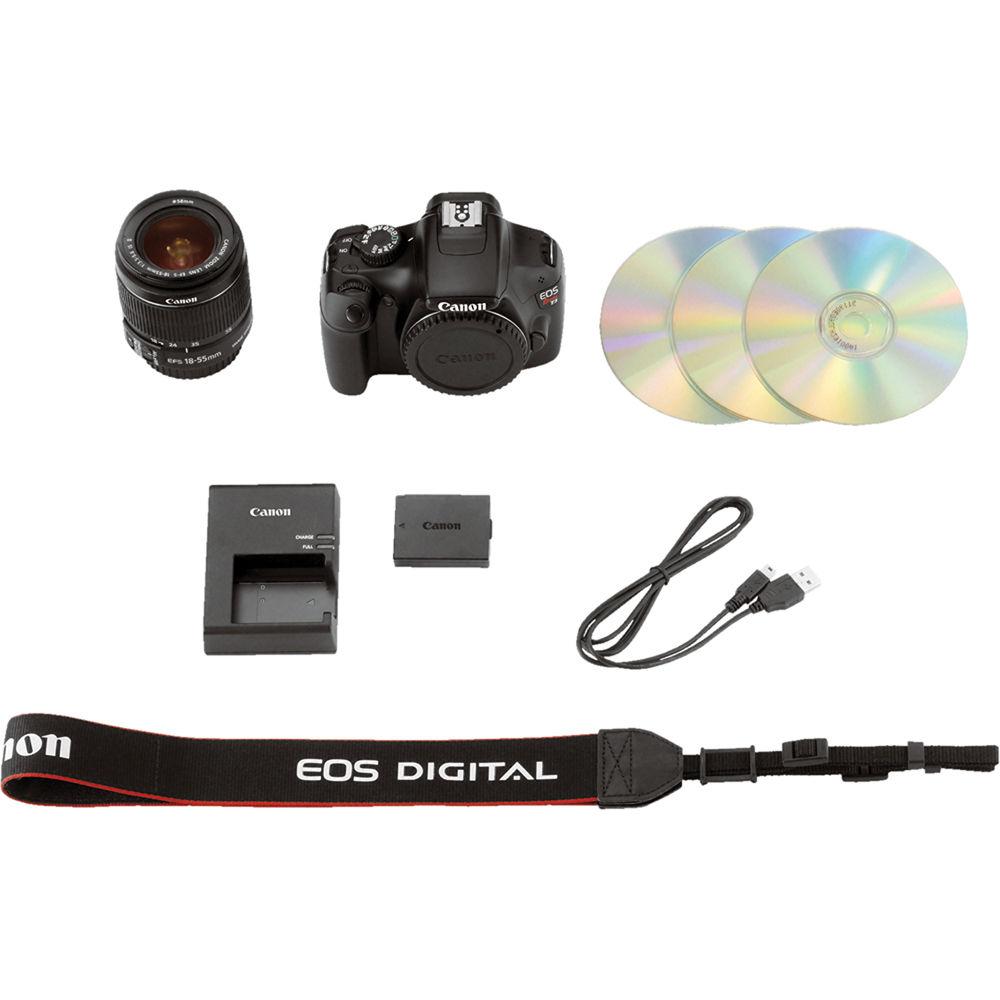
In the Box Canon EOS Rebel T3 DSLR Camera and 18-55mm IS II Lens Kit EF-S 18-55mm f/3.5-5.6 IS II Lens Eyecup EF Wide Strap EW-200DB Interface Cable IFC-130U LP-E10 Lithium-Ion Battery Pack LC-E10 Battery Charger for EOS Rebel T3, T5, T6 EOS Digital Solution Disk and Instruction Manuals 1-Year Canon U.S.A. Limited Warranty User Manual PDF 37.3mb Table of Contents
|
Upload User Manual
Have you got an user manual for the Canon EOS Rebel T3 DSLR Camera and 18-55mm IS II Lens Kit - Refurbished in electronic form? Please send it to us and help us expand our library of instruction manuals.
Thank you, too, on behalf of other users.
To upload the product manual, we first need to check and make sure you are not a robot. After that, your "Submit Link" or "Upload File" will appear.
Technical parametersCanon 5157B015AA Specs | | | Lens Mount | Canon EF | | Camera Format | Canon APS-C (1.6x Crop Factor) | | Pixels | Actual: 12.6 Megapixel
Effective: 12.2 Megapixel | | Max Resolution | 12.2 MP: 4272 x 2848 | | Aspect Ratio | 3:2 | | Sensor Type / Size | CMOS, 22.0 x 14.7 mm | | File Formats | Still Images: JPEG, RAW
Movies: MOV, MPEG-4 AVC/H.264
Audio: Linear PCM | | Memory Card Type | SD
SDHC
SDXC | | | | Focus Type | Auto & Manual | | Focus Mode | Single-servo AF (S), Continuous-servo AF (C), Manual Focus (M) | | Autofocus Points | 9 | | | | Viewfinder Type | Pentamirror | | Viewfinder Coverage | 95% | | Viewfinder Magnification | Approx. 0.8x | | Diopter Adjustment | - 2.5 to +0.5 m | | Display Screen | 2.7" Rear Screen LCD (230,000) | | Screen Coverage | 99% | | Diagonal Angle of View | 170.0° | | | | ISO Sensitivity | 100-6400 | | Shutter | Type: Electronic
Speed: 30 - 1/4000 | | Remote Control | RS-60E3 (Optional) | | Metering Method | Average metering, Center-weighted average metering, Spot metering | | Exposure Modes | Modes: Aperture Priority, Auto, Manual, Programmed Auto, Shutter Priority
Compensation: -5 EV to +5 EV (in 1/3 EV steps) | | White Balance Modes | Auto, Cloudy, Custom, Daylight, Flash, Fluorescent (White), Shade, Tungsten | | | | Flash Modes | Auto | | Built-in Flash | Yes | | Guide No. | 30' (9.14 m) ISO100 | | Max Sync Speed | 1 / 200 seconds | | Flash Compensation | -2 EV to +2 EV (in 1/3 or 1/2 EV steps) | | External Flash Connection | Hot Shoe | | | | Video Recording | Yes | | File Size | 1280 x 720 (HD) | | Frame Rate | @ 1280 x 720: 30 fps, 25 fps | | Exposure Control | Auto: Shutter Speed, Aperture, ISO | | ISO Sensitivity | 100 - 6400 | | Exposure Compensation | -3 EV to +3 EV (in 1/3 EV steps) | | Focus | Auto
Manual | | Video Clip Length | 1280 x 720
17 min. (226 MB / min.) | | Audio Recording | With Video, Mono | | | | Continuous Shooting | Up to 3.0 fps | | Start-up Time | 0.1 seconds | | Self Timer | 2 seconds, 10 seconds | | | | Battery | 1x LP-E10 Rechargeable Lithium-ion Battery Pack | | AC Power Adapter | ACK-E10 (Optional) | | Operating/Storage Temperature | Operating
32 to 104°F (0 to 40°C)
Humidity: 0 - 85% | | | | Dimensions (WxHxD) | 5.1 x 3.9 x 3.1" / 13.0 x 9.9 x 7.8 cm | | Weight | 17.4 oz / 493 g Body only | | | | Focal Length | 18 - 55mm
Comparable APS-C Focal Length: 28 - 90 mm | | Aperture | Maximum: f/3.5 - 5.6
Minimum: f/22 - 38 | | Angle of View | 74.2° - 27.5° | | Minimum Focus Distance | 9.8" (24.89 cm) | | Magnification | 0.34x | | Maximum Reproduction Ratio | 1:3 | | Elements/Groups | 11/9 | | Diaphragm Blades | 6 | | Autofocus | Yes | | Image Stabilization | Yes | | Filter Thread | Front:58 mm | | Dimensions (DxL) | Approx. 2.7 x 2.8" (6.86 x 7.11 cm) | | Weight | 7.1 oz (201 g) | | | | Package Weight | 3.2 lb | | Box Dimensions (LxWxH) | 10.6 x 9.2 x 6.1" |
Rating80% users recommend this product to others. And what about you?

This product has already been rated by 22 owners. Add your rating and experience with the product.
Discussion
 Ask our technicians if you have a problem with your settings,
or if anything is unclear in the user manual you have downloaded.
You can make use of our moderated discussion.
The discussion is public and helps other users of our website who may be encountering similar problems.
Ask our technicians if you have a problem with your settings,
or if anything is unclear in the user manual you have downloaded.
You can make use of our moderated discussion.
The discussion is public and helps other users of our website who may be encountering similar problems.
The discussion is empty - enter the first post
Post a new topic / query / comment:
|
|
|
| Request for user manual |
You can’t find the operation manual you are looking for? Let us know and we will try to add the missing manual:
I’m looking for a manual / Request for manual
Current requests for instruction manuals:
Call Of Duty World War Two For Xbox...
controller stratus XL...
stratus XL...
smart whatch serie S11 42mm...
Allen & Heath SQ-6 manual...
|
| Discussion |
Latest contributions to the discussion:
AEW R 4100
Name: MAURICIO ANGARITA
Audio-Technica AEW-R4100 UHF Diversity Receiver for
AEW R 4100 has the mute function blocked and does not allow audio to pass. I tried several times to turn off the mute from the transmitter but it does nothing, the mute stays on. Solution?
Thank you...
Instructions for assembling the 2015 Forecast Image Master Consoles GC3-A
Name: mike elam
Forecast Consoles GC3-A ImageMaster Editing Console
Looking for instructions for assembling this console. ...
EMPTY TONER ERROR MESSAGE AFTER REPLACING TONER
Name: LINDA BAD YELLOW EYES
Brother TN223BK Standard-Yield Toner
I HAD TO CHANGE OUT ALL THREE TONERS DUE TO LEAKS IN THE YELLOW AND CYAN. AFTER I REPLACED THEM, THE MACHINE KEEPS GIVING ME AN EMPTY TONER ERROR MESSAGE. HELP!!...
PS480D 20/24 pin Switching 480W Power Supply
Name: swkargo
Logisys 480W Power Supply
This item states in can run -5vdc .It is NOT listed on the board or I beleive is r4 is missing the resitior. Any body have thid issue. Shawn
...
Help needed
Name: Ann Carter
SanDisk 1TB Extreme Portable USB 3.1
When I click the link to download the user manual for my Sandisk Extreme external hard drive, it gives me the manual for the LG Cricket. Can you please change the link so I can download the Sandisk manual and begin using this drive? Thank you....
|
|


