User Manual for Canon EOS Rebel T4i Digital Camera with EF-S 18-135mm f 3.5-5.6 IS STM Lens - Refurbished Click to enlarge the picture
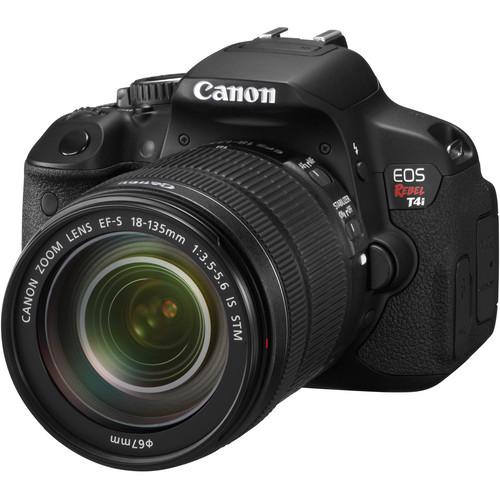 Contents of the user manual for the Canon EOS Rebel T4i Digital Camera
- Product category: Uncategorized Canon
- Brand: Canon
- Description and content of package
- Technical information and basic settings
- Frequently asked questions – FAQ
- Troubleshooting (does not switch on, does not respond, error message, what do I do if...)
- Authorized service for Canon Uncategorized
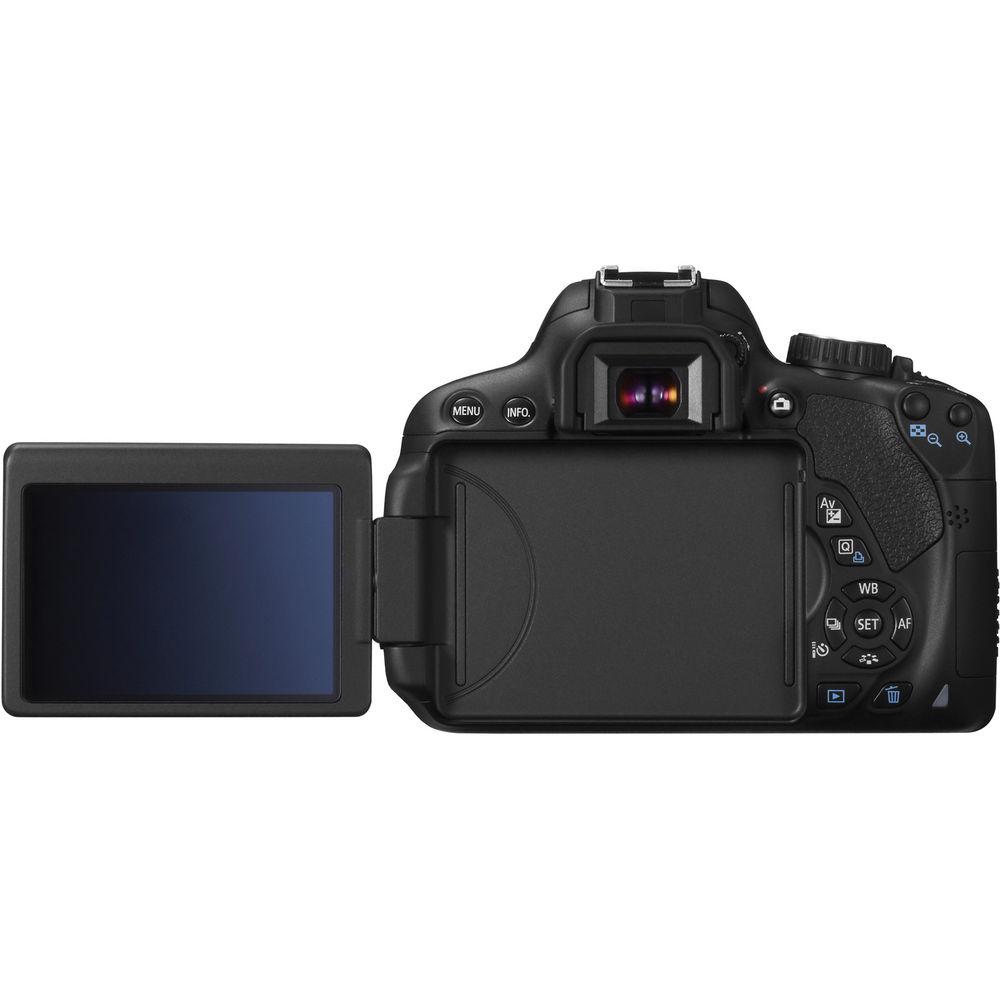
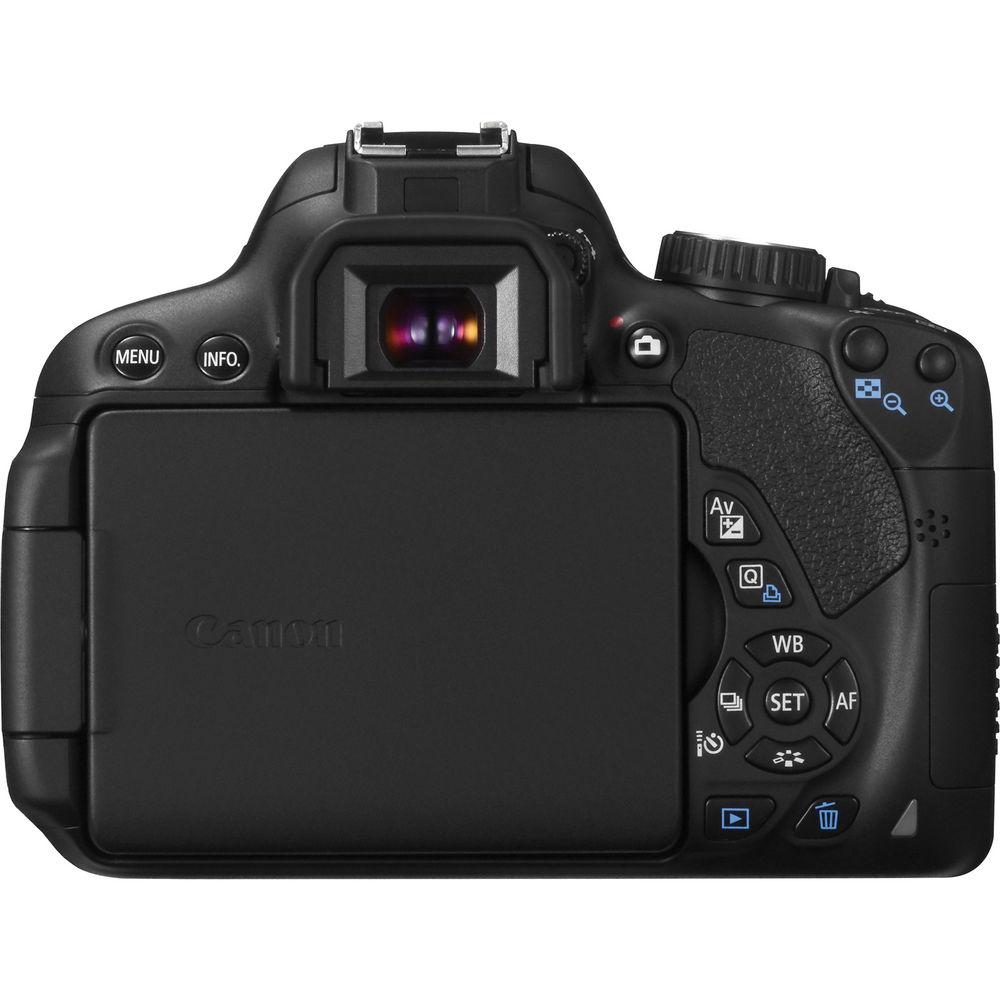 |
User manual for the Canon EOS Rebel T4i Digital Camera contain basic instructions
that need to be followed during installation and operation.
Before starting your appliance, the user manual should be read through carefully.
Follow all the safety instructions and warnings, and be guided by the given recommendations.
User manual is an integral part of any Canon product,
and if it is sold or transferred, they should be handed over jointly with the product.
Following the instructions for use is an essential prerequisite for protecting
health and property during use, as well as recognition of liability on the part of the manufacturer
for possible defects should you make a warranty claim. Download an official Canon user manual in which you will find instructions on how to install, use, maintain and service your product.
And do not forget – unsuitable use of a Canon product will considerably shorten its lifespan!
|
Product description - Canon EOS Rebel T4i Demo
- Product Tutorial
- Features of DSLR
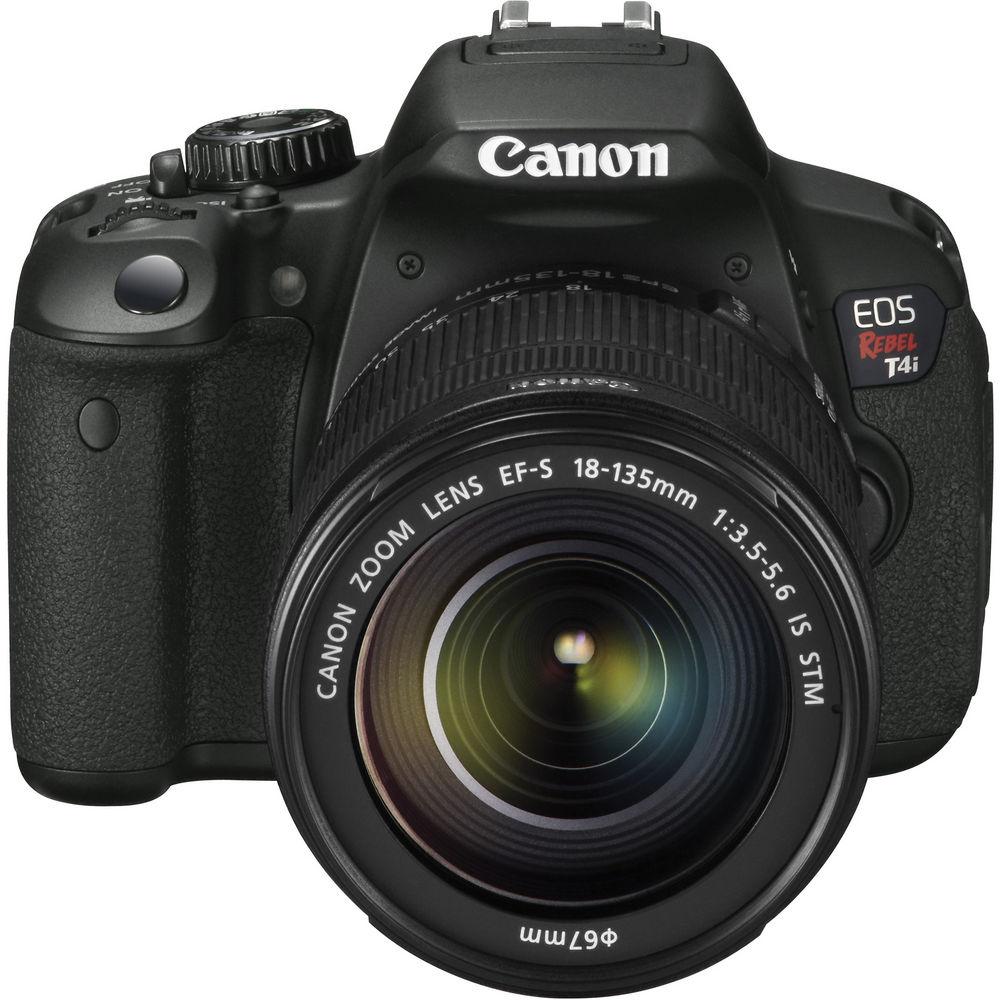
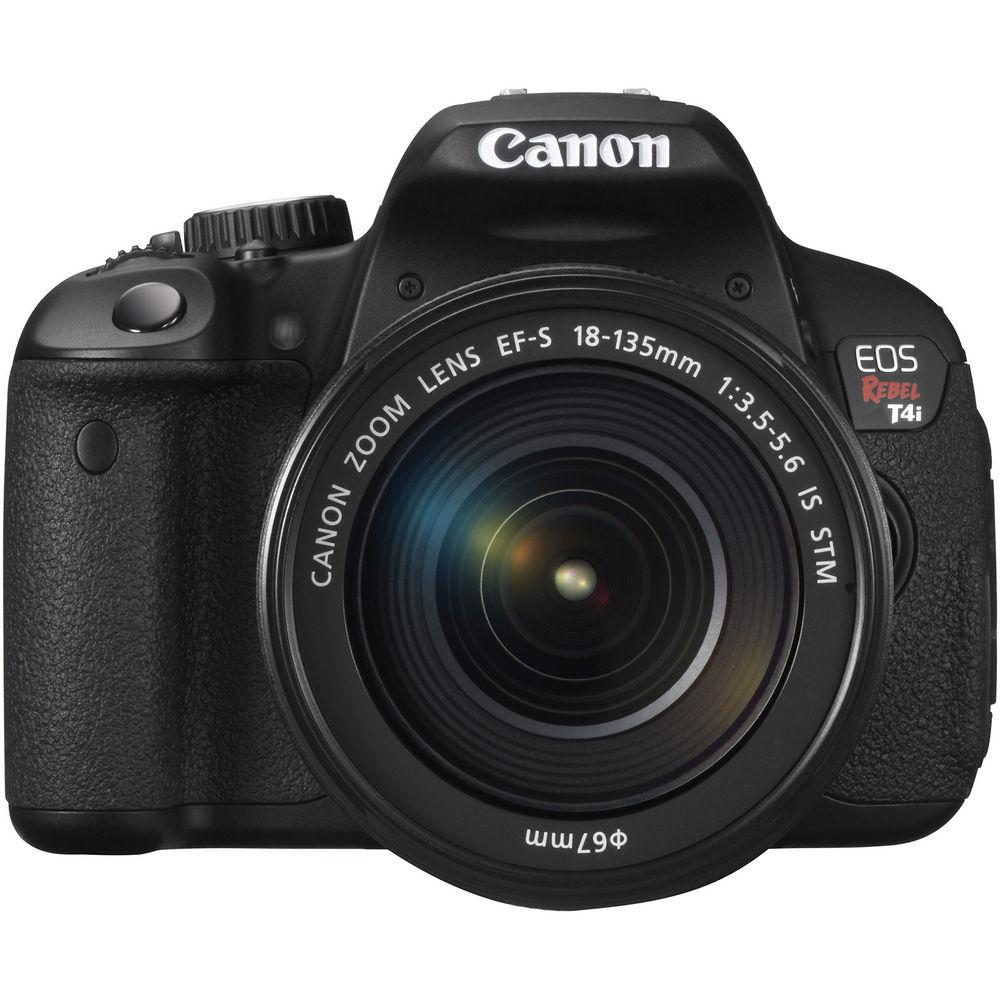
The Canon EOS Rebel T4i Digital Camera with EF-S 18-135mm f/3.5-5.6 IS STM Lens is an ideal camera for any level photographer; combining both high quality imaging power and a wealth of functions that enable you to create beautiful imagery with ease. This 18.0 megapixel DSLR features an APS-C-sized CMOS sensor and a DIGIC 5 image processor for fast operation and tremendous low light performance to an expanded ISO of 25600. A quickened 5.0fps continuous shooting ability and fast 9-point cross-type AF system are also supported by the performance of the DIGIC 5 processor. This combination of technologies also results in tremendous image quality with smooth color gradations and clarity for both images and videos.
Full HD 1080p video is supported and features a full-time Movie Servo AF system for continuous auto focusing while using live view to record movies. When using one of Canon's STM lenses, ultra-quiet and smooth performance is possible for fluid HD movie making. Additionally full manual sound and exposure control is supported, giving you a wide range of controls for handling your videos. For monitoring of videos and still imaging, a 3.0" Vari-angle touch screen LCD is incorporated and flips out and tilts for viewing from a wide variety of angles. The touch screen operation is highly intuitive and even allows you to control your focus points from the LCD.
The Scene Intelligent Auto Mode combines the essential auto modes with an intelligent EOS Scene Detection System to quickly and automatically determine the situation type you are working in and apply the necessary adjustments to render the scene correctly. Once the image has been captured, it will also apply enhancing techniques in order to improve skin tones and overall image coloration. Other creative modes include an HDR Backlight Control mode for improving the effective exposure value range of your image; a Handheld Night Scene mode which utilizes multi shot noise reduction techniques to give you improved low-light performance without the noise of high ISOs; and seven different creative filters to apply unique effects directly to your images in-camera.
The Rebel T4i is compatible with SD/SDHC/SDXC memory cards and Canon's full line of EF and EF-S lenses. - 18.0 Megapixel APS-C CMOS Sensor
- The 18.0MP APS-C sensor provides high image quality and rich files exhibiting smooth color gradations, exceptional clarity and tonal range. It maximizes the light-gathering efficiency of each pixel and features center pixels that assist the Rebel T4i in delivering accurate AF performance. The maximum resolution affords plenty of room to make well-sized enlargements or crop into your images to focus on the details. The APS-C size sensor creates an effective 1.6x field of view when compared to full-frame 35mm format. 1
Please Note: Total pixels: Approx. 18.50 MP
Pixel unit: 4.3 µm square close - Still Image Resolution
- Max: 17.9 MP: 5184 x 3456
Medium: Approx. 8.00 Megapixels (3,456 x 2,304)
Small 1: Approx. 4.50 Megapixels (2,592 x 1,728)
Small 2: Approx. 2.50 Megapixels (1920 x 1280)
Small 3: Approx. 350,000 Pixels (720 x 480)
RAW: Approx. 17.90 Megapixels (5,184 x 3,456) - DIGIC 5 Image Processor
- The DIGIC 5 image processor also helps to provide excellent image quality and high speed across the entire camera, enabling 5.0 fps continuous capture. This expedited processing helps to increase low-light sensitivity from ISO 100 to 12800 (and to an expanded ISO of 25600) while effectively reducing noise levels. This makes shooting possible in situations where it was previously unthinkable to shoot without flash. Paired with one of Canon's EF or EF-S lenses featuring Optical Image Stabilizer, the Rebel T4i is capable of recording gorgeous images even when light is scarce. The processor works with the CMOS sensor to create images with remarkable detail in a greater number of situations, without requiring artificial light sources. It enables the camera to perform sophisticated functions such as HDR Backlight Control, art filters, lens correction and much more. 2
Please Note: Recording Format: Complies with Design rule for Camera File system 2.0 and Exif 2.30
RAW + JPEG simultaneous recording for large files
No backup recording close - ISO Speed Range
- For Stills:
1. Manual setting range of ISO 100-12800, expansion to ISO 25600
2. Auto, ISO 100-6400 (in whole-stop increments)
In Creative Zone modes, the maximum ISO speed (ISO 400, 800, 1600, 3200, or 6400) for ISO Auto can be set
With C.Fn-6-1 (Highlight tone priority), ISO 200 or higher will be set - 14-Bit A/D Conversion
- The processor also supports 14-bit analog-to-digital conversion for richer, more vivid imagery. The T4i captures and records images with exceptional gradations and detail in subtle tones and colors, producing more lifelike and detailed pictures. By recording as many as 16,384 colors per channel, the T4i ensures that the fine detail found in subjects such as foliage, sky and water is maintained and recorded with an amazing level of accuracy, to ensure beautiful results.
- STM Lens Support
- When using one of Canon's STM lenses, Movie Servo AF will take full advantage of the stepping motor technology for smooth, quiet continuous auto focusing. This benefit is especially noticeable when recording HD video and proves to create a more fluid movie-making experience.
- Enhanced EOS Full HD Movie Mode
- The T4i features full HD movie recording capabilities in the 1080/30p, 24p, 25p (16:9); 720/60p, 50p (16:9); and 480/30p, 25p formats. The Movie Servo AF system provides continuous autofocus tracking of moving subjects during filming and when using live view. Manual exposure control and audio level adjustment are also supported, as is in-camera editing.
- Recording Time
- Using 8GB card: 1 hr 32 min @ 640x480, 22 min @ 1920 x 1080 or 1280 x 720
1920 x 1080, 1280 x 720: 330 MB/min.; 640 x 480: 82.5 MB/min. - Video Snapshot
- Video Snapshot is a unique mode that captures short video clips of 2, 4 or 8 seconds and automatically combines them into one file, giving you a highlights album that requires no post-production or further editing. Thus, the compiled video is ready for sharing online or displaying right on your HDTV via the camera's HDMI port. Plus, stills are recordable during video shooting simply by pressing the shutter button. In playback, video clips in an album are now capable of being reordered or deleted.
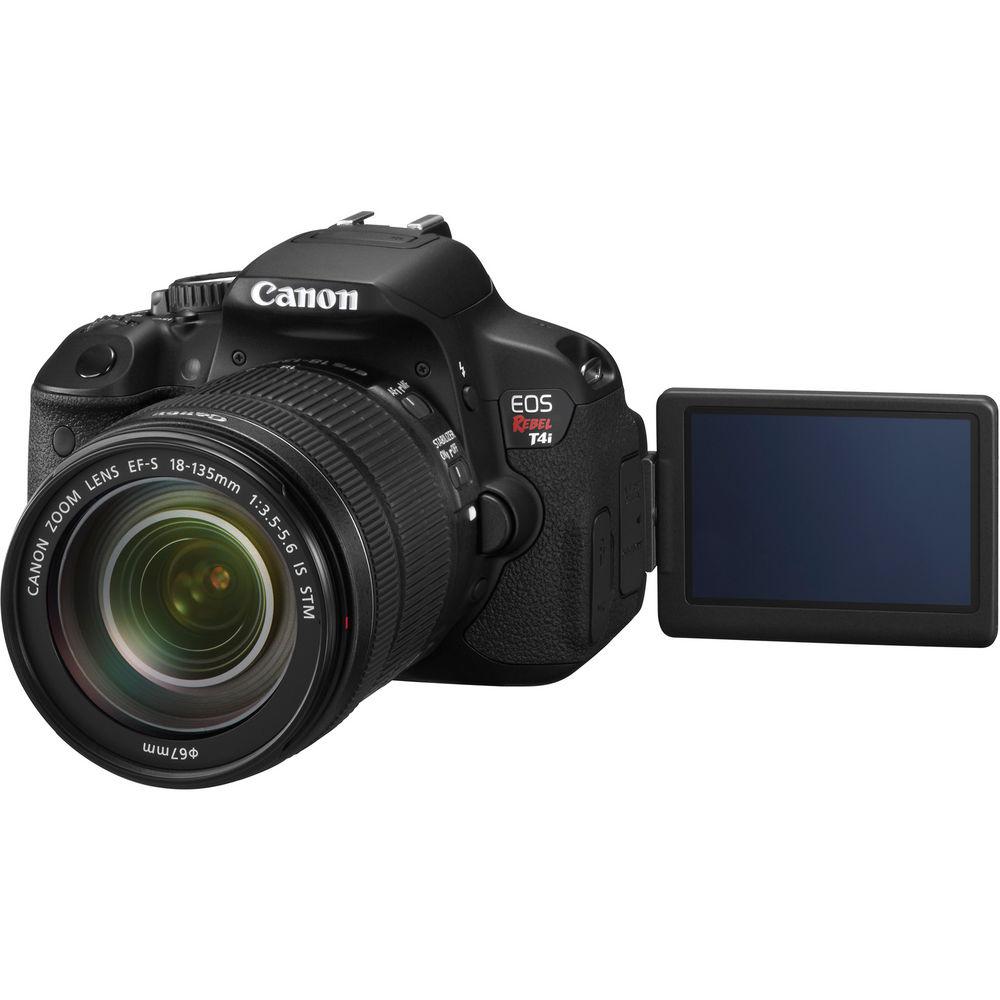
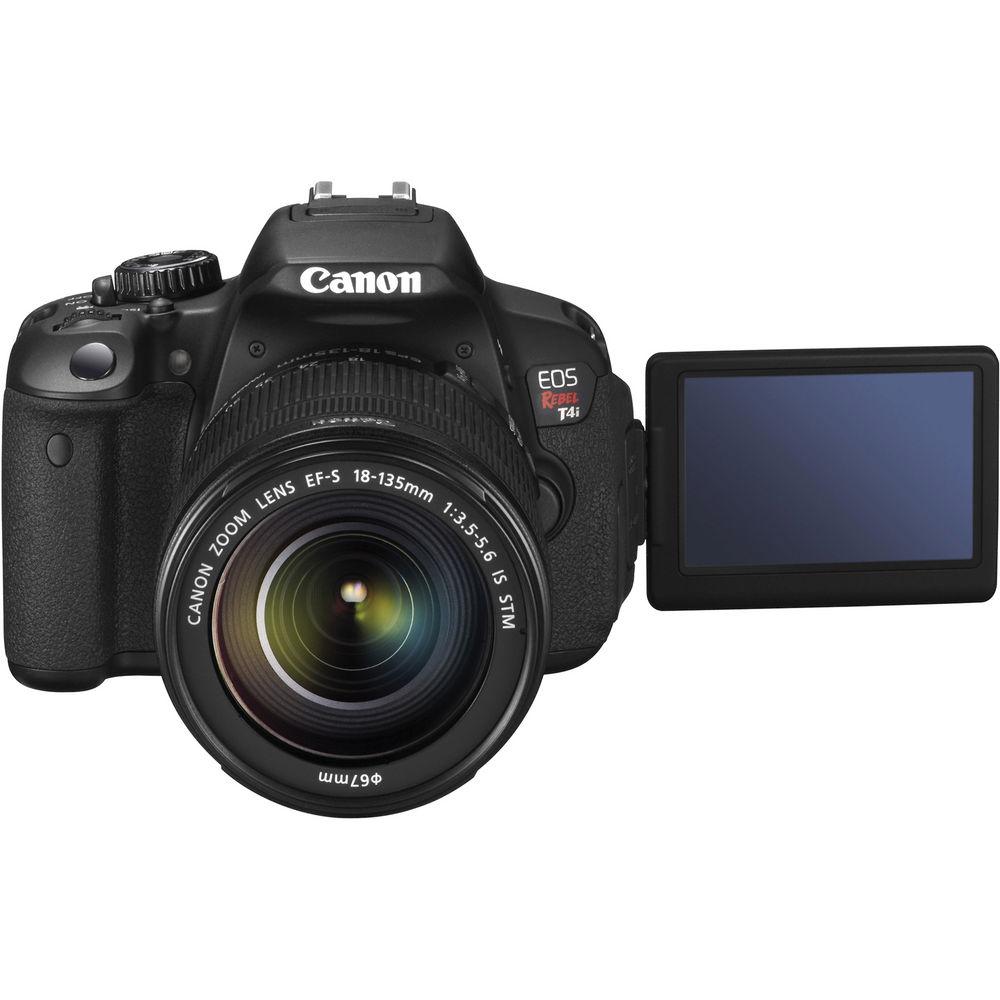
- 3.0" Vari-Angle Touch Screen Clear View LCD Monitor II
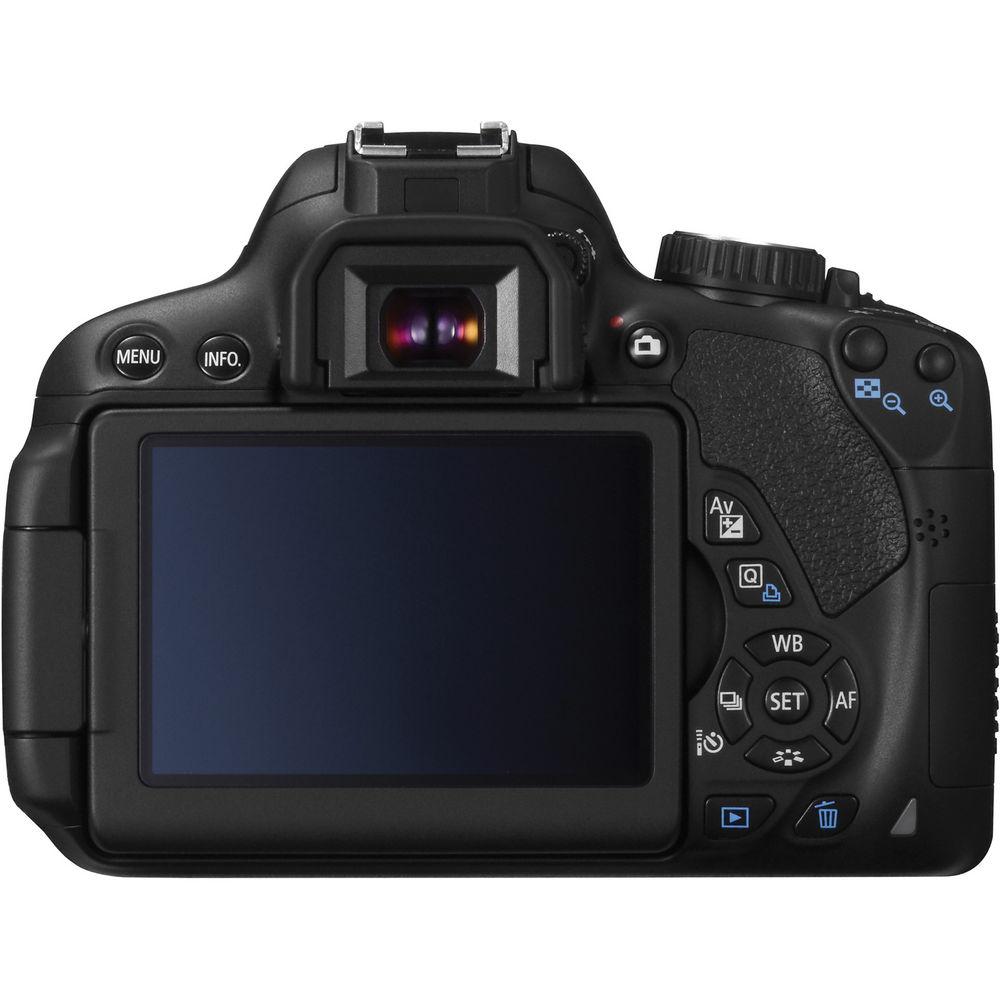
- This 3.0" LCD monitor with multi-touch operation and touch AF has a high resolution of 1,040,000-dots for high-definition monitoring and playback of your imagery. It features an aspect ratio of 3:2. The LCD boasts a viewing angle of 170° (vertical / horizontal), and the vari-angle capabilities allow the screen to flip out to the side then tilt up and down for use at a variety of angles, including front-facing for use with self-portraits. The touch screen functionality gives an intuitive experience when using this camera and even allows you to modify your focus positioning based on touch alone. Two finger touch gestures (multi-touch) are usable for zooming or changing images, menu and quick control settings are accessible, and focus point and shutter release can be activated with the mere touch of your fingertip. Because of new, durable construction between the monitor's resin-coated cover and the LCD, reflections are reduced and the display is viewable, without glare, from any number of angles. The Clear View coating gives a great deal of clarity, even in bright sunlight, and is also smudge-resistant. The LCD features both auto and manual brightness control.
- Viewfinder
- Eye-level SLR with fixed pentamirror, fixed focusing screen. Provides:
AF information: AF points and focus confirmation light
Exposure information: Shutter speed, aperture, ISO speed (always displayed), AE lock, exposure level, spot metering circle, exposure warning
Flash information: Flash ready, flash exposure compensation, high-speed sync, FE lock, red-eye reduction light
Image information: Highlight tone priority (D+), monochrome shooting, maximum burst (1-digit display), white balance correction, SD card information
Depth Of Field Preview: Enabled with depth-of-field preview button 3 Please Note: Eye Point: 19 mm at -1m-1 from lens center
Fixed focus screen
Quick-return half mirror, reflection 40:60 close - 9-Point Cross-Type Autofocus System
- AF type: TTL-CT-SIR AF-dedicated CMOS sensor. Working Range: EV -0.5 - 18 (ISO 100). When shooting through the viewfinder, the 9-point cross type autofocus system provides quick and accurate results in either portrait or landscape orientation. A high-precision dual-cross f/2.8 center point gives the greatest accuracy and is utilized in spot metering as well as average metering modes. The AI Servo AF system achieves and preserves consistent focus with an amazing degree of reliability. Selected AF Point Display indicated via superimposed display in viewfinder and on LCD. Focusing Modes: One-Shot AF, Predictive AI Servo AF, AI Focus AF (switches between One-Shot AF and AI Servo AF). Manual focus also available. AF Point Selection: Manual, Auto; automatically set in Basic Zone modes 4
Please Note: All cross-type at f/5.6; center point diagonal cross-type at f/2.8
Assist Beam: Intermittent firing of built-in flash. Range: Approx. 13.1' (4.0 m) at center; 11.5' (3.5 m) at periphery close - Hybrid CMOS AF
- The Hybrid CMOS AF system allows for high speed focusing during shooting when using live view. Combining two distinct AF technologies--phase and contrast detection AF--the system enables faster and more precise autofocus. The pixels in the T4i's sensor aid these focusing technologies in predicting the location of your subject, thus making continuous focus tracking fast and accurate in video recording, and enhancing overall focusing speed.
- Exposure Metering
- Spot, Center-weighted average, Evaluative, Partial (9% of viewfinder)
EV 1.0 - EV 20.0 (at 73°F (23°C) with EF50mm f/1.4 USM lens, ISO 100) - Exposure Compensation
- -5 to +5 EV in 1/3 steps or 1/2 EV steps
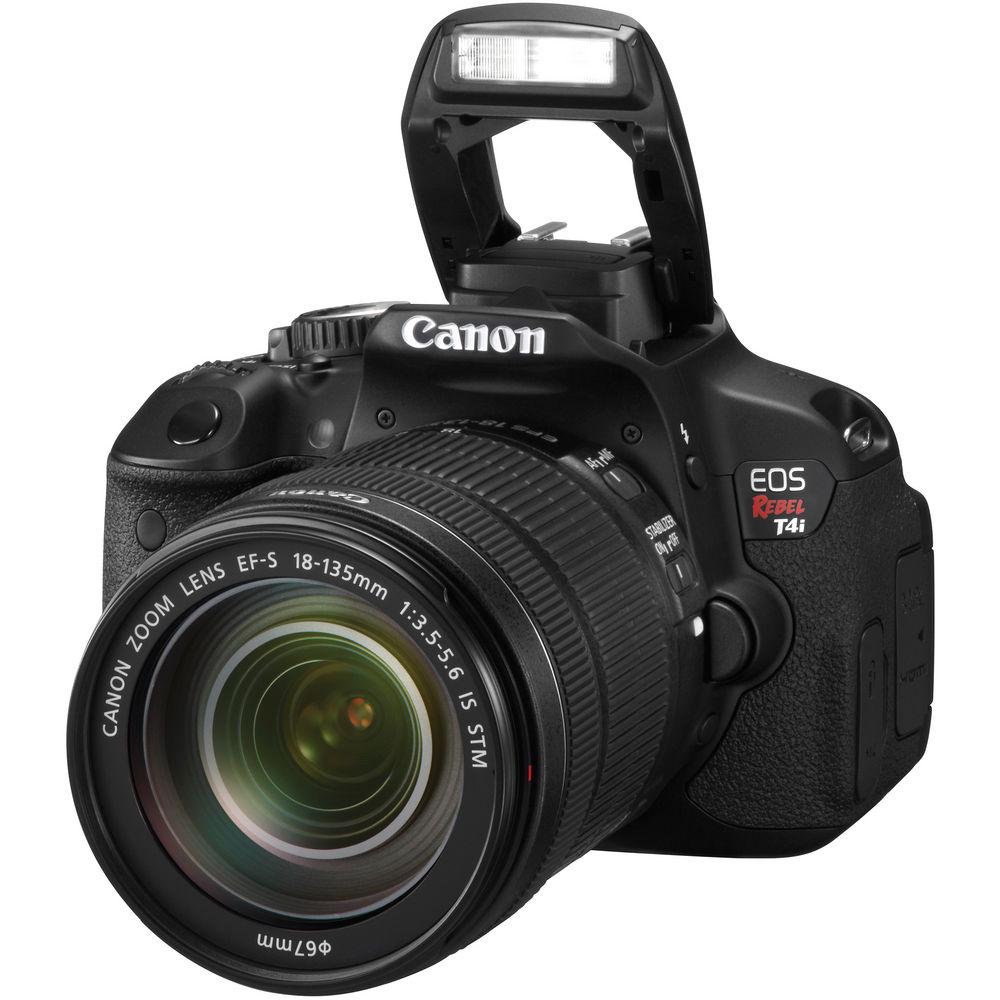
-/+5 for manual; -/+2 for AEB; +/-3 in 1/3-stop increments for video - Built-In Flash
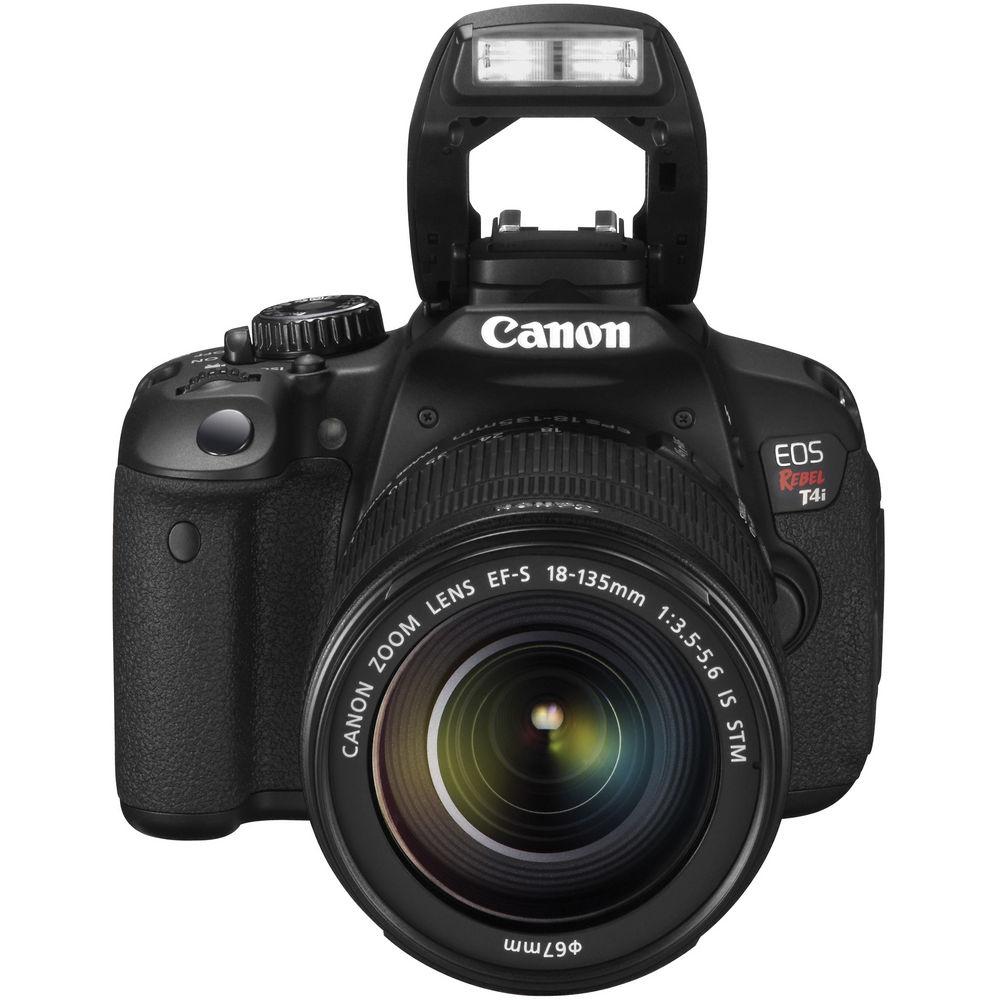
- Guide Number: Approx. 43' (13 m) at ISO 100
Up to 17 mm focal length
±2 stops in 1/3- or 1/2-stop
FE lock
Exposure compensation: Up to ±2 stops in 1/3 or 1/2-stop increments
For optional External Speedlite (not included), Flash Metering, Flash Exposure Compensation, and FE Lock info is same as for built-in flash - Shutter
- 1/4000 to 1/60 sec., X-sync at 1/200 sec. (Scene Intelligent Auto), and 1/4000 to 30 sec., bulb, X-sync at 1/200 sec.; settable in 1/3- or 1/2-stop increments
Lag: 0.075 sec between SW-2 ON and exposure start; 0.15 sec between simultaneous SW-1/SW-2 ON and exposure start; with the aperture stopped down by 3 stops or less. Excludes AF operation time
Shutter release: Soft-touch electromagnetic - High Speed 5.0 fps Continuous Shooting
- The Rebel T4i is capable of capturing up to 5.0 images per second when shooting in continuous modes. This speed ensures you won't miss the shot when working in fast-paced environments such as sporting events, or situations where every moment counts, like getting the bride walking down the aisle. Thanks to enhancements in the shutter mechanism, the mirror drive and the sensor, the T4i is ready to catch all the action. 5
Please Note: 8GB card: Up to 22 shots (JPEG); 6 shots (RAW); 3 shots (RAW+JPEG)
UHS-I: 30 shots (JPEG); 6 shots (RAW); 3 shots (RAW+JPEG) close - White Balance
- Settings: Auto, Daylight, Shade, Cloudy (Twilight and Sunset), Tungsten Light, White Fluorescent Light, Flash, Custom (Custom: Approx. 2,000 - 10,000 K). Auto white balance with image sensor. Color Temperature Compensation / Correction: Blue/amber bias: ±9 levels, Magenta/green bias: ±9 levels (based on current WB mode's color temperature). Color Temperature Information Transmission: Provided
- Multi Shot Noise Reduction
- Multi shot noise reduction improves low-light shooting by essentially overlaying multiple, separate exposures on top of one another to build the image density and preserve detail. This mode effectively simulates high ISO performance without the increase of noise that goes along with it. It takes 4 consecutive shots, merges and aligns them, reducing more noise than the Rebel's traditional Noise Reduction filter, with little to no apparent loss of resolution. Subjects in motion are even optimized to reduce blur.
- Built-In Stereo Microphone and Manual Audio Level Adjustment
- An integrated stereo microphone and manual audio level adjustment help ensure that your audio will match the brilliant quality of your video. The wind filter feature minimizes wind noise when shooting outside. Sound recording levels can be manually (up to 64 different levels) or automatically controlled, and an integrated attenuator is also provided to reduce audio clipping. For more sophisticated audio recording, the Rebel T4i works with many third-party electret condenser microphones that have a 3.5mm diameter plug.
- Live View Functions
- Still photo shooting and video shooting
Autofocus: Face Detection + Tracking AF, FlexiZone - Multi (31 zones, AF at the touched Zone), FlexiZone - Single, Quick Mode AF
Manual focusing: Magnify the image by 5x or 10x and focus manually
Metering Modes: Evaluative metering, partial metering, spot metering, center-weighted average metering
Metering range: EV 0 to EV 20 (At 73°F (23°C), 50mm f/1.4 lens, ISO 100)
Grid Display, Exposure Simulation provided - Playback
- Display Format: Single image display - Single image, basic information, detailed information, histogram display
Index display - 4-image index and 9-image index
Jump display (Image jump w/ Main Dial) - 1/10/100 images, shooting date, by folder, movies, stills, rating
Highlight Alert: On the detailed information and histogram displays, highlight areas with no image data will blink - Scene Intelligent Auto Mode
- This intelligent mode combines numerous technologies (Picture Style Auto, Automatic Lighting Optimizer, Automatic White Balance, Autofocus, and Automatic Exposure) into one simple mode, allowing you to make optimal images with ease. The EOS Scene Detection system can automatically determine the shooting conditions you are in, taking into account faces, colors, brightness, moving objects, contrast, and even whether the camera is handheld or on a tripod, and apply these technologies to create the ideal exposure. The camera then further analyzes the resulting images and applies a series of enhancing features in order to better render colors and skin tones.
- Picture Style
- Auto, Standard, Portrait, Landscape, Neutral, Faithful, Monochrome, User Defined 1-3
- Advanced Imaging Features
- Several image features allow you to manipulate the scenes in a variety of creative ways. Handheld Night Scene mode utilizes the multi shot noise reduction mode to allow you to shoot in low lighting and capture nightscapes with bright highlights and detailed dark areas--without the necessity of a tripod. By shooting and combining four consecutive shots at a shutter speed quick enough to prevent camera shake, Handheld Night Scene mode makes dramatic nighttime photography easy. HDR Backlight Control mode emulates high dynamic range techniques and extends the visual parameters of the image to include more shadow and highlight details in the image. It captures 3 consecutive shots at different exposures (underexposed, correctly exposed and overexposed) and then combines them, for a final result that preserves detail in both shadow and highlight areas for proper exposure. Seven different Creative Filters allow you to apply artistic effects directly to your images in-camera, including Grainy Black and White, Soft Focus, Fish-eye Effect, Toy Camera Effect, Miniature Effect, and now, Art Bold Effect, which makes photos look like an oil painting, with subjects appearing three-dimensional, and Water Painting Effect, altering images to look like a water-colored painting.
- Additional Shooting Modes
- Scene Intelligent Auto, Flash Off, Creative Auto, Portrait, Landscape, Close-up, Sports, Night Portrait
- Lens Aberration Correction
- An automatic corrective system can be employed in order to help reduce the effects of different lens aberrations. If there is light falloff detected towards the edges of the frame, the camera will automatically correct for this by evening out the exposure via the lens peripheral illumination correction feature. Additionally, a number of popular Canon lens' data is pre-programmed into the camera so it can quickly and automatically register settings according to the lens you are using. The T4i's chromatic aberration correction tool enables the correction of distracting color fringing at the time of shooting.
- Feature Guide
- A specific, helpful guide is integrated into the camera in order to help you learn about and determine which image settings to use in a given situation and how they affect your imagery. It is shown in each shooting mode, during mode dial operations, and for Quick Control screen functions, and appears automatically when a function is selected. This feature is enabled automatically, but can be disabled through the menu.
- GPS Compatible
- The Rebel T4i is compatible with the optional GP-E2 GPS receiver (not included). When connected to the hot shoe or through the accessory terminal, the receiver is capable of recording locational data, including latitude, longitude and altitude, to the metadata of your files for plotting to maps and reviewing your journey at home. You can even track the trajectory of movement with the receiver's logging function. An electric compass records the camera's orientation during every shot, and world time information is recorded via GPS syncing.
- JPEG Resizing
- You can conveniently resize your JPEG images to smaller formats in-camera. Keeping with the same aspect ratio and without modifying the original image, a new, smaller image will be saved to your memory card for expedited online use.
- Photobook Setup
- You can intuitively sequence and specify your images in-camera for printing out into a photobook. Your editing will be copied to a separate folder, ready for printing once at a computer.
- Image Rating
- For more expedited navigation through your images, you can rate your images on a scale from 1 to 5. Once images have been rated and sorted, browsing, printing and slide shows are a much more fluid experience.
- Memory Card Compatibility
- The Rebel T4i is compatible with SD, SDHC, and SDXC memory cards, including Ultra High Speed (UHS-I) cards. It also works with Eye-Fi SD cards, though is not guaranteed to support Eye-Fi functions, including wireless transfer. Eye-Fi cards are equipped with a Wi-Fi transmitter (IEEE 802.11b/g) and an internal antenna for wireless, high-speed image transfer. With an Eye-Fi card installed, the T4i is capable of displaying the Eye-Fi's connection status and error notes easily, enabling fully functional wireless uploading of images right from the camera.
- Canon EF and EF-S Lens Compatibility
- This camera is compatible with the full line of Canon's EF and EF-S lenses, ranging from ultra-wide angle to super telephoto lenses and encompassing the STM series that is optimized for video recording. Canon lenses utilize sophisticated optical expertise and micron-precision engineering to produce outstanding performance and gorgeous results. Special technologies like Canon's Image Stabilizer technology aid in reducing the effects of camera shake, effectively adding up to four stops of light and cutting back on blur for clearer images. With an array of lenses perfect for travel, sports, still life and everything in between at your disposal, you can really maximize the quality and performance of your T4i
- EF-S 18-135mm f/3.5-5.6 IS STM Lens
- The new STM designation is reserved for Canon's stepping motor technology; when shooting video, this lens delivers continuous autofocus operation. This 18-135mm lens is equivalent to a 28.8-216mm lens in 35mm format and provides a very wide range of focal lengths, from wide angle to long telephoto. The breadth of applications this lens covers makes it ideal for using in most general situations. It features optical image stabilization for greater handholding abilities and a silent autofocus motor system, perfect for HD video work. Inner focusing system; rotating zoom system
- Color Filter System
- RGB primary color filters
- Color Space
- sRGB, Adobe RGB
- Low Pass Filter
- Fixed position in front of the CMOS sensor
- File Numbering
- Following 3 types of file numbering method can be set: Continuous numbering, where numbering of captured images continues even after replacing camera's card; Auto reset, where numbering will be reset to start from 0001 after replacing card (if card already contains images, numbering continues from last recorded image); and Manual reset, which resets file number to 0001 and automatically creates a new folder
- Customization
- Custom Functions: 8 Custom Functions with 24 settings available
My Menu Registration: Up to six top-tier menu options and Custom Function settings can be registered - Image Protection and Erase
- Erase protection can be applied/canceled for a single image, all images in a folder, or all images on a card. Erase single image, erase selected images, erase all images on folder, erase all images on a card, or erase just unprotected images
- Direct Printing
- PictBridge-compatible printers
Printable images: JPEG images complying to Design rule for Camera File System; RAW images printable - DPOF: Digital Print Order Format
- DPOF print ordering provided (Complies to DPOF Version 1.1). If both Standard and Index are set, only Standard will take effect for printing
- Dust Deletion Feature
- Self Cleaning Sensor Unit: Removes dust adhering to the low-pass filter. Self-cleaning executed automatically (taking approx. 2 sec.) when power turned on or off. Manual execution also possible (taking approx. 5 sec.)
Dust Delete Data acquisition and appending: The coordinates of the dust adhering to the low-pass filter are detected by a test shot and appended to subsequent images. Dust coordinate data appended to image is used by provided software to automatically erase dust spots
Manual cleaning - Interface Languages
- 25: English, German, French, Dutch, Danish, Portuguese, Finnish, Italian, Norwegian, Swedish, Spanish, Greek, Russian, Polish, Czech, Hungarian, Romanian, Ukraine, Turkish, Arabic, Thai, Simplified/Traditional Chinese, Korean, Japanese
In the Box Canon EOS Rebel T4i Digital Camera with EF-S 18-135mm f/3.5-5.6 IS STM Lens Eyecup Ef for Digital Rebel Cameras Camera Cover (Body Cap) Wide Strap LC-E8E Battery Charger LP-E8 Rechargeable Lithium-Ion Battery USB Interface Cable EOS Digital Solution Disk v.25.1 Camera Instruction Manual Software Instruction Manual CD 1-Year Limited Warranty User Manual PDF 25.7mbtaxexbwzbwcvdxsb Table of Contents
|
Upload User Manual
Have you got an user manual for the Canon EOS Rebel T4i Digital Camera with EF-S 18-135mm f 3.5-5.6 IS STM Lens - Refurbished in electronic form? Please send it to us and help us expand our library of instruction manuals.
Thank you, too, on behalf of other users.
To upload the product manual, we first need to check and make sure you are not a robot. After that, your "Submit Link" or "Upload File" will appear.
Technical parametersCanon 6558B017AA Specs | | | Pixels | Actual: 18.5 Megapixel
Effective: 18 Megapixel | | Aspect Ratio | 3:2 | | Bit Depth | 14-Bit | | | | Focus Mode | Single-Servo AF (S), Continuous-Servo AF (C), Manual Focus (M) | | Autofocus Points | 9 | | | | Viewfinder Coverage | 95% | | Viewfinder Magnification | Approx. 0.85x | | Diopter Adjustment | -3.0 to +1.0 m | | | | Mirror Lock-Up | No | | Metering Method | Spot, Center-Weighted Average, Average | | White Balance | Auto, Cloudy, Custom, Daylight, Flash, Fluorescent (White), Shade, Tungsten | | | | Flash Modes | Auto, , Off | | External Flash Connection | Hot Shoe | | | | Battery | 1 x LP-E8 Rechargeable Lithium-Ion, 7.2 VDC, 1120 mAh | | | | Angle of View | 74.2
Rating94% users recommend this product to others. And what about you?

This product has already been rated by 60 owners. Add your rating and experience with the product.
Discussion
 Ask our technicians if you have a problem with your settings,
or if anything is unclear in the user manual you have downloaded.
You can make use of our moderated discussion.
The discussion is public and helps other users of our website who may be encountering similar problems.
Ask our technicians if you have a problem with your settings,
or if anything is unclear in the user manual you have downloaded.
You can make use of our moderated discussion.
The discussion is public and helps other users of our website who may be encountering similar problems.
The discussion is empty - enter the first post
Post a new topic / query / comment:
|
|
|
| Request for user manual |
You can’t find the operation manual you are looking for? Let us know and we will try to add the missing manual:
I’m looking for a manual / Request for manual
Current requests for instruction manuals:
Call Of Duty World War Two For Xbox...
controller stratus XL...
stratus XL...
smart whatch serie S11 42mm...
Allen & Heath SQ-6 manual...
|
| Discussion |
Latest contributions to the discussion:
AEW R 4100
Name: MAURICIO ANGARITA
Audio-Technica AEW-R4100 UHF Diversity Receiver for
AEW R 4100 has the mute function blocked and does not allow audio to pass. I tried several times to turn off the mute from the transmitter but it does nothing, the mute stays on. Solution?
Thank you...
Instructions for assembling the 2015 Forecast Image Master Consoles GC3-A
Name: mike elam
Forecast Consoles GC3-A ImageMaster Editing Console
Looking for instructions for assembling this console. ...
EMPTY TONER ERROR MESSAGE AFTER REPLACING TONER
Name: LINDA BAD YELLOW EYES
Brother TN223BK Standard-Yield Toner
I HAD TO CHANGE OUT ALL THREE TONERS DUE TO LEAKS IN THE YELLOW AND CYAN. AFTER I REPLACED THEM, THE MACHINE KEEPS GIVING ME AN EMPTY TONER ERROR MESSAGE. HELP!!...
PS480D 20/24 pin Switching 480W Power Supply
Name: swkargo
Logisys 480W Power Supply
This item states in can run -5vdc .It is NOT listed on the board or I beleive is r4 is missing the resitior. Any body have thid issue. Shawn
...
Help needed
Name: Ann Carter
SanDisk 1TB Extreme Portable USB 3.1
When I click the link to download the user manual for my Sandisk Extreme external hard drive, it gives me the manual for the LG Cricket. Can you please change the link so I can download the Sandisk manual and begin using this drive? Thank you....
|
|


