User Manual for Canon PowerShot S100 Digital Camera - Refurbished Click to enlarge the picture
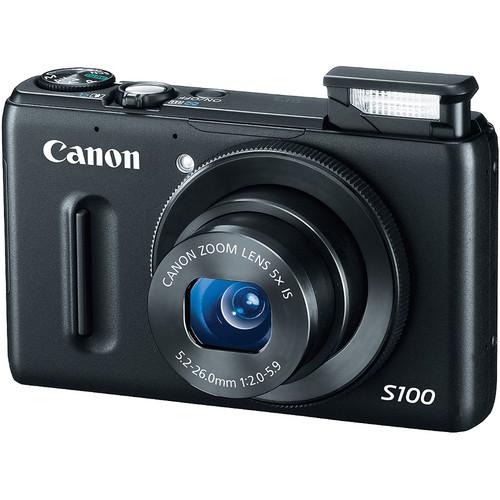 Contents of the user manual for the Canon PowerShot S100 Digital Camera -
- Product category: Uncategorized Canon
- Brand: Canon
- Description and content of package
- Technical information and basic settings
- Frequently asked questions – FAQ
- Troubleshooting (does not switch on, does not respond, error message, what do I do if...)
- Authorized service for Canon Uncategorized
 |
User manual for the Canon PowerShot S100 Digital Camera - contain basic instructions
that need to be followed during installation and operation.
Before starting your appliance, the user manual should be read through carefully.
Follow all the safety instructions and warnings, and be guided by the given recommendations.
User manual is an integral part of any Canon product,
and if it is sold or transferred, they should be handed over jointly with the product.
Following the instructions for use is an essential prerequisite for protecting
health and property during use, as well as recognition of liability on the part of the manufacturer
for possible defects should you make a warranty claim. Download an official Canon user manual in which you will find instructions on how to install, use, maintain and service your product.
And do not forget – unsuitable use of a Canon product will considerably shorten its lifespan!
|
Product description - Canon PowerShot S100 Demo
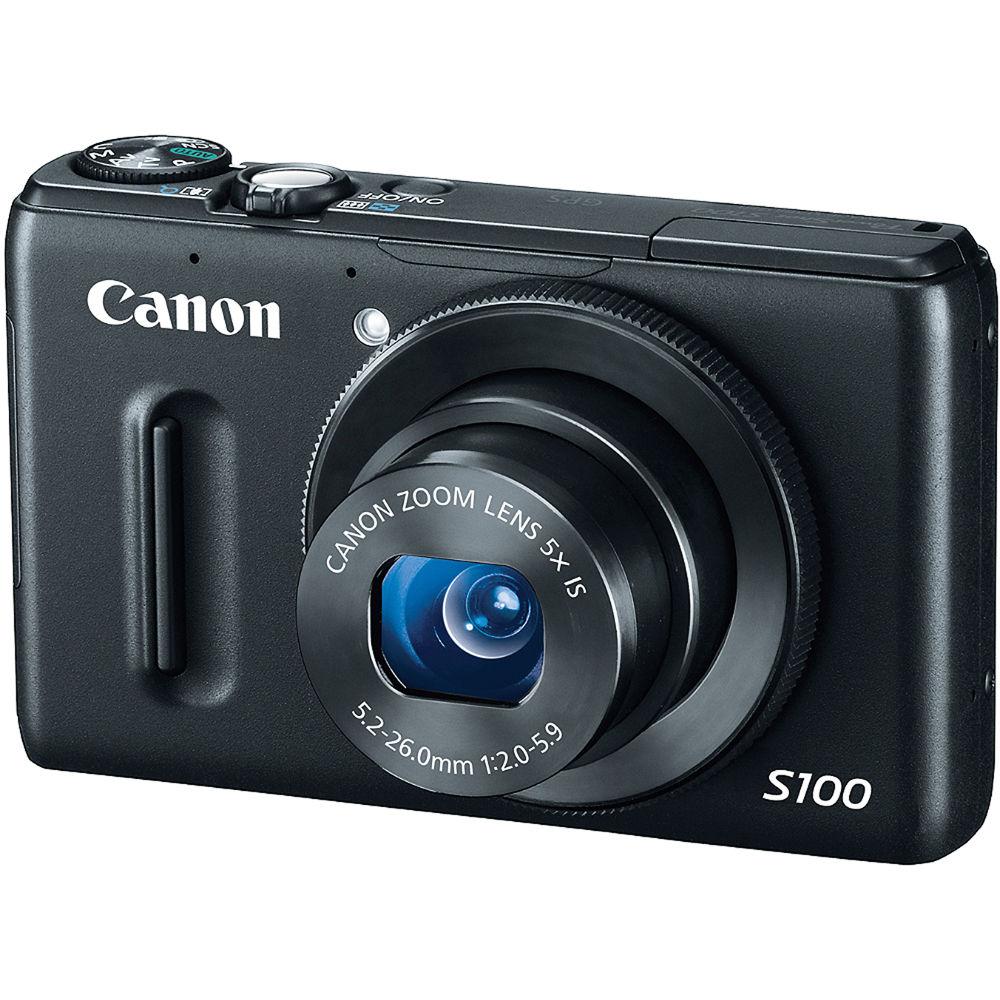
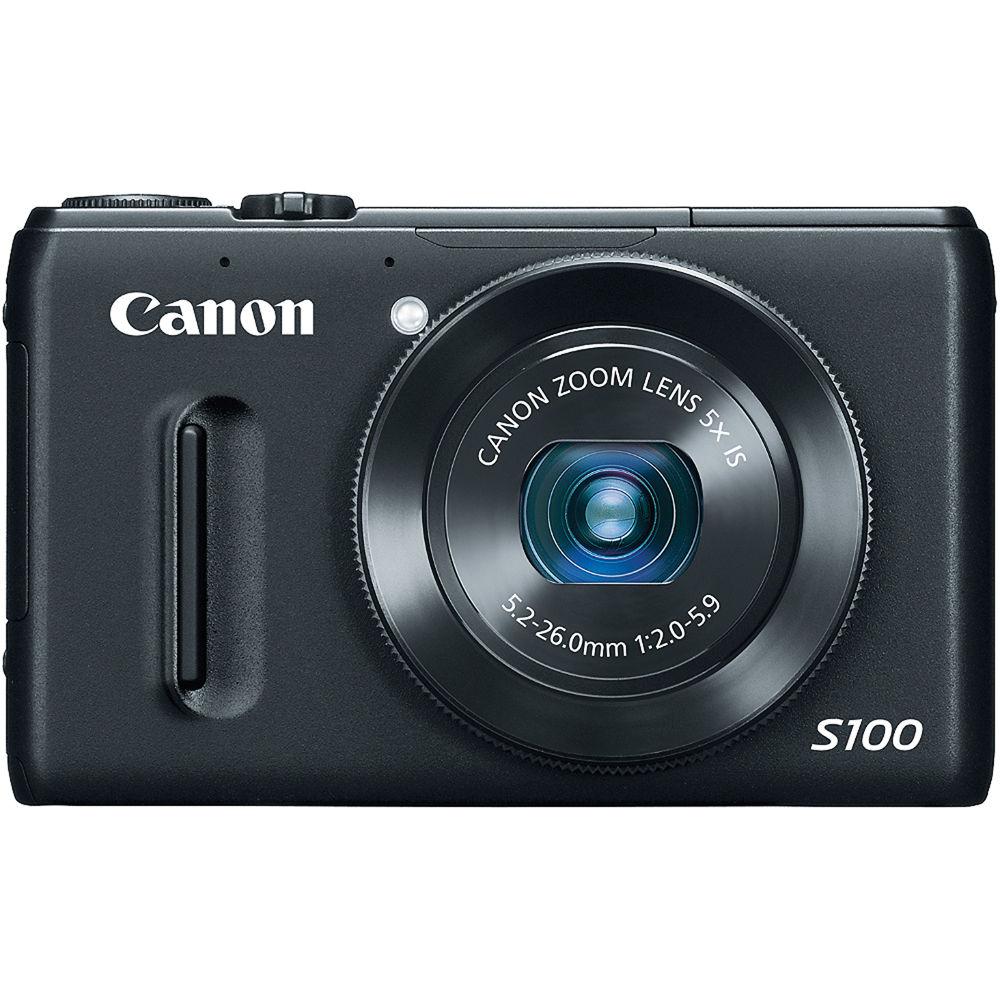
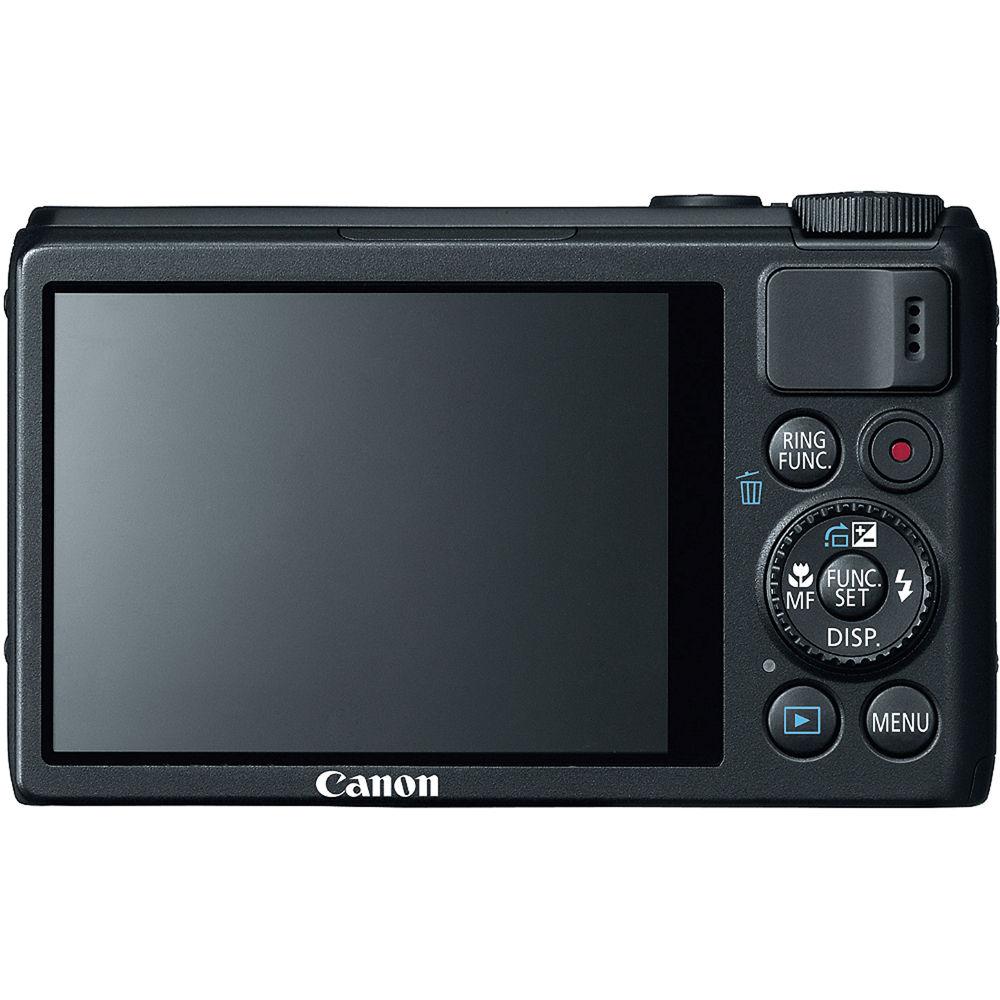
Canon's PowerShot S100 Digital Camera is an advanced compact digital camera with lots of razzle-dazzle backed up by top-notch engineering. It boasts an impressive 12.1 MP CMOS sensor and a DIGIC 5 Image Processor for razor-sharp image quality. Add to that an f/2.0-5.9 24-120mm (equivalent) zoom lens, an intuitive manual-control ring, and the superbly refined Intelligent IS image stabilization system with six different modes, and you've got yourself a recipe for superb still images and video capture. There's a slew of shooting modes to choose from, and RAW + JPEG capability too. The S100 delivers pretty much anything you might wish for in a compact digital camera--and a lot more.Not only can you capture photos with sensitivity up to ISO 6400, you can choose the degree of control you want over exposure, white balance, focus, and more, from an extensive menu. You can automatically produce High Dynamic Range, panoramic, fisheye, low-light and many more specialized photos with built-in programs. And you don't have to stop at still photographs: shoot gorgeous 1080p HD video with stereo sound at up to 24 fps, or 720p at up to 30 fps--there's even a miniatures effect that blurs the top and bottom of the video frame, giving your subject the appearance of being miniatures.The S100 is a simple point-and-shoot camera, and it's a serious image-making machine. You get to choose. - 12.1 megapixel sensor combined with the DIGIC 5 Image Processor create Canon's HS SYSTEM for improved low light performance, color accuracy and image quality. The DIGIC 5 also introduces better noise reduction and advanced Multi-Area White Balance for optimized color tones of both subject and background under multiple light sources.
- A fast f/2.0-5.9 lens, great for shooting portrait photography in low light conditions or using a shallow depth-of-field for great images with beautiful soft backgrounds.
- 3.0" PureColor TFT LCD screen with a scratch-proof hard coating and a dust-repellent fluorine coating, ensuring durability and dependable display of clear, vibrant images
- Shoot beautiful 1080p HD video with stereo sound via a dedicated movie record button, and enjoy the ability to make full use of the optical zoom while recording. The camera also employs an electronic wind filter, which suppresses wind noise that can muffle or distort the sound. Play your videos back on an HDTV via the HDMI output and enjoy CEC / Consumer Electronic Control support for greater control over the playback of your images and videos (requires CEC-enabled HDTV).
Recording Time:
Full HD: 1920 x 1080 (24 fps), 4.0 GB - 14 min. 34 sec
16 GB - 59 min. 40 sec
HD: 1280 x 720 (30 fps), 4.0 GB - 20 min. 43 sec
16 GB - 1 hr. 24 min. 54 sec
640 x 480 (30 fps), 4.0 GB - 43 min. 43 sec
16 GB - 2 hr. 59 min. 3 sec - Playback Modes - Still Image: Single, Magnification (approx. 2x-10x), Jump, Auto Rotate, Rotate, Resume, My Category, Transition Effects, Histogram, Index (4-100 thumbnails), Over Exposure Warning, Slide Show, Red-eye Correction, Trimming, Resize, Image Inspection Tool, i-Contrast
Movie: Normal Playback, Special Playback, Editing, Auto Rotate, Resume - A control ring for intuitive manual control, built for the way the serious photographer has always accessed exposure control. Focus, Exposure, ISO, Step Zoom, or White Balance can now be adjusted more rapidly and with greater convenience. Located at the base of the lens barrel, the ring enables you to select your preferences for which functions get assigned to it in different shooting modes.
- A 5x optical zoom with Optical Image Stabilizer, plus a 24 mm wide-angle lens gets you close to your subjects as well as capture more in your frame.
- Utilizes Canon's Intelligent IS with six different modes to compensate for angular and shift camera shake during shooting: Normal, Macro, Panning, Dynamic, Powered and Tripod mode help give you crisp, blur-free images in various shooting situations. For still images, the camera automatically selects the best option from the Normal, Panning, Macro (Hybrid) and Tripod IS modes, while in video capture, it chooses from Dynamic, Powered, Macro and Tripod IS. Normal mode corrects for a wide range of camera movement, while Panning ensures that IS does not interfere with desired camera movement. Macro or Hybrid mode corrects for shift-type camera shake, which typically happens during macro (close-up) shooting. Dynamic mode works best for wide-angle focal lengths, getting rid of unwanted shaking that typically occurs while walking. In Powered mode, the S100 corrects for hand movement when shooting video at the telephoto end of the zoom range, where the camera shake effect is magnified. Tripod mode temporarily disables the Image Stabilizer, because it is no longer needed.
- Full range of shooting and recording modes including RAW + JPEG for the ultimate creative control. Also, with 33 shooting / special scene modes, you're ready for whatever shot comes your way.
- Best Image Selection--easy way to get great results almost every time you take a picture. When you press the shutter release, the camera will quickly shoot a series of five images, then assess them for any unwanted facial movements and camera shake. Out of the five images, the camera will select and save the best one. Image resolution is 1984 x 1488 pixels when shooting with Best Image Selection.
- Face Detection and Smart Shutter--Face Detection technology makes it easy for you to take great photos of people. The camera will automatically detect the face(s) in a frame to give it optimal focus, exposure, flash (if needed) and white balance. Smart Shutter adds fun and convenience to Face Detection, since you can set the camera to release the shutter when someone winks, smiles or even enters the frame.
- My Colors--My Colors Off, Vivid, Vivid Blue, Vivid Green, Vivid Red, Neutral, Sepia, Black & White, Positive Film, Lighter Skin Tone, Darker Skin Tone, Custom
Shooting Modes - Smart AUTO--the camera automatically selects the best shooting settings for optimal quality based on subjects and environmental factors to provide point-and-shoot simplicity.
- P (Program)--access advanced exposure compensation features while shooting mostly automatically. Get 2.3 shots/sec. continuous shooting.
- Tv (Shutter-priority)--you select the shutter speed to stop or blur action, and the camera finds the appropriate aperture. With slow exposure times, Canon's noise reduction system activates to ensure low image noise.
- Av (Aperture-priority)--you define the aperture to either isolate your subject or have clarity throughout the entire picture, and the camera will choose the corresponding shutter speed.
- M (Manual)--the ultimate in creative control, you set both aperture and shutter speed manually.
- C (Custom)--define and store your own settings to achieve the effects you prefer.
- Movie Digest--record a video clip up to approx. 4 sec before capturing a still image and then combine a day's worth of clips into a video. How? The camera continuously records a "loop" of video up to 4 sec long into a space on the memory card reserved for this feature. Every time you capture a still photo, the video clip residing in memory at that time is added to a file that will eventually become the day's highlights video. The following day, the camera will start a new video file. Movie Digest does not affect regular video shooting, so you can use it and still switch between still and video capture as desired. Version 6.8 or later of the included ZoomBrowser EX (for Windows) and ImageBrowser (for Mac OS) software lets you freely select and delete unwanted scenes from your Movie Digest videos. Movie Digest videos are recorded at VGA resolution at 30 fps.
- Low Light--for high quality image capture in an amazing range of dimly-lit situations.
- Portrait--the camera sets a large aperture, focusing the subject and artistically blurring the background to make your subject "pop."
- Landscape--for front to back sharpness, the camera sets a small aperture, increasing depth of field.
- Kids and Pets--reduced focusing time freezes fast-moving subjects, so you won't miss those special shots.
- Smart Shutter--the camera automatically takes the photo when people smile, wink, or get into frame.
- High-Speed Burst HQ--capture fast-action shots at full sensor resolution, by shooting continuously while the shutter button is held down
- Handheld Night Scene--Take clear, steady shots at night without a tripod
- Super Vivid--intensifies existing hues, saturating the scene with bright colors.
- Poster Effect--combines several similar shades into one color, turning subtle gradations into eye-catching, scene-popping contrasts.
- Color Accent--choose to retain a single color in your image while other colors turn monochrome.
- Color Swap--select a color and replace it with a color you specify for special effects.
- Monochrome--choose from three single-tone effects: Black-and-White, Sepia, or Blue.
- High Dynamic Range--takes three shots, of the same scene, in different exposures in succession and combines all three together into one evenly-lit image.
- Nostalgic--creates the look and feel of old photographs using sepia tones and saturation.
- Fisheye Effect--add a classic photo distortion without a fisheye lens.
- Miniature Effect--give images a miniature look with an effect that emphasizes perspective by blurring the top and bottom of the image.
Recording Time:
HD: 1280 x 720, 5x (6 fps), 4.0 GB - 1 hr. 45 min. 52 sec
16 GB - 7 hr. 13 min. 30 sec
10x (3 fps), 4.0 GB - 3 hr. 21 min. 9 sec
16 GB - 13 hr. 43 min. 40 sec
20x (1.5 fps), 4.0 GB - 5 hr. 35 min. 16 sec
16 GB - 22 hr. 52 min. 47 sec
VGA: 640 x 480, 5x (6 fps), 4.0 GB - 3 hr. 43 min. 30 sec
16 GB - 15 hr. 15 min. 11 sec
10x (3 fps), 4.0 GB - 6 hr. 42 min. 20 sec.
16 GB - 27 hr. 27 min. 20 sec.
20x (1.5 fps), 4.0 GB - 11 hr. 10 min. 33 sec
16 GB - 45 hr. 45 min. 35 sec - Toy Camera Effect--simulates photos taken with "toy" or pinhole cameras, darkening the image at the edges for a vignetting effect.
- Beach--get clear shots of people at a sunny beach without darkened faces.
- Underwater--capture underwater images with reduced backscatter effect.
(Note: Optional Underwater Case required for shooting any underwater images.)
- Foliage--capture brilliant shots of autumn foliage, greenery and blossoms.
- Snow--shoot clear snow scenes without darkened subjects or an unnatural bluish tint.
- Fireworks--grab brilliant images of skyrocketing fireworks.
- Stitch Assist--build awe-inspiring panoramas by neatly aligning sequential images.
- Creative Filters--easy access to special filter effects and scene modes, such as Toy Camera Effect, Poster Effect, Monochrome and more.
- Movie--Record 1920 x 1080p video with stereo sound and zoom while recording. Unwanted scenes can be deleted in playback mode.
- iFrame Movie--the Apple movie format, iFrame, makes it easier and quicker to import and upload videos while retaining high image quality. Keeping file sizes small, iFrame Movie mode makes it more convenient to upload or e-mail high-quality videos. The application has native support in compatible Mac and Windows video applications, eliminating the need for time-consuming and often quality-degrading conversions.
Recording Time: HD: 1280 x 720 (30 fps), 4.0 GB - 13 min. 35 sec
16 GB - 55 min. 38 sec - Super Slow Motion Movie--record your clips in high speed (approx. 240 fps), and then watch your videos in slow motion.
Recording Time: 640 x 480 (120 fps), 4.0 GB - 12 min. 58 sec
16 GB - 53 min. 7 sec
320 x 240 (240 fps), 4.0 GB - 25 min. 46 sec.
16 GB - 1 hr. 45 min. 35 sec Additional Features - GPS capability--satellites collect data on latitude, longitude and altitude of an image's location, which is then stored in the image's EXIF data. Map utility software is included with the camera, enabling you to view the locations where images were captured! There's also an internal GPS logger to track each day's photographic route. Create and share custom maps and personal mini-travel guides with your friends and family!
- HF-DC2 High-Power Flash compatibility--optional flash accessory operates wirelessly and increases effective flash range up to approx. 30' (9.1 m).
- Built-in flash: Auto, Auto/Red-eye Reduction, Exposure compensation, FE Lock, Flash On, Flash On with Red-eye Reduction, Off, Slow Sync, Safety FE. Flash exposure compensation: -2 to +2 in 1/3 steps.
- Compatible with SD/SDHC/SDXC and Eye-Fi memory cards
- Direct connection to Canon and SELPHY Compact Photo Printers, PIXMA Photo Printers and PictBridge-compatible printers via camera's USB 2.0 Hi-Speed cable.
- Battery--Rechargeable Lithium-Ion Battery Pack NB-5L (included). Shooting Capacity: Approx. 200 still shots on a full charge. Playback Time: Approx. 4.0 hr.
- Available in 27 Languages--English, German, French, Dutch, Danish, Finnish, Italian, Norwegian, Swedish, Spanish, Simplified / Traditional Chinese, Japanese, Russian, Portuguese, Korean, Greek, Polish, Czech, Hungarian, Turkish, Thai, Arabic, Romanian, Ukrainian, Farsi and Hindi.
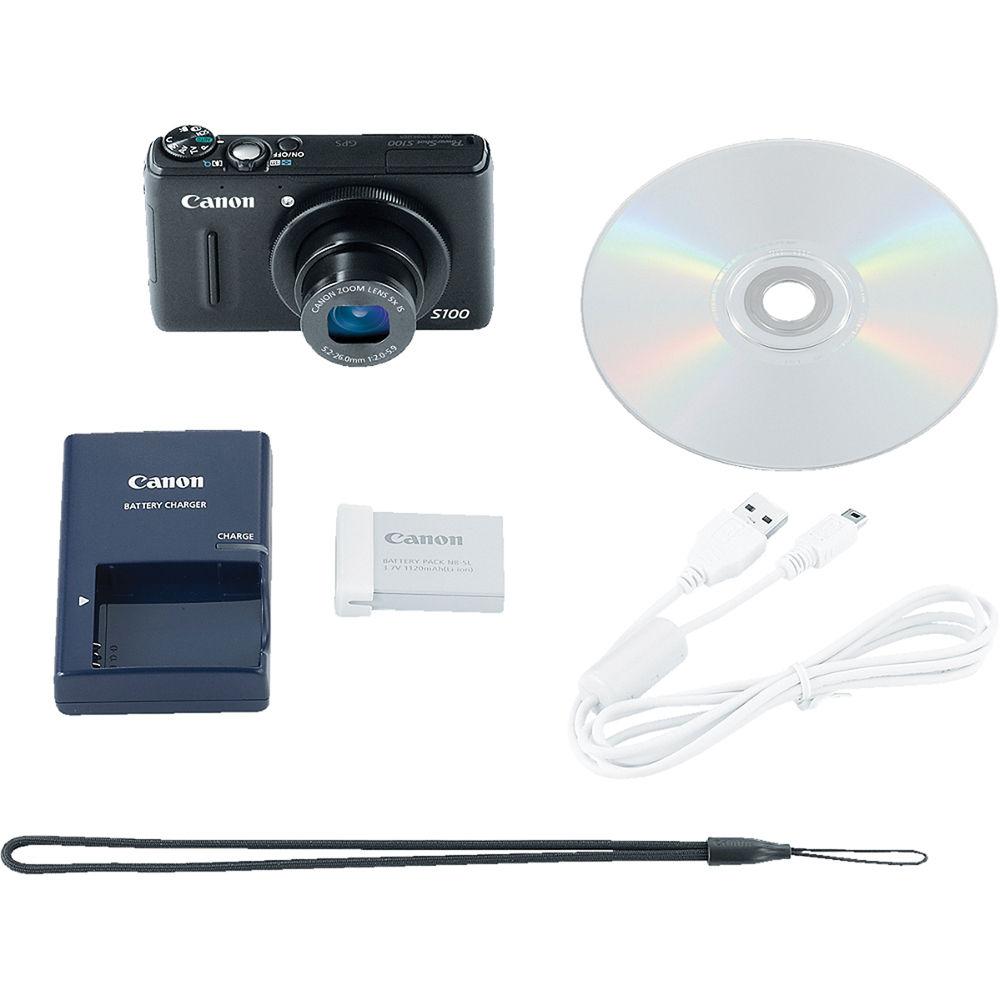
In the Box Canon PowerShot S100 Digital Camera (Black) NB-5L Lithium-Ion Battery Pack CB-2LX Charger Wrist Strap USB Interface Cable Digital Camera Solution CD-ROM Customer Support Leaflet 1-Year Limited Warranty User Manual PDF 4.8mbebtbyzeqwfwsatda Table of Contents
|
Upload User Manual
Have you got an user manual for the Canon PowerShot S100 Digital Camera - Refurbished in electronic form? Please send it to us and help us expand our library of instruction manuals.
Thank you, too, on behalf of other users.
To upload the product manual, we first need to check and make sure you are not a robot. After that, your "Submit Link" or "Upload File" will appear.
Technical parametersCanon 5244B022AA Specs | | | Pixels | Actual: 13.3 Megapixel
Effective: 12.1 Megapixel | | Sensor | 1/1.7" CMOS | | File Formats | Still Images: JPEG, RAW
Movies: MOV
Audio: Linear PCM | | Max Resolution | 12 MP: 4000 x 3000 | | Aspect Ratio | 1:1, 3:2, 4:3, 4:5, 16:9 | | Image Stabilization | Optical | | | | Lens | Effective Focal Length: 5.2 to 26mm (35 mm Equivalent: 24 to 120mm)
Aperture: f/2.0 (W) to f/5.9 (T) | | Zoom | Optical: 5x
Digital: 4x
Intelligent Zoom: 20x | | Focus Range | Wide: 1.2" to Infinity / 3.05 cm to Infinity
Telephoto: 12" to Infinity / 30.48 cm to Infinity
Wide Macro: 1.2" to 1.6' / 3.05 cm to 48.77 cm
Tele Macro: 12" to 1.6' / 30.48 cm to 48.77 cm
Normal: 2" to Infinity / 5.08 cm to Infinity
Normal: 12" to Infinity / 30.48 cm to Infinity | | | | ISO Sensitivity | Auto, 80 to 6400 | | Shutter | 15 to 1/2000 Seconds | | Exposure Metering | Center-Weighted, Evaluative, Face Detection, Spot | | Exposure Modes | Modes: AE Lock, Aperture Priority, Auto ISO Shift, Manual, Program, Program Shift, Safety Shift, i-Contrast
Compensation: -3 EV to +3 EV (in 1/3 EV Steps) | | White Balance | Auto, Cloudy, Custom, Daylight, Flash, Fluorescent, Fluorescent H, Tungsten, Underwater | | Continuous Shooting | Up to 9.6 fps for up to 8 Exposures | | Self-Timer | 10 Sec | | | | Flash Modes | Auto
Auto/Red-Eye Reduction
Exposure Compensation
FE Lock
Flash On
Flash On w/ Red-Eye Reduction
Off
Slow Sync | | Built-In Flash | Yes | | Effective Flash Range | Wide:1.6 to 23' / 0.5 to 7.01 m
Telephoto:1.6 to 7.5' / 0.5 to 2.3 m | | External Flash Connection | None | | | | Memory Card Type | SD
SDHC
SDXC | | Still Images per GB | JPEG: 42at Max Resolution to 10,295 at Min Resolution | | | | Video Recording | Yes, NTSC/PAL | | | | Video Clip Length | Up to 30 Minutes | | Audio Recording | With Video (Stereo) | | | | Viewfinder Type | None | | Screen | 3.0" LCD Rear Screen (461,000 Pixels) | | | | Connectivity | AV Output
HDMI C (Mini)
USB 2.0 | | | | Battery | NB-5L Rechargeable Lithium-Ion Battery Pack, 3.7 VDC | | AC Power Adapter | CA-DC10 (Not Included) | | | | Dimensions (W x H x D) | 3.9 x 2.3 x 1.1" / 99.1 x 58.4 x 27.9 mm | | Weight | 6.1 oz / 172.9 g (Camera Only) | | | | Package Weight | 1.15 lb | | Box Dimensions (LxWxH) | 10.0 x 6.2 x 3.4" |
Rating92% users recommend this product to others. And what about you?

This product has already been rated by 17 owners. Add your rating and experience with the product.
Discussion
 Ask our technicians if you have a problem with your settings,
or if anything is unclear in the user manual you have downloaded.
You can make use of our moderated discussion.
The discussion is public and helps other users of our website who may be encountering similar problems.
Ask our technicians if you have a problem with your settings,
or if anything is unclear in the user manual you have downloaded.
You can make use of our moderated discussion.
The discussion is public and helps other users of our website who may be encountering similar problems.
The discussion is empty - enter the first post
Post a new topic / query / comment:
|
|


