|
User Manual for Canon PowerShot SD1400 IS Digital ELPH - Refurbished Click to enlarge the picture
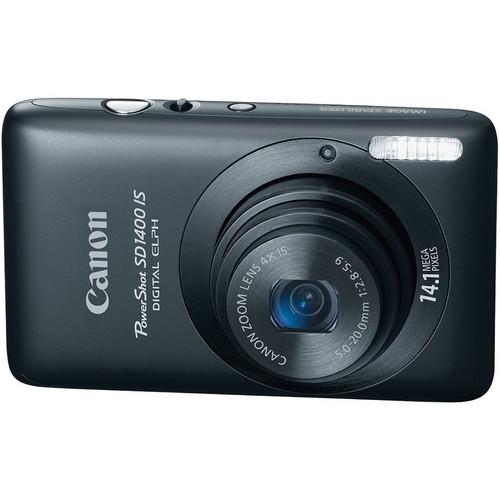 Contents of the user manual for the Canon PowerShot SD1400 IS Digital ELPH
- Product category: Uncategorized Canon
- Brand: Canon
- Description and content of package
- Technical information and basic settings
- Frequently asked questions – FAQ
- Troubleshooting (does not switch on, does not respond, error message, what do I do if...)
- Authorized service for Canon Uncategorized
 |
User manual for the Canon PowerShot SD1400 IS Digital ELPH contain basic instructions
that need to be followed during installation and operation.
Before starting your appliance, the user manual should be read through carefully.
Follow all the safety instructions and warnings, and be guided by the given recommendations.
User manual is an integral part of any Canon product,
and if it is sold or transferred, they should be handed over jointly with the product.
Following the instructions for use is an essential prerequisite for protecting
health and property during use, as well as recognition of liability on the part of the manufacturer
for possible defects should you make a warranty claim. Download an official Canon user manual in which you will find instructions on how to install, use, maintain and service your product.
And do not forget – unsuitable use of a Canon product will considerably shorten its lifespan!
|
Product description - Canon Elph SD1400 IS Demo
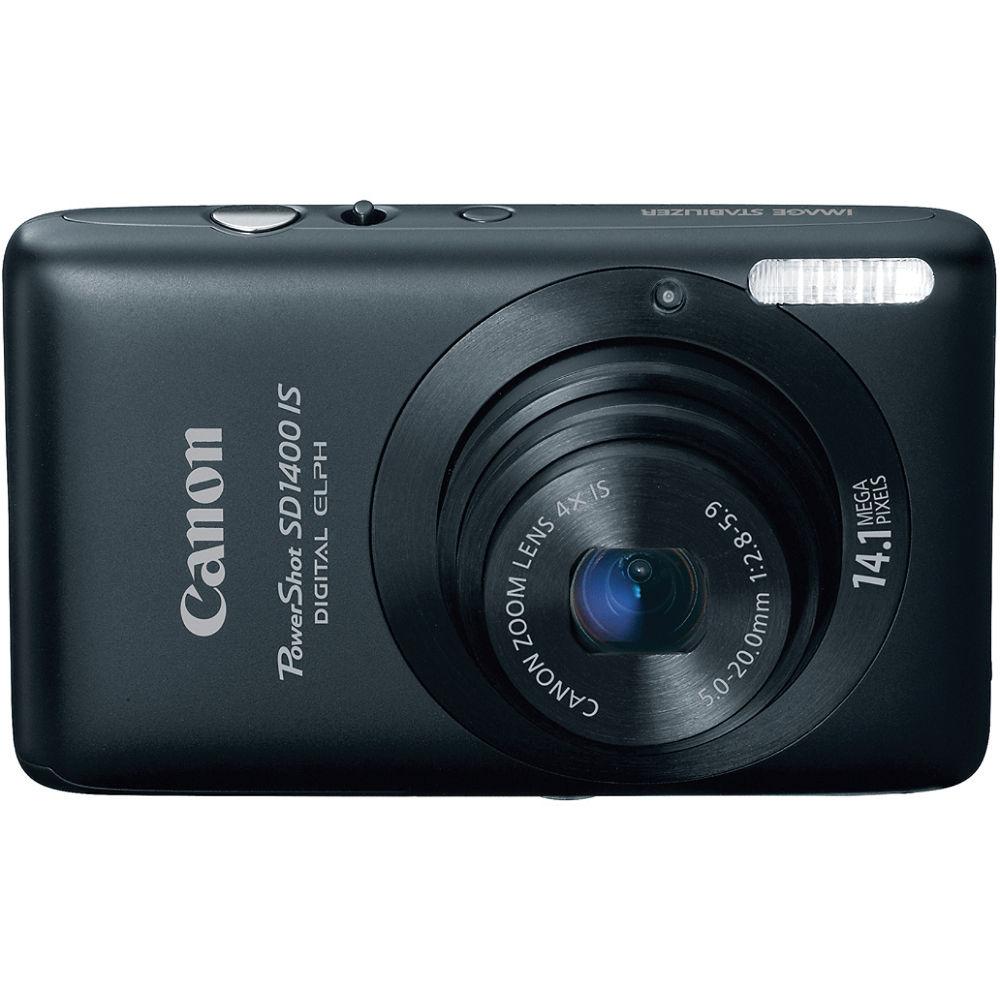
The Canon PowerShot SD1400 IS Digital ELPH (Black) features a high-resolution 14.1MP CCD imaging sensor and an optically stabilized 4x UA (Ultra High Refractive Index Aspherical) zoom lens, which covers an equivalent focal range of 28-112mm without compromising the narrow profile Canon Digital EPLHs are known for. And for composing, reviewing, and editing your photos, the SD1400 IS features a bright 2.7" (230,000-dot) PureColor System LCD. In addition to a choice of 6 JPEG file sizes (including 16:9) the SD1400 IS can capture HD 720p video clips (with monaural sound) up to 60 minutes (or 4GB per clip) as well as 640x480 @ 30 fps and 320x240 @ 30 fps for lower-resolution applications. For fuss-free shooting, Canon's Smart AUTO mode automatically analyzes the scene and sets the best exposure based on 22 predefined shooting situations. For shooting under low lighting conditions, the ISO sensitivity of the PowerShot SD1400 IS can be dialed up to 1600, and when shooting in Low Light mode, expanded as high as an equivalent of ISO 6400. Other image enhancing features found on the Canon PowerShot SD1400 IS include a DIGIC 4 image processor, Intelligent Contrast Correction, Motion Detection Technology, Face Detection Self-Timer, Red-eye Correction, Advanced AF/AE/FE/WB Face Detection, and a Face Detection Self-timer that enables you to get your own happy face into family portraits. The Canon PowerShot SD1400 IS records images onto your choice of SD/SDHC/SDXC Memory Card, MultiMediaCard, MMC Plus Card, HC MMC Plus memory cards up to 16GB (not included) and powers off a rechargeable NB-4L lithium-ion battery, which is good for about 230 images-per-charge, or about 6 hours of playback time. - 14.1 Megapixel Resolution Makes Possible Large, Clear Prints
- Canon's commitment to innovation defines the excitement of the PowerShot SD1400 IS Digital ELPH. 14.1 Megapixel resolution is more than a number, it's your cutting-edge link to the outstanding clarity and quality you've always wanted in your images. Think bold and big, because razor-sharp oversized prints are a breeze. Get the picture? It's absolutely brilliant.
- Capture Family and Friends With a 28mm Wide-Angle Lens & 4x Optical Zoom
- The Canon commitment to innovation defines the excitement of the PowerShot SD1400 IS Digital ELPH with its 28mm Wide-Angle Lens and 4x Optical Zoom that makes it easy to get the inspiring, emotive close-ups that will make your images lasting keepsakes. This magnificent lens gives you the power to shoot distant subjects with razor-sharp precision and stunning lifelike color. So you can brilliantly capture a closer shot of a landscape, or a child's big smile.The PowerShot SD1400 IS Digital ELPH is equipped with the acclaimed Canon Optical Image Stabilizer, which automatically detects and corrects camera shake - one of the leading causes of fuzzy or blurred shots. Even when zoomed in, you can get the steady, crisp, brilliant images you'll be proud to shoot and share. And the Canon Optical Image Stabilizer technology is so convenient to use. It functions perfectly with or without a flash.
- 720p HD Movie Capability and HDMI Connector for Easy Playback of Video and Photos on Your HDTV.
- The PowerShot SD1400 IS Digital ELPH lets you record video in beautiful 720p high definition (1280 x 720 pixels). The camera also makes it easy to enjoy HD movies (and still photos) on your HDTV with a mini-HDMI connector for direct connection to a high definition TV monitor. You'll enjoy the HD experience with no degradation of image or audio in the signal, plus the ability to display up to 130 still images at once.
- Bright 2.7-inch PureColor System LCD for Taking and Reviewing Photos
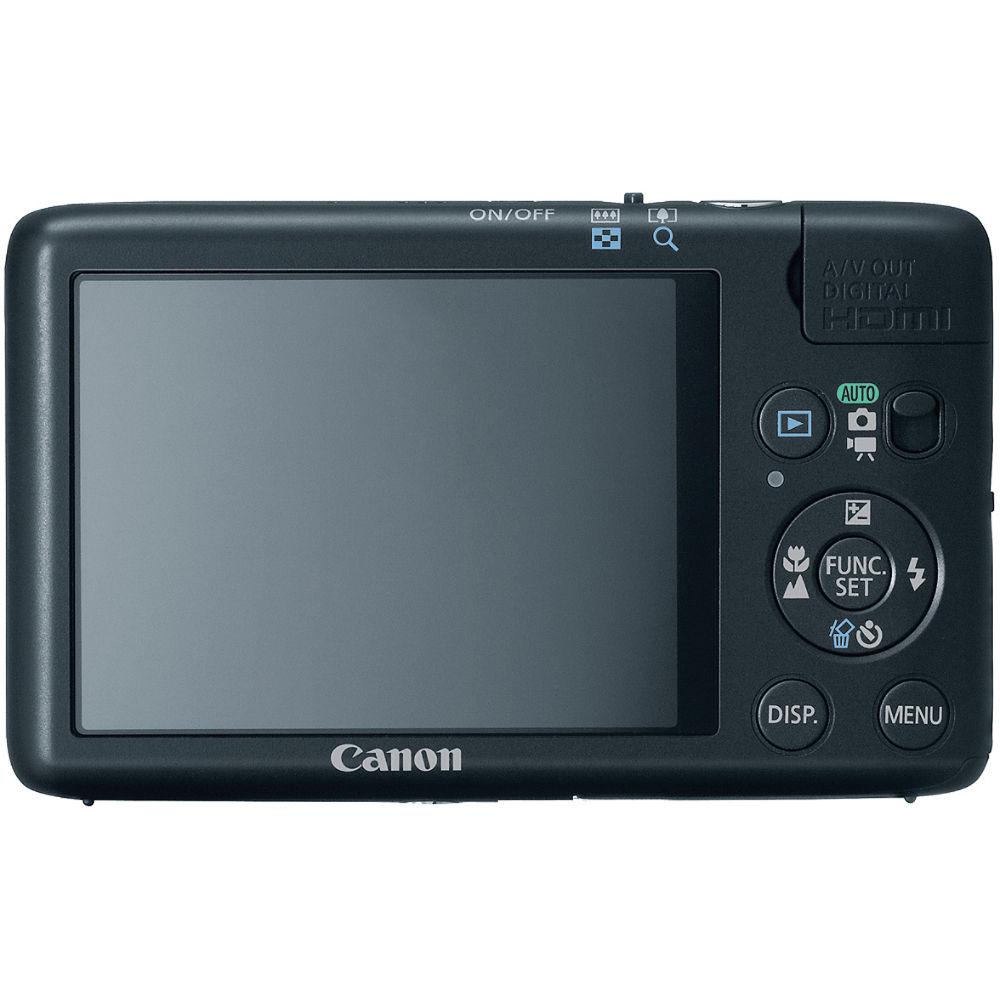
- The PowerShot SD1400 IS gives you a large 2.7-inch LCD screen for excellent control when framing your shots. The Canon PureColor System LCD offers spectacular color, resolution and contrast even when viewed at an angle. The screen is highly durable and easy to see in any light with a scratch-resistant, anti-reflective coating. It also features Night Display for easy viewing in low light - a perfect feature for gathering friends and family around to see your images.
- Smart AUTO Mode Selects the Proper Settings Based on 22 Predefined Shooting Situations
- Just set the Canon PowerShot SD1400 IS to Smart AUTO and you're ready for maximum enjoyment from your picture-taking every time. It's a relaxing and satisfying way to shoot because you can completely concentrate on your subject knowing that the camera has the technical details covered. Advanced Canon technology intelligently analyzes your situation and shooting conditions. Then it automatically selects an appropriate setting from 22 specially defined settings. So whether you're photographing flowers, a captivating sunset, or your friends at the park, you can be confident that you're getting dramatic, memorable images.
- Get Creative With Modes Such as Miniature Effect and Fisheye Effect.
- The Canon PowerShot SD1400 IS Digital ELPH offers creative effects similar to those found in certain professional lenses. Miniature Effect creates an illusion where very large objects appear in miniature proportions. Turn soaring cityscapes into a scene in seemingly dollhouse-like proportions. Fisheye Effect uses barrel distortion to warp the image around the center, giving a distinctive curvature effect to the photo. The curvilinear images produced by Fisheye Effect can suggest the curve of the Earth, the inside of a dome, or the image you see through the peephole of a door.
- New Smart Shutter Technology Automatically Takes a Picture When the Subject Smiles or Winks.
- Smart Shutter, which includes Smile Self-Timer, Wink Self-timer and Face Self-timer, detects faces in the scene and releases the shutter automatically in response to the appearance of an additional face, or when a smile or sassy wink occurs. These technologies take the guesswork out of your photography, allowing you to focus solely on your subject and get the perfect shot.
- DIGIC 4 Image Processor
- Enables accurate color renditions and fast image processing times.
- Shoot in Low Light Mode for Dimly Lit Situations
- With an ISO of 400 - 6400, the Low Light mode takes the Canon PowerShot SD1400 IS boldly into the shadows! Now even scenes notorious for having insufficient light, such as those lit by candles, fire, or street lamp, come through in fantastic color and clarity, with less noise. You can keep the feel of the scene intact without adding additional light, so the result will be scenes with the visual accuracy, depth and clarity you expect from a Canon camera.
- AF/AE/FE/WB Face Detection and Intelligent Contrast Correction
- For optimized portraits and better overall picture quality regardless of your subject matter.
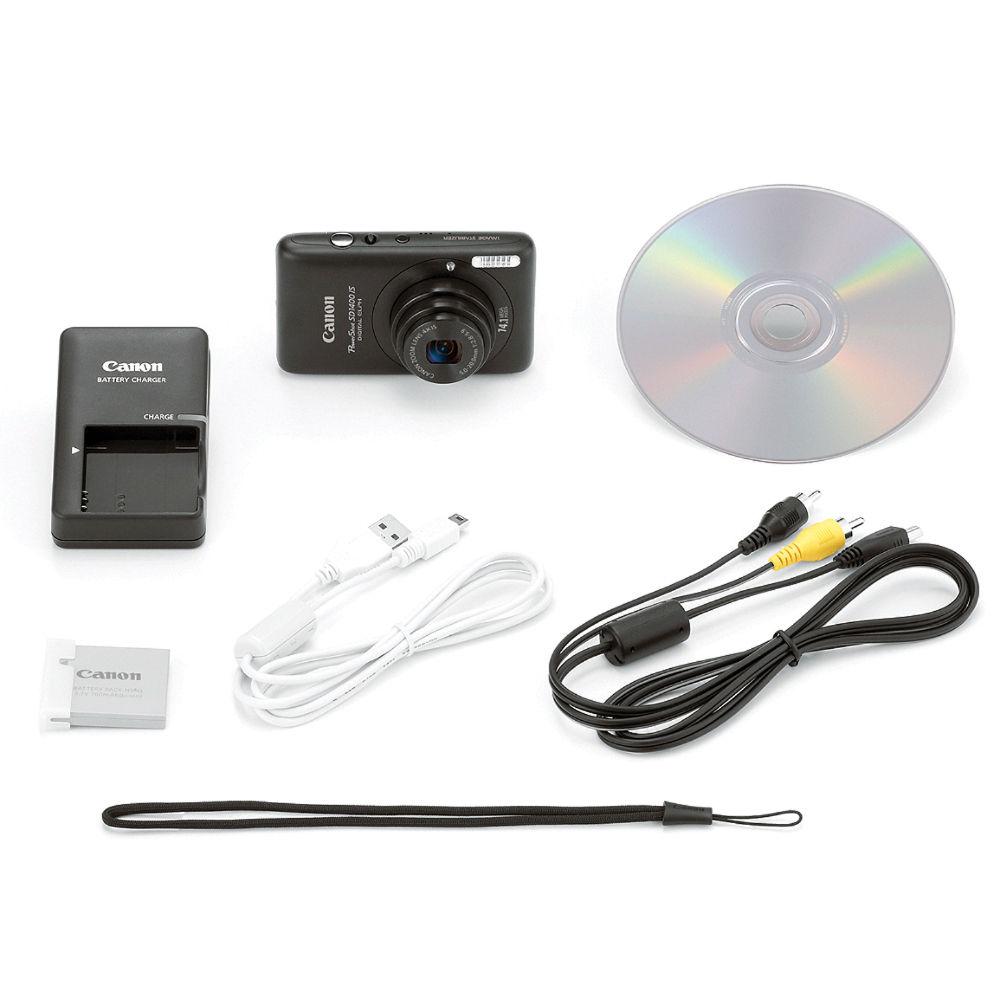
In the Box Canon PowerShot SD1400 IS Digital ELPH (Black) Lithium-ion Battery Pack NB-4L Battery Charger CB-2LV Wrist Strap WS-DC7 Digital Camera Solution CD-ROM USB Interface Cable AV Cable 90-Day Refurbished Warranty Table of Contents
|
Upload User Manual
Have you got an user manual for the Canon PowerShot SD1400 IS Digital ELPH - Refurbished in electronic form? Please send it to us and help us expand our library of instruction manuals.
Thank you, too, on behalf of other users.
To upload the product manual, we first need to check and make sure you are not a robot. After that, your "Submit Link" or "Upload File" will appear.
Technical parametersCanon 4181B005AA Specs | | | Pixels | Actual: 14.5 Megapixel
Effective: 14.1 Megapixel | | Sensor | 1/2.3" CCD | | File Formats | Still Images: JPEG
Movies: MOV
Audio: Linear PCM | | Max Resolution | 4320 x 3240 | | Aspect Ratio | 4:3, 16:9 | | Image Stabilization | Optical | | | | Lens | Effective Focal Length: 5 to 20mm (35 mm Equivalent: 28 to 112mm)
Aperture: f/2.8 (W) to f/5.9 (T) | | Zoom | Optical: 4x
Digital: 4x | | Focus Range | Wide: 1.2" to Infinity / 3.05 cm to Infinity
Telephoto: 2.6' to Infinity / 79.25 cm to Infinity
Wide Macro: 1.2" to 1.6' / 3.05 cm to 48.77 cm | | | | ISO Sensitivity | Auto, 80 to 1600 | | Shutter | 15 to 1/1500 Seconds | | Exposure Metering | Center-Weighted, Evaluative, Spot | | Exposure Modes | Modes: AE Lock, Program, i-Contrast | | White Balance | Auto, Cloudy, Daylight, Fluorescent, Fluorescent H, Manual, Tungsten | | Continuous Shooting | Up to 0.7 fps for up to Exposures | | Self-Timer | 2 Sec | | | | Flash Modes | Auto
FE Lock
Flash On
Off
Red-Eye Reduction
Slow Sync | | Effective Flash Range | Wide:1 to 13' / 0.3 to 3.96 m
Telephoto:2.6 to 6.6' / 0.8 to 2.0 m | | External Flash Connection | None | | | | Built-In Memory | None | | Memory Card Type | SD
SDHC
SDXC
MMC
MMCplus
HC MMCplus | | Still Images per GB | JPEG: 264at Max Resolution to 7543 at Min Resolution | | | | Video Recording | Yes, NTSC/PAL | | | | Video Clip Length | Up to 4 GB or 10 Minutes For HD 1280 x 720 other resolutions are 4GB or 1 hour | | Audio Recording | With Video (Mono) | | | | Viewfinder Type | None | | Screen | 2.7" LCD (230,000 Pixels) | | | | Connectivity | USB 2.0 | | Software System Requirements | Windows: XP, Vista, 7 | | | | Battery | NB-4L Rechargeable Lithium-Ion Battery Pack | | AC Power Adapter | ACK-DC10 (Not Included) | | | | Dimensions (W x H x D) | 3.6 x 2.2 x 0.7" / 91.4 x 55.9 x 17.8 mm | | Weight | 4.69 oz / 132.96 g (Camera Only) | | | | Package Weight | 1.15 lb | | Box Dimensions (LxWxH) | 9.7 x 6.3 x 3.6" |
Rating90% users recommend this product to others. And what about you?

This product has already been rated by 74 owners. Add your rating and experience with the product.
Discussion
 Ask our technicians if you have a problem with your settings,
or if anything is unclear in the user manual you have downloaded.
You can make use of our moderated discussion.
The discussion is public and helps other users of our website who may be encountering similar problems.
Ask our technicians if you have a problem with your settings,
or if anything is unclear in the user manual you have downloaded.
You can make use of our moderated discussion.
The discussion is public and helps other users of our website who may be encountering similar problems.
The discussion is empty - enter the first post
Post a new topic / query / comment:
|
|
|
| Request for user manual |
You can’t find the operation manual you are looking for? Let us know and we will try to add the missing manual:
I’m looking for a manual / Request for manual
Current requests for instruction manuals:
Call Of Duty World War Two For Xbox...
controller stratus XL...
stratus XL...
smart whatch serie S11 42mm...
Allen & Heath SQ-6 manual...
|
| Discussion |
Latest contributions to the discussion:
AEW R 4100
Name: MAURICIO ANGARITA
Audio-Technica AEW-R4100 UHF Diversity Receiver for
AEW R 4100 has the mute function blocked and does not allow audio to pass. I tried several times to turn off the mute from the transmitter but it does nothing, the mute stays on. Solution?
Thank you...
Instructions for assembling the 2015 Forecast Image Master Consoles GC3-A
Name: mike elam
Forecast Consoles GC3-A ImageMaster Editing Console
Looking for instructions for assembling this console. ...
EMPTY TONER ERROR MESSAGE AFTER REPLACING TONER
Name: LINDA BAD YELLOW EYES
Brother TN223BK Standard-Yield Toner
I HAD TO CHANGE OUT ALL THREE TONERS DUE TO LEAKS IN THE YELLOW AND CYAN. AFTER I REPLACED THEM, THE MACHINE KEEPS GIVING ME AN EMPTY TONER ERROR MESSAGE. HELP!!...
PS480D 20/24 pin Switching 480W Power Supply
Name: swkargo
Logisys 480W Power Supply
This item states in can run -5vdc .It is NOT listed on the board or I beleive is r4 is missing the resitior. Any body have thid issue. Shawn
...
Help needed
Name: Ann Carter
SanDisk 1TB Extreme Portable USB 3.1
When I click the link to download the user manual for my Sandisk Extreme external hard drive, it gives me the manual for the LG Cricket. Can you please change the link so I can download the Sandisk manual and begin using this drive? Thank you....
|
|


