|
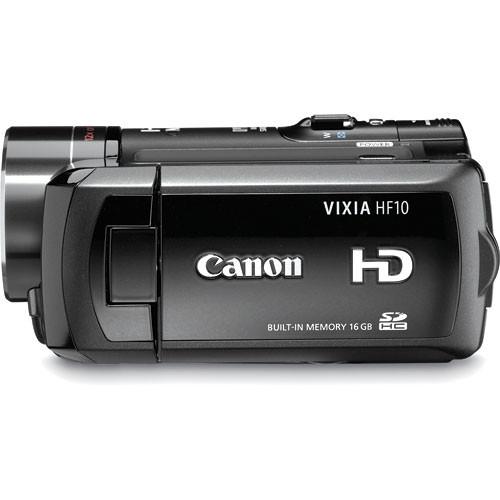
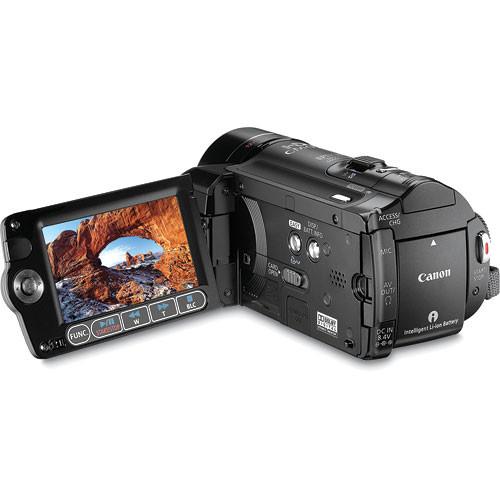
User Manual for Canon VIXIA HF-10 AVCHD 16GB Dual Flash Memory SDHC Memory HD Camcorder - Refurbished Click to enlarge the picture
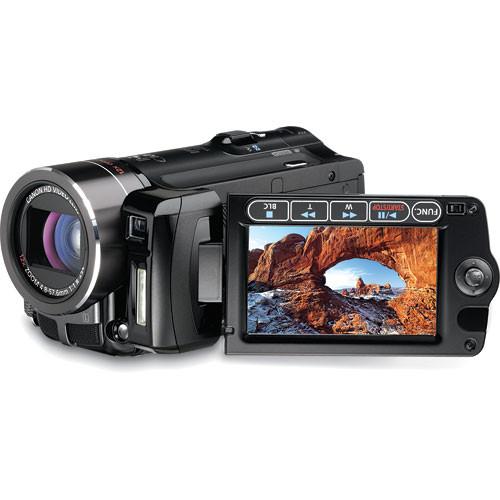 Contents of the user manual for the Canon VIXIA HF-10 AVCHD 16GB Dual
- Product category: Uncategorized Canon
- Brand: Canon
- Description and content of package
- Technical information and basic settings
- Frequently asked questions – FAQ
- Troubleshooting (does not switch on, does not respond, error message, what do I do if...)
- Authorized service for Canon Uncategorized
 |
User manual for the Canon VIXIA HF-10 AVCHD 16GB Dual contain basic instructions
that need to be followed during installation and operation.
Before starting your appliance, the user manual should be read through carefully.
Follow all the safety instructions and warnings, and be guided by the given recommendations.
User manual is an integral part of any Canon product,
and if it is sold or transferred, they should be handed over jointly with the product.
Following the instructions for use is an essential prerequisite for protecting
health and property during use, as well as recognition of liability on the part of the manufacturer
for possible defects should you make a warranty claim. Download an official Canon user manual in which you will find instructions on how to install, use, maintain and service your product.
And do not forget – unsuitable use of a Canon product will considerably shorten its lifespan!
|
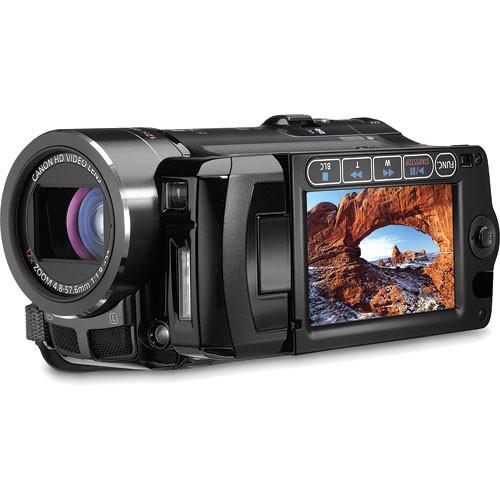
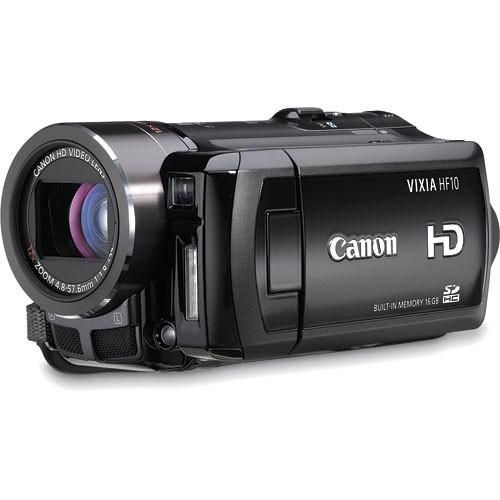
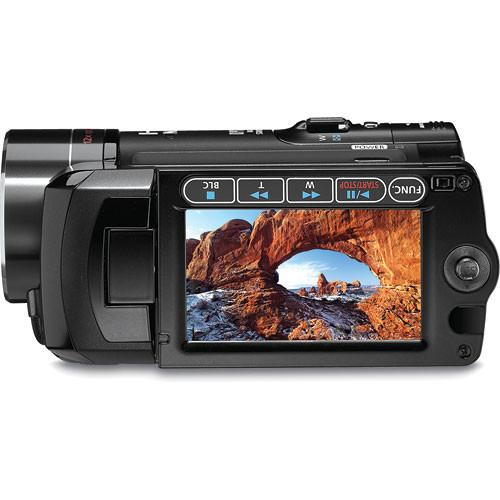
Product description Canon's VIXIA HF-10 AVCHD 16GB Dual Flash Memory/SDHC Memory HD Camcorder brings together compact design with the convenience of recording in HD to flash memory. Thanks to its small size, you can take this camera anywhere you go for recording family vacations or just capturing on-the-fly moments during your daily routine. Record in high definition to the 16GB internal flash memory for up to 6 hours in LP mode. Should you need more recording space using removable SDHC cards opens up a whole new world of possibilities, making it quick and easy to upload stunning video and stills to your PC for emailing, printing or sharing on sites such as YouTube.
Canon gave this camcorder a 3.3Mp 1/3.2" Full HD CMOS sensor that captures remarkably clear, rich and accurate images each and every time. And, because it records in HD when you play the footage back on your widescreen HDTV you'll see the amazing picture quality in every scene. The HF-10 also features a 2.7" widescreen multi-angle vivid LCD, SuperRange Optical Image Stabilization, and a DIGIC DVII image processor for clear, rich video and stills. Canon's own 12x HD Video Zoom Lens has three preset zoom speeds for recording smooth shots and a Super Spectra Coating for reduction of flare and glare.
This camcorder gets even better with 24p recording, allowing you to obtain that film-look and 30p Progressive Mode for recording action and sports footage you plan on posting to the web. The Quick Start mode keeps your camera in sleep mode and brings it up and ready to record in less than a second with the touch of a button. All of these features and then some make the HF-10 an exceptional value. - 16GB Internal Flash Memory
- Capture up to 6 hours of video to the 16GB internal flash memory in Full HD. There's no more need to worry about carrying around extra tapes or DVDs with this solid state camcorder. And, because there are no moving parts the start-up times are faster than ever. Use a removable SDHC for more recording space should you need it.
- 3.3Mp 1/3.2" Full HD CMOS Sensor
- Film in 1920 x 1080 high definition with the 1/3.2" 3.3Mp Full HD CMOS Sensor. This sensor provides high color resolution and reproduction for stunning video and still images each and every time. The RGB Primary Color Filter separates light into red, green and blue for rich, natural tones that are true-to-life. This HD CMOS sensor also proves exceptional in light-low situations as well.
- DIGIC DVII Image Processor
- DIGIC DVII, unlike its predecessor DIGIC DV, is specially designed for HD image capture. Your video and still images will look better than ever in HD thanks to improved color reproduction for skin tones and light and dark situations. This processor also reduces image noise with two types of noise reduction for clean, crisp video and stills. There's more, the DIGIC DVII also provides for faster shooting of still images - up to 5 (3.1Mp) images per second.
- SuperRange Optical Image Stabilization
- Canon's own SuperRange Optical Image Stabilization (OIS) corrects for a variety of camera motion, not just hand shake. Fast vibrations, like a moving car, medium-speed motion when hand hold recording, and the slower motion of body sway are all accounted for. Even shooting at long focal lengths SuperRange OIS comes through with a clean, stable shot.
- Instant AF
- The Instant AF on the HF10 uses an external sensor along with Canon's auto focus system to ensure that you get the clear, accurate images that are crucial when recording in HD.
- 24p Cinema Mode
- By changing the camera's frame capture rate to 24p you can give your video that film-look with the 24p Cinema Mode. The CINE setting will further enhance your video by increasing richness in color and tone. Use both settings together or separately to create your desired look and feel.
- 30p Progressive Mode
- Usually only found in the professional camera market 30p Progressive Mode allows you to shoot at 30p as opposed to the standard video frame rate of 60i. Use this function for video you plan to post to the Internet or for action shots and see the difference!
- Mini HDMI Terminal
- The Mini HDMI Terminal allows you to share HD video and audio via one cable for impressive playback quality on your TV.
- Mini Advanced Accessory Shoe
- The Mini Advanced Accessory Shoe lets you add video lights, flashes and external microphones to the HF-10 without having to navigate extra cords or batteries.
- 2.7" Multi-Angle Vivid Widescreen LCD
- The widescreen LCD display of the HF-10 presents accurate, clear images each and every time, especially helpful when you are composing or sharing video with friends or family on playback. A wider range of viewing angles also helps. The hard coat AR surface and improved color reproduction helps ensure that what you capture is truer to the actual scene.
- 12x HD Video Zoom Lens
- The HD Video Lens with 12x optical zoom demonstrates the quality Canon's lenses are known for. Capture every moment with three pre-set zoom speeds for smooth, accurate close-up and zoom shots. The Super spectra coating protects your images from the flare and glare that plagues video and stills, especially when shooting outdoors. Clean, accurate video and higher resolution are thanks to the new aspheric lens design that decreases aberration and increases resolution while the new gradation ND system corrects the image when recording in bright situations.
- PictBridge
- Share and print your still images with the touch of the button using a PictBridge compatible printer via the included USB cable.
- Quick Start
- Never miss the moment again because you're waiting for your camcorder to start up. Pressing the Quick Start button once keeps your camera in sleep mode. When you're ready to start recording just hit the button again and you can start recording in under a second.
- Microphone Input Jack
- Virtually extinct in the consumer camcorder market the microphone input makes a comeback on the HF-10 for recording audio with an external mic for superb clarity.
- Wireless Remote
- Use the wireless remote to control the camcorder when you're using a tripod or just want to be in the picture too.
In the Box Canon VIXIA HF-10 AVCHD 16GB Dual Flash Memory/SDHC Memory HD Camcorder BP-809 Battery Pack CA-570 Compact Power Adapter Stereo Video Cable WL-D88 Wireless Controller USB Cable Component Cable Digital Video Solution Disc for Windows and Macintosh 90-Day Refurbished Warranty Guides & Manuals Table of Contents
|
Upload User Manual
Have you got an user manual for the Canon VIXIA HF-10 AVCHD 16GB Dual Flash Memory SDHC Memory HD Camcorder - Refurbished in electronic form? Please send it to us and help us expand our library of instruction manuals.
Thank you, too, on behalf of other users.
To upload the product manual, we first need to check and make sure you are not a robot. After that, your "Submit Link" or "Upload File" will appear.
Download User ManualThe user manual for the Canon VIXIA HF-10 AVCHD 16GB Dual Flash Memory SDHC Memory HD Camcorder - Refurbished can be downloaded in PDF format at the link stated below.
Technical parametersCanon 2573B003AA Specs | | | Sensor | 1/3.2" CMOS Sensor (RGB Primary Color Filter) | | Lens | 12x HD Video Zoom Lens
Focal Length=4.8-57mm
f-stop/1.8-3.0 | | Zoom | 12x Optical
200x Digital | | Filter | 37mm | | | | System | NTSC | | Format | Video: MPEG-4 AVC/H.264
Still: JPEG | | Audio | Dolby Digital 2 channel (AC-3 2 channel) | | Image Stabilization | SuperRange Optical (lens shift) | | Lux | 0.2 lux (Night)
3 lux (Program AE) | | Line In Recording | No | | A/V Dubbing | No | | Tape Loading | N/A | | | | Display Type | Multi-Angle Vivid Widescreen LCD | | Display Size | 2.7" | | Viewfinder | N/A | | | | Manual Controls | White Balance
Focus
Exposure
Aperture
Shutter Priority
Program AE Modes | | Built-in Speaker | Yes | | Built-in Mic | Yes | | Accessory Shoe | Yes - S Mini Advanced shoe | | Fade Resistance | Yes | | Effects | Yes | | Built-in Light/Flash | Yes - flash
Yes - video light | | | | Still Recording Media | SD/SDHC cards | | Resolution | 2.76Mp | | | | Inputs | Mic input (3.5mm stereo minijack) | | Output | HDMI (Type C)
A/V (3.5mm 4 pole stereo minijack) out
USB 2.0 | | Microphone Input | Yes | | Headphone Jack | Yes | | | | Operating Systems | Not Specified by Manufacturer | | Power Requirements | Not Specified by Manufacturer | | Dimensions (WxHxD) | 2.9 x 2.5 x 5.1" (73 x 64 x 129mm) | | Weight | 13.4 oz (380g) | | | | Package Weight | 3.4 lb | | Box Dimensions (LxWxH) | 10.7 x 9.2 x 6.1" |
Rating90% users recommend this product to others. And what about you?

This product has already been rated by 35 owners. Add your rating and experience with the product.
Discussion
 Ask our technicians if you have a problem with your settings,
or if anything is unclear in the user manual you have downloaded.
You can make use of our moderated discussion.
The discussion is public and helps other users of our website who may be encountering similar problems.
Ask our technicians if you have a problem with your settings,
or if anything is unclear in the user manual you have downloaded.
You can make use of our moderated discussion.
The discussion is public and helps other users of our website who may be encountering similar problems.
The discussion is empty - enter the first post
Post a new topic / query / comment:
|
|
|
| Request for user manual |
You can’t find the operation manual you are looking for? Let us know and we will try to add the missing manual:
I’m looking for a manual / Request for manual
Current requests for instruction manuals:
Call Of Duty World War Two For Xbox...
controller stratus XL...
stratus XL...
smart whatch serie S11 42mm...
Allen & Heath SQ-6 manual...
|
| Discussion |
Latest contributions to the discussion:
AEW R 4100
Name: MAURICIO ANGARITA
Audio-Technica AEW-R4100 UHF Diversity Receiver for
AEW R 4100 has the mute function blocked and does not allow audio to pass. I tried several times to turn off the mute from the transmitter but it does nothing, the mute stays on. Solution?
Thank you...
Instructions for assembling the 2015 Forecast Image Master Consoles GC3-A
Name: mike elam
Forecast Consoles GC3-A ImageMaster Editing Console
Looking for instructions for assembling this console. ...
EMPTY TONER ERROR MESSAGE AFTER REPLACING TONER
Name: LINDA BAD YELLOW EYES
Brother TN223BK Standard-Yield Toner
I HAD TO CHANGE OUT ALL THREE TONERS DUE TO LEAKS IN THE YELLOW AND CYAN. AFTER I REPLACED THEM, THE MACHINE KEEPS GIVING ME AN EMPTY TONER ERROR MESSAGE. HELP!!...
PS480D 20/24 pin Switching 480W Power Supply
Name: swkargo
Logisys 480W Power Supply
This item states in can run -5vdc .It is NOT listed on the board or I beleive is r4 is missing the resitior. Any body have thid issue. Shawn
...
Help needed
Name: Ann Carter
SanDisk 1TB Extreme Portable USB 3.1
When I click the link to download the user manual for my Sandisk Extreme external hard drive, it gives me the manual for the LG Cricket. Can you please change the link so I can download the Sandisk manual and begin using this drive? Thank you....
|
|



