|
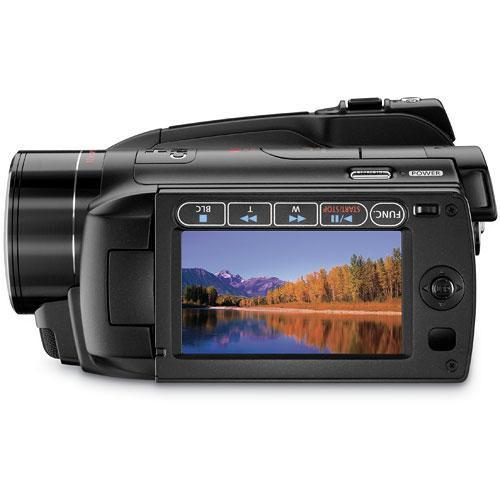
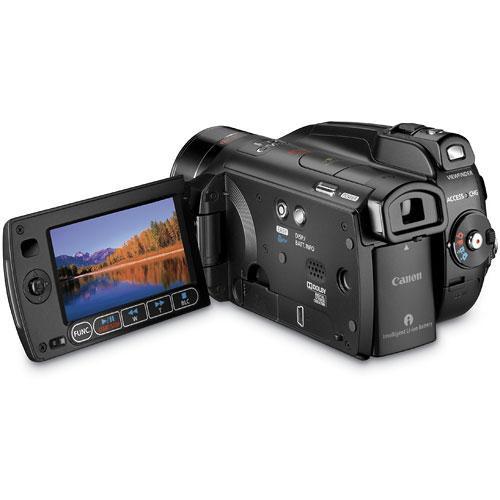
User Manual for Canon VIXIA HG21 Hard Disk Drive High Definition Camcorder - Refurbished Click to enlarge the picture
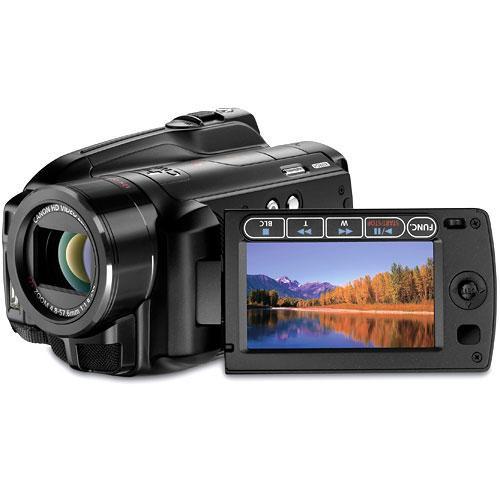 Contents of the user manual for the Canon VIXIA HG21 Hard Disk Drive
- Product category: Uncategorized Canon
- Brand: Canon
- Description and content of package
- Technical information and basic settings
- Frequently asked questions – FAQ
- Troubleshooting (does not switch on, does not respond, error message, what do I do if...)
- Authorized service for Canon Uncategorized
 |
User manual for the Canon VIXIA HG21 Hard Disk Drive contain basic instructions
that need to be followed during installation and operation.
Before starting your appliance, the user manual should be read through carefully.
Follow all the safety instructions and warnings, and be guided by the given recommendations.
User manual is an integral part of any Canon product,
and if it is sold or transferred, they should be handed over jointly with the product.
Following the instructions for use is an essential prerequisite for protecting
health and property during use, as well as recognition of liability on the part of the manufacturer
for possible defects should you make a warranty claim. Download an official Canon user manual in which you will find instructions on how to install, use, maintain and service your product.
And do not forget – unsuitable use of a Canon product will considerably shorten its lifespan!
|
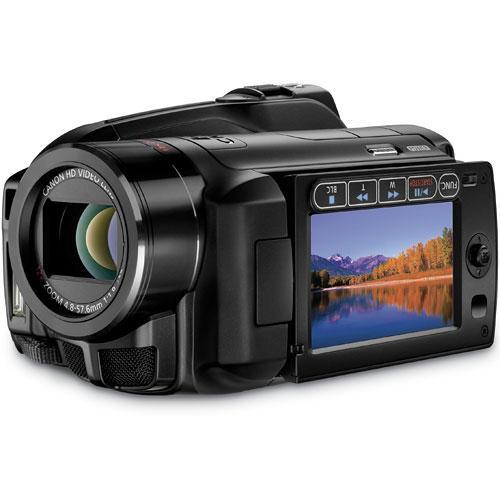
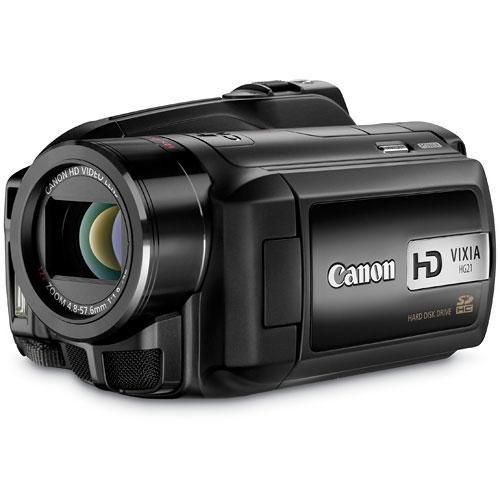
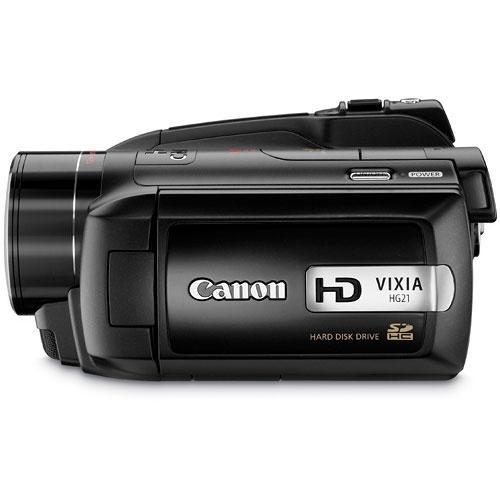
Product description Canon's VIXIA HG21 Hard Disk Drive Camcorder with a 120GB HDD and additional storage for video or 3.1Mp stills available on SD/SDHC cards provides you with all the space you'll ever need. Because you can capture up to 45 hours and 55 minutes of true 1920 x 1080 high definition video (in LP mode) when shooting to the HDD you'll never have to worry about changing discs or tapes right at the key moment. And, your images will be bright and clear thanks to the 1/3.2 3.3Mp CMOS, DIGIC DV II Image Processor and the Genuine Canon 12x HD Lens.
The 2.7" Multi-Angle Vivid Widescreen LCD gives you a variety of shooting and viewing options while the Intelligent Lithium-ion battery informs you of remaining battery life and power. Other features include the Mini Advanced Accessory Shoe, 24Mbps recording, 24p Cinema mode and 30p Progressive mode. An HDMI terminal allows for instant viewing to your HDTV with just one cord. When you're ready to edit the included Pixela ImageMixer 3SE video editing software helps you get it done. - Record
- Record to both the 120GB Hard Disk Drive for up to 45 hours and 55 minutes (HD video in LP mode) and to external SD/SDHC memory cards when you need the extra storage. In addition, the video you record on the HDD can be copied to the SDHC card and inserted into your computer or HDTV's card reader slot for instant viewing. You can also transfer still images from the SDHC card to the internal memory.
- 1920 x 1080 Full HD Recording
- Capture each and every image in true 1920 x 1080 HD. Your images will also be output and recorded in the amazing quality and clarity of full HD. Record at the highest AVCHD bitrate of 24Mbps.
- Compact Design
- Take the HG21 anywhere you go thanks to its lightweight design. Record at every family gathering and event or just capture those spontaneous moments life throws your way.
- Genuine Canon 12x HD Video Lens
- Canon's own Genuine 12x HD Video lens is a four speed zoom lens, meaning you can capture those far off shots, such as wildlife or close-ups that require a wide angle. The Super Spectra Coating technology reduces flare and ghosting to a minimum while the len's aspheric design improves upon resolution and reduces aberration for clean video. The neutral density system compensates for exposure when shooting in a bright situation.
- 3.3MP Full HD CMOS Sensor
- The 1/3.2" 3.3Mp Full HD CMOS Sensor captures full 1920 x 1080 HD images that boast excellent color reproduction and crisp, clean images. Canon's own low noise technology ensures beautiful pixels, even in lowlight situations. The RGB Primary Color Filter with the Bayer Placement Pattern provides rich, true-to-life color by separating the spectrum into red, green and blue.
- DIGIC DV II Image Processor
- Canon's DIGIC DV II Image Processor provides improved color reproduction in HD for video and still images. Skin tones, lowlight situations and bright scenes all come out beautiful thanks to the DIGIC DV II.
- 3.1Mp Still Images
- Capture still images at a resolution of 1920 x 1440 with the stunning clarity provided by the 1/3.2" CMOS sensor and the HD Video lens. And, when you want to record video and digital pictures at the same time you can capture still images off of video recorded to the hard drive.
- SuperRange Optical Image Stabilization
- This optical image stabilizer corrects for the inevitable problem of handshake and sway. Able to correct for a wide range of motion the HG21 provides you will stable, clear images for both video and stills.
- Instant AF
- The Instant AF feature provides you with automatic auto focus, ensuring that your HD videos will be as sharp as possible. An external sensor finds focus fast in any lighting condition. And, when shooting in manual mode the Instant AF magnifies your image 2x helping you to achieve the best possible image.
- 24Mbps Recording
- Record in 24Mbps and capture excellent AVCHD video each and every time with enhanced detail, finer gradations of tones and improved reproduction of moving subjects.
- 24p Cinema Mode
- Capture video at 24p (recorded at 60i) for that film look. When you activate the cameras CINEMA setting improved color and tones enhance that movie look and feel.
- 30p Progressive Mode
- Capture video in professional looking 30p (recorded at 60i) for images that are especially well suited for use on the web. Sports and action shots also benefit from the enhanced quality of 30p. Improve your still images, after recording, as well, by using this setting.
- 2.7" Multi-Angle Vivid Widescreen LCD
- Compose and play back all your shots with the 2.7" Multi-Angle Vivid Widescreen LCD on the HG21. The Anti-Reflection surface boasts improved color reproduction for a more life-like view of what you're recording. A wide range of viewing angles makes it easier for you to record in a variety of situations.
- Mini "S" Advanced Accessory Shoe Terminal
- Smaller by half, than Canon's Advanced Accessory Shoe, the Mini "S" Accessory Shoe allows you to attach Canon accessories of your choosing such as microphones or lights.
- Intelligent Lithium-Ion Battery
- Canon's Intelligent Lithium-ion battery lets you track remaining battery life and time - enabling you to plan out your shooting without any surprises.
- HDMI
- Share your video directly to your HDTV with the HDMI connection on the HG21. Just one cable provides high quality playback of your audio and video.
- Microphone Terminal
- The microphone terminal allows you to attach an external mic to the camcorder for excellent audio capture - giving you all the power for recording pro-level audio.
- Wireless Remote Control
- Use the included wireless remote to control the camcorder's basic functions when you have the HG21 on a tripod.
In the Box Canon VIXIA HG21 Hard Disk Drive High Definition Camcorder VIXIA HG21 BP-807 Battery Pack (With Terminal Cover) CA-570 Compact Power Adapter (With Cable) WL-D88 Wireless Controller USB Cable Component Cable Stereo Video Cable Digital Video Solution Disc for Windows & Mac Pixela ImageMixer 3SE Video Editing Software 90-Day Refurbished Warranty Instruction Manual PDF 5.3mb More from Manufacturer Table of Contents
|
Upload User Manual
Have you got an user manual for the Canon VIXIA HG21 Hard Disk Drive High Definition Camcorder - Refurbished in electronic form? Please send it to us and help us expand our library of instruction manuals.
Thank you, too, on behalf of other users.
To upload the product manual, we first need to check and make sure you are not a robot. After that, your "Submit Link" or "Upload File" will appear.
Technical parametersCanon 2704B002AA Specs | | | Zoom | : 12x
: 200x | | Filter Size | 37 mm | | | | Recording Media | x (120 Maximum)
x | | Recording Time | GB
MPX: 11 hours, 5 minutes LP: 45 hours, 55 minutes
MXP: 2 hours, 55 minutes LP: 12 hours, 15 minutes | | Still Image Resolution | : 3.1 Megapixel | | Channels | 2.0-Channel | | | | Lux | .2 (Night Mode) | | Built-In Light/Flash | Light -
Flash - | | Tripod Mount | 1/4" | | | | Inputs | 1 x | | Outputs | 1 x
1 x
1 x
1 x
1 x | | | | Battery | -, 890 mAh Specifications for the BP-807 | | Power Adapter | 100 - 240 , 50 / 60Hz | | Dimensions (W x H x D) | 3.1 x 3.0 x 5.5" / 78.7 x 76.2 x 139.7 mm | | Weight | 1.2 lb / 544.3 g | | | | Package Weight | 3.6 lb | | Box Dimensions (LxWxH) | 11.0 x 9.5 x 6.0" |
Rating94% users recommend this product to others. And what about you?

This product has already been rated by 83 owners. Add your rating and experience with the product.
Discussion
 Ask our technicians if you have a problem with your settings,
or if anything is unclear in the user manual you have downloaded.
You can make use of our moderated discussion.
The discussion is public and helps other users of our website who may be encountering similar problems.
Ask our technicians if you have a problem with your settings,
or if anything is unclear in the user manual you have downloaded.
You can make use of our moderated discussion.
The discussion is public and helps other users of our website who may be encountering similar problems.
The discussion is empty - enter the first post
Post a new topic / query / comment:
|
|
|
| Request for user manual |
You can’t find the operation manual you are looking for? Let us know and we will try to add the missing manual:
I’m looking for a manual / Request for manual
Current requests for instruction manuals:
Call Of Duty World War Two For Xbox...
controller stratus XL...
stratus XL...
smart whatch serie S11 42mm...
Allen & Heath SQ-6 manual...
|
| Discussion |
Latest contributions to the discussion:
AEW R 4100
Name: MAURICIO ANGARITA
Audio-Technica AEW-R4100 UHF Diversity Receiver for
AEW R 4100 has the mute function blocked and does not allow audio to pass. I tried several times to turn off the mute from the transmitter but it does nothing, the mute stays on. Solution?
Thank you...
Instructions for assembling the 2015 Forecast Image Master Consoles GC3-A
Name: mike elam
Forecast Consoles GC3-A ImageMaster Editing Console
Looking for instructions for assembling this console. ...
EMPTY TONER ERROR MESSAGE AFTER REPLACING TONER
Name: LINDA BAD YELLOW EYES
Brother TN223BK Standard-Yield Toner
I HAD TO CHANGE OUT ALL THREE TONERS DUE TO LEAKS IN THE YELLOW AND CYAN. AFTER I REPLACED THEM, THE MACHINE KEEPS GIVING ME AN EMPTY TONER ERROR MESSAGE. HELP!!...
PS480D 20/24 pin Switching 480W Power Supply
Name: swkargo
Logisys 480W Power Supply
This item states in can run -5vdc .It is NOT listed on the board or I beleive is r4 is missing the resitior. Any body have thid issue. Shawn
...
Help needed
Name: Ann Carter
SanDisk 1TB Extreme Portable USB 3.1
When I click the link to download the user manual for my Sandisk Extreme external hard drive, it gives me the manual for the LG Cricket. Can you please change the link so I can download the Sandisk manual and begin using this drive? Thank you....
|
|


