|
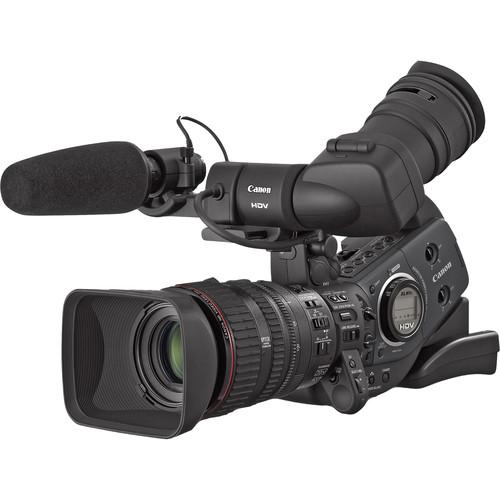
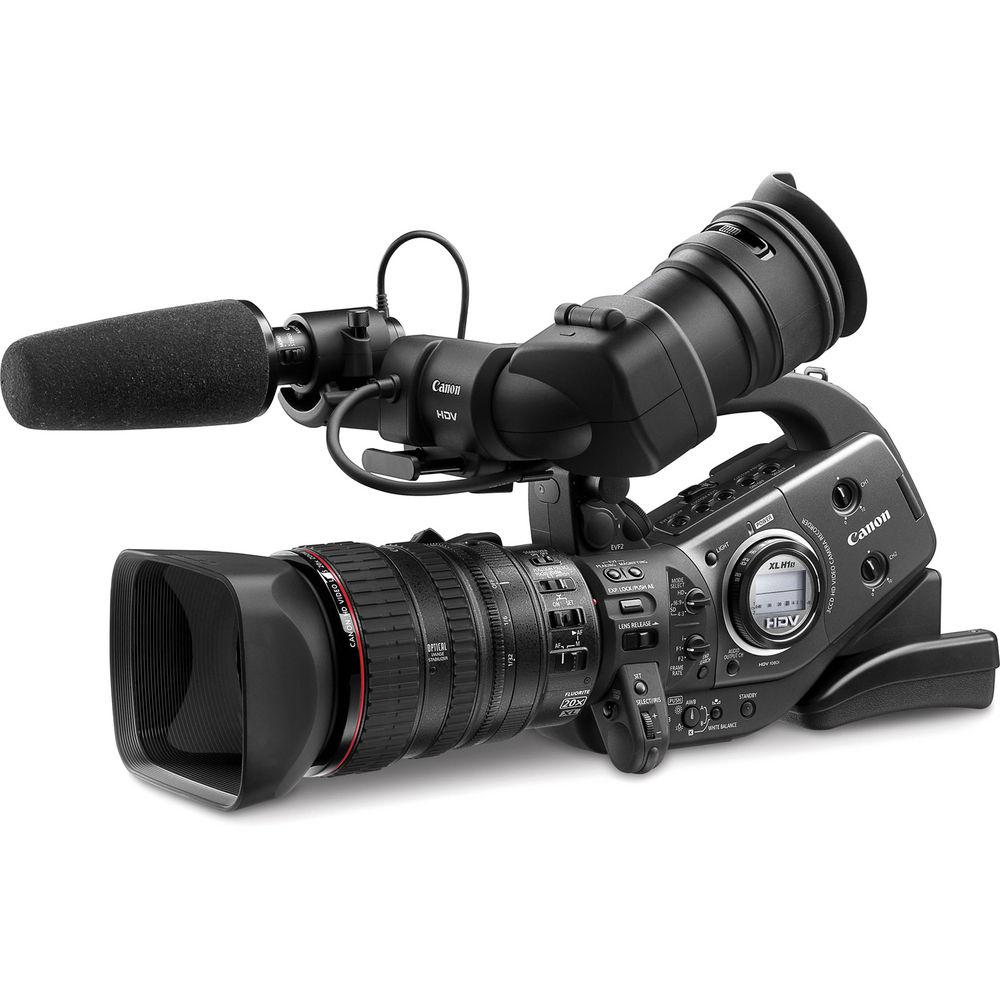
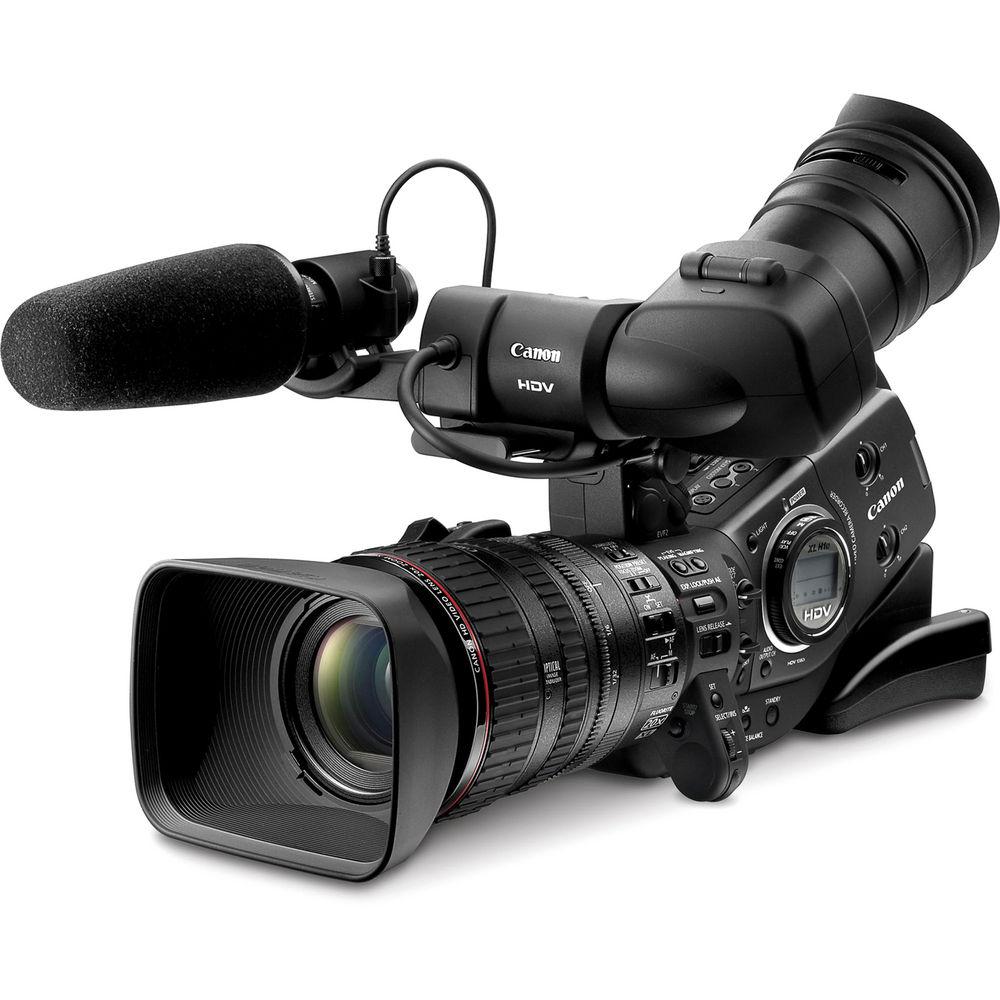
User Manual for Canon XL-H1s 3-CCD High Definition Camcorder - Refurbished Click to enlarge the picture
 Contents of the user manual for the Canon XL-H1s 3-CCD High Definition Camcorder
- Product category: Uncategorized Canon
- Brand: Canon
- Description and content of package
- Technical information and basic settings
- Frequently asked questions – FAQ
- Troubleshooting (does not switch on, does not respond, error message, what do I do if...)
- Authorized service for Canon Uncategorized
 |
User manual for the Canon XL-H1s 3-CCD High Definition Camcorder contain basic instructions
that need to be followed during installation and operation.
Before starting your appliance, the user manual should be read through carefully.
Follow all the safety instructions and warnings, and be guided by the given recommendations.
User manual is an integral part of any Canon product,
and if it is sold or transferred, they should be handed over jointly with the product.
Following the instructions for use is an essential prerequisite for protecting
health and property during use, as well as recognition of liability on the part of the manufacturer
for possible defects should you make a warranty claim. Download an official Canon user manual in which you will find instructions on how to install, use, maintain and service your product.
And do not forget – unsuitable use of a Canon product will considerably shorten its lifespan!
|
Product description - Canon XL-H1s Demo
- Canon XL-H1s Spanish Demo
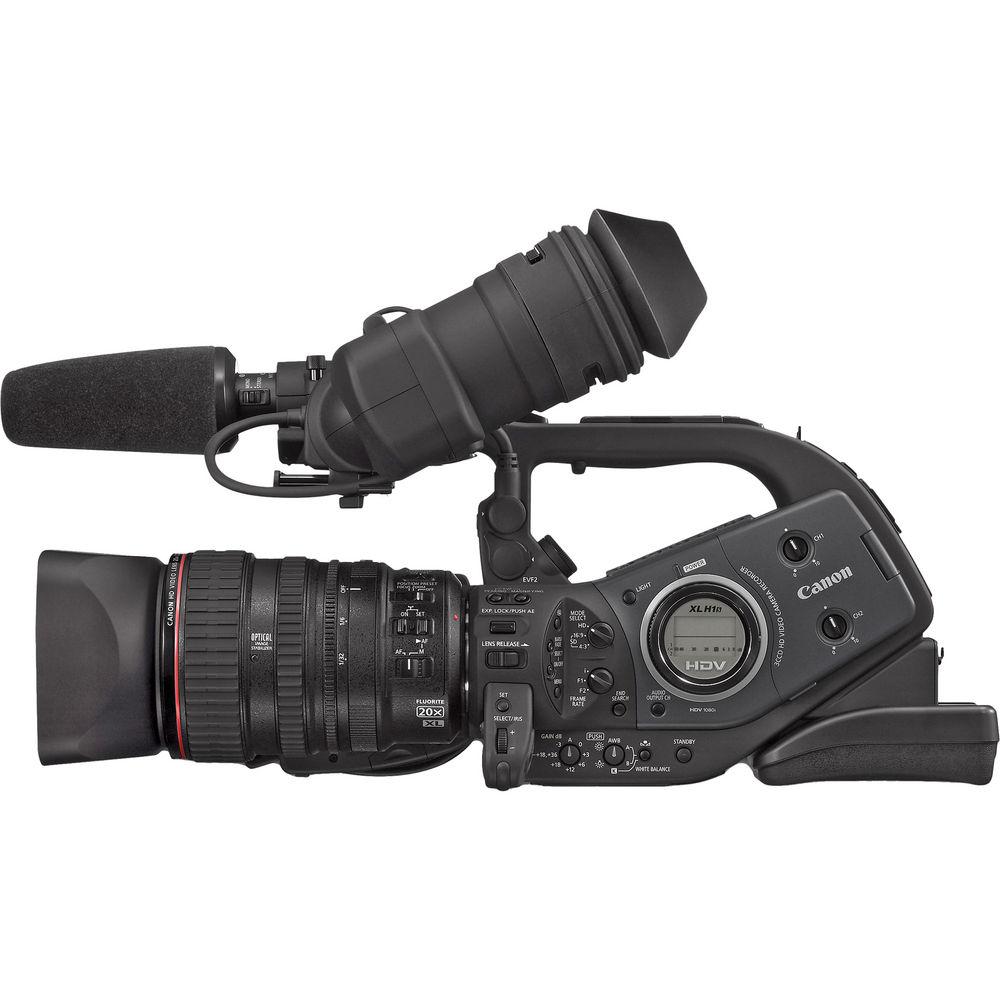
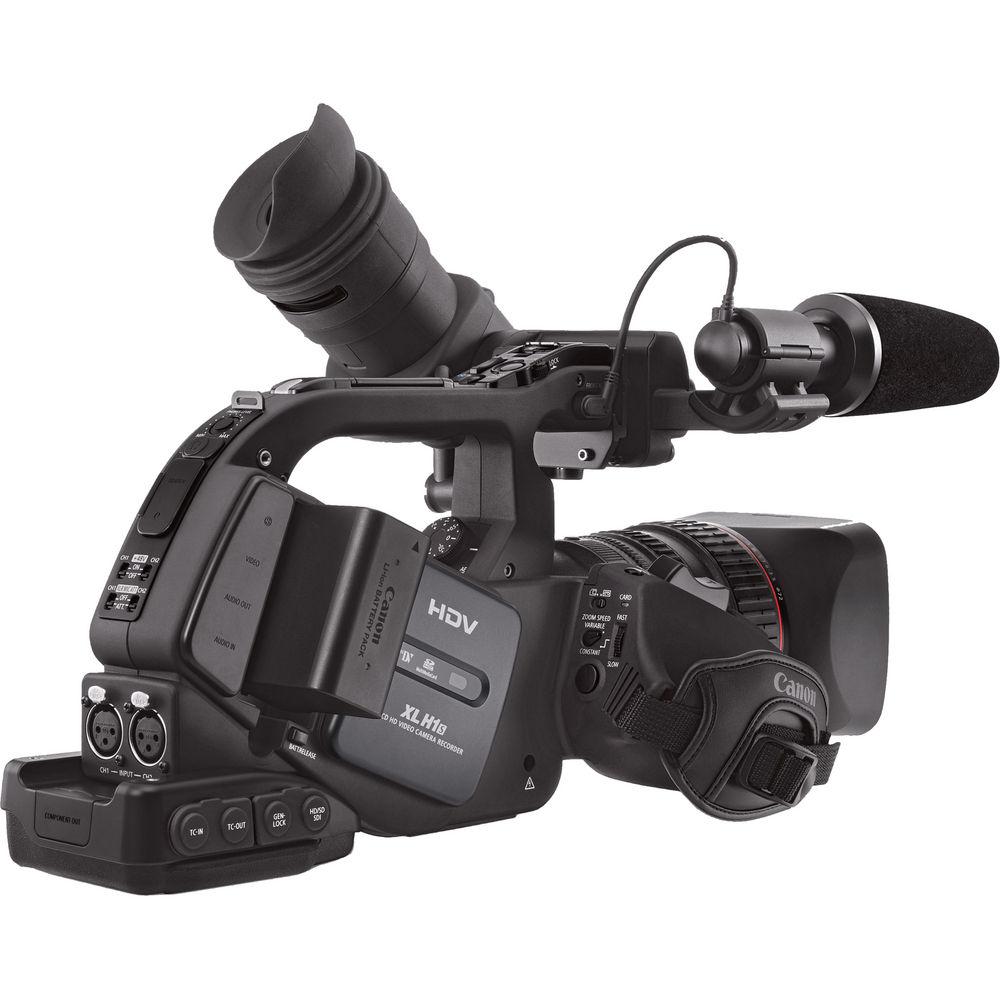
The Canon XL-H1s is an HDV camera that features interchangeable lenses. Using an improved 20x HD video zoom with superior optics further ensures a professional level of recording which is ideal for ENG, documentary and reality TV production. Filmmakers will appreciate the extensive cine' controls and 24 frame option.
The camera offers uncompressed HD-SDI and SD-SDI output for seamless integration into broadcast studios or high quality image transfer to non-linear editing systems. The Genlock feature allows studios to easily synchronize camera settings across multiple camcorders. Real SMPTE time code input and output allow for streamlined tape and edit management. This camera is fully capable of recording in standard definition DV format as well. - HDTV Resolution
- The XL-H1s camcorder has three 1/3 inch 16:9 interlaced CCDs that capture images at 1080i resolution. The camcorder features selectable frame rates of 60i, 30 Frame and 24 Frame to allow the user to adjust to the assignment at hand and can switch back to SD resolution if needed. At the 30 Frame rate, broadcasters can capture fast motion like sports with confidence that each frame is captured individually and completely.
Filmmakers can utilize the 24 Frame rate when creating the look and feel of movie film. The 60i frame rate, meanwhile, delivers exceptional resolution for shooting environments like ENG or Reality TV. The XL-H1s HD camcorder is the first model to include Canon's proprietary DIGIC DV II image processor. DIGIC DV II is an image processor that can process both HD and SD video signals as well as still photos, while maintaining the correct color space for each mode. - Canon 20x HD Video Lens
- The Canon XL-H1s features Canon's XL-interchangeable lens mount. For the XL-H1s camcorder Canon made a 20x high definition video zoom lens. It incorporates multiple Fluorite glass elements for superior color, contrast, resolution and reduction of chromatic aberrations. It is a fast lens with maximum aperture f/1.6 to f/3.5 depending on focal length. At its widest angle the lens is capable of close focusing down to 20mm or about 0.8".
- Viewfinder and LCD Monitor
- The XL-H1s comes with a multi-functional color viewfinder and a 2.4" diagonal LCD monitor with safe-zone frame-lines built in. There is a black and white mode, selectable zebra exposure mode, horizontal and vertical flip feature and a distance readout (with the 20x HD lens). As menu options the user can select safe-zone frame-lines for the following aspect ratios: 4:3, 13:9, 14:9, 1.66:1, 1.75:1, 1.85:1 and 2.35:1
- Focus Assist Help Feature
- The camcorder has a feature called Focus Help that uses prompts in the viewfinder to aid fast focusing. The PEAKING setting puts an exaggerated line on the viewfinder image that disappears when focus is achieved. The "Magnifying" setting enlarges the viewfinder image which should help the operator to better judge fine focusing.
- Optical Stabilization Feature
- Canon calls its image stabilizer Super-Range Optical Image Stabilization and it helps defeat camera shake from hand-held shooting and even shake produced from a moving vehicle. Because it is an optical function, it can compensate for a greater degree of camera shake and avoids any loss in image quality, unlike electronic or digital stabilizing methods.
- Uncompressed HD-SDI and SD-SDI
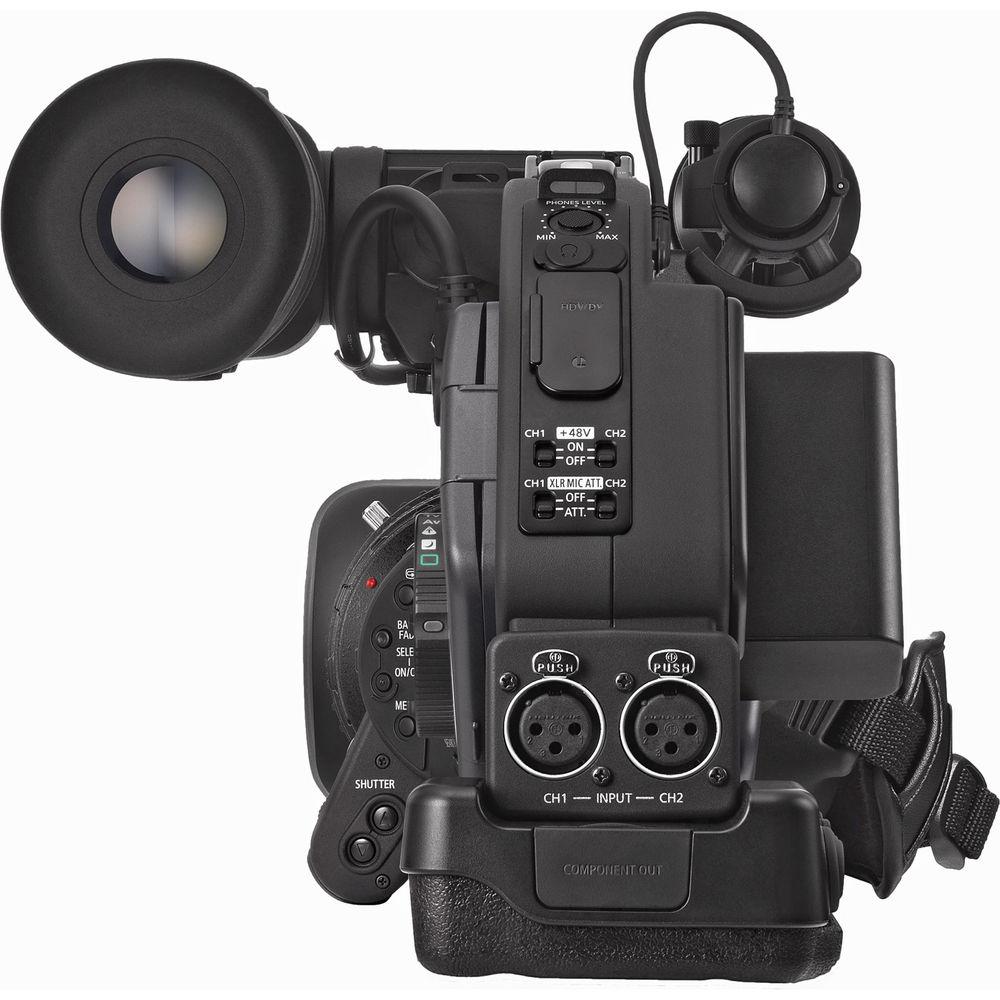
- The XL-H1s camcorder has all the connectors that professionals have been missing in other low-cost HDTV camcorders. For the ultimate in video transfers this camera has uncompressed HD-SDI and SD-SDI connectors. The serial digital BNC connectors can transfer both HD and standard definition signals.
- Time Code
- The XL-H1s camera is equipped with true SMPTE time code input and output. Time code from the camcorder can be sent to other recording devices (cameras, VTRs) so that they are all recording with the same clock.
- Genlock Synchronization
- Multi-camera shoots with the XL-H1s is no problem since the camcorder has Genlock sync. This feature allows many devices including cameras, VTRs and switchers to synchronize.
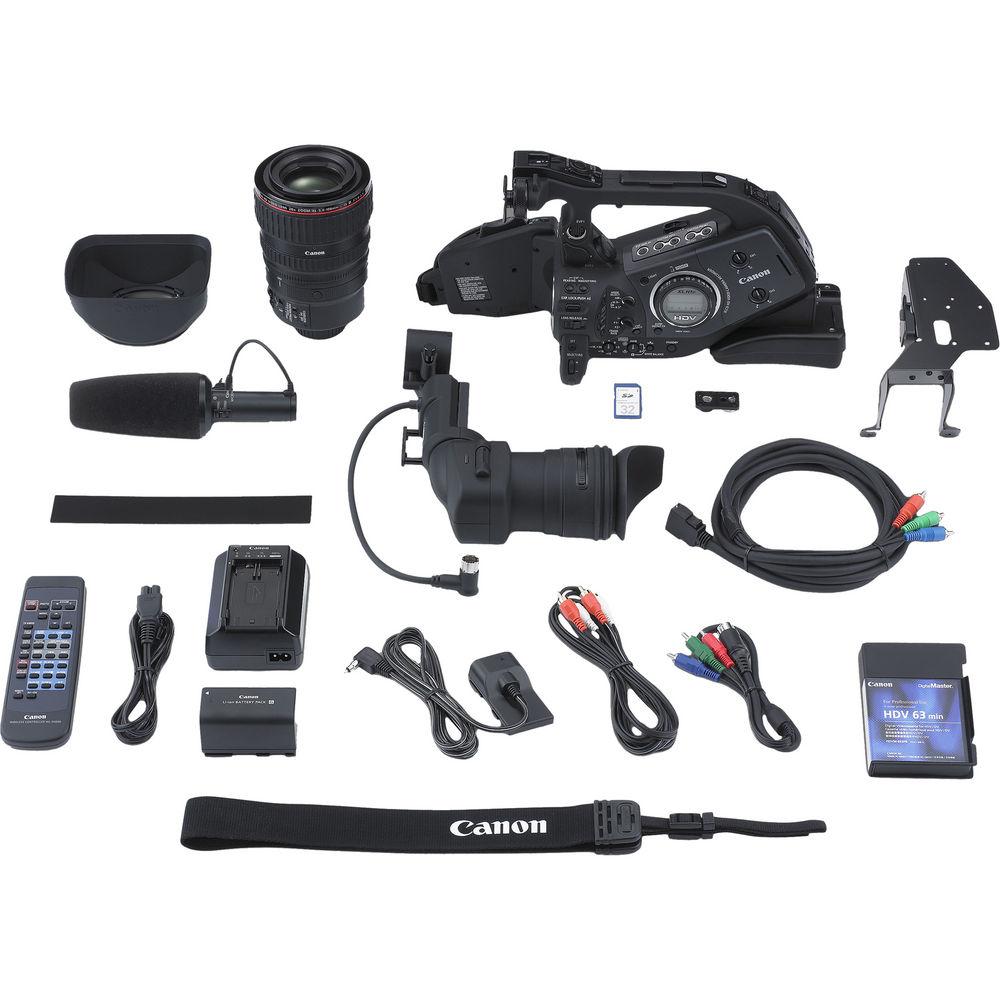
In the Box Canon XL-H1s 3-CCD High Definition Camcorder XL-Mount 20x HD Zoom Lens CA-920 Charger/Power Adapter AC Cable BP-950G Battery Pack Color LCD Viewfinder DC-920 DC Coupler WL-D5000 Remote Control D Terminal Component Cable (DTC-1000) Skirt Adapter (PC-A10) Shoulder Strap Stereo Microphone SP-100 Shoulder Pad 90-Day Refurbished Warranty Instruction Manual PDF 9.2mb Table of Contents
|
Upload User Manual
Have you got an user manual for the Canon XL-H1s 3-CCD High Definition Camcorder - Refurbished in electronic form? Please send it to us and help us expand our library of instruction manuals.
Thank you, too, on behalf of other users.
To upload the product manual, we first need to check and make sure you are not a robot. After that, your "Submit Link" or "Upload File" will appear.
Technical parametersCanon 2080B003AA Specs | Signal System | NTSC and HDV | | Image Device | 1/3" 3-CCD
16:9 and 4:3 Switchable | | Lens | 20x Video Zoom; 5.4-108mm | | Signal-to-Noise Ratio | Not Specified By Manufacturer | | Horizontal Resolution | 1080 Lines | | Sensitivity | Not Specified By Manufacturer | | Minimum Illumination | 60i: 7 lux, (1/60 shutter)
30F: 4 lux, (1/30 shutter)
24F: 3 lux, (1/24 shutter) | | Vertical Smear | Not Specified By Manufacturer | | Built-in ND Filter | 1/6 = 2 Stops
1/32 = 5 Stops | | LCD Monitor | 2.4" LCD with VF Magnifier Removed | | Viewfinder | Color LCD with Magnifier and Adjustable Ocular | | Scan Matching | Yes | | Memory Card Slot | Yes | | Shutter Speed Range | Not Specified By Manufacturer | | Gain Selection | -3, A, 0, 3, 6, 12, 18 | | | | Tape Format | Mini DV | | Tape Speed | SP Speed = 18.81mm/s
LP Speed = 12.56mm/s | | Signal-to-Noise Ratio | Not Specified By Manufacturer | | Maximum Recording Time | 60 min | | | | Audio Dynamic Range | Not Specified By Manufacturer | | Audio Signal Format | 16-bit/48kHz (2 & 4 channel mode) | | Audio Frequency Response | 20Hz to 20kHz | | Signal to Noise Ratio | Not Specified By Manufacturer | | | | Input and Output Connectors | Firewire: 6-Pin (x1 Input, x1 Output)
Component Video: 3-RCA (x1 Input, x1 Output)
S-Video: 4-Pin (x1 Input, x1 Output)
Composite Video: BNC (x1 Input, x1 Output)
Mic Audio: XLR (x2 Input)
Mic Audio: Mini Stereo (x1 Input)
Line Audio: RCA (x2 Input, x2 Output)
Headphone: Mini Stereo (x1)
LANC Control: Mini Stereo (x1)
HD-SDI/SD-SDI: BNC (x1 Output)
Timecode: BNC (x1 Output)
Genlock: BNC (x1 Output) | | Power Requirements | 7.4VDC | | Power Consumption | Not Specified By Manufacturer | | Operating Temperature | 32-104°F (0-40°C) | | Dimensions (WxHxD) | 8.9 x 8.7 x 19.5" (22.6 x 22 x 49.6cm) | | Weight | Body Only
5.4 lb (2.4kg)
With Lens and Battery
8.8 lb (4kg) | | | | Package Weight | 16.75 lb | | Box Dimensions (LxWxH) | 19.6 x 16.0 x 13.1" |
Rating100% users recommend this product to others. And what about you?

This product has already been rated by 36 owners. Add your rating and experience with the product.
Discussion
 Ask our technicians if you have a problem with your settings,
or if anything is unclear in the user manual you have downloaded.
You can make use of our moderated discussion.
The discussion is public and helps other users of our website who may be encountering similar problems.
Ask our technicians if you have a problem with your settings,
or if anything is unclear in the user manual you have downloaded.
You can make use of our moderated discussion.
The discussion is public and helps other users of our website who may be encountering similar problems.
The discussion is empty - enter the first post
Post a new topic / query / comment:
|
|
|
| Request for user manual |
You can’t find the operation manual you are looking for? Let us know and we will try to add the missing manual:
I’m looking for a manual / Request for manual
Current requests for instruction manuals:
Call Of Duty World War Two For Xbox...
controller stratus XL...
stratus XL...
smart whatch serie S11 42mm...
Allen & Heath SQ-6 manual...
|
| Discussion |
Latest contributions to the discussion:
AEW R 4100
Name: MAURICIO ANGARITA
Audio-Technica AEW-R4100 UHF Diversity Receiver for
AEW R 4100 has the mute function blocked and does not allow audio to pass. I tried several times to turn off the mute from the transmitter but it does nothing, the mute stays on. Solution?
Thank you...
Instructions for assembling the 2015 Forecast Image Master Consoles GC3-A
Name: mike elam
Forecast Consoles GC3-A ImageMaster Editing Console
Looking for instructions for assembling this console. ...
EMPTY TONER ERROR MESSAGE AFTER REPLACING TONER
Name: LINDA BAD YELLOW EYES
Brother TN223BK Standard-Yield Toner
I HAD TO CHANGE OUT ALL THREE TONERS DUE TO LEAKS IN THE YELLOW AND CYAN. AFTER I REPLACED THEM, THE MACHINE KEEPS GIVING ME AN EMPTY TONER ERROR MESSAGE. HELP!!...
PS480D 20/24 pin Switching 480W Power Supply
Name: swkargo
Logisys 480W Power Supply
This item states in can run -5vdc .It is NOT listed on the board or I beleive is r4 is missing the resitior. Any body have thid issue. Shawn
...
Help needed
Name: Ann Carter
SanDisk 1TB Extreme Portable USB 3.1
When I click the link to download the user manual for my Sandisk Extreme external hard drive, it gives me the manual for the LG Cricket. Can you please change the link so I can download the Sandisk manual and begin using this drive? Thank you....
|
|


