|
User Manual for Casio PX-S1000WE Privia 88-Key Digital Piano Click to enlarge the picture
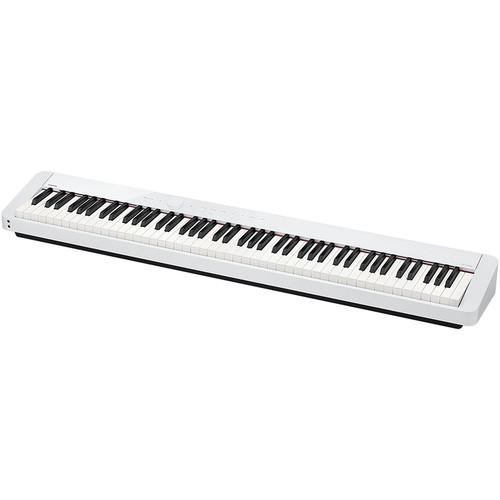 Contents of the user manual for the Casio PX-S1000WE Privia 88-Key Digital Piano
- Product category: Digital Pianos Casio
- Brand: Casio
- Description and content of package
- Technical information and basic settings
- Frequently asked questions – FAQ
- Troubleshooting (does not switch on, does not respond, error message, what do I do if...)
- Authorized service for Casio Digital Pianos
 |
User manual for the Casio PX-S1000WE Privia 88-Key Digital Piano contain basic instructions
that need to be followed during installation and operation.
Before starting your appliance, the user manual should be read through carefully.
Follow all the safety instructions and warnings, and be guided by the given recommendations.
User manual is an integral part of any Casio product,
and if it is sold or transferred, they should be handed over jointly with the product.
Following the instructions for use is an essential prerequisite for protecting
health and property during use, as well as recognition of liability on the part of the manufacturer
for possible defects should you make a warranty claim. Download an official Casio user manual in which you will find instructions on how to install, use, maintain and service your product.
And do not forget – unsuitable use of a Casio product will considerably shorten its lifespan!
|
Product description - CASIO "Privia" PX-S1000 / PX-S3000 Promotion Video
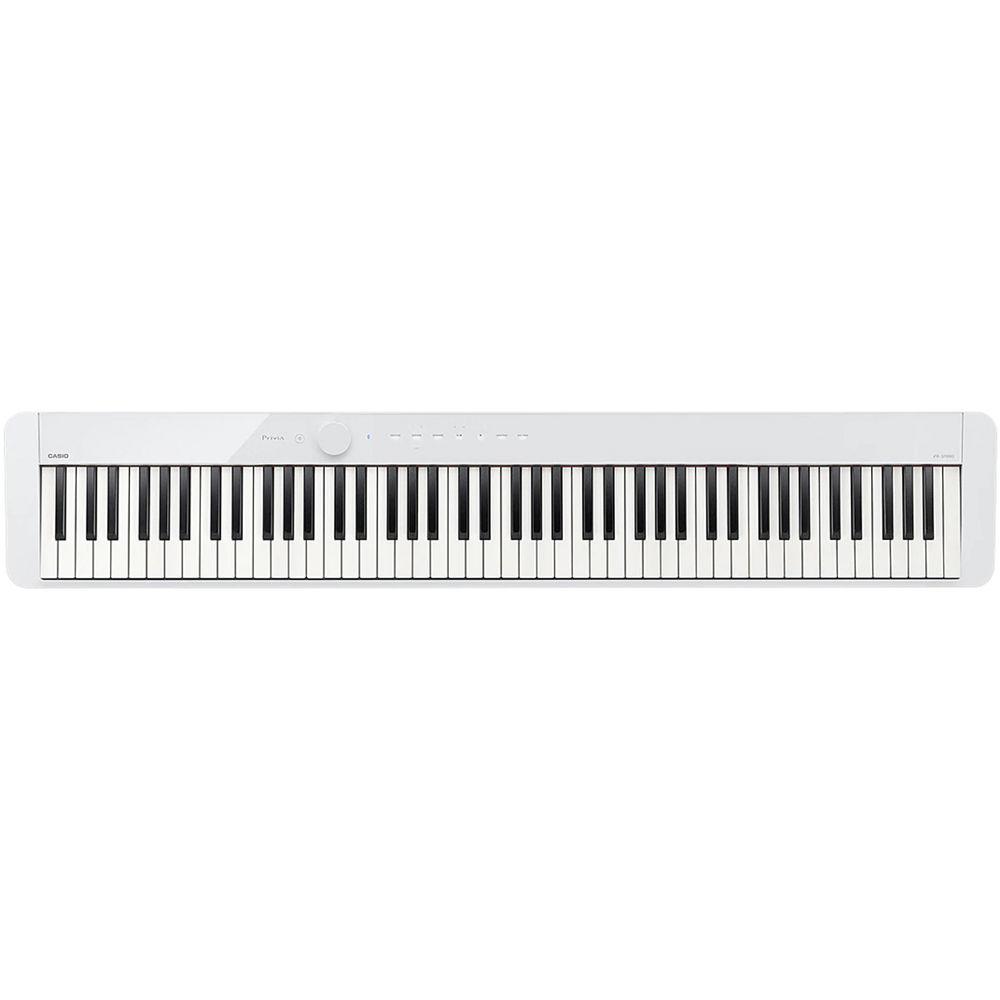
The white PX-S1000WE Privia 88-Key Digital Piano from Casio features a scaled, hammer-action keyboard that provides built-in speakers, eighteen built-in tones with layer, split, and duet modes and is designed to fit in any room, with any decor, and with any mood. Five Sensitivity levels, 192-note maximum polyphony, and an acoustic simulator, result in string resonance, damper resonance, and key-action noise to offer a grand piano sound with seamless transitions and excellent dynamic range.Along with the grand piano sound in the Privia keyboard, you'll also find lifelike tine and reed electric pianos, organs, strings, vibraphone, and harpsichord sounds. It is equipped with digital effects like reverb, surround, chorus, and preset DSP for some tones. Additional features include: connectivity to Chordana Play for Piano (download), Bluetooth audio, a 2-track recorder, octave shift, metronome, and equal temperament variations with key-transpose functions.Two headphone jacks, two pedal connectors (connector for 3-pedal unit), and USB audio and Host connections are featured on the back of the unit. An AC adapter is included with the option to use six AA alkaline batteries to power the Privia 88-Key Digital Piano. An SP-3 pedal and a music stand are also included. - Designed Inspiration
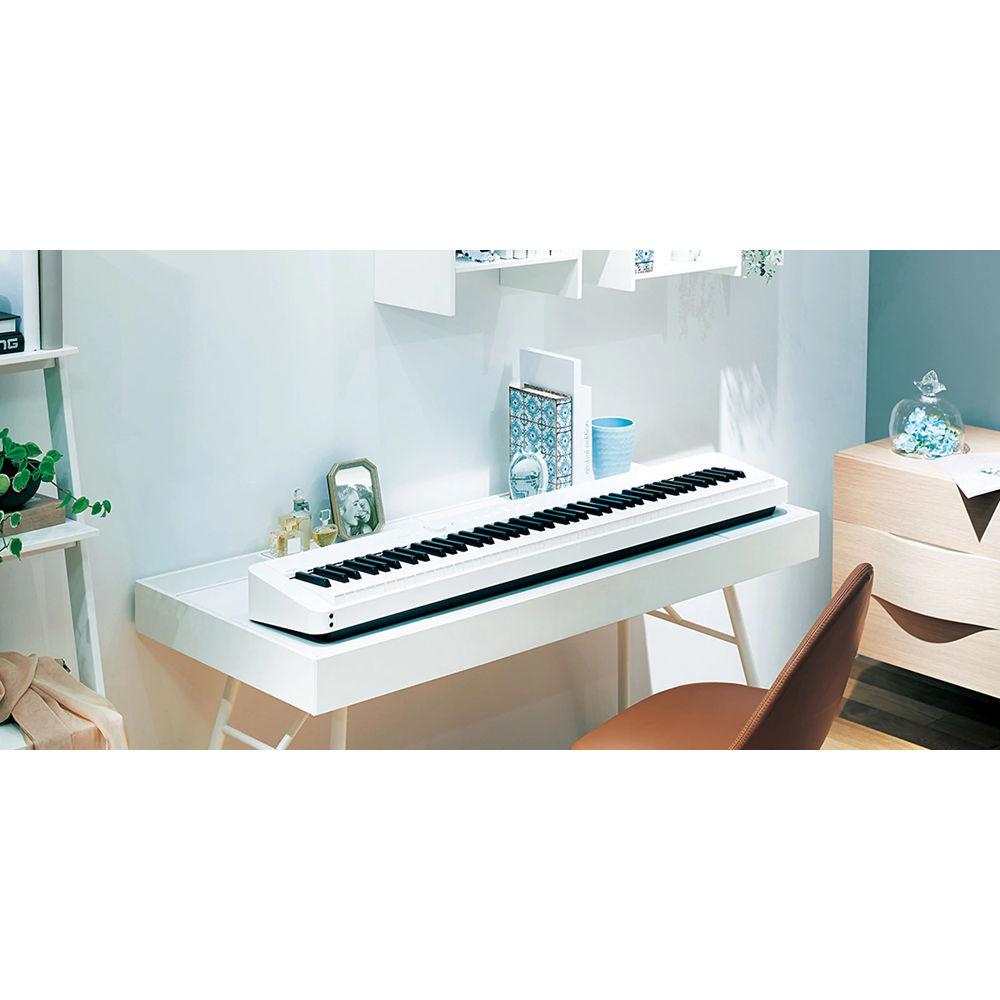
- The PX-S1000's design fits any room, any decor, and any mood. The white finish with its sleek glossy panel and unibody case evokes an acoustic grand in a case that's barely larger than the keys themselves.
- The Perfect Touch
- The touch of the PX-S1000 is due to the updated and designed fully weighted smart-scaled, hammer-action keyboard, which delivers an authentic and uncompromising piano touch with an incredibly small footprint. Casio's proprietary key-scaling system reproduces the individual characteristics of each of the 88 keys, while ebony and ivory key textures ensure confident playing in any climate.
- Piano and Beyond
- The PX-S1000 includes 18 tones including a breathtaking acoustic grand piano. Advanced string resonance exposes the harmonic relationships between vibrating strings, while damper resonance adds depth and richness. You'll even hear the damper rise and fall when the pedal is pressed along with the subtle mechanical sound of the keys being played and returning to their original position. Hammer response and key-off simulation deliver even greater detail, reacting naturally to your playing dynamics. Along with piano, you'll find lifelike tine and reed electric pianos, organs, strings, vibraphone, harpsichord and more.
- Now Your See It
- The PX-S1000's touch sensor controls are revealed only when the power button is pressed and are easy to see and use in any light. They fade away when powered off, leaving only a clean, seamless top panel.
- Blue Notes
- Integrated Bluetooth audio lets you connect your device wirelessly to the PX-S1000, playing your music through its powerful stereo amplification system. Now, instead of just enjoying your favorite music, you can join the band.
- Stereo Speaker System
- A stereo speaker system delivers crystal-clear sound towards both the player and the audience and is engineered to sound accurate when facing a wall, placed on a table, or in an open performance space. The speakers project towards the player from subtle ports just above the keys and towards the audience from rear-facing drivers behind a beautifully designed grill. Two headphone jacks allow quiet play at any time. The PX-S1000's newly developed Sound Mode gives your playing new perspective. You can select from four types of hall simulations to place your PX-S1000 in the virtual concert space of your dreams.
- The Perfect Fit
- Privia pianos are already known for replicating grand piano sound and feel in a compact package, but the PX-S1000 will make you rethink how portable a piano can be. It's 43% smaller than previous generation Privias and takes up literally less than half as much space as its competition while retaining true piano touch and sound. It fits anywhere you need it to: on a table, on a counter, on a desk, on your bed, the list goes on. Weighing under 25 pounds and with optional 6 x AA battery power, the possibilities are endless.
- Connect and Create
- Download the free Chordana Play for Piano app (available on Google Play and the iTunes Store) and customize your PX-S1000 to suit your mood. Change instrument settings, control the MIDI recorder, and interact with MIDI files from your favorite device. View PDF scores, and use the optional SP-34 3-pedal unit (or third-party Bluetooth-compatible pedals) to turn pages while playing. You can even learn your favorite songs with a graphical piano roll which grades you on how well you play.
- In Command
- The PX-S1000 is also an ideal master controller for your home studio. It's more affordable than most dedicated 88-key MIDI controllers, delivers a piano feel, and includes a collection of studio-quality sounds. Best of all, it fits easily into any desk designed to hold an 88-note instrument with room to spare. Class-compliant USB means you can connect to any Mac/Windows/iOS/Android device with no drivers or installation needed.
- Piano to Go
- When it's time to play out, the PX-1000's lightweight and slim design will make you wonder why you ever used anything else. The optional carrying case (sold separately) includes space for the PX-S1000, its music rest, and the portable SP-34-pedal unit (sold separately). Connect via left & right 1/4" outputs to any amplification or recording destination.
- Higher Education
- Like all Privia instruments, the PX-S1000 features Duet mode, which splits the keys into two equal pitch ranges for performances or educational settings. A teacher and student, or two students, can be seated at the same instrument. The PX-S1000's Duet mode also has a Pan feature, which allows true two-student-per-instrument compatibility with all popular piano-lab systems.
In the Box Casio PX-S1000WE Privia 88-Key Digital Piano (White) AC Power Adapter Music Stand SP-3 Sustain Pedal svserzcvaywfvudxtaftetryeqzvfrwerc Limited 1-Year Warranty Table of Contents
|
Upload User Manual
Have you got an user manual for the Casio PX-S1000WE Privia 88-Key Digital Piano in electronic form? Please send it to us and help us expand our library of instruction manuals.
Thank you, too, on behalf of other users.
To upload the product manual, we first need to check and make sure you are not a robot. After that, your "Submit Link" or "Upload File" will appear.
Technical parametersCasio PX-S100 Specs | | | Keyboard | 88 Full-Size Keys, Graded/Scaled-Hammer Action | | Touch Response | 5 Levels of Sensitivity, Plus Fixed | | | | Number of Sound Presets | 18 x Sounds | | Number of Song Presets | 60 x Demo
1 x User | | Effects | Brilliance, Chorus, Reverb | | Maximum Polyphony | 192 Notes | | Performance Functions | Duet Mode, Split/Layer, Temperament Adjustment, Transpose, Tuning Adjustment | | | | Supported MIDI Standards | GM | | | | I/O | 2 x 1/8" / 3.5 mm TRS Headphone Output
2 x 1/4" TS Mono Output
1 x 1/8" / 3.5 mm TRS Stereo Input | | Pedal Support | 2 x 1/4" TS Damper | | Data Port | 1 x USB Type-A (Computer Transfer, MIDI) | | Bluetooth | Yes (Audio, MIDI) | | OS Compatibility | iOS
Android | | | | Amplifiers | 2 x 8 W | | Oval Speakers | 2 x 6.3 x 3.15" / 16 x 8 cm | | | | AC/DC Power Adapter | AD-A12150 (Included) | | Battery Type | 6 x AA | | | | Display | None | | Included Accessories | Damper Pedal, Music Rest | | Dimensions | 52.0 x 9.0 x 4.0" / 132.1 x 22.9 x 10.2 cm (Keyboard Only) | | Weight | 24.7 lb / 11.2 kg (Keyboard Only) |
Rating60% users recommend this product to others. And what about you?

This product has already been rated by 29 owners. Add your rating and experience with the product.
Discussion
 Ask our technicians if you have a problem with your settings,
or if anything is unclear in the user manual you have downloaded.
You can make use of our moderated discussion.
The discussion is public and helps other users of our website who may be encountering similar problems.
Ask our technicians if you have a problem with your settings,
or if anything is unclear in the user manual you have downloaded.
You can make use of our moderated discussion.
The discussion is public and helps other users of our website who may be encountering similar problems.
The discussion is empty - enter the first post
Post a new topic / query / comment:
|
|
|
| Request for user manual |
You can’t find the operation manual you are looking for? Let us know and we will try to add the missing manual:
I’m looking for a manual / Request for manual
Current requests for instruction manuals:
Call Of Duty World War Two For Xbox...
controller stratus XL...
stratus XL...
smart whatch serie S11 42mm...
Allen & Heath SQ-6 manual...
|
| Discussion |
Latest contributions to the discussion:
AEW R 4100
Name: MAURICIO ANGARITA
Audio-Technica AEW-R4100 UHF Diversity Receiver for
AEW R 4100 has the mute function blocked and does not allow audio to pass. I tried several times to turn off the mute from the transmitter but it does nothing, the mute stays on. Solution?
Thank you...
Instructions for assembling the 2015 Forecast Image Master Consoles GC3-A
Name: mike elam
Forecast Consoles GC3-A ImageMaster Editing Console
Looking for instructions for assembling this console. ...
EMPTY TONER ERROR MESSAGE AFTER REPLACING TONER
Name: LINDA BAD YELLOW EYES
Brother TN223BK Standard-Yield Toner
I HAD TO CHANGE OUT ALL THREE TONERS DUE TO LEAKS IN THE YELLOW AND CYAN. AFTER I REPLACED THEM, THE MACHINE KEEPS GIVING ME AN EMPTY TONER ERROR MESSAGE. HELP!!...
PS480D 20/24 pin Switching 480W Power Supply
Name: swkargo
Logisys 480W Power Supply
This item states in can run -5vdc .It is NOT listed on the board or I beleive is r4 is missing the resitior. Any body have thid issue. Shawn
...
Help needed
Name: Ann Carter
SanDisk 1TB Extreme Portable USB 3.1
When I click the link to download the user manual for my Sandisk Extreme external hard drive, it gives me the manual for the LG Cricket. Can you please change the link so I can download the Sandisk manual and begin using this drive? Thank you....
|
|


